Email marketing guide 2026: beginner to advanced roadmap
 Written by Emre Elbeyoğlu, Founder & CEO of PopupsmartReviewed by Mert Özeren · Updated
 Email marketing is sending permission-based emails to people who asked to hear from you, to build relationships and drive sales. This email marketing guide gives you a nine-step roadmap from beginner to advanced: pick an email tool, get consent, grow and clean your list, segment it, build campaigns, automate, protect deliverability and measure results.
If you want to start learning about email marketing, this is a handy guide for you! We will walk you through the entire process of setting up your email marketing program so that you can acquire leads, get a return on your time, money, and resources, and generate expected sales.
With this article, you will be able to understand what email marketing is, what benefits it has, how you can obtain and retain email data, and in what ways you can execute an email marketing campaign. Also, you will see several successful email campaigns as examples, tools that will help you increase your inbox placement rate, email template builders, and so on.
Email marketing roadmap: 9 steps from beginner to advanced
How do you do email marketing step by step? Work through these nine steps in order. The rest of this email marketing guide explains each one in detail.
- Choose an email service provider (beginner): you're done when you have a tool that fits your budget, automates the emails you need and connects to the signup forms and popups on your site.
- Get permission (beginner): you're done when every address on your list came from a clear opt-in, ideally confirmed with double opt-in, and every email carries an unsubscribe link.
- Grow your list (beginner): you're done when signup forms, popups, social profiles and blog posts bring in new subscribers every week.
- Clean your list (intermediate): you're done when invalid addresses are verified out and people who haven't engaged for six months or more are removed or asked to confirm again.
- Segment your subscribers (intermediate): you're done when you can email groups by location, interest, purchase behavior or engagement instead of everyone at once.
- Build each campaign (intermediate): you're done when every email has a recognizable sender name, a clear subject line and preheader, a short mobile-friendly body with a call to action, and a footer with your postal address and unsubscribe link.
- Automate your key flows (advanced): you're done when welcome, abandoned cart, post-purchase and win-back emails go out on their own, triggered by what subscribers do.
- Protect your deliverability (advanced): you're done when SPF, DKIM and DMARC pass, one-click unsubscribe works and your spam complaint rate stays under the limits Gmail and Yahoo set.
- Measure and improve (advanced): you're done when you check clicks, conversions, unsubscribes, complaints and bounces on a fixed schedule and change one thing at a time based on what they show.
What is Email Marketing?
Email marketing is a form of marketing using email tools to deliver advertising messages to a selected group of the target audience to promote a business, products, or offers. In broader terms, email marketing could be any email sent to potential customers. It can be used to notify customers on your list about the new products, items left in the cart, promotions, offers, and other services.
The enormous majority of internet users have email accounts that allow them to receive an almost unlimited number of messages simultaneously. According to the Radicati Group's Email Statistics Report, 2024-2028, there were 4.48 billion email users worldwide in 2024, and it forecasts 4.73 billion for 2026.
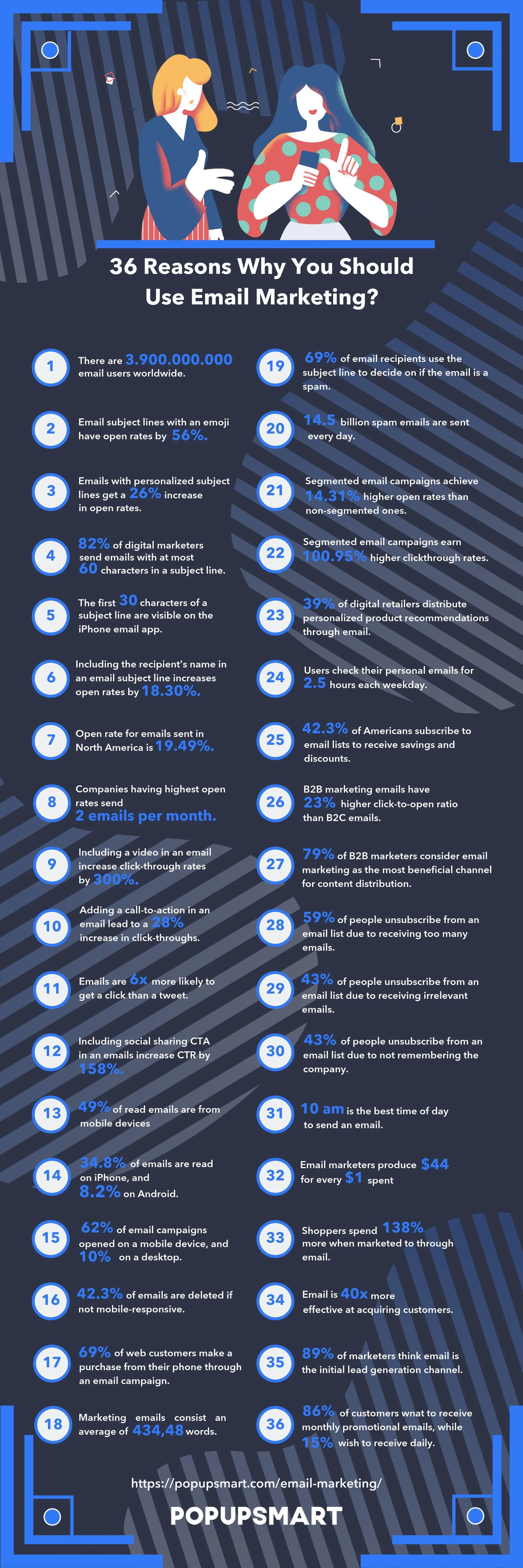
Why Should You Use Email Marketing? -
36 Reasons Infographic
Email reaches people who asked to hear from you, costs little per message, and lets you measure the clicks and sales each campaign brings. The infographic below lists 36 reasons to use it, and you can share it on your own site with the embed code under it.
What are the Advantages and Disadvantages of Email Marketing?
We can list the advantages of email marketing as;
- Your email list consists of people who have chosen to receive emails from you. This permission-based approach increases subscriber engagement with your business.
- You have different design options to create your email campaign: plain text, graphs, pictures, videos, attach files - whichever fits your message the best.
- Email marketing can be used to deliver customized messages or reach mass audiences, so it is scalable.
- It is easy for subscribers to forward and share your email content with other people. This may build a good reputation by word-of-mouth. Also, it is a decent way to influence new customers to become your brand followers.
- While carrying out a campaign, using call-to-action buttons and links will be very useful because it makes the purchase of a product or service from your website easier.
- You can measure the success of a campaign by using web analytics software, which allows you to optimize future campaigns.
- You can compare your results to others in the market by checking free email marketing benchmarking reports. This data helps you to catch and evaluate improvement opportunities.
- There is a chance to implement A/B testing to your emails before you send them. You can test your subject lines, calls-to-action, images, or messages to ensure your email content is effective.
- Audiences can read your message whenever they are available, so it is less intrusive compared to telephone marketing.
- The total cost of email marketing is usually much lower than many other forms of marketing. Therefore, email marketing is very cost-effective.
- Because nothing is printed on email marketing campaigns, it is an environmentally-friendly form of marketing.
- Marketers rate email's Return on Investment (ROI) highly. In the DMA's Marketer Email Tracker 2026, a survey of 250 UK marketers, respondents estimated a return of £40.96 for every £1 spent on email. That's the marketers' own estimate, not a measured return, and the DMA notes that once adjusted for inflation it is a decline over five years. Even so, it is worth dedicating your efforts and resources to email marketing.
- If you use automated triggers - such as website activity, recent purchase, or shopping cart abandonment, you can reach the right audience, at the right time, in the right place, and with the right offer.
Email marketing has many catchy advantages, right? What about the disadvantages? These can be sorted as;
- Your emails may go to the spam folder of your subscribers. That is because you did not target the right people making your click-through rate and open rate insufficient for Internet Service Providers (ISP) or you didn't comply with privacy and protection rules.
- Your emails are filtered out by email software and ISPs. Therefore, if your email content or subject line contains some specific spam keywords, and if you are sending an email to incorrect or dead email addresses, it is likely to be an undelivered email.
- Your email must be functional so that it can appear on multiple devices like mobile phones, tablets, and notebooks. You also need to have good-looking content (do not send text-only or picture-only emails). You should be careful about both the design and functionality of your email campaign.
- Emails containing big files that are downloaded very slowly will lead to losing your audience's interest.
- For a successful email campaign, you must have the necessary time, marketing skills, and resources.
Of course, it is not all sunshine and rainbows.
How to Build an Email List
Wondering how to build an email list and increase your email marketing conversions?
If you want to learn how to build a valid mailing list, we will provide useful information below. However, if you want to go deeper, you can read our guide to email list building methods.

1. Choose an Email Marketing Service
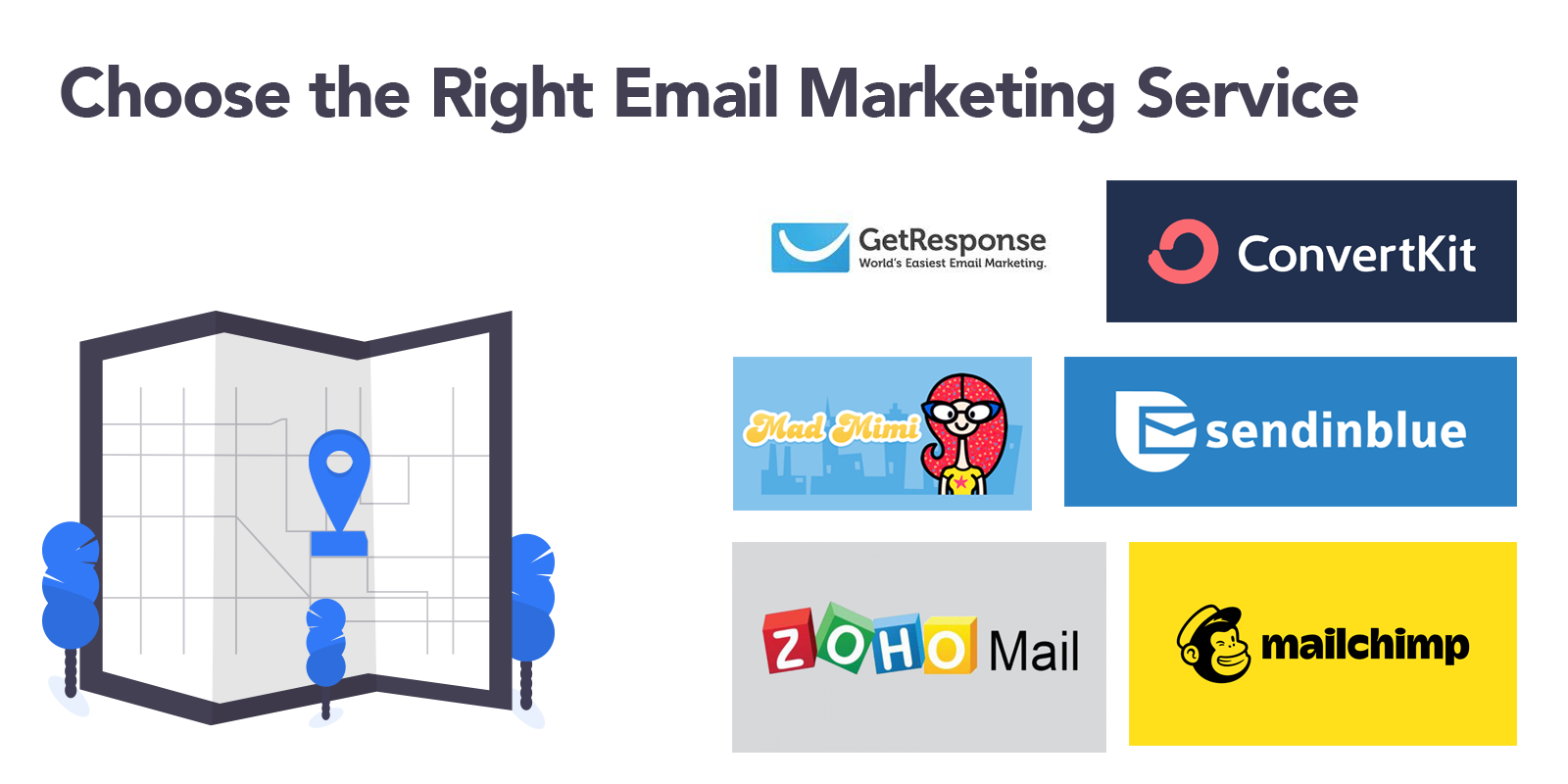
Choosing the right email marketing service that fits your needs is vital for your business. Just because an email marketing service provider is popular doesn't always mean that it's the best solution for your needs. You need to focus on some basic questions when choosing an email marketing service:
- Is it easy to use and does it work with my business?
- Does this tool automate my email campaigns in a way that helps fulfill my needs?
- Which provider addresses the best to my industry requirements?
- Does its price fit my budget?
- Does it connect to the signup forms and popups on my site?
With these questions in mind, you can have a look at the email marketing service providers we list later in this guide.
2. Get Your Customers' Permission
Buying an email list is not a sustainable, ethical, or effective way. Don't do that.
If you email people randomly, you may be considered as spam, and it is not good at all for your reputation. You should add someone's email address only if they willingly sign up to your list.
Permission is also the law in many countries. These are the three sets of rules most senders meet first (the UK and EU GDPR define consent the same way):
This is a summary, not legal advice. Check the rules for every country you send to.
You also need to have an attractive and friendly email subject line to make people open your email.
3. Use Opt-Out and Double Opt-In
Opt-in is when subscribers fill up a subscription form; they are immediately added to your email list. This method enables you to quickly obtain more subscribers; however, using a single opt-in has some drawbacks. The most important one is that;
Sometimes people make typo mistakes while writing their email addresses or intentionally give you a wrong email address, so every time you send an email to those people, the probability to be flagged as spam increases.
On the other hand, double opt-in is when subscribers fill up your subscription form, they get an email with a link saying that they have to click to confirm if they want to get emails from you. It is also called a confirmation email.
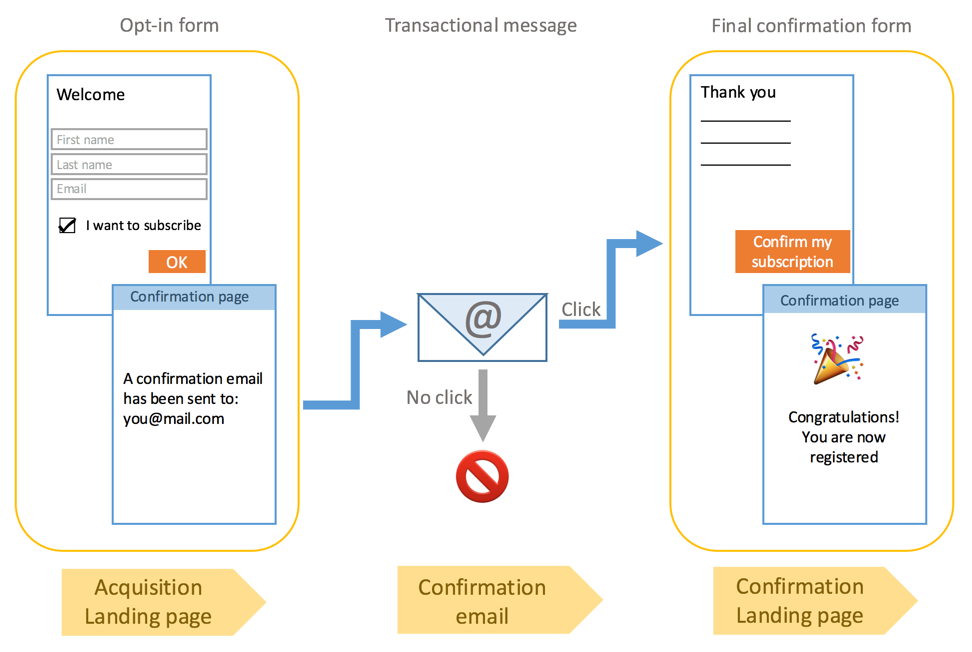
Using double opt-in formed emails is very beneficial for you;
- You will have a list containing more engaging subscribers.
- They are unlikely to report your emails as spam because they have willingly confirmed that they want to receive emails from you.
- It enhances your sender reputation; thus, your deliverability will increase.
- Using double opt-in is also great for you to keep your email list clean. In this way, you will eliminate the ones who gave you a wrong email address or filled up your form to get what you have offered.
- Email marketing is cost-effective, but there are still some costs involved. Still, if you have more accurate data, the total cost will decrease and the cost per reach will be worth it.
Also, the opt-out link or button in emails is an opportunity for the receiver to unsubscribe from your list. This may seem like an undesirable move, but it is the right move for your domain and IP reputation. You should only send emails to those who want to hear from you. Otherwise,
- Your bounce rate may increase.
- Your average open rate may decline.
- You may be perceived as a spammer.
4. Grow Your Email List
a) Import a list of known contacts
If you plan to use email to keep in touch with your existing customers, you can build your email list by importing their data into your chosen email marketing tool. Before you import any contacts, don't forget to ensure that you have adequate permission to email these subscribers.
b) Write compelling content and a catchy subject line
Sending emails is not enough to build an efficient email list.
Your subject line is often all people see before they decide to open your email, ignore it or report it as spam. Therefore, you need to use short, clear, specific, simple, logical, and personalized subject lines to make people open your email campaigns.
Once you've created a decent subject line; you need to add compelling content in your email to accomplish the marketing objective that made you create this campaign.
For example, if your goal is to convince your subscribers to invite their friends to become a member of your list, sending an incentive promotion via email is a strong way.
c) Make your content easily shareable
You must create eye-catching email marketing campaigns if you want your subscribers to share or forward your email. Your email may contain colorful, and well-designed pictures, compelling content, funny emojis, remarkable attached files, and so on.
You also need to make your email content easy to share. Include buttons that enable subscribers to share it in one click on social media platforms. Also, you should be careful about the size of your email in order not to render loading duration boring and taxing.
d) Offer first order discount
If you want people to join your email list, giving them a discount or coupon code is a great way to do it. A discount lowers the risk for people who wish to try your product out for the first time.
However, you need to be careful about your level of discount because the bigger your discount is, the less likely that your new customers pay full price, stay loyal, or subscribe in the future.
Popupsmart's 2026 popup benchmark backs up both points. Signup popups that offer a discount code convert 1.46% of their displays, against 0.75% for signup popups without one. Bigger discounts did not convert measurably better, but the samples for larger discounts are small, so the data can't rule out a real difference either way.
e) Use pop-ups
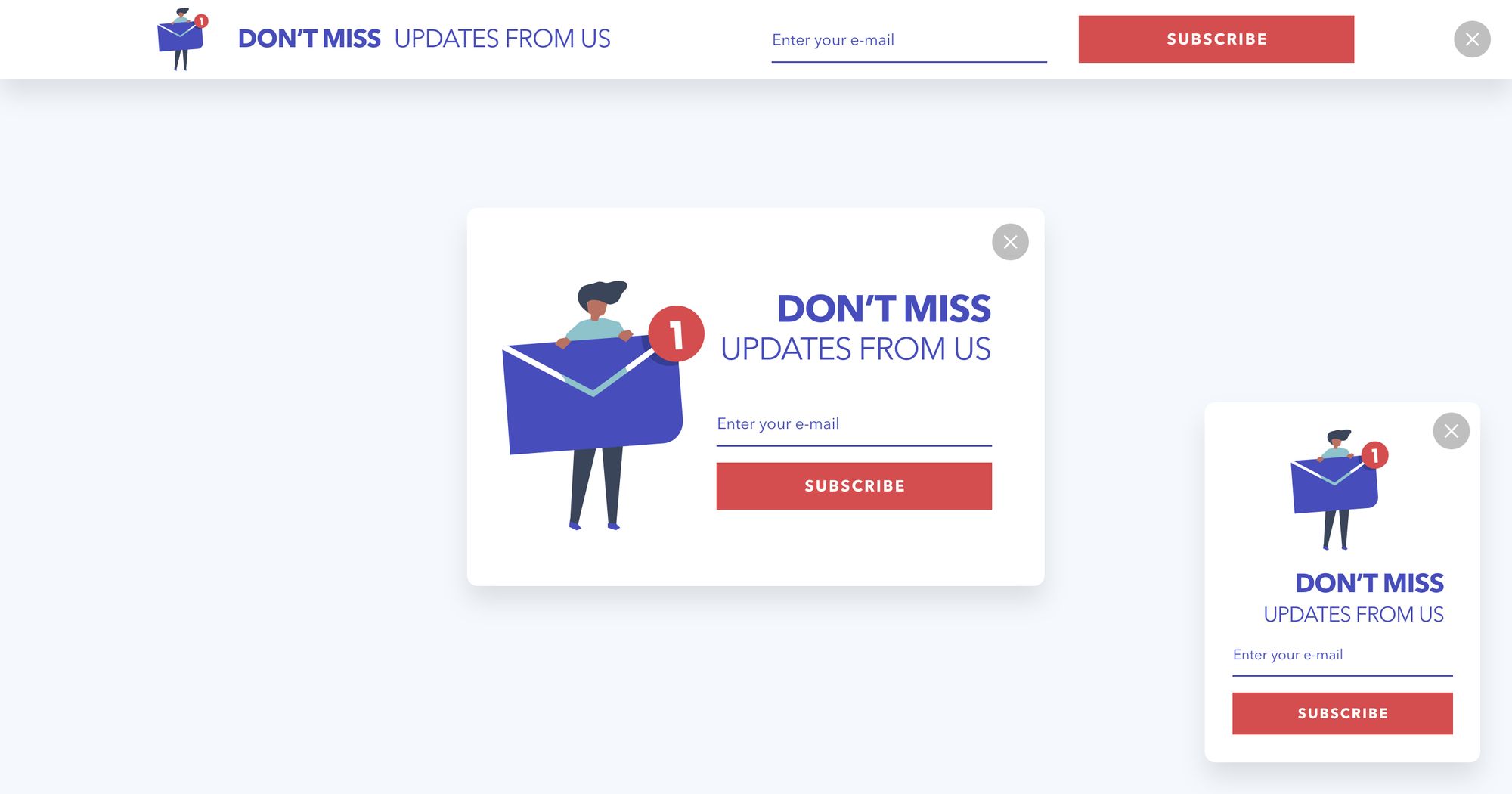
A pop-up is a graphical user interface (GUI) display area, which usually appears as a small window in the right corner of your website, or as a big window in the middle of your site page, and has a call to action encouraging people to subscribe to your email list.
You can create a popup with Popupsmart for free! It helps you to choose a pop-up based on your business objectives like increasing e-commerce conversion, growing your mailing list, guiding your visitors, or increasing your phone calls.
Then, you continue with selecting device preference, deciding on the pop-up type, and creating or choosing your template. You can start from one of the newsletter popup templates, and our email popup guide covers the design and targeting choices in more detail.
The same benchmark has two more results you can act on: popups that ask for one or two fields convert better than those that ask for three, and the median popup converts better on mobile than on desktop.
Median campaign; spin-to-win and other gamified popups are counted separately in the field rows.
Popupsmart doesn't send your email campaigns. It collects each new contact and passes it to the email tool you already use through Popupsmart integrations, and its built-in autoresponder email can send the discount code to every new subscriber.
f) Social media
Social media platforms are very beneficial for expanding reach, building trust, and generating traffic. You can use the opportunity of converting your followers on social media into your subscribers for added efficiency.
You can add the signup form on your Facebook page by using a call to action button, paste a link to your Instagram bio that enables followers to fill up your form in one click, pin your newsletter sign-up form on Pinterest, share attention-grabbing tweets including a call to action, and contact via LinkedIn with specific individuals with whom you want to form a deeper relationship.
Providing a reason to subscribe to your list is essential for convincing your followers. For instance, you may hold digital contests requiring signing-up to participate.
g) Blog Posts
Offering your popular blog content in a PDF version accessible via an email sign-up is an effective method to grow your email list. It's one of many lead magnet ideas that trade useful content for an email address.
You may add a call to action at the end of each blog post. It is the right way of providing an opportunity for your readers to subscribe to your email list without leaving the current page.
5. Clean Your Email List Regularly
Having a high inbox placement rate and a validated email address are the fundamental requirements for success in email marketing. To increase them, you need email list cleaning services and tools. You must get rid of people who have not engaged with your email program for the past six months or more; otherwise, your bounce rate may increase.
Here are 11 email list cleaning providers, compared:
Prices checked on vendor pages in September 2026. Bounceless marks greylisted addresses in its results but doesn't advertise re-checking them.
To learn what services they provide, you may visit their websites by clicking on the name of the company.
6. Use Segmentation
You need to break your subscribers into smaller groups based on specific criteria. It will categorize your email list based on particular groups' expectations and feedback and will work on removing inactive users for a while. You may segment based on;
Location: Notify your local subscribers about your local event.
Preferences: Send an email to people who want to hear about blog posts or something specific.
Interests: Subscribers who like A, who like B or who want C. (It can be anything with regards to your business)
Cart Abandonment: Remind people who put items into the cart but don't complete the purchase.
Lead Magnet: Send emails based on the topic of the lead magnet which the targeted customers opted-in for.
New Subscribers: Send welcome mail and welcome series to new subscribers of your website.
Inactivity: Remind your subscribers who haven't engaged for a while and didn't complete the next step you want.
Open Rate: Reward the most engaged subscribers with a special offer. Remove people who have not opened your emails for a long time.
In this way, you will be able to send each email to segmented subscribers who are most interested in your content. As a result, you will be able to increase your conversion rates !
7. Set an Email Sending Frequency
You need to have an appropriate schedule for your emails. Try not to send emails to your customers at inconvenient times. Also, if you segment your customers based on their wants and needs, you can set an email sending frequency quickly.
In a HubSpot consumer survey of 598 people, fielded from December 2015 to January 2016, 78% picked "they were sending me too many emails" as a reason they had unsubscribed from brands' emails. Make your offerings easy for people to take advantage of; otherwise, you may not be as successful as you want.
8. Generate Mobile Responsive Emails
In today's world, a common way to have a look at emails is by opening them from mobile devices. You should make sure that any email you send out is easily viewable on mobile phones or tablets. You should also make sure to do the same to your landing page.
According to Litmus's email client market share data for July 2026, Apple accounted for 62.26% of tracked email opens and Gmail for 27.03%. Apple's figure includes opens recorded by Mail Privacy Protection, so read it as a share of tracked opens, not of people.
You must also consider this when you're crafting a subject line. While it may look good on your computer, it may look different on a smaller screen.
Creating an Email Marketing Campaign
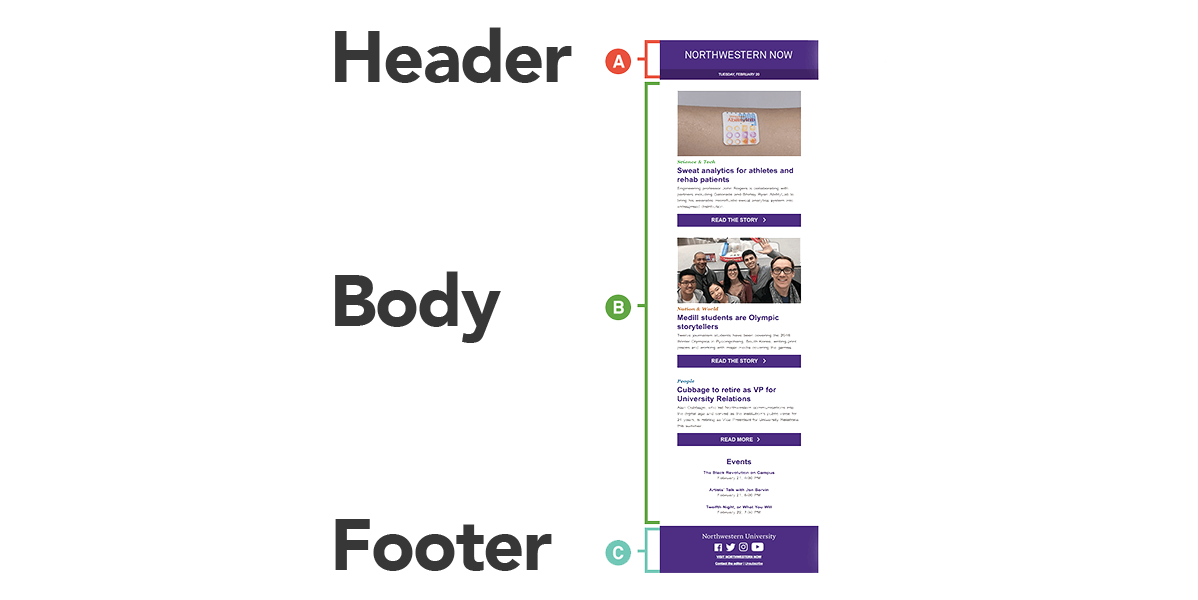
A successful email campaign requires a more delicate approach to increase your conversions and grow your business. Here are some tips about creating a successful one;
Email Header
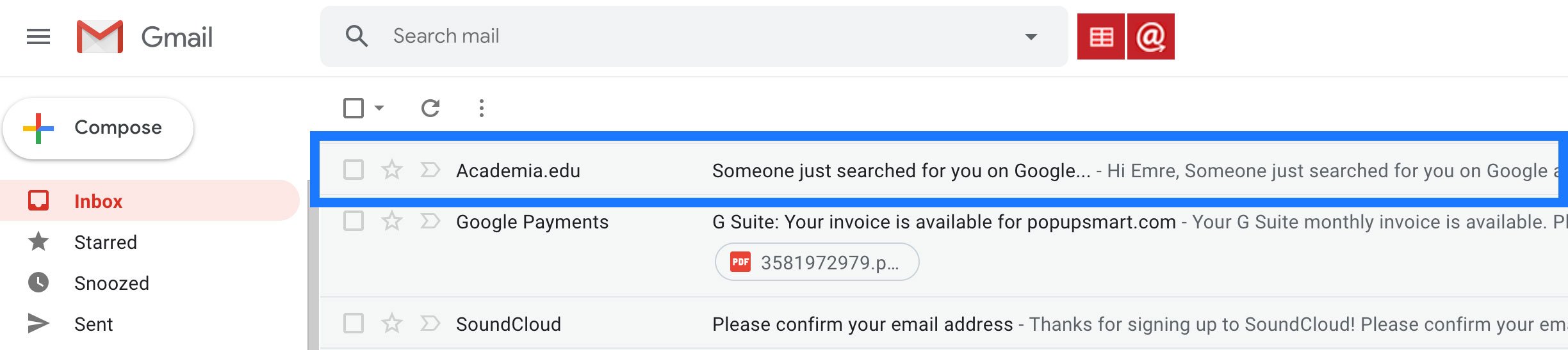
The header should describe everything to your audience because they see it before opening your email. Yes, the header contains the least amount of content, but it is the most important because it's what email receivers will use to decide whether they open your email or not.
- Email From (Sender) Name: People tend to open emails when they come from a personalized account. Instead of using your company name, send it from a recognizable name linking the actual sender.
- Email Subject Line: Your subject line needs to be attention-grabbing. It should be short, personal, and action-oriented. You should never use spammy words in your subject line.
- Email Preheader: A preheader is the short preview of an email. You can include a call-to-action to this blank. However, remember that different mobile devices and email providers allow different character limits for preheaders.
Email Body
You were able to convince your subscribers to open your email. The next challenge is to persuade them that you are saying something important, valuable, and exciting to prompt an action.
- Do not talk to your subscribers; start a conversation with them. Make them feel special, show authenticity, touch their pain points.
- People allocate very little time reading emails. Your text should be kept short, clear, simple, and direct.
- You should never send text-only or image-only emails.
- Including visuals that reflect your creativity may help you grab the attention of the recipient.
- If the email seems too long, it creates a bias for its readability, and it leads to relative attention loss.
- Add your company logo right at the top of your email and make it lead directly to your website.
- Use calls-to-action in your emails several times. It will increase your click-through rate and provide convenience for your readers to reach your website.
Email Footer
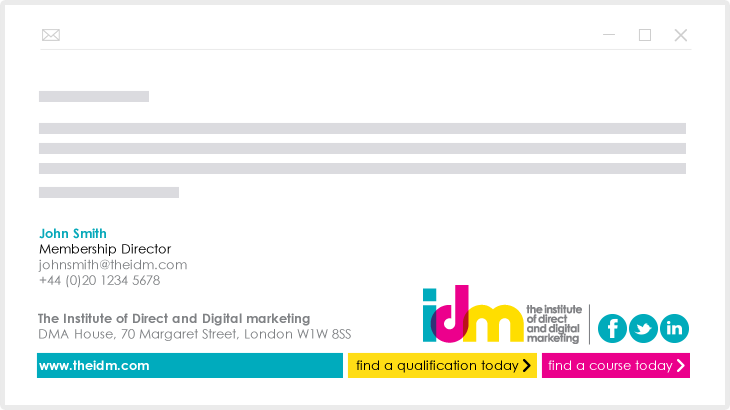
Finally, your subscriber has viewed your email to the very end. This is where you should thank your reader for their time and invite them to engage with you on other channels.
- Contact Information: Include the physical address of your company and telephone number of customer relationships department to show your reachability. In this way, you also comply with federal anti-spamming laws: the US CAN-SPAM Act requires a valid physical postal address in every marketing email (see the law table under "Get Your Customers' Permission" above).
- Social Media Accounts Links: Add buttons that direct your subscriber to your social media accounts like Twitter, Facebook, Pinterest, Instagram, and YouTube.
- Unsubscribe Links: Don't forget to create an unsubscribe link at the end of your email to write off subscribers who don't want to hear from you.
Email Marketing Strategies
1. Email Marketing Strategies for Spam Risk Elimination
Your email marketing efforts go down the drain if your emails are not able to reach the targeted inbox of a subscriber.
ISPs continually control a bunch of email addresses to see their open rates, inbox placement rates, bounce rates, and other related scores to provide a service of flagging some emails as spam.
There are some reasons why your emails can be flagged as spam;
- The email may fail to pass spam filters.
- You may have a low sender score.
- The IP address may not be reputable.
- Domain authentication records may be low.
- Domain reputation may be harmed due to high complaint rates.
- You may not get the permission from your subscribers to email them.
- You may not set an email sending frequency based on your customer preferences.
- Open rates may be below expectations.
- The email list may not be fresh.
- Emails may not contain an unsubscribe link (opt-out).
- You may have incorrect sender information.
- You may have grammatical errors and spelling mistakes in your email.
- The email may not be in HTML format or is not mobile-friendly.
These seem too complicated and hard to overcome, right? So, how will you protect your emails from going to the spam folder instead of the inbox? You can;
- Use email marketing tools that have algorithms to detect spam filter problems.
- Measure your sender score by using some tools like Sender Score. It rates your sending IP address from 0 to 100, and Validity's sender reputation guide treats a score over 80 as excellent and one below 70 as a sign that your program needs work.
- Maintain consistent volume levels for your emails to protect your IP reputation. You also need to check your emails with some tools like Mail-Tester to see if they look spammy.
- Check your authentication records with some tools such as GlockApps. Authentication is essential for protecting your brand and building a good reputation.
- Increase your domain reputation by decreasing your complaint rates.
- Use double opt-in to obtain the permission of your customers for sending them emails.
- Use engaging language in your content, pick the right time to send your messages, keep your email list fresh, and segment your email list if you want to increase your open rate.
- Pay email cleaning service providers to keep your list fresh.
- Offer an opt-out opportunity to every single email that you send.
- Provide accurate sender information, correct physical postal address, avoid using spammy words in both your subject line and message.
- Use Grammarly to see if you have made any typo, spelling, and grammatical mistakes in your email.
- Make sure that your HTML code is clean and straightforward and that your email is mobile-friendly.
What Gmail, Yahoo and Outlook require from bulk senders
Since February 2024, Gmail's sender guidelines and Yahoo's sender best practices have been enforced, and Outlook.com's high-volume sender rules followed on May 5, 2025. Here is what each asks of bulk senders:
Since November 2025, Gmail has been rejecting messages that fail these requirements, temporarily or permanently, and Outlook.com rejects mail from high-volume domains that fail its authentication checks. In practice, your email service provider gives you the SPF and DKIM records to add to your domain's DNS; set them up before your first large send.
2. Email Marketing Strategies for Customer Retention
Nobody wants to lose a valuable customer that they obtained with a great effort! You have worked hard on your email marketing campaign, so don't forget your existing customers.
Here are some pieces of advice to keep your subscribers on your list and even make them more loyal to you.
- You may introduce an advocacy program that will give your customers the ability to contribute to your email campaign in return for fabulous rewards. This program must have an expiration date and carry out an inactivity opportunity.
- After the first purchase of a customer, you can either offer a thank you gift or a customized coupon. Make sure that your business can afford this bonus and that it fits with business objectives and has an expiration date like the upcoming month or year.
- You should offer educational content in your email, which answers questions from customers or concerns they may have like "How to use your product?" Your goal here is to encourage them to take action.
- Data coming directly from your customer is very valuable. Therefore, send feedback emails to those who purchased from you recently and send request surveys to your subscribers to get their advice on what you can do to improve your company.
- Friendly reminder emails generate trust between you and your customer, which increases customer engagement relatively. Emails about reward points from the advocacy program, promotional codes that are about to expire, and the upcoming customer summit can be given as examples.
- You can send e-gift cards to your most valuable customers on holidays. You also include holiday greeting content. This creates a feeling of happiness, friendship, loyalty, and specialness, which all lead to an increase in engagement with your email campaigns.
- You may send birthday messages that contain the name of your subscriber. Also, generate a shareable content and include a call-to-action enabling them to share on social media.
3. Email Marketing Strategies for Win-Back
It usually costs less to keep a customer than to acquire a new one. As Harvard Business Review put it in 2014, "depending on which study you believe, and what industry you're in, acquiring a new customer is anywhere from five to 25 times more expensive than retaining an existing one."
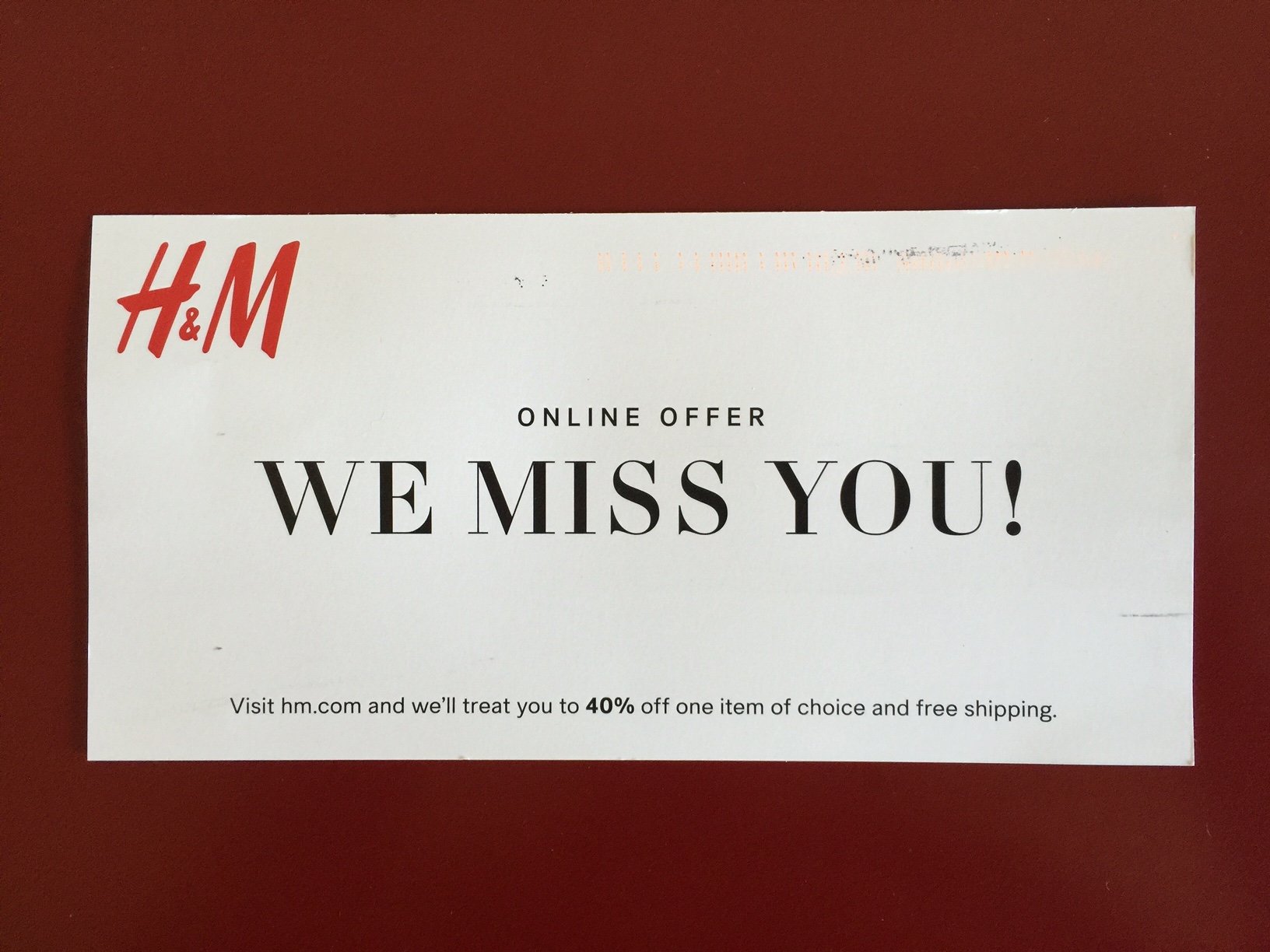
Win-back is an email marketing strategy that aims to reactivate a customer who hasn't made a purchase for a long time. So, how to create win-back email campaigns?
- Demonstrate the value of your brand and your products to remind them why they loved you in the first place.
- Send a series of win-back emails with different approaches, which attracts the attention of your inactive subscribers.
- Customize your email by adding their name and by generating an approach based on their purchase history.
- Provide options like how frequently they want to hear from you, whether they wish to update their interests and if they want to unsubscribe from your list.
- Present irresistible offers. You can look at their purchase history data to determine their interests.
- Ask for re-permission to old addresses.
Email Marketing Campaigns: Best Practices
Example 1. Artifact Uprising
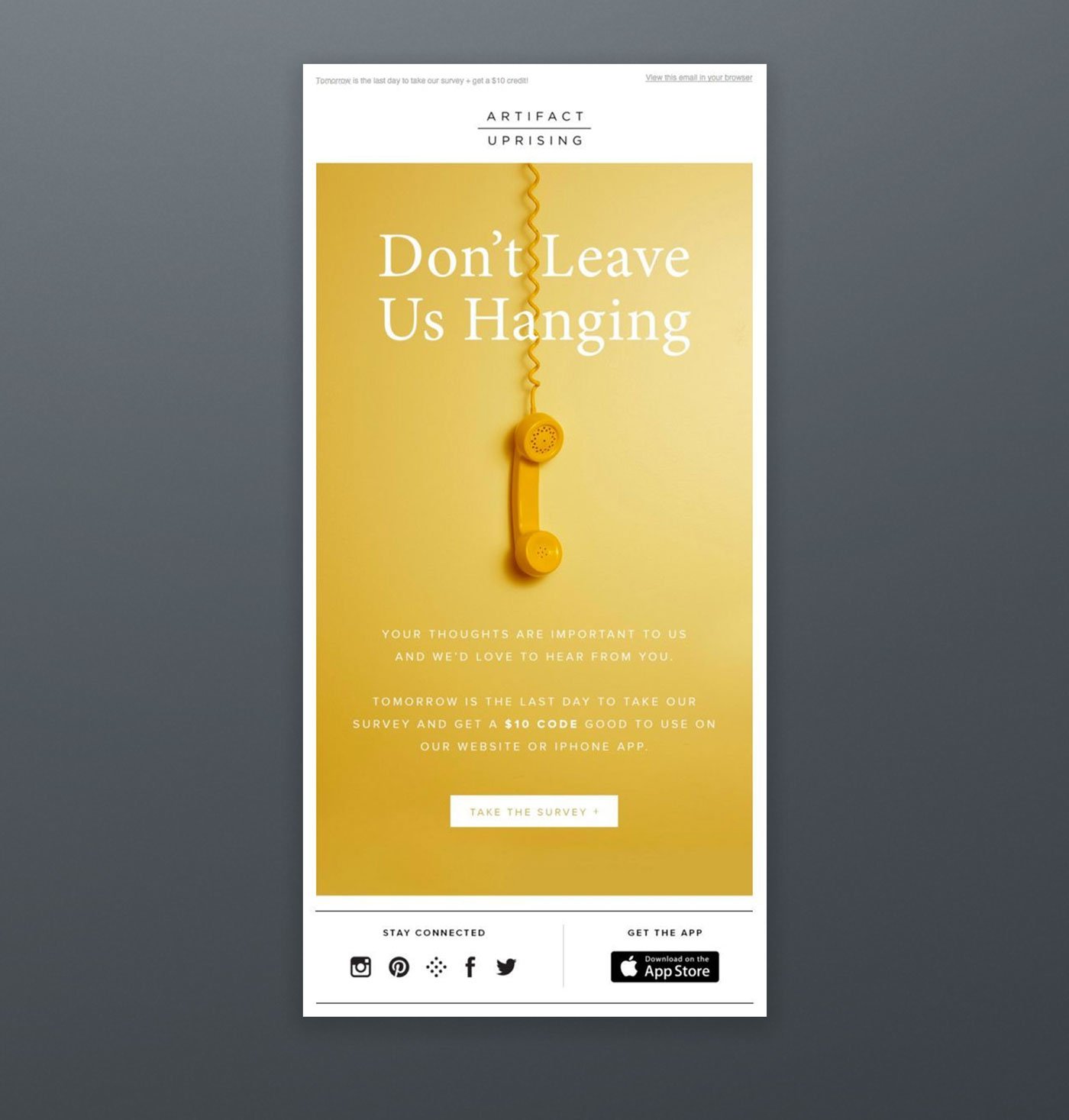
Artifact Uprising has conducted a very efficient email survey campaign to learn more about its subscribers. They offered $10 as an incentive in exchange for their customers' time.
Example 2. Bonobos
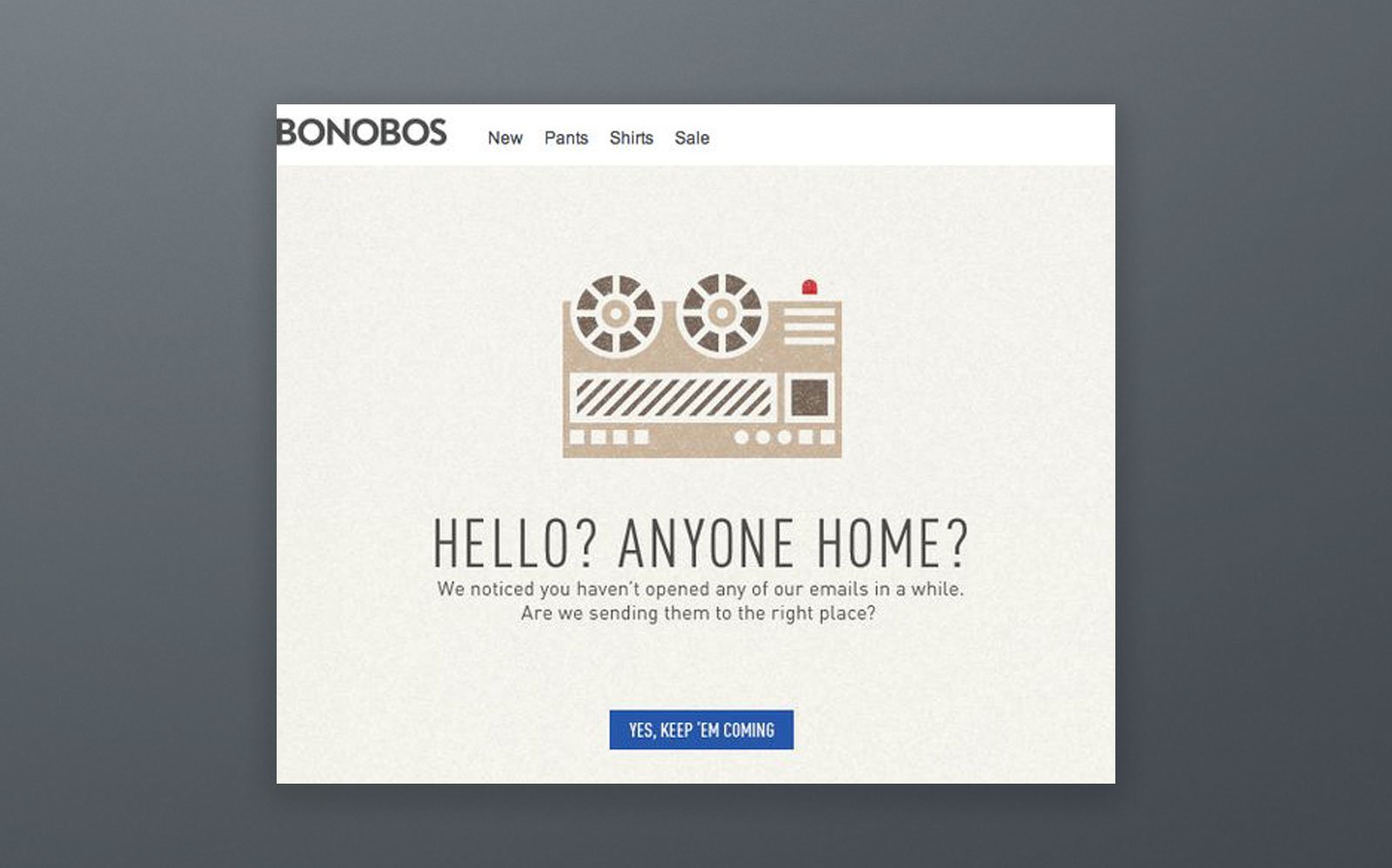
Bonobos have generated a smart template saying "Hello? Anyone home?" to make recipients open their email. These types of questions with call-to-action work.
Example 3. Charity: Water
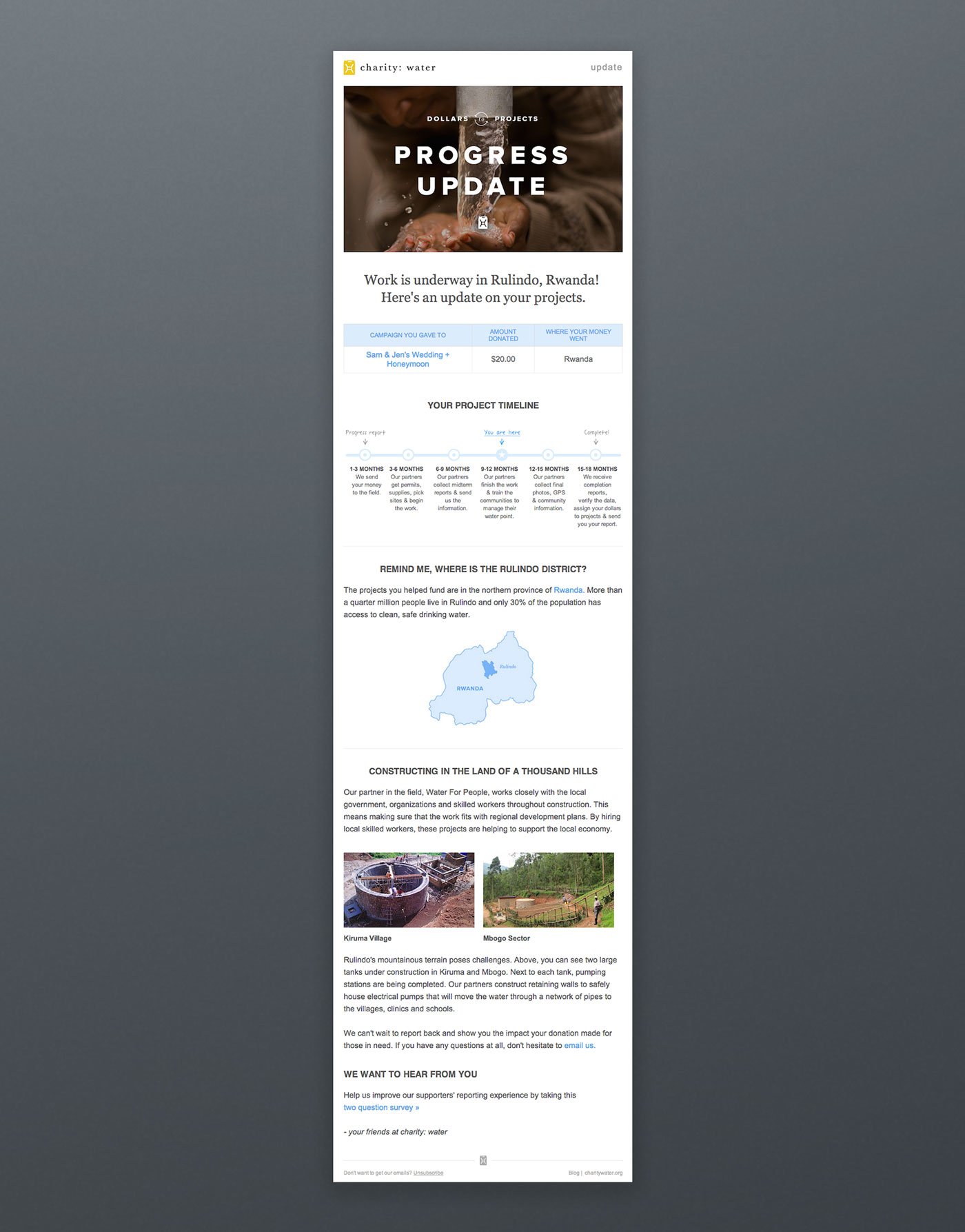
Once someone donates to a charity, his/her money takes a long journey. 'Charity: water' has used automation for their emails to show donors how their money is active all the way. This was an unusual approach, and it has grabbed lots of attention!
Example 4. Kate Spade
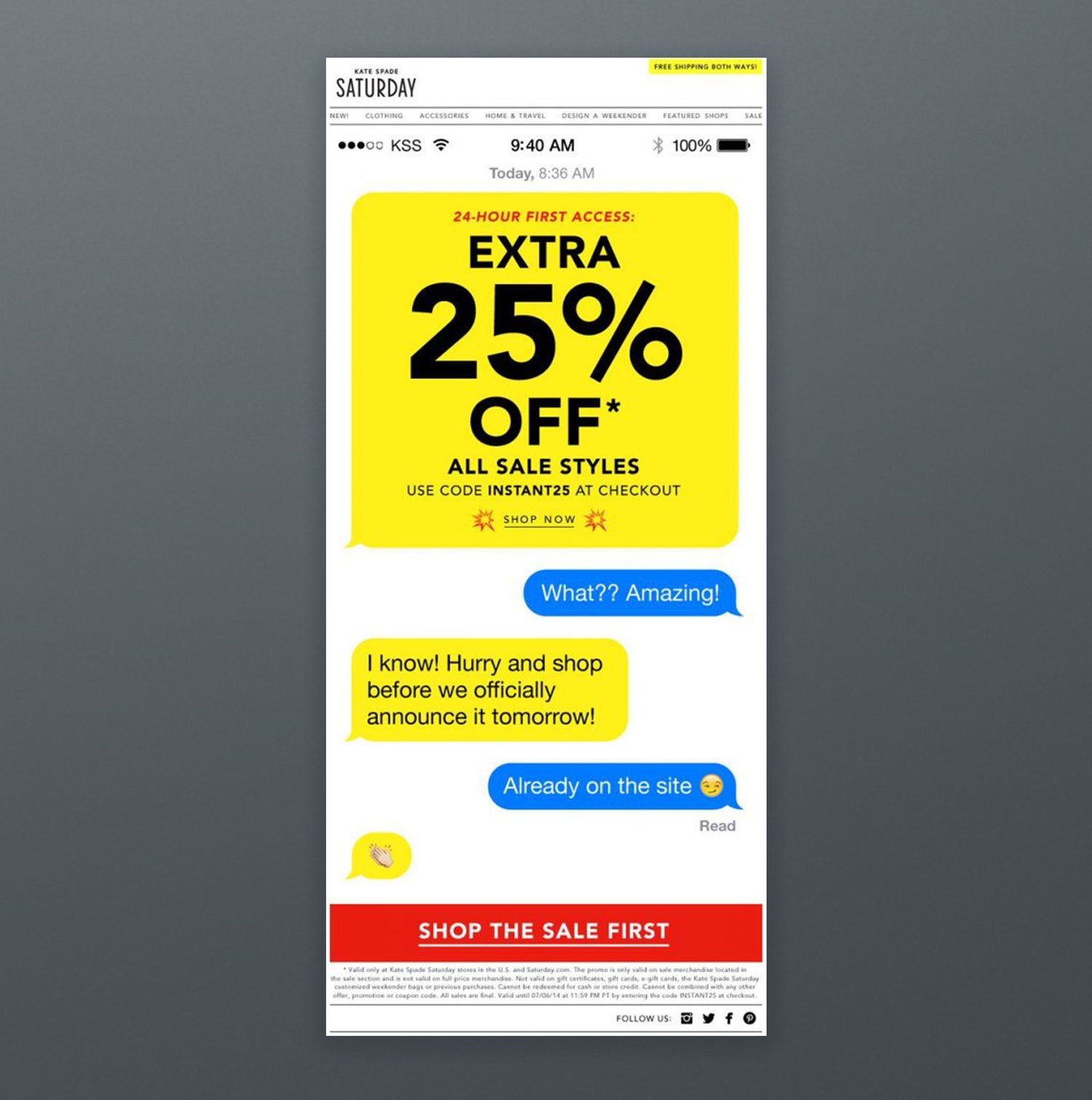
We have already mentioned the importance of customization and friendliness in email marketing. Therefore, designing a discount offering email template that evokes a dialogue is a charming idea like Kate Spade has done.
Example 5. Cook Smarts
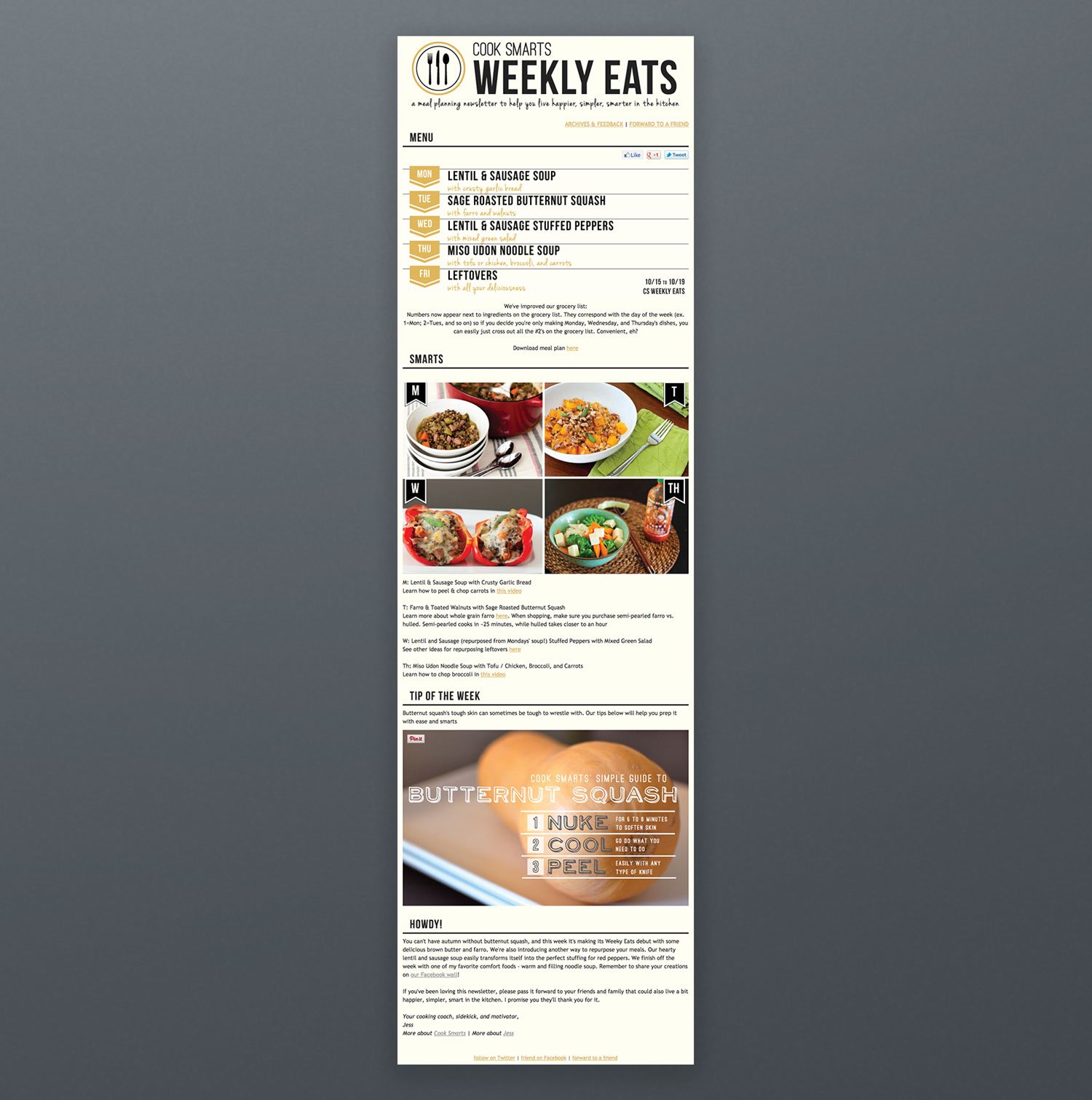
Cook Smarts sends yummy recipes in the form of a meal plan to its subscribers every week. The "Weekly Eats" newsletter creates followers who wait for their new email impatiently. Furthermore, "Forward to a Friend," call-to-action creates an opportunity to share, which would also be a great way of growing an email list.
Example 6. Dropbox
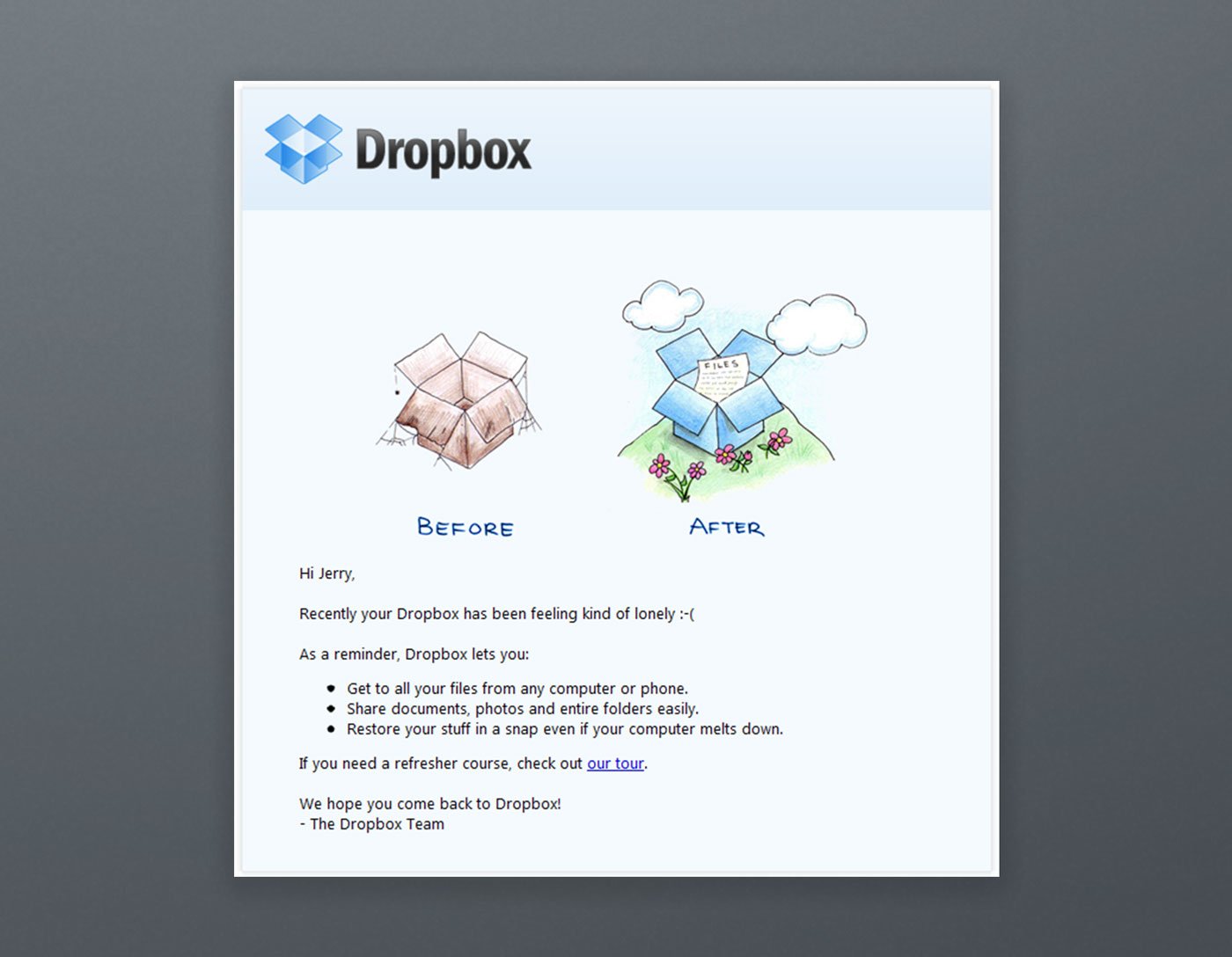
Dropbox has generated a cute and funny email to say, "come back to us!" by using cartoons and emoticons. The email was simple, short, attention-grabbing, and sweet. They may have also included an incentive like a limited-time offer to give recipients a reason to come back.
Example 7. Estee Lauder
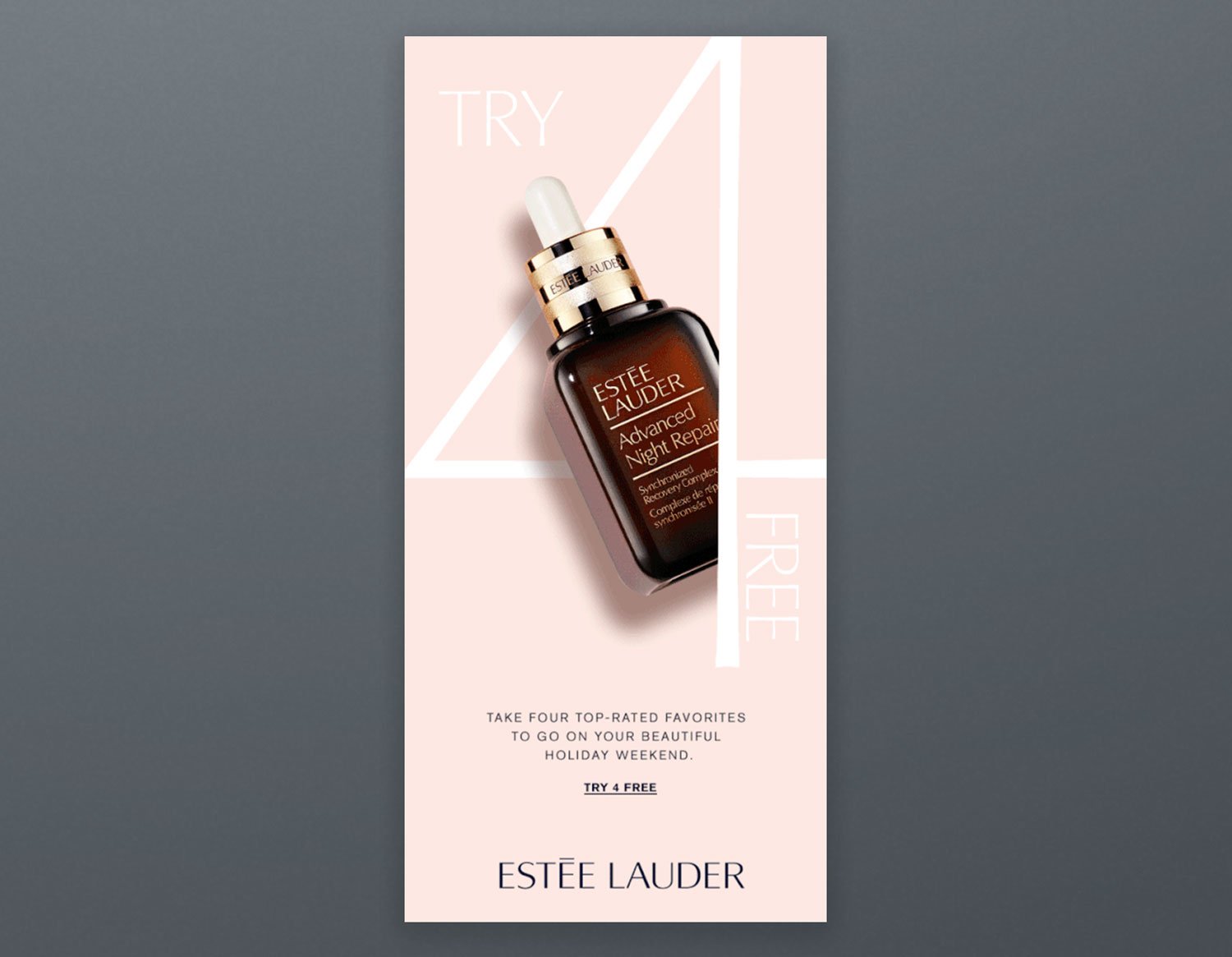
Estee Lauder has offered testing in their emails as proof of their high-quality products. This is a great way to sell high-priced products. They also used a colorful animated GIF that aroused the interest of readers.
Example 8. HireVue
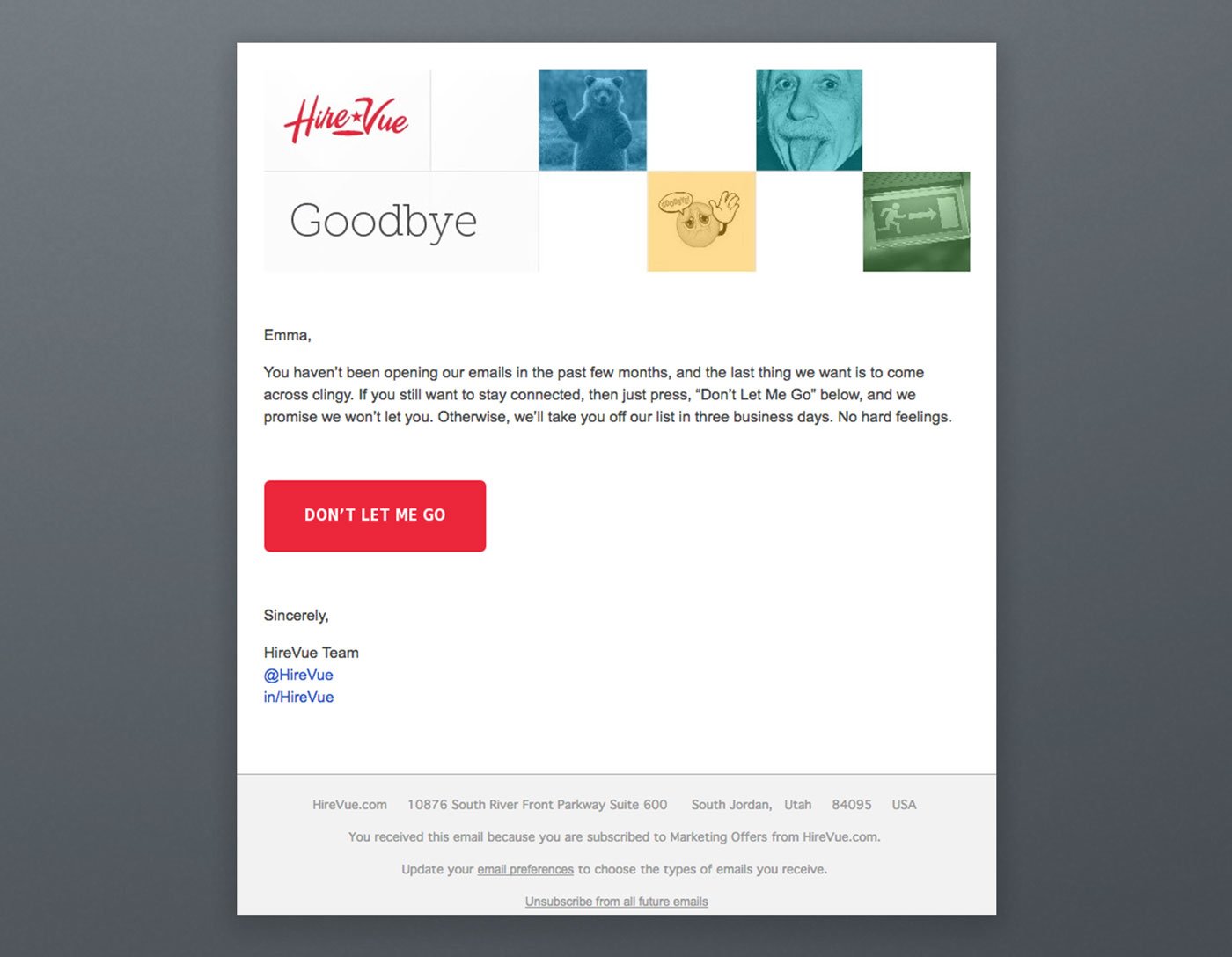
The automated subject line of HireVue was "Saying goodbye is never easy to do… So, we thought we'd give you a chance to rethink things." They made the email funny and straightforward while displaying a guilt-free message. It was an alluring, smart, applaudable, and customized unsubscribe email which worked and decreased the unsubscribe rate of HireVue.
Example 9. J.Crew
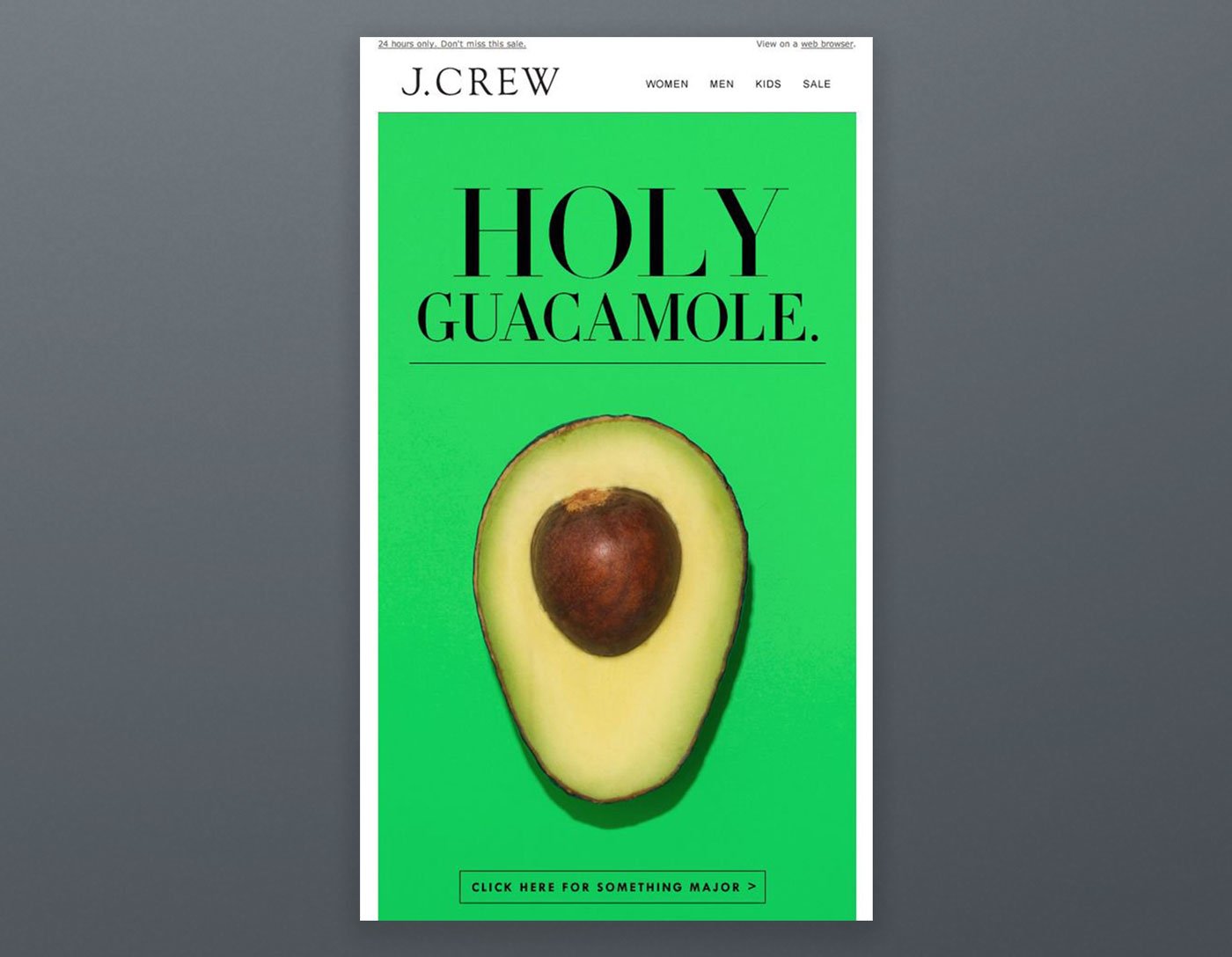
J. Crew sent a message pointing out that their stocks are melting like ice cream. They were able to put recipients in a good mood by sending this quick and sweet note which resulted in a high click rate.
Because people have no idea about what 'Holy Guacamole!' means, they tend to click on call-to-action to find out. It is a smart idea!
Spoiler: It's about a 24-hour sale triggering a sense of urgency.
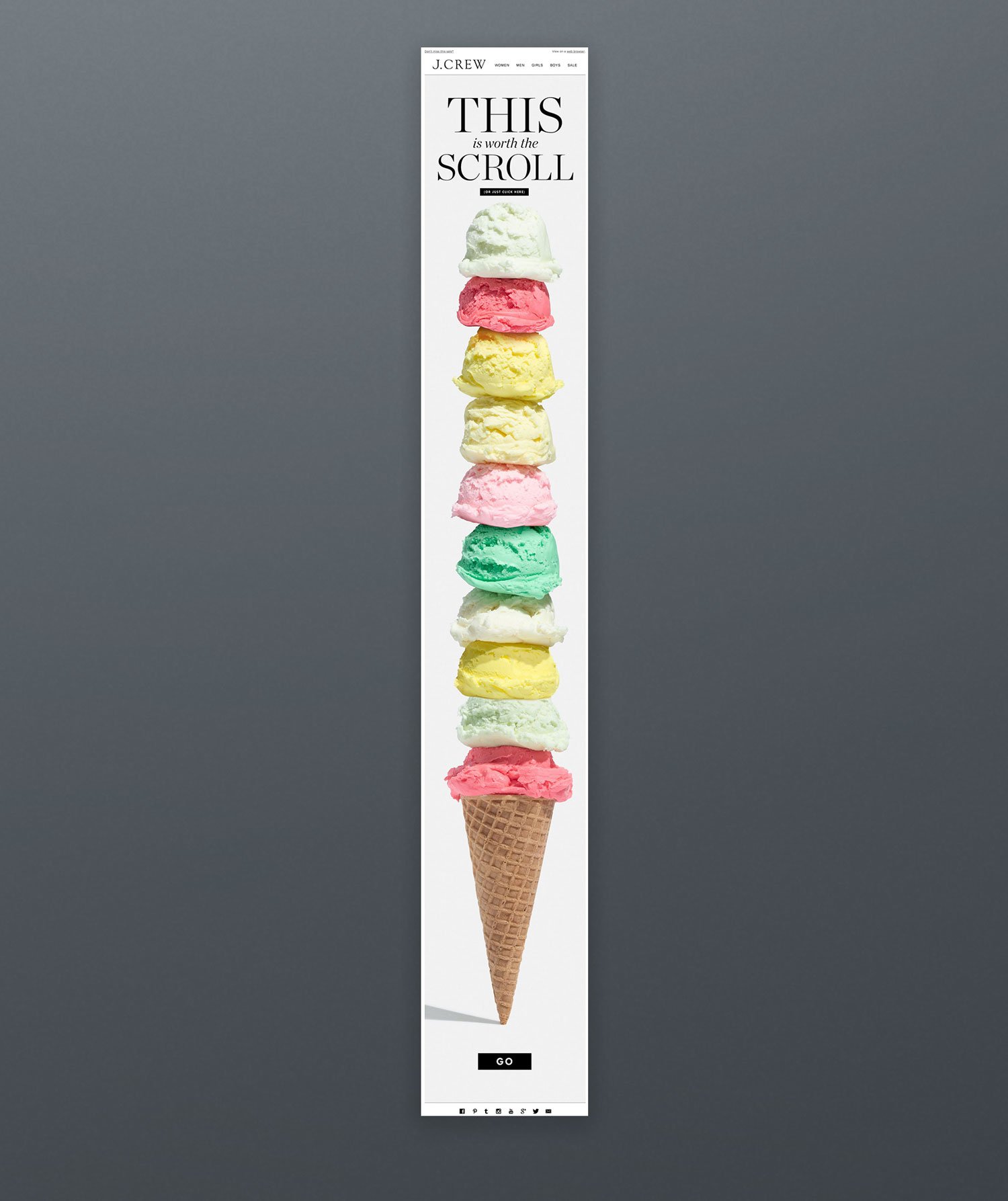
Because familiar things charm people better, J.Crew has used the power of words by comparing its sales with a very common and widely used item.
Example 10. JetBlue
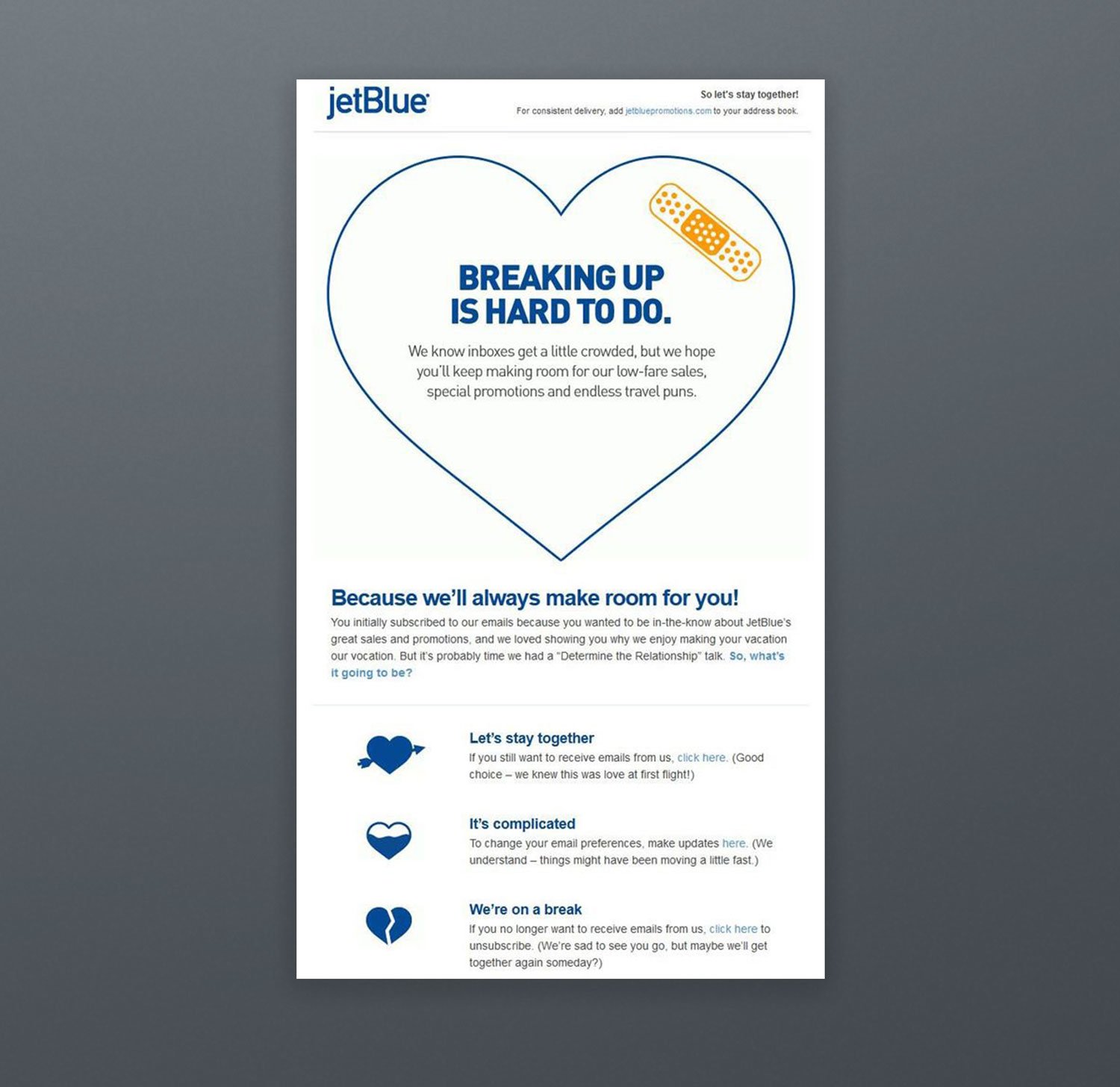
JetBlue has generated a heartbreaking email that touches the reader's feelings. It was an unsubscribe email to inhibit losing a customer. They may have used personalization like appealing by name, yet this automated email was successful!
Example 11. Loft
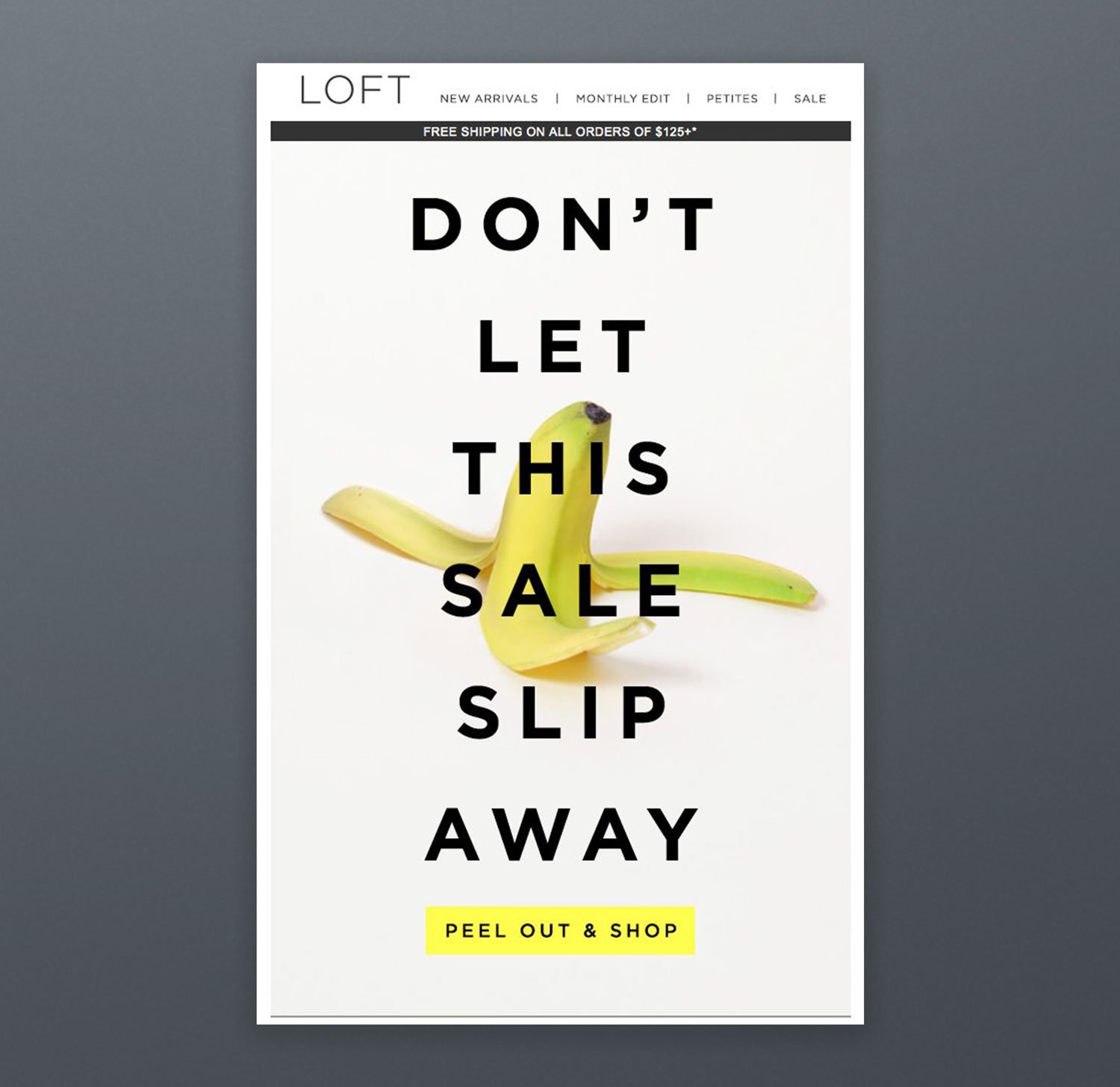
Loft has nothing to do with bananas, but they made a simple and fun email saying: "Don't let this offer slip away from your hands because it is as easy to lose the chance as that you can slip on a banana." Creating a sense of urgency by making recipients smile works!
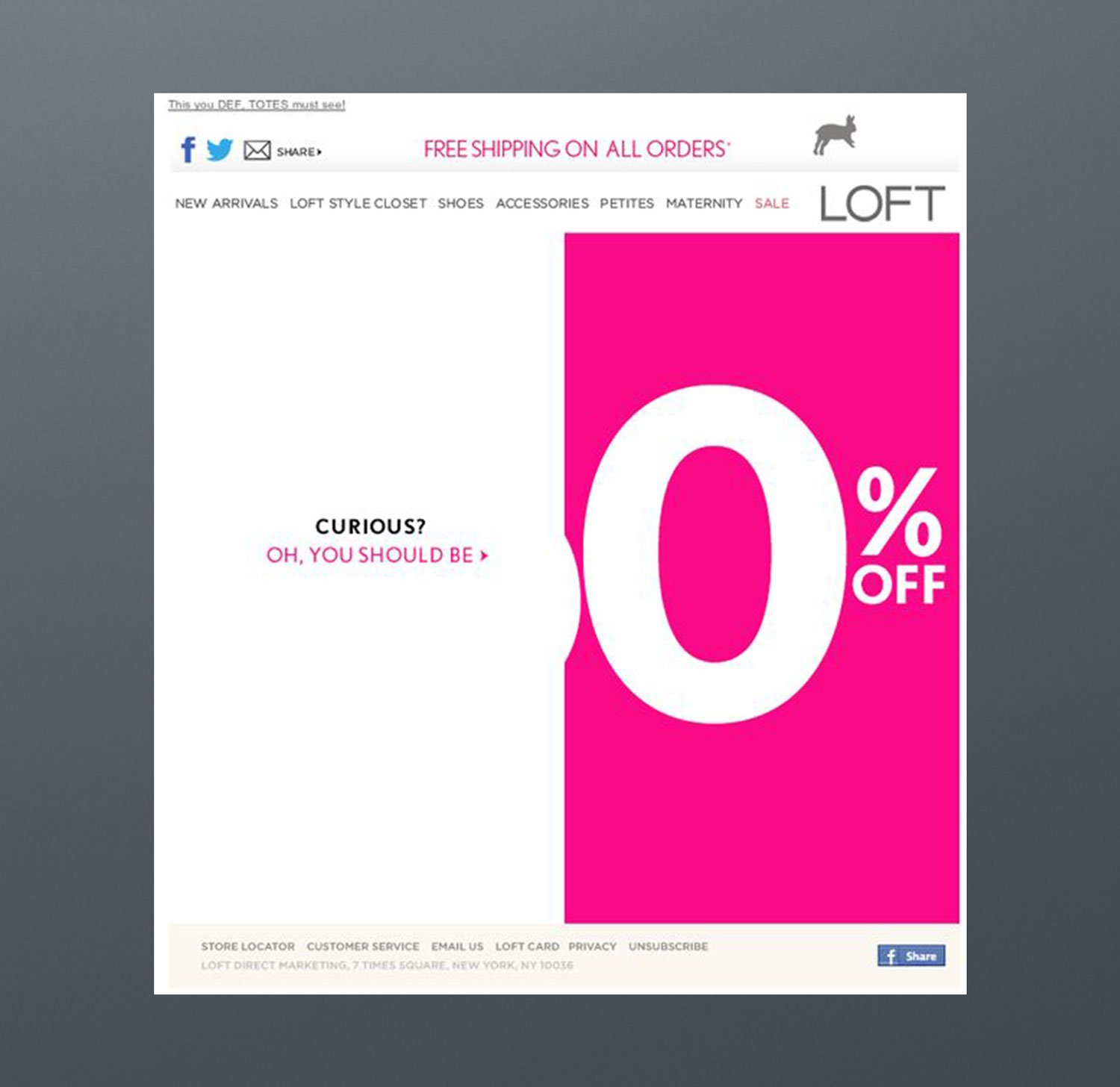
This email sale campaign has attained its marketing objectives because the email created curiosity. Readers had to click on call-to-action to see how much discount was offered, so the campaign had a high click-through rate.
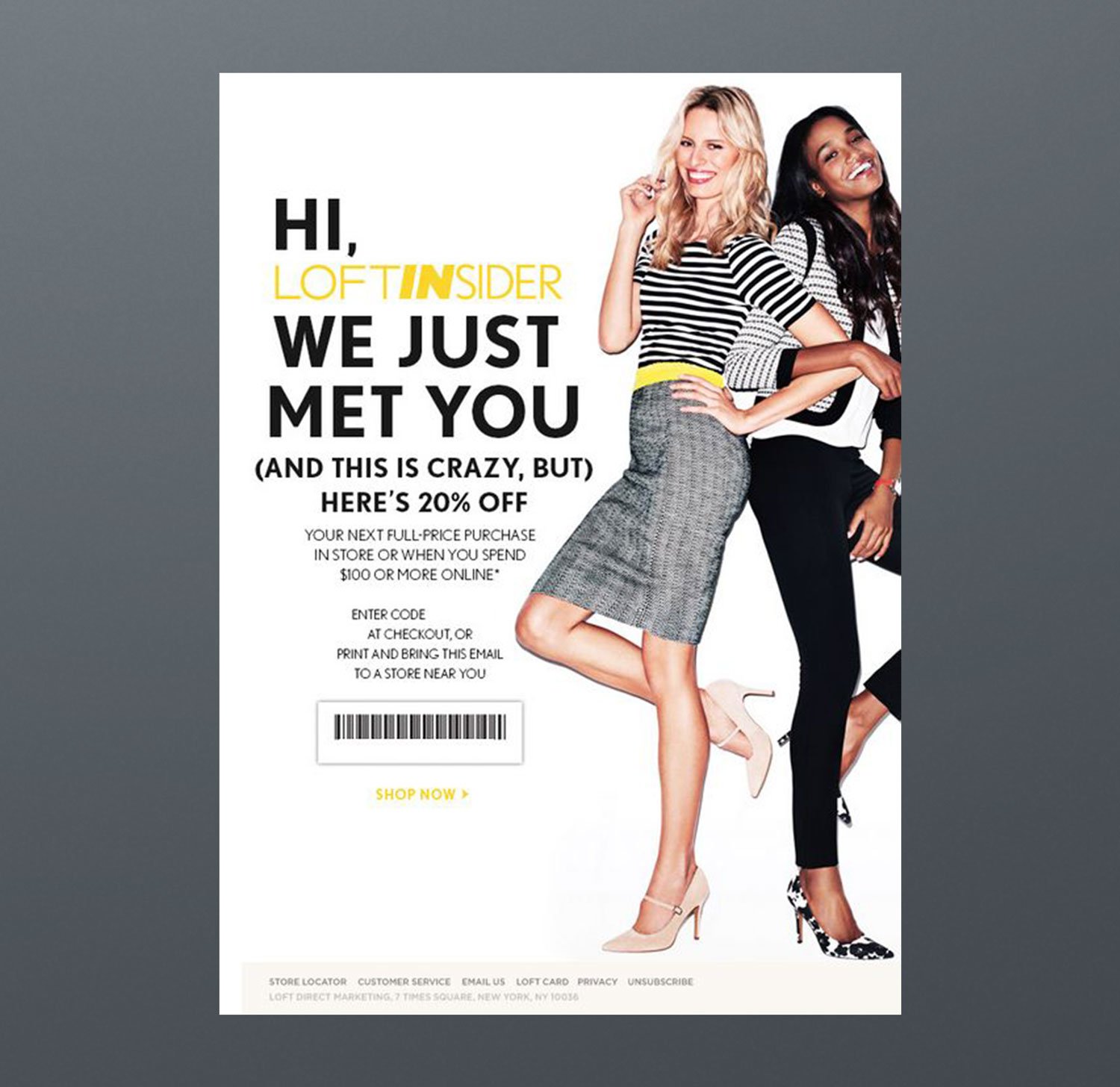
Loft has created an automated welcome email evoking a very familiar song. They also offered a coupon as an incentive for their first purchase.
Example 12. Marc Jacobs

Marc Jacobs has created a campaign referring to a worldwide known game called Tic-Tac-Toe. It was an amusing and attention-grabbing approach. These kinds of strategies make people smile, and smiling people tend to engage more. An excellent example of imaginativeness!
Example 13. Need Supply
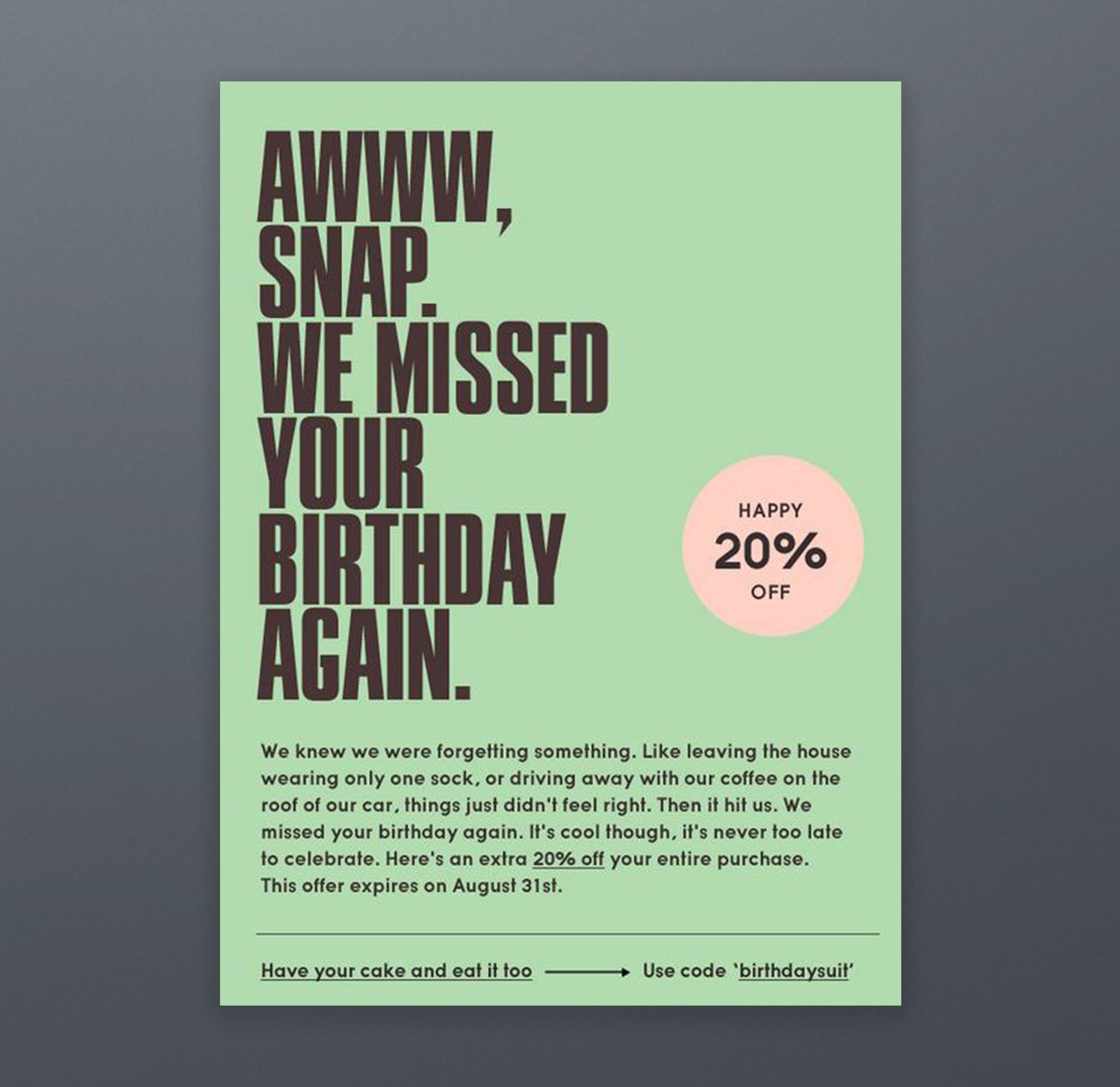
Need Supply, a retailer that closed in 2020, created an unusual approach that still makes a good example: They sent their subscribers birthday emails just after their birthdays! A personalized, friendly, and apologetic language is used in this email campaign. The idea was to shock people because nobody expects to receive this kind of email. It was a perfect example of creativity!
Example 14. Overstock
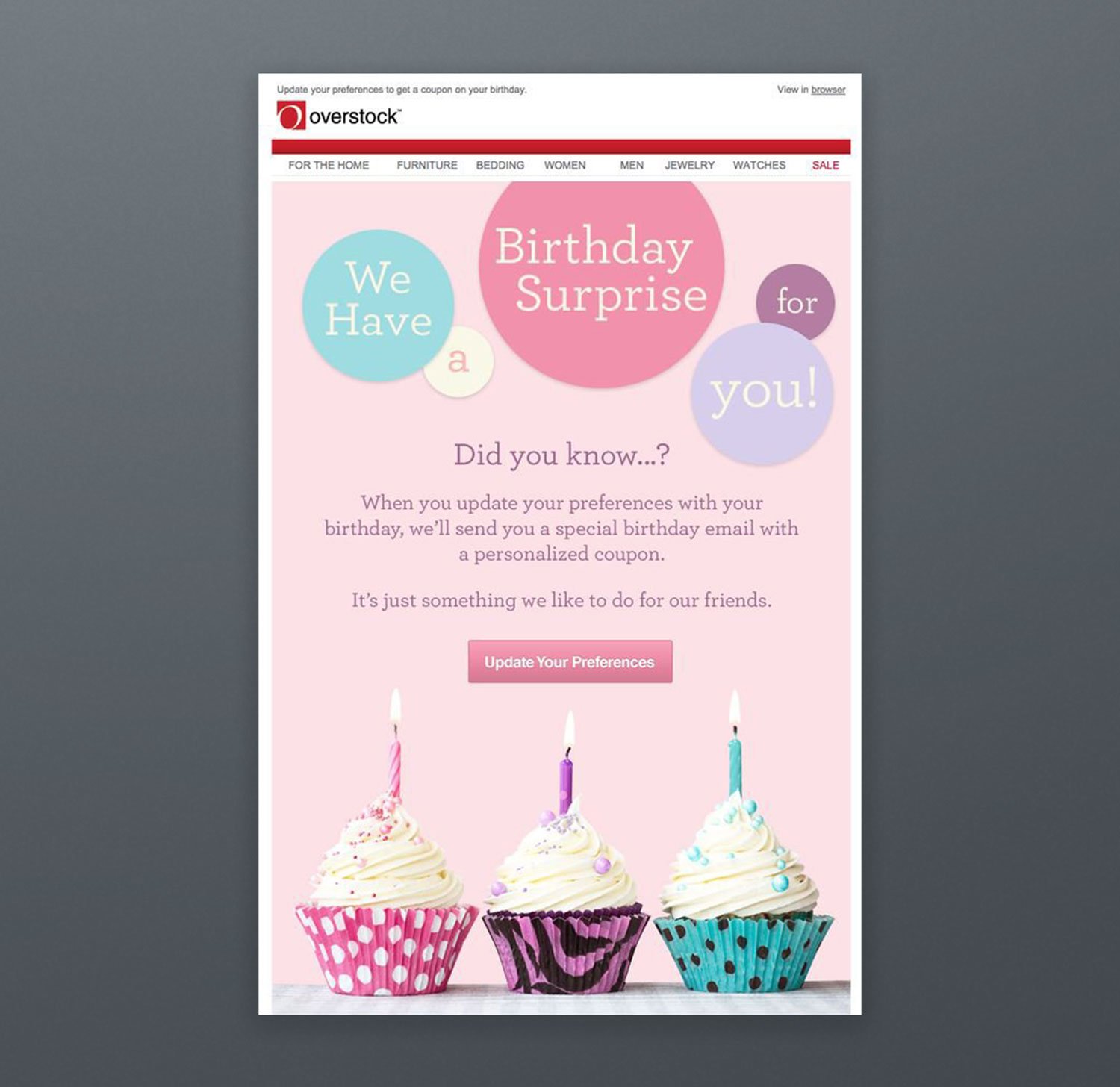
Overstock has motivated its subscribers to update their profile information in exchange for an irresistible incentive (coupon and discount) because the company is very aware of how important refreshing their email list and segmenting their customers.
Example 15. Paperless
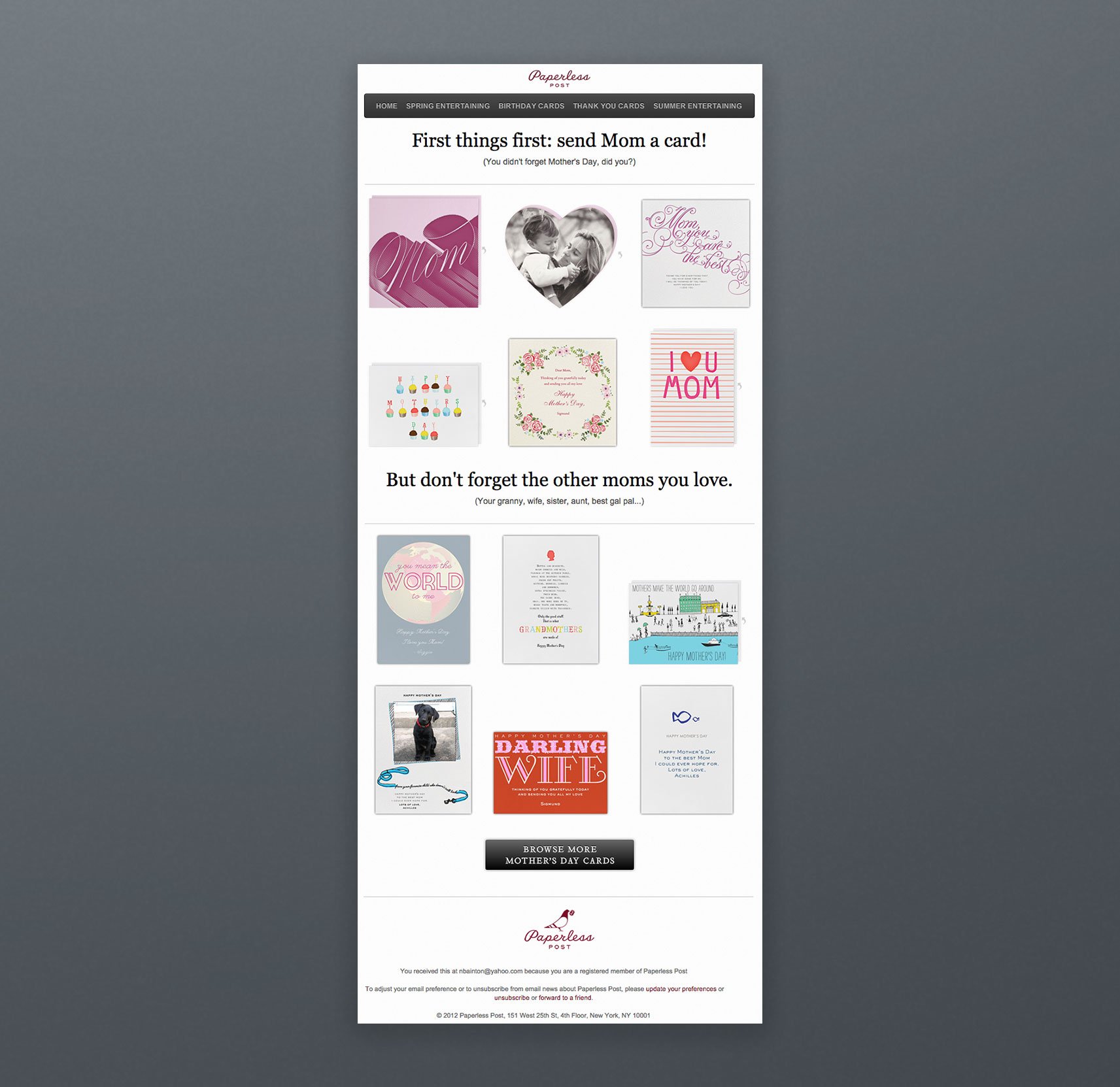
You must never skip over a special occasion without making a marketing campaign because your competitors won't! Paperless has created an email marketing campaign for Mother's Day. It is a successful example because firstly, they added several calls-to-action in their emails for each card picture. Secondly, they had a clear call-to-action, including a sense of urgency. And lastly, they asked answerable questions encouraging engagement.
Example 16. Pinkberry
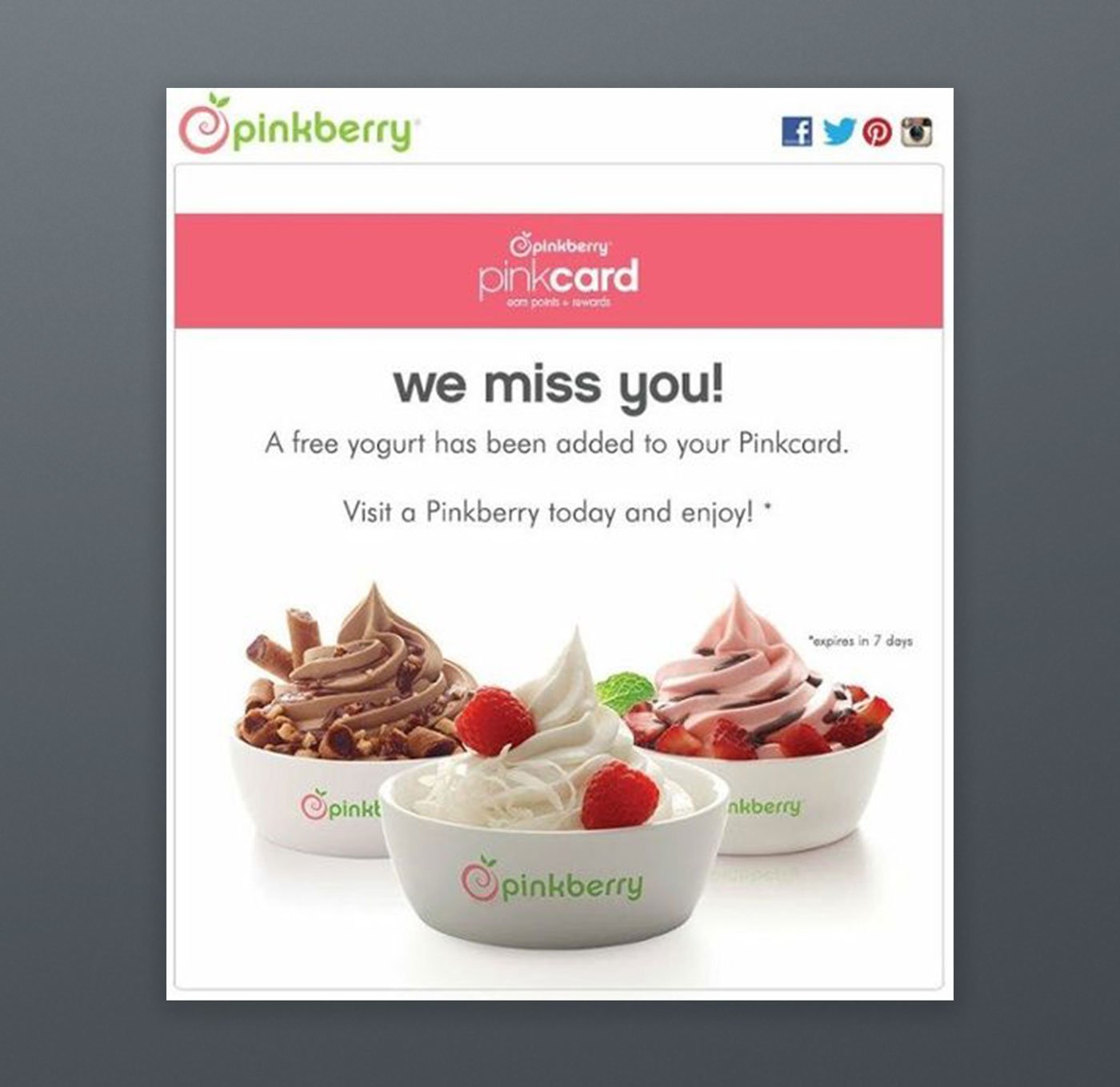
Pinkberry has come up with a great email marketing campaign for their sleepy customers who have not engaged in their efforts for a long time. They motivated their subscribers to sign in to their accounts by offering a surprising gift: a free yogurt on their Pinkcard.
Offering a free product is effective, and it also helps to gain back a customer who has unsubscribed from your email list recently.
Example 17. Poncho
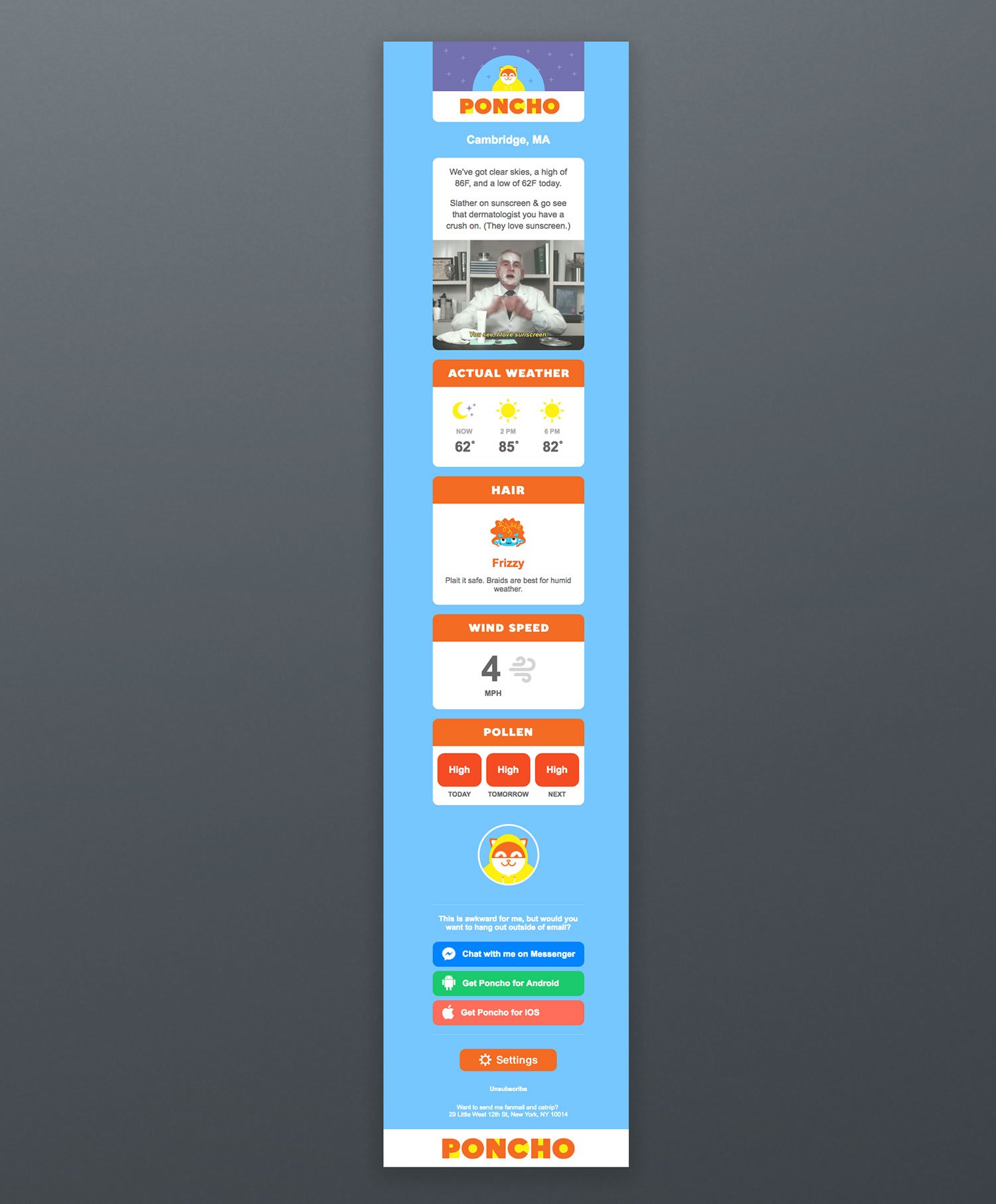
Poncho, a weather service that shut down in 2018, sent daily emails about weather forecasts each morning. These customizable newsletters helped Poncho to create a sustainable relationship with its customers, since their way of communication appealed to everyone. They also used colorful images and delightful GIFs which triggered good feelings for readers.
Example 18. Starbucks
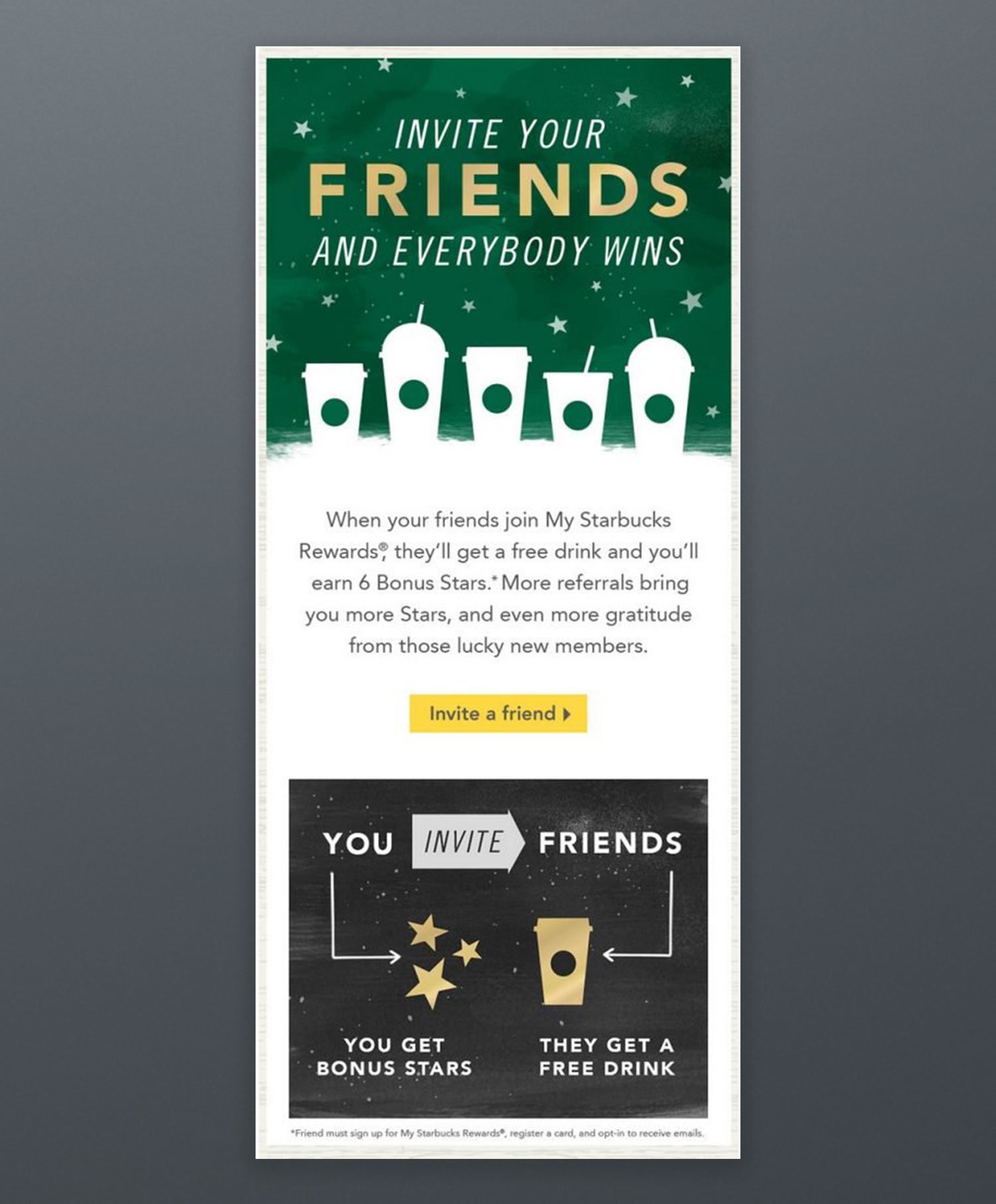
Starbucks has made a win-win-win campaign! The formula was easy: Starbucks subscribers needed to invite their friends to get a free drink. If invited ones fill up a subscription form, they also win a free drink. Starbucks, however, would obtain new customers with little cost. See, this is how the stars of the industry shine!
Example 19. The Limited
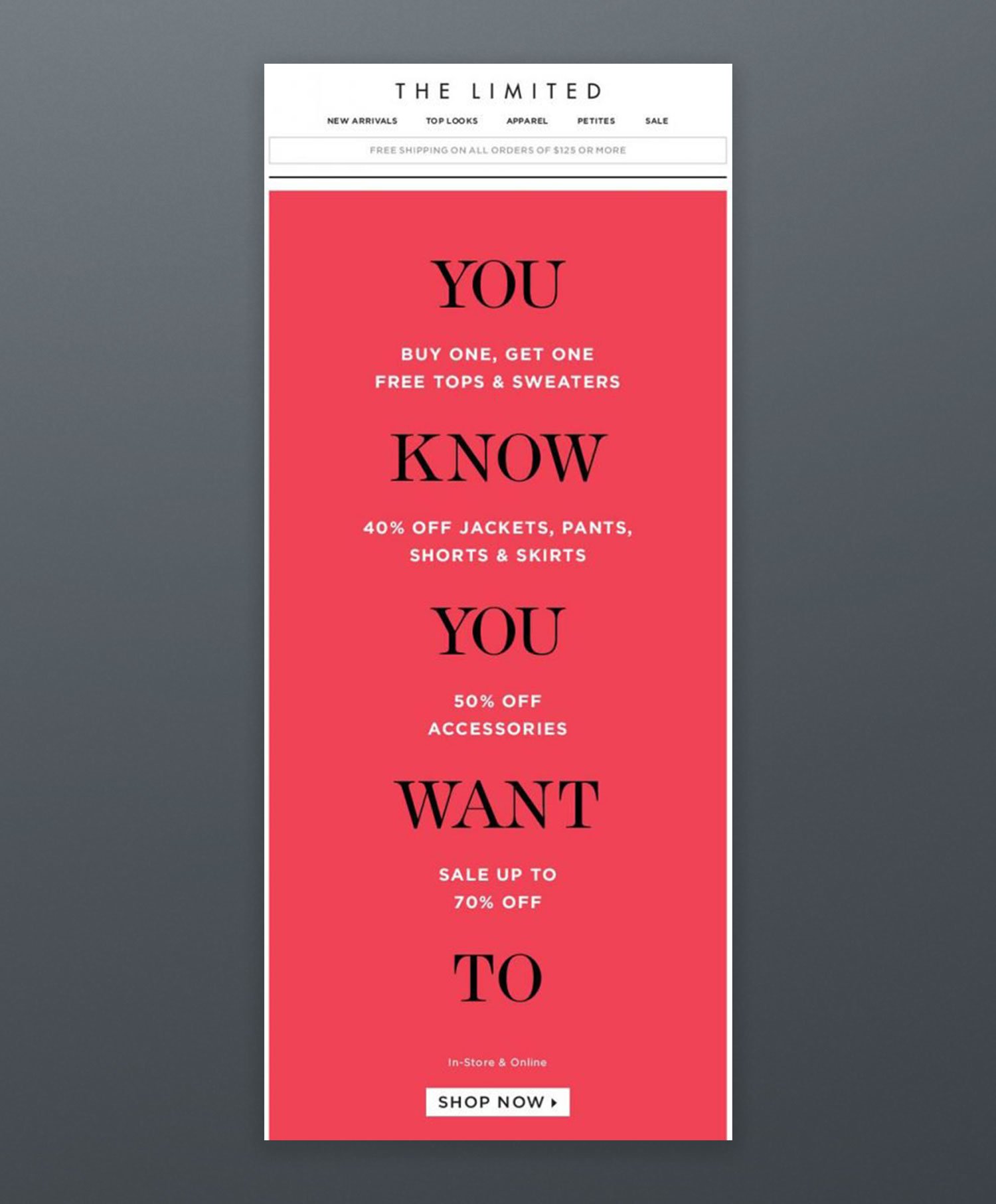
We did say earlier that text-only emails do not look good, but if you are worried about the size and transfer speed of an image, you may create successful email marketing campaigns without any images as The Limited has done. They used the power of transverse colors to attract attention. This strategy also makes your email easy to scan.
Example 20. Tiffany&Co.
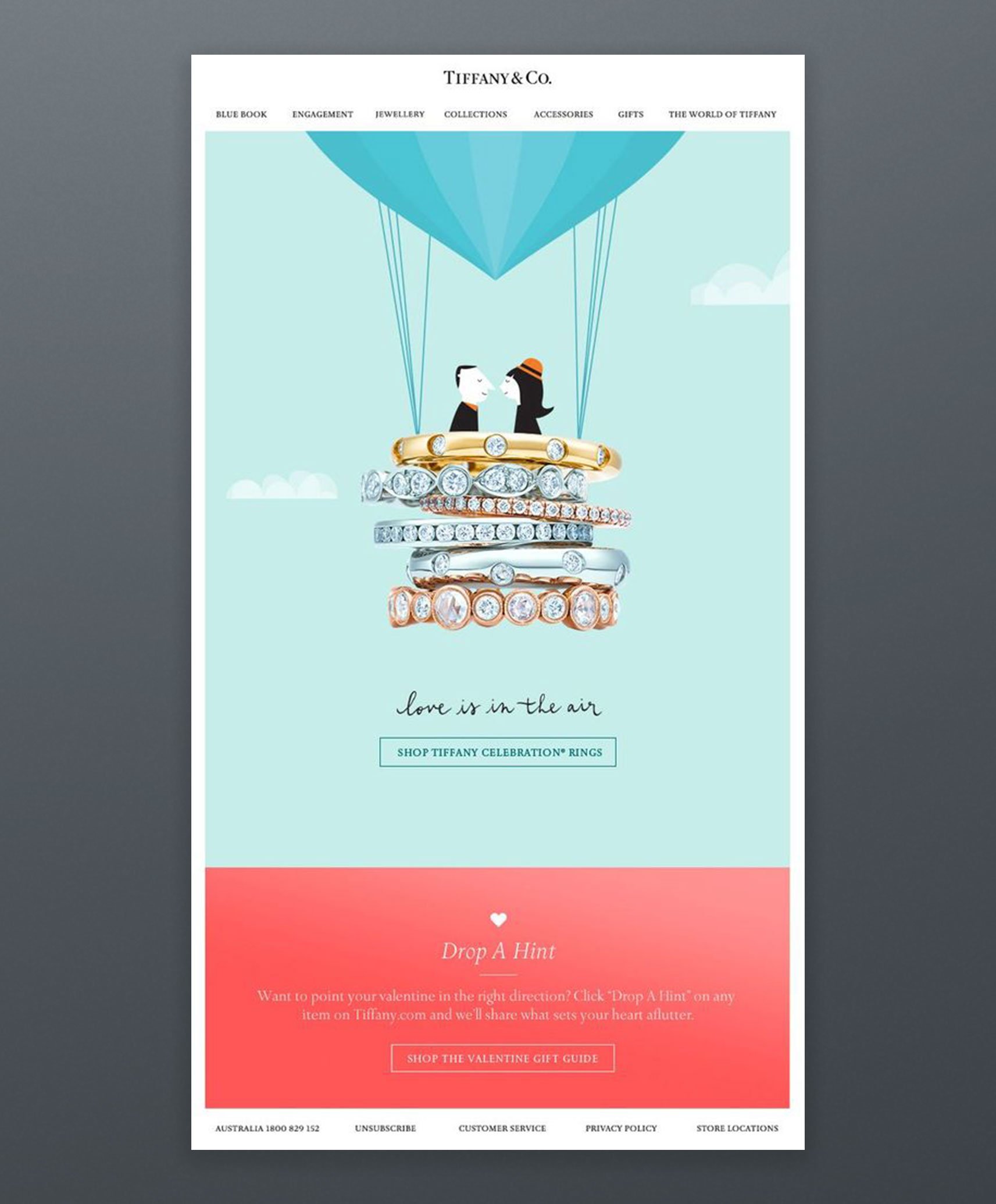
Tiffany & Co. have used romance in their email marketing campaign to build a mental connection between their products and romantic feelings. Because good feelings increase the possibility of engagement, people were more likely to click on call-to-action. Additionally, they used visuals very well: A balloon built with Tiffany rings and a sweet cartoon character couple.
Example 21. Topshop
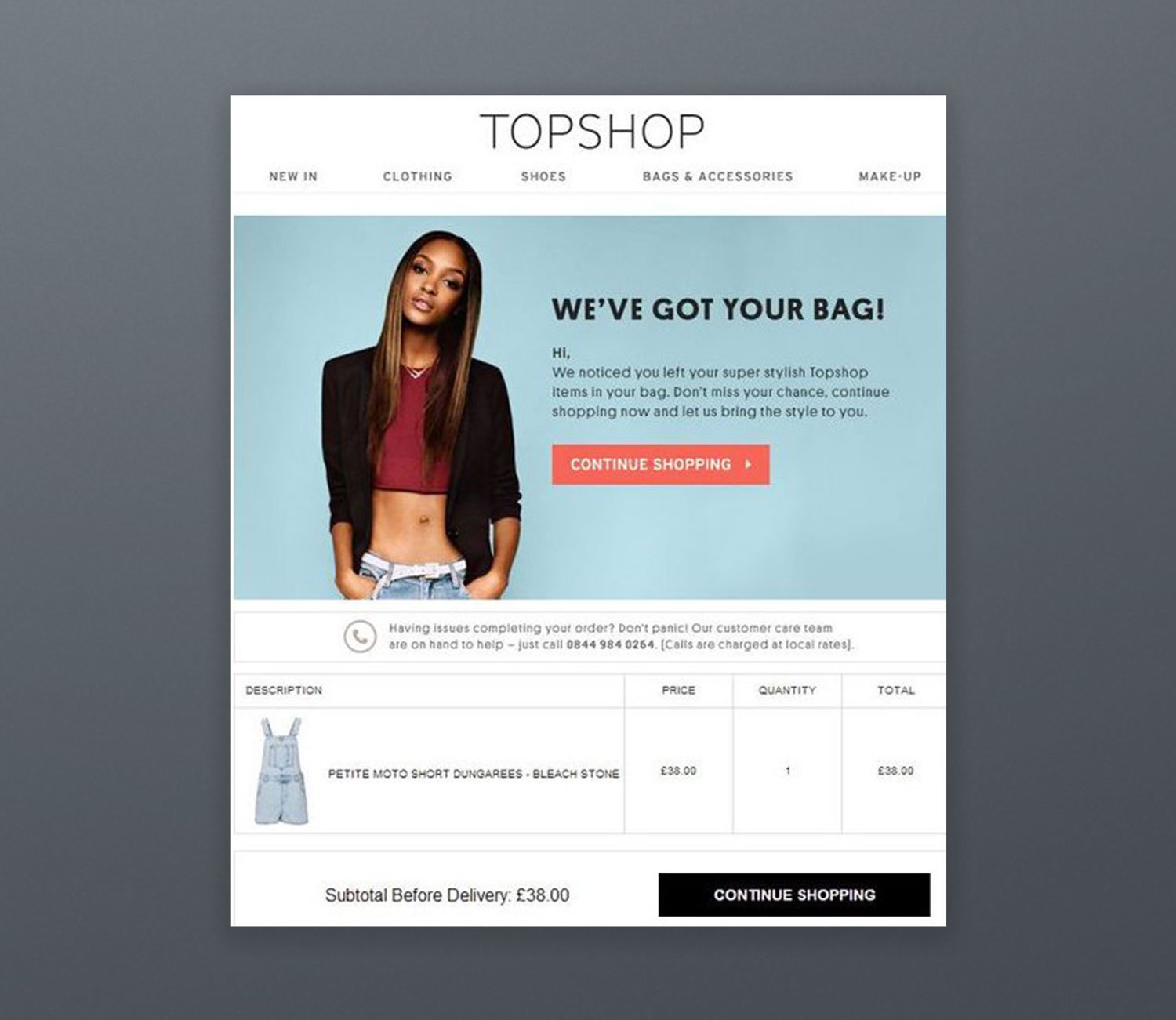
Topshop has generated a great email reminding their clients about incomplete orders. The email is influential because they have chosen their words very wisely: "We have got your bag (referring to 'back')." They try to say that "We kept your shopping basket safe all this time."
Example 22. Uber
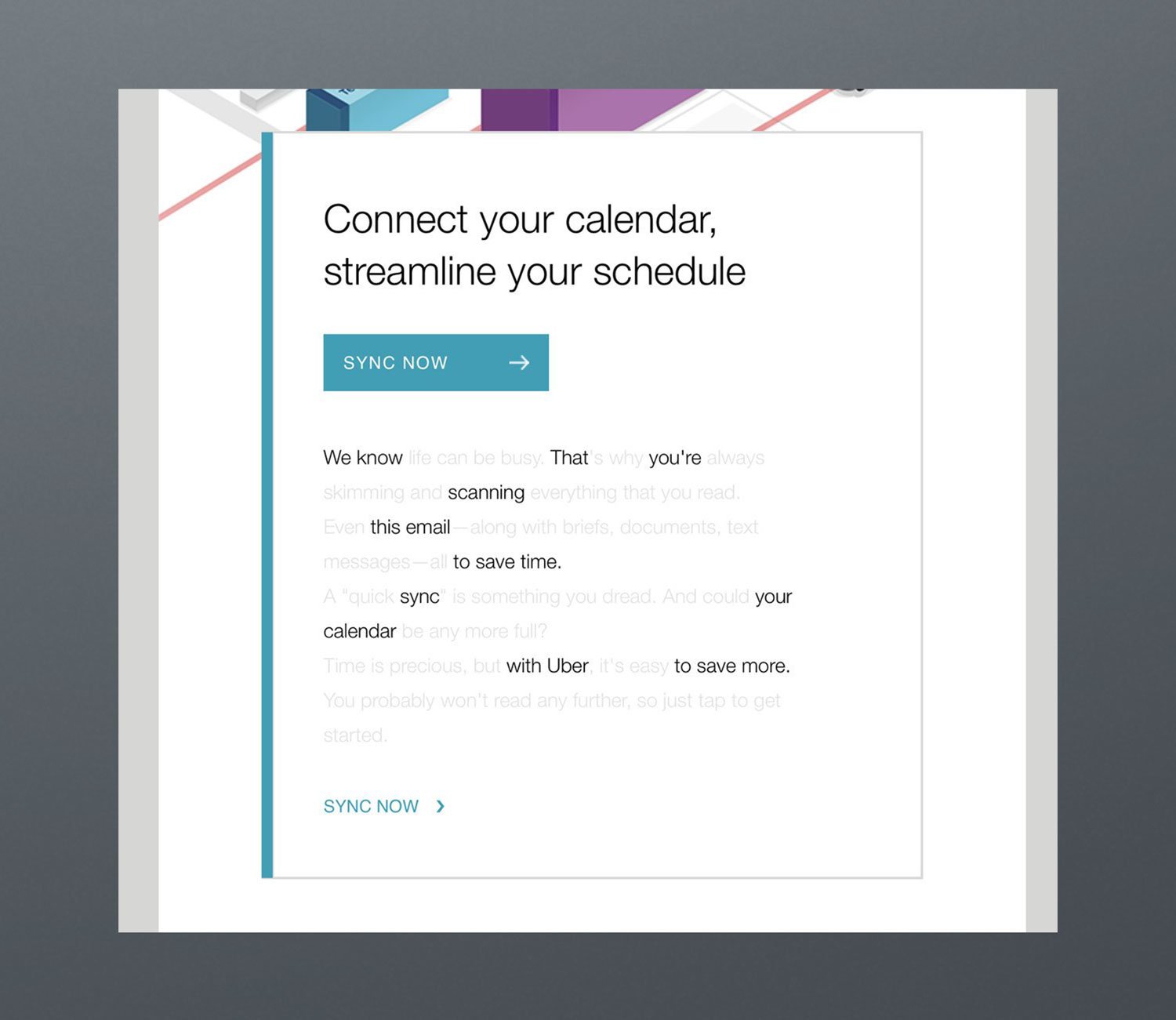
Uber has created a campaign clearly saying that "Hey, we are aware that you do not want to waste your time by reading every single word in this email, so we made it easy to scan. Look at it, then click on the call-to-action button." The campaign was very successful due to the usage of simplicity. Also, bright colors and geometric patterns are the right way of presenting visuality.
Email Marketing Categories
Most marketing emails fit a handful of categories. Here are four to start with, plus the automated flows that run in the background.
Newsletter
A newsletter is a regularly distributed email campaign that is generally about one main topic of interest. This fits perfectly if your goal is to keep in touch with your existing customers.
Marketers using the method of the newsletter have usually aimed at;
"We will have everything our customers care about, all in one place."
"Our newsletters will be so different that people will actually look forward to getting our newsletter."
"Since we're only sending it once a month, it will be a breeze to put together."
Let's have a look at a well-executed newsletter of Spotify:
Spotify
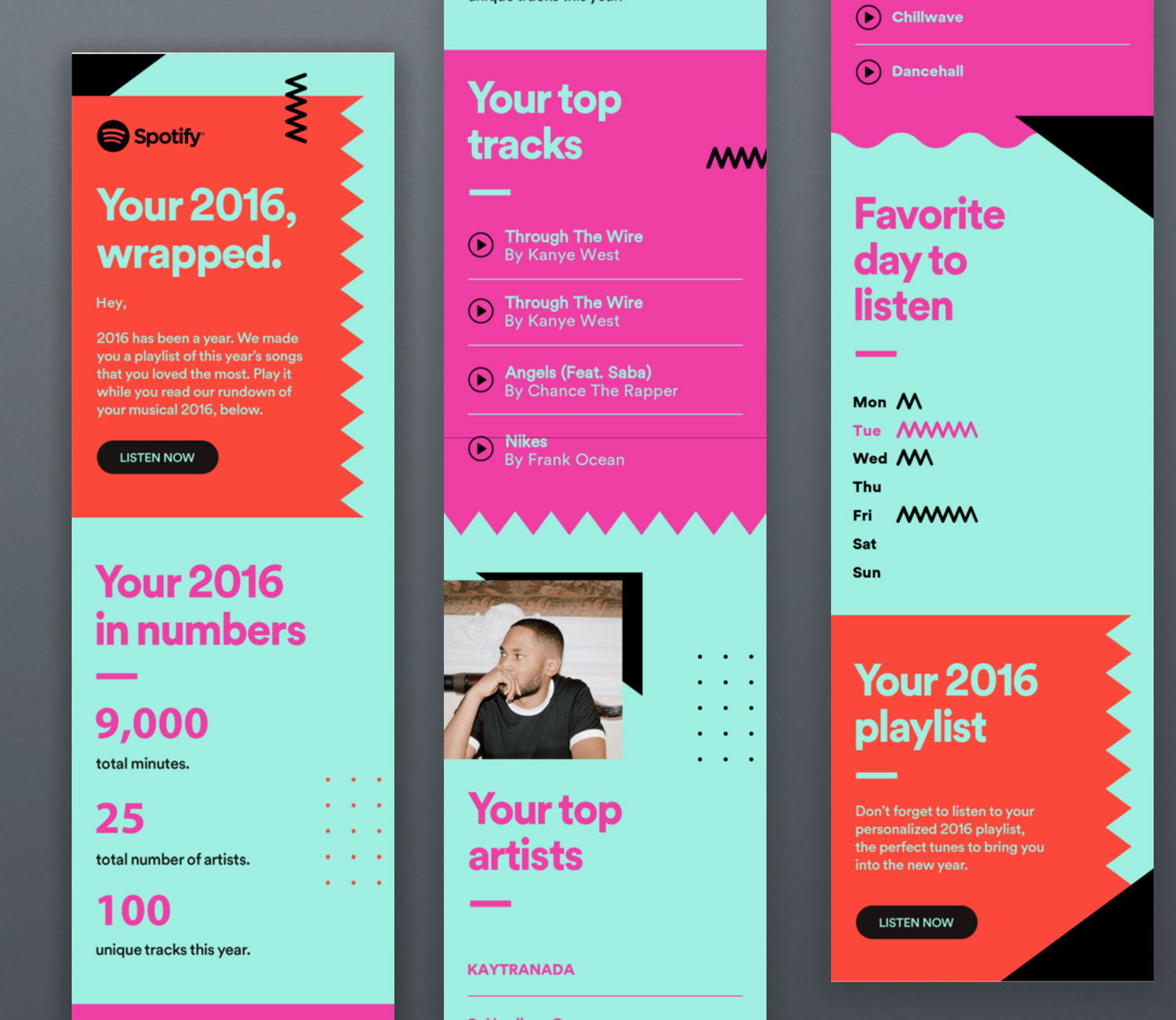
Spotify is a well-known business that is very successful in reaching its customers with customized content. Spotify forms an end-of-year playlist for each of their subscribers and sends it as an email.
This email contains their most-played songs, top artists and genres, the time they have spent on Spotify, and their most active days. The email continues with a call-to-action link that customers can click and reach the playlist made for them.
It is an excellent example of building a sustainable relationship with existing customers!
Email Marketing Offer
A marketing offer is any campaign that you send to drive direct response from a customer. It needs to include a call-to-action button. An email about the latest stock, discount, or special promotion may be given as an instance of a marketing offer.
Let's have a look at a great marketing offer by Ikea:
Ikea
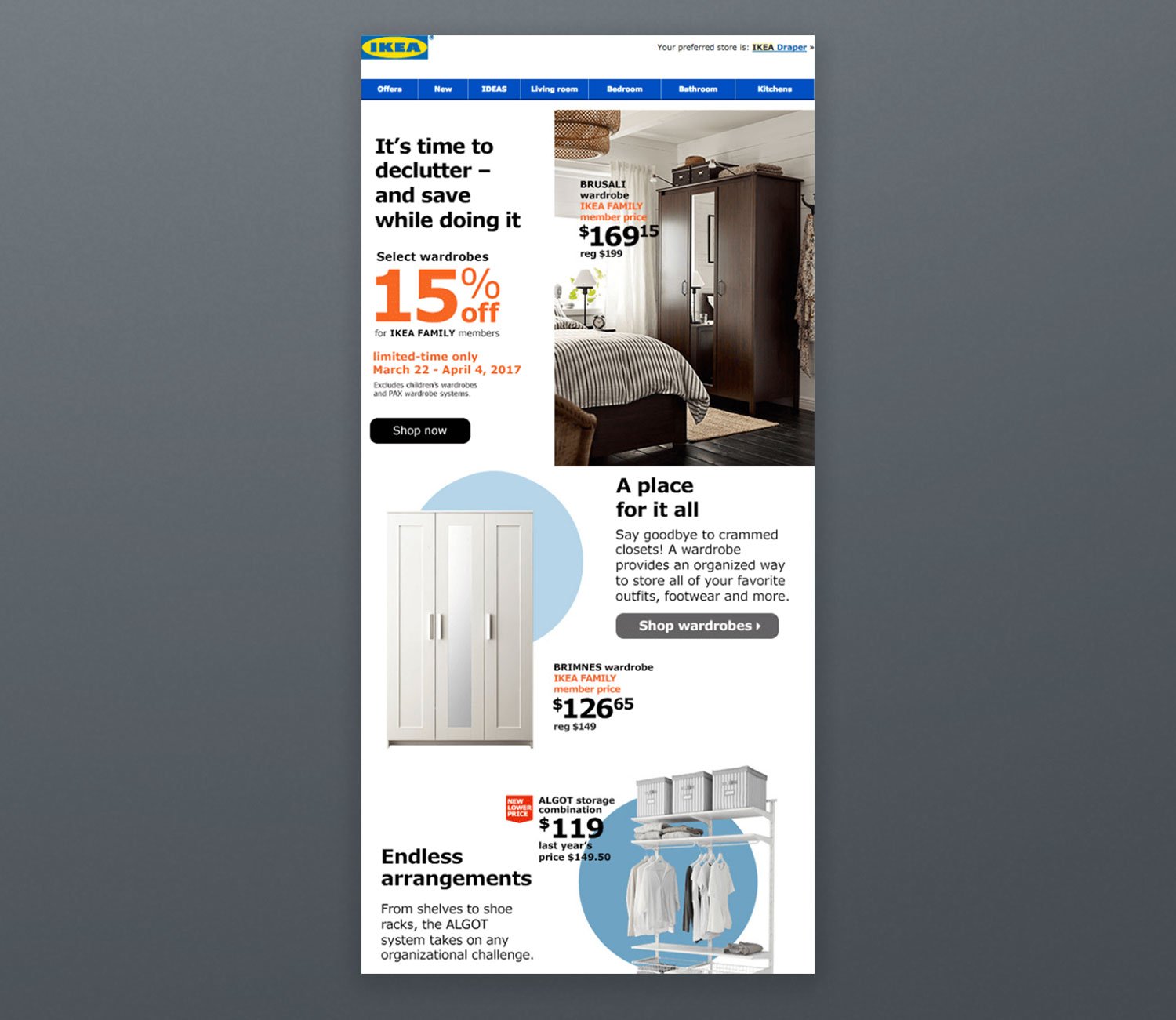
Ikea has created a compelling sales discount email because the campaign;
- Is easy to skim,
- Has adequate pictures, specific sections, and paragraphs,
- Encourages readers to go to their webpage to seek more information,
- Has call-to-action links and buttons that are clear and easy to find.
Announcements
Announcement emails are used when launching or updating a new product, a feature, or a service. This is a great category to choose if your email marketing goal is to keep your audiences engaged.
Let's have a look at a well-designed announcement email example of Sphere:
Sphere
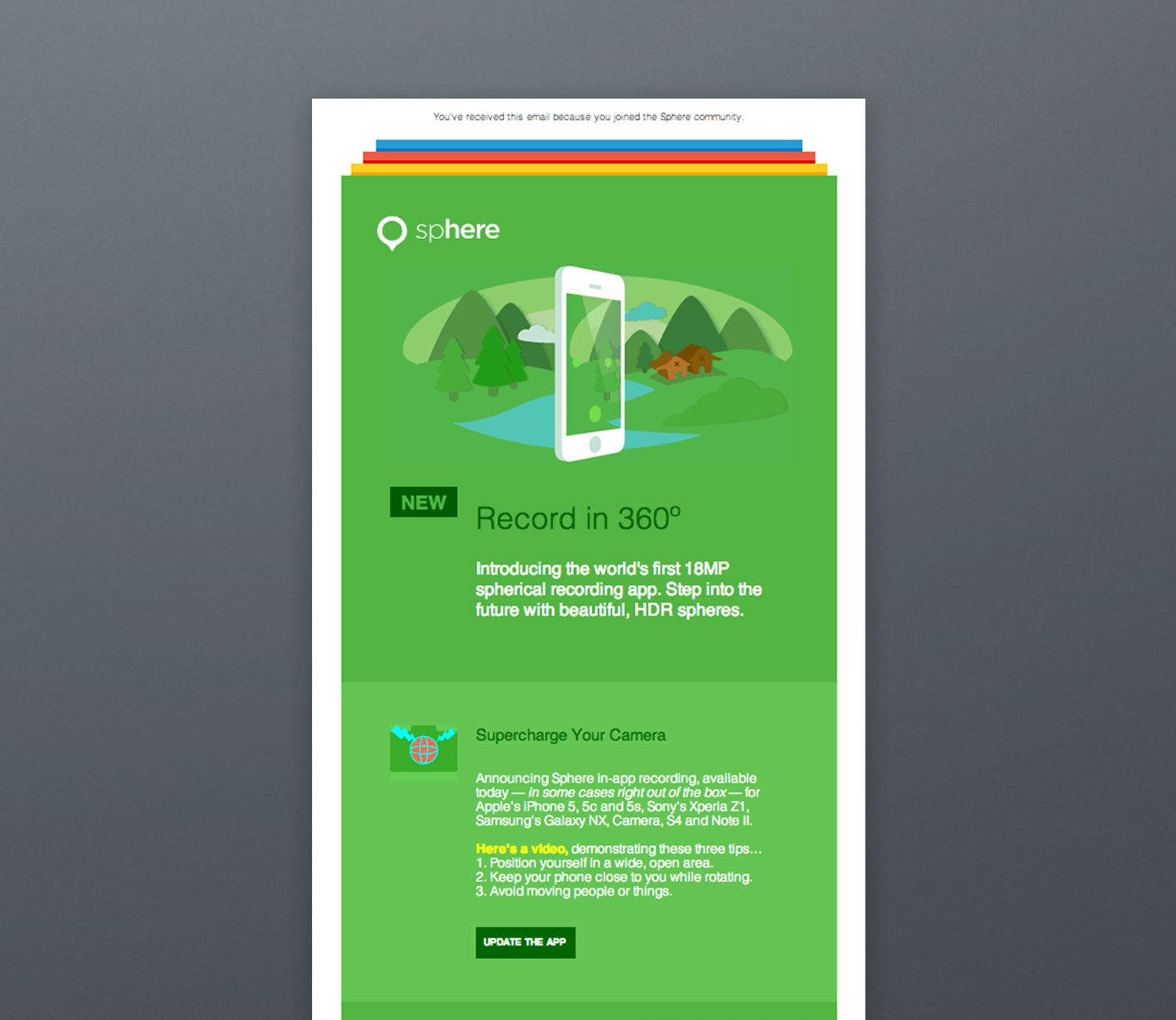
Sphere has generated a mobile app update announcement email by using the power of GIFs. Because announcement emails require customer engagement, amusing your subscribers with animated GIFs will definitely work!
Event Invitation
Event invitation emails are designed to increase awareness about your event and to encourage your subscribers to attend. Events lead to an increase in communication with your audience, so arrange some creative activities!
Let's have a look at a suitable event invitation email of Hidden Dinner:
Hidden Dinner
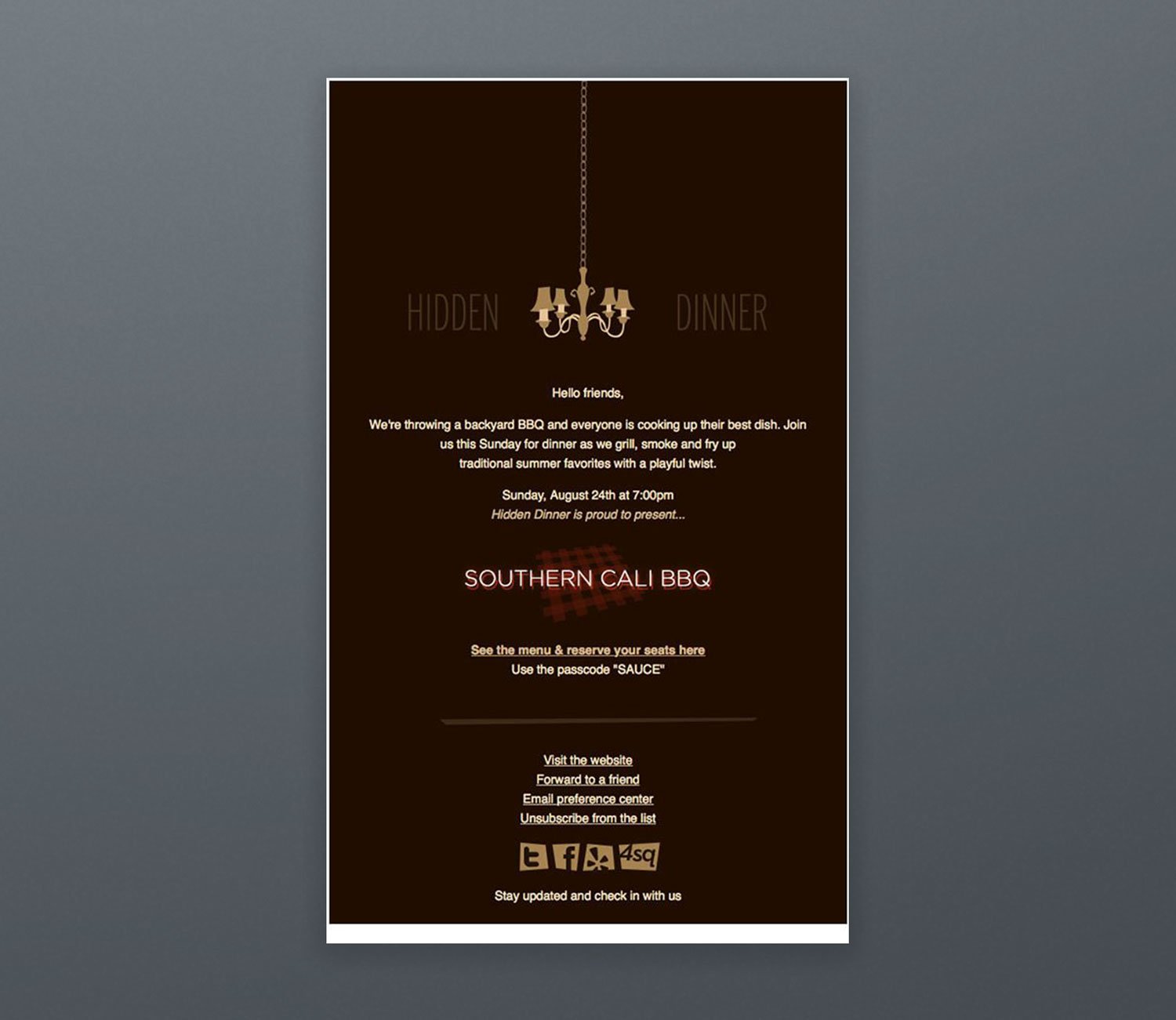
Hidden Dinner has generated an attention-grabbing event invitation email because;
- The design of the campaign is unique and in line with their website,
- The email contains only a little information about the event, which triggers curiosity,
- The call-to-action is descriptive and encouraging to click on,
- Offering a passcode makes people feel special, so it increases ticket sales and event attendance.
Automated emails
Automated emails send themselves when a subscriber does something, or stops doing something, so each message arrives when it's most relevant. You set up the flow once in your email tool, and it runs for every subscriber or customer who meets the trigger. Four flows cover most businesses:
- Welcome: sent right after someone signs up, often with the discount code or content you promised.
- Abandoned cart: sent when a shopper leaves items in the cart without buying.
- Post-purchase: sent after an order to thank the customer, explain how to use the product and ask for a review.
- Win-back: sent when a customer hasn't bought or opened for a while, with a reason to come back.
Start with the welcome flow, then add the others one at a time.
Email Marketing Service Providers
An email service provider stores your list and sends your campaigns. The tools below are in no particular order, and their prices were checked on each vendor's own pricing page in September 2026. Prices change often, so confirm the current plan before you sign up.
Popupsmart isn't on this list because it doesn't send email campaigns. It collects subscribers with popups and passes them to tools like these. Among businesses whose Popupsmart popups collect an email or phone number, Mailchimp (5.2%) and Brevo (4.5%) are the most connected email tools in Popupsmart's 2026 popup benchmark. Popupsmart has a free plan, and Popupsmart's paid plans start at $39 a month billed monthly, or $32.50 a month billed annually.
1. Sender
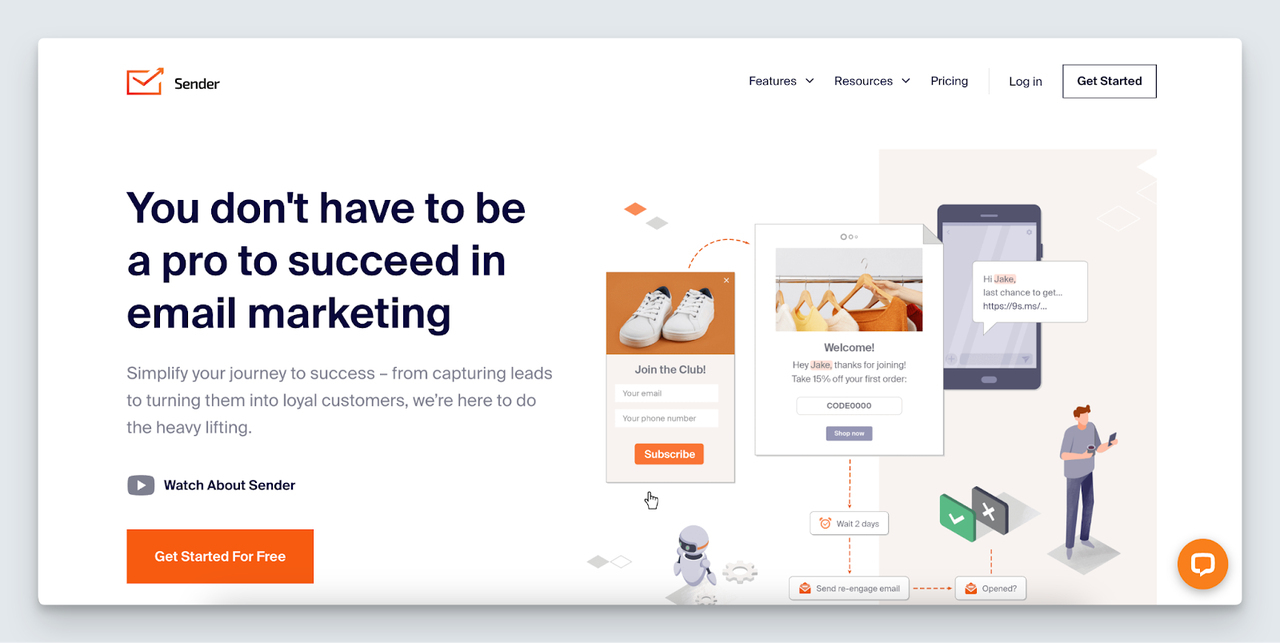
Sender is an easy-to-use and affordable email marketing software that is great for e-commerce stores. It works well with online shops for quick email creation and offers tools for sending automated emails and SMS messages. It also provides easy metrics to help you track how well your emails are performing. With Sender, you get a drag-and-drop email builder and templates that you can change to match your branding.
Pricing:
Sender offers a free plan for up to 2,500 subscribers and 15,000 emails a month, with basic email automation. Paid plans start at $9 per month billed monthly for the Standard plan (up to 500 subscribers and 6,000 emails a month).
2. Constant Contact
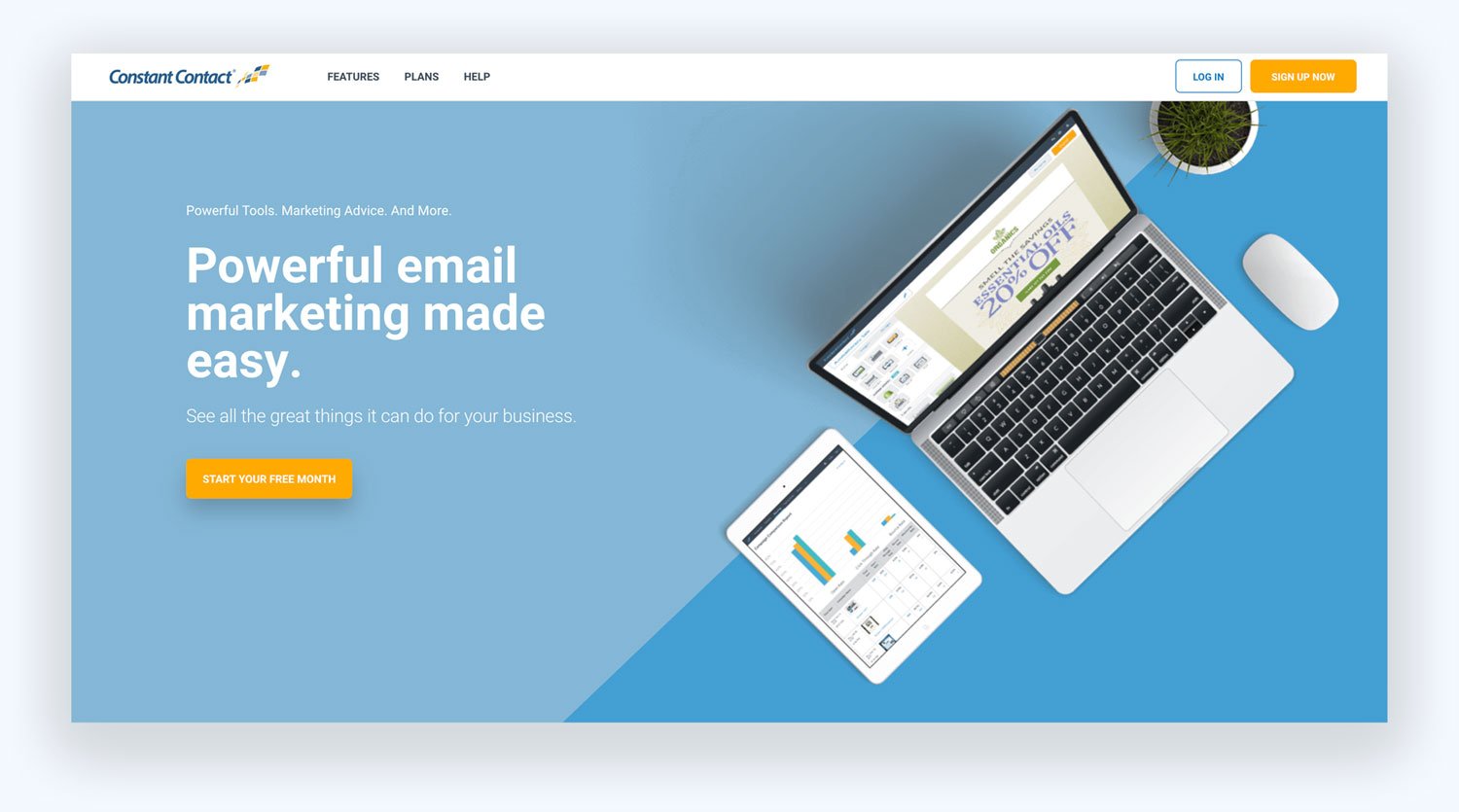
Constant Contact is an email marketing service for small businesses that also covers SMS, social media posting and event marketing. It has customizable email templates and offers high-quality support.
Pricing:
Constant Contact offers a 14-day free trial with no credit card needed. After the trial, the Lite plan starts at $12 per month for up to 500 contacts ($10.20 a month billed annually).
3. Brevo
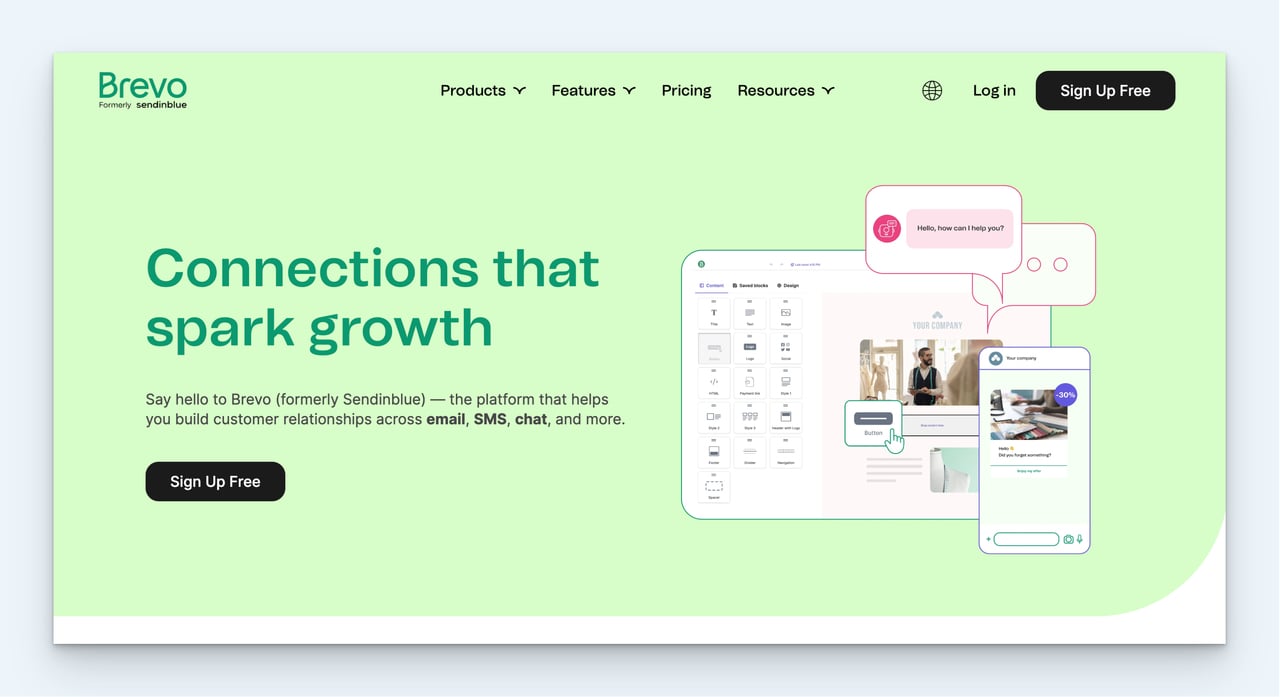
Brevo is an email and SMS marketing software that you can use to create marketing campaigns without strong technical knowledge.
Pricing:
Brevo's free plan stores up to 100,000 contacts, but you can send only 300 emails per day. Paid plans start with Starter at $9 per month for 5,000 emails a month, with no daily sending limit.
4. Klaviyo
Klaviyo is a B2C CRM and marketing platform, used mainly by ecommerce brands, that combines email, SMS and other channels with customer data.
Pricing:
Klaviyo's free plan covers up to 250 active profiles and 500 email sends a month. The paid Email plan starts at $20 per month for 500 active profiles and 5,000 emails a month; SMS is priced per send on top.
5. Drip
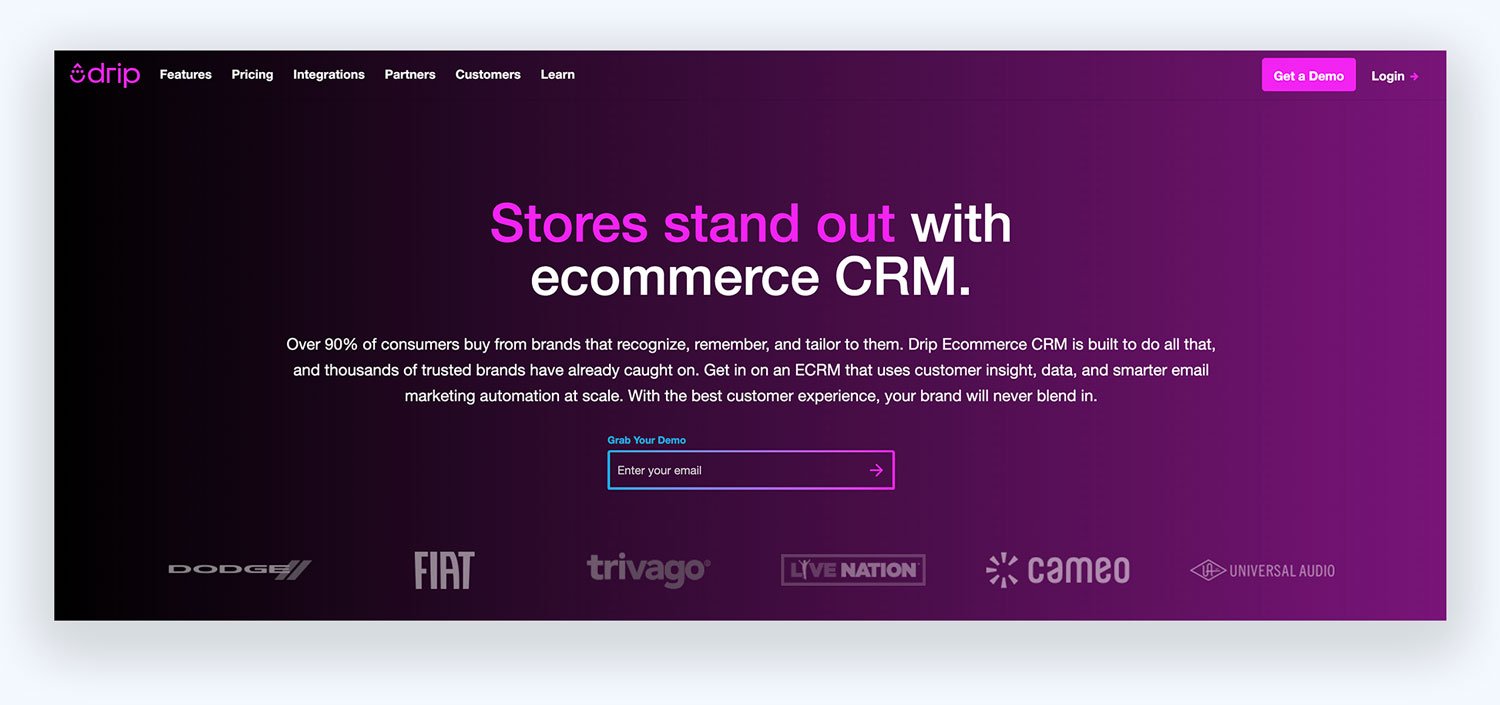
Drip is a good fit if you're an e-commerce merchant who wants to send emails at the right time by understanding customers' purchase intent and behavior. You can customize your messages based on actions like cart abandonment, first-time users, returning website visitors, people who clicked a link on your site, and so on.
Pricing:
Drip offers a 14-day free trial. Their pricing starts at $39 per month for up to 2,500 people, with unlimited email sends.
6. Kit (formerly ConvertKit)
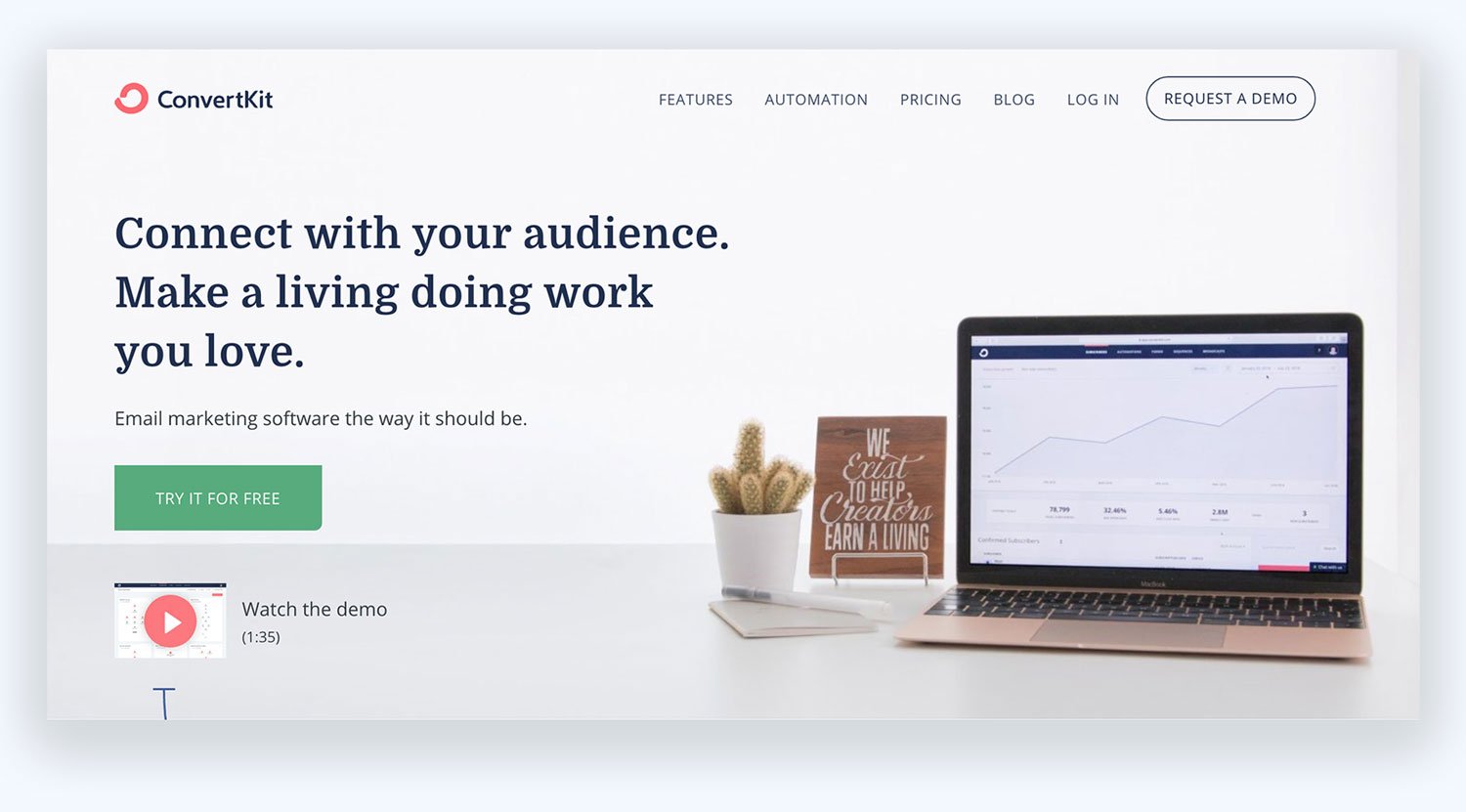
Kit, formerly ConvertKit, is an email marketing platform for creators such as bloggers and publishers. With Kit, you can create attractive forms, send custom-tailored emails to individual subscribers, and sell digital products and subscriptions.
Pricing:
Kit has a free plan for up to 10,000 subscribers. The paid Creator plan costs $39 per month billed monthly, or $390 a year, for 1,000 subscribers, and you can try it free for 14 days.
7. AWeber
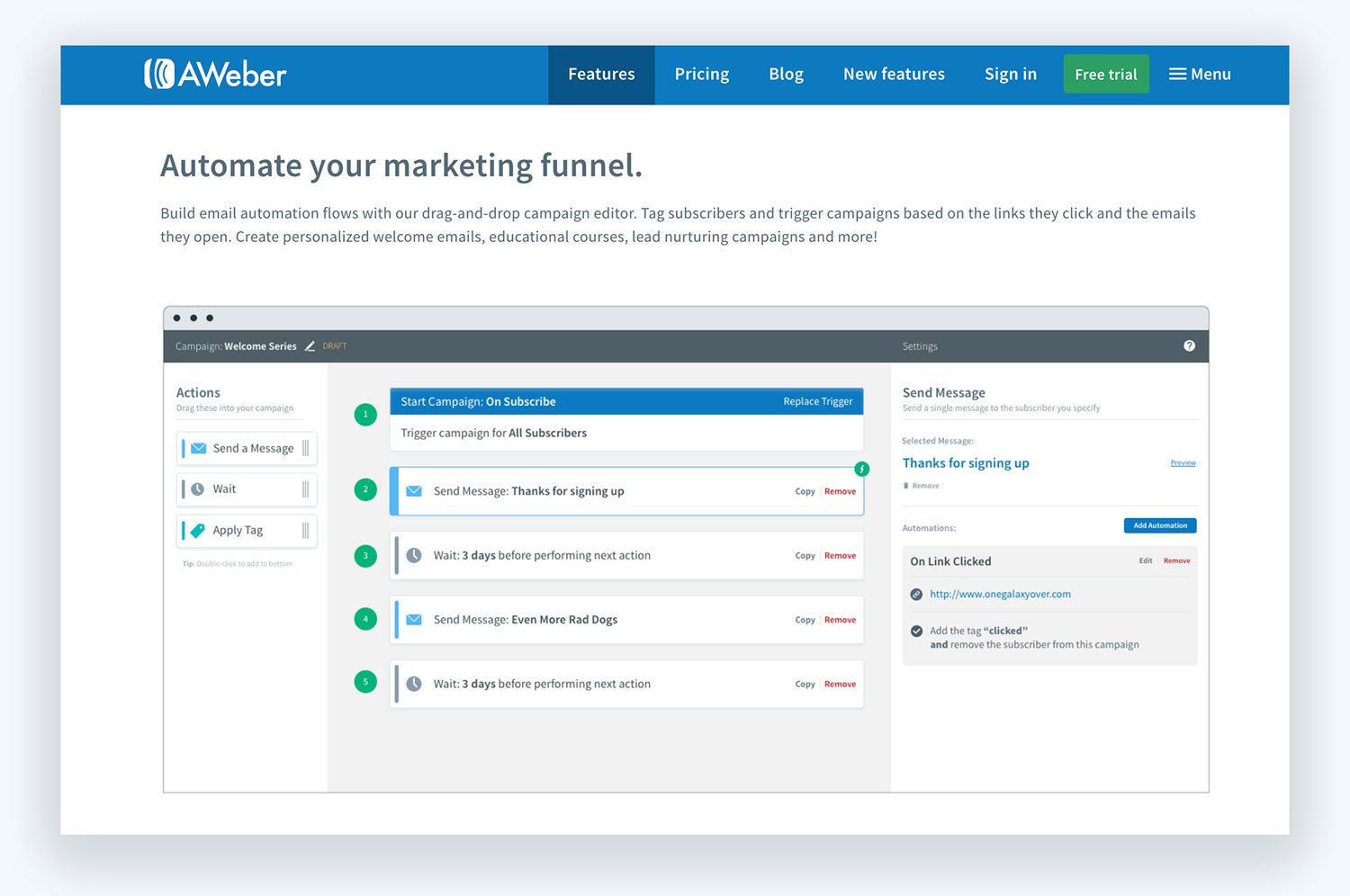
AWeber is an email marketing platform for small businesses and creators. You can design email newsletters with the drag and drop builder, automate email sequences, and create mobile-responsive sign-up forms that function well on any device.
Pricing:
The Lite plan starts at $15 per month ($150 a year) for up to 500 subscribers. AWeber also keeps a free plan for up to 500 subscribers and 3,000 emails a month.
8. Mailchimp
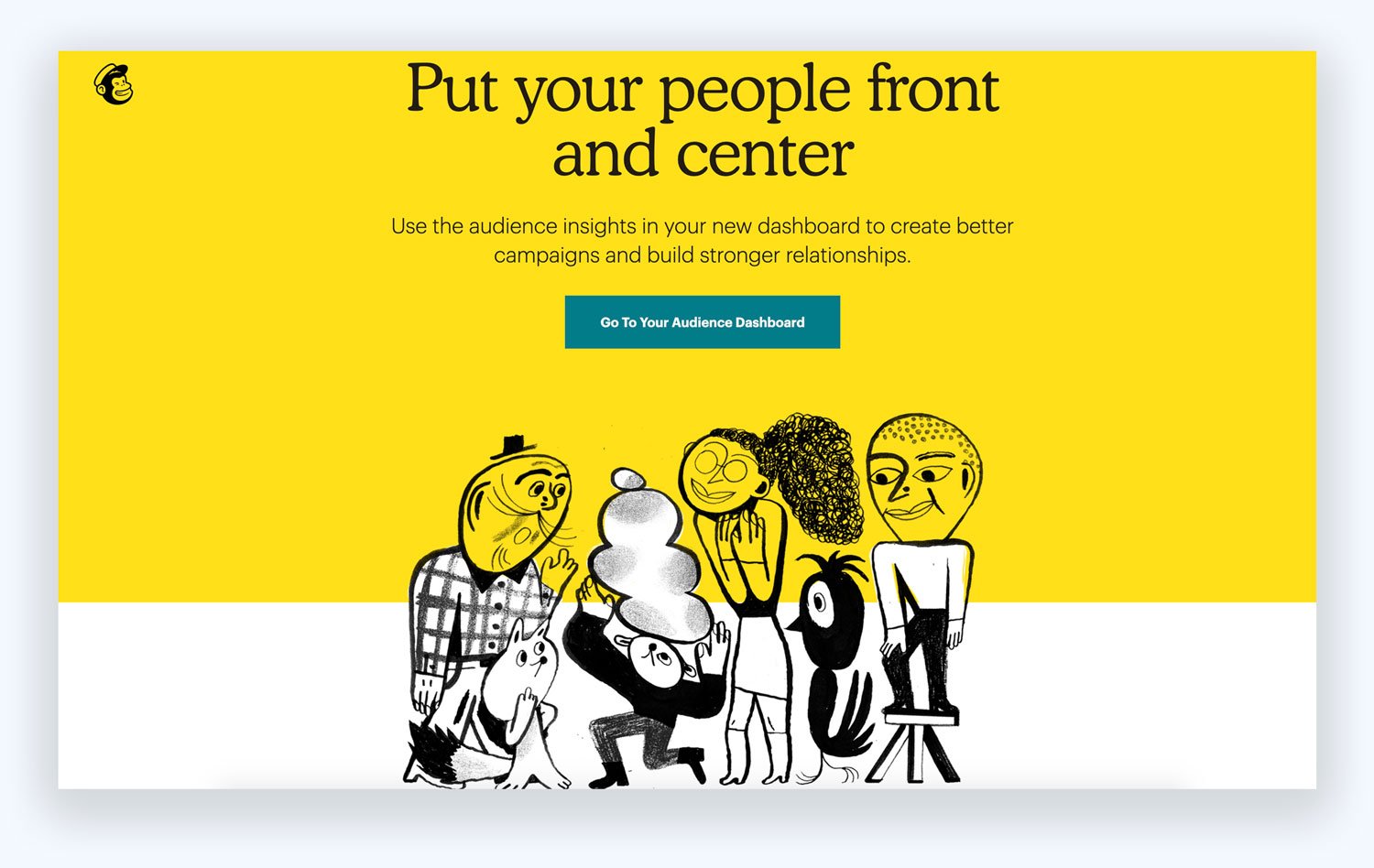
Mailchimp's features are rich and affordable for marketers of all sizes, whether you're a blogger, local business, or a company with off-the-charts growth.
Pricing:
You can sign up for their free plan, which allows up to 250 contacts and 500 email sends a month (250 a day). Paid plans start with Essentials at $13 per month for 500 contacts.
9. Litmus
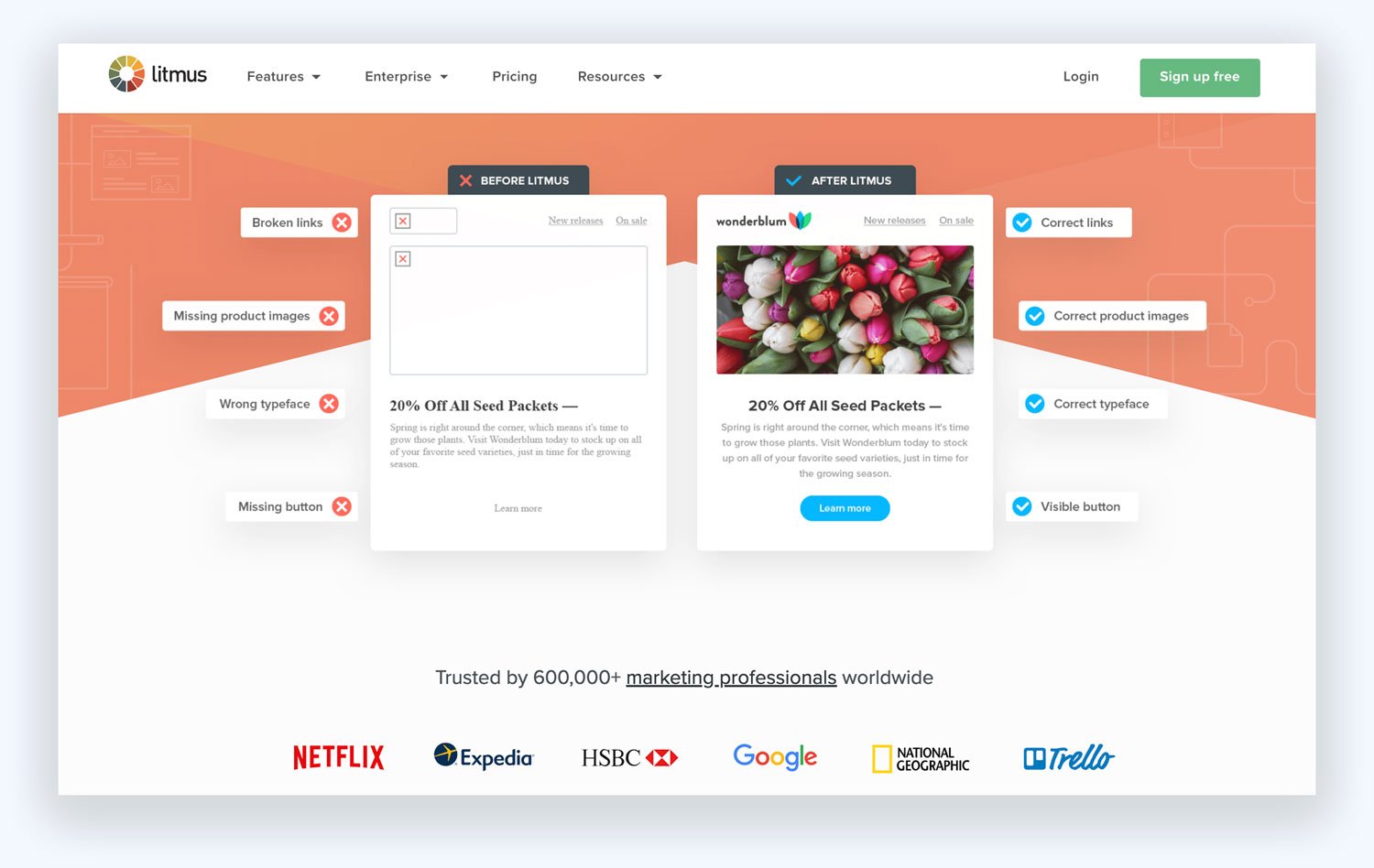
Litmus is an email testing and preview tool that you use alongside your email service provider; it doesn't send campaigns itself, and it's now part of Validity. Litmus enables you to;
- Build and preview your emails in real-time either by using templates or designing by yourself,
- Make sure your email looks great on both mobile and computer,
- Get a guided check of elements that may affect your email performance like broken links and load time,
- Have a spam test and get appropriate advice to fix your email,
- Improve segmentation and targeting strategies with email analytics,
- Get the protection of your sensitive data without carrying any risk.
Pricing:
Litmus no longer publishes prices; you get a quote from its sales team.
10. MailerLite
MailerLite is an email marketing tool for sending newsletters and automations, with websites, landing pages, signup forms and digital product sales built in.
Pricing:
MailerLite's free plan covers up to 250 subscribers and 2,500 emails a month. Paid plans start with Comfort at $12 per month billed monthly ($10.80 a month billed yearly) for up to 500 subscribers, and there's a 14-day free trial.
11. EmailOctopus
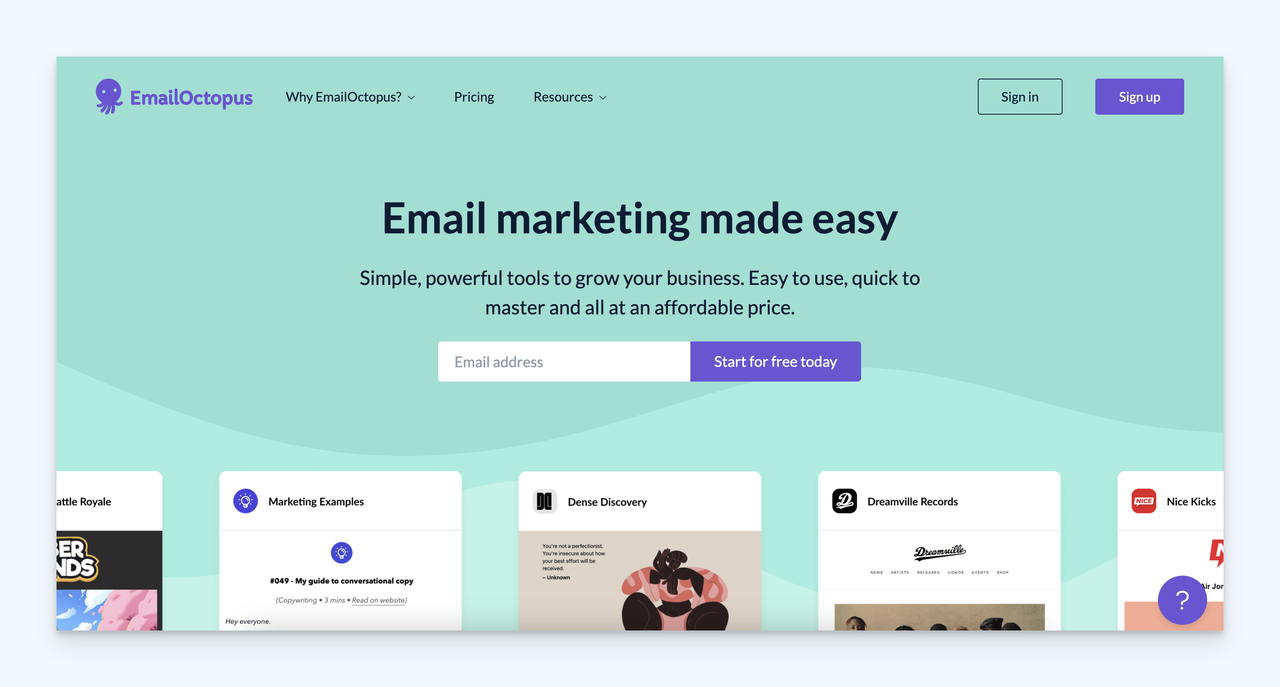
EmailOctopus is a tool that helps you manage your email marketing campaigns with the help of Amazon SES. You can send email newsletters and drip emails, create and customize HTML email templates.
You can also have designed templates, analyze and optimize campaigns, and automate your email sending workflow.
Pricing:
EmailOctopus has a free plan with no time limit for up to 2,500 subscribers and 10,000 emails a month. The paid Pro plan starts at $10 per month ($9 a month billed yearly) for 500 subscribers.
12. iContact
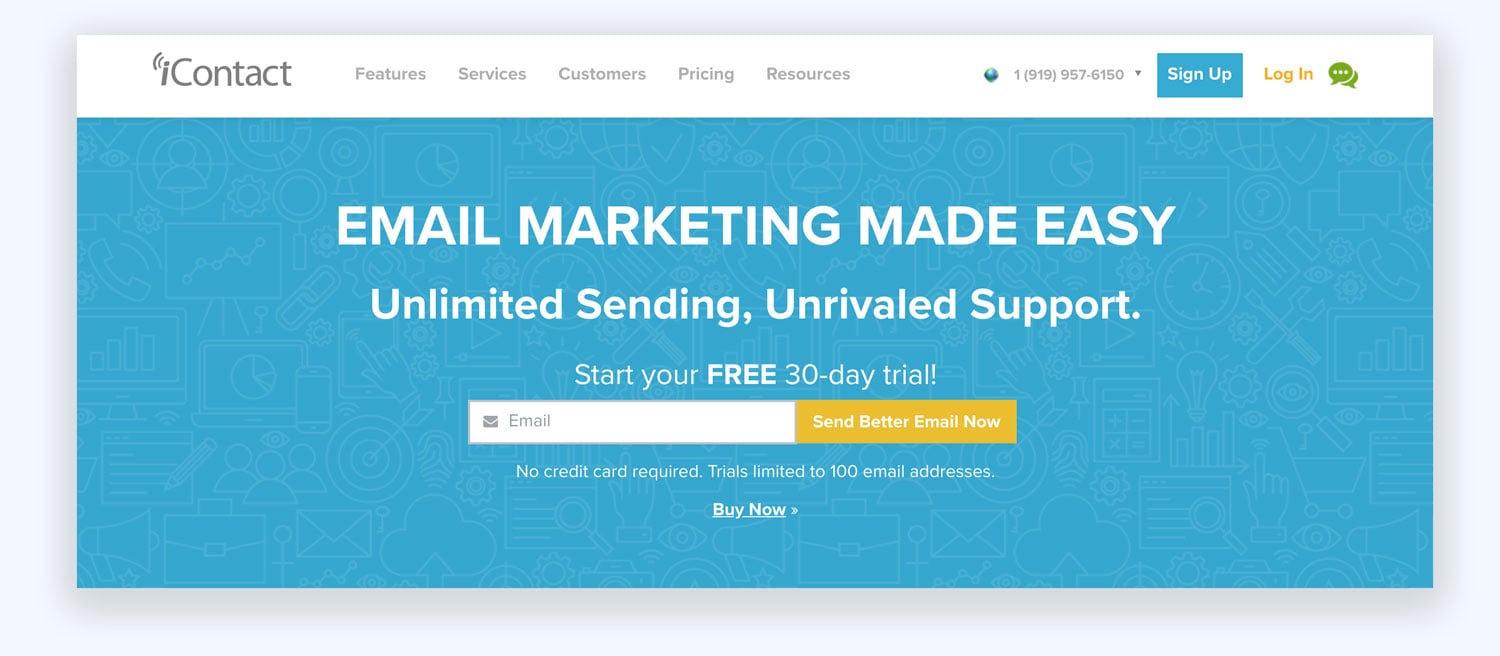
iContact offers intuitive and straightforward packages which cover;
- HTML coding options and different pre-designed marketing templates,
- Easy-to-navigate interface,
- Tabs at the top half of the screen letting you create and measure your email campaigns,
- Sign-up form options for your website,
- Importing a list of subscribers from a CSV or Excel file,
- Segmenting your email list,
- Integration of social media-friendly features,
- Automation of email sending workflow
Pricing:
iContact offers a 30-day free trial. Its packages range from $9 per month (Standard, 500 contacts) to $427 per month (Ultimate, 50,000 contacts) on monthly billing, depending on your plan and list size.
13. GetResponse
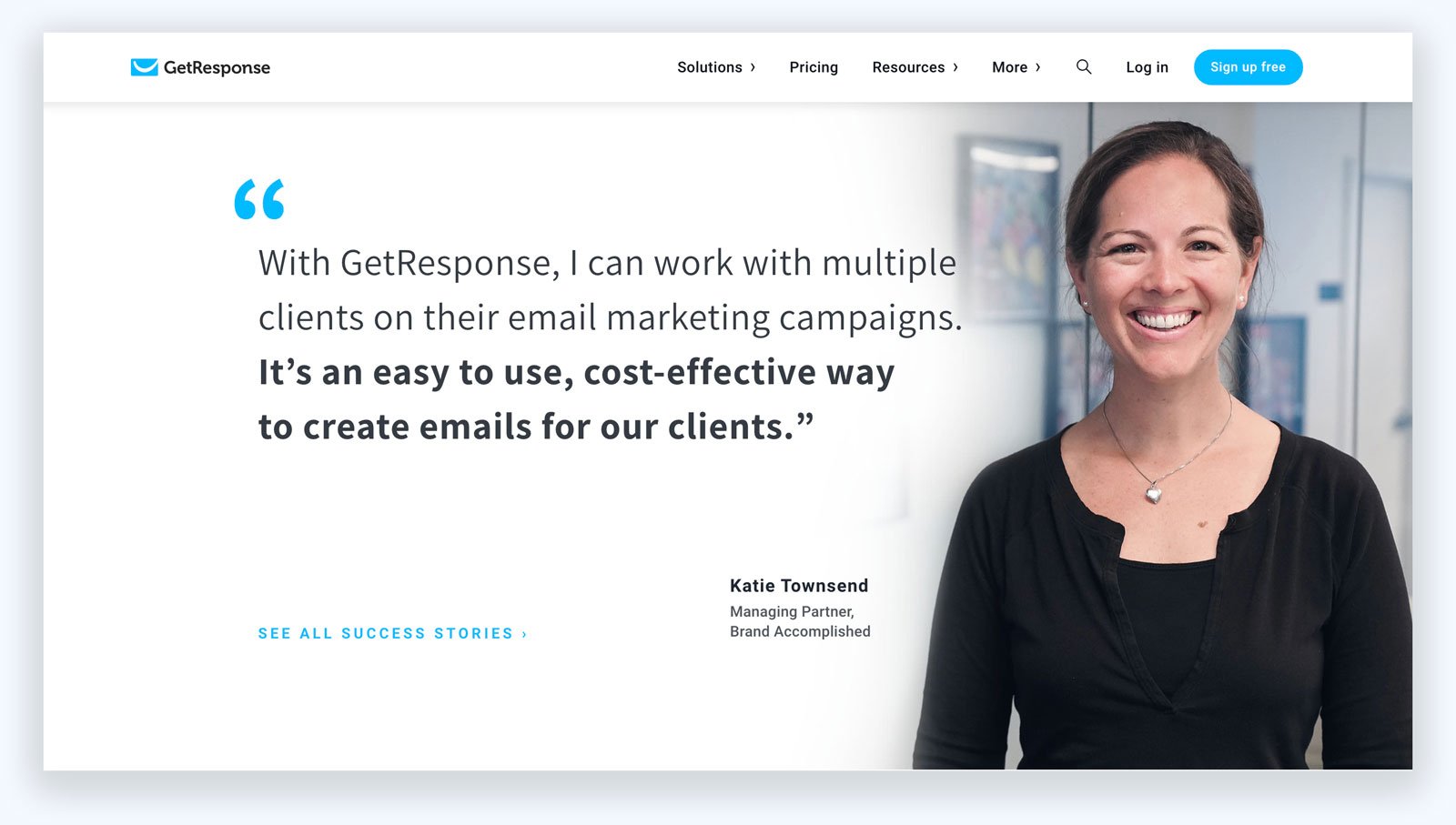
GetResponse is a tool that helps you to create professional-level marketing campaigns with an effectively maintained email contacts list. It offers packages containing the services of;
- Segmentation of email list,
- Importing existing subscribers from other files,
- Conducting searches about your contact list,
- Tracking your open rate, complaint rate, number of unsubscribes, click rate of links,
- Displaying email marketing campaign results and survey outcomes in the form of pie charts and bar graphs,
- Live and chat support in the form of FAQS, webinars, PDFs, video tutorials, a glossary, and learning center articles.
Pricing:
GetResponse has a free plan for up to 500 contacts and 2,500 newsletters a month, plus a 14-day free trial. The Starter plan costs $19 per month ($15.58 a month billed annually) for 1,000 contacts. Self-serve prices go up to $690 a month (Creator, 100,000 contacts); larger lists get custom Enterprise pricing.
14. Zoho Campaigns
Zoho Campaigns (not Zoho Mail, which is Zoho's business email hosting) is a tool to create email marketing campaigns. The process is divided into three sections:
- Necessary Details: campaign name, email details
- Content
- Audience
You may use a WYSIWYG editor used for HTML content in the second step. Then, you can add images, drop items, and format text in your email.
Pricing:
Zoho Campaigns has a Forever Free plan for up to 2,000 contacts and 6,000 emails a month. Paid plans start with Standard at $4 per month ($3 a month billed annually) for up to 500 contacts.
Email Template Builders
An email template builder lets you design an email once and reuse it in your email service provider. The five below range from no-code editors to a coding framework.
1. RGE Studio (formerly Beefree)
RGE Studio, formerly Beefree, is a no-code email and landing page builder for marketers. It provides services such as;
- 1,600+ email and landing page templates,
- No-code editing for both emails and landing pages,
- The Really Good Emails gallery of 20,000+ real emails, on the same site, for ideas.
Pricing:
The free Starter plan covers up to 10 designs and 6 exports a month. Paid plans start with Professional at $30 per month billed monthly ($25 a month billed yearly), and you can try paid plans free for 15 days.
2. Mosaico
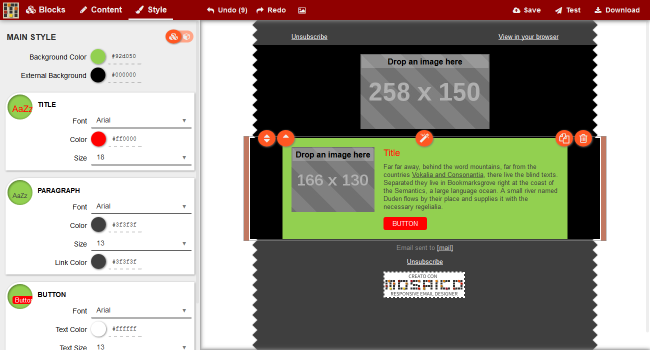
Mosaico offers an open-source email template editor which enables you to;
- Create beautiful emails that can be viewed on any device,
- Use "Drag and Drop" editor,
- Find pre-designed responsive templates,
- Have flexibility in creating emails,
- Customize your emails,
- Benefit from WYSIWYG email editor of Mosaico.
Pricing:
It is open-source (GPL-3.0) and free! You install and host it yourself.
3. Foundation for Emails
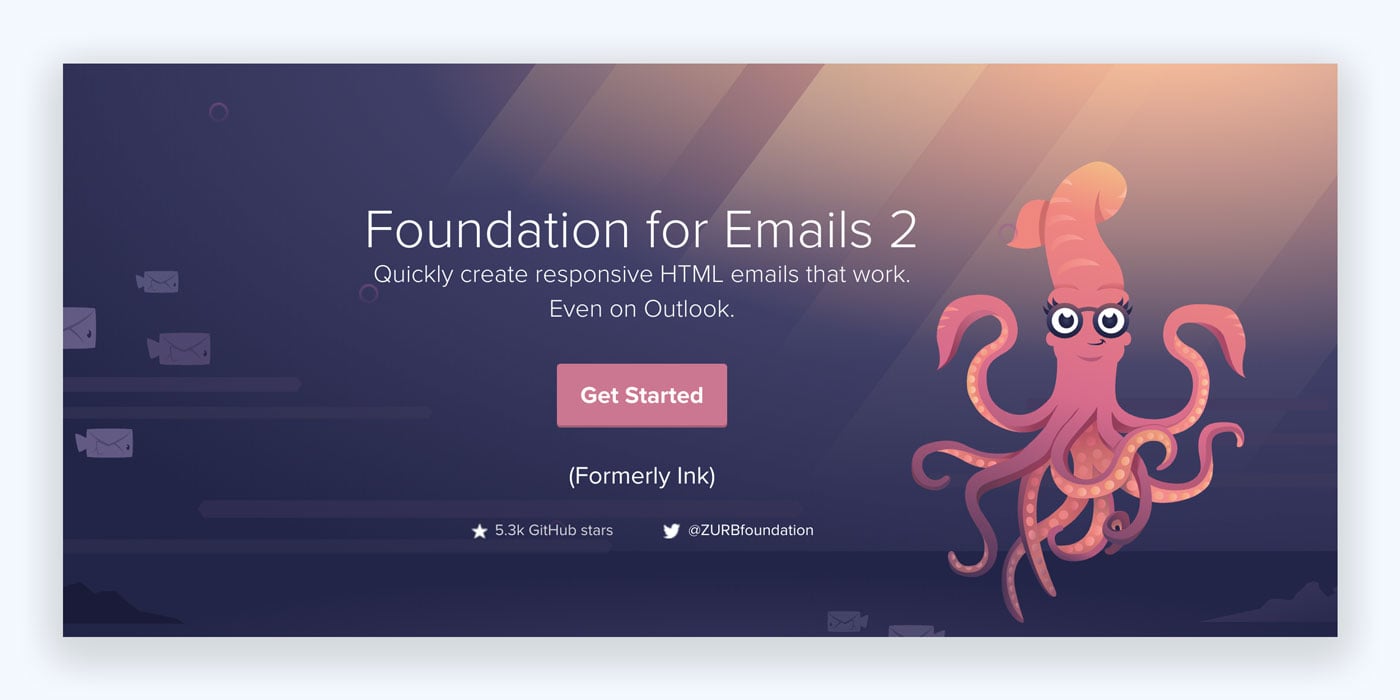
Foundation for Emails is a free framework from the design company Zurb for coding responsive emails. It isn't a drag-and-drop builder: you write the email with its responsive grid and Inky templating language, and it inlines the CSS for you. Its page names nine starter templates: Basic, Hero, Sidebar, Sidebar Hero, Marketing, Newsletter, Order, Password Reset and Welcome.
Pricing:
Foundation for Emails is free and open source (MIT license).
4. MailStyler (Newsletter Creator)
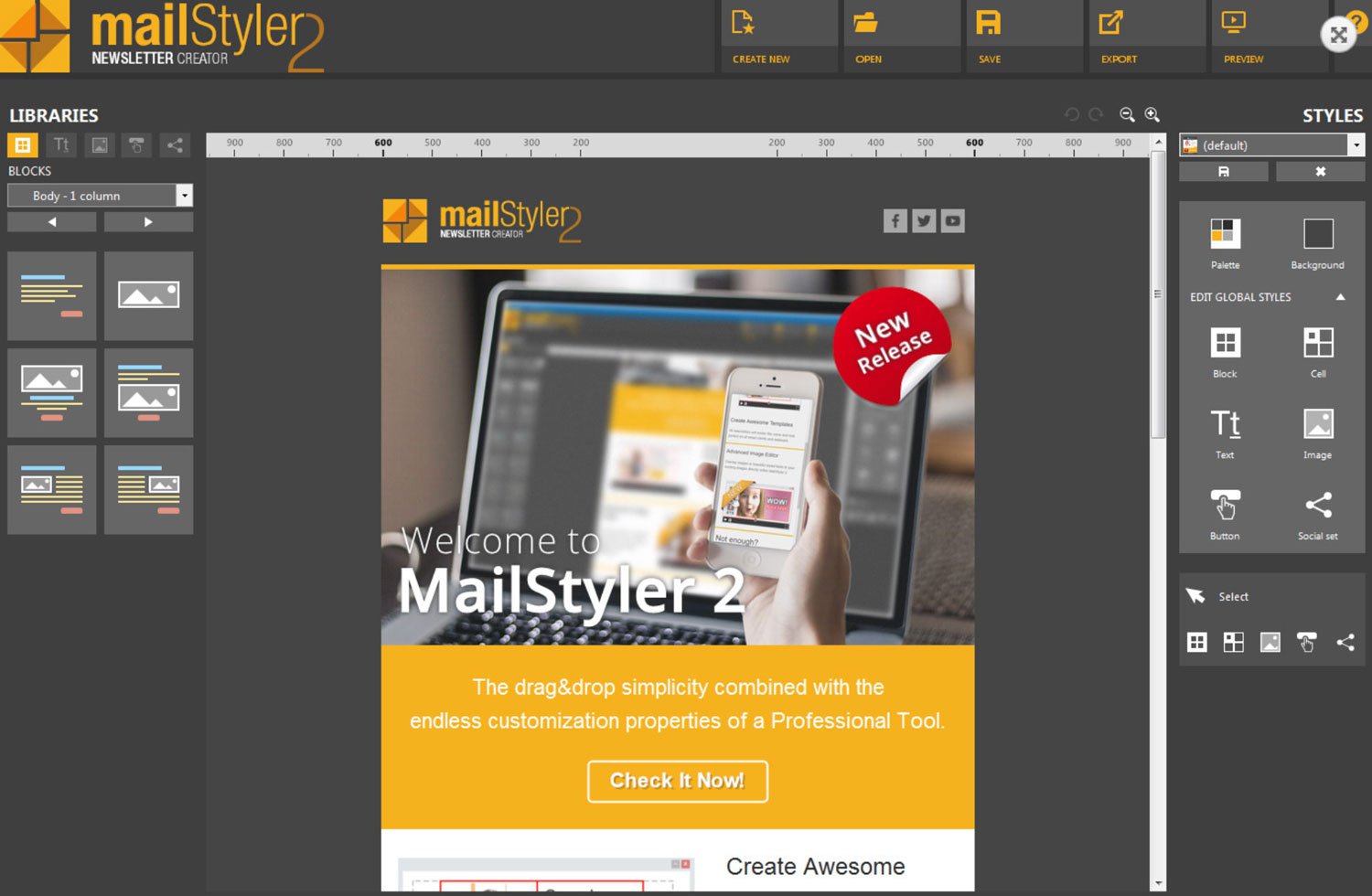
MailStyler, sold on newslettercreator.com as MailStyler Newsletter Creator, is a downloadable email editor for Windows that makes designing emails easier. It also has features like;
- Drag and Drop interface,
- A free demo to try the editor,
- Variety of magnificent email templates.
The vendor's homepage shows logos of well-known brands like Microsoft, P&G and Hugo Boss among its customers.
Pricing:
The free demo never expires, but its exported files come out scrambled. Licenses are one-time payments: $99 (Basic), $199 (Pro) and $1,499 (Server).
5. Stripo.email
Stripo.email offers over 1,650 free HTML email templates. They also have;
- A blog with many useful articles about marketing,
- Drag and Drop interface,
- HTML email template builder,
- Mobile-friendly email builder,
- Four template exports a month for free.
Pricing:
You can create a free account and use it forever, but to obtain more features, Stripo's paid plans run from $20 to $125 per month billed monthly ($200 to $1,250 a year billed yearly).
Measure the Effectiveness of Your Email Marketing Campaigns
You need to track the success of your email marketing efforts, because
You cannot improve something that you did not measure.
Email marketing tools like Campaign Monitor show your email campaign results correctly.
You can also use our free email marketing ROI tool to measure your digital efforts.
For a reference point, here are the Mailchimp email marketing benchmarks across all Mailchimp users. The data was last updated in December 2023 and covers campaigns sent to at least 1,000 subscribers:
Mailchimp itself warns that Apple's Mail Privacy Protection affects open-rate accuracy, so read the open rate with care (more on that below).
There are six key email marketing metrics that you need to be calculating on a regular basis (weekly or monthly):
1. Open Rate
Open rate is the percentage of recipients who opened your email. This is one of the fundamental metrics to measure because your email efforts go down the drain if your subscribers are not opening and reading them. You need to track your open rate on a weekly basis.
Read this number with care. Apple announced Mail Privacy Protection in June 2021 and it has been live since iOS 15 in September 2021: it stops senders from using invisible pixels to learn when someone opens an email. As Apple's Mail privacy guide explains, remote content is downloaded privately in the background when a message arrives, not when it's viewed, so many emails register as opened whether or not anyone read them. Judge your campaigns on clicks and conversions, and use open rate only to spot big changes.
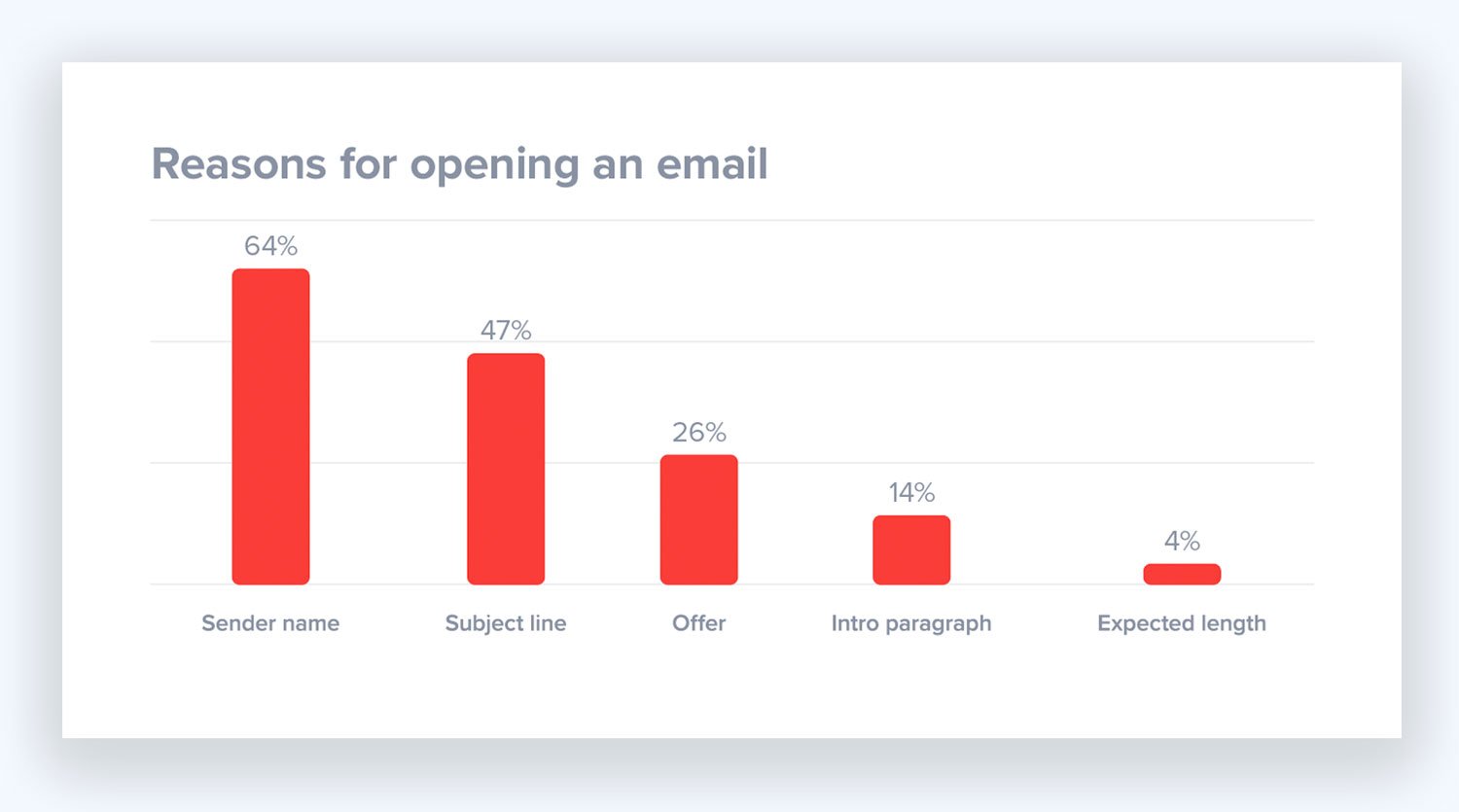
Four major factors affect your email open rate;
- Sender's name
- Email subject line
- Offer
- Intro Paragraph
Open Rate Calculation:
Total Opens/(Emails Sent-Bounced Emails), or
Total Opens/Emails Delivered
You can increase your email open rate by using the tips given below;
- Keep your list fresh,
- Segment your audiences,
- Avoid being flagged as spam,
- Customize your emails,
- Send mobile-friendly messages,
- Write great content and an attention-grabbing subject line.
2. Click-Through Rate
The Click-through rate is the percentage of recipients who clicked on a link in your email. Because your primary goal in an email marketing campaign is to make your audience engaged, it is a fundamental metric to measure. You need to measure your click-through rate on a weekly basis.
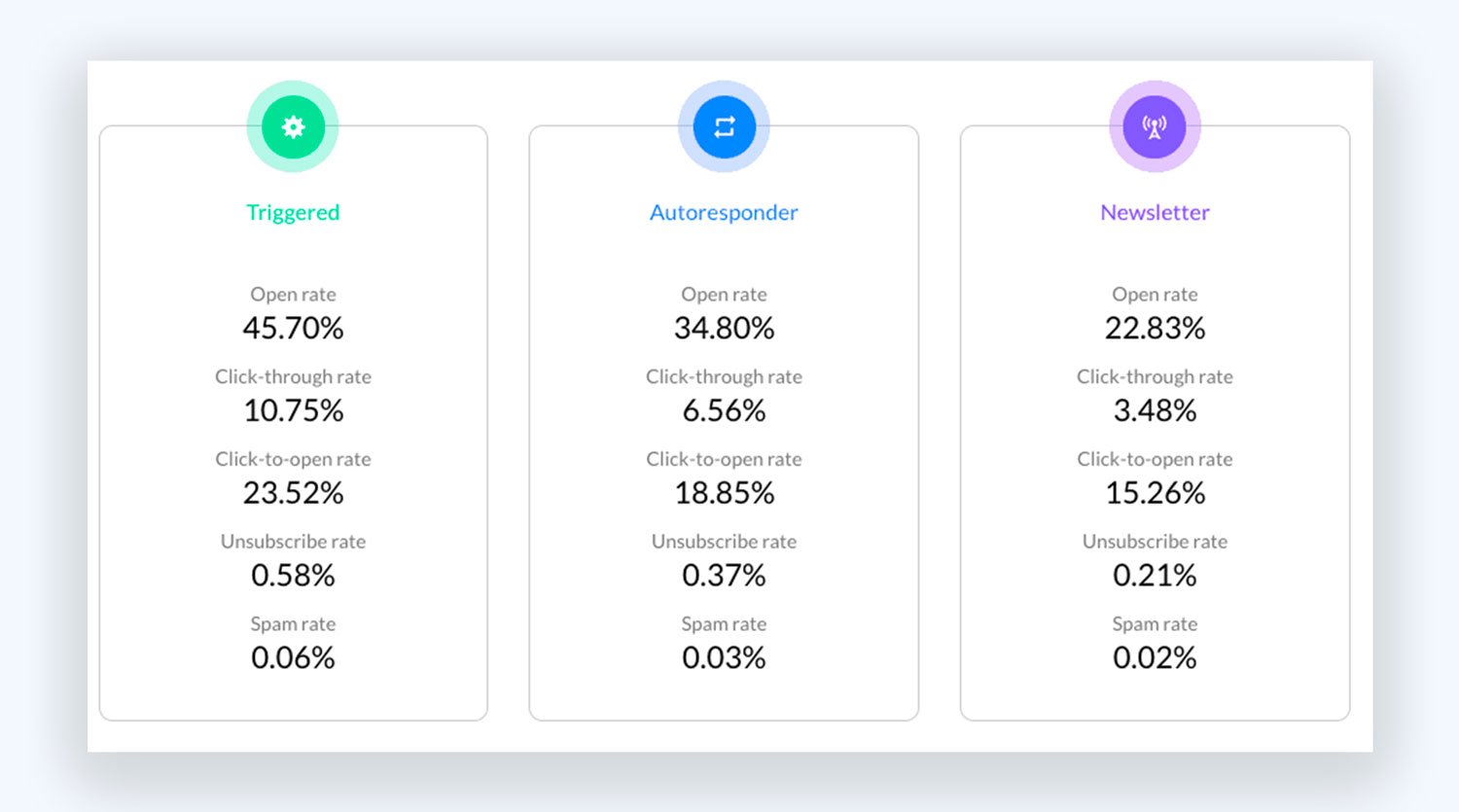
CTR rates differ according to the email types.
Three significant factors influence your click-through rate;
- Anchor text on the link
- The link's location in your email
- Number of times the link is included
Click-Through Rate Calculation:
Total Number of Clicks/Number of Emails Delivered
You can increase your click-through rate by following the advice given below;
- Make your email simple and easy to skim,
- Motivate your readers (encourage them to take action, set due dates),
- Include the same link more than once in an email,
- Announce something exciting,
- Use call-to-action buttons.
3. Unsubscribe Rate
The Unsubscribe rate is the percentage of recipients who have clicked on the "unsubscribe" link inside your email. You need to measure the unsubscribe rate on a weekly basis.
Three major factors influence your unsubscribe rate;
- Sender's name
- Misleading subject lines,
- Email sending frequency
Unsubscribe Rate Calculation:
Total Number of Unsubscribes/Number of Emails Delivered
You can decrease your unsubscribe rate by doing the things given below;
- Use double opt-in,
- Segment your audiences,
- Create unique and useful content,
- Write catchy subject lines,
- Customize your emails,
- Be careful with your email sending frequency,
- Send mobile-friendly emails.
4. Complaint Rate
The Complaint rate is the percentage of recipients who flagged your email as spam. You need to measure your complaint rate on a weekly basis. If you send in bulk to Gmail addresses, keep it below 0.10% and never let it reach 0.30%, the limits in the bulk-sender table in the spam section above.
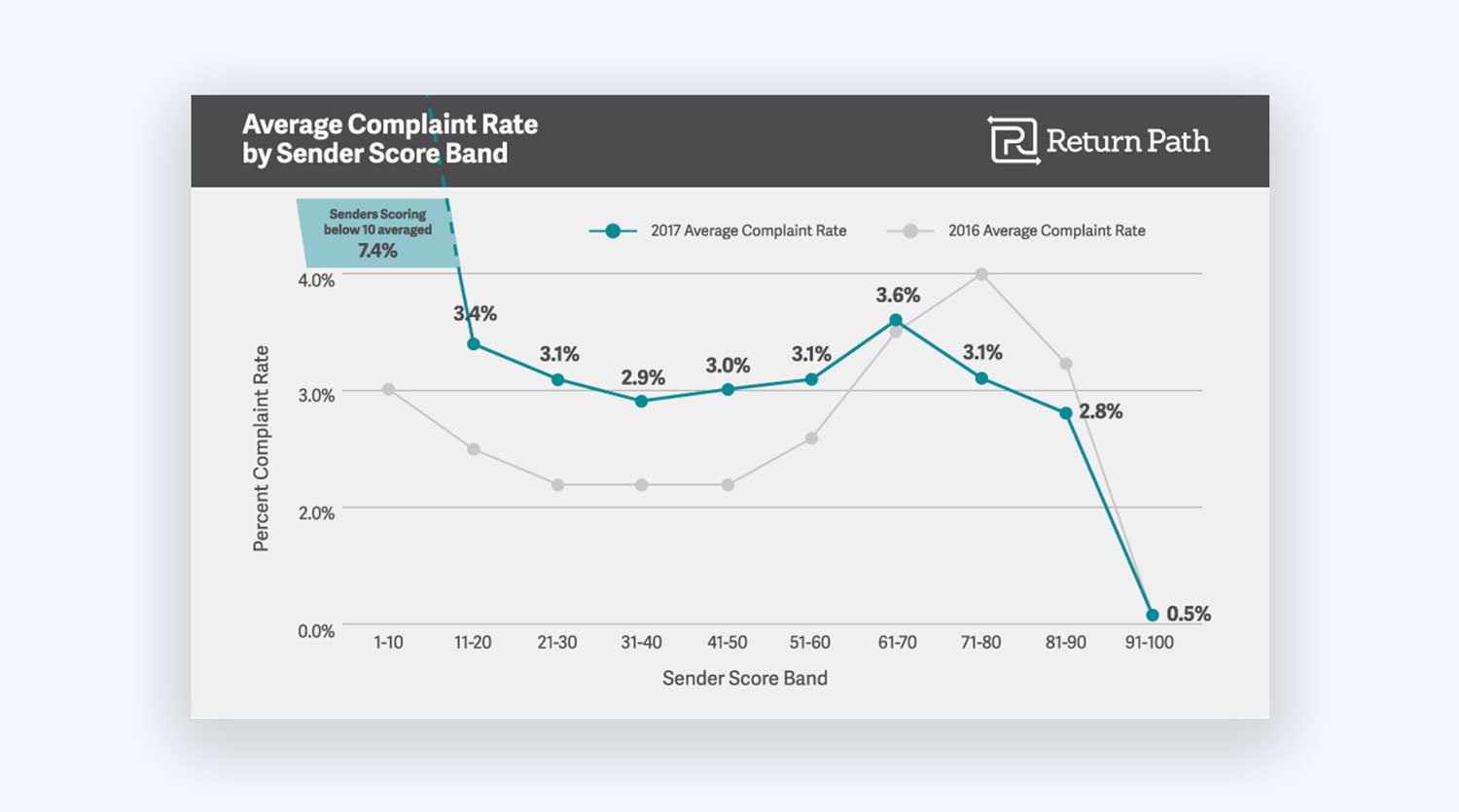
There are five main reasons why your complaint rate may be high;
- Purchased email lists,
- Not including an unsubscribe link,
- Irrelevant content,
- Incorrect email addresses,
- Email sending frequency.
Complaint Rate Calculation:
Total Number of Complaints/Number of Emails Delivered
You can decrease your complaint rate by following the tips given below;
- Create a win-back campaign,
- Regularly remove inactive users from your list,
- Set expectations in your customers' mind,
- Maintain consistency,
- Make it easy to unsubscribe,
- Use double opt-in.
5. Conversion Rate
Conversion rate is the percentage of recipients who completed your willed action (e.g., buying a product). The more your conversion rate is, the better. You need to measure your conversion rate on a monthly basis.
Conversion Rate Calculation:
(Number of Conversions/Number of Delivered Emails) x 100
You can raise your conversion rate by using the three strategies given below;
- Measure where you are in conversion actions,
- Form an idea about what you need to test, why, and what improvement is needed, and
- Make the necessary changes and see if it is working.
6. Bounce Rate
The Bounce rate is the percentage of emails sent which weren't successfully delivered to the targeted inbox. You need to measure your bounce rate on a monthly basis.
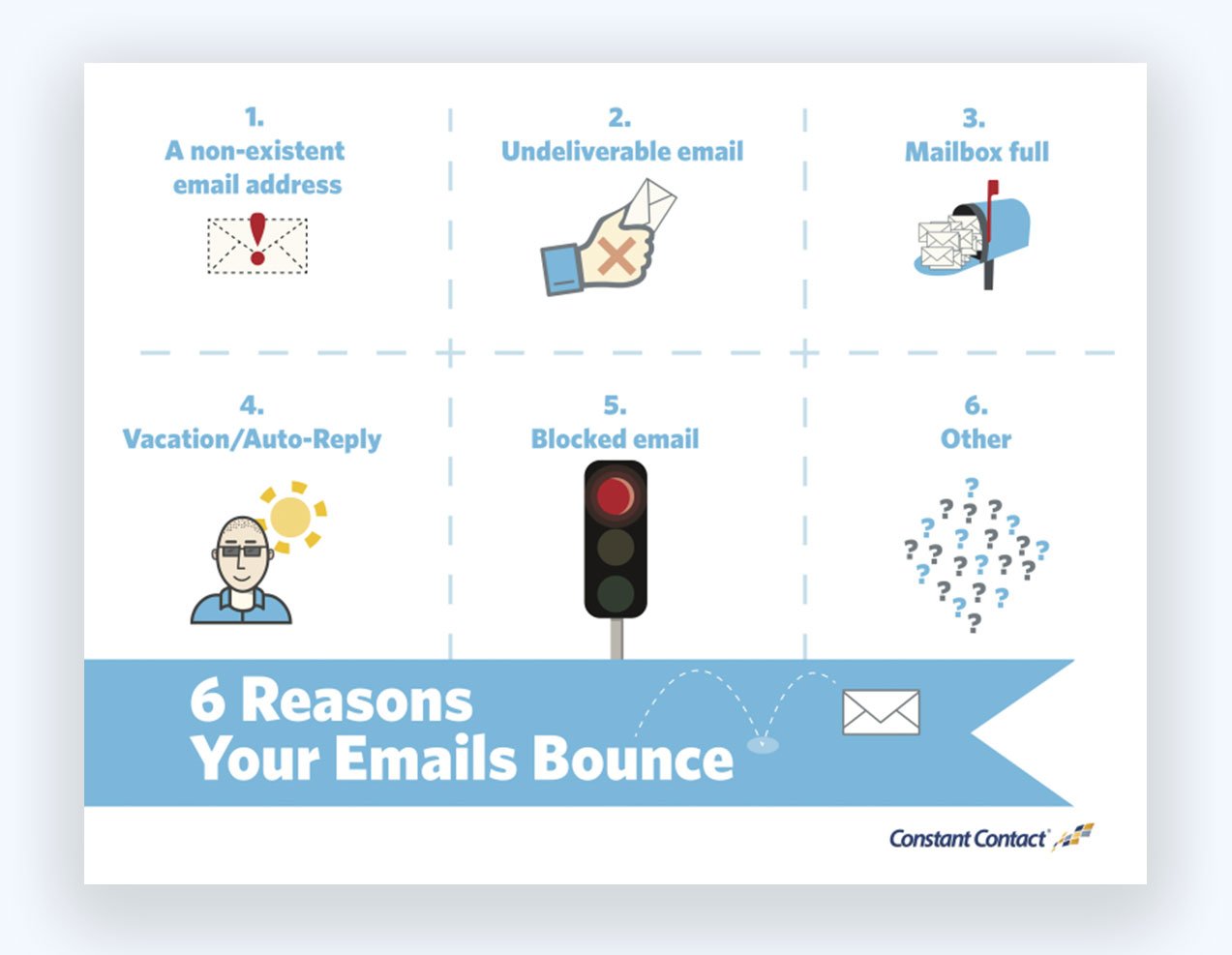
Four possible factors are affecting your bounce rate;
- You may send emails to inconsistent email addresses,
- Recipient mailbox may be overloaded, full or unavailable,
- ISPs may block your email due to spam issues,
- The subscriber can be on vacation and users auto-reply.
Bounce Rate Calculation:
(Number of Bounces/Number of Emails Sent) x 100
You can decrease your bounce rate if you regularly clean your email list and remove inactive subscribers from your list. Email List Cleaning Services may help you to determine and take action concerning to the issue.
For more on each topic in this guide, browse our email marketing articles.
Email Marketing FAQs
1. Does email marketing work?
While there are competing marketing channels, email marketing is still working. UK marketers estimated a return of £40.96 for every £1 spent on email in the DMA's 2026 survey, and with a proper strategy, email marketing can considerably improve the sales of companies. People wonder if email marketing is still working because it is an aged marketing channel.
Oftentimes, people consider older technologies as out of date and no longer effective. While some do, others may evolve and preserve their efficiency just like email marketing. That's why it is still driving successful results today.
2. How often should I send marketing emails?
Even though there's no hard, fast rule, a good approach could be to send emails twice a month in the beginning, then up it to weekly. If you provide valuable content, consistently changing offers, or regular promotions, then sending marketing emails two to three times a week could be an efficient frequency.
3. What email metrics should I track?
- Open rate
- Bounce rate
- Click-through rate
- Conversion rate
- List growth rate
- Number of unsubscribers
- Spam score
- Forward rate
- Email deliverability
4. How do I build an email list?
You can build an email list from scratch with:
- Loyalty and referral programs
- Discounts and deals
- Timed popup surveys
- Exit popups
- More landing pages
- Scroll boxes
- Free trial periods
- Autoresponder emails
- Content upgrades
- Social media
- Squeeze pages
5. How much does email marketing cost?
Most of the email marketing tools in this guide have a free plan for small lists. In September 2026, entry-level paid plans ran from $4 a month (Zoho Campaigns Standard, up to 500 contacts) to $39 a month (Drip, up to 2,500 people; Kit Creator, 1,000 subscribers), and the price rises as your list grows.
6. How do I segment my email list?
1. Decide what customer data will help your business
2. Use signup forms, surveys, and quizzes to collect data
3. Create personas for your customers
4. Define email list segments
5. Create targeted content
6. Use email marketing tools' segmentation feature
7. Test and measure campaigns, tweak, repeat.
7. What is email automation?
Email automation is sending triggered or behavior-driven emails automatically from an email service provider. It works based on specific actions, such as when a subscriber adds an item to their cart.