 ChatGPT
 Perplexity
 Claude
 Grok
Grok Google AI Mode
This is the 2026 edition of our popup conversion rate benchmark, the report other Popupsmart posts point to when they quote a popup number. The full dataset covers 1.98 billion page views, 499.6 million popup displays and 1.84 million leads: 28,674 campaigns from 11,533 businesses that ran a popup with Popupsmart between January 2024 and September 2026.
We rebuilt the benchmark from raw data for this edition, with stricter rules. A lead counts only when a submission contains an email address or phone number, every rate divides by popup displays, and we report the median campaign instead of an average. Several findings from the 2025 edition didn't survive, and the section on what changed since then lists them.
One rule runs through the whole report. When a comparison passed our statistical checks, it's written as a difference. When it only leaned one way, it's called a lean. When there was nothing to find, it says "no measurable difference", which isn't the same as "no difference".
Key findings at a glance
Unless a line says pooled, each rate below is the median campaign and divides by popup displays, not by visitors.
- 0.83% median lead conversion rate. Across 3,034 popups that ask for an email or phone number, the median converts 0.83% of its displays into leads; the top 25% reach 1.96% and the top 10% reach 3.87%.
- 2.25% median click rate. The median popup records a click on 2.25% of its displays; the top 10% reach 11.67% (10,768 campaigns).
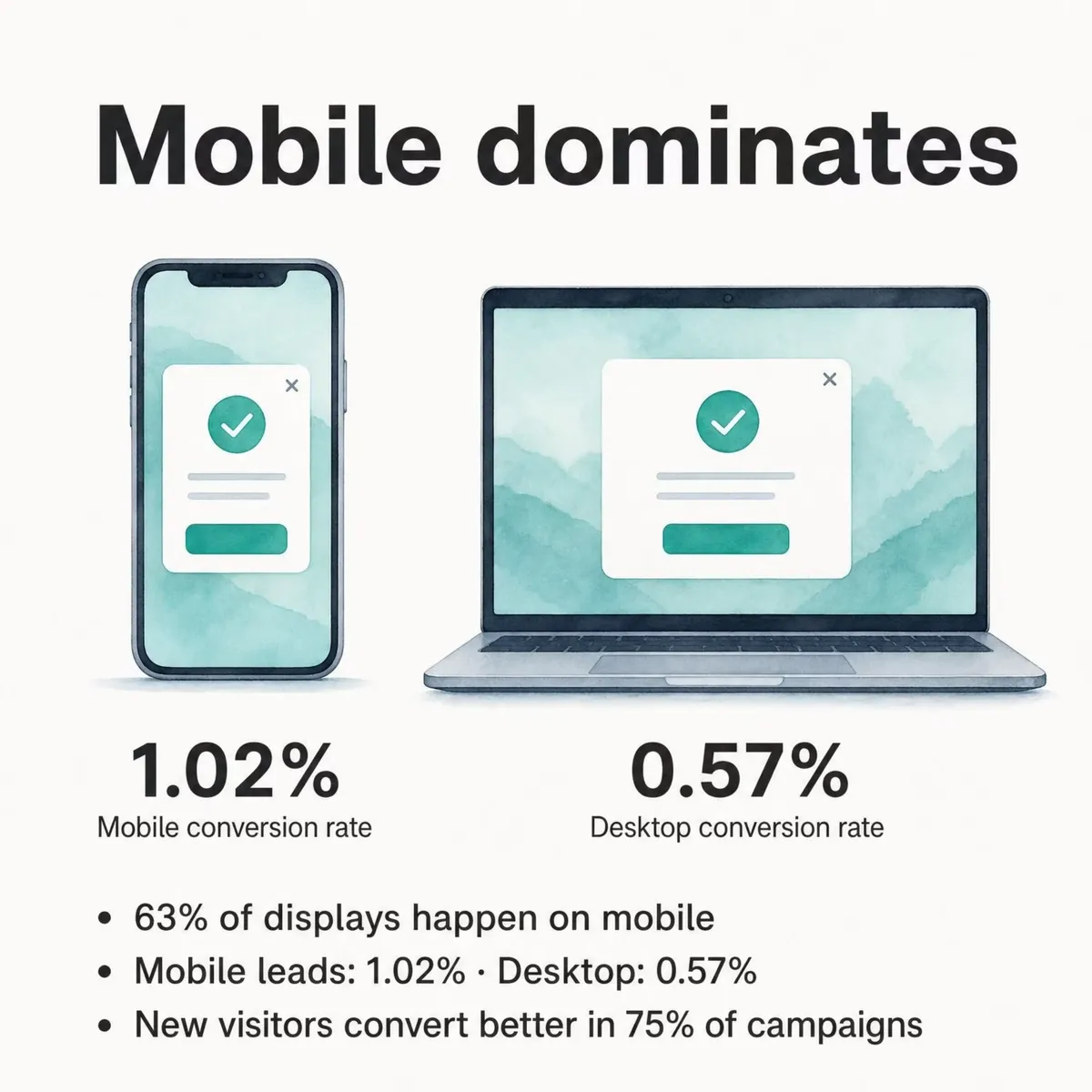
- Mobile converts more. On mobile the median popup converts 1.02% vs 0.57% on desktop, and 63% of popup displays happen on mobile.
- A discount code helps. Signup popups that offer a discount code convert 1.46% vs 0.75% for signup popups without one.
- Short forms. Popups asking for one or two fields convert 0.88% and 0.94%, against 0.56% for three fields.
- Center modals. Center modal popups convert 0.88% vs 0.49% for corner or slide-in boxes.
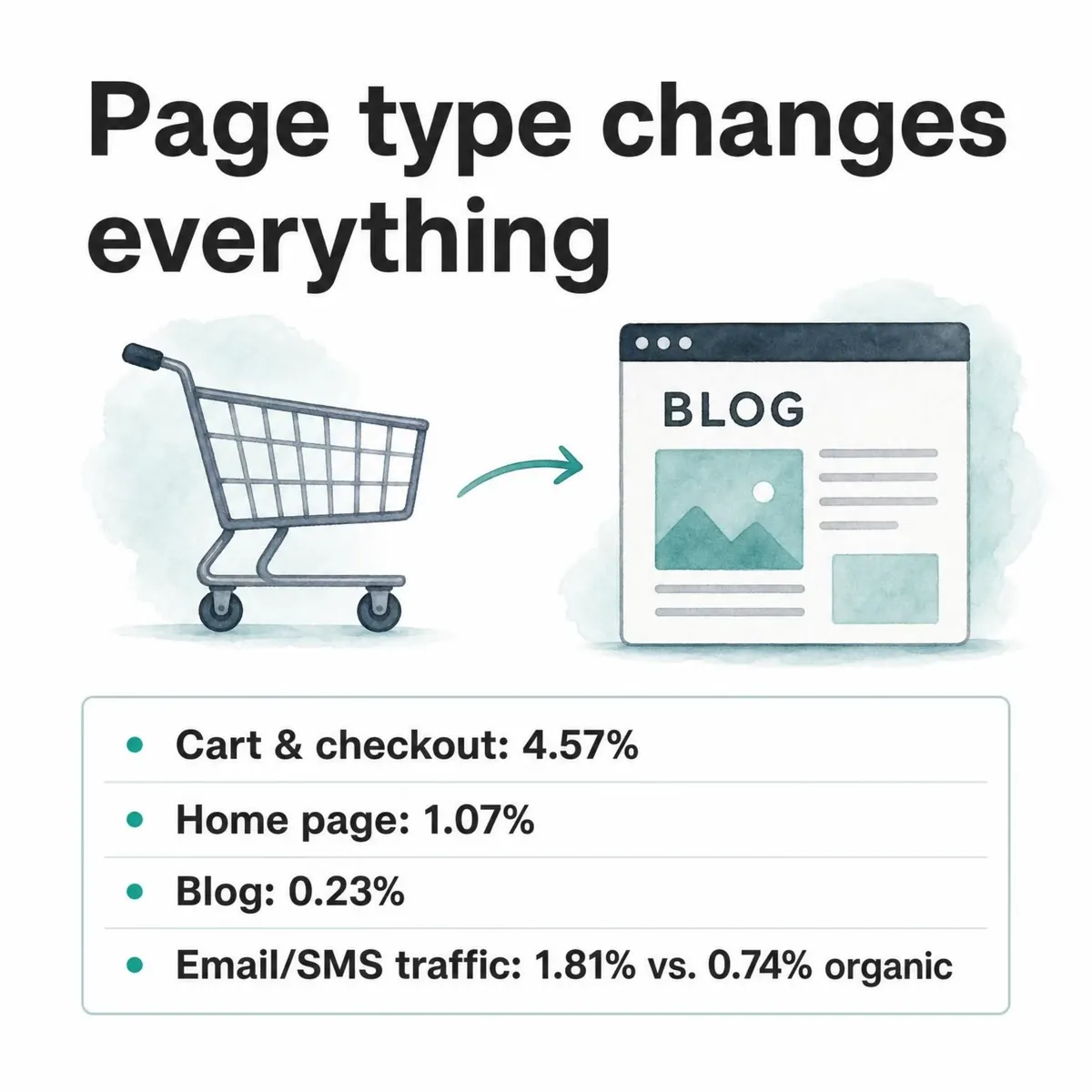
- Cart and checkout pages. Popups on cart and checkout pages convert 4.57% vs 1.07% on the home page; blog pages convert 0.23%.
- Email and SMS traffic. Visitors arriving from an email or SMS campaign convert on popups at 1.81% vs 0.74% for visitors from organic search.
- New visitors. The same popup converts better for new visitors than for visitors who were on the site in the previous 7 days in 75% of campaigns.
- Fatigue starts at view three. The first two times a visitor sees a popup in a week convert at similar rates (1.33% and 1.22% of displays, pooled); from the third view, conversion falls.
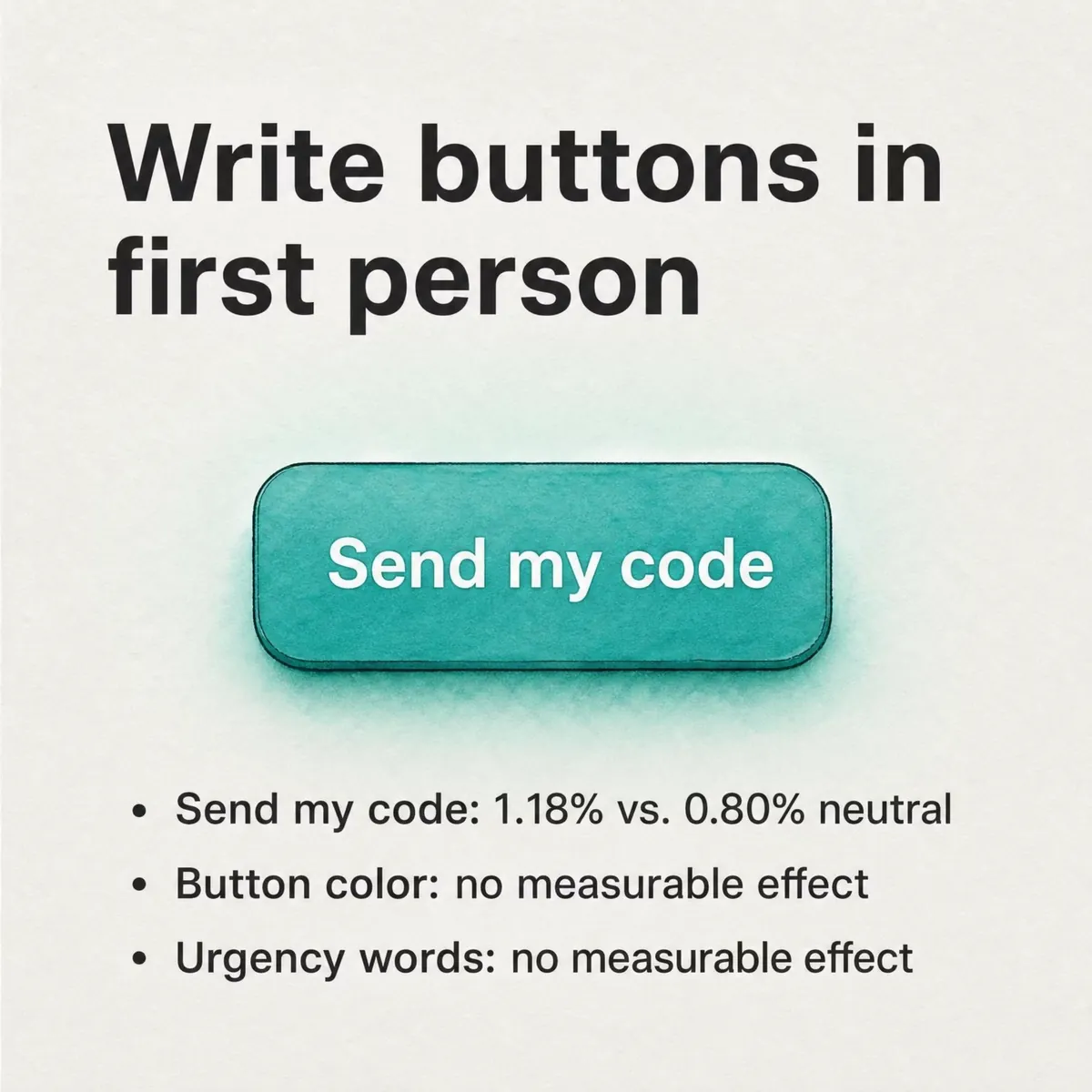
- First-person buttons. Buttons like "Send my code" convert 1.18% vs 0.80% for neutral wording (English popups).
- No measurable effect: delay length, button colour, dark vs light backgrounds, urgency words, question headlines and multi-step forms. Exit intent and bigger discounts showed no statistically reliable advantage either.
What is a good popup conversion rate in 2026?
A good popup conversion rate in 2026 is anything above 0.83% of displays for a popup that asks for an email or phone number, because that's the median: half the campaigns in our benchmark convert less. At 1.96% or more you're in the top 25%. At 3.87% or more, you're in the top 10%.
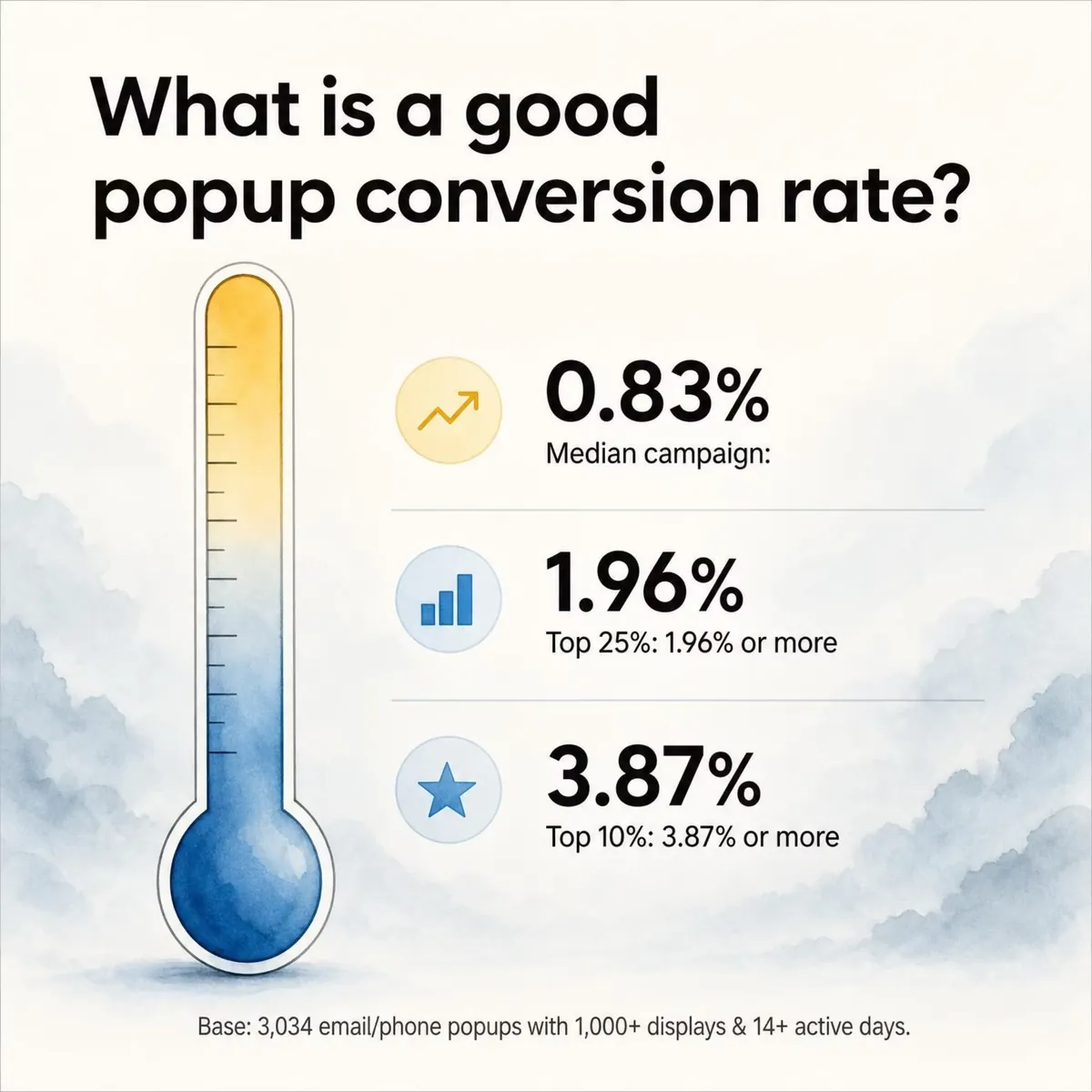
Popups that don't collect leads, such as announcements or links to a sale, are better judged on clicks. Across all 10,768 benchmark campaigns, the median popup records a click on 2.25% of its displays, and the top 10% reach 11.67%.
Popupsmart 2026 benchmark tiers, taken from the per-campaign distribution, January 2024 to September 2026:
| Tier | Lead conversion rate (leads ÷ displays) | Click rate (clicks ÷ displays) |
|---|---|---|
| Median campaign | 0.83% | 2.25% |
| Top 25% | 1.96% or more | Not published |
| Top 10% | 3.87% or more | 11.67% or more |
| Campaigns in the base | 3,034 popups that ask for an email or phone number | 10,768 campaigns |
Closing is the other common outcome: 40.5% of popup displays end with the visitor closing the popup (all displays pooled, February 2025 to September 2026, since close tracking began). That figure is pooled, so the biggest sites weigh the most in it, unlike the medians in the table.
How to read a median against your own number
A median ranks campaigns by their own rate and takes the middle one. Every campaign counts once, so a single huge store can't drag it up or down. Your dashboard probably shows something else: total leads divided by total displays across all your popups, which is a pooled rate. If one popup carries most of your traffic, your pooled rate is mostly that popup.
Before you put your number next to ours, check four things:
- Your rate divides by popup displays, not by visitors, sessions or clicks.
- You count only submissions with an email address or phone number. Spins, coupon reveals and a first-step click without contact details aren't leads.
- The popup has run long enough. Our benchmark set only includes campaigns with at least 1,000 displays and 14 active days.
- You're comparing one popup with the per-campaign tiers, not your whole account.
Other popup tools publish their own figures with their own definitions, so we don't set them side by side with ours.
Part 1: Offer and format
If I could change one thing on an underperforming signup popup, I'd start with the offer.
Discounts
Signup popups that offer a discount code convert 1.46% vs 0.75% for signup popups without one. Looking at the stated amount, popups that say 10% off convert 1.25% vs 0.67% for popups that state no discount.
The size of the discount is a different story. Bigger discounts did not convert measurably better: 10% off converted 1.25%, 20% off 0.91% and 25–30% off 1.33%, but the larger-discount samples are small (78 and 46 campaigns), so the data cannot rule out a real difference either way.
Median campaign lead conversion rate by the discount the popup states, January 2024 to September 2026. These are levels, not a ranking of sizes:
| Discount stated in the popup | Campaigns | Median lead conversion rate |
|---|---|---|
| 5% off | 61 | 1.31% |
| 10% off | 515 | 1.25% |
| 15% off | 131 | 1.21% |
| 20% off | 78 | 0.91% |
| 25–30% off | 46 | 1.33% |
| 35–50% off | 46 | 1.01% |
My reading: having a code is the part the data can see. If you're planning to raise a welcome offer from 10% to 20% to get more signups, the benchmark gives you no reason to expect it to work. Our guide to discount popups covers offer types beyond a percentage.
Spin-to-win and other gamified popups
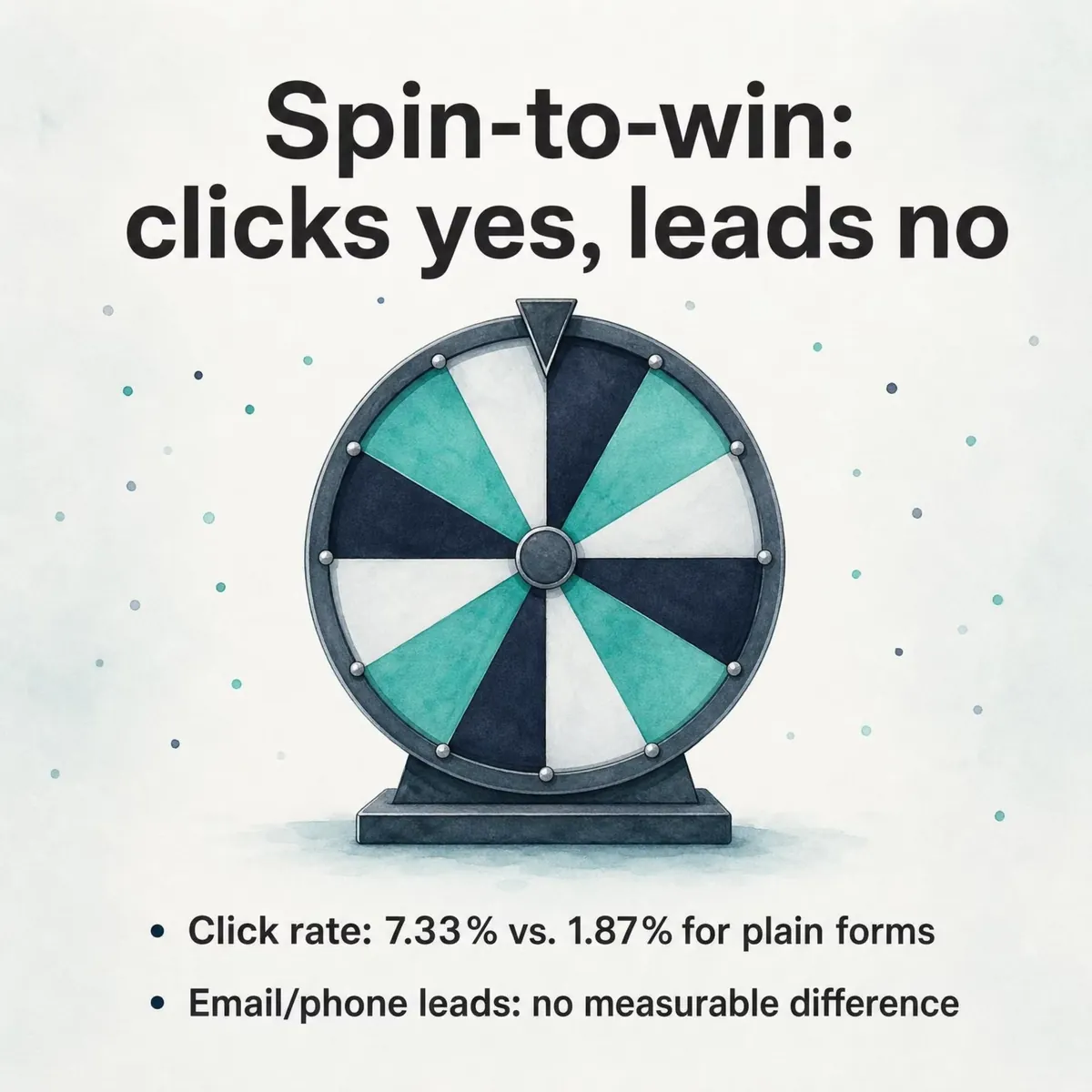
Spin-to-win and other gamified popups get far more clicks (7.33% vs 1.87% of displays, median campaign; the spin itself counts as a click), but do not collect measurably more email or phone leads than plain signup popups. A wheel's click rate tells you people enjoyed the game. Its lead rate tells you whether it built your list, so read that one before you call it a winner.
Format and teasers
Center modal popups convert 0.88% vs 0.49% for corner or slide-in boxes (median campaign). A slide-in still suits a low-pressure message, but for a signup offer the center modal is the safer default. Fullscreen popups and sticky bars rest on too few lead-collecting campaigns to call, so we don't publish a rate for either.
If you haven't used one yet, here's what a teaser is and how it works.
Part 2: Form design
Median campaign lead conversion rate by number of form fields, January 2024 to September 2026 (spin-to-win and other gamified popups counted separately):
| Form fields | Campaigns | Median lead conversion rate |
|---|---|---|
| 1 | 1,224 | 0.88% |
| 2 | 736 | 0.94% |
| 3 | 493 | 0.56% |
| 4–5 | 374 | 0.85% |
| 6 or more | 75 | 0.57% |
The comparison that held up is at the short end: popups asking for one or two fields convert 0.88% and 0.94%, against 0.56% for three fields. Read the rows for four or more fields as levels, not as a verdict on long forms.
Name fields, phone fields and multi-step forms
These are the form choices people argue about most:
- Name field. Adding a name field alongside the email shows no reliable effect: the overall gap in its favour (1.25% vs 0.88% for email only) reverses among campaigns whose form rarely changed (0.74% vs 0.79%). Ask for a first name if your emails will use it, not because you expect more signups.
- Phone instead of email. Forms that ask for a phone number instead of an email look weakest (0.46% vs 0.88% for email only), though that gap is not statistically reliable.
- Multi-step. Multi-step forms show no measurable conversion advantage over single-step forms once step-1 clicks without contact details are excluded. If a tool counts that first click as a conversion, a multi-step popup will look better in its report than in your email list.
Why fewer fields work
Baymard Institute's checkout research points the same way as our short-form result:
- The Baymard Institute emphasises reducing the number of visible form fields by default in order to minimise abandonment and perceived friction.
- In one detailed study, the same Institute found that the number of form fields impacts overall usability far more than the number of steps.
Every extra field adds two types of friction:
- Cognitive friction: users begin questioning why each piece of information is required.
- Physical friction: especially on mobile devices, more typing means more chances to abandon.
Nielsen Norman Group calls the total interaction cost: the mental and physical effort a user spends to reach a goal. Usable sites keep it low, and when a goal looks hard to reach, most users move on to a site where it looks easier. In a popup, every extra field or step adds to that cost. Our data shows the price clearly for a third field. For a second step, or a teaser shown after a close, it found no measurable difference.
Form length by funnel stage
Here's how I'd set form length by funnel stage. It's advice, not a benchmark result:
- Awareness stage (cold traffic): 1 field (e.g., email only)
- Consideration stage: 2 fields (e.g., name + email)
- Decision stage (high-intent leads): multi-step form where you ask for more info after initial engagement
For more ways to shorten and test a form, see how to increase form conversion rates.
Part 3: Timing and triggers
Median campaign lead conversion rate by trigger, January 2024 to September 2026. The gap is a lean, not a reliable difference:
| Trigger | Campaigns | Median lead conversion rate |
|---|---|---|
| Time delay | 1,159 | 0.83% |
| Immediately on page load | 557 | 0.61% |
Popups that wait before appearing convert 0.83% vs 0.61% for popups shown the instant the page loads (median campaign). The direction holds in every year of data, but the difference is not statistically reliable, so treat it as a lean, not a rule.
The length of the wait is a separate question. The exact delay length (0–5 seconds vs 21–60 seconds) makes no measurable difference to conversion. Pick a delay that lets the page load and the visitor get their bearings, set it with the after X seconds trigger, and spend your testing time on the offer.
Exit intent shows no statistically reliable advantage either: popups on the most sensitive exit-intent targeting setting converted 1.10% vs 0.78% without exit intent (median campaign), a gap that could be chance.
Time of day
Popups convert better in the morning (06:00–11:59 visitor time) than at night or in the evening: the same popup converts better in the morning than between midnight and 6 a.m. in 69% of campaigns. Keep that in mind before you judge a new design on a day when most of your traffic arrives late at night.
How fast visitors decide
71% of visitors who close a popup do so within 5 seconds of it appearing, and 61% of popup leads are submitted within 30 seconds of the popup appearing. So put the offer and the button where they can be read at a glance. A popup that needs a paragraph to explain itself is asking for time that most visitors won't give it.
Frequency and fatigue
Repeat views wear a popup down, though not straight away. The first two times a visitor sees a popup in a week convert at similar rates (1.33% and 1.22% of displays, pooled); from the third view conversion falls, and from the sixth view it is 0.41%, 31% of the first-view rate. Within the same campaign, showing a popup a second time caused no measurable drop in conversion; the decline begins with the third showing.
That makes two views per visitor per week a sensible cap. Our popup timing guide walks through the frequency settings, and the popup UX design guide covers the habits that make repeat views feel like nagging.
Part 4: Device and visitor
Median campaign rates by device, January 2024 to September 2026 (device medians use campaigns with at least 500 displays on that device):
| Metric | Mobile | Desktop |
|---|---|---|
| Lead conversion rate (leads ÷ displays) | 1.02% | 0.57% |
| Click rate (clicks ÷ displays) | 2.99% | 1.34% |
Mobile visitors convert on popups at 1.02% vs 0.57% on desktop, and click at 2.99% vs 1.34% (median campaign). They're also the bigger audience: 63% of popup displays happen on mobile. The full comparison, including why site-level studies often rank the devices the other way, is in our post on mobile vs desktop popup behavior.
Phones, screens and in-app browsers
Mobile visitors aren't one group:
- On the same popup, Android visitors click more often than iPhone visitors.
- Visitors on smaller phone screens (under 360 px wide) click popups more often than visitors on standard 390–429 px phones.
- Visitors browsing inside the Instagram or Facebook app show no measurable difference in popup conversion from visitors in a normal mobile browser.
On any phone, keep the popup smaller than the screen. Google's guidance on intrusive interstitials says it plainly: "Don't obscure the entire page with interstitials." You can run a separate phone campaign with device-based targeting, and our mobile popup design guide has layouts that fit a small screen.
New and returning visitors
New visitors convert on popups more often than visitors who were on the site in the previous 7 days: the same popup converts better for new visitors in 75% of campaigns (median gap 0.30 percentage points; pooled 1.28% vs 0.54% of displays). Targeting points the same way. Popups targeted at new visitors only convert 1.13% vs 0.77% for popups shown to everyone.
For returning visitors, I'd change the message rather than repeat the welcome offer: a restock, a new collection, or no popup at all.
Part 5: Where the popup appears and where visitors come from
Intent differs from page to page, and the medians show it.
Median campaign lead conversion rate by the type of page the popup appeared on, January 2024 to September 2026 (descriptive levels):
| Page type | Campaigns | Median lead conversion rate |
|---|---|---|
| Cart / checkout | 90 | 4.57% |
| Account / login | 79 | 2.87% |
| Pricing | 21 | 2.44% |
| Home | 2,138 | 1.07% |
| Collection / category | 553 | 1.03% |
| Product | 835 | 0.79% |
| Contact / about | 152 | 0.59% |
| Blog / content | 364 | 0.23% |
Popups on cart and checkout pages convert 4.57% vs 1.07% on the home page (median campaign); blog pages convert 0.23%. A visitor on a cart page has already chosen something. A blog reader often hasn't decided they want anything from you yet. The pricing row rests on only 21 campaigns, so treat it as a hint.
If you run popups on blog posts, judge them against the blog row, not the site-wide median.
Traffic source
Median campaign lead conversion rate by the visitor's traffic source, January 2024 to September 2026 (descriptive levels):
| Traffic source | Campaigns | Median lead conversion rate |
|---|---|---|
| Email / SMS | 322 | 1.81% |
| Social | 1,043 | 1.22% |
| Referral | 568 | 1.14% |
| AI assistants | 91 | 1.14% |
| Same-site navigation | 1,964 | 1.00% |
| Paid ads | 1,350 | 0.84% |
| Organic search | 1,958 | 0.74% |
| Direct | 2,128 | 0.71% |
Visitors arriving from an email or SMS campaign convert on popups at 1.81% vs 0.74% for visitors from organic search. That's the comparison our statements cover; read the other rows as levels. I'd put it down to familiarity: someone who clicked through from your email or text already knows you, while a searcher may be meeting you for the first time.
Language
When a visitor's browser language matches the popup's language, the same popup converts better in most campaigns. If a real share of your traffic reads another language, a translated copy of your main popup is a cheap test.
Part 6: Copy and CTA
Wording results come from the text on each popup's main page, and the verb and first-person results cover English popups.
Median campaign lead conversion rate by button verb, January 2024 to September 2026 (campaign counts not published; none of these gaps is stated as reliable):
| Button verb | Median lead conversion rate |
|---|---|
| Get / Claim / Unlock | 1.06% |
| Subscribe / Join | 0.77% |
| Submit / Send | 0.84% |
CTA buttons that promise value ("Get", "Claim", "Unlock") look stronger than "Subscribe" / "Join" buttons (1.06% vs 0.77%, English popups, median campaign), but the gap is not statistically reliable.
The wording result that did hold is about the person, not the verb. First-person buttons ("Send my code") convert 1.18% vs 0.80% for neutral wording (English popups, median campaign).
Emoji in the headline or button come with a slightly higher click rate (2.76% vs 2.20%) but no measurable difference in leads; the click difference is not statistically reliable.
Plenty of design attention goes to details the data can't separate. Button colour, dark vs light popup backgrounds, urgency words and question headlines show no measurable effect on conversion; the data are too noisy to rule out modest effects. I'd A/B test your popups on the offer and the button wording before any of those.
Part 7: Industry and platform
Industry
Median campaign lead conversion rate by industry, January 2024 to September 2026. Each row rests on 27–206 lead-collecting campaigns:
| Industry | Campaigns | Median lead conversion rate |
|---|---|---|
| Finance & Insurance | 38 | 2.22% |
| Health & Beauty | 97 | 1.99% |
| Food & Beverage | 52 | 1.42% |
| Media, Entertainment & Gaming | 93 | 1.14% |
| Nonprofit & Public Sector | 27 | 1.03% |
| Fashion & Apparel | 97 | 0.88% |
| Education | 137 | 0.84% |
| Travel & Hospitality | 110 | 0.80% |
| Retail & E-commerce | 183 | 0.79% |
| Manufacturing, Energy & Logistics | 107 | 0.70% |
| Real Estate & Construction | 70 | 0.69% |
| Marketing & Agencies | 57 | 0.50% |
| Healthcare & Medical | 86 | 0.43% |
| Software & Technology | 206 | 0.39% |
The statistically reliable gaps are Finance & Insurance over Software & Technology and Health & Beauty over Healthcare & Medical. The rest of the table is levels, not a league: with a few dozen campaigns per row, neighbouring industries can swap places by chance. Compare your popup with your own industry's row, and with the page and traffic-source tables above, before you compare it with the top of this one.
Platform
Share of businesses in the benchmark by website platform, January 2024 to September 2026:
| Website platform | Share of businesses |
|---|---|
| Shopify | 43.3% |
| Custom / undetected | 25.3% |
| WordPress (no WooCommerce) | 9.8% |
| Other CMS / site builder | 4.5% |
| WooCommerce | 3.9% |
| Turkish e-commerce platform (ikas, Ticimax, IdeaSoft, T-Soft) | 3.6% |
| Custom-built (Next.js, Nuxt, Gatsby) | 2.5% |
| Blog platform (Blogger, Ghost, Substack) | 2.4% |
| Webflow | 2.0% |
| Other e-commerce platform | 1.7% |
| Squarespace | 1.1% |
| Wix | 0.8% |
| Magento | 0.5% |
| PrestaShop | 0.4% |
| Other platforms (grouped) | 0.2% |
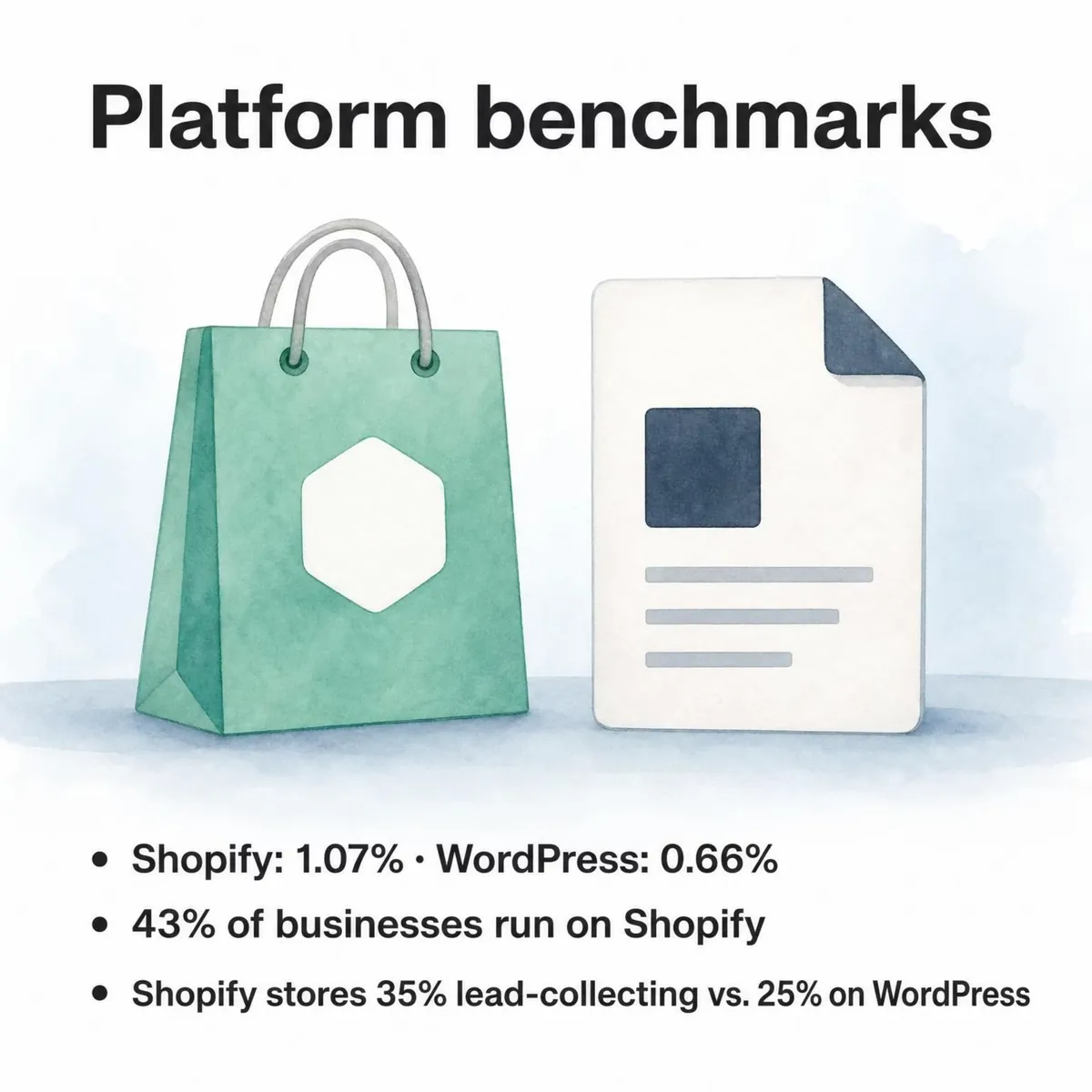
43% of the businesses in the benchmark run on Shopify; the WordPress ecosystem (WordPress and WooCommerce) accounts for 14%, custom-built sites on frameworks like Next.js for 2.5%. The platforms also use popups differently: 35% of popup campaigns on Shopify stores ask for an email or phone number, against 25% on WordPress sites.
Popups on Shopify stores convert at 1.07% vs 0.66% on WordPress sites (median campaign). Shopify (1.07%) and WooCommerce stores (0.82%) show no statistically reliable difference in popup conversion; the data cannot rule out a gap in either direction. If you sell on Shopify, our Shopify conversion rate statistics put these popup numbers next to store-level ones.
Part 8: Integrations and lead quality
Where the leads go
Among businesses whose popups collect an email or phone number, 16% connect an external tool (email platform, CRM or webhook) and 64% turn on the built-in autoresponder email; across all businesses in the benchmark, 93% connect no external tool.
Share of lead-collecting businesses using each integration, January 2024 to September 2026:
| Integration | Share of lead-collecting businesses |
|---|---|
| Built-in autoresponder email | 63.62% |
| Shopify Customers sync | 10.68% |
| Mailchimp | 5.18% |
| Brevo | 4.46% |
| Webhook | 2.51% |
| Klaviyo | 0.90% |
| HubSpot | 0.84% |
| MailerLite | 0.80% |
| ActiveCampaign | 0.70% |
| SendGrid | 0.64% |
| Customer.io | 0.34% |
| EmailOctopus | 0.28% |
Among external integrations, Mailchimp (5.2% of lead-collecting businesses) and Brevo (4.5%) are the most connected email tools; the Shopify Customers sync is used by 10.7%. The mix is shifting: the share of new campaigns connected to an external tool fell from 7.0% in 2024 to 3.1% in 2026, while native Shopify Customers sync rose from 1.0% to 9.1%.
Popups connected to Brevo convert at 1.27% and popups synced to Shopify Customers at 1.23%, vs 0.63% for popups with no integration (median campaign). That's a correlation, not proof that connecting a tool lifts conversion: marketers who connect a tool also tend to run better campaigns.
Setup steps for each tool are on the Popupsmart integrations page.
Lead quality
59% of email addresses collected by popups are Gmail addresses; 12% use a business or other domain. Device changes the mix: emails collected on desktop are more likely to be at a business or other non-consumer domain, 21% vs 9.5% on mobile. For a B2B list, that's a trade-off. Mobile brings more leads per display, desktop a larger share of work addresses.
Phone numbers are a growing share of leads, with a caveat. The share of popup leads that include a phone number rose from 21.3% (2024) to 26.3% (2025) to 33.5% (2026) (all leads pooled); much of that comes from a few high-volume accounts that collect phone numbers, while most lead-collecting campaigns collect email only. So it isn't a sign that everyone is moving to SMS. If you do collect phone numbers, pass them straight to your SMS tool along with the consent you asked for.
How to use these benchmarks
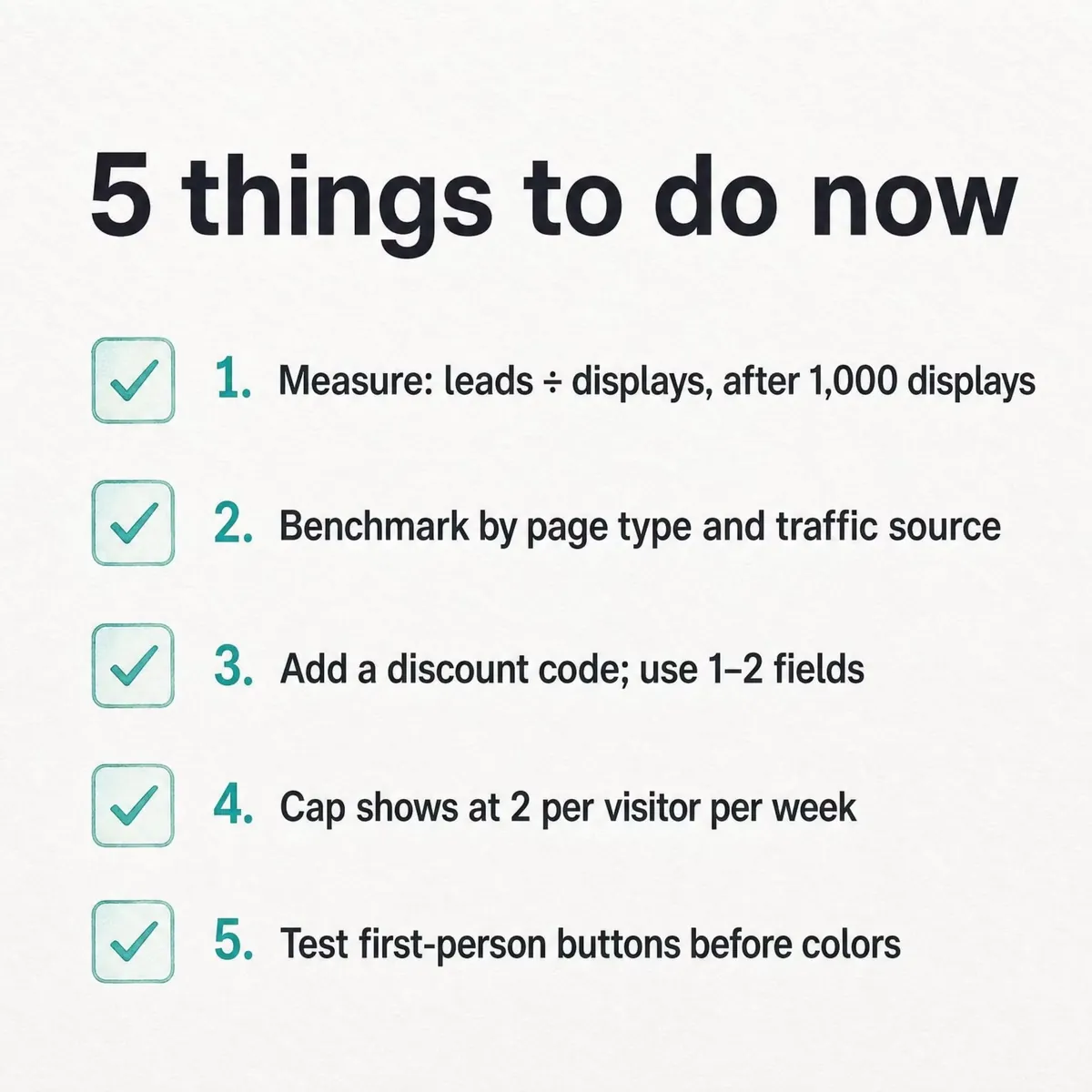
If I were setting targets for a signup popup today, I'd work in this order:
- Measure it the way we do: leads with an email or phone number ÷ popup displays, for one campaign, after at least 1,000 displays and 14 active days.
- Find the right row. Compare it with the page type, traffic source and device tables, not only with the 0.83% median.
- Fix the offer and the form. A discount code and one or two fields are where our data shows clear gaps.
- Cap repeat views at two per visitor per week, and give new visitors their own popup.
- Test first-person button wording before button colour or urgency words.
- Start from one of the popup templates, send the leads to your email tool on day one, and check the lead rate again after two weeks.
What changed since the 2025 edition
The first edition of this report, published in October 2025, used a different method. It divided leads by interactions, averaged per-campaign rates, and counted any completed action, such as a form submission or a button click, as a conversion. When we rebuilt the benchmark, its figures couldn't be reproduced from the raw data. They were withdrawn, not restated, and none of them appear on this page. The two editions can't be compared.
This edition:
- counts a lead only when a submission contains an email address or phone number;
- divides by popup displays;
- reports the median campaign;
- removes bots and excludes templates, internal and suspended accounts;
- states a comparison as a difference only when it passes our statistical checks: a bootstrap across years and inclusion rules, with a false-discovery-rate correction across every test.
Four findings reversed or weakened:
| The 2025 edition said | The 2026 benchmark shows |
|---|---|
| Desktop popups converted slightly better than mobile | Mobile converts 1.02% vs 0.57% on desktop |
| Four-field forms did best | One or two fields convert 0.88% and 0.94%, against 0.56% for three |
| Time-on-page triggers led the other triggers | Waiting is only a lean (0.83% vs 0.61% on page load), and delay length makes no measurable difference |
| Skipping the teaser lifted conversion sharply | That teaser penalty did not reproduce; a teaser's rate isn't comparable with other popups |
One finding held: new visitors convert on popups more often than returning ones (in the 2026 data, visitors who were on the site in the previous 7 days).
Methodology
Scope
The dataset covers 1.98 billion page views, 499.6 million popup displays and 1.84 million leads: 28,674 campaigns from 11,533 businesses that ran a popup with Popupsmart between January 2024 and September 2026. The window runs from 1 January 2024 to 23 September 2026.
Benchmark rates use a stricter set: 10,768 campaigns with at least 1,000 displays and 14 active days, from 4,559 businesses. Lead-rate medians use the 3,034 of those popups that ask for an email or phone number.
Definitions
- Display: a popup shown to a visitor. A teaser impression also counts as a display.
- Click (interaction): a click on a popup element set to count as an interaction, plus teaser clicks.
- Lead: a popup submission that contains an email address or phone number, counted once per campaign per page load. Spins, coupon reveals and step-1 clicks without contact details are not leads.
- Lead conversion rate: leads ÷ displays, for popups that ask for an email or phone number, reported as the median campaign.
- Click rate: clicks ÷ displays, reported as the median campaign.
- Close: an explicit close, by the X button, a click on the overlay or the Esc key. Close tracking began in January 2025, so close rates use displays from February 2025 on.
- Median vs pooled: a median takes the per-campaign rates and finds the middle, so every campaign counts once; the top 25% and top 10% lines come from the same distribution. A pooled rate divides the sum of leads by the sum of displays, so big sites dominate it.
- Device medians use campaigns with at least 500 displays on that device.
Cleaning and validation
Bot user agents are removed, and templates, internal accounts and suspended accounts are excluded. Every figure was recomputed independently and spot-checked against raw production records. Each comparison went through a bootstrap test (20,000 draws per claim) across years and inclusion rules, with a 5% false-discovery-rate correction across all tests. Comparisons that pass are stated as differences, likely ones as leans, and everything else as no measurable difference. Rerunning the pipeline on the same raw data gives identical output.
Privacy
Every published segment covers a minimum number of campaigns and accounts, and a segment is also hidden when its value could be worked out by subtracting visible ones. A mobile and desktop split appears only when both device rows meet the minimum. No single customer can be identified from these figures.
Limitations
- The data covers only websites that run Popupsmart, so it describes those sites, not the whole web.
- Rates are per display, not per visitor. A visitor who sees a popup three times counts three times.
- Close rates start in February 2025, when close tracking began.
- Creative features, such as discount size, button verb, emoji and colour, are read from each popup's main page. The verb and first-person results cover English popups.
- Some dimensions are configured settings (trigger, targeting, form fields); others are observed behaviour (device, traffic source, time to close). A setting records what the marketer chose, not what every visitor experienced.
- Most comparisons are between different campaigns, not A/B tests, so a gap can reflect who uses a setting as well as the setting itself. Where a finding says "the same popup", the comparison was made within campaigns.
- Industry comes from enrichment of each website's domain. Platform comes from the Shopify app install, Popupsmart's CMS detection when a website is added, or a technology crawl, in that order.
How to cite this report
Popupsmart, "Popup Conversion Benchmark Report 2026" (data January 2024 to September 2026), https://popupsmart.com/blog/popup-conversion-benchmark-report
Download the data
The statements, metrics and breakdowns behind this report are free to reuse under the CC BY 4.0 license, with credit to Popupsmart. Download the benchmark data as CSV or the benchmark data as JSON. Every statement by subject, who is in the benchmark (industry, platform and company size) and every page that uses the data are on Popupsmart's popup data page.
FAQ
What is a good popup conversion rate in 2026?
Anything above 0.83% of displays beats the median. That's the median lead conversion rate across 3,034 Popupsmart popups that ask for an email or phone number (January 2024 to September 2026). The top 25% reach 1.96% and the top 10% reach 3.87%. For clicks, the median popup records a click on 2.25% of its displays and the top 10% reach 11.67% (10,768 campaigns).
Is a 10% popup conversion rate good?
If it's leads with an email or phone number divided by popup displays, yes: 10% is well above the 3.87% line that marks the top 10% of popups in our 2026 benchmark. Check the definition first, though. A rate that divides by clicks, or counts a spin or coupon reveal as a conversion, isn't the same measure. And judge it against its page: popups on cart and checkout pages have a median of 4.57%.
Which popup trigger converts best?
No trigger stands out reliably in our 2026 benchmark. Popups that wait before appearing convert 0.83% vs 0.61% for popups shown on page load (median campaign), but that's a lean, not a rule. The exact delay length (0–5 seconds vs 21–60 seconds) makes no measurable difference, and exit intent's gap on its most sensitive setting (1.10% vs 0.78%) could be chance.
Do popups convert better on mobile or desktop?
On mobile. In Popupsmart's 2026 benchmark, the median popup converts 1.02% of its mobile displays into leads vs 0.57% on desktop, and records a click on 2.99% vs 1.34%. 63% of popup displays happen on mobile. Desktop has one edge: emails collected there are more often at a business or other non-consumer domain, 21% vs 9.5% on mobile.
How many form fields should a popup have?
One or two. In our 2026 benchmark, popups asking for one or two fields convert 0.88% and 0.94% of their displays, against 0.56% for three fields (median campaign). Adding a name field next to the email showed no reliable effect, and multi-step forms showed no measurable advantage once step-1 clicks without contact details were excluded.
Do discount popups convert better?
Yes, when the popup offers a code. Signup popups that offer a discount code convert 1.46% vs 0.75% for signup popups without one, and popups stating 10% off convert 1.25% vs 0.67% for popups that state no discount. Bigger discounts did not convert measurably better, though the 20% and 25–30% samples are small (78 and 46 campaigns), so a real difference can't be ruled out.
What is the popup conversion rate by industry?
Industry medians in our 2026 benchmark run from 0.39% for Software & Technology to 2.22% for Finance & Insurance, and each rests on 27–206 lead-collecting campaigns. Only two gaps are statistically reliable: Finance & Insurance over Software & Technology, and Health & Beauty over Healthcare & Medical. Retail & E-commerce sits at 0.79% (183 campaigns). Read the other rows as levels, not a ranking.
How often should a popup show to the same visitor?
Twice a week is a sensible cap. The first two times a visitor sees a popup in a week convert at similar rates (1.33% and 1.22% of displays, pooled); from the third view conversion falls, and from the sixth view it is 0.41%. Within the same campaign, a second showing caused no measurable drop.
How does Popupsmart measure popup conversion rate?
We count a lead only when a popup submission contains an email address or phone number, divide leads by popup displays, and report the median campaign. The benchmark set is 10,768 campaigns with at least 1,000 displays and 14 active days, from 4,559 businesses; bots, templates, internal and suspended accounts are excluded. A comparison is stated as a difference only when it passes a bootstrap test with a false-discovery-rate correction.
What changed in this post
Rebuilt as the 2026 edition on Popupsmart's 2026 benchmark (January 2024 to September 2026, 28,674 campaigns). A lead now counts only when a submission contains an email address or phone number, rates divide by popup displays, and each figure is the median campaign unless marked pooled. The 2025 edition's figures could not be reproduced from raw data and were withdrawn, not restated; its charts, tables and third-party statistics were removed, and seven charts of the 2026 figures were added. Four findings reversed or weakened: device, form length, trigger timing and the teaser. New sections cover offers, page type, traffic source, copy, industry, platform, integrations and lead quality.
First published as the 2025 edition.