ChatGPT
 Perplexity
 Claude
 Grok
Grok Google AI Mode
Roughly seven in every ten shoppers walk away from a full cart before hitting pay. That's the default state of online retail in 2026, not a niche problem. The best cart abandonment popups don't beg those shoppers to stay. They give them one reason to finish the purchase right now. The 15 cart abandonment popup examples below show how brands do that, what makes each one work, and how to borrow the pattern for your own store. Some are live store popups captured when this post first ran; the rest are Popupsmart templates you can copy. The numbers come from Baymard Institute and from our own benchmark of Popupsmart campaigns.
What Is a Cart Abandonment Popup?
A cart abandonment popup is a narrow slice of the exit-intent family. Generic exit-intent popups fire on any page when a visitor heads for the back button or the tab close icon. A cart abandonment popup only fires when two things are true at once: the visitor has items in their cart, and they show a leaving signal: the mouse moving toward the browser chrome on desktop, a fast scroll up on mobile, or a long stretch of inactivity on the checkout page. If either condition is missing, the popup stays silent.
That narrow targeting is the whole point. A shopper with a loaded cart is the highest-intent audience you'll ever see. They've browsed, filtered, picked a size, and added to cart. Throwing a generic "Subscribe to our newsletter" message at them is a waste of the best conversion moment a store gets.
The cart abandonment popup replaces that generic ask with a checkout-specific message. It references the cart (sometimes the exact items), the price, the shipping threshold, or a one-time code. It shouldn't follow the same shopper around: in our benchmark, the first two times a visitor sees a popup in a week convert at similar rates (1.33% and 1.22% of displays, pooled); from the third view conversion falls, and from the sixth view it is 0.41%, 31% of the first-view rate.
Cart abandonment popup or cart recovery popup?
The two names describe the same thing: an on-site popup shown to a shopper with items in the cart who is about to leave, built to finish the sale or keep a way to reach them. "Cart recovery" is also used for the abandoned-cart emails that follow, which is why the popup and the email work best as one play. The popup catches the shopper on the page; the email catches the ones who leave anyway. Everything in this guide applies under either name.
Why Cart Abandonment Popups Work in 2026
The math behind cart abandonment popups is simple, and it hasn't softened. Baymard Institute's list of 50 cart abandonment studies (updated 22 September 2025) puts the average documented cart abandonment rate at 70.22%. More than two out of every three loaded carts get left behind. For more numbers by device and industry, see our cart abandonment statistics.
And much of that abandonment has a fixable cause. In Baymard's latest survey of US online shoppers, the top checkout reason was extra costs (shipping, tax, fees), named by 40% of those who abandoned for a reason other than "just browsing". A slow delivery estimate (20%) and not trusting the site with card details (19%) came next. A cart abandonment popup is the on-site answer to those objections. It catches the shopper before they leave the domain, while intent is still warm, and it can answer the objection directly with free shipping, a code or a trust cue.
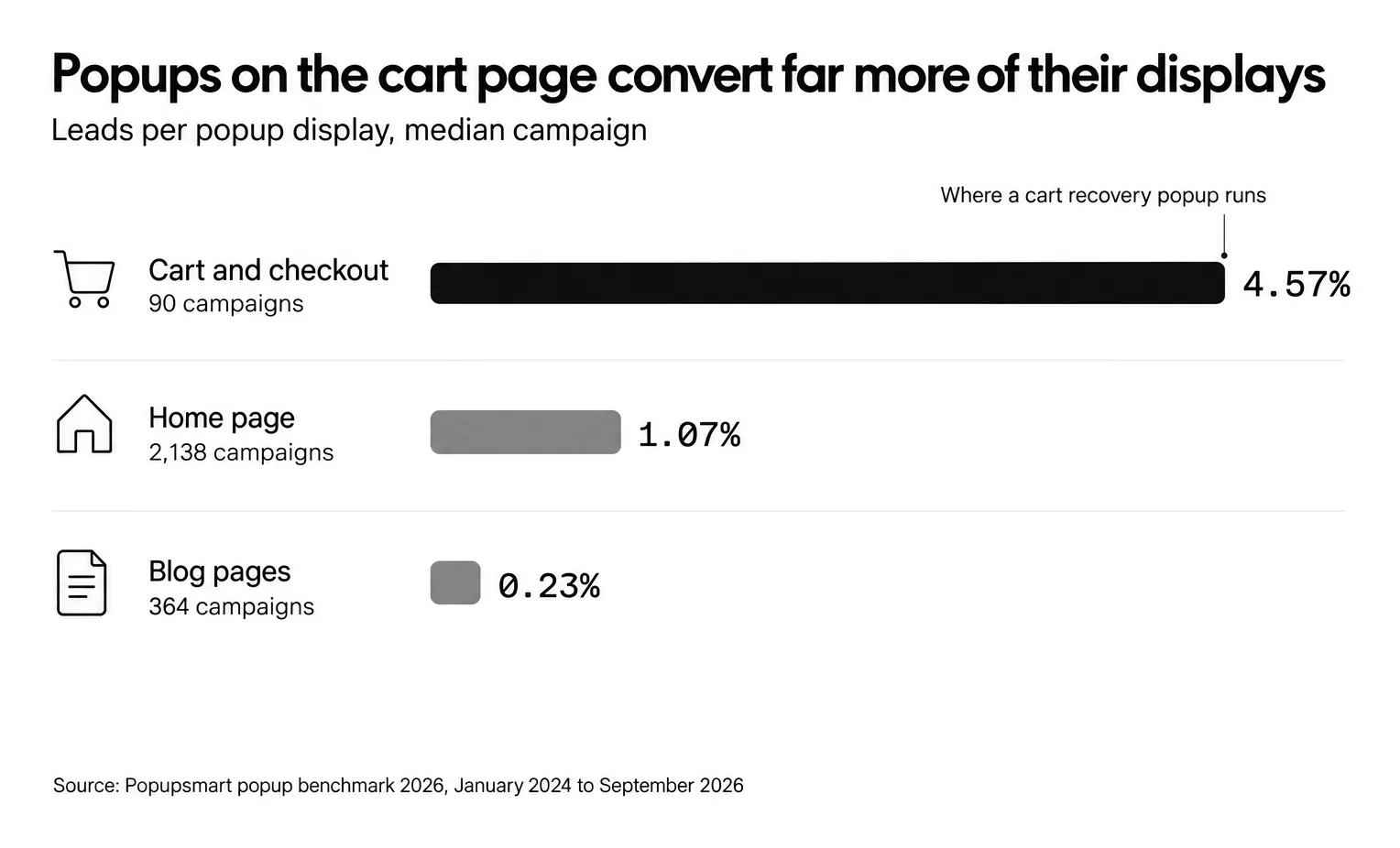
Our own data shows why the cart page is the place to do it. Across Popupsmart campaigns between January 2024 and September 2026, popups on cart and checkout pages convert 4.57% vs 1.07% on the home page (median campaign); blog pages convert 0.23%. The rate is leads (a submission with an email address or phone number) divided by popup displays. For how that compares with every other popup, see the popup conversion benchmark report.
The mobile picture makes popups more urgent, not less. 63% of popup displays happen on mobile, and mobile visitors convert on popups at 1.02% vs 0.57% on desktop, and click at 2.99% vs 1.34% (median campaign). Tiny form fields, clumsy coupon entry and surprise shipping costs on a five-inch screen: that's where a well-timed, one-tap popup helps.
Popups also pair with email recovery. When a shopper drops their email into your popup, your recovery sequence gets a second chance to close the sale. An anonymous visitor never gives you that.
Abandoned cart recovery: where popups fit
Abandoned cart recovery is everything a store does to turn a left cart into an order: answer the objection while the shopper is still on the page, then follow up with the ones who leave anyway. The popup is the only step that runs before they're gone, so it comes first.
| Step | When it runs | Who it can reach |
|---|---|---|
| Cart abandonment popup on cart and checkout pages | While the shopper is still on the page | Every shopper who reaches the cart, signed in or not |
| Abandoned checkout or abandoned cart email | After the shopper leaves | Only shoppers who left an email address, at checkout or in a popup |
| SMS reminder from your SMS tool | After the shopper leaves | Only shoppers who gave a phone number and SMS consent |
The middle row has a gap. Shopify's abandoned checkout email only goes to shoppers who got as far as checkout and typed an email address: its help center counts a checkout as abandoned when it "remains incomplete for more than ten minutes after the customer has provided their email information." A shopper who leaves from the cart page, before checkout, hands you no address at all. One email field in the cart popup closes that gap, and the guide to Shopify cart abandonment emails covers the email sequence that follows.
Text messages work the same way. Popupsmart forms collect phone numbers for your SMS list, and the numbers and SMS consent map to Klaviyo, Mailchimp or HubSpot in the integration's Match Fields step; the reminder itself goes out from that tool. The SMS popup tips cover the consent checkbox.
Key Elements of a High-Converting Cart Recovery Popup
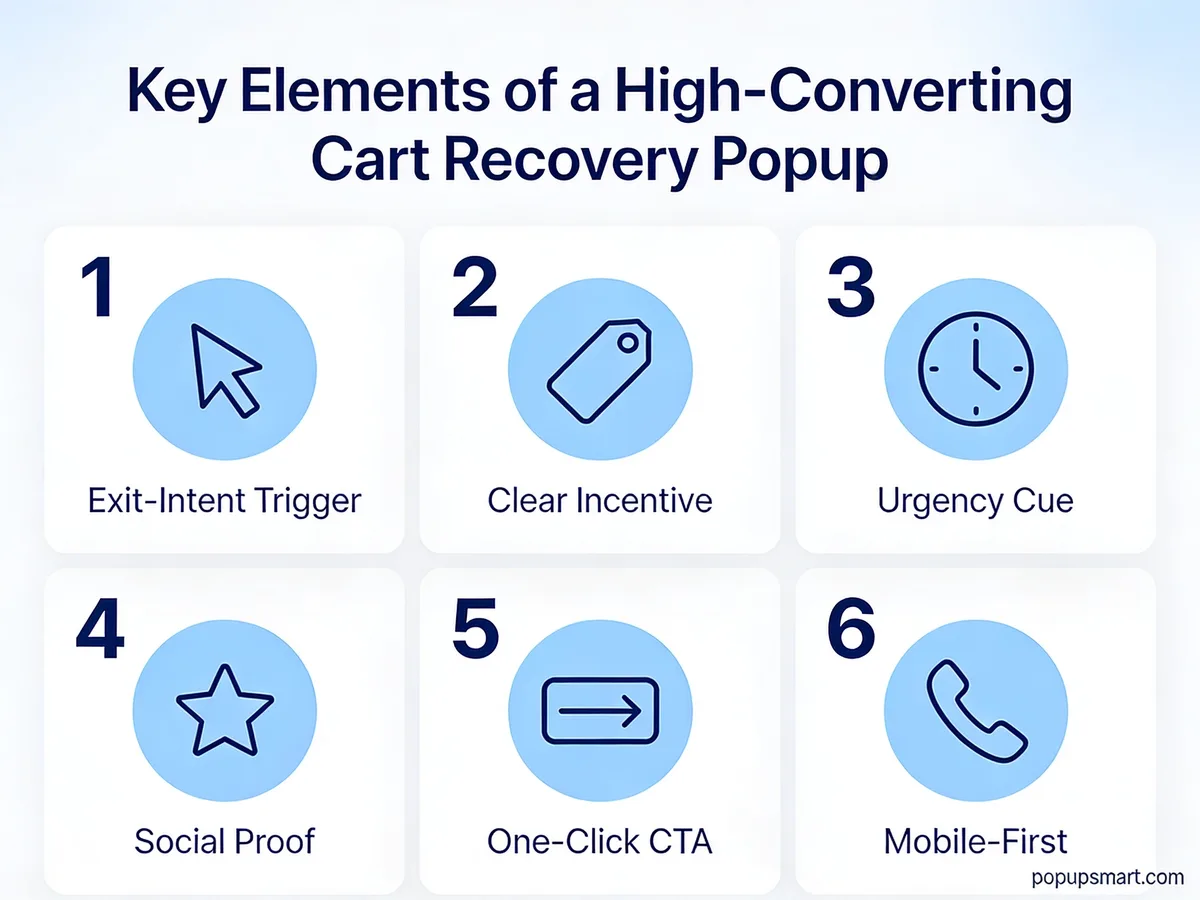
The six elements every cart recovery popup should hit.
Every cart recovery popup can be graded on the same six dimensions. Miss two of them and the popup will still convert, just below what it could.
1. Exit-intent or cart-stall trigger: The popup must fire on a real leaving signal or a real pause, not a random timer. On desktop, track the mouse crossing the upper viewport boundary. On mobile, watch for a fast upward scroll, or use an inactivity trigger on the cart page. A popup that fires at random interrupts browsing and trains visitors to click the X on reflex.
2. One clear incentive: Pick one lever (a percent discount, a flat dollar amount, free shipping, or a free gift) and build the whole popup around it. "10% off + free shipping + free gift" looks generous and converts badly because shoppers can't tell which benefit is the reason to stay. Say the number: in our benchmark, popups stating 10% off convert 1.25% vs 0.67% for popups that state no discount. Our discount popup guide covers how to size the offer.
3. Urgency cue: A countdown timer, a stock counter, or a same-day expiry line, but only when the deadline is real. Urgency collapses the decision window. Without it, shoppers tell themselves they'll come back later. Don't lean on urgency words alone, though: in our benchmark, button colour, dark vs light popup backgrounds, urgency words and question headlines show no measurable effect on conversion; the data are too noisy to rule out modest effects.
4. Social proof: A short line about how many customers bought the product, or a compact star-rating badge. Social proof matters most on first-purchase popups, where trust hasn't been earned yet. Skip it on returning-customer popups where the relationship already exists.
5. One-click CTA: One button, one action. No secondary subscribe option, no social share icons. The choice should be binary: redeem the code or close the popup. Keep the form short: popups asking for one or two fields convert 0.88% and 0.94%, against 0.56% for three fields (median campaign; spin-to-win and other gamified popups are counted separately).
6. Mobile-first design: Tap targets at least 44 pixels tall, copy under 40 words, a close button positioned away from the CTA to prevent misclicks. If your popup looks crowded on a 375-pixel screen, fix the mobile version first. That's where most of your popup's displays happen.
15 Cart Abandonment Popup Examples
The cart moment is where every popup in this list lives.
These 15 popups are a mix of Popupsmart templates and live e-commerce stores. For each, there's a breakdown of what the popup does, which of the six elements it nails, and the one thing you should borrow.
1. Before you go: the first-order discount ask
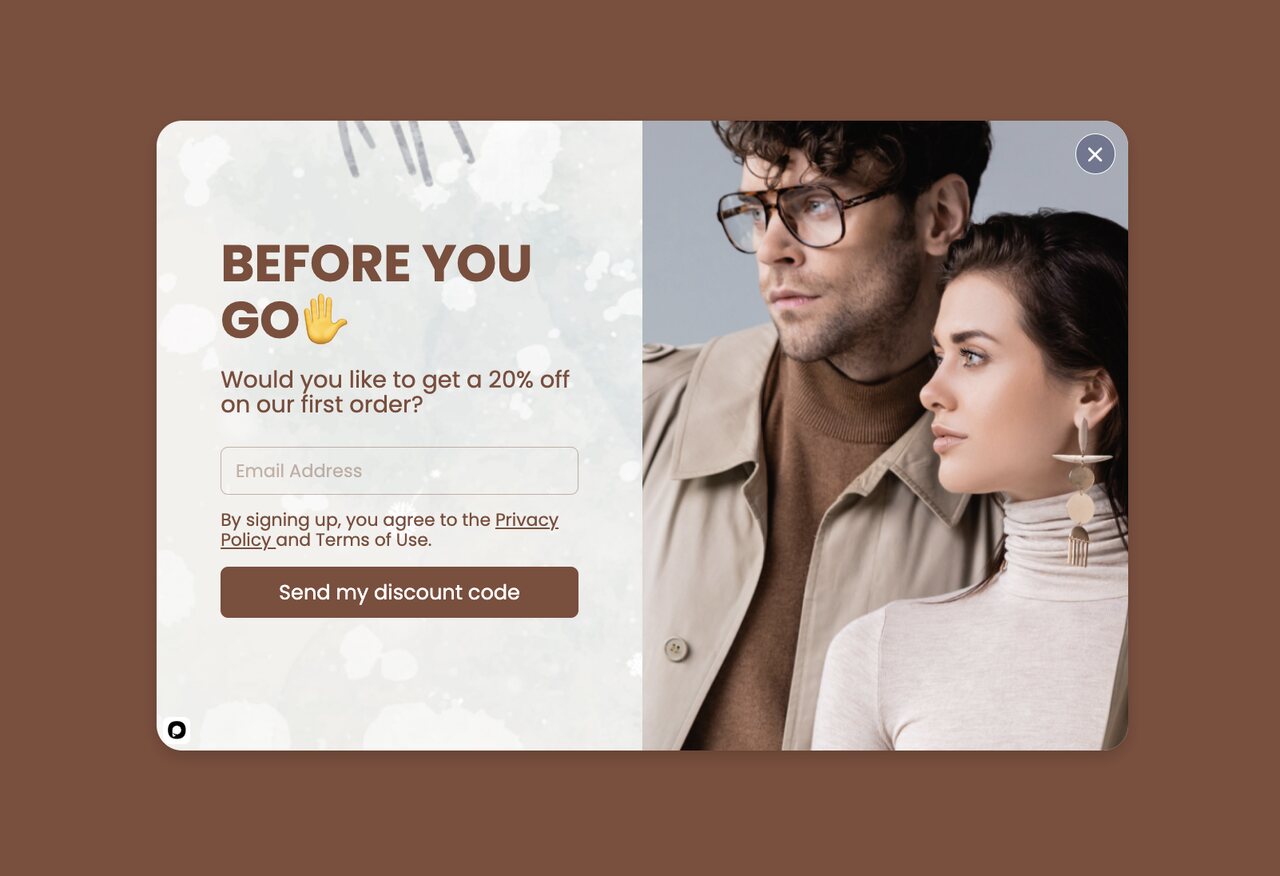
A Before You Go exit popup with a 20% first-order offer.
What works: The headline "Before You Go" names the moment directly. The shopper knows they were about to leave, and the popup confirms the store noticed. The offer is a question ("Would you like to get a 20% off on your first order?"), and the button says exactly what happens next: "Send my discount code". One field, one button.
Why it works: Loss aversion (the finding that people weigh a loss more heavily than an equal gain) is why a code that's about to slip away feels bigger than the same code on a banner. The popup is meant for an exit-intent trigger on desktop, so it only fires when the shopper's mouse has already committed to leaving and stays out of the way during normal browsing. Before you build your whole strategy on exit intent, read whether exit-intent popups work: our benchmark found no statistically reliable advantage.
Key takeaway: Tie your offer to the moment and, if you can, to a real deadline rather than running it as a standing coupon. A deadline gives the shopper a reason to act now; a code that always works gives them a reason to wait. If you're worried about discount abuse, cap it per email so the same visitor can't claim it twice.
2. Instant Discount: The Short-Copy Stay-or-Save
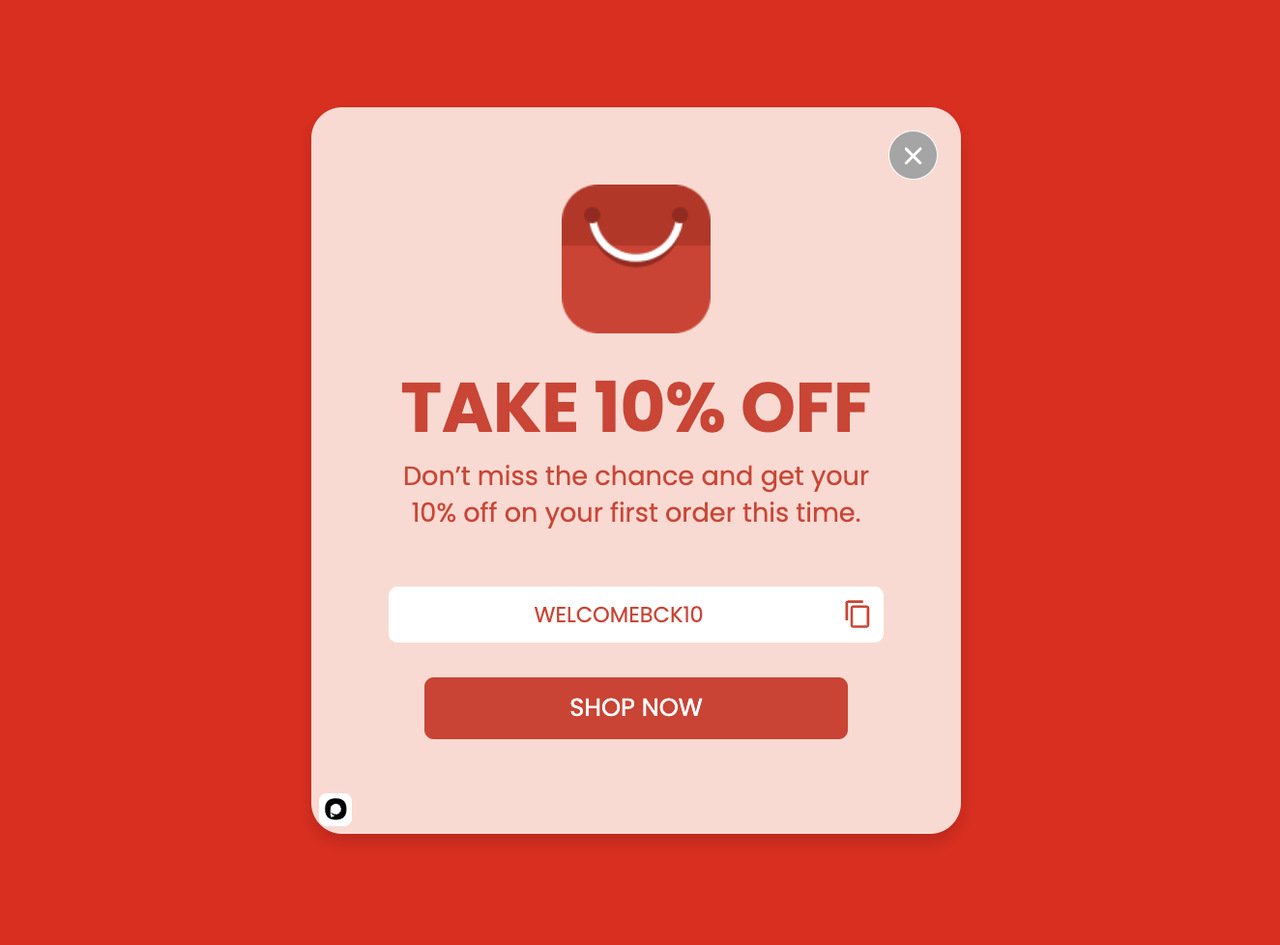
An instant-discount exit popup with minimal copy.
What works: Everything about this popup is built around one number. "Take 10% off" lives in the hero area, the code sits in a box with a copy button, and the single "Shop now" button sends the shopper straight back to buying. There's no newsletter pitch, no product carousel, no second offer. One lever, one click.
Why it works: Hick's Law says more options equal slower decisions. A popup with two CTAs ("Get discount" + "See more products") splits the shopper's attention between paths. This popup strips that choice. Pair it with a shipping threshold ("on orders over a set amount") if your average order value is low. You'll protect your margin without losing the hook.
Key takeaway: If you can only fix one thing about your current popup, delete the second CTA. Binary choices close faster than forked ones. The close X in the corner already counts as the "no" option, so you don't need a second one in the popup body.
3. Free Shipping + 20% Off: The Stacked Friction Killer
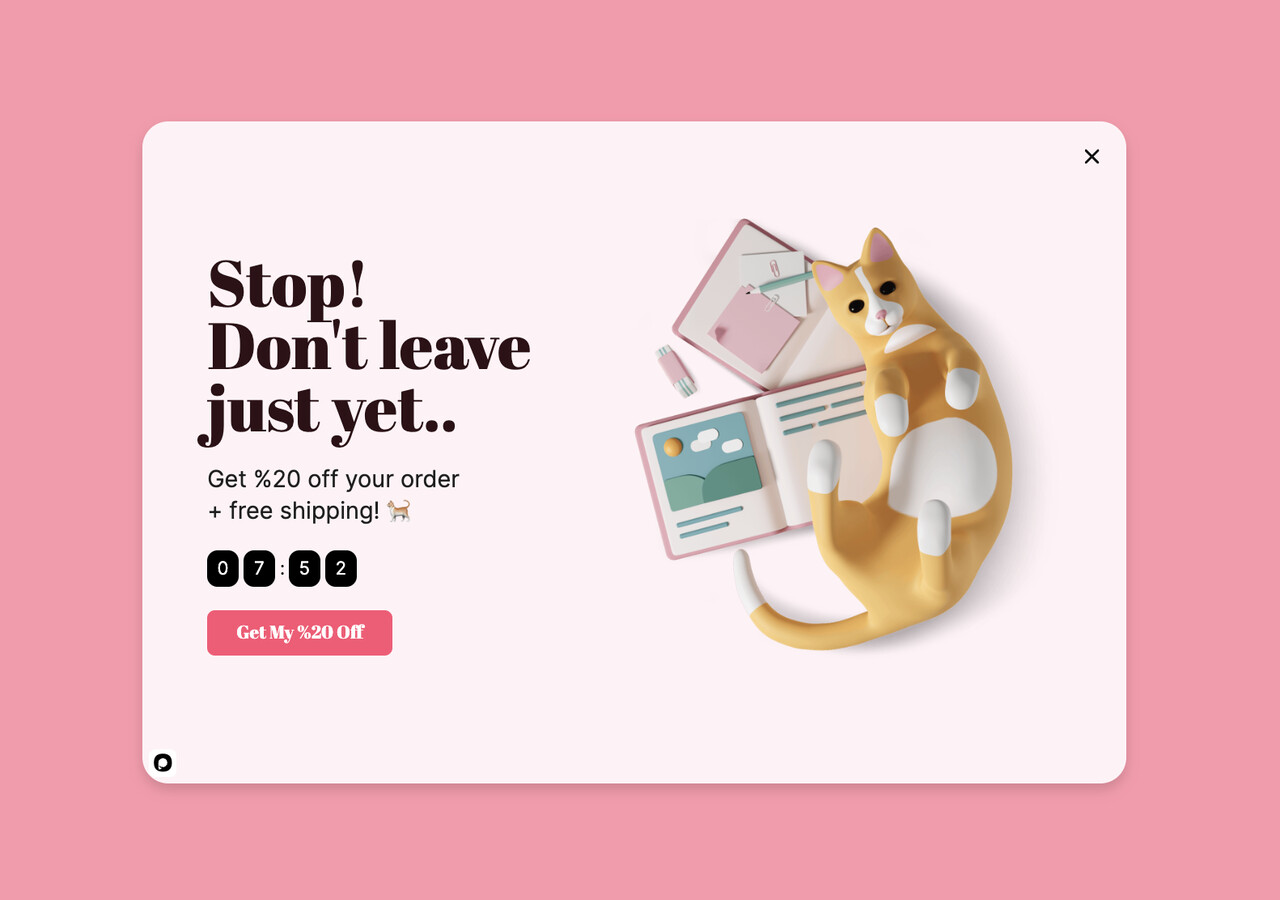
Free shipping stacked with a 20% discount and a countdown.
What works: This popup breaks the usual "one incentive only" rule on purpose. It gets away with it because the two incentives target different objections. The 20% discount answers "is this worth it at the list price?" while free shipping answers "will the total shock me at checkout?" Extra costs (shipping, tax, fees) are the top checkout reason for abandonment in Baymard's survey, so solving both at once makes sense. The small countdown adds the deadline.
Why it works: The popup treats shipping as a trust signal, not a line item. When free shipping is baked into the offer, the shopper doesn't brace for a surprise at the payment step. The stacked framing also makes the deal feel like a real campaign, not a standing discount.
Key takeaway: Stack incentives only when each one kills a different objection. If both are discounts (a percent off plus a dollar amount off), you're doubling the cost with no cognitive lift.
4. Email-for-Discount Swap: The Opt-In Trade
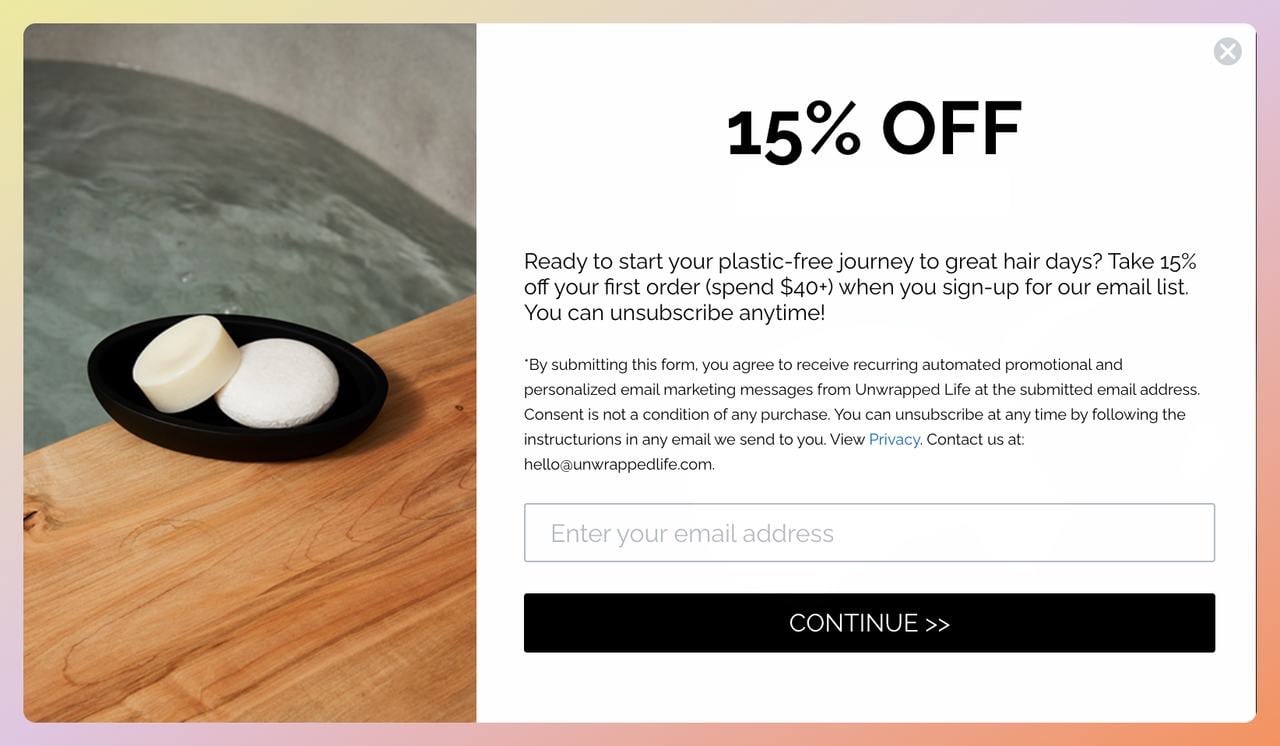
Unwrapped Life's 15% off email-capture exit popup.
What works: Unwrapped Life, a Canadian zero-waste beauty brand, uses a single-field email form: no name, no phone, only the consent text under the offer. The 15% discount is the payoff, but the real win is the email itself. If the shopper still leaves, the address drops into the store's recovery sequence.
Why it works: The swap reframes the transaction. Instead of "give me your money," it's "give me your email, get 15% off right now." The friction cost drops to a few seconds of typing. It's also the offer our data backs: signup popups that offer a discount code convert 1.46% vs 0.75% for signup popups without one.
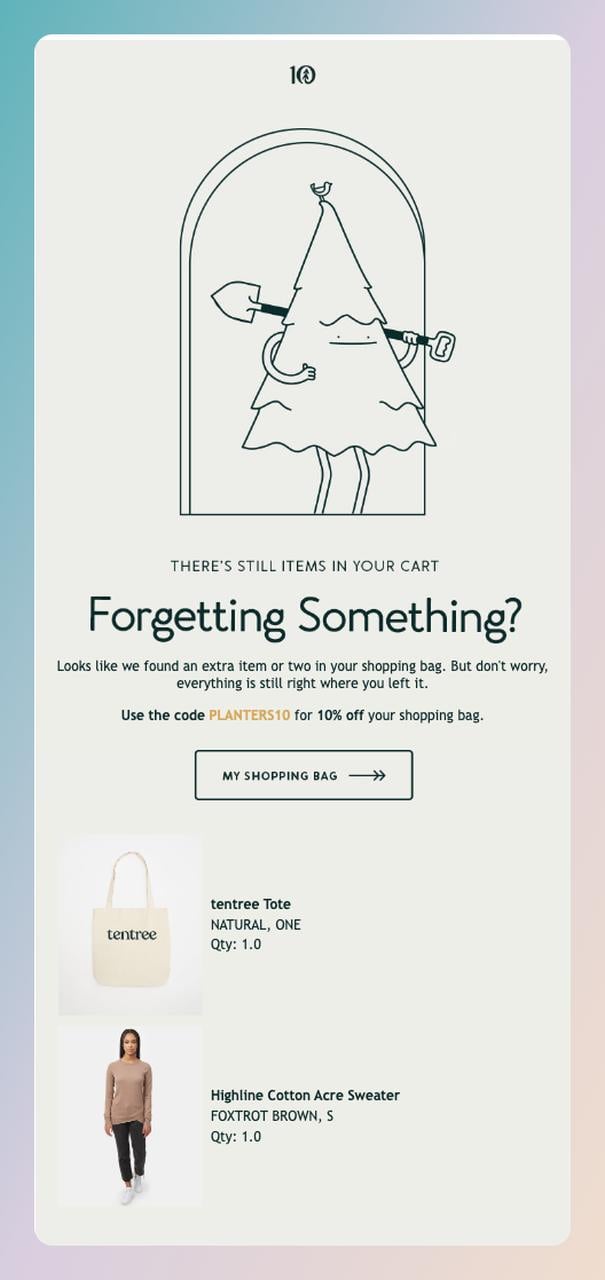
Tentree follows up an abandoned cart with a brand-aligned recovery email.
Key takeaway: Treat email capture as the backup plan, not the first ask. If the shopper completes the purchase, great. If they don't, you now have a channel to finish the sale. For the email half of the play, see our guide to Shopify cart abandonment emails.
5. Absolute-Dollar Pitch: The "Save $30" Framing
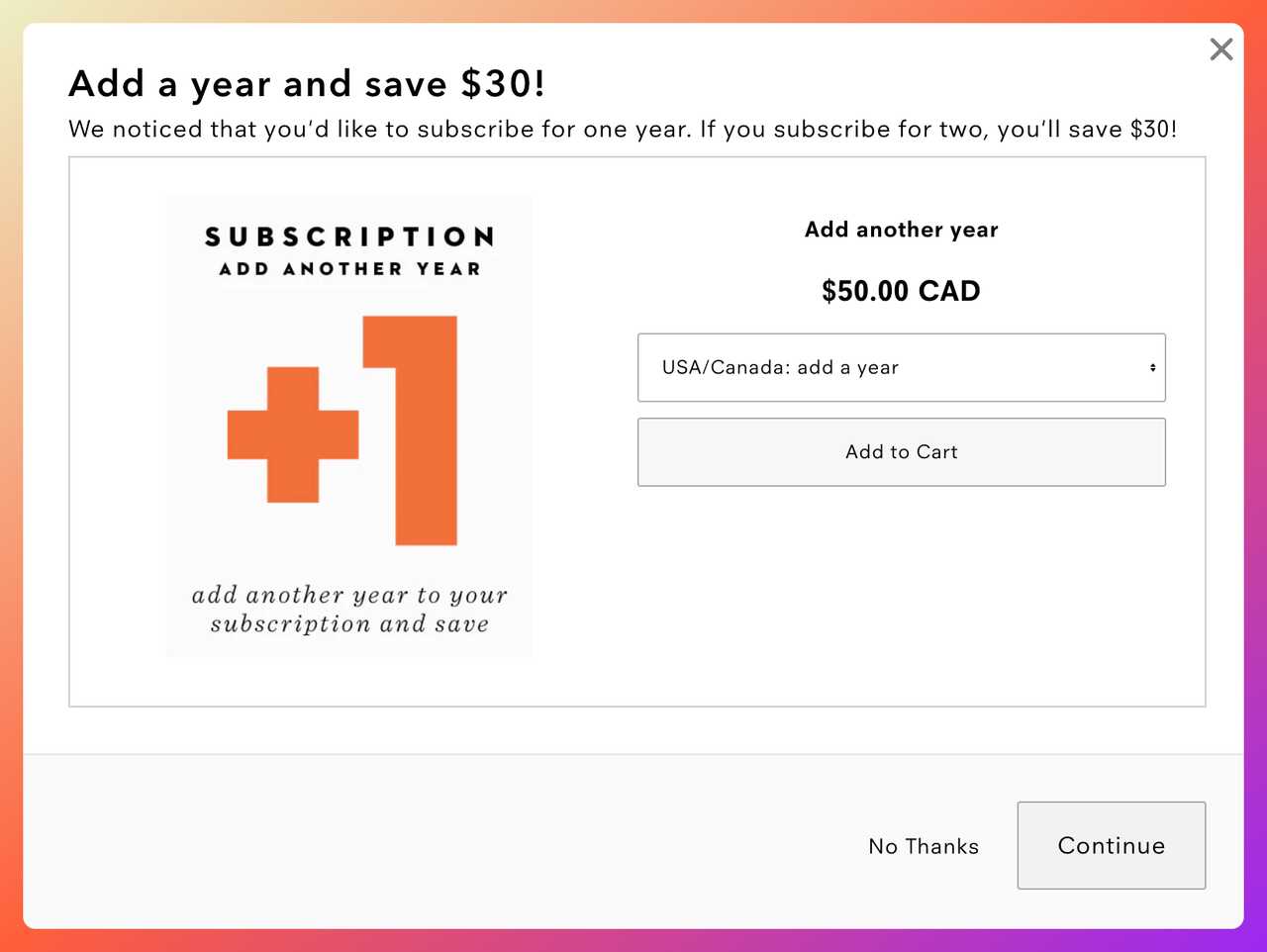
Uppercase Magazine frames savings as dollars, not percentages.
What works: Uppercase Magazine, an indie print publication, runs its offer as "Add a year and save $30!" when a shopper picks a one-year subscription. Not "30% off." That one word swap changes what the shopper feels. Thirty dollars is a specific thing you can hold; a percentage is an abstraction that has to be calculated.
Why it works: This is the "rule of 100", a rule of thumb from marketing professor Jonah Berger rather than a measured result: for prices under $100, percent discounts feel bigger; for prices over $100, absolute dollar savings feel bigger. A two-year subscription sits above that line, so "save $30" is the framing that sounds larger. The popup also leans on a longer commitment, where the savings per issue get magnified.
Key takeaway: Test percent vs dollar framing at your own price points instead of assuming either one wins. The rule of 100 gives you the first variant to try.
6. Tangible-Gift Close: The Branded-Freebie Incentive
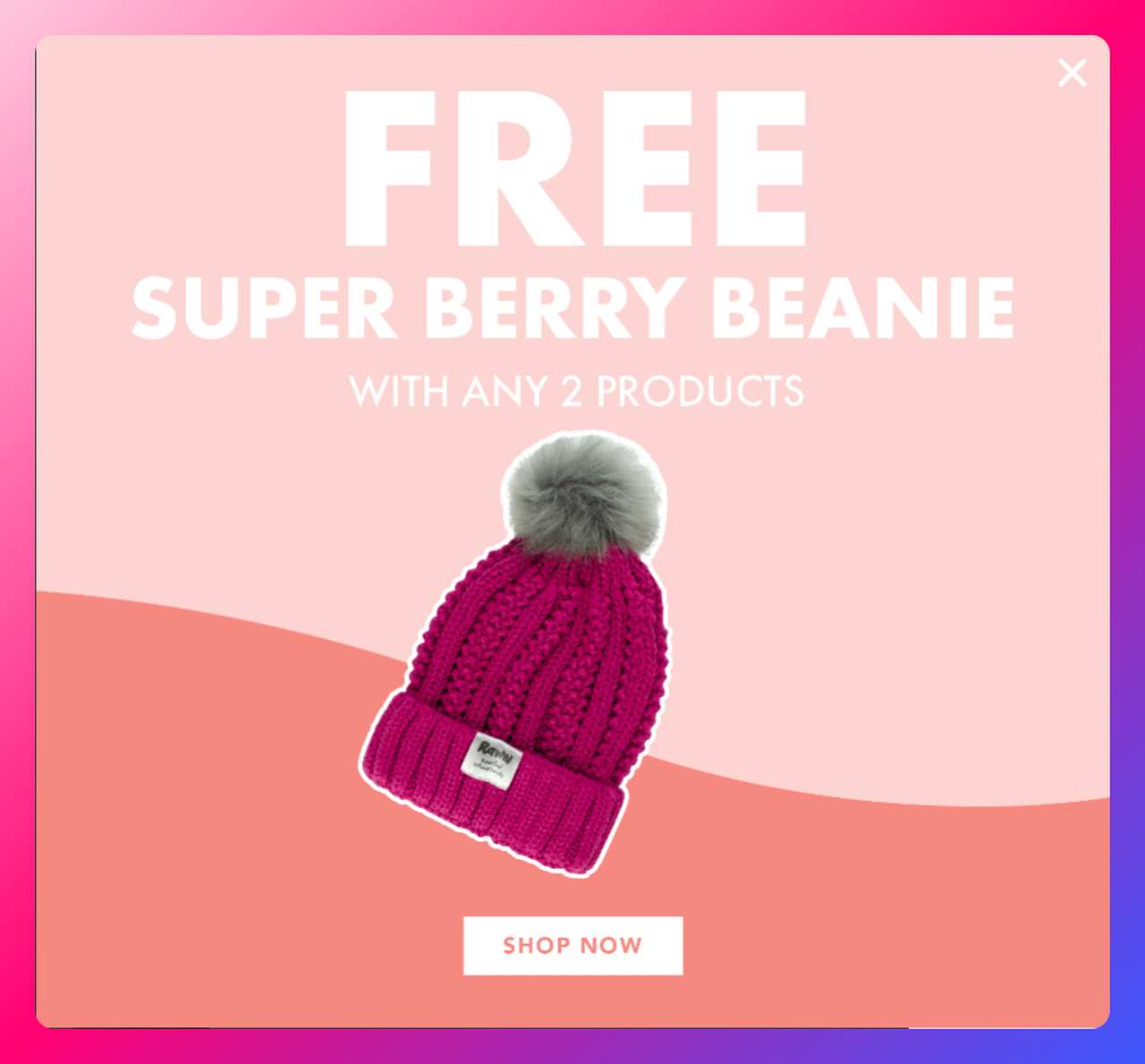
Raww Cosmetics uses a free branded beanie as the incentive.
What works: Raww, an Australian vegan makeup brand, skips the discount entirely and hands out a physical freebie: a Super Berry Beanie with any two products in the popup above, with the same gift surfacing again in the cart. Behavioral research on the "zero price effect" shows that free carries more pull than its cash value suggests: people treat a free item as a bigger win than a small discount of the same worth.
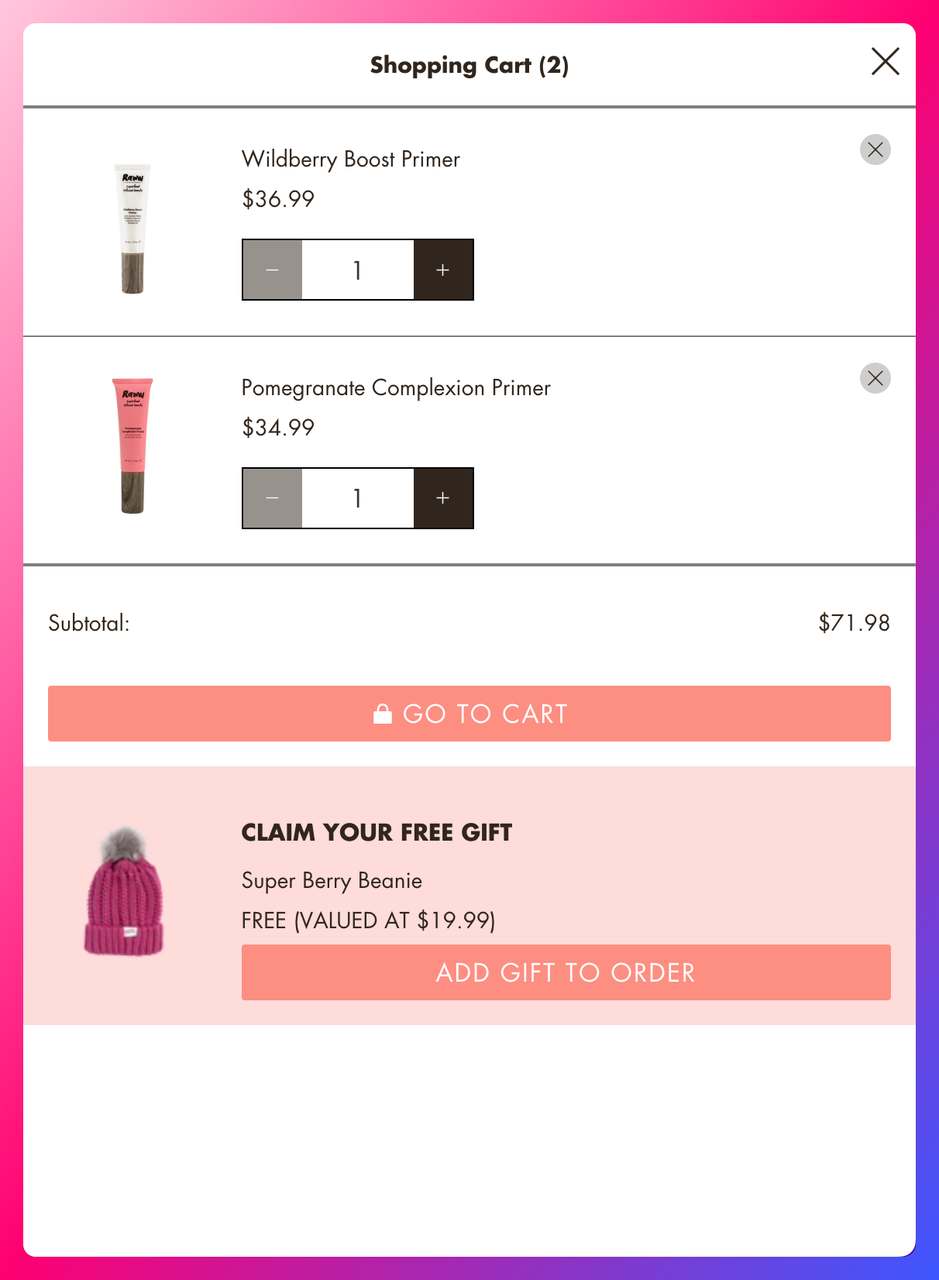
The same free-gift mechanic resurfaces in the cart.
Why it works: Freebies change the frame from "spend less" to "get more." Discount popups train customers to wait for coupons before buying; free-gift popups don't erode your price anchor the same way. Raww also shows the beanie photographically, which makes the reward feel concrete instead of abstract.
Key takeaway: If your margins can't absorb another percent off, swap the discount for a low-cost branded freebie. It will feel like a bigger win to the shopper and protect your list price.
7. Respectful Save: The "Need More Time?" Soft Ask
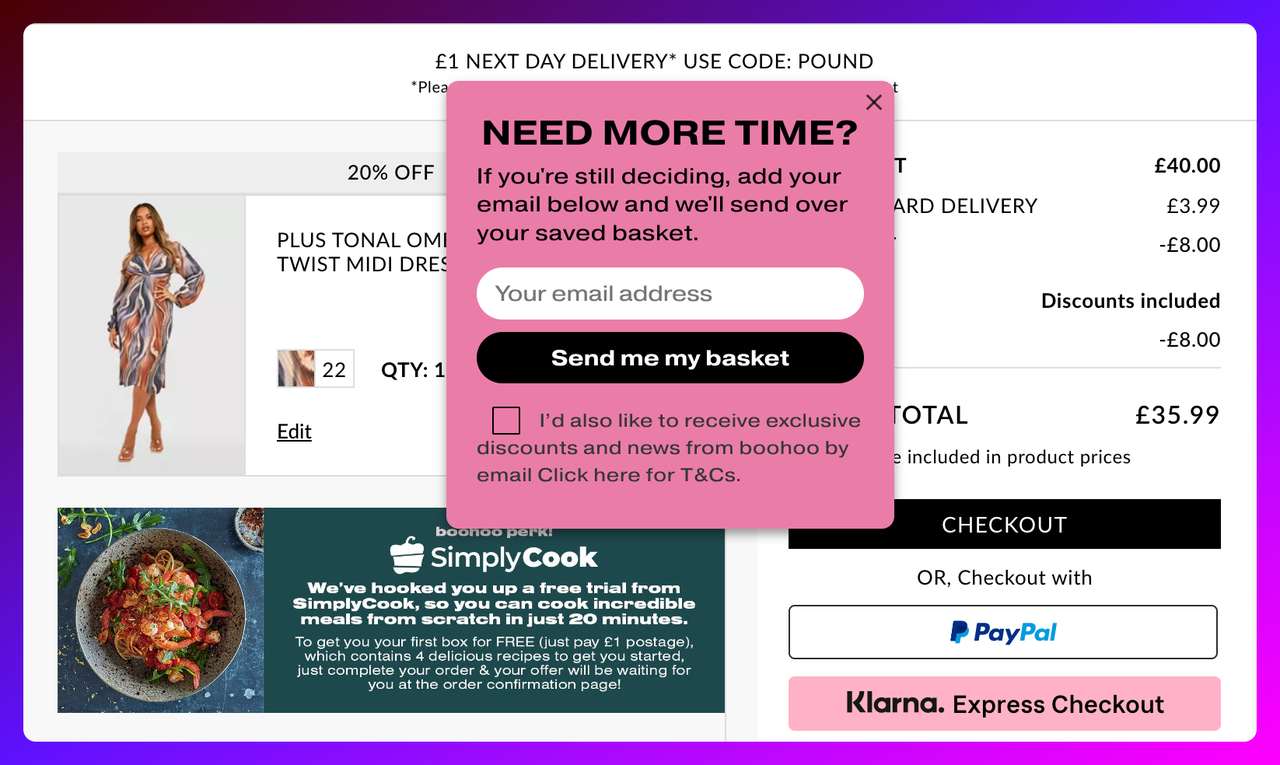
Boohoo's gentle "Need More Time?" exit popup.
What works: Boohoo's popup does something most exit offers don't. It admits the shopper might not be ready. The headline "Need More Time?" treats hesitation as valid instead of framing it as an objection to overcome. The ask is an email, and the promise is useful: "we'll send over your saved basket." No discount required.
Why it works: Psychological reactance is the tendency to push back against any message that feels like pressure. A popup that says "Wait! Don't go!" can trigger it; a popup that says "Need more time?" sidesteps it. Choose the question for tone, not as a conversion trick: in our benchmark, question headlines showed no measurable effect on conversion either way. For high-consideration purchases (think multi-item fashion carts or tech bundles), the respectful tone fits the moment, and you still get the email.
Key takeaway: For consideration-heavy carts, write the popup headline as a question, not a command, and give the shopper something useful for their email, such as their saved basket. "Need more time?" and "Still thinking it over?" are both safer openings than "Wait! Don't leave!" for premium or considered purchases.
8. Smart-Tag Personalization: The Prefill Form Layer
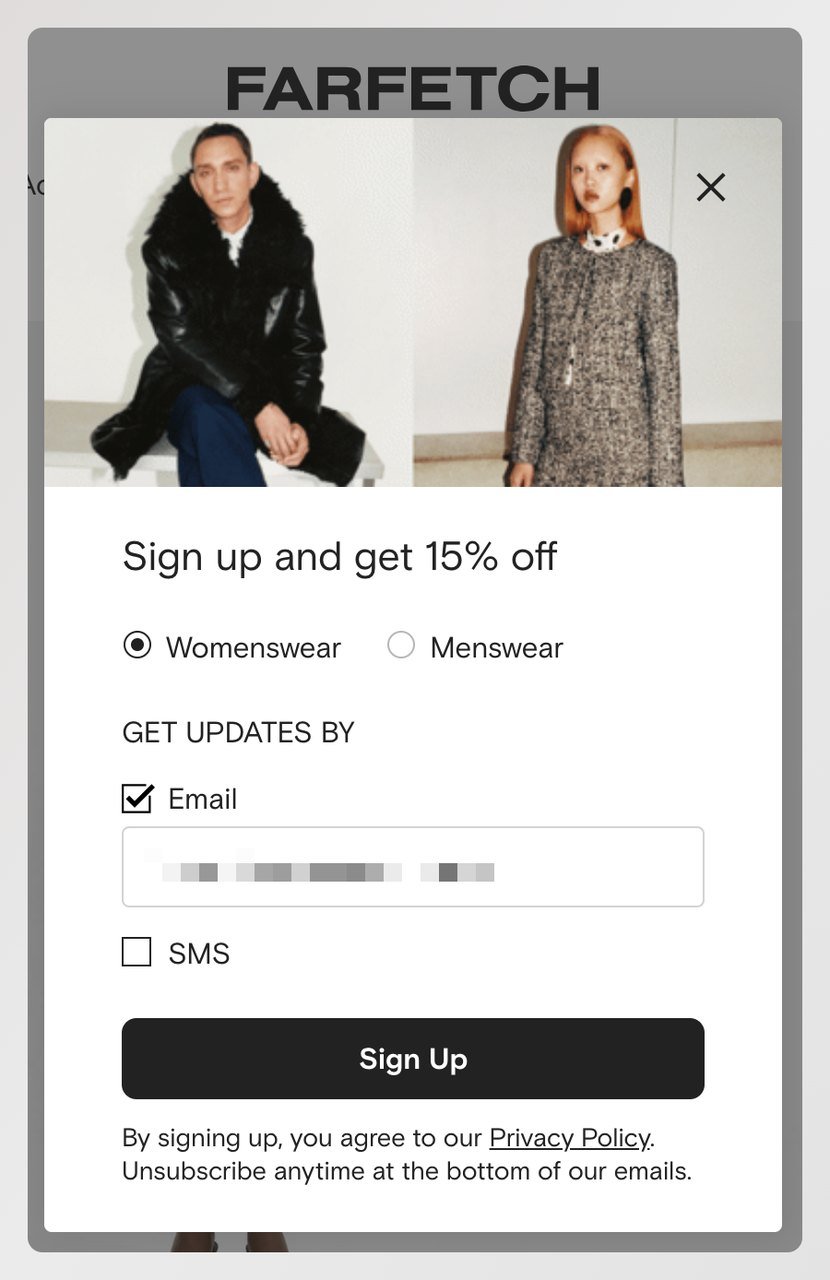
Farfetch prefills the preference and email fields.
What works: Farfetch, the luxury multi-brand retailer, prefills the womenswear/menswear choice and the email field. A returning shopper sees a form that already knows them; a new shopper sees a clean one. The 15% discount is the hook. What does more work is the step the prefill removes, before the shopper even notices it was there.
Why it works: Every field the shopper has to type into is a reason to stop. Farfetch keeps the same fields on screen and cuts the keystrokes instead. In Popupsmart, smart tags can prefill form fields with data such as a name or email address, including from URL parameters.
Key takeaway: Audit your popup form for any field you could prefill from session data. Gender, language, currency, and email (for logged-in sessions) are the easy wins. Every prefilled field is one fewer reason to bounce.
9. Feedback ask: the exit survey
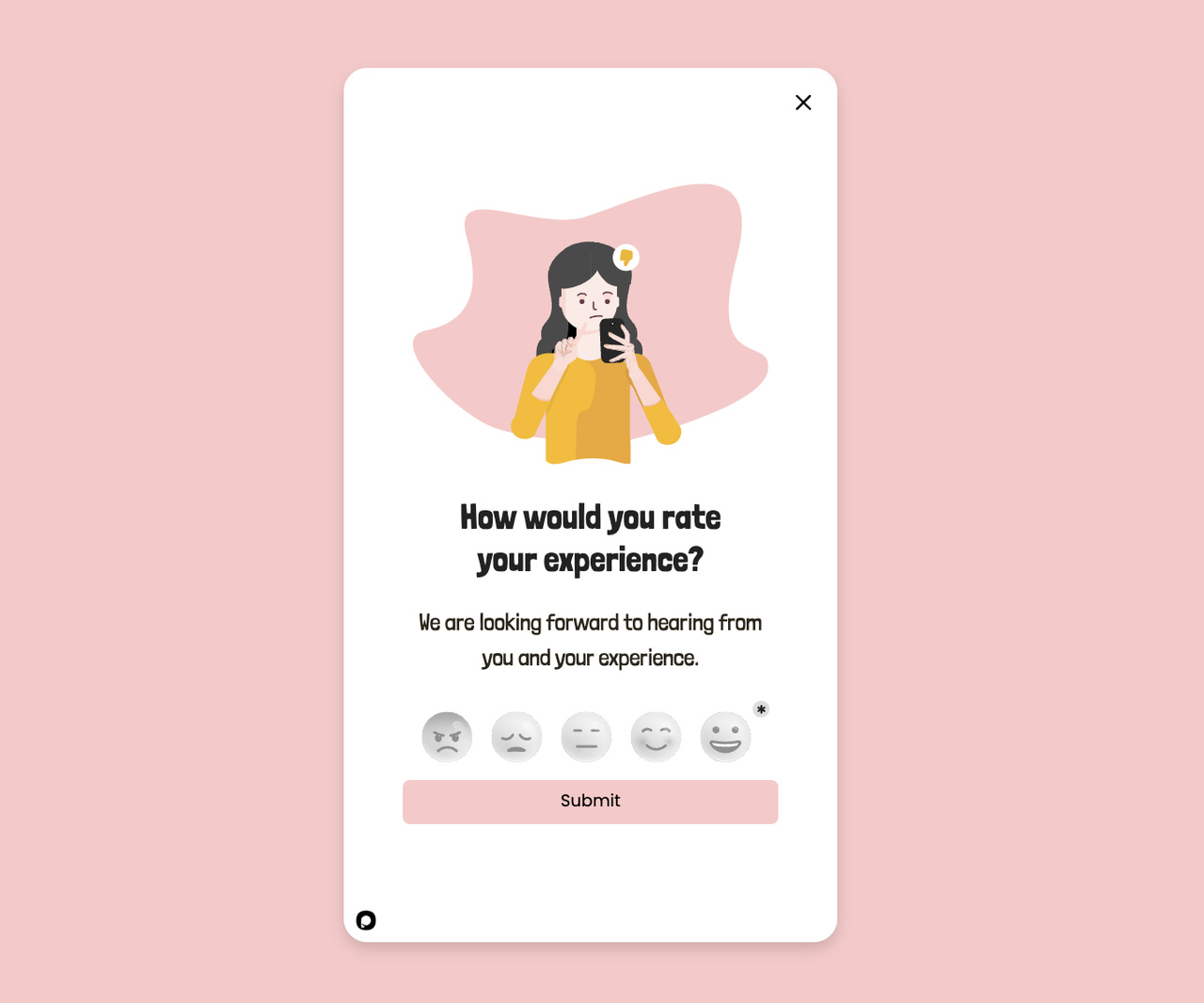
A feedback popup template that doubles as a research moment.
What works: The Outnet, a luxury off-price retailer, runs a popup that asks "Got a Minute?" and invites shoppers into a short survey. The casual phrasing sets expectations (this won't take long), and the survey data helps the brand diagnose why carts get abandoned in the first place. Most exit popups are one-shot conversion plays; this one is also a research pipeline. If you want more answers, add a coupon for completing the survey.
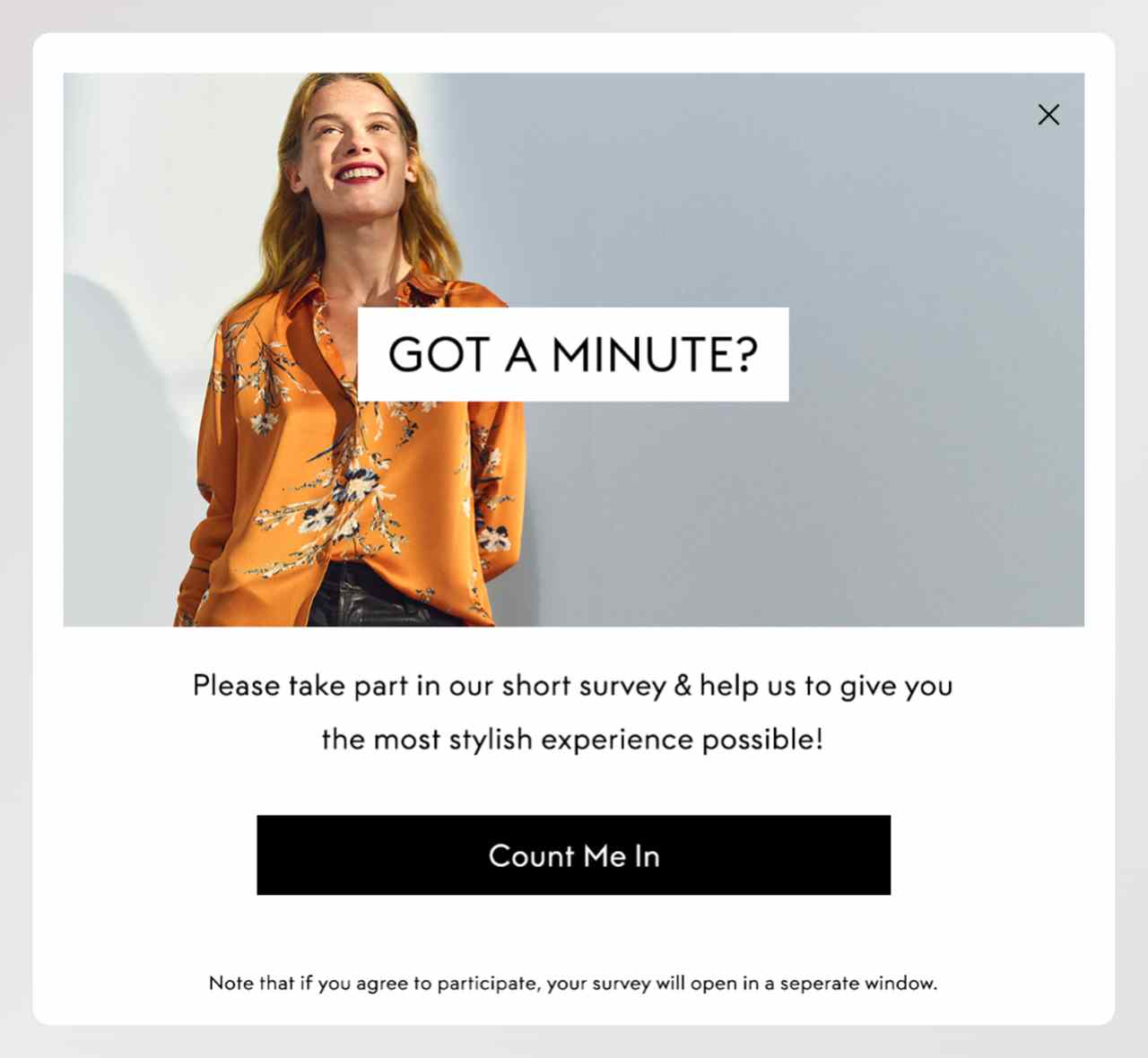
The Outnet's short-survey popup.
Why it works: The real return is in the compounding data. Over a quarter, a feedback popup at checkout will tell you which price points, shipping thresholds, or payment methods are driving your abandonment. Analytics alone won't tell you that. Pair it with social proof tactics for a fuller recovery mix.
Key takeaway: If you've already optimized the offer side of your popups, try a feedback popup on a slice of your cart traffic. You'll close some of those shoppers and learn why the rest are leaving.
10. Cross-Sell Rescue: The Adjacent-Product Pivot
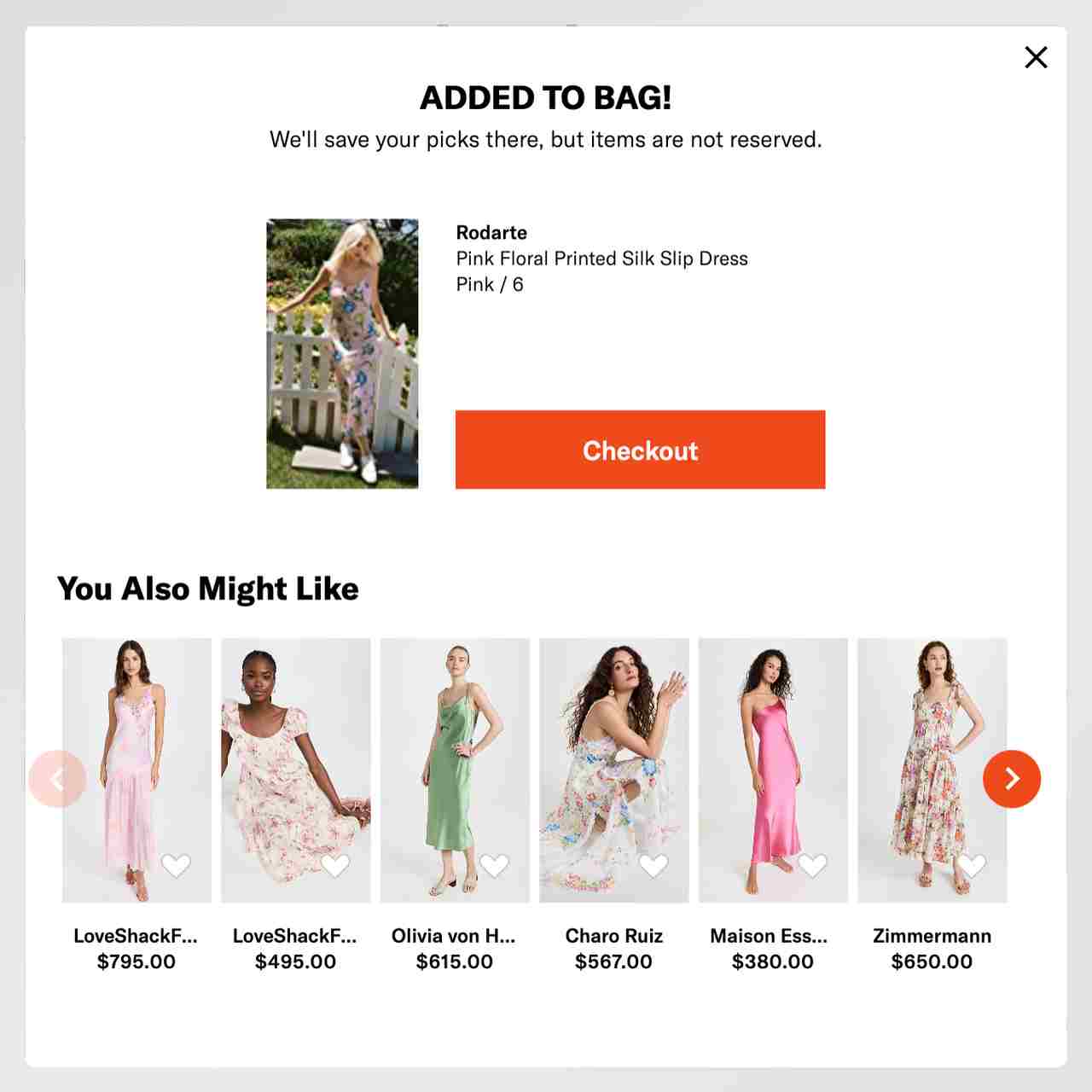
Shopbop surfaces related products the moment an item is added to the bag.
What works: Shopbop and Scarlettos both use a popup to point the shopper at the right product, not to discount the current cart. Shopbop's added-to-bag popup keeps the checkout button on top and shows similar dresses underneath. Scarlettos asks "Before you go… What are you looking for today?" and offers three shoe categories to pick from. The assumption is smart: if the shopper is leaving, maybe it's because the item they picked wasn't quite right, not because they changed their mind about buying.
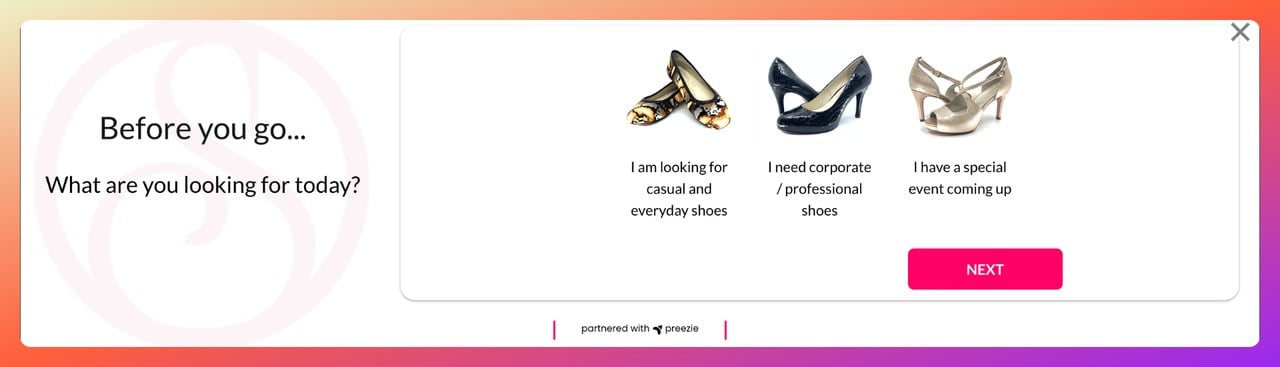
Scarlettos asks what the shopper is looking for before they leave.
Why it works: Cross-sell popups protect your margin. Instead of discounting the existing cart, you rescue the session by pointing the shopper at something else. This works best when the alternatives are tightly related: same category, similar price, comparable style. A random bestseller feed won't cut it.
Key takeaway: Before you run a cross-sell popup, audit your product relationship data. If "customers who viewed this also viewed..." isn't accurate, the popup will show random picks. Three or four alternatives is plenty. Any more and you trigger choice paralysis.
11. First-Purchase Welcome: The New-Visitor Anchor
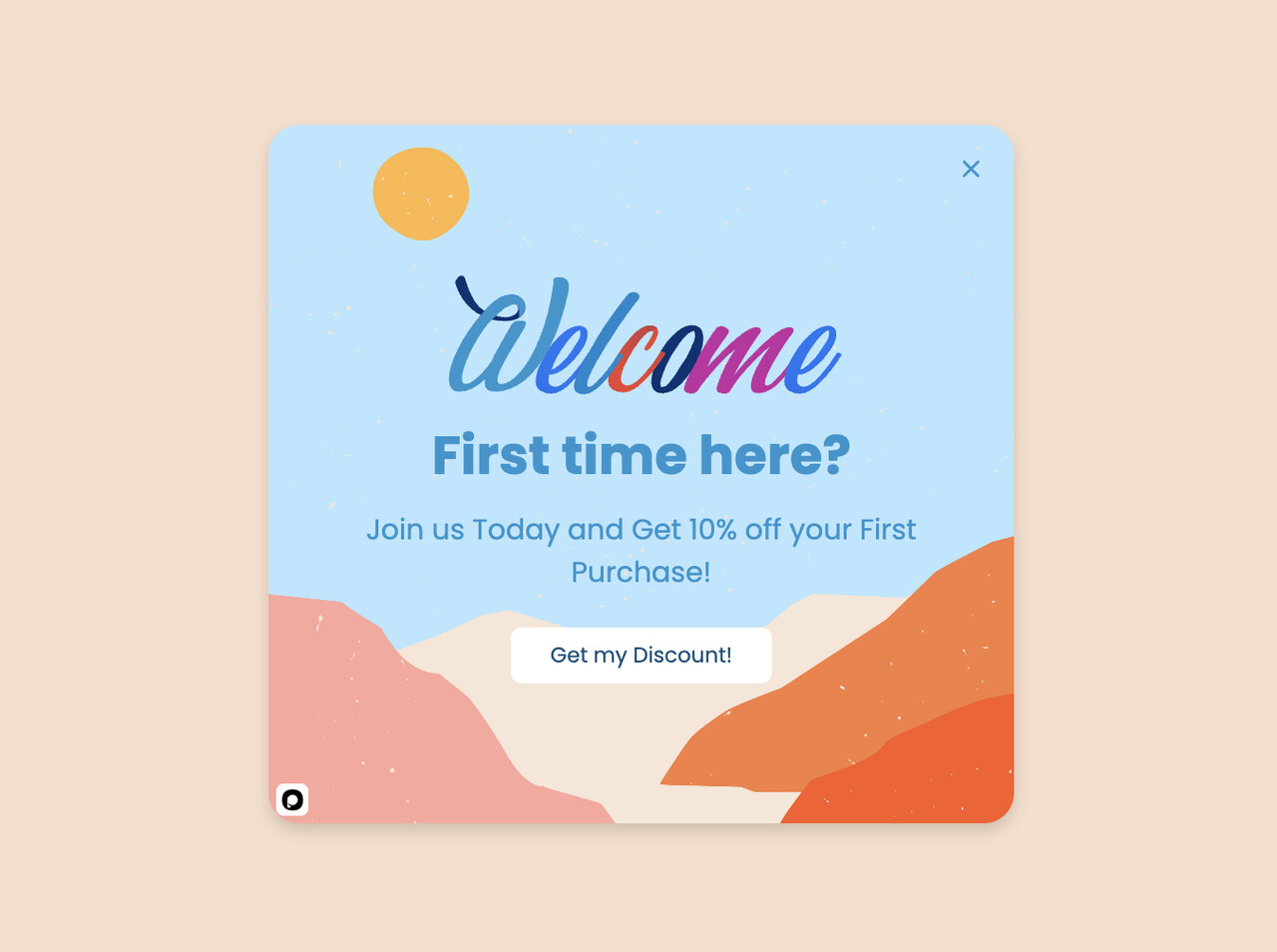
A first-purchase welcome popup aimed at new visitors.
What works: This popup flips the usual timing. Instead of waiting for the exit signal, it greets first-time visitors with a welcome discount. The logic: new shoppers have the highest abandonment risk because they haven't built trust yet. A first-purchase incentive locks in the relationship before doubt sets in.
Why it works: First-time visitors are evaluating the whole store, not just the product, and they respond to popups more: in our benchmark, new visitors convert on popups more often than visitors who were on the site in the previous 7 days: the same popup converts better for new visitors in 75% of campaigns. And popups targeted at new visitors only convert 1.13% vs 0.77% for popups shown to everyone. The welcome discount is a trust anchor: the store gives something before asking for anything. You can still fire an exit-intent version for the shoppers who ignore the welcome offer, so the two campaigns stack without cannibalizing each other.
Key takeaway: Segment your cart abandonment popups by visitor status with new vs returning visitor targeting. First-timers get a welcome + exit popup combo. Returning customers get a different message (next-purchase discount, loyalty points) that doesn't insult their history with your brand.
12. Next-Purchase Discount: The Retention Hook
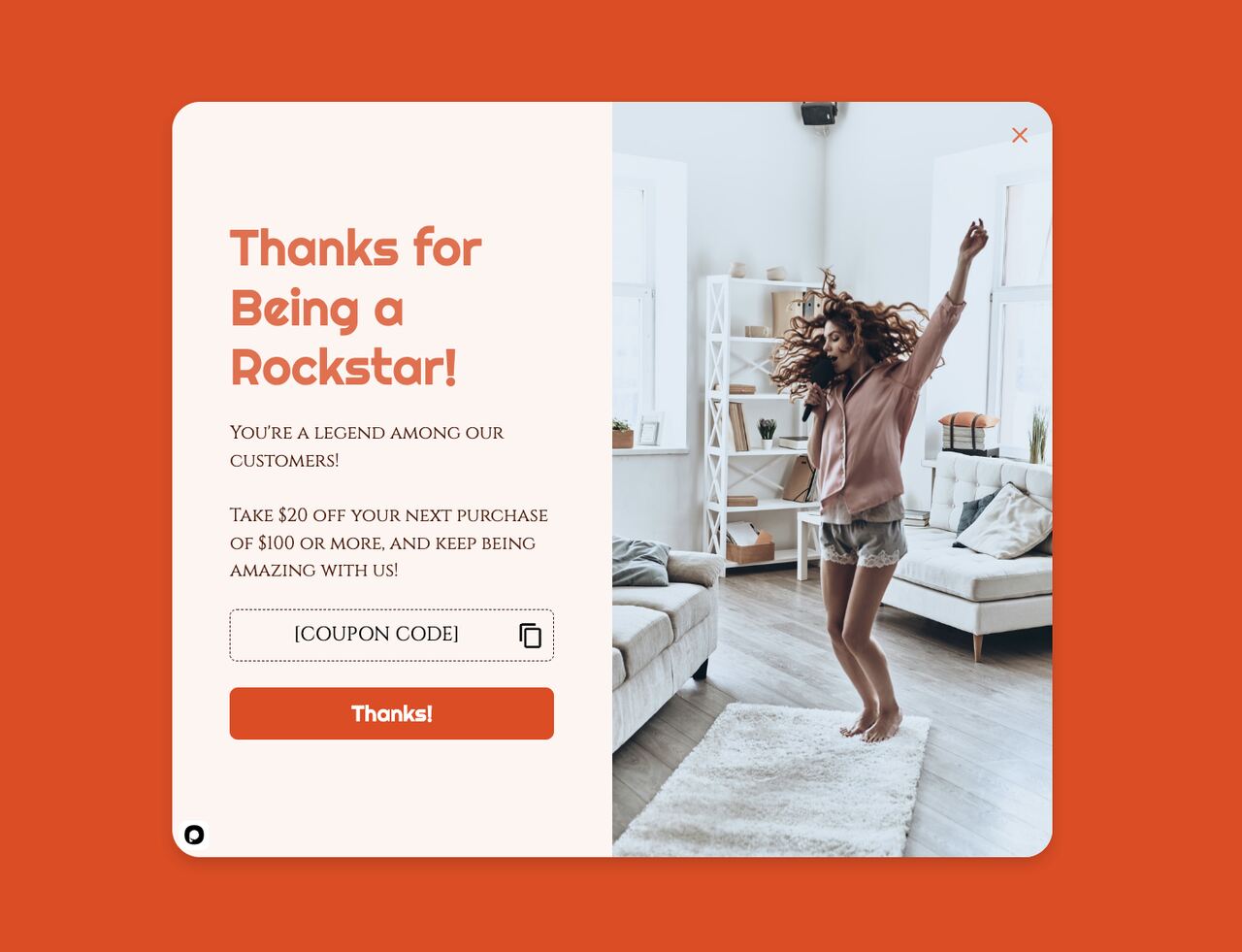
A next-purchase discount popup for repeat visit planning.
What works: Instead of discounting the current cart, this popup offers a code for the next purchase ("Take $20 off your next purchase of $100 or more"). The shopper who was leaving now has a reason to come back. That can close the current sale at full price if they decide to buy now and save the code for later, or plant a return visit if they don't. Either outcome beats losing the shopper cold.
Why it works: Next-purchase discounts protect your current-order margin. They also work well with email capture because the code only becomes useful if the shopper gives you a way to remember them. And because the reward is future-dated, the copy can play with "your next order" language that feels less like begging and more like a thank-you in advance.
Key takeaway: Use next-purchase popups when you don't want to discount the active cart, say during peak season or on already-discounted SKUs. It keeps the exit moment productive without eroding today's revenue. Set the code to expire in 14 to 30 days so the return visit has some urgency baked in.
13. Full-Screen Overlay: The Last-Chance Takeover
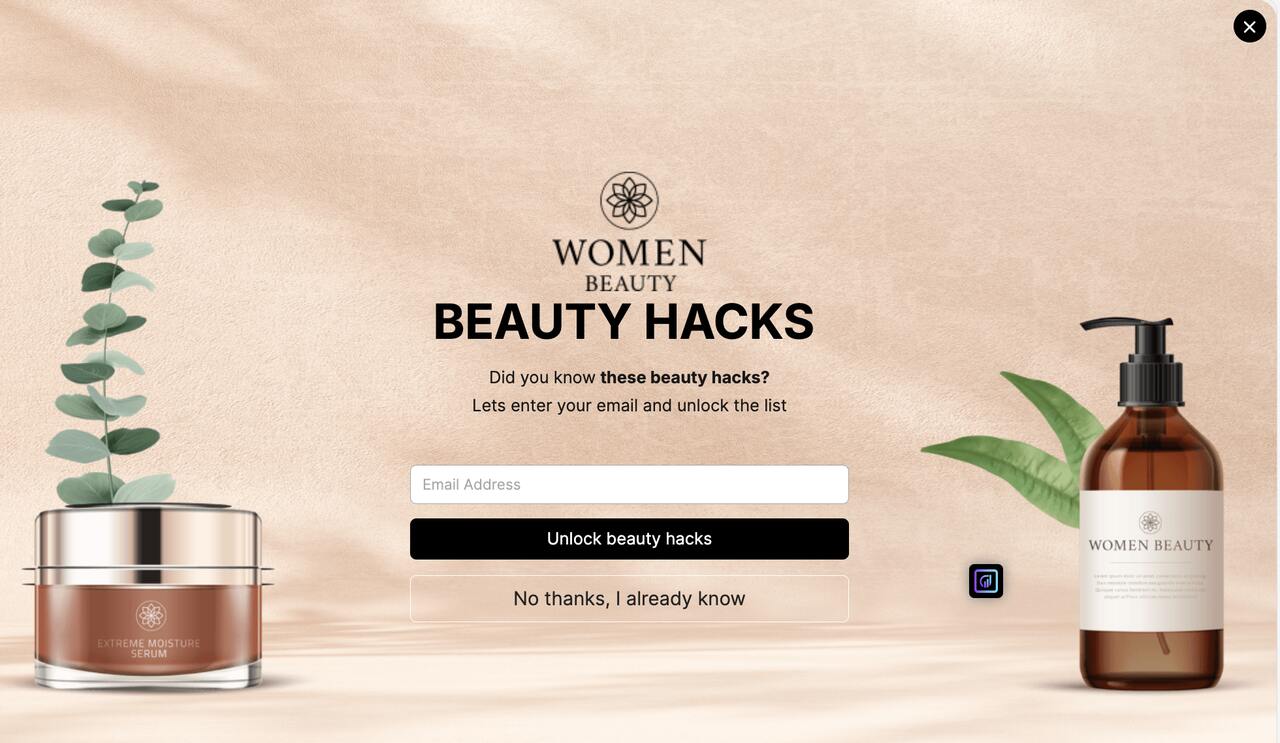
A full-screen exit popup with a lead-magnet offer.
What works: A full-screen popup occupies the entire viewport, which sounds aggressive. It is. In the right context, it's still the right move. At the exit moment, the shopper has already decided to leave. The full-screen overlay stops the momentum long enough to land one clean message: here, a free list of beauty hacks for an email address, with a plain "No thanks, I already know" way out. If you try this on a mid-session trigger, you'll hurt UX. At exit, it's the last honest play.
Why it works: Full-screen overlays remove the visual competition. There's no header nav, no product grid, no "maybe I'll keep browsing" escape hatch. The only paths are the CTA and the close button. Full-screen popups should never run on mobile the same way they run on desktop. A mobile full-screen popup that's hard to close gets flagged by Google as an intrusive interstitial.
Key takeaway: Reserve the full-screen layout for exit-intent on desktop only. Use a smaller sticky-bar or modal variant on mobile to avoid the intrusive-interstitial penalty. Make sure the close button is at least 44 pixels tall and visible without scrolling, no matter the viewport size.
14. Trigger Words: The Power-Phrase Popup
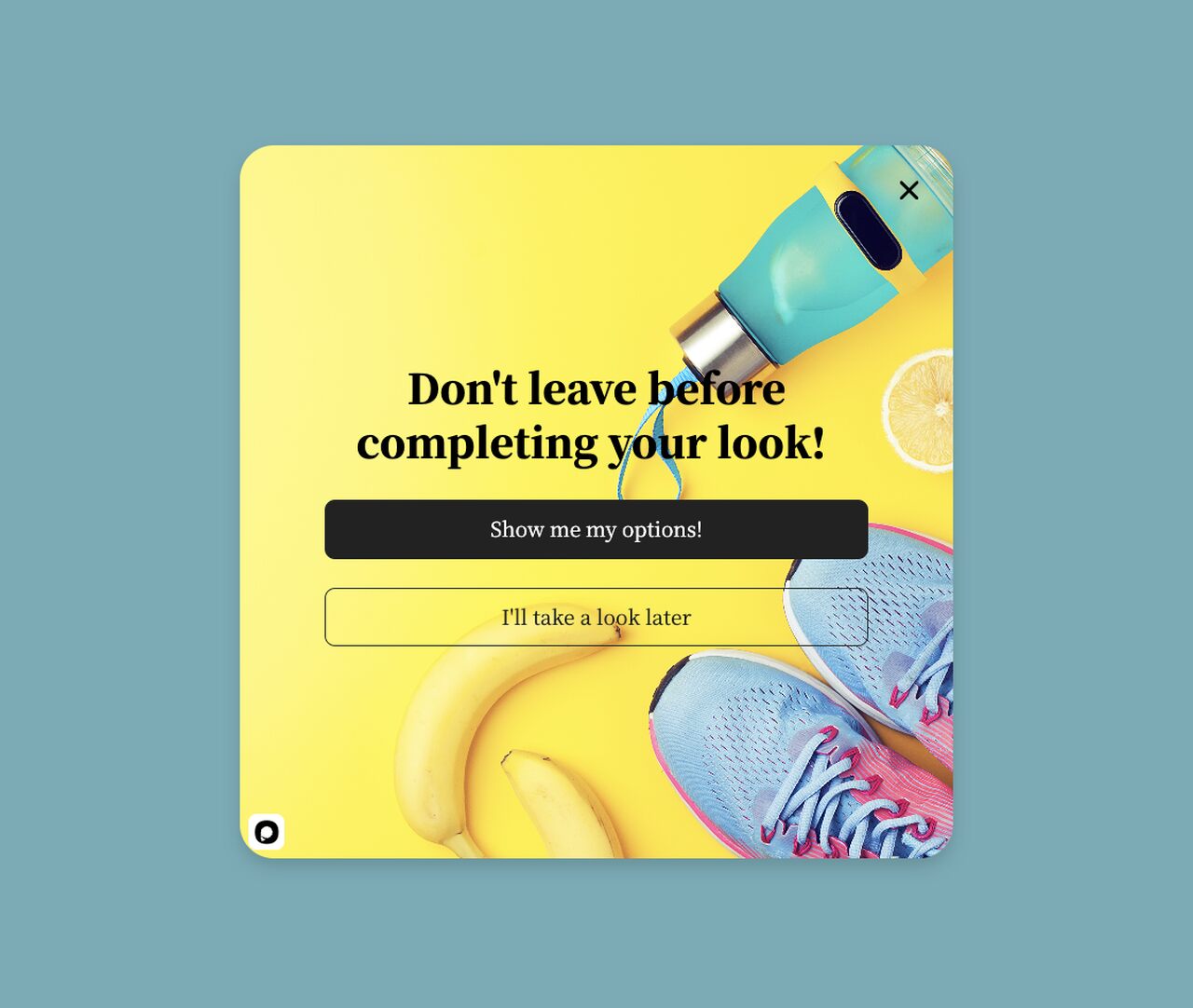
A trigger-word popup built around a direct headline.
What works: This popup is built around copy, not design. The headline "Don't leave before completing your look!" pairs a direct command with a reason that belongs to the shopper: their look, not the store's sale. The buttons keep the same voice: "Show me my options!" or "I'll take a look later". The visual design stays simple because the words carry it.
Why it works: Phrases like "Wait," "Don't leave," "One-Time Offer," and "Last Chance" are pattern-interrupts that earn a second look. Don't expect the words alone to lift conversion, though: in our benchmark, urgency words show no measurable effect on conversion, and the data are too noisy to rule out modest effects. What the data does support is button wording: first-person buttons ("Send my code") convert 1.18% vs 0.80% for neutral wording (English popups, median campaign). And "Show me my options!" is first-person.
Key takeaway: A/B test your current popup against a version that changes only the words: a first-person button and a headline that names what the shopper keeps. The design stays identical, so you'll know the words made the difference.
15. Alternative Payments: The Financing Nudge
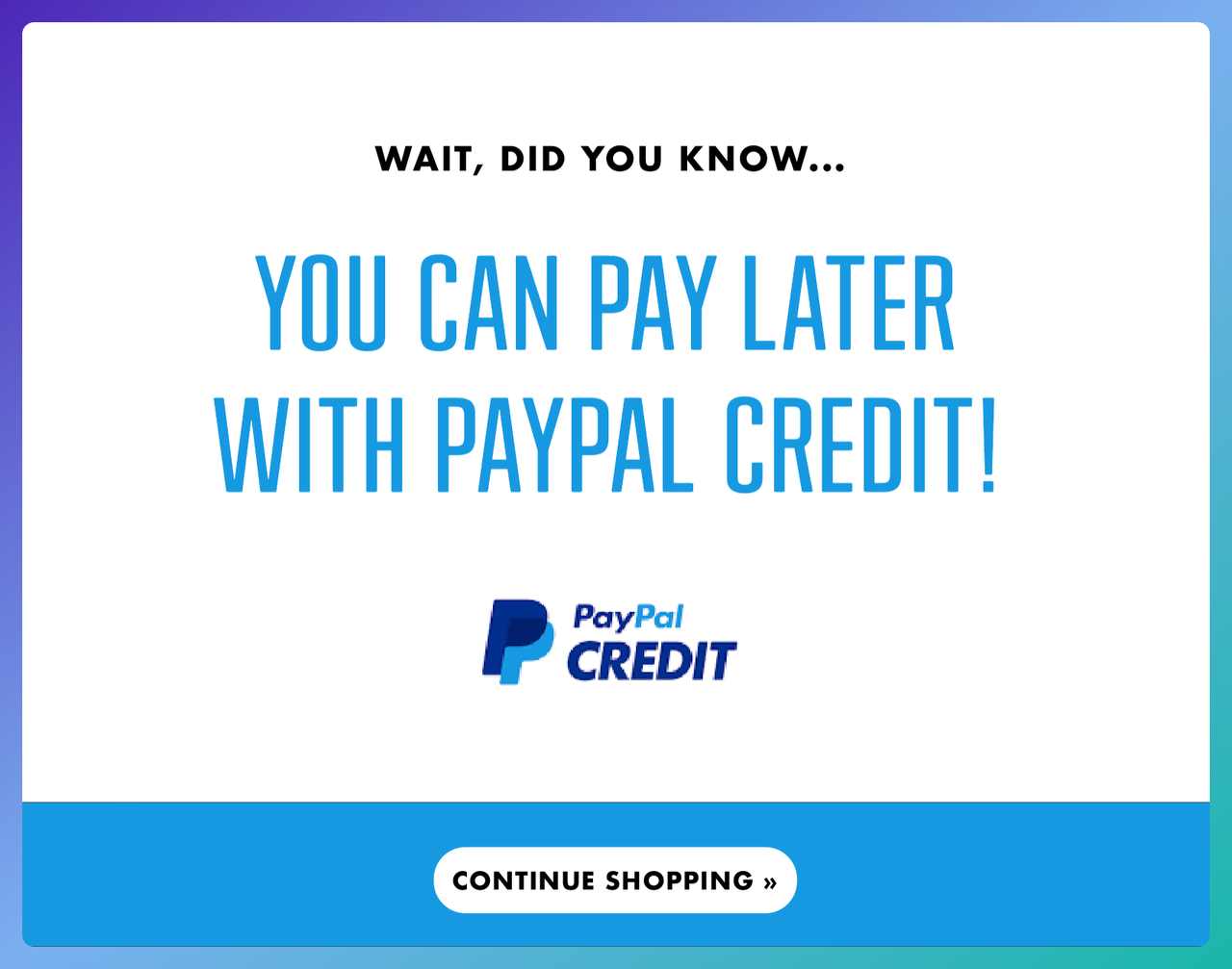
A popup promoting PayPal Credit as a pay-later option.
What works: This popup doesn't offer a discount or a freebie. It reminds the shopper that they can pay later with PayPal Credit. For bigger carts, buy-now-pay-later (BNPL) options address a different objection: cash flow, not value. A shopper who was leaving because "this is a lot for one charge" now has a path.
Why it works: The popup converts hesitation about the money into a payment-structure question, not a price question. Payment friction is a real abandonment cause: in Baymard's survey of US shoppers, 10% of those who abandoned for a checkout reason had a declined card and 9% didn't find enough payment methods. Adding a BNPL or alternative-payment popup at exit targets that friction without touching your margin.
Key takeaway: If your average order value is high, test an alternative-payment exit popup on desktop. You don't need a discount. Surface the payment options your store already accepts but the shopper may have missed. Pair the popup with trust badges (Visa, PayPal, Klarna, Apple Pay) at the bottom of the card to reinforce that the checkout is safe.
Best Practices for Cart Recovery Popups
Once you've picked a pattern from the 15 examples above, the execution details decide whether the popup earns its spot in the session. Plenty of well-designed popups fail on one or two operational missteps. These six are the ones that matter most.
• Cap frequency per visitor: A shopper who closes the popup and sees it again and again will bounce faster next time. The data says where to draw the line: showing a popup a second time caused no measurable drop in conversion within the same campaign; the decline begins with the third showing. Set it in your tool's display frequency settings, and double-check the setting after every change.
• Match the popup to the page context: A cart-abandonment popup on a blog post is just a generic exit offer, and it will convert like one. Restrict the trigger to cart and checkout pages only, with URL targeting rather than broad "site-wide" rules. That's where our benchmark's 4.57% (cart and checkout pages, median campaign) comes from.
• Test the discount code before launch: A broken code on a cart-recovery popup throws away the shopper at the moment they were closest to buying. Run through the full flow every time you launch a new promo, and set up a daily automated check for the code's validity.
• Keep copy under 40 words: Visitors decide fast: 71% of visitors who close a popup do so within 5 seconds of it appearing. Anything past the third line gets ignored. Cut the adjectives, the throat-clearing and the hedging, then lead with the offer and end on the CTA.
• Design mobile and desktop separately: A responsive popup that scales automatically usually looks cramped on mobile and washed out on desktop. Build two variants, test them independently, and accept that the winning copy may differ between screen sizes.
• Pair popups with email follow-up: The popup catches the shopper on-site. The follow-up email catches the ones who left anyway. Together they recover a larger share than either does alone. The abandoned cart recovery section above shows which shoppers each step can reach.
Timing and Trigger Strategies for Cart Abandonment Popups
Trigger choice is where many cart abandonment popups live or die. The wrong trigger fires the right popup at the wrong moment. Below are the settings for a cart page, each checked against what our data says.
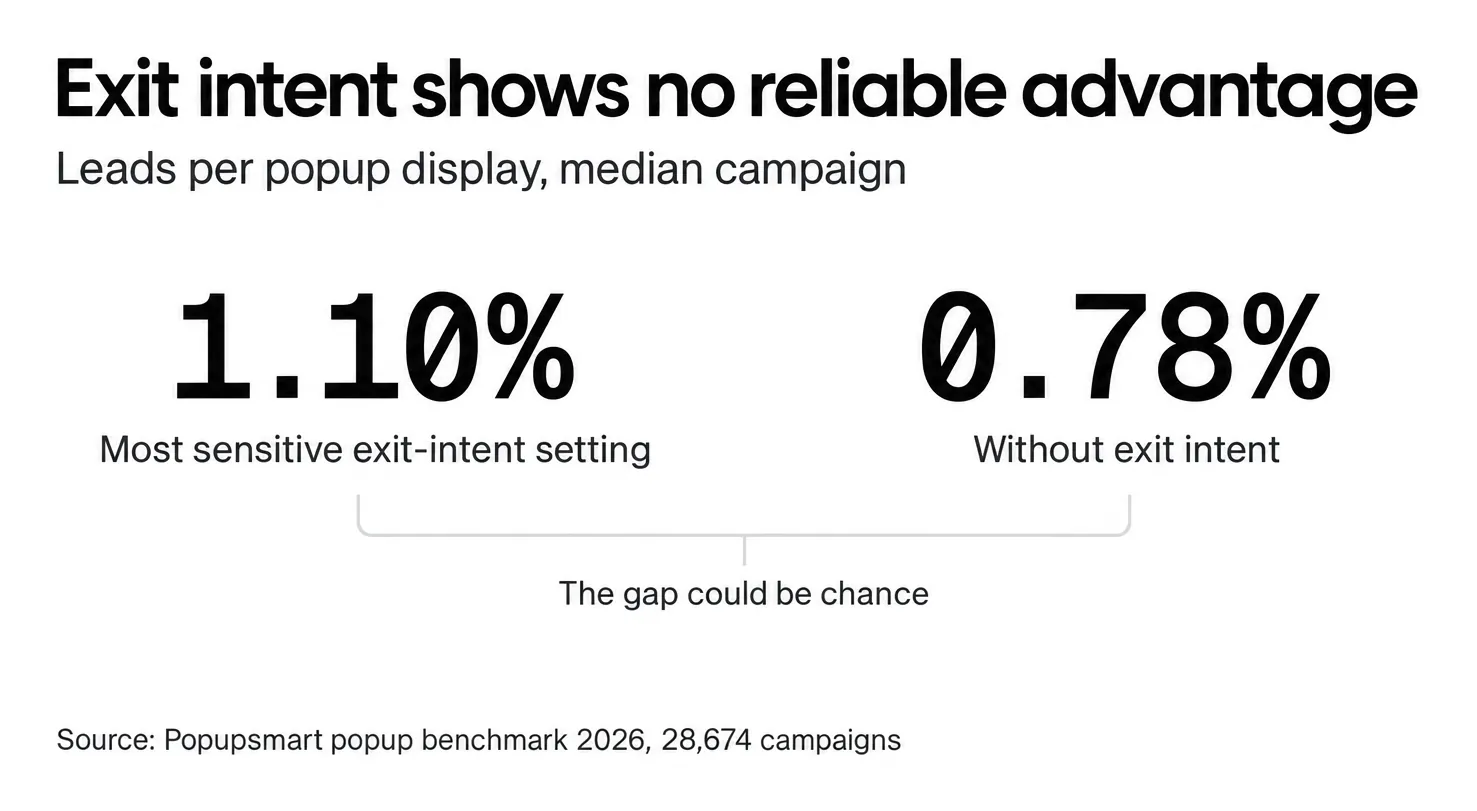
Desktop: exit-intent first, cart-stall backup. Track the mouse crossing the upper browser boundary. It's the cleanest signal a desktop shopper is heading for a tab close or the back button. Use it as a courtesy rather than a conversion trick. This is the part most guides get wrong. Exit intent shows no statistically reliable advantage: popups on the most sensitive exit-intent setting converted 1.10% vs 0.78% without exit intent (median campaign), a gap that could be chance. As a backup, trigger on cart-page inactivity. Don't stack both triggers on the same session or you'll fire twice.
Mobile: scroll-up + inactivity. There's no mouse cursor to track on mobile, so exit intent is detected differently: Popupsmart's exit-intent trigger reads a fast scroll back up the page. Combine it with an inactivity trigger on cart or checkout pages. The inactivity signal catches shoppers who put the phone down mid-checkout and came back with doubts. For a Shopify store, our Shopify exit-intent popup guide walks through the setup.
Frequency: at most two views a week. This is the most-ignored setting in popup tools. Without a cap, a shopper who closes the popup and keeps browsing will see it again, which trains them to close on reflex. The first two views in a week convert at similar rates (1.33% and 1.22% of displays, pooled), and conversion falls from the third. Cap it, and the rate holds up over quarters instead of fading after a few weeks.
Delay after page load: give the shopper a moment. A popup that fires before the page is scanned interrupts browsing and reads as spam. Popups that wait before appearing convert 0.83% vs 0.61% for popups shown the instant the page loads (median campaign); the direction holds in every year of data but the difference is not statistically reliable, so treat it as a lean, not a rule. The exact delay length (0-5 seconds vs 21-60 seconds) makes no measurable difference to conversion, so don't agonize over the number.
Common Mistakes to Avoid While Creating Cart Abandonment Popups
These are the errors that show up most often in cart popups. Each one sounds small, and each one costs conversion rate.
• Popup fires on every page, not just cart/checkout: A "cart abandonment popup" that fires on the homepage is just a generic exit offer with a misleading name, aimed at shoppers who don't have anything in their cart yet. Popups on the home page convert 1.07% and blog pages 0.23%, against 4.57% on cart and checkout pages (median campaign). Fix: restrict the trigger to cart-URL patterns.
• Offering a discount you can't afford: 20% off sounds good until you realize it eats the full gross margin on half your SKUs. Map your discount levels to your margin-by-category data, not to a gut-feel number. Bigger isn't clearly better anyway: 10% off converted 1.25%, 20% off 0.91% and 25-30% off 1.33%, but the larger-discount samples are small (78 and 46 campaigns), so the data cannot rule out a real difference either way. If 10% is all you can sustain, 10% is the right offer.
• No mobile variant, just a shrunken desktop popup: The desktop layout squeezed onto a phone is illegible, and the close button often overlaps the CTA. Fix: design two popups. Mobile copy should be under 20 words, with tap targets at least 44 pixels tall.
• Asking for too much data: A cart-recovery popup that asks for name, email, phone, and SMS consent adds friction at the worst moment. Popups asking for three fields convert 0.56%, against 0.88% and 0.94% for one or two fields (median campaign). Start with one field. If you need more data, ask for it in the post-purchase flow when the shopper has already committed.
• Ignoring popup analytics: Most stores launch a popup and never check the display-to-click-to-lead funnel. Pull the data monthly and judge the popup on leads per display. For context, across 3,034 Popupsmart popups that ask for an email or phone number, the median converts 0.83% of its displays into leads; the top 25% reach 1.96% and the top 10% reach 3.87%. Cart-page popups sit well above the typical popup. Iterate the two worst-performing elements each quarter.
How to Measure a Cart Recovery Popup
A cart recovery popup has one job, so measure that job, not vanity numbers:
• Leads per display: submissions with an email or phone number divided by the number of times the popup was shown. It's the rate our benchmark uses, so you can compare like with like.
• Code redemptions or recovered orders: how many orders used the popup's code, or came back through the recovery email it fed. This is the number your finance team cares about.
• Close rate and time to close: a popup most people close within seconds is either badly timed or badly targeted. 40.5% of popup displays end with the visitor closing the popup (all displays pooled, February 2025 - September 2026, since close tracking began).
• Discount cost: the margin you gave away per recovered order. If a free-shipping or next-purchase variant recovers a similar number of orders, it's the cheaper popup.
Run one change at a time, give each test at least two weeks, and compare variants on the same pages and the same traffic.
Ship Your First Cart Recovery Popup This Week
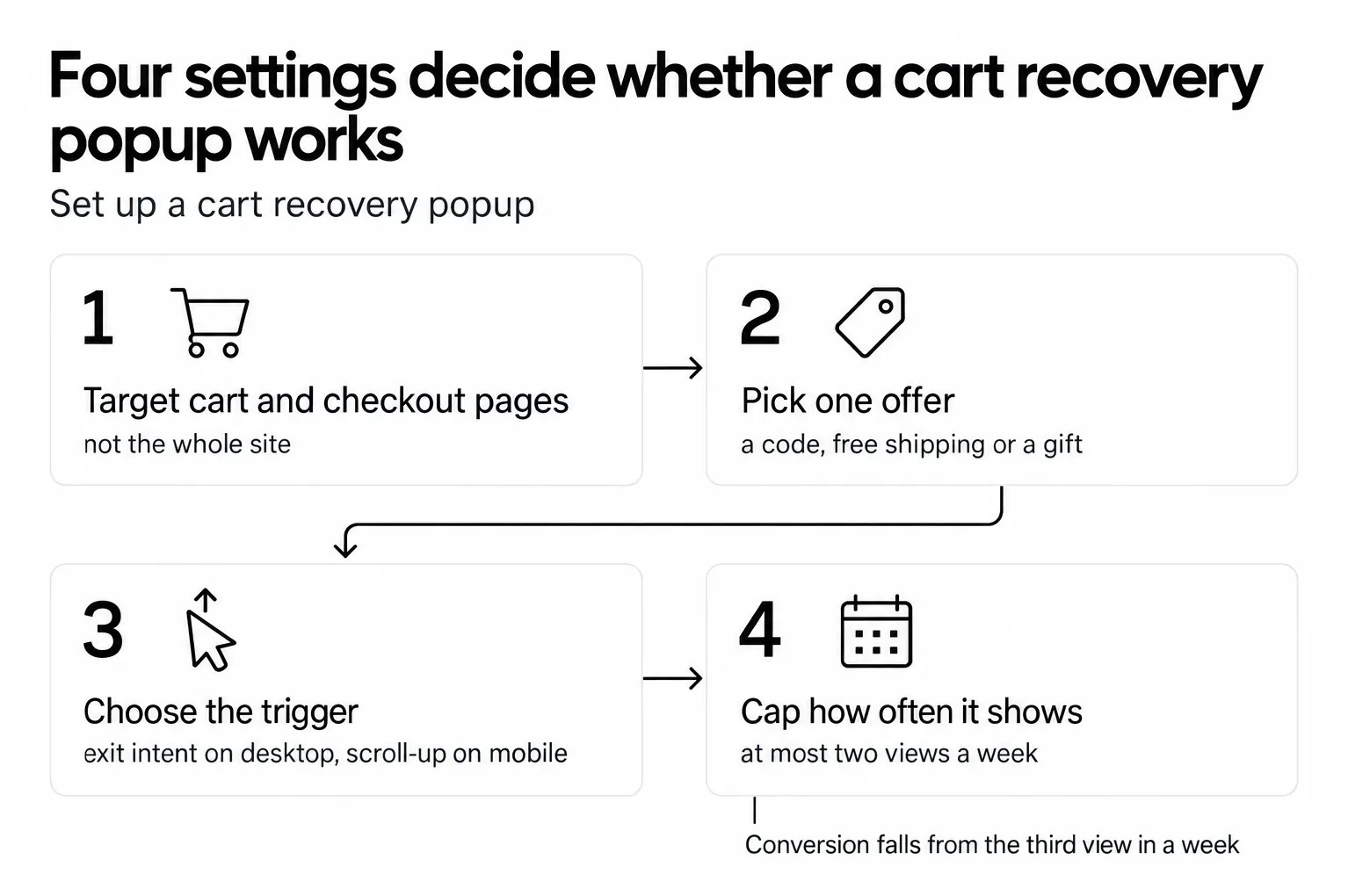
Cart abandonment is a tax you pay on every session until the recovery layer is in place. The 15 examples above are a starting kit. Pick the one closest to your store, clone the structure, and put it live on cart and checkout pages this week. Don't over-engineer the first version; a baseline popup launched this Friday will teach you more in two weeks than a perfect popup launched next quarter.
Here's the order to work in over the next seven days. First, build one exit-intent popup with a single-field email capture and a one-time discount code. That's the baseline play, and it works across industries. Second, layer a mobile-specific variant on scroll-up plus inactivity, because 63% of popup displays happen on mobile. Third, pair both with an abandoned cart recovery email sequence so the shoppers who still leave don't walk out empty-handed. If you're getting ready for the holiday rush, our Black Friday popups guide shows how to adapt the same popup for sale week.
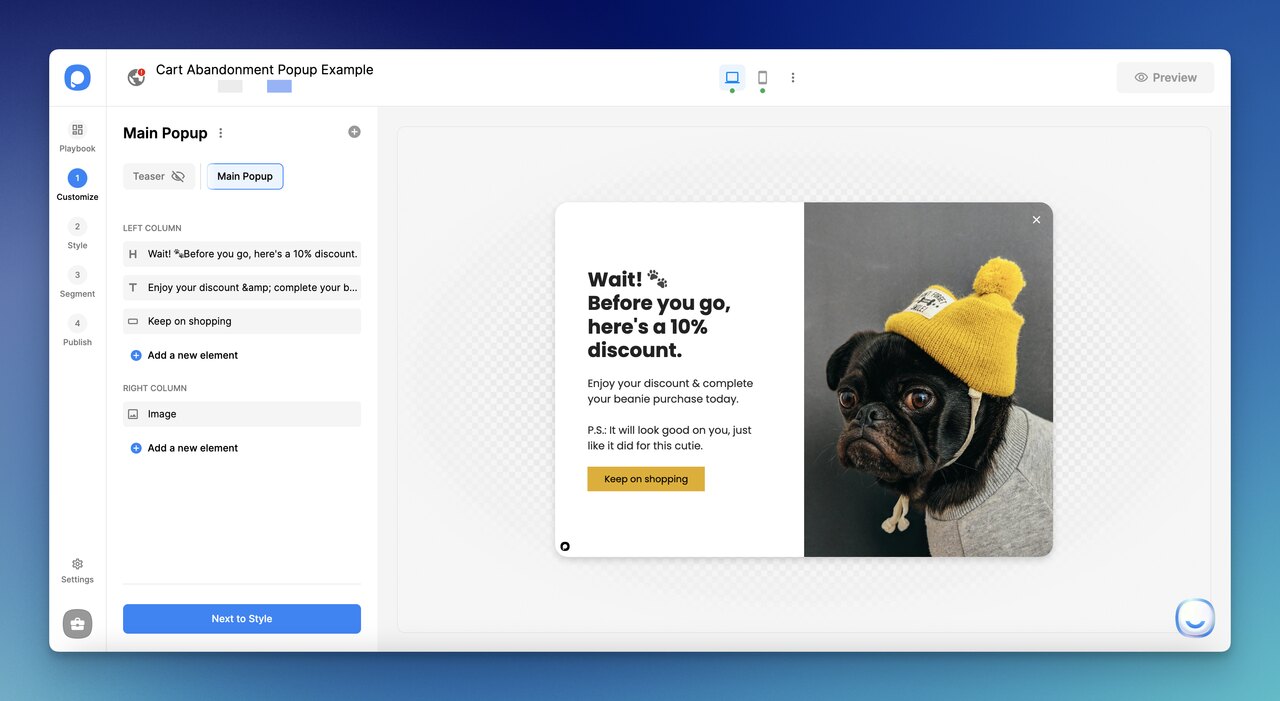
Building a cart recovery popup inside Popupsmart.
A no-code tool like Popupsmart's AI popup builder drafts the popup for you, and you set the cart-page targeting, trigger and frequency cap without touching code.
Frequently Asked Questions
What is a good cart abandonment popup?
A good cart abandonment popup fires at a real exit signal, offers one clear incentive, and asks for one action, nothing else. The copy stays under 40 words, the CTA is a single button, and the form (if any) has one or two fields. Put it where the intent is: in Popupsmart's 2026 benchmark, popups on cart and checkout pages convert 4.57% vs 1.07% on the home page (median campaign). If your popup converts poorly, check where it runs and how many things it asks for before you blame the offer.
How do you make a cart abandonment popup?
Pick a no-code popup builder, choose an exit-intent template, customize the offer (discount, free shipping, or free gift), restrict the trigger to cart and checkout URLs, and cap how often the same visitor sees it. The harder part is iteration: launch a baseline, watch leads per popup display for two weeks, then A/B test one element at a time: offer first, then the form, then the headline. Change three things at once and you'll never know which change moved the number.
What is the best popup for abandoned cart?
The best popup for your abandoned carts depends on your average order value and margin structure. A discount code is the usual choice: in Popupsmart's 2026 benchmark, signup popups that offer a discount code convert 1.46% vs 0.75% for signup popups without one. Bigger discounts did not convert measurably better than 10% off, though the larger-discount samples are small. For stores that can't discount, a free branded gift or a next-purchase code protects margin while still rescuing the session. Test two variants against each other on a 50/50 split, and let the data pick, not gut feel.
What incentives work best in cart abandonment popups?
The best incentive depends on which objection is driving the abandonment. For sticker-shock objections, a percent or dollar discount works. For shipping-cost objections, free shipping or a shipping threshold beats a generic discount: extra costs (shipping, tax, fees) are the top checkout reason in Baymard Institute's survey, named by 40% of the US shoppers who abandoned for a reason other than just browsing. For margin-sensitive stores, a free branded gift or a next-purchase code preserves list price. For new shoppers specifically, a first-purchase welcome discount anchors the relationship before doubt kicks in. Never stack more than two incentives in one popup.
Do exit-intent popups work for cart abandonment?
Use exit intent as a courtesy, not as a conversion trick. In Popupsmart's 2026 benchmark, exit intent shows no statistically reliable advantage: popups on the most sensitive exit-intent setting converted 1.10% vs 0.78% without exit intent (median campaign), a gap that could be chance. Where the popup appears matters more: popups on cart and checkout pages convert 4.57% vs 1.07% on the home page.
What is the difference between a cart abandonment popup and a cart recovery popup?
Nothing that changes how you build one. Both names describe an on-site popup that appears to a shopper with items in the cart who is about to leave, and tries to finish the sale or keep a way to reach them. "Cart recovery" is also used for the abandoned-cart emails that follow; the popup is the on-site half of the same play.
If you enjoyed reading this article, you might as well be interested in the following related topics: