
How to Use Shopify Audience Targeting?
Boost conversions on your Shopify store with Popupsmart's Shopify Audience Targeting. Learn how to optimize engagements for effective conversions.
Utilizing Shopify Audience Targeting, you have the seamless ability to convey customized messages to the appropriate users, leveraging their dynamic properties while they browse your website.
By leveraging Shopify Audience Targeting, you can effectively target users for various campaigns, including discount offers, free shipping promotions, lead collection initiatives, and important announcements. You have the flexibility to target users:
- who has a specific registered address,
- whose cart total is more than 100 USD,
- who has a specific product in their cart,
- who has logged in, etc.
With Shopify Audience Targeting, you unlock the ability to create hyper-personalized marketing campaigns that significantly enhance the customer experience and drive conversions.
Important
To use Shopify Audience Targeting, your website should be built with Shopify.
How to Set Up Shopify Audience Targeting
Add Audience Targeting
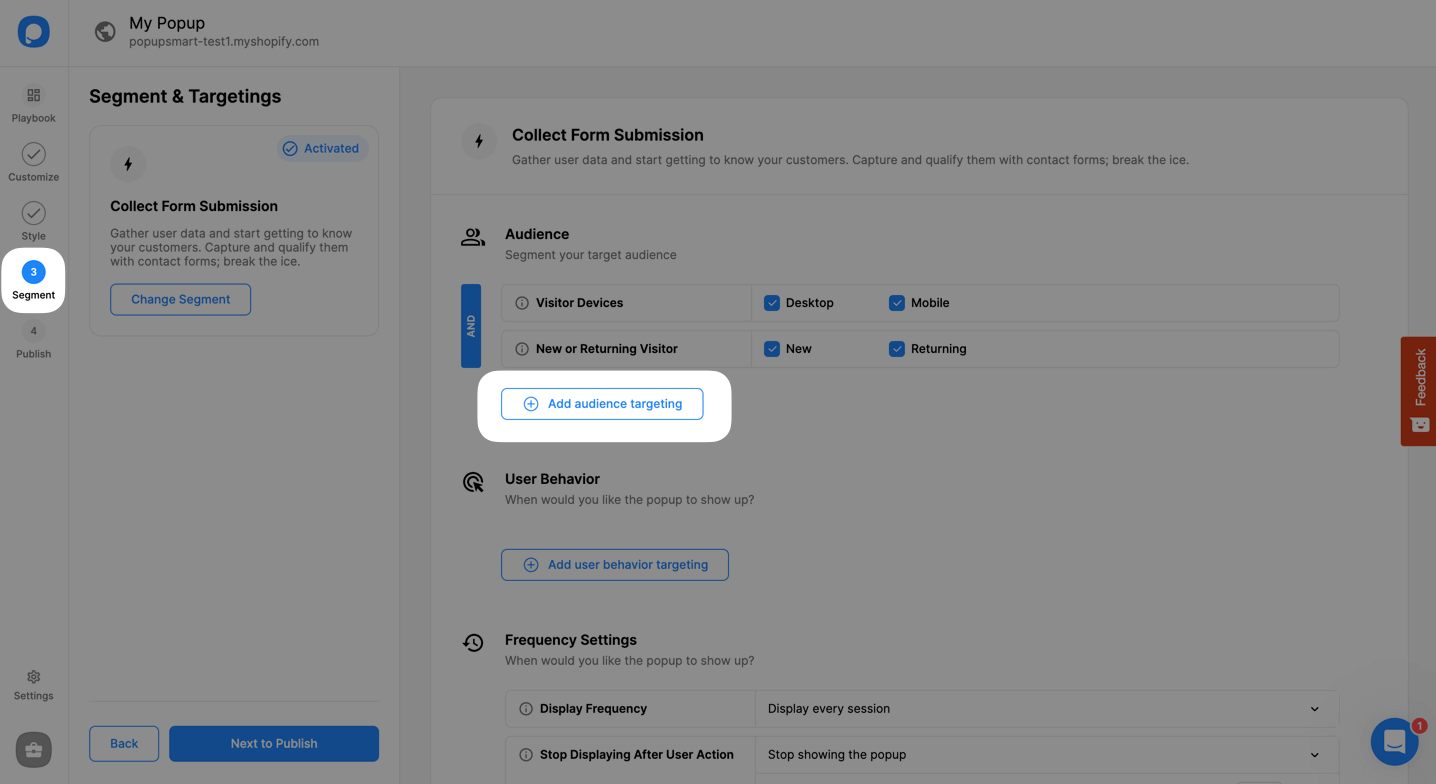
On the popup builder screen, navigate to the "Segment" section and click "Add audience targeting" under "Audience".
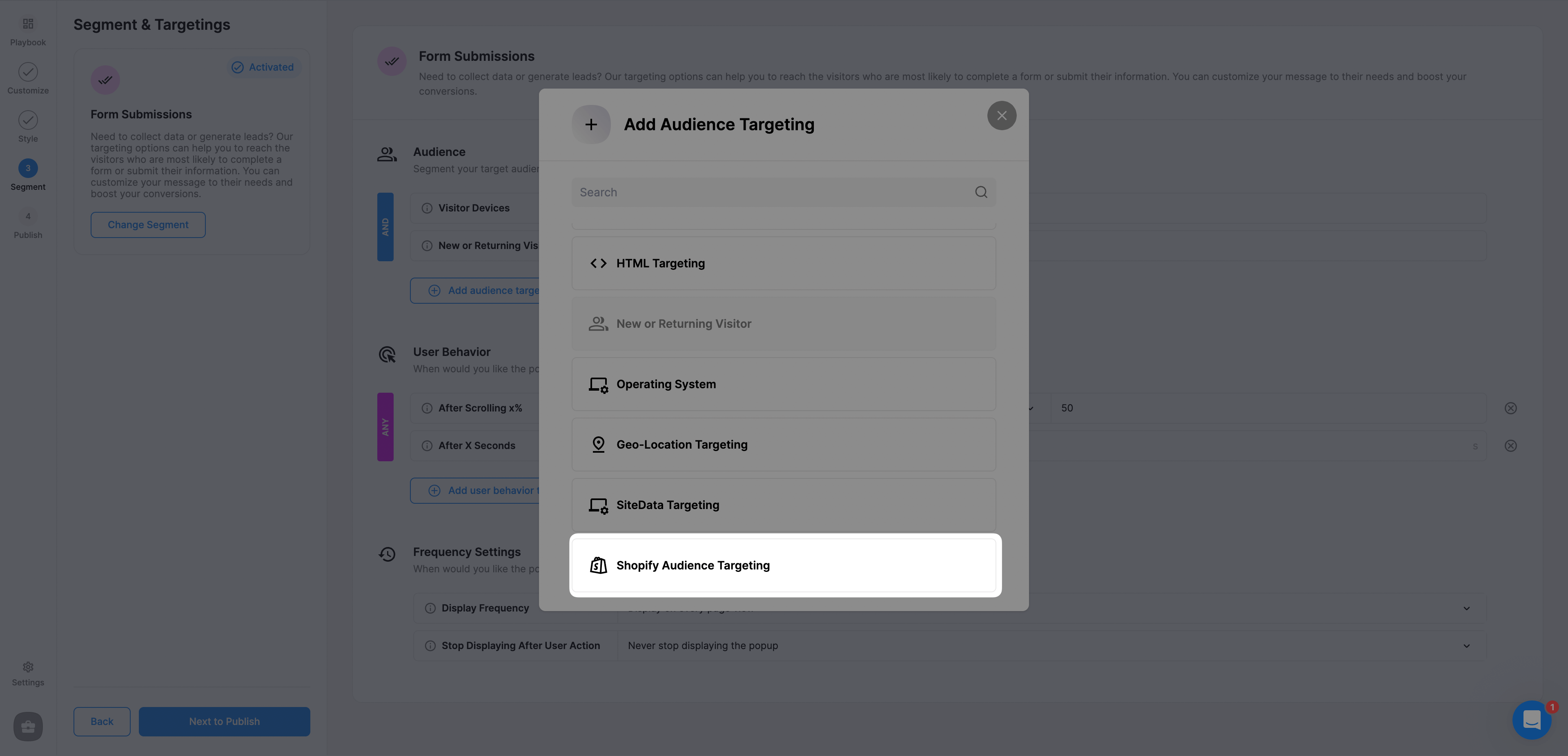
Configure Targeting Rules
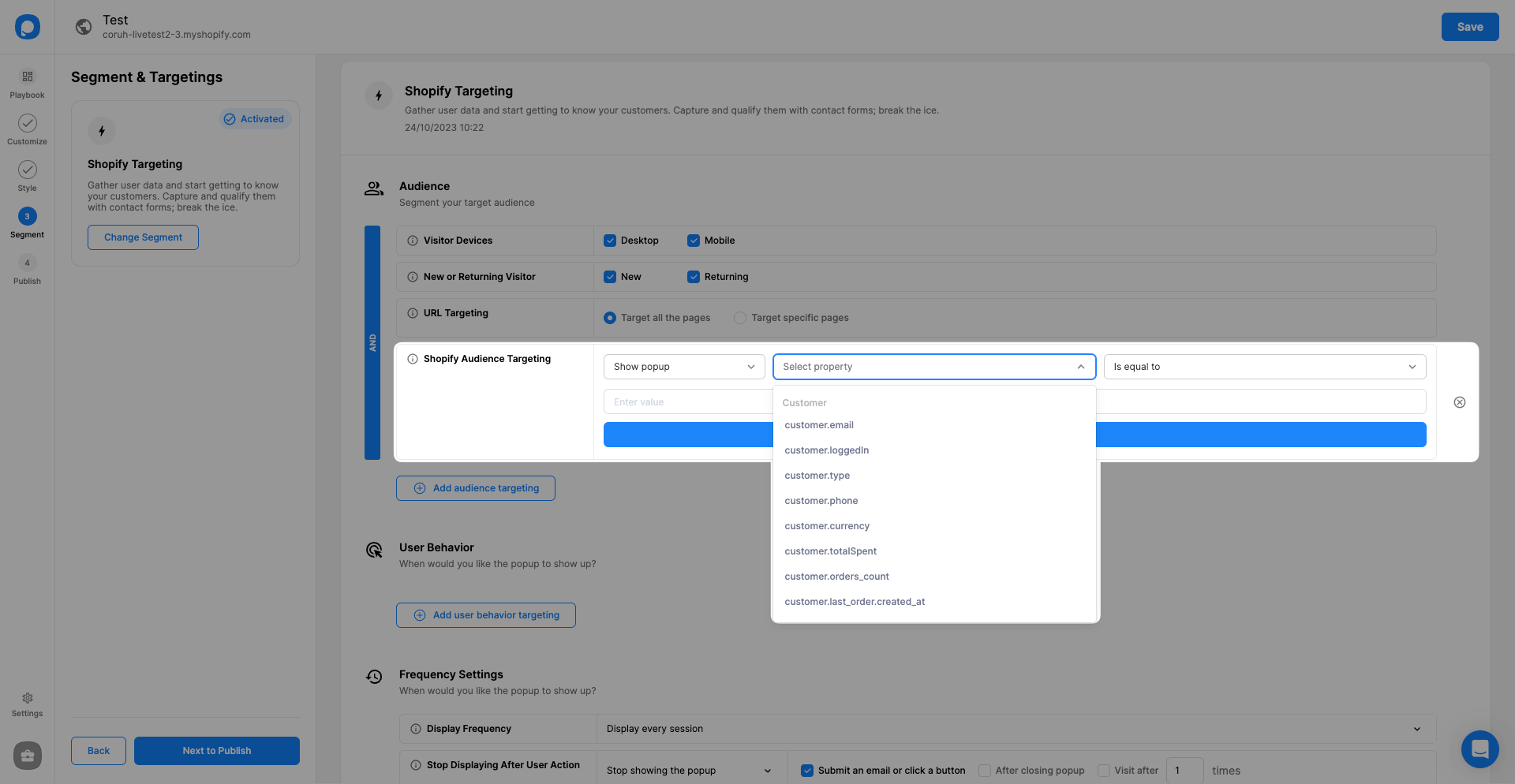
Select either Hide Popup or Show Popup from the dropdown menu. Then, from the Select Property dropdown, click on the property you want to use and select an operator for your property.
Add Property Values
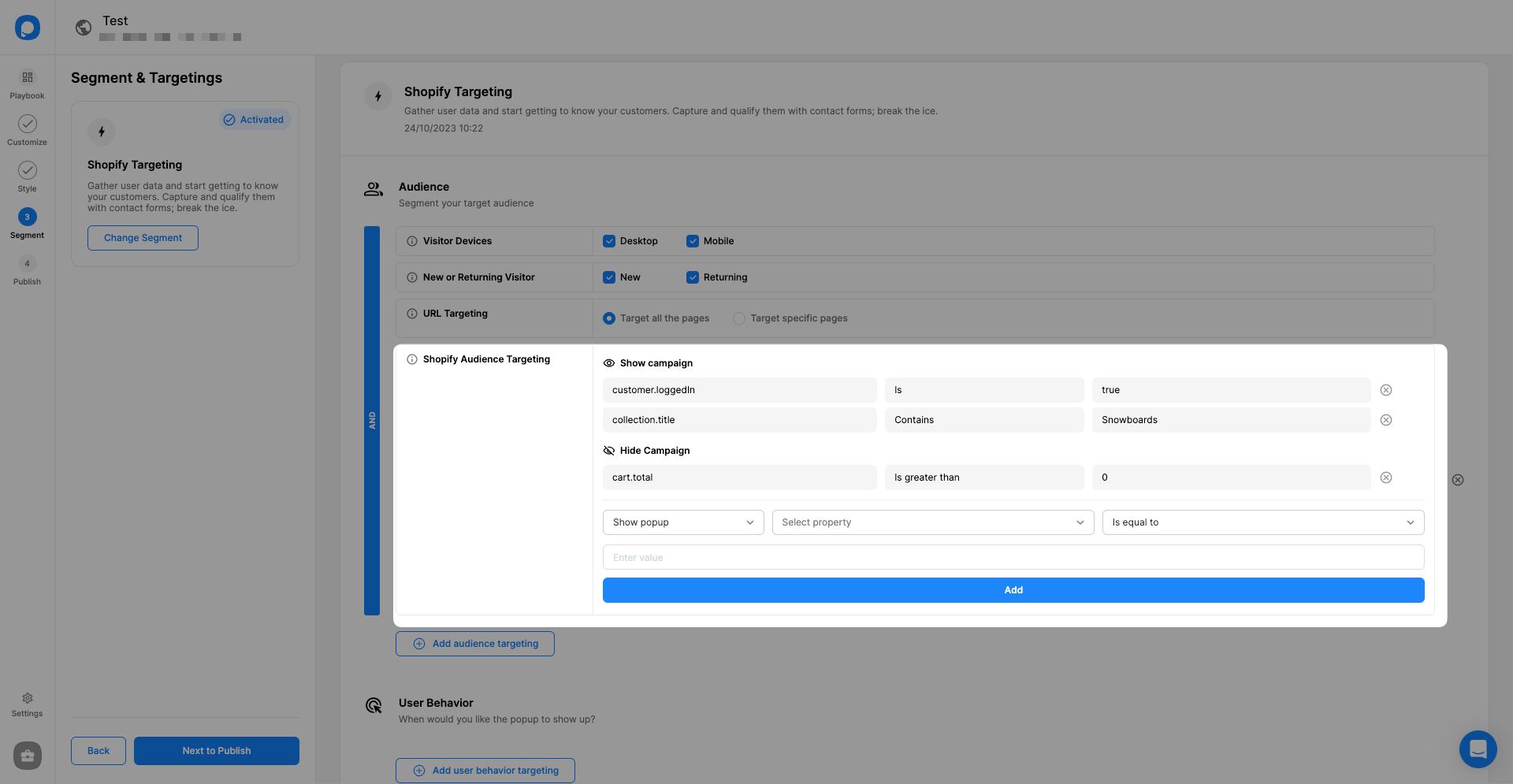
Add property and value pairs to create highly personalized targetings. Once done, you are ready to witness increased conversions and round-the-clock lead collection.
Targeting Logic
- The hide property will override the show property for Shopify targeting.
- Hide cluster targetings operate with an AND logic between each other.
- Show cluster targetings also operate with an AND logic between each other.
Targeting Dictionary
How is this guide?