 ChatGPT
 Perplexity
 Claude
 Grok
Grok Google AI Mode
Worry not! Upsell and cross-sell are actually some of the simplest and most effective ways to grow your Shopify business.
By encouraging your customers to purchase more products, you can increase your profits and build stronger relationships with your audience.
In this post, we’ll walk you through how to upsell and cross-sell on Shopify, one of the most popular e-commerce platforms around, so you can start seeing the benefits for your own store!
What is Upselling?
Upselling (also written up-selling or up sell) means offering a shopper a better, higher-priced version of the product they are already about to buy.
That's the textbook line. Okay, now forget about all those boring generic definitions, and let us explain what upselling is in a fun way.
Imagine you're at a burger joint, and you're trying to decide what to order.
You're eyeing the classic cheeseburger, but the server comes up to you and says, "Hey, have you tried our deluxe burger with extra cheese and bacon? It's only a few bucks more and totally worth it."
That, my friend, is upselling in action!
Upselling is like getting a "super-size" upgrade on your fast food meal, but instead of fries and a drink (that’s cross-selling, we’ll get there in a min), you're getting a better product with more features. It's a win-win!
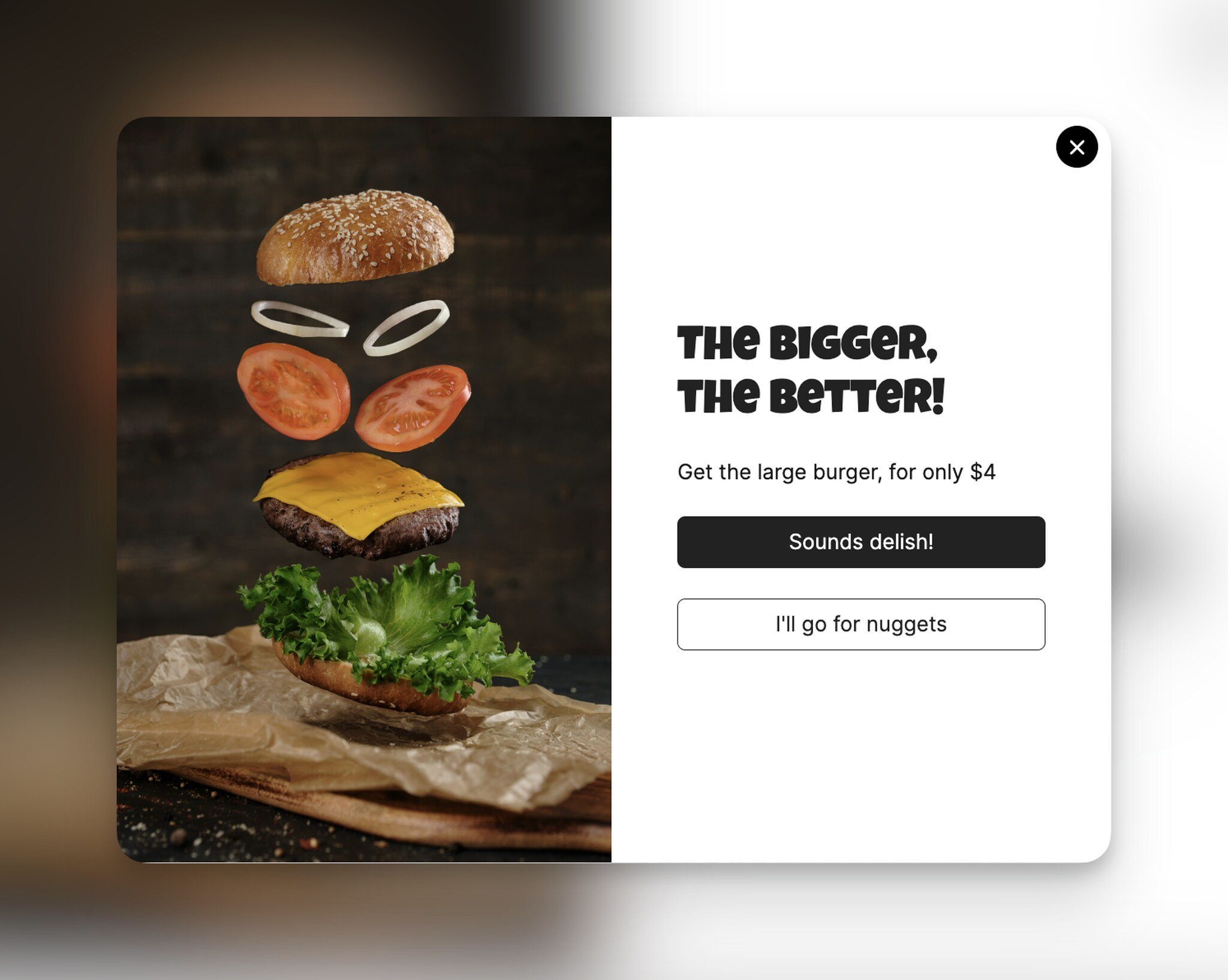
Upselling is a fun and effective sales strategy used in various industries, and it's a great way to provide customers with better options and improve your sales at the same time.
Now let’s see what cross-selling is.
What is Cross-Selling?
Now that we know what upselling is let’s check cross-selling.
Cross-selling is like when you go to a fast food restaurant and the server asks, "Do you want fries with that?"
It's a sales technique where the seller suggests additional products that complement or enhance the product the customer is already buying or interested in.
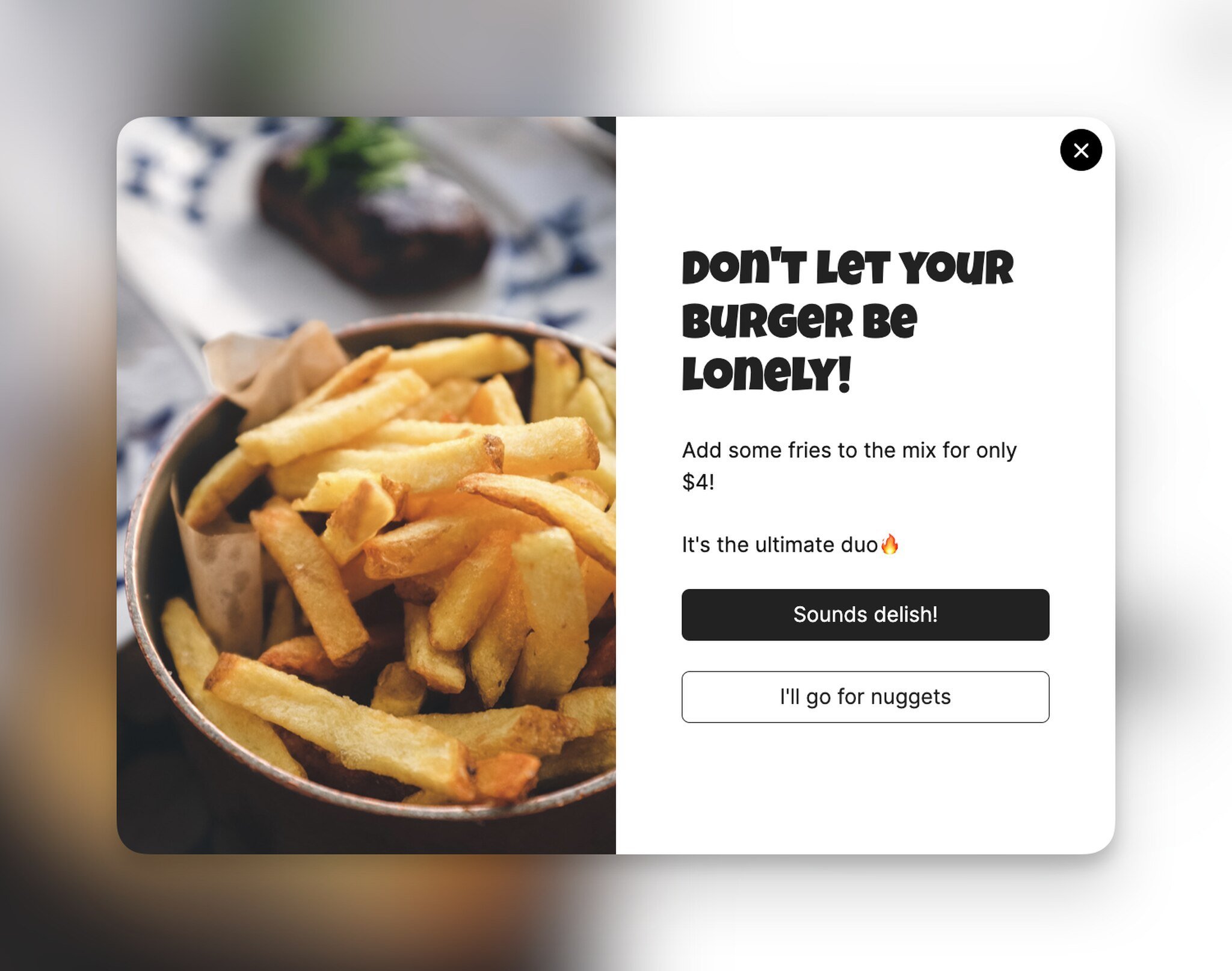
For example, when you're shopping for a new phone case online, you might be suggested a screen protector that fits perfectly with the case you're considering.
Or, if you're buying a new dress, the seller might suggest a matching necklace or earrings that would complete the outfit.
Cross-selling is a great way for sellers to increase their revenue while providing customers with a more complete shopping experience.
Customers get more value, and sellers get more sales!
What is the Difference between Upselling and Cross-Selling?
These two terms, upselling and cross-selling, might be confusing from time to time. So let’s try to understand the difference with some examples.
At the core, upselling and cross-selling are both sales techniques that aim to increase revenue and provide a better shopping experience for customers, but they work in slightly different ways.
Upselling is when the seller suggests a more expensive or premium version of the product the customer is already interested in.
For example, if a customer is looking at a basic laptop, the seller might suggest a more advanced version with more features and a higher price tag.
Cross-selling, on the other hand, is when the seller suggests complementary or related products that would enhance the customer's original purchase.
For example, if a customer is buying a camera, the seller might suggest a memory card or a camera bag that would work well with the camera they're buying.
So, the key difference between cross-selling and upselling is that:
Cross-selling suggests additional products that complement or enhance the customer's original purchase, while upselling suggests a more expensive or premium version of the product the customer is already interested in.
How to Upsell and Cross-Sell on Shopify
There are numerous methods to improve your customers' buying experience and raise your average order value through upselling and cross-selling.
On Shopify, an upsell or cross-sell offer reaches the shopper in one of three ways:
- Shopify's free Search & Discovery app adds related and complementary products to your product pages. Your theme needs sections for them.
- An upsell app from the Shopify App Store places offers in the cart, at checkout or after the purchase. The table below compares the main ones.
- A popup shows the offer on any page you choose, with the product inside it. Tip 6 below covers how.
Shopify upsell apps
An upsell app is a Shopify app that puts an extra offer (an upgrade, an add-on or a bundle) in front of shoppers at a set point of the buying journey. There's no single best upsell app for Shopify. The right one depends on where you want the offer to appear: on the product page, in the cart, at checkout, or after the order is placed.
These six were live on the Shopify App Store when we checked their listings in October 2026:
| App (developer) | Where the offers show | Suits | Free plan | App Store rating |
|---|---|---|---|---|
| ReConvert post purchase upsell (Upsell.com ex ReConvert) | Post-purchase funnels and the thank-you page; also product page, cart, and checkout (checkout upsells on Shopify Plus only) | One-click offers right after the order | Yes, up to 50 orders or $50 upsell revenue | 4.8 (3,094 reviews) |
| Frequently Bought Together CBB (Code Black Belt) | A bundle widget on product and cart pages, added to the cart in one click | Product-page bundles with a percentage, fixed, free-item or free-shipping discount | Yes, up to 3 manual bundles | 4.9 (1,204 reviews) |
| In Cart Upsell Cross Sell (ICU) (In Cart Upsell) | Product page, cart page and cart drawer, a popup when the shopper clicks checkout, post-purchase | In-cart offers with conditional logic and A/B tests | Yes, 1 offer with the app's watermark | 4.8 (586 reviews) |
| Bold AI Upsell & Cross-Sell (Bold) | Product page, cart and cart drawer, post-purchase, email; checkout offers on its Shopify Plus plan | AI-picked offers, order bumps, and chained funnels across the journey | No; 7-day free trial, paid plans from $4.99 a month | 4.4 (594 reviews) |
| Honeycomb Upsell & Cross Sell (Conversion Bear) | Product page, cart, one-click post-purchase, thank-you page; in-checkout on Shopify Plus | Funnel-style offers with split tests | Yes, 100 funnel views a month | 4.6 (158 reviews) |
| Qikify Upsell & Cross-sell (Qikify) | Product and cart pages | BOGO, Buy X Get Y, and frequently-bought-together add-ons | Yes, one live campaign | 4.8 (677 reviews) |
Ratings, free plans and prices are as of October 2026, from each app's Shopify App Store listing. Most of these apps charge more as your order count or upsell revenue grows, so check the plan against your volume before you install.
Pick by placement. If you sell items that go together, a product-page bundle app such as Frequently Bought Together CBB is the simplest start. If shoppers already add several items, an in-cart offer reaches them while they review the cart. And if you'd rather not compete with the first purchase at all, a post-purchase offer only shows after the shopper has paid.
If you'd rather run the offer in a popup that you control page by page, Popupsmart's Shopify element does it without a separate upsell app (see tip 6). Our comparison of Shopify popup apps covers the popup tools side by side.
11 Shopify Upsell and Cross-Sell Best Practices
If you want to increase your sales and revenue on Shopify, upselling and cross-selling are two techniques worth using.
However, it's essential to do it the right way to ensure that you're providing value to your customers and not coming across as pushy or spammy.
Here are some best practices to follow when implementing upsell and cross-sell strategies on your Shopify store:
1. Analyze Customer Data
One of the best ways to understand your customers is by analyzing customer data such as purchase history, browsing behavior, and demographics.
By looking at this data, you can identify patterns and trends that can help you identify opportunities for upselling and cross-selling.
For instance, if you notice that many of your customers who buy a certain product also tend to buy a related product, you might want to suggest the related product as a cross-sell offer.
2. Segment Your Customers
If you have a group of customers who tend to buy high-end products, you might want to offer them premium versions of the products they are interested in.
That's why segmenting your customers into specific groups based on their behavior, preferences, or demographics help you understand them better, which leads to creating more relevant upsell and cross-sell offers.
3. Ask for Feedback
In an effort to understand your customers and their needs, one of the best ways is simply to ask them.
You could use surveys, feedback forms, or popups to gather feedback from your customers about their experience with your products and services.
This feedback can be incredibly valuable in helping you identify opportunities for upselling and cross-selling, as well as improving your overall customer experience.
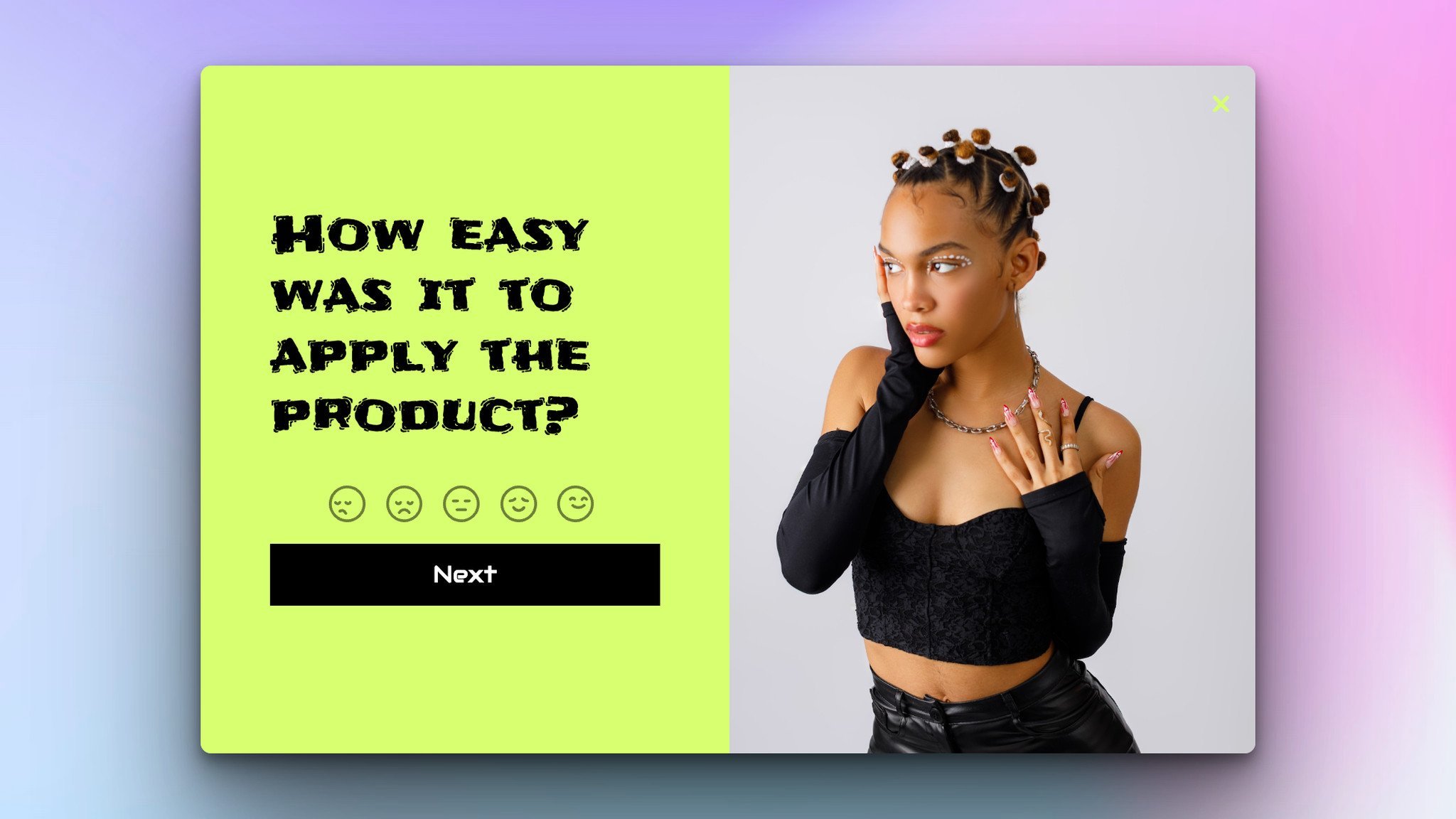
Here you can see a feedback popup example from Popupsmart with a unique design!
4. Place Offers in Strategic Locations
Location of your upsell/cross-sell offer matters!
You want to make sure that your offers are placed in areas where customers are most likely to see them.
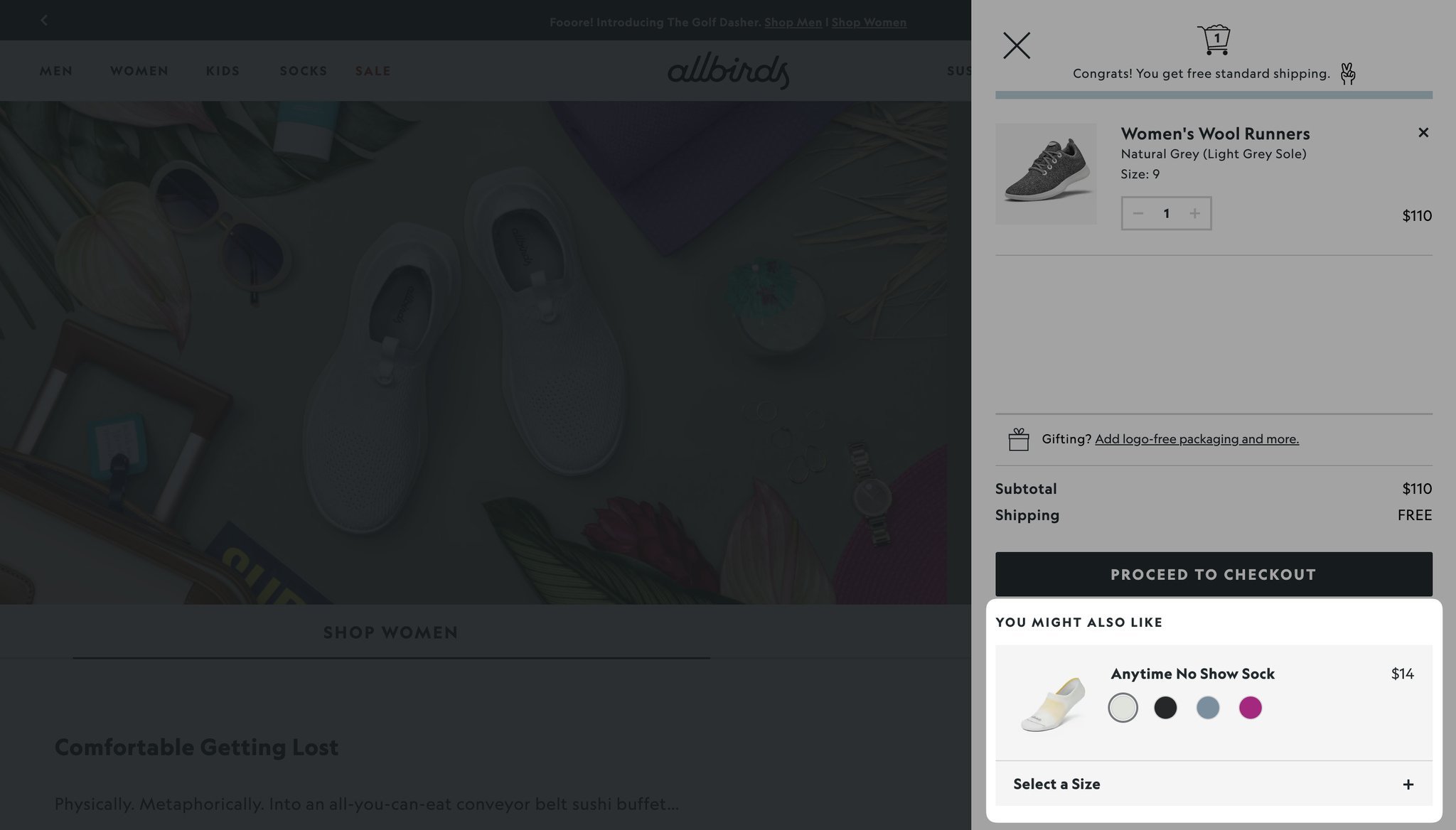
For example, you might want to place your offers on the product page or checkout page, as these are areas where customers are already engaged with your store.
5. Use Visual Elements
Another effective way to display your offers is by using visual elements, such as images or icons.
This not only makes your offers more eye-catching, but it also helps customers quickly understand what the offer is about.
For example, you might use a "Bundle and Save" icon to indicate that a bundle offer is available.
6. Use Popups or Banners
Popups and banners can be super effective for drawing attention to your offers. They help you showcase your offers site-wide so every customer gets to see them.
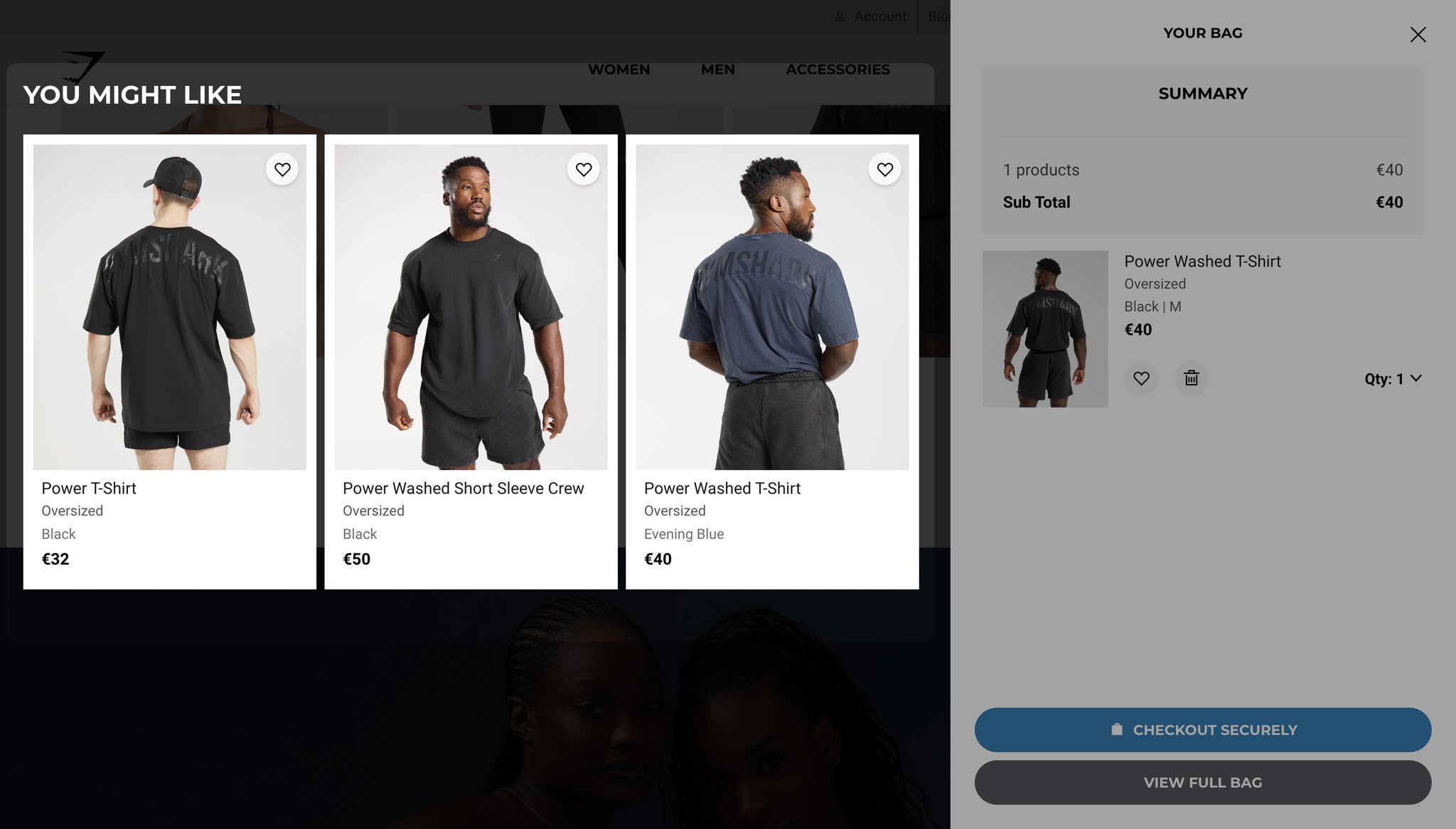
For example, you might use a “You might also like” popup to showcase your products. Popupsmart has a special Shopify element that you can use to let your visitors know about your collections even if they are not on the collection page.
The Shopify element pulls products from the visitor's cart, from one of your collections, from a product feed URL, or from products you pick by hand. Its button can open the product page or add the product to the cart without leaving the page. Pair it with Shopify audience targeting to show the offer only when the cart total passes an amount you set or a specific product is in the cart: hats for shoppers who just added sunglasses, for example.
Liva Pastacılık, a food store on Shopify, built its cross-sell popup from one of Popupsmart's Shopify collection templates, with an "Add to Cart" button inside the popup. The campaign reached a 13.49% conversion rate in 15 days, as told in the Liva Pastacılık customer story.
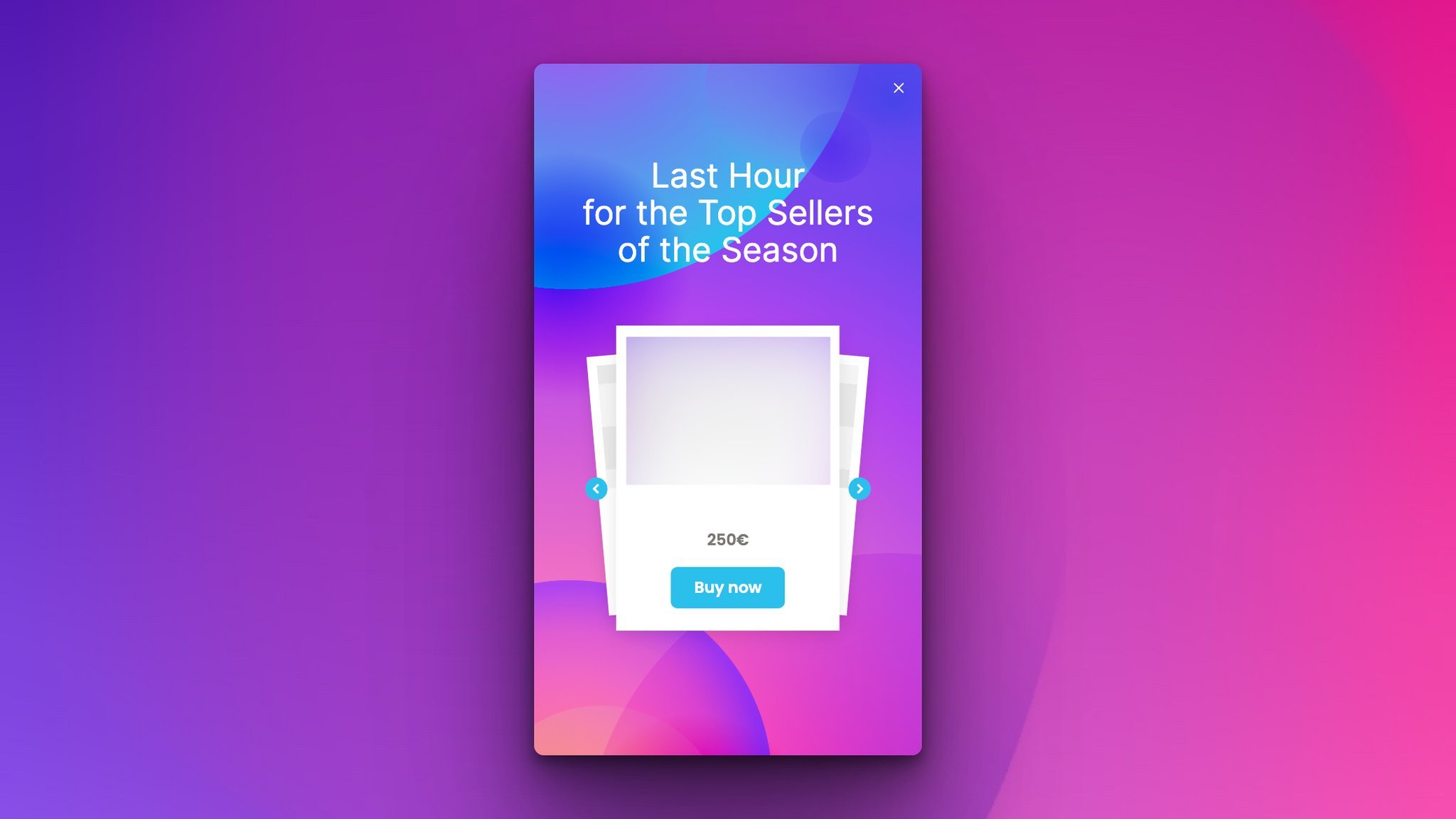
You can also add a countdown timer to trigger FOMO and increase the chances of your customers checking out the products you suggest and adding them to their cart.
You can choose a ready-to-use popup template or create one from scratch easily, as Popupsmart is a no-code popup builder!
Try Popupsmart for Free Today!
7. Offer Relevant Products
The most important thing when upselling or cross-selling is to offer products that are relevant to the customer's needs and preferences.
If a customer is buying a pair of running shoes, it's relevant to offer them running socks or a fitness tracker, but not a pair of sandals.
Ensure that you analyze customer data to understand their purchase history, search queries, and preferences to offer the most relevant products.
8. Make the Offer Valuable
The upsell or cross-sell offer you provide should be valuable to the customer, or else it will seem like a desperate attempt to increase sales.
Offer discounts, bundle products, or provide complimentary products to make the offer more enticing.
Ensure that the offer provides additional value to the customer, such as saving them time and money or providing a better experience.
9. Time the Offer Right
Timing is essential when it comes to upselling and cross-selling on your Shopify store.
Don't bombard the customer with offers as soon as they land on your website.
Wait until they have had a chance to browse and add items to their cart before offering additional products. Timing the offer appropriately will improve the chances of the customer accepting it.
Tip: With Popupsmart's precise targeting features like inactivity mode or after X second targeting, you can precisely set the time to show your upsell/cross-sell popup without disturbing your visitors.
10. Keep it Simple
Don't overwhelm the customer with too many offers or complicated deals.
Keep the offer simple and straightforward to understand. Use clear, concise language and make it easy for the customer to accept the offer.
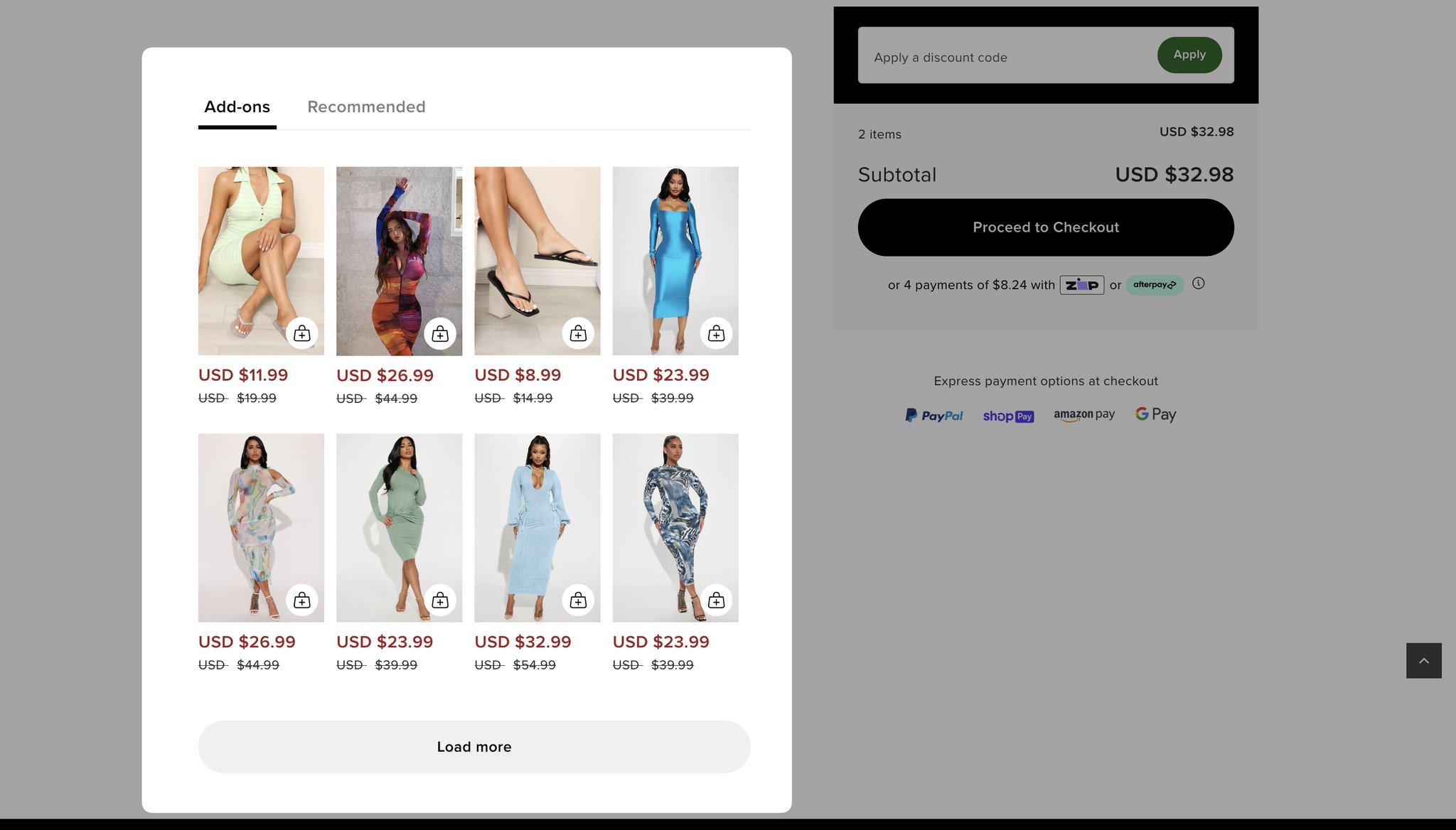
For example, if you're offering a product bundle, display it as a simple add-on option on the product page.
11. Test and Analyze
Finally, it's essential to test and analyze your upsell and cross-sell strategies to determine what's working and what's not.
Try different types of offers, display locations, and timing to see which approach works best for your customers.
Use analytics tools to measure the success of your strategies and make changes accordingly.
By implementing these Shopify upsell and cross-sell best practices, you can enhance the shopping experience for your customers while increasing your sales and revenue!
12. Bonus
It’s important to optimize your upsell and cross-sell performance, and for this, you need to measure the effectiveness of your offers.
There are several key metrics you should track to gauge how well your offers are performing. These include:
- Conversion Rate: This is the percentage of customers who accept your upsell or cross-sell offer. A high conversion rate indicates that your offer resonates with your customers and is effective.
- Average Order Value (AOV): This is the average amount spent by customers in a single transaction. A higher AOV indicates that your customers are buying more from you, which can be a good sign that your upsell and cross-sell offers are working.
- Revenue: This is the total amount of money generated from your upsell and cross-sell offers. Higher revenue means your offers are effective and profitable.
Before You Leave…
Congrats, you upselling superstar! Armed with our top tips for Shopify, you're ready to take on the world (well, at least the e-commerce one).
Don't forget to keep your customers in mind, offer them mouthwatering deals and combos, and suggest products they'll adore.
By doing all this, you'll make more sales and make more dough! And don't forget; popups are always a good idea for upselling and cross-selling strategy for your Shopify store if done right.
Plus, Shopify's got your back with a bunch of apps and integrations to help you out.
So go forth and upsell like a boss. You got this!
Frequently Asked Questions
1. Does Shopify Allow Upselling?
Yes, Shopify allows upselling through various apps and integrations.
This strategy involves suggesting complementary or higher-priced products to customers before they complete their purchase, helping to increase your average order value and revenue.
Shopify's own free Search & Discovery app can show related and complementary products on product pages. For offers in the cart, at checkout or after the purchase, you add an upsell app from the Shopify App Store or a popup.
2. What is the Rule of Three in Upselling?
The rule of three in upselling means presenting customers with three options to choose from, as this provides enough variety without overwhelming them.
For example, a software company may offer a basic, standard, and premium version of its product, while a restaurant may offer a "starter, main, and dessert" option.
Using the rule of three helps businesses provide customers with a range of options to suit their needs and preferences while increasing the likelihood of a higher-value purchase.
3. What are the Four Types of Upselling?
The four types of upselling are:
- Upgrade (offering a higher-end product or service),
- Add-on (offering complementary items),
- Cross-selling (suggesting related products),
- Substitution (offering a similar product with higher value).
Check These Out!