
How to Promote a Webinar: 15 Best Ideas in 2026


 ChatGPT
 Perplexity
 Claude
 Grok
Grok Google AI Mode
Webinar promotion is crucial in 2026 because the market is crowded; strong multi-channel promotion boosts attendance, lead quality, brand authority, and long-term content value. It outlines 15 tactics, prioritizing email, popups, and LinkedIn plus follow-up.
Efficient promotion is crucial for the success of a webinar.
Promoting a webinar requires a multi-channel approach that starts at least two weeks before the event. These 15 webinar promotion strategies cover email sequences, social media campaigns, paid advertising, popup-driven registrations, and post-event follow-ups. Each strategy includes implementation steps and evidence-based expected results for B2B marketing teams looking to fill seats and generate qualified leads.
Why Does Webinar Promotion Matter in 2026?
Webinar promotion is the difference between speaking to 15 people and speaking to 1,500. Without a structured promotion plan, even the best webinar content goes unseen.
The B2B marketing world has leaned harder into webinars over the past three years, and the data backs this up. According to Blogging Wizard's 2026 benchmark report, 95% of businesses now consider webinars an important part of their marketing strategy.
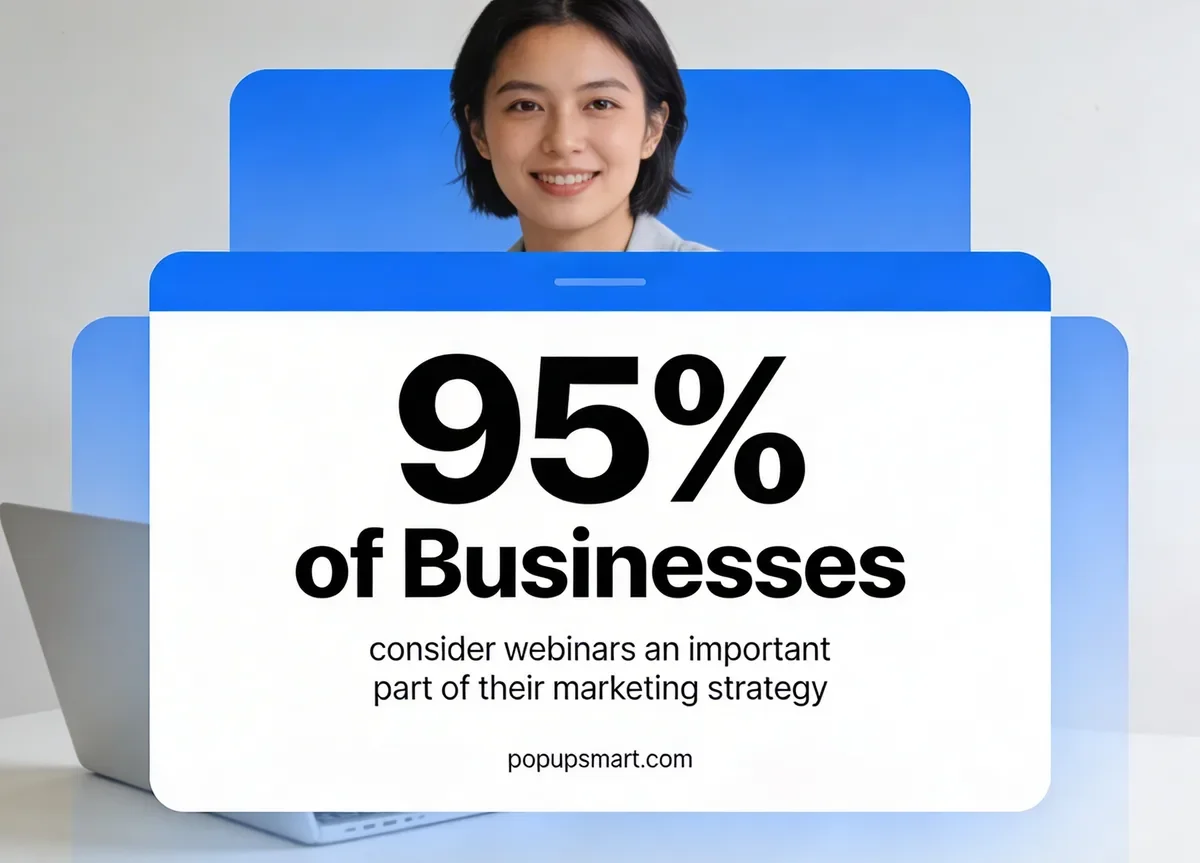
Source: Blogging Wizard webinar statistics report
That number tells you the market is crowded. Every competitor in your space is running webinars too, which means the promotion strategy matters more than the content itself. A mediocre webinar with excellent promotion will outperform a brilliant webinar that nobody knows about.
Here's what effective promotion actually delivers:
- Higher attendance rates. Promotion across multiple channels increases your registration-to-attendance ratio. Most webinars lose 40-60% of registrants before the live event. Consistent reminders and multi-touch campaigns recover a portion of those no-shows.
- Better lead quality. When you promote to specific audience segments rather than broadcasting to everyone, attendees are more likely to match your ideal customer profile. That means your sales team spends less time qualifying and more time closing.
- Stronger brand positioning. According to Livestorm's 2026 Webinar Benchmark Report, 78.9% of enterprises rate webinars as critical to their marketing mix, compared to 60.2% of SMBs. If you're competing against larger companies, a well-promoted webinar signals expertise and authority that levels the playing field.
- Extended content lifespan. A promoted webinar doesn't die after the live session. On-demand recordings, recap blog posts, and social clips can generate leads for months. But only if people know the recording exists.
Overview of Webinar Promotion Strategies
Quick overview of all 15 strategies:
1. Social Media Promotion: Build anticipation across LinkedIn, Instagram, and X with countdown posts and event pages
2. Email Marketing Sequences: Send personalized invite sequences that drive 23% of early registrations
3. Dedicated Landing Pages: Create conversion-optimized registration pages on your website
4. Blog Content Promotion: Publish pre-webinar and post-webinar posts with embedded registration CTAs
5. Press Releases: Attract media coverage for high-profile speakers and topics
6. Paid Advertising: Run targeted LinkedIn and Google ads to reach new audiences fast
7. Email Signature Lines: Turn every company email into a passive promotion channel
8. Cross-Promotions and Co-Hosting: Partner with complementary brands to double your reach
9. Trade Show and Event Promotion: Bridge offline events with online registration via QR codes
10. LinkedIn Content Strategy: Publish articles and thought leadership posts targeting professional audiences
11. Registration Popups: Capture website visitors with targeted, behavior-triggered popup campaigns
12. Facebook Live and Podcast Teasers: Build hype with preview content on audio and video channels
13. Employee Advocacy Contests: Motivate your team to generate registrations through internal competitions
14. YouTube Promotion: Create teaser videos and repurpose past webinar clips for discoverability
15. Post-Webinar Follow-Up: Extend your webinar's value with on-demand access and nurture sequences
1. Social Media Promotion: Reach Thousands of Potential Attendees Organically
Social media promotion puts your webinar in front of audiences who already follow your brand and expands your reach through shares and hashtags. It works because social platforms reward consistent, engaging content with organic distribution, and event-related posts tend to get higher engagement than standard marketing content.
How to implement:
1. Start posting about your webinar 14 days before the event. Create a content calendar with 8-10 posts spread across LinkedIn, Instagram, X, and Facebook. Front-load the first week with topic teasers and speaker introductions
2. Create a branded hashtag that combines your company name with the webinar topic. Use it on every post so attendees can follow the conversation
3. Build a Facebook Event and a LinkedIn Event page. Both platforms send automatic reminders to RSVPs, which means free follow-up touchpoints you don't need to manage
4. Post countdown content in the final 3 days: speaker quote cards, behind-the-scenes prep photos, and a "last chance to register" story. Short-form video teasers (under 60 seconds) consistently outperform static images on every platform
5. Tag your speakers and any partner organizations in every post. Their reshares extend your reach into audiences you don't own
According to Growth Marketing Pro's webinar statistics roundup, 58% of B2B marketers already use webinars as part of their content strategy. That means your target audience is already conditioned to register for webinars from their social feeds. The brands that post consistently and early capture the largest share of registrations.
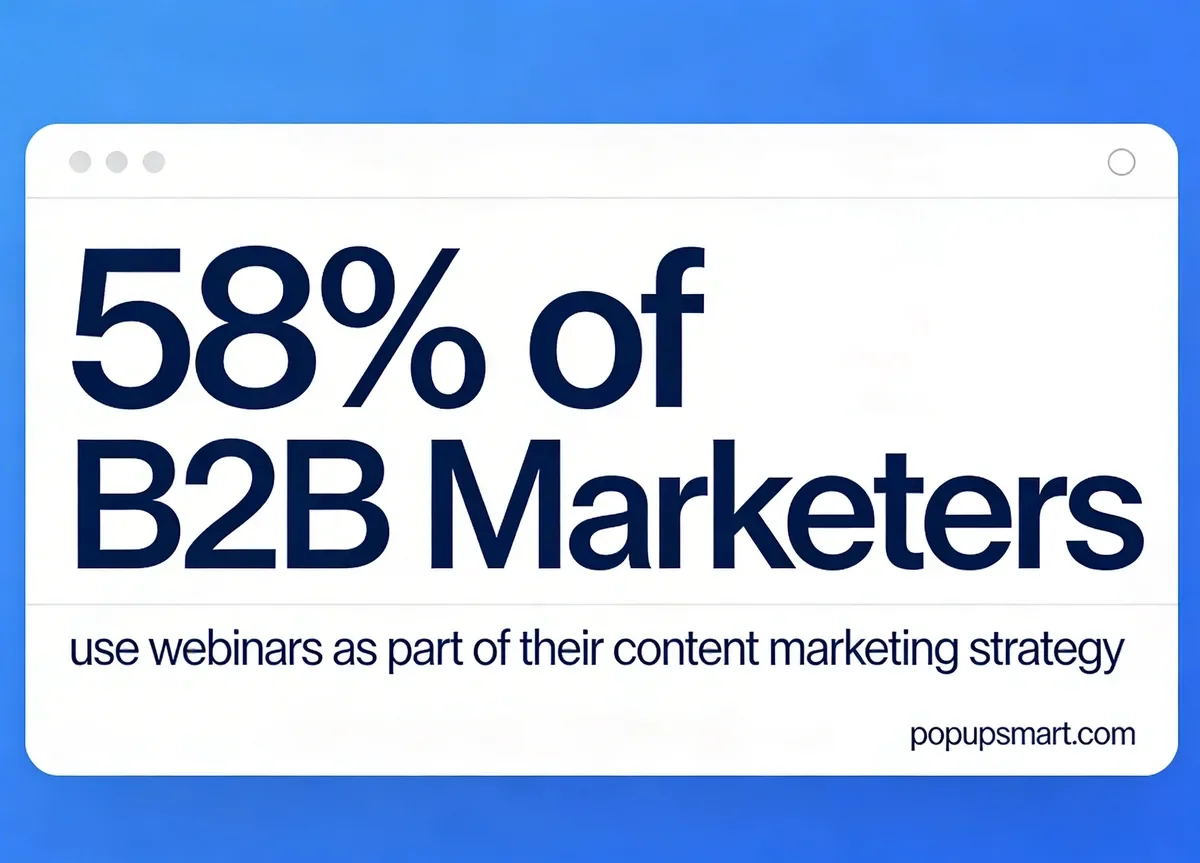
Source: Growth Marketing Pro webinar statistics
2. Email Marketing Sequences: The Highest-Converting Promotion Channel
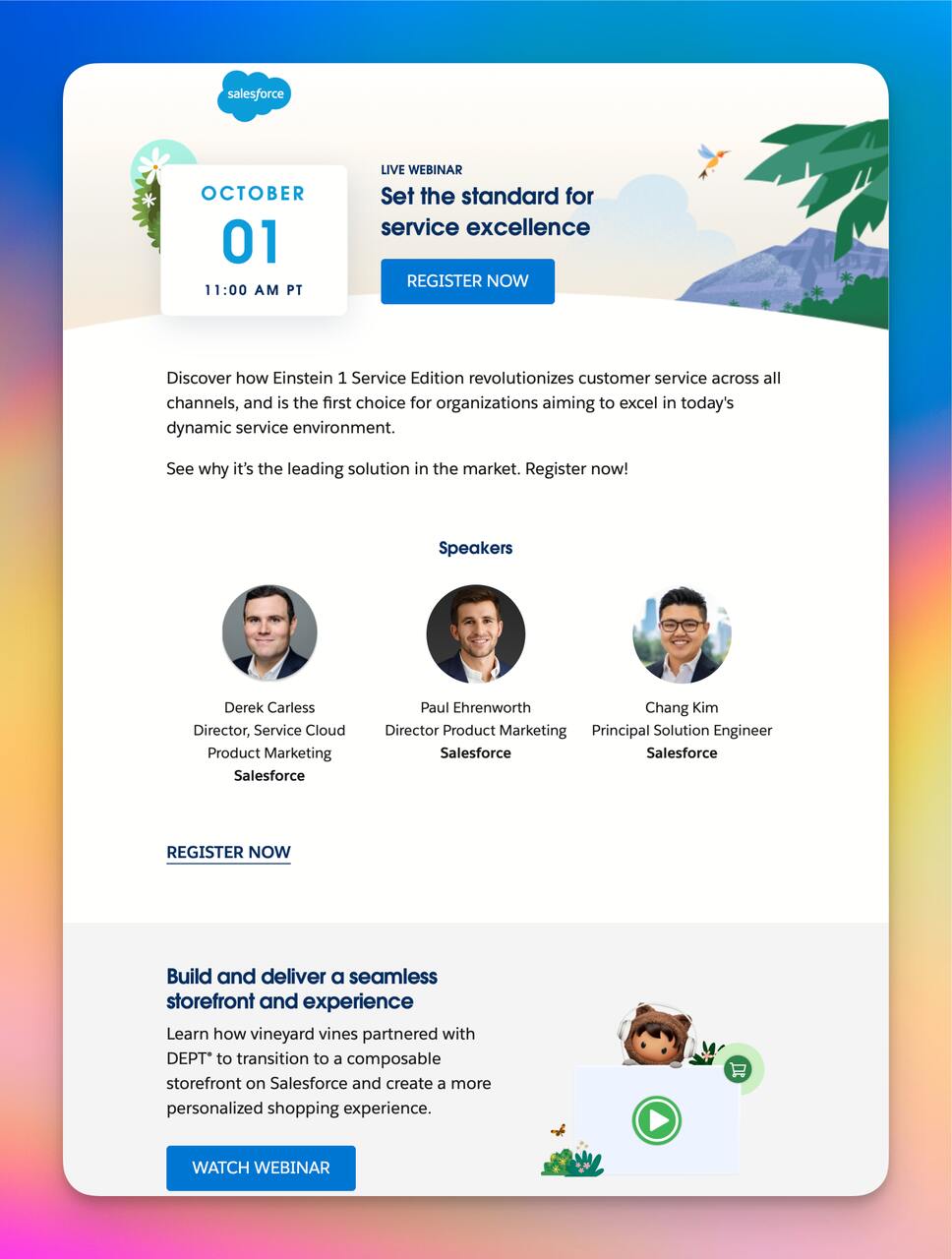
Email marketing gives you direct access to people who've already opted into hearing from you. Unlike social media, where algorithms control distribution, emails land in inboxes with near-100% delivery rates. For webinar promotion specifically, email outperforms every other channel because the audience is warm and the format supports rich detail about your event.
How to implement:
1. Build a 4-email sequence: announcement (14 days out), value preview with speaker bios (7 days), last-chance reminder (1 day), and morning-of reminder (2 hours before). Each email should have a single, prominent registration CTA
2. Personalize beyond just the first name. Segment your list by job title, industry, or past webinar attendance. A marketing manager and a VP of Sales should receive different messaging about why the webinar matters to them
3. Write subject lines that emphasize the benefit, not the event. "3 conversion tactics we'll break down live on Thursday" works better than "You're invited to our webinar"
4. Include a calendar invite attachment (.ics file) in the confirmation email. Registrants who add the event to their calendar show up at 2-3x the rate of those who don't
5. Integrate your email marketing automation tools with your webinar platform so registrant data flows automatically into your CRM without manual CSV exports
According to Wolters Kluwer's webinar registration analysis (citing ON24 data), 23% of registrations happen 15 or more days before a webinar. That means your first email needs to go out early. I've found that teams who wait until the week before their webinar to start emailing leave a quarter of potential registrations on the table.
3. Dedicated Landing Pages: Convert Visitors into Registrants
A dedicated landing page gives your webinar a single, distraction-free destination where every element points toward one action: registration. Sending traffic to your homepage or a generic events page splits attention and kills conversion rates.
How to implement:
1. Build the page with a clear headline that states the webinar topic and date. Below the fold, include speaker headshots with one-sentence bios, 3-4 bullet points on what attendees will learn, and the registration form
2. Keep the form short. Name, email, and company name is enough for most B2B webinars. Every additional field reduces completion rates by roughly 10%
3. Add social proof directly on the page: "Join 500+ marketers already registered" or a testimonial from a previous webinar attendee. If you've hosted webinars before, display your average attendee satisfaction score
4. Place banner ads or sticky bars on your highest-traffic pages that link to this landing page. Tools like website promotion strategies can guide you on which placements drive the most clicks
5. Set up UTM parameters for every traffic source pointing to this page so you can measure which channels drive the most registrations in Google Analytics
4. Blog Content Promotion: Build Organic Traffic That Converts Over Time
Blog promotion turns your webinar into a content asset that generates registrations through search traffic long after you publish it. Unlike paid ads that stop working when you stop paying, blog posts can rank for webinar-related keywords and bring in new registrants on autopilot.
How to implement:
1. Write 2-3 blog posts that address specific subtopics your webinar will cover. If your webinar is about creative strategies to attract customers, write a post on one of those strategies in depth and include a CTA to attend the webinar for the full breakdown
2. Embed a registration CTA within the first 300 words of each related blog post. Readers who make it past the introduction are engaged enough to consider registering
3. After the webinar, publish a recap post highlighting key takeaways, include the recording embed, and add registration links for your next event. This post becomes gated content that captures leads months later
4. Guest post on industry blogs with a natural mention and link to your webinar landing page. One guest post on a site with 50K+ monthly visitors can drive more registrations than a week of social media posts
5. Press Releases: Attract Media Coverage for High-Profile Events
Press releases work best when your webinar features a genuinely newsworthy angle: a well-known speaker, original research findings, or a partnership announcement. They're not effective for routine product demos or standard educational webinars. Save this strategy for events where the news value is real.
How to implement:
1. Write the release with a news hook in the first paragraph. "Former Google Search VP joins [Company] for live Q&A on AI search trends" is newsworthy. "Company hosts monthly webinar" is not
2. Distribute through a wire service like PR Newswire or Business Wire for broad reach. Simultaneously, send personalized pitches to 5-10 journalists who cover your industry. Include an exclusive offer like an advance interview with the speaker
3. Time the release for 10-14 days before the webinar. This gives journalists enough lead time to write about it and gives readers time to register
4. Follow up with journalists 3-4 days after sending the release. Offer additional assets: speaker headshots, topic background data, or a 5-minute pre-interview. Most coverage comes from follow-ups, not initial pitches
6. Paid Advertising: Scale Registrations When Organic Reach Isn't Enough
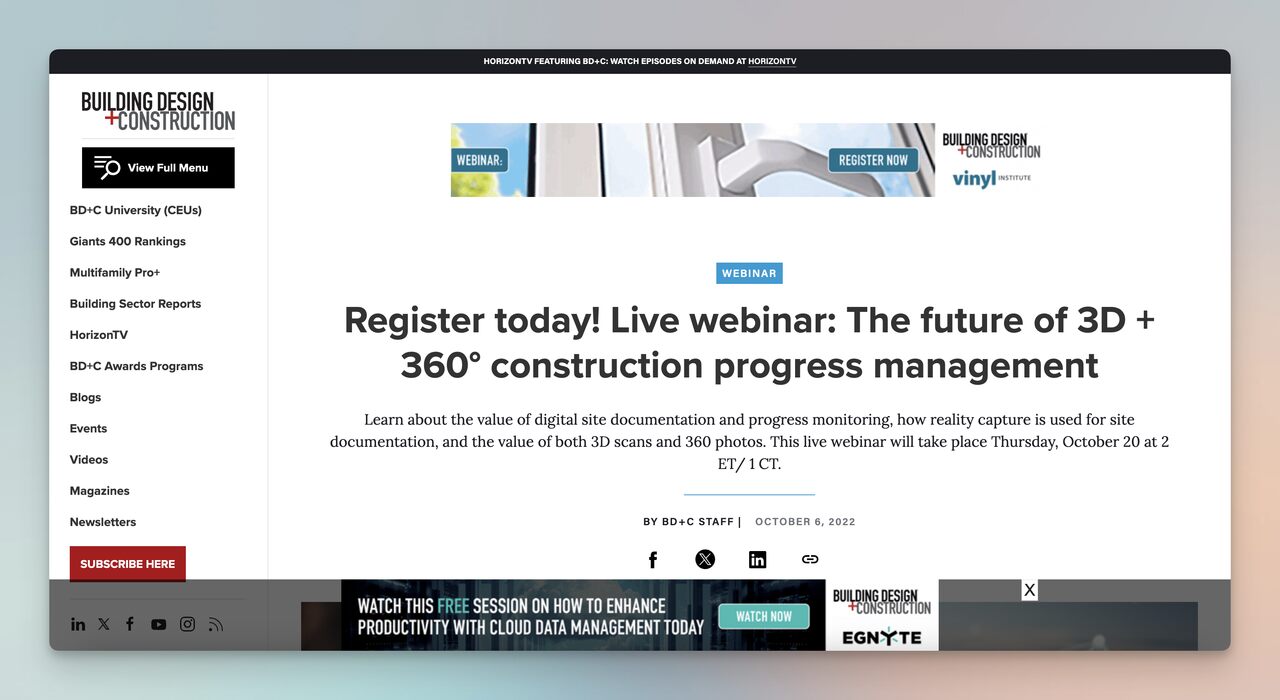
Paid advertising gets your webinar in front of people who've never heard of your brand. When your organic channels have limited reach or you need to fill seats fast, paid ads on LinkedIn, Google, and Facebook can generate registrations within hours of launching a campaign.
How to implement:
1. Start with LinkedIn Sponsored Content targeting by job title, company size, and industry. For B2B webinars, LinkedIn consistently delivers the lowest cost-per-qualified-lead compared to other platforms
2. Run Google Search ads on keywords like "webinar on [your topic]" and "[topic] training online." These capture people actively searching for educational content in your space
3. Set up retargeting campaigns for website visitors who viewed your webinar landing page but didn't register. Retargeting ads typically convert at 3-5x the rate of cold audience ads
4. Allocate 60% of your budget to the first week of promotion and 40% to the final 3 days. Registration velocity follows a U-shaped curve: early interest, a quiet middle period, and a last-minute rush
5. A/B test two ad creatives: one emphasizing the speaker and one emphasizing the takeaway. In our experience, speaker-focused ads work better for well-known names, while benefit-focused ads win for lesser-known speakers
A Reddit thread on webinar promotion highlighted a common pain point: a company with 5,000 users and 10K+ social followers still only got 10-15 attendees. The responses overwhelmingly recommended paid ads as the fix. When organic reach hits a ceiling, even a modest $500-1,000 ad budget can double or triple your registration count.
7. Email Signature Lines: Turn Every Company Email into a Promotion Channel
Email signature promotion is the lowest-effort strategy on this list, and it works because of pure volume. If your company sends 500 emails per day across all employees, that's 500 daily impressions for your webinar with zero additional work after the initial setup.
How to implement:
1. Design a one-line signature banner with the webinar title, date, and a registration link. Keep it under 60 characters so it displays properly on mobile email clients
2. Roll it out company-wide using a signature management tool like Exclaimer or WiseStamp. These tools update every employee's signature simultaneously without requiring individual action
3. Add a UTM parameter to the registration link so you can track how many sign-ups come specifically from email signatures. You'll be surprised by the volume
4. Remove the signature banner the day after the webinar and replace it with the next promotion. Stale signatures with past event dates damage credibility
I've seen B2B companies with 50+ employees generate 30-80 webinar registrations purely from email signatures over a two-week promotion window. The conversion rate is low on a per-impression basis, but the cost is zero and the effort is minimal. It's the definition of a "set it and forget it" tactic that compounds alongside your other channels.
8. Cross-Promotions and Co-Hosting: Double Your Audience Overnight
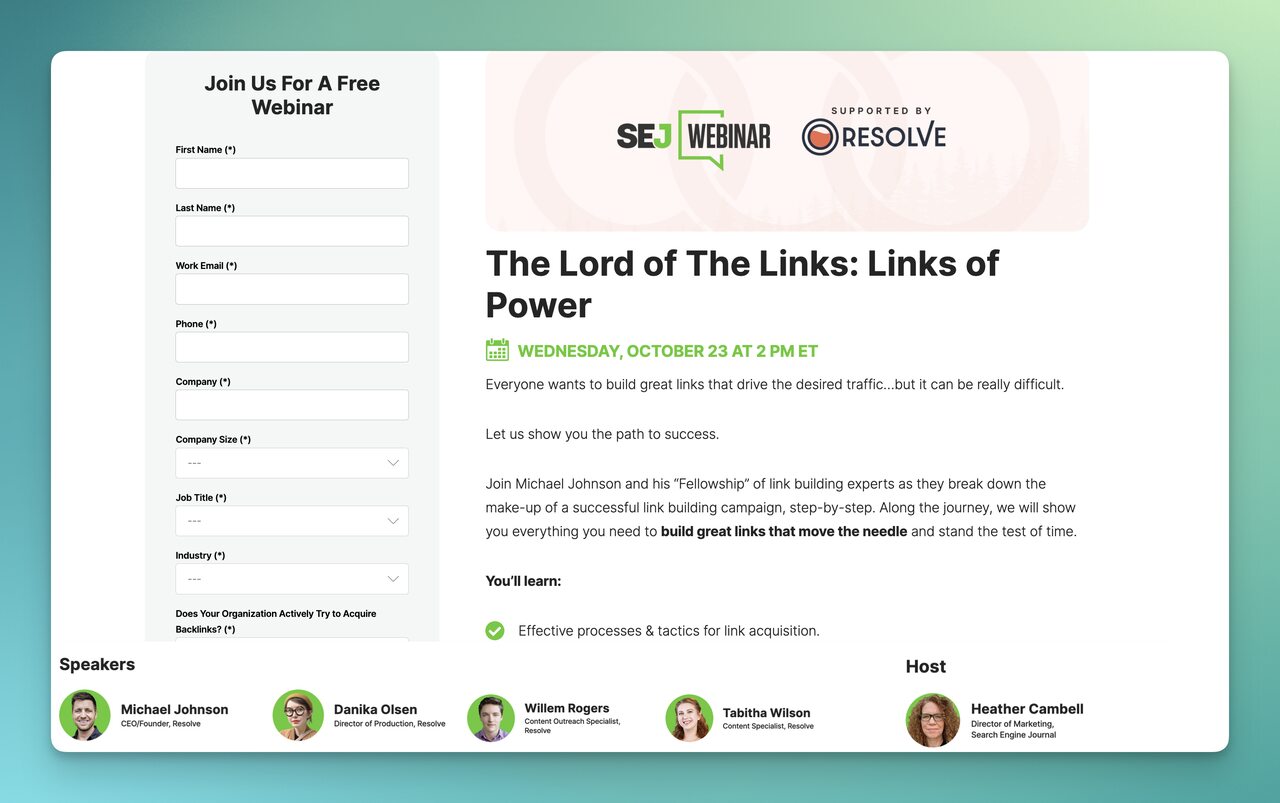
Co-hosting a webinar with a complementary (non-competitive) brand gives both parties access to each other's audience. It's one of the fastest ways to break out of your existing reach and get in front of qualified prospects who don't know your brand yet.
How to implement:
1. Identify 3-5 companies that serve the same audience but sell different products. If you're a popup tool for e-commerce, partner with an email platform, an analytics tool, or a CMS provider
2. Pitch the co-hosting arrangement with clear mutual benefits: shared promotion responsibilities, co-branded landing page, and joint email sends to both lists. Define who handles the tech setup, who moderates, and how leads will be shared
3. Create a shared promotional asset kit: email copy, social media graphics, and a cross-promotion calendar so both teams promote on the same schedule
4. During the webinar, both brands should get equal speaking time and branding. Lopsided webinars where one partner dominates make the other partner's audience feel tricked
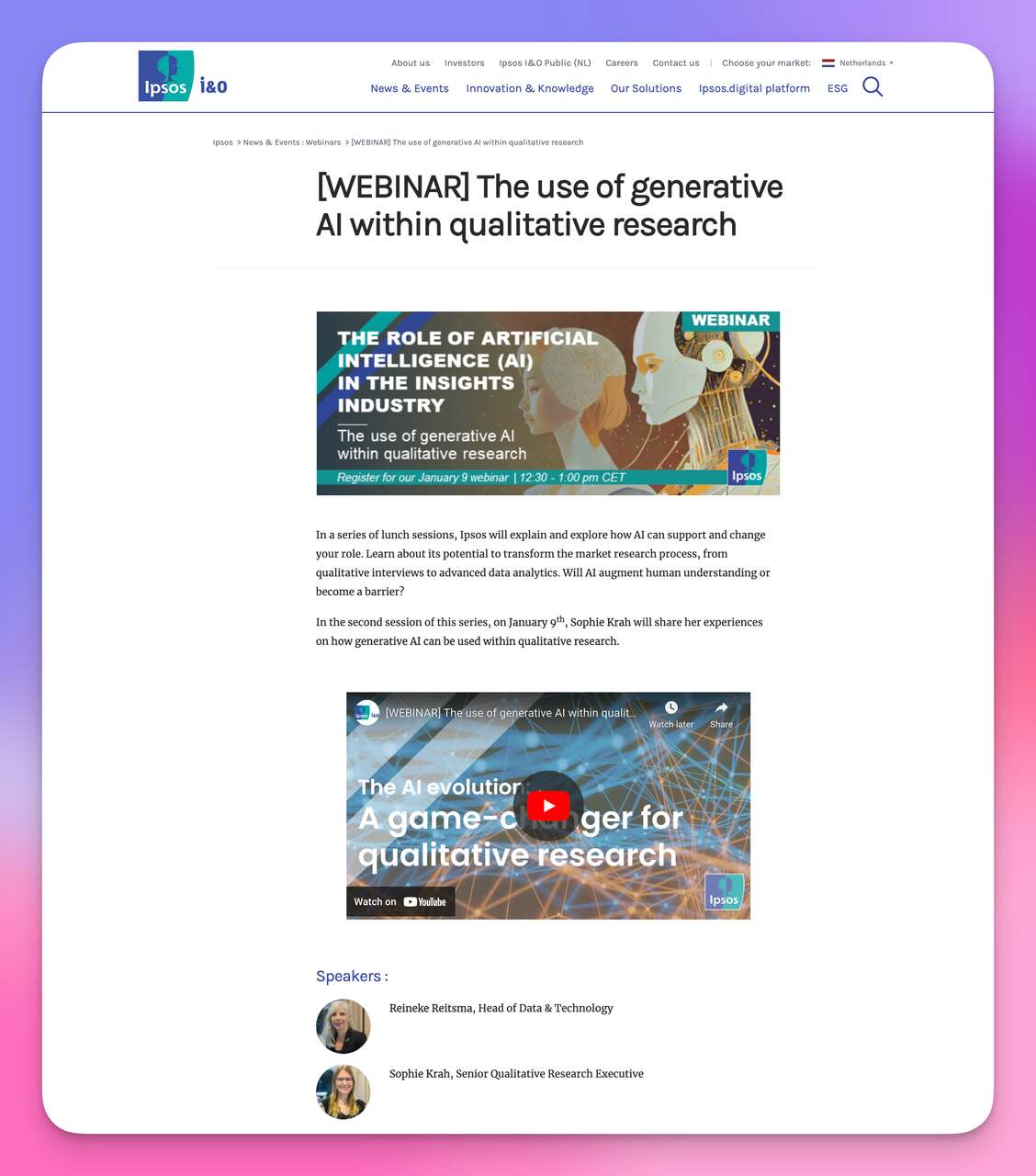
Search Engine Journal regularly co-hosts webinars with marketing technology vendors, and their event pages consistently show 1,000+ registrants. The screenshot above shows a typical co-hosted webinar format with speaker lineups from both organizations. When both partners promote with equal intensity, the combined registration count typically exceeds what either brand could achieve alone by 60-80%.
9. Trade Show and Event Promotion: Bridge Offline and Online Audiences
Promoting your webinar at in-person events captures an audience segment that's hard to reach through digital channels alone. Trade show attendees are already in a learning mindset, which makes them more receptive to signing up for online educational content.
How to implement:
1. Print QR codes that link directly to your webinar registration page. Place them on booth banners, handout cards, and presentation slides. QR codes eliminate the friction of typing a URL on a phone
2. If you're speaking at an event, mention your upcoming webinar during your talk and display the registration QR code on your final slide. Capture the moment when audience interest peaks
3. Collect business cards or badge scans at your booth, then send a personalized follow-up email within 24 hours inviting them to the webinar. Reference the conversation you had at the event to make the email feel personal
4. For larger events, sponsor a coffee station or charging lounge and brand it with your webinar promotion. Attendees spend 5-10 minutes at these stations, giving them time to scan a QR code and register
According to Univid's 2026 webinar statistics report (analyzing 2,000+ webinars), 44% of attendees experience a mid-session engagement dip. In-person event attendees who register for webinars after a face-to-face interaction show higher engagement throughout the session because they've already built rapport with the brand. This makes seasonal campaigns particularly effective for webinar promotion.
10. LinkedIn Content Strategy: Reach Decision-Makers Through Thought Leadership
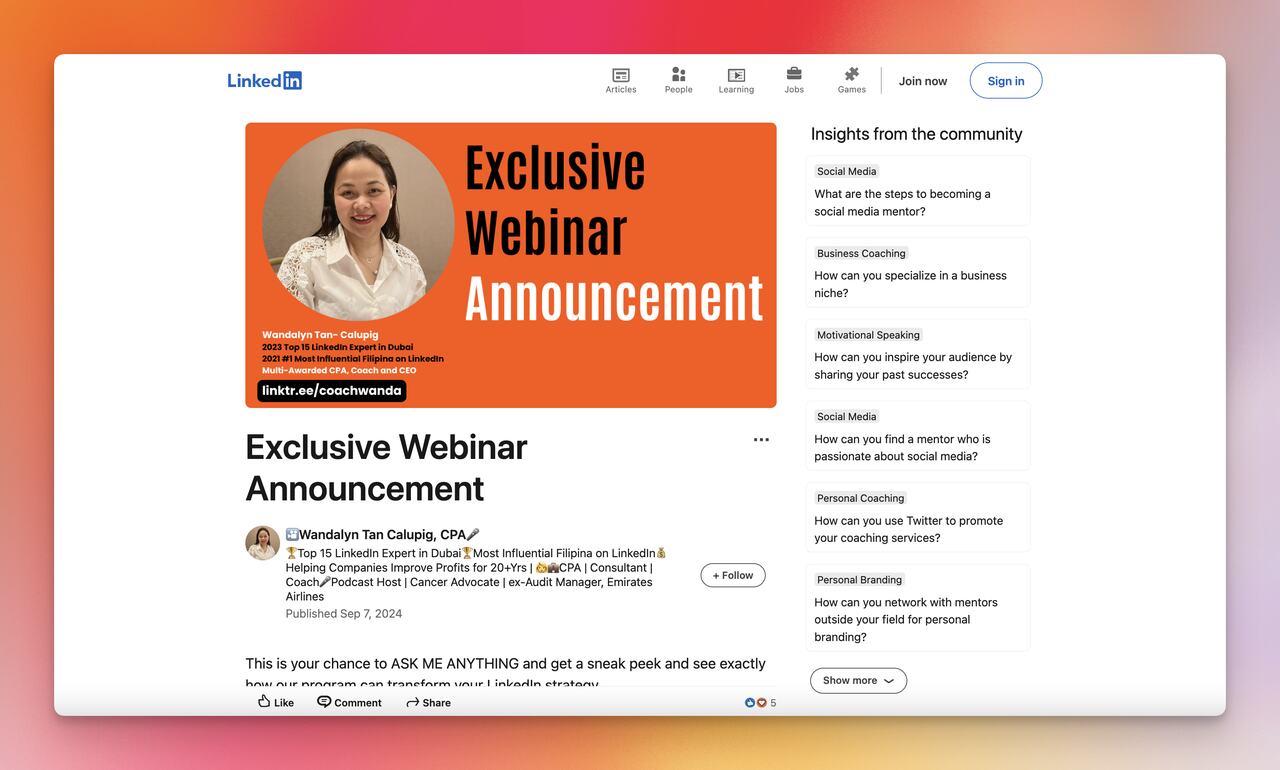
LinkedIn is the strongest single platform for B2B webinar promotion because its users are there specifically for professional development. A LinkedIn-specific content strategy goes beyond just posting the registration link. It builds anticipation and positions your speakers as worth listening to.
How to implement:
1. Have your speakers publish LinkedIn articles on the webinar topic 10-14 days before the event. These articles should deliver standalone value, not just tease the webinar. End with a natural mention that they'll be covering this topic in more depth during the live session
2. Create a LinkedIn Event and invite your first-degree connections. LinkedIn Events appear in attendees' notifications and calendar, giving you built-in reminder touchpoints
3. Post 2-3 times per week with different content formats: a poll related to the webinar topic, a short video clip from the speaker, and a carousel summarizing key points they'll cover
4. Ask your team to engage with every post. LinkedIn's algorithm weighs early engagement heavily. If 10 employees comment within the first hour, the post reaches 5-10x more people
5. Use LinkedIn's newsletter feature if you have one. Newsletter subscribers receive push notifications, which consistently generate higher click-through rates than standard posts
According to LinkedIn's own marketing blog, video content on the platform accelerates purchasing decisions and provides deeper engagement analytics than text posts alone. I've tested LinkedIn as a primary channel for webinar promotion and found that posts from personal profiles (speakers and team members) consistently outperform company page posts by 3-4x in registration clicks. People register for people, not logos.
11. Registration Popups: Capture Visitors Who Are Already on Your Website
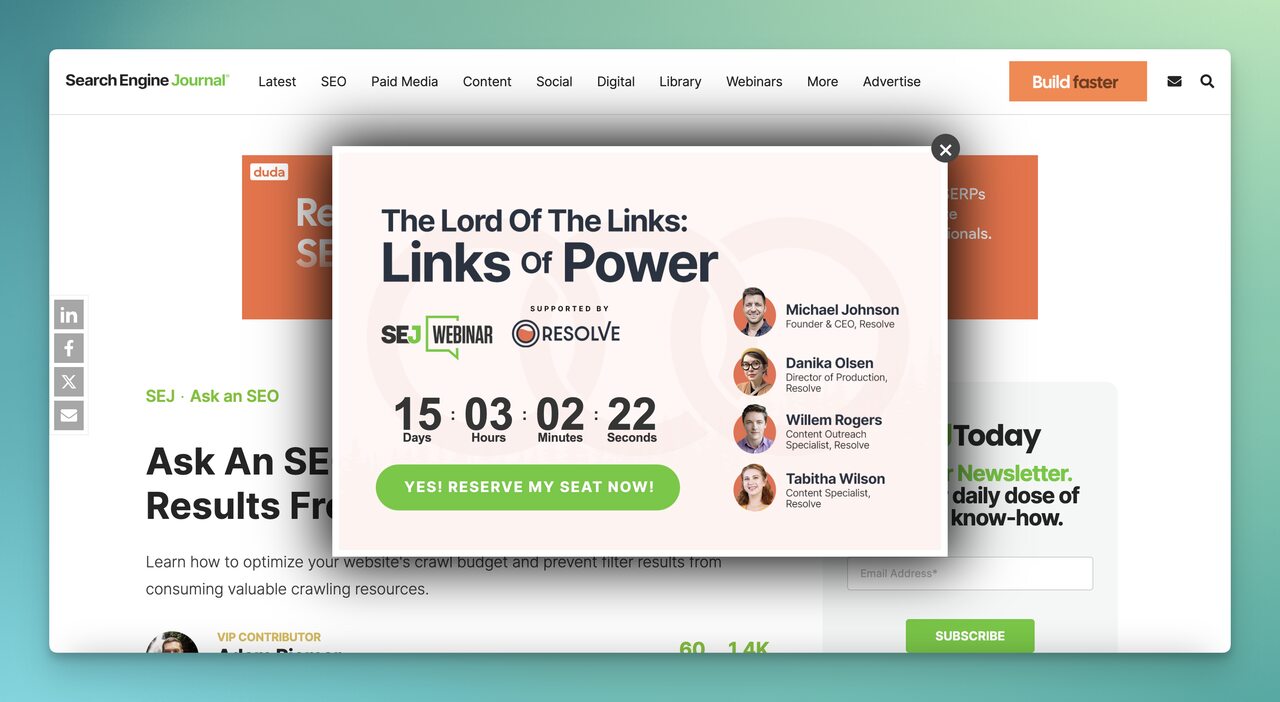
Website popups catch visitors at their point of highest engagement and present the webinar registration opportunity without requiring them to navigate to a separate page. When configured with the right targeting rules, popups add registrations without disrupting the browsing experience.
How to implement:
1. Use Popupsmart's no-code popup builder to create an exit-intent popup that triggers when a visitor moves their cursor toward the browser's close button. This targets people who were about to leave anyway, so there's no downside to interrupting them
2. Set the popup to display only on pages related to your webinar topic. If your webinar covers e-commerce conversion strategies, show the popup on your blog posts about lead magnets and conversion optimization, not on your careers page
3. Limit the form to email-only collection. You can gather additional details in the confirmation email or during the webinar itself. Fewer fields means higher completion rates
4. Set a frequency cap of 1 impression per visitor per 7 days. Showing the same popup on every page visit annoys visitors and tanks your conversion rate after the third impression
5. Add an incentive to the popup copy: early access to the recording, a downloadable resource, or a bonus Q&A session for registrants. Incentives increase popup conversion rates by 20-40% compared to a plain registration ask
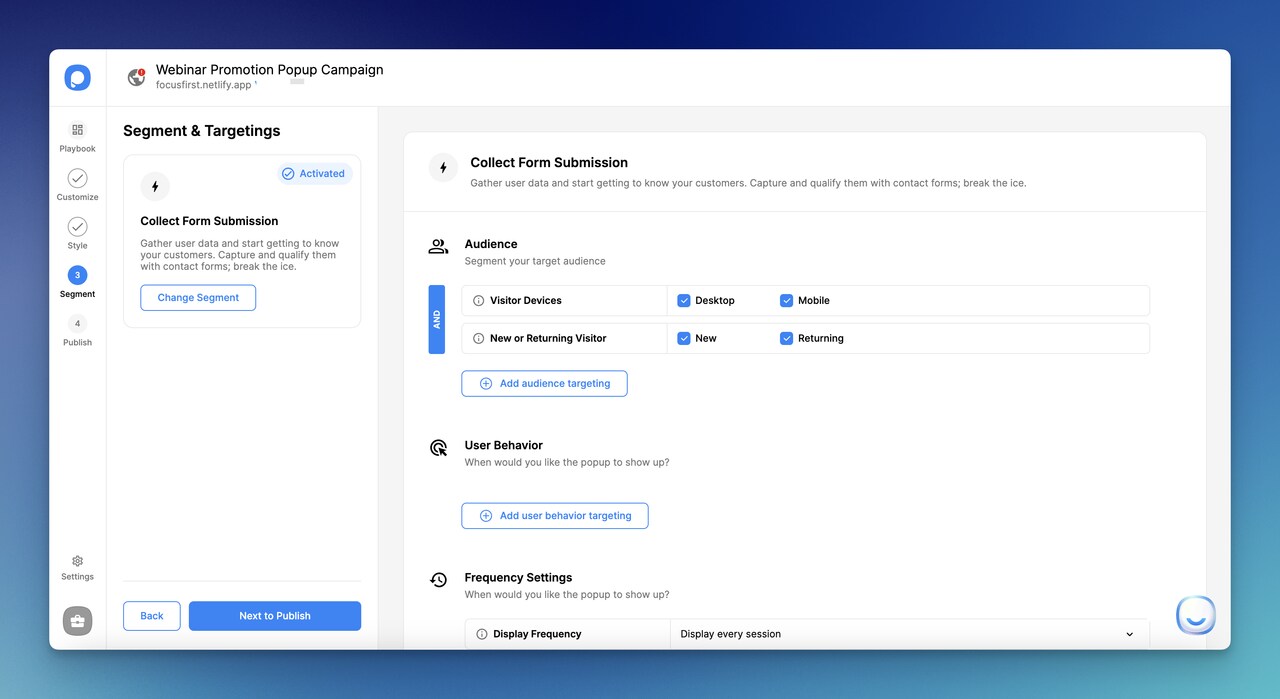
Popupsmart's audience segmentation lets you target popups by visitor behavior, location, device, and referral source. For webinar promotion, I've found the most effective segment to be returning visitors who've read 2+ blog posts. These visitors already know your brand and are 4x more likely to register compared to first-time visitors seeing the same popup. Pair this with your opt-in page strategy for maximum coverage.
12. Facebook Live and Podcast Teasers: Build Anticipation Through Audio and Video
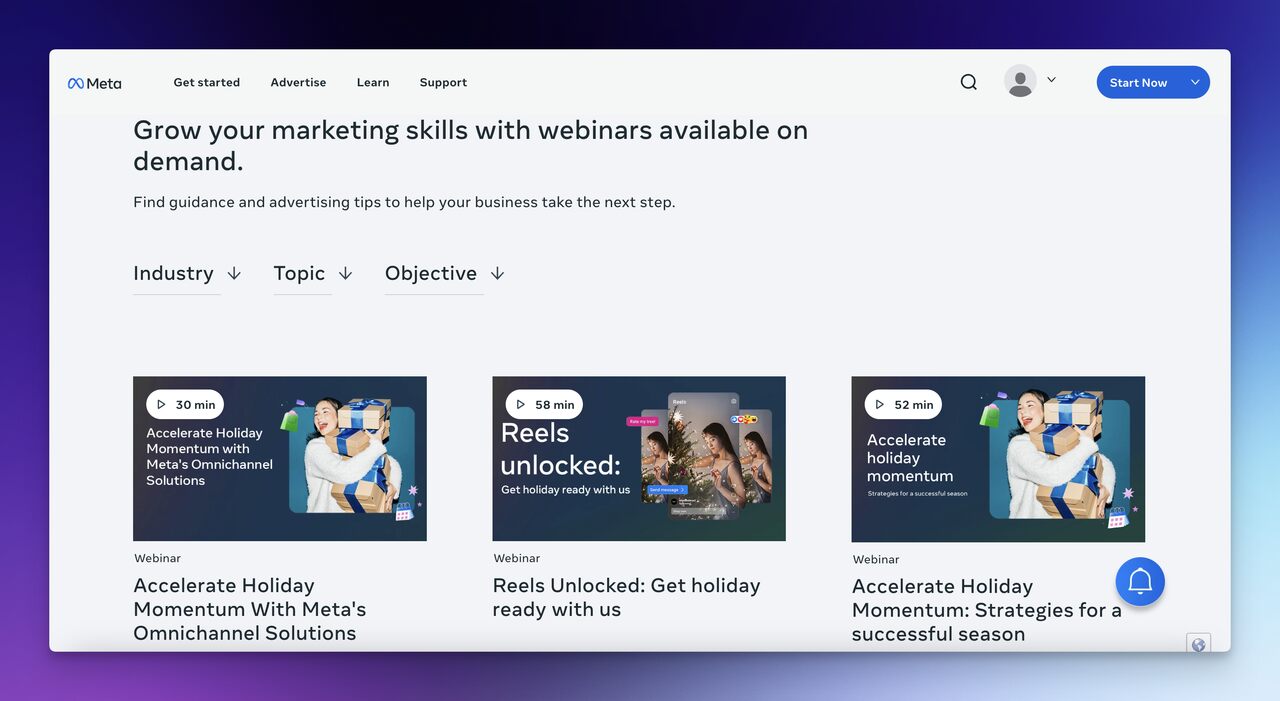
Facebook Live sessions and podcast episodes serve as preview content that gives potential attendees a taste of what the full webinar will deliver. They work differently from written promotion because audio and video create a personal connection with the speaker before the event.
How to implement:
1. Host a 15-20 minute Facebook Live session 5-7 days before the webinar. Cover one specific subtopic from your webinar agenda and leave the rest as a teaser. End with a clear CTA and pin the registration link in the comments
2. Record a podcast episode where the speaker discusses the problem your webinar solves. Keep it conversational and include a personal story or case study that won't be in the webinar itself. This gives listeners a reason to attend both
3. Repurpose the Facebook Live recording into short clips (60-90 seconds) for Instagram Reels, LinkedIn, and X. Each clip should cover one point and end with "Register for the full breakdown" plus the link
4. Cross-promote across channels: share the podcast on social media, mention the Facebook Live in your email sequence, and embed clips in your blog posts. Each content piece should drive traffic to the others and ultimately to registration
According to Blogging Wizard's benchmark data, the best days to host webinars are Tuesday, Wednesday, and Thursday, with optimal start times at 11:00 AM and 2:00 PM. Schedule your teaser content to go live during these same windows so you're reaching your audience when they're most receptive to professional content. The ideal webinar runtime sits between 30-45 minutes, so keep your teasers short enough to leave audiences wanting more.
13. Employee Advocacy Contests: Turn Your Team into a Promotion Engine
Employee advocacy leverages your entire company's social networks to amplify webinar promotion beyond what your marketing team can achieve alone. When 50 employees each share a webinar post with their 500+ LinkedIn connections, you've reached 25,000 people without spending a dollar on ads.
How to implement:
1. Set up a simple contest: the employee who drives the most registrations (tracked via unique UTM links) wins a prize. Gift cards, extra PTO, or company swag all work. The prize matters less than the competitive element
2. Give employees pre-written social media posts they can customize and share. Most people won't write their own copy from scratch, but they'll happily personalize a draft. Provide 3-4 options with different angles
3. Create a shared leaderboard visible to the whole company (a Slack channel or Google Sheet works). Update it daily. Public visibility drives participation far more than private tracking
4. Recognize top performers in your team meeting or company newsletter regardless of who wins the prize. Public recognition motivates participation in future campaigns
14. YouTube Promotion: Create Discoverable Video Content That Drives Registrations
YouTube is the second-largest search engine, and webinar-related searches happen there every day. Creating video content that ranks for your webinar topic puts your event in front of people actively searching for the information you're about to present live.
How to implement:
1. Create a 3-5 minute teaser video where the speaker introduces the webinar topic, previews 2-3 key insights, and explains who should attend. Optimize the title and description with your target keyword
2. Upload clips from previous webinars (if available) as standalone videos. A 10-minute highlight reel from your last event shows potential attendees what they can expect in terms of production quality and content depth
3. Add the registration link as the first line in every video description and as a pinned comment. Include an end screen card pointing to your webinar landing page
4. Consider running YouTube pre-roll ads targeting viewers who watch content related to your webinar topic. YouTube's targeting lets you reach people watching competitor content, industry tutorials, and related conference talks
According to Growth Marketing Pro's data, somebody searches for webinars every second of the day. That search volume means your YouTube content doesn't just serve the current webinar. Evergreen videos about your webinar topics continue generating views and registrations for months, making YouTube one of the strongest long-term webinar promotion investments you can make.
15. Post-Webinar Follow-Up: Extend Your Event's Value for Months
The webinar doesn't end when you stop sharing your screen. Post-webinar follow-up captures the 40-60% of registrants who didn't attend live, nurtures attendees toward a buying decision, and turns a one-time event into a long-term organic lead generation asset.
How to implement:
1. Send the recording within 4 hours of the live session. Include a summary of key takeaways (3-5 bullet points) so recipients can decide whether to watch the full replay. People who receive the recording same-day are 2x more likely to watch it
2. Create an on-demand landing page where new visitors can access the recording in exchange for their email. This page should be SEO-optimized for "[your topic] webinar recording" to capture search traffic
3. Send a 3-email nurture sequence to attendees: Day 1 (recording + resources), Day 3 (deeper dive on one topic with a product tie-in), Day 7 (case study or free trial CTA). Align these emails with your marketing automation strategy
4. Repurpose the webinar into 5-8 pieces of content: a blog post summary, 3-4 social media clips, a podcast episode, and an infographic. Each piece links back to the full recording and your next webinar registration
5. Survey attendees about what topics they want covered next. Use their responses to plan your next webinar and pre-build a registration list from people who expressed interest in the follow-up topic
The best webinar promotion strategies don't stop when the live event ends. In my experience, on-demand webinar pages generate 30-50% as many leads as the original live event over the following 6 months. A single webinar, properly promoted and repurposed, can become the foundation of a quarter's worth of content and pipeline.
How to Promote a Webinar with Popupsmart Popups
If your website gets traffic, you're sitting on an untapped pool of webinar registrants. Popupsmart's B2B popup campaigns let you convert existing visitors into registrants without requiring any code changes or developer time.
Here's how to set up a webinar promotion popup campaign that converts:
1. Choose the right popup format. For webinar promotion, slide-in popups on blog pages and exit-intent lightboxes on product pages work best. Slide-ins are less intrusive for readers who are mid-article, while exit-intent catches leaving visitors without disrupting engaged ones.
2. Segment your audience. Use Popupsmart's targeting rules to show the popup only to visitors who match your webinar's target audience. Filter by traffic source, pages visited, visit frequency, or geographic location. A webinar about Shopify conversion tactics should only appear for visitors reading e-commerce content.
3. Write popup copy that leads with value. Don't just say "Register for our webinar." Say "Learn 3 conversion tactics that increased our demo bookings by 47%. Live session Thursday at 11 AM ET." Specific outcomes beat generic invitations every time.
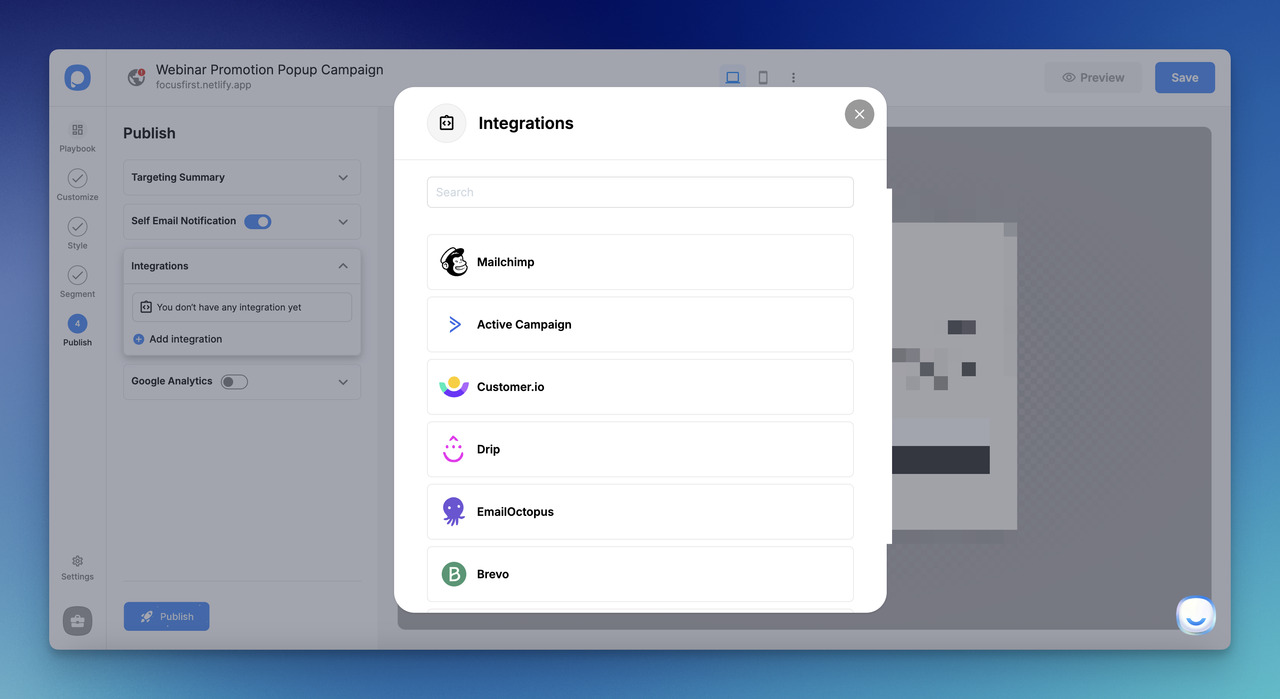
4. Integrate with your email tools. Connect Popupsmart to your email platform so registrants automatically enter your confirmation email sequence. No manual data transfer needed.
5. Track and optimize. Monitor your popup's conversion rate daily during the promotion window. If it drops below 2%, test a different headline or offer. Popupsmart's analytics dashboard shows you exactly which pages and visitor segments convert best, so you can double down on what works.
Where to Start: Prioritization by Effort and Impact
You don't need all 15 strategies running simultaneously. Start with the high-impact, low-effort tactics and layer in advanced strategies as your promotion process matures.
| Priority | Strategy | Effort | Impact | Best For |
|---|---|---|---|---|
| 1 | Email Marketing Sequences | Low | High | Teams with existing email lists |
| 2 | Registration Popups | Low | High | Websites with 5K+ monthly visitors |
| 3 | Email Signature Lines | Low | Medium | Companies with 20+ employees |
| 4 | Social Media Promotion | Medium | High | Brands with active social following |
| 5 | LinkedIn Content Strategy | Medium | High | B2B companies targeting professionals |
| 6 | Dedicated Landing Pages | Medium | High | Any webinar with paid traffic |
| 7 | Blog Content Promotion | High | High | Companies with established blogs |
| 8 | Cross-Promotions | High | High | Brands with partner networks |
| 9 | Paid Advertising | Medium | High | Teams with ad budget ($500+) |
| 10 | Post-Webinar Follow-Up | Low | Medium | Every webinar (non-negotiable) |
If you're running your first webinar, start with strategies 1, 2, and 4. Email your list, put a popup on your website, and publish a blog post. These three alone can fill a 100-person webinar for a company with a modest online presence. Add paid ads and cross-promotions once you've validated that your webinar topic resonates with your audience.
Start Filling Seats For Your Webinar This Week
The three highest-impact strategies to implement right now are email marketing sequences, registration popups on your website, and a LinkedIn content plan. These three channels alone cover your existing audience (email), your website visitors (popups), and new professional audiences (LinkedIn).
If you're starting from scratch, here's your first week:
Day 1: Write and schedule your 4-email promotion sequence.
Day 2: Set up a webinar registration popup with Popupsmart. Target it to blog readers and returning visitors.
Day 3-4: Publish a blog post related to your webinar topic with registration CTAs embedded.
Day 5-7: Post daily on LinkedIn from your speakers' personal profiles. Create a LinkedIn Event and invite connections.
Every webinar you promote teaches you which channels work best for your specific audience. Track registrations by source, measure attendance rates by channel, and double down on what performs. The companies that consistently fill their webinars aren't running 15 strategies at once. They're running 3-4 really well and iterating every time.
Frequently Asked Questions
How Do I Get More People to Attend My Webinar?
Focus on three things: start promoting at least 14 days before the event, use multiple channels simultaneously (email + social + website popups at minimum), and send reminders on the day of the event. The biggest attendance killer is single-channel promotion. Companies that promote across 3+ channels see 2-3x higher attendance rates than those relying on email alone. Also, schedule your webinar on Tuesday, Wednesday, or Thursday at 11 AM or 2 PM for maximum attendance.
How Can I Promote a Webinar for Free?
Email marketing to your existing list costs nothing beyond the platform you already pay for. Social media posts, blog content, email signature lines, and employee advocacy are all zero-cost channels. Popupsmart offers a free plan that lets you create webinar registration popups without paying for software. The most effective free strategy is partnering with a complementary brand for a co-hosted webinar, which gives you access to their audience at no cost. Focus on owned channels first before investing in paid promotion.
What Are the Best Ways to Promote a Webinar on Social Media?
LinkedIn delivers the best results for B2B webinars. Post from personal profiles (not just the company page), create a LinkedIn Event, publish speaker articles, and use polls to spark discussion about your webinar topic. On Instagram, use Stories with countdown stickers and Reels with speaker clips. On X, create a thread breaking down what the webinar will cover and pin it to your profile. Post consistently for 2 weeks and vary the content format with each post.
What Are Some Examples of Webinar Promotion Strategies That Work?
Salesforce sends a multi-email sequence with speaker spotlights and topic previews. Search Engine Journal co-hosts webinars with tech vendors and promotes them with popups on their website. HubSpot creates dedicated YouTube teaser videos for every webinar. These companies share a common approach: they promote across 5+ channels simultaneously and start at least 2 weeks before the event. The digital product marketing playbook applies directly to webinars because both require building anticipation and driving a time-sensitive conversion.
What Are the Tips to Present an Effective Webinar?
Presentation quality and promotion are two different skills, but they feed each other. Start with a hook (not introductions), keep slides visual with minimal text, include interactive elements every 10 minutes (polls, Q&A breaks), limit the session to 30-45 minutes, rehearse the tech setup, have a backup presenter, end with a clear CTA, and follow up within 4 hours. A well-presented webinar generates word-of-mouth that makes promoting your next one significantly easier.
How would you rate your experience with this article? 😊