How to add a popup to a Prismic site
 By Mert Özeren
To add a popup to a Prismic site, paste Popupsmart's embed code once into the layout of the Next.js, Nuxt or SvelteKit app that renders your Prismic pages, deploy it, then build and publish popups in the Popupsmart dashboard. Prismic itself needs no change, and Popupsmart handles the triggers, targeting and lead delivery.


Setup at a glance
- Runs on
- Prismic CMS
- Where the code goes
Front end's root layout → before </body>- Add-on
- No plugin needed

Before you start
Adding a popup to a Prismic site takes access to the front-end code once. Nothing changes in your Prismic repository.
- Access to the Next.js, Nuxt or SvelteKit project that renders your Prismic content, and a way to deploy it. If a developer or an agency runs the site, send them Step 3.
- A free Popupsmart account. The free plan covers one website and one live popup, so you can finish this guide without paying.
- The address your visitors use for the live site, which Popupsmart verifies after the install.
How to add a popup to a Prismic site
The embed code goes into the layout every page of your app shares, once. The video shows how to create your first popup in Popupsmart; the steps below cover the whole install on a Prismic site.
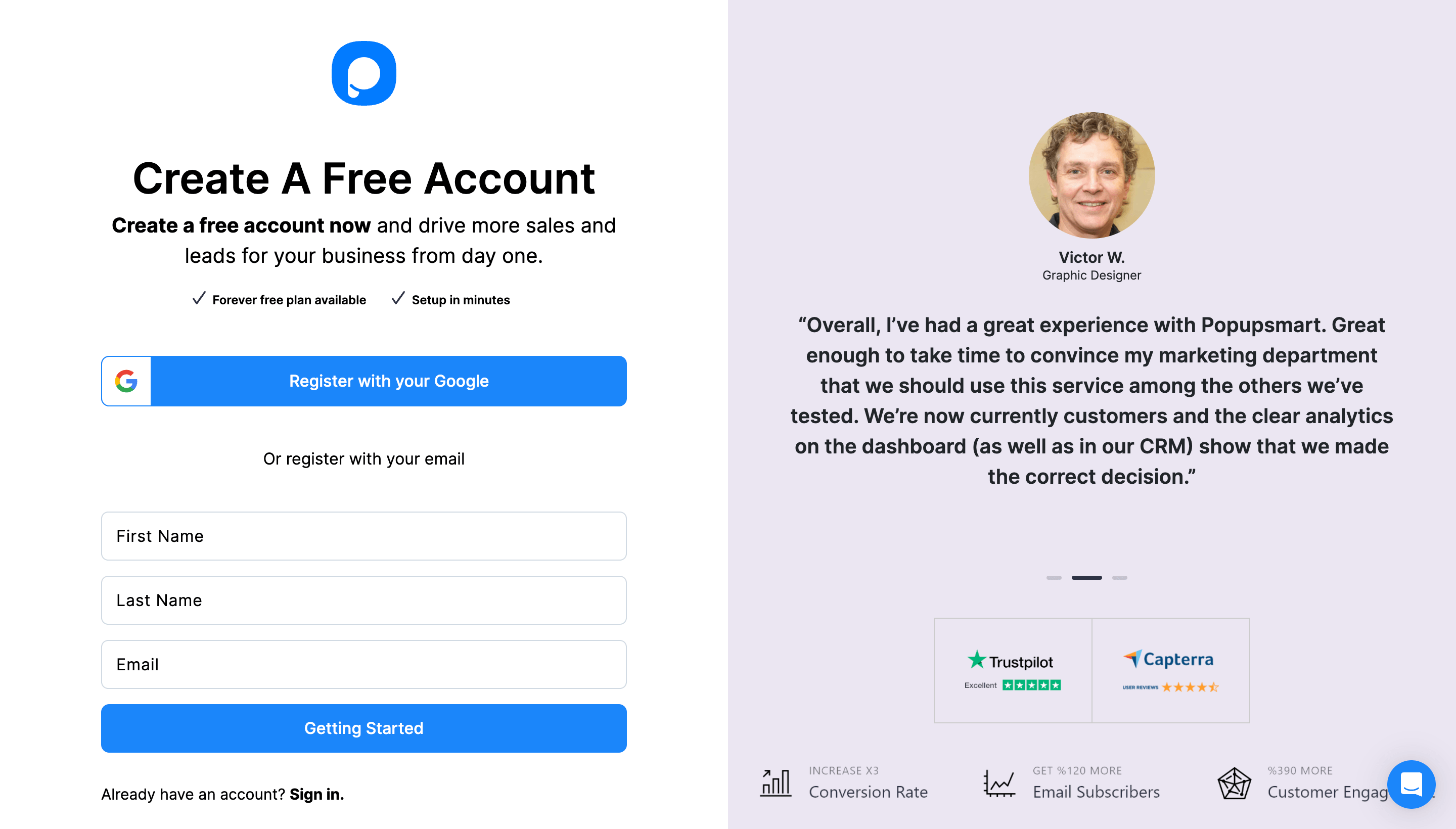
Step 1: Create your Popupsmart account
Sign up to Popupsmart, or sign in to the account you have.
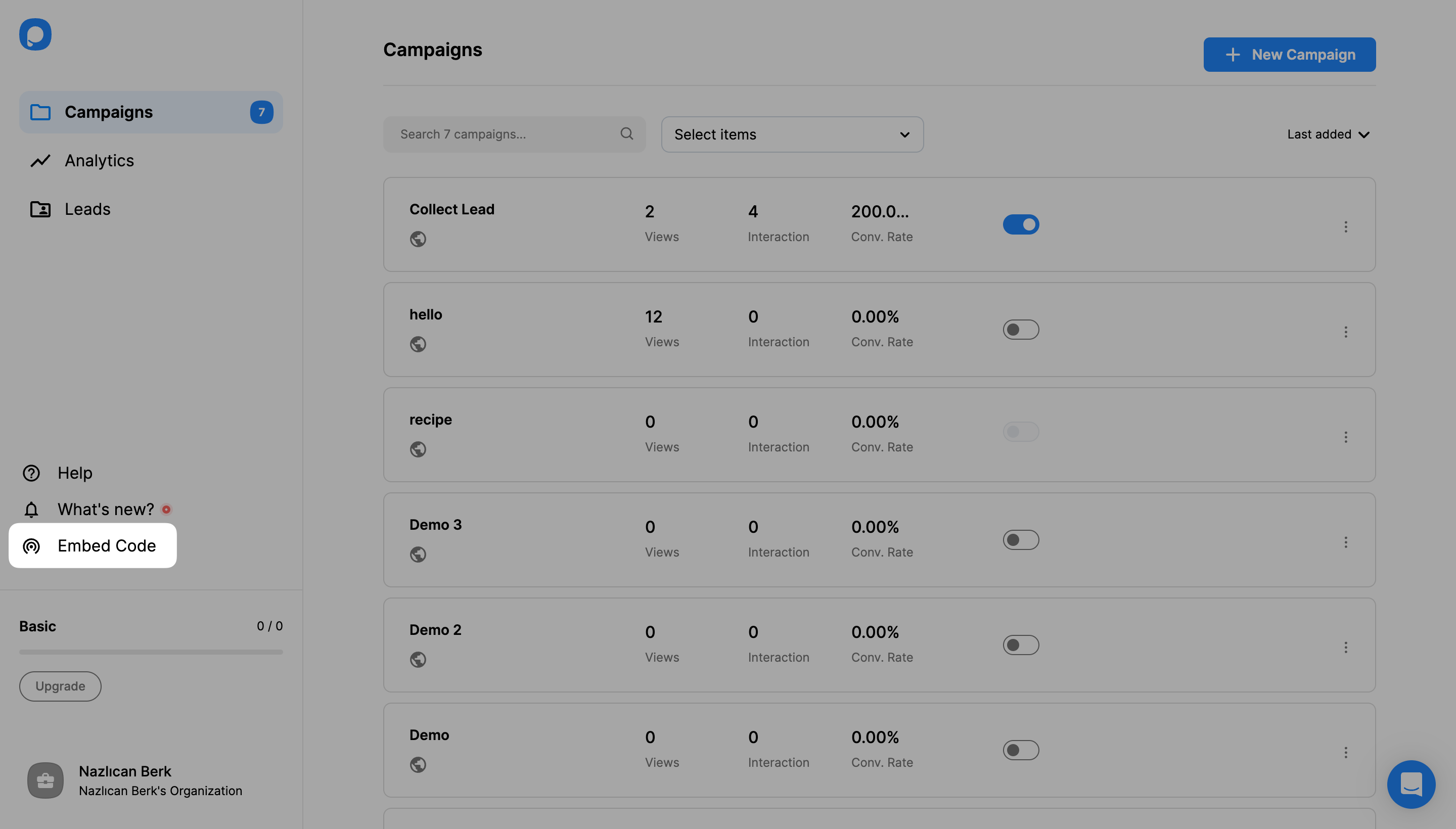
Step 2: Copy your embed code
Click Embed Code in the left-hand menu of the dashboard.
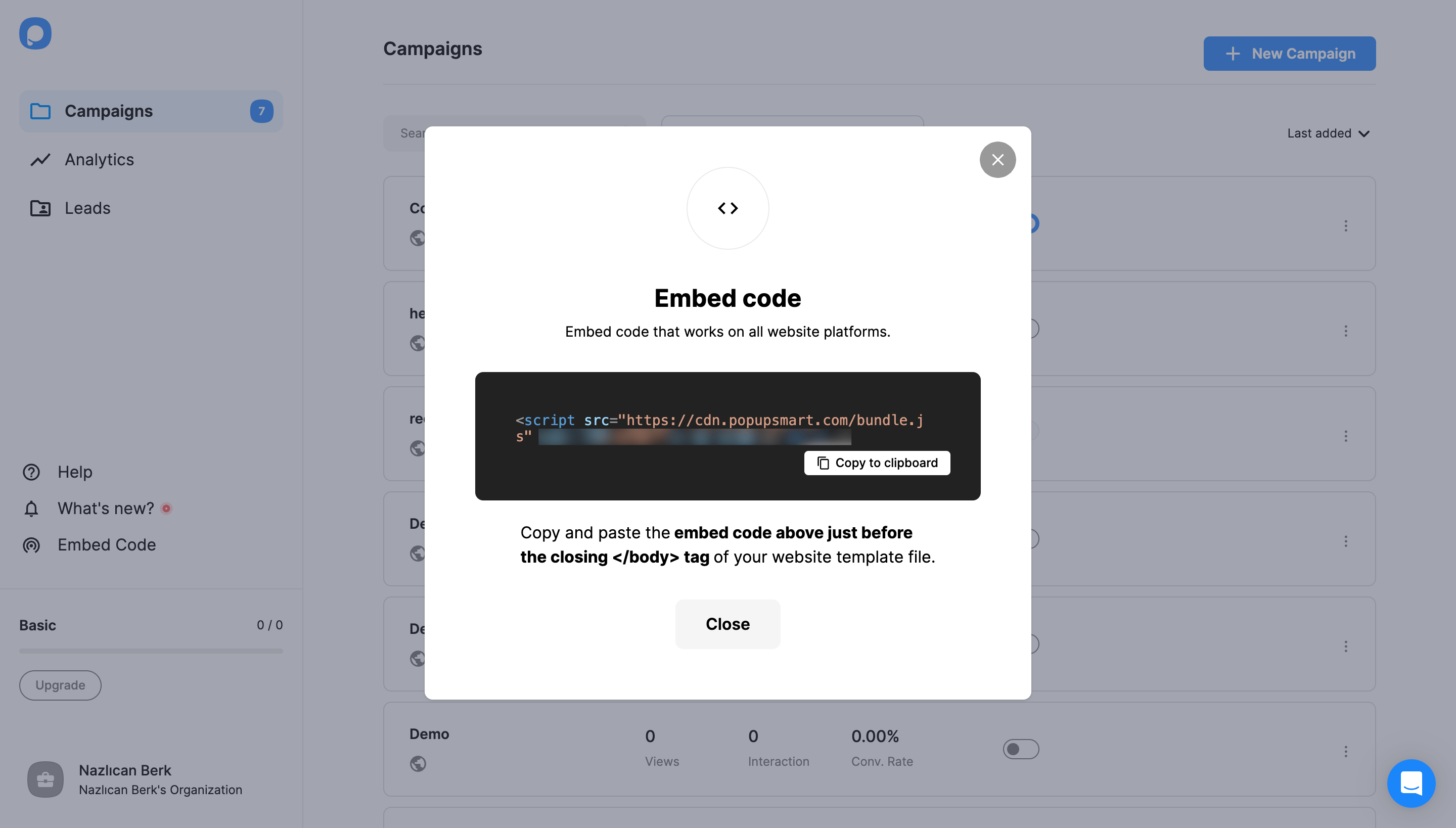
A window shows your code. Click Copy to clipboard. The code is one line, <script src="https://cdn.popupsmart.com/bundle.js" data-id="…" async defer></script>, and the data-id belongs to your account.
Step 3: Paste the code into your front end's layout
Prismic officially supports three frameworks, and each has one place that wraps every page:
- Next.js: inside
<body>in the root layout,app/layout.tsx, just before</body>. According to the Next.js layout reference, the root layout must define the<html>and<body>tags. TheScriptcomponent fromnext/scriptcan load the same URL if your team prefers it; keep thedata-id. - Nuxt: a global script in the
app.headsettings ofnuxt.config, oruseHead()inapp.vue, with the samesrc,data-id,asyncanddefer. - SvelteKit:
src/app.html, just before</body>.
Commit the change and deploy the app. Prismic needs no change. My advice is to put the line in the root layout, not in a page or slice component, so a page type added later can't miss it.
After the deploy, open a few different page types, such as the home page, a blog post and a landing page, and check that the code loads on each.
Step 4: Add and verify your website
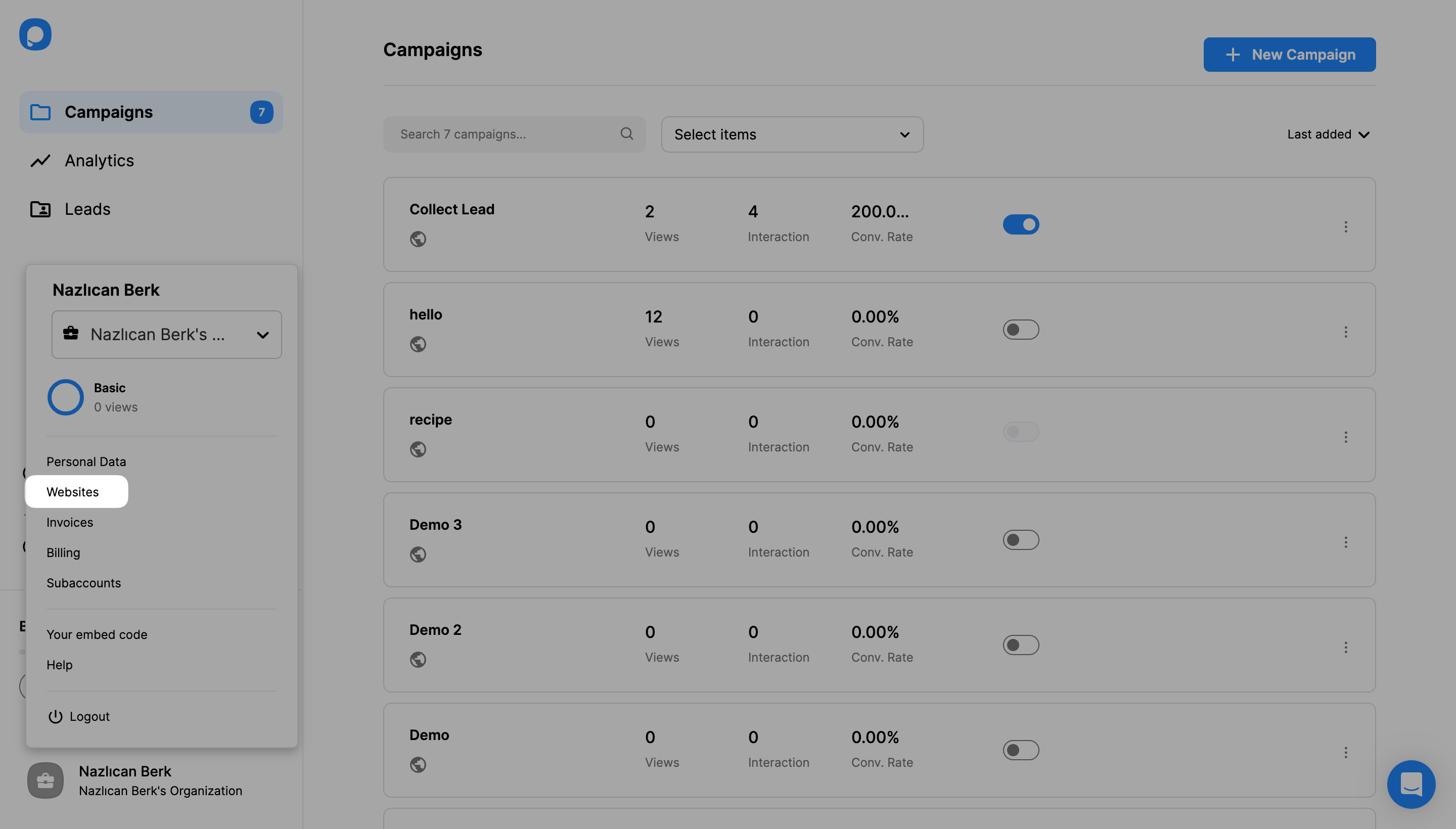
Back in Popupsmart, open the profile menu at the bottom left and click Websites.
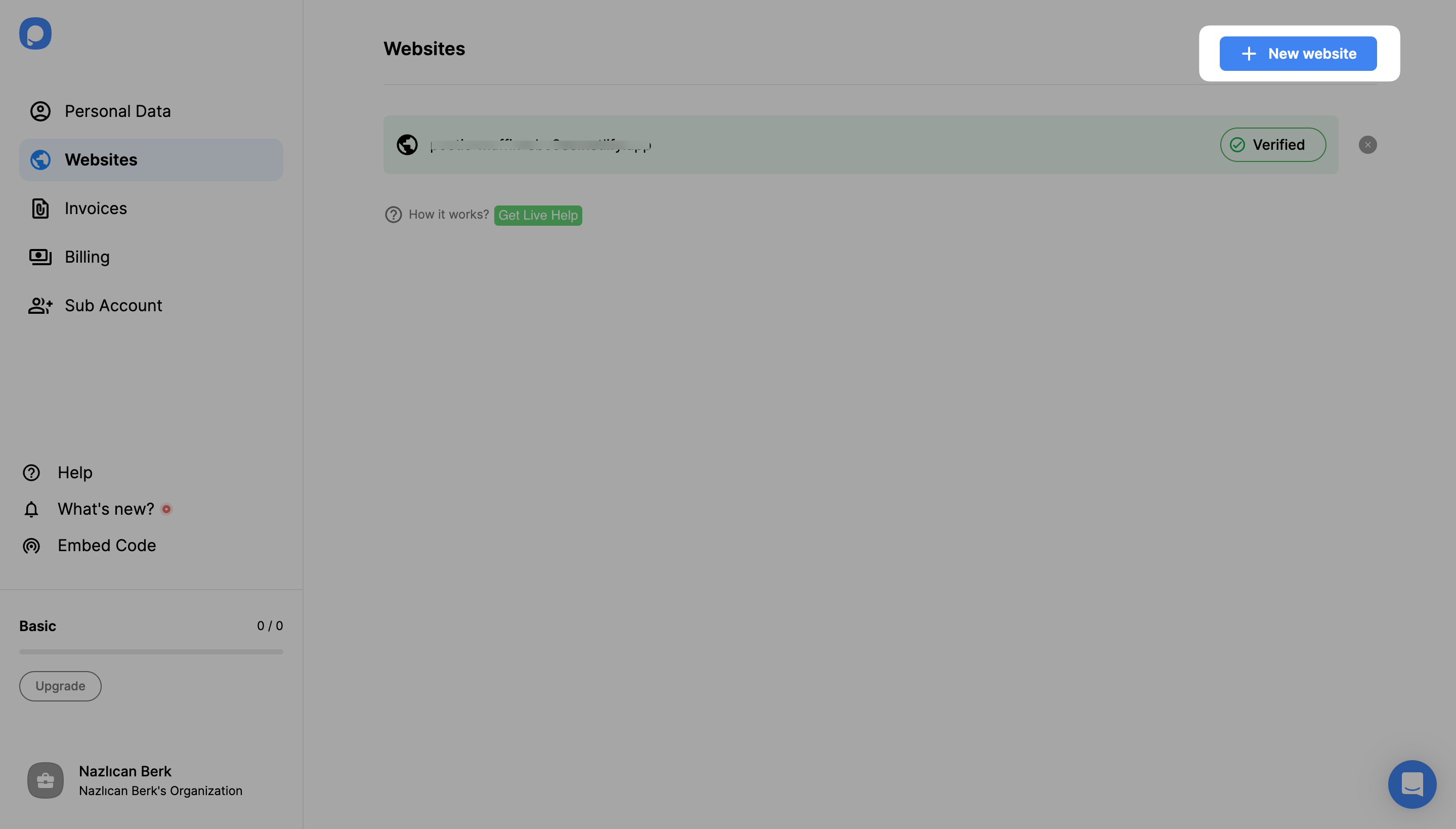
Click New Website.
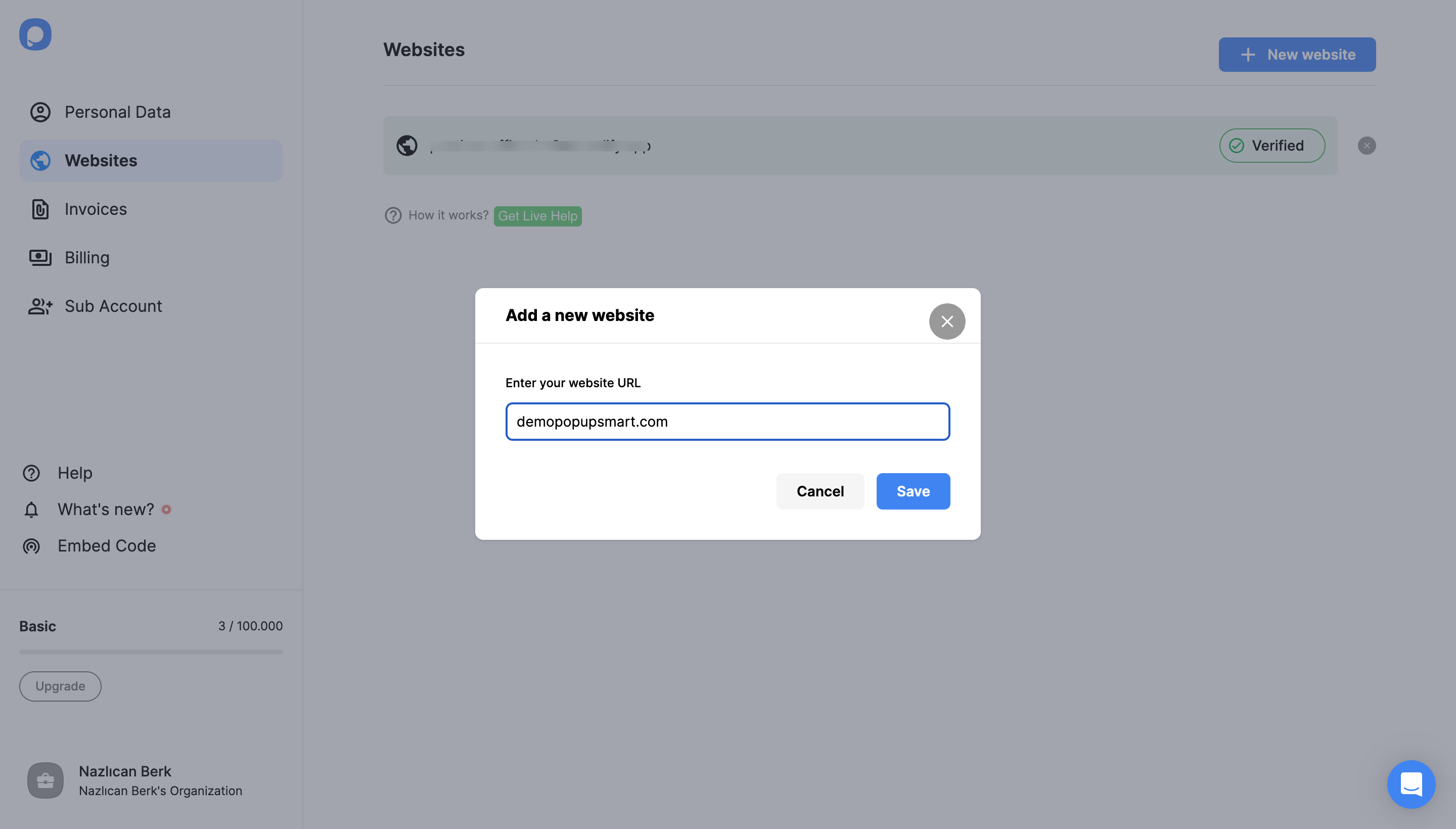
Enter your Prismic site's address in the Add a new website window and click Save.
If the site shows as Unverified, click Unverified, then Verify website, and go back to the dashboard and click Refresh. The guide to verifying your website covers the other cases.
Step 5: Create your popup
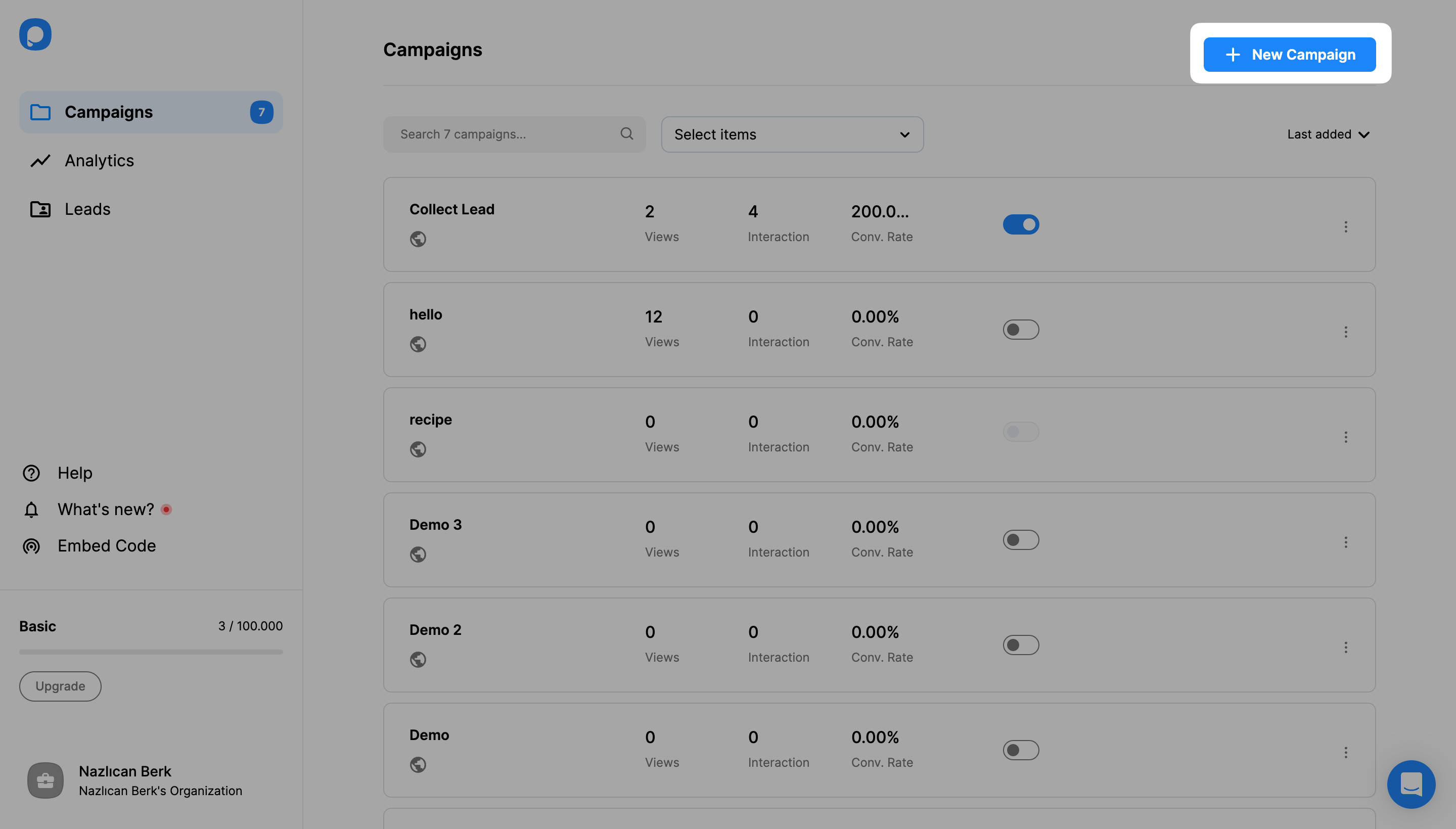
Go to Campaigns in the left-hand menu and click New Campaign. Choose your website, pick a template, and change its copy, colours and form fields to match your site.
Step 6: Publish and check the popup on your site
In the builder's Publish step, click Publish.
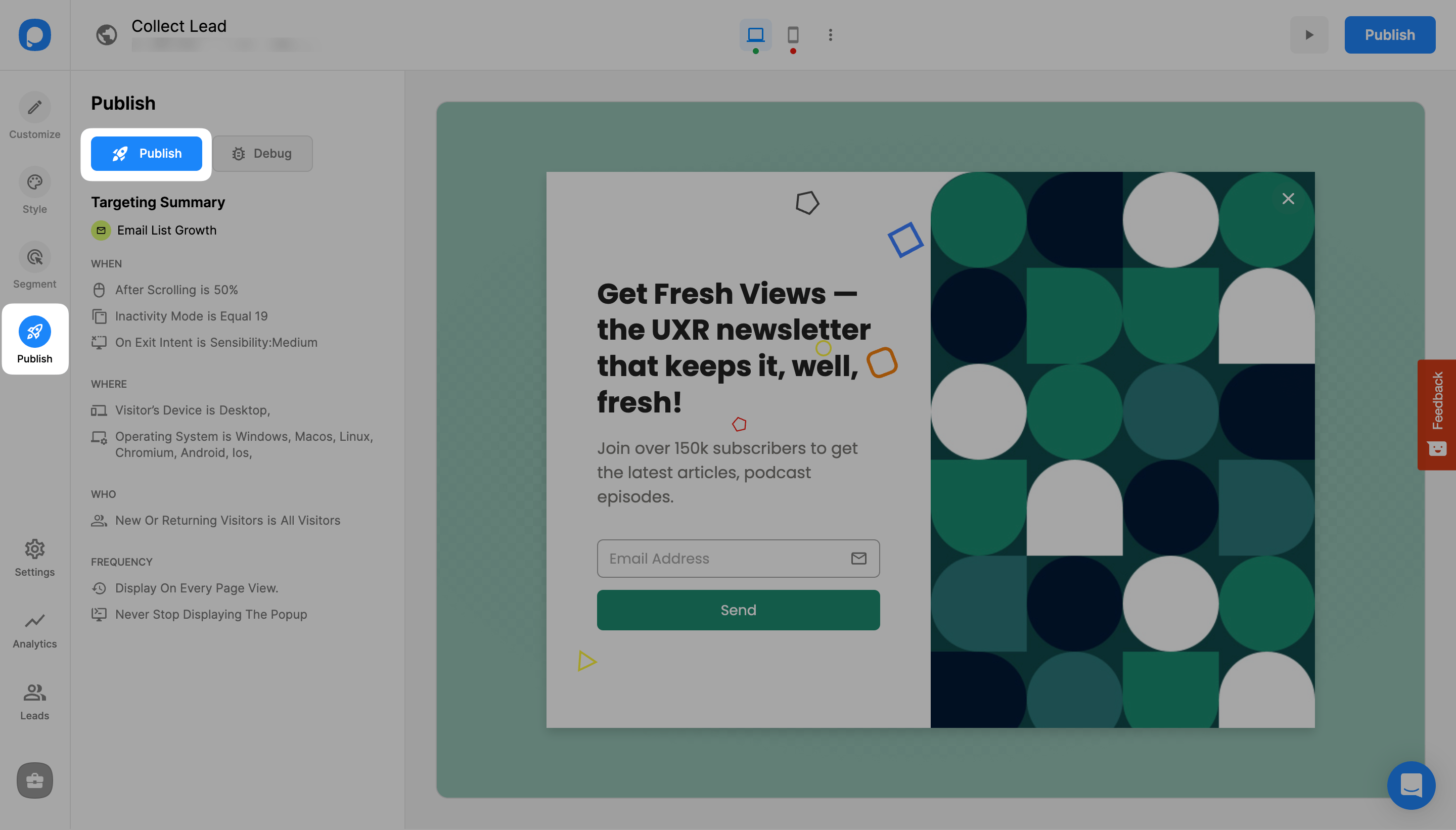
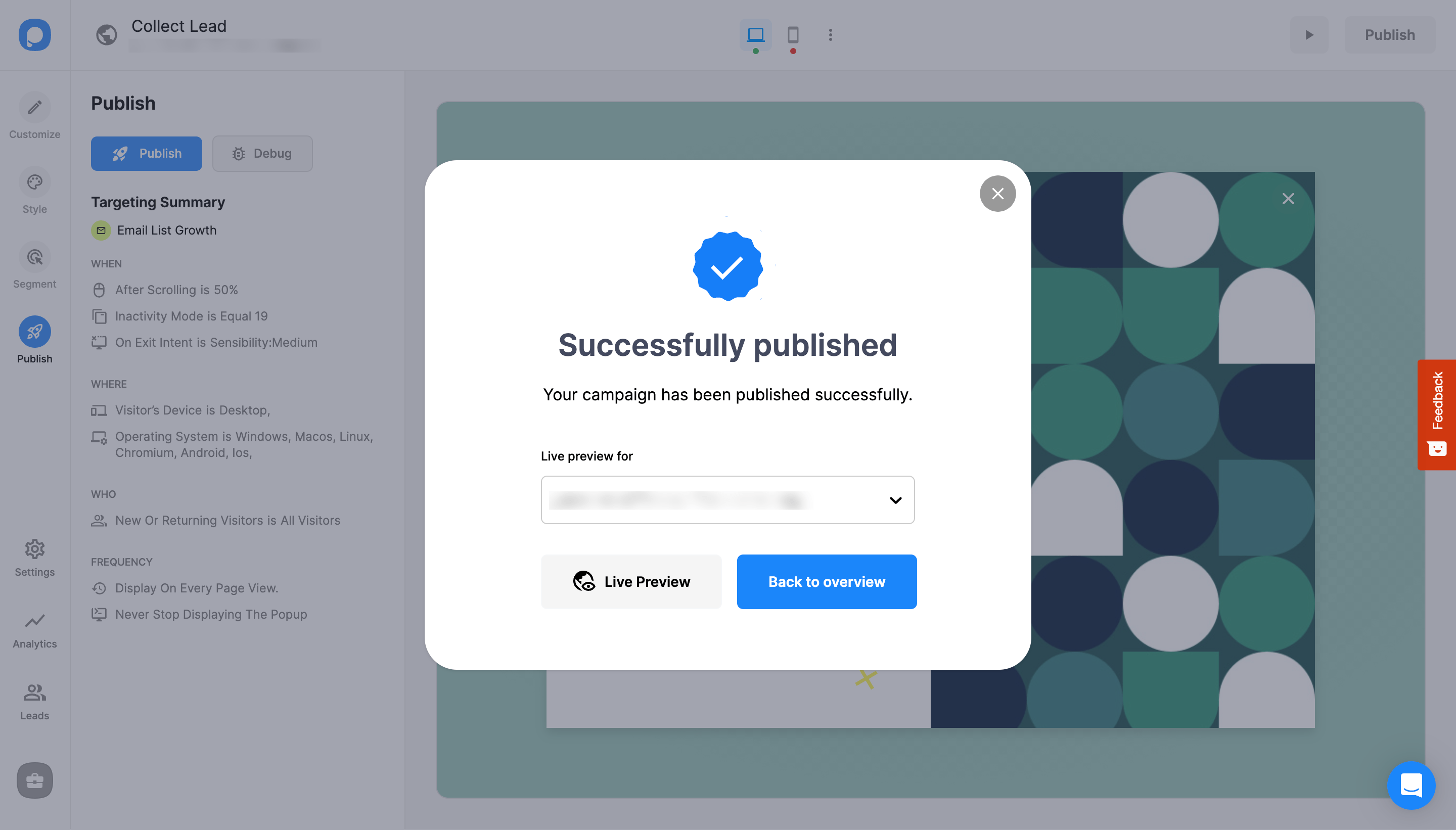
A window confirms that the campaign has been published. Open your site in a private window and load a page; the popup appears when its trigger fires.
Does Prismic have a built-in popup?
No. Prismic doesn't include a popup: according to Prismic's documentation on slices, a slice is a section of a page, such as a hero or a call to action, and a developer builds the UI component that displays it. A developer can build a modal as a slice, and for one fixed signup box that is a fair choice: it lives in your code, and editors change its text in Prismic.
A slice only shows where an editor places it, though, and the rest of a popup stays code: the trigger, how often it shows, who sees it and where the leads go. Popupsmart handles those in its dashboard, so the script goes in once and marketers run popups across the whole site without a developer.
How do you show a popup only on some Prismic pages?
A Prismic popup reaches only the pages you pick when the embed code stays in the layout and the page choice happens in Popupsmart. In the builder's Segment step, URL targeting shows a campaign only where the address contains or matches what you set, such as /pricing. You can combine it with exit intent, scroll depth, time on page, device and new or returning visitors, and change it later without touching the app.
Timing matters as much as the page. In Popupsmart's 2026 benchmark, popups that wait before appearing convert 0.83% against 0.61% for popups shown the instant the page loads (median campaign), a lean rather than a proven gap, and exit intent shows no statistically reliable advantage. When a popup fires is worth deciding on purpose, so pick the trigger in the same step as the pages.
Popup ideas for a Prismic site
A Prismic popup works best when it matches the goal of the page it sits on:
- Newsletter signups on the blog: the email popup guide.
- A last offer for visitors about to leave a landing page: exit-intent popup examples.
- Calls from ready buyers on pricing and contact pages: popups that increase phone calls.
Send your Prismic popup leads to your email tool
Prismic doesn't store form submissions, so the leads go from Popupsmart to your email or CRM tool. You connect it in the campaign's Integration section. The Klaviyo popup guide and the SendGrid popup guide walk through a connection; the help center lists 19 destinations, and a webhook, Zapier or Make covers a tool that isn't one of them.
Does a popup slow down a Prismic site?
A Popupsmart popup doesn't hold up a Prismic page: the embed code loads asynchronously (async defer), so the browser finishes building your page before it fetches Popupsmart. It adds no Prismic API calls and nothing to your build.
Popup not showing on your Prismic site? Check these
- The layout change isn't deployed. View the live page's source and search for
cdn.popupsmart.com. If it's missing, check that the deploy finished. - The code is in a Prismic field. A script pasted into a text field is content, and your app outputs it as text, so it won't run. Move the code to the layout.
- A route uses another layout. Next.js allows more than one root layout, one per route group for example. Add the code to each of them.
- You're testing on a preview URL. Test on the live address you added in Popupsmart. It must match exactly:
www.example.comandexample.comare different sites to a browser. - A Content Security Policy blocks the script. If your app or host sends a CSP header, add Popupsmart's script domain,
cdn.popupsmart.com, to it. - The trigger hasn't fired yet. An exit-intent or scroll trigger waits for the visitor to leave or scroll; test in a private window and behave like a visitor.
Prismic popup FAQ
Is there a free way to add a popup to a Prismic site?
Yes. Popupsmart's free plan is permanent, not a trial: one website, one live popup and 5,000 pageviews a month, with Popupsmart branding. It is enough to install the code and run your first popup on a Prismic site.
The Popupsmart pricing page compares it with the paid plans.
Do I need a plugin to add popups to Prismic?
No. Prismic has nothing to install for this, and your front end needs no package either. Popupsmart runs from one line of code in the front end's layout, and every popup after that is managed in the Popupsmart dashboard.
Does it work with Next.js, Nuxt and SvelteKit?
Yes. These are the frameworks Prismic supports, and each has one file or setting that wraps every page: the root layout in Next.js, the head settings in Nuxt and app.html in SvelteKit. The embed code goes there.
How long does it take to add a popup to a Prismic site?
The Prismic side is one line in your app's layout and a deploy; the rest is building the popup. Among people who published a campaign in the 90 days to 16 September 2026, the median time from signup to the first published campaign was 32.5 minutes, and 287 of 332 published within a day, according to Popupsmart's own product data. That figure covers every platform, not Prismic alone.
Can I add a mobile popup to a Prismic site?
Yes. Popups are responsive, the builder has a desktop and a mobile preview, and device targeting can show a popup on mobile only or on desktop only.