
URL Targeting
You can target visitors that are visiting a specific webpage of yours with a popup as we do here on this page.
With URL targeting, you can target users visiting a specific webpage of yours with a popup.
Or, if you don't want to display a popup on the entire website, just add the URLs of the pages you want to include.
URL Targeting Features
- Target pages that contain specific keywords
- Set specific keywords to match
- Add multiple keywords for precise targeting
How to Set Up URL Targeting
Navigate to Segment
After logging into your Popupsmart account, create/edit a popup campaign. On the popup builder screen, navigate to the "Segment" section and click "Change Segment."

Add URL Targeting
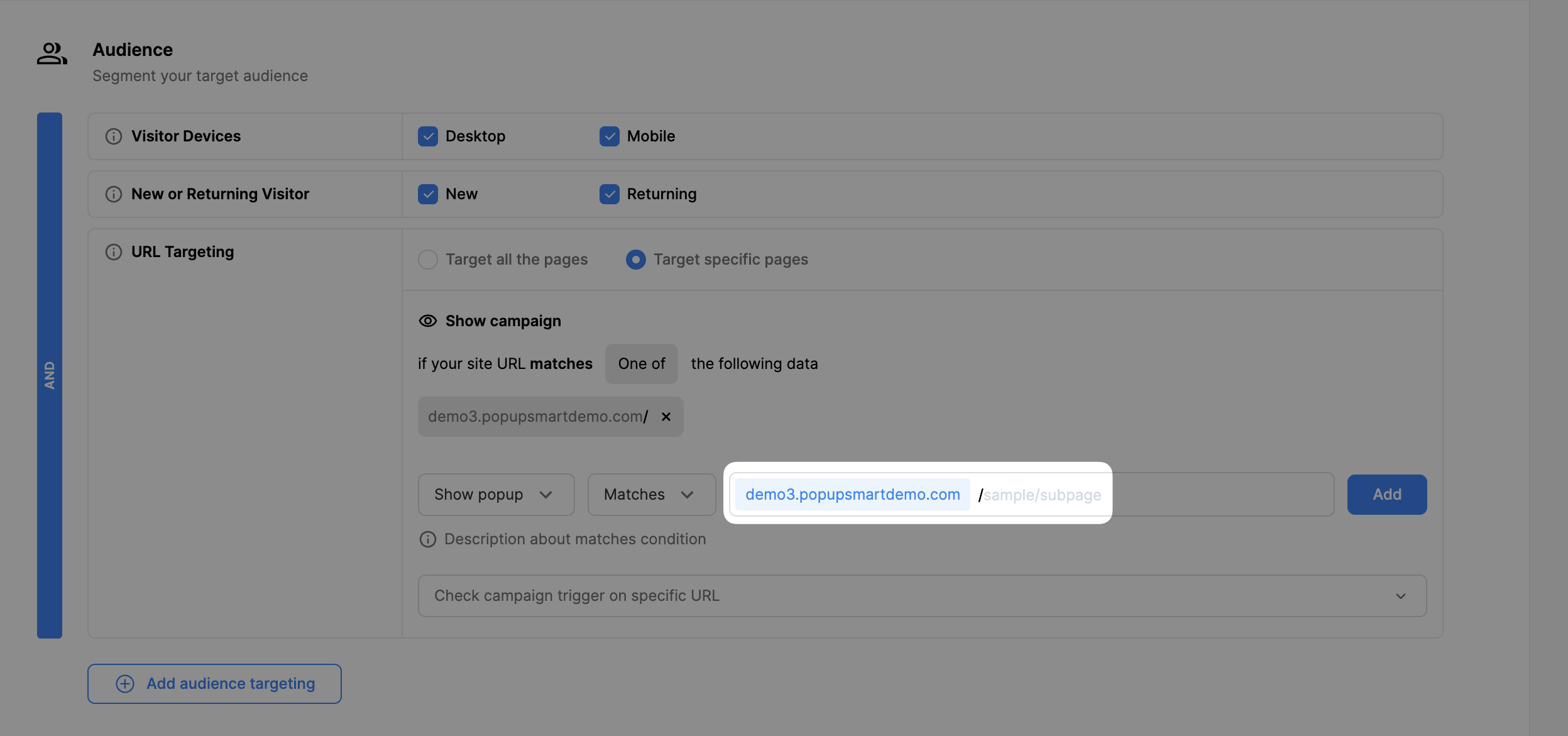
Click "Add audience targeting" under Audience. Then, click "Add" next to "URL Targeting".

Choose Targeting Mode
Click "Target all the pages" if you want to target all pages, or click "Advanced Configurations" for specific URLs.


Set URL Matching Rules
Configure URLs that contain or match a specific keyword. For example, show your popup on your homepage only by writing down its keyword.

Add Multiple Keywords
Enter the keywords you want to include and click "Add". You can enter multiple keywords following the same step.

Test Your Targeting
Check the campaign trigger on a specific URL from the dropdown menu below by entering the keyword and clicking "Check".

Save and Publish
When all is done, click "Save" and continue with "Publish" from the left-hand menu to see the Targeting Summary.

Homepage Targeting Tip
To display/hide a popup only on the homepage, use '/' after the website URL.
Use Case: UTM Parameter Targeting
Enjoy your sales!
Do you have further questions? Contact us.
How is this guide?