ChatGPT
 Perplexity
 Claude
 Grok
Grok Google AI Mode
There are plenty of ways to collect zero-party data. Using popups for collecting zero-party data is one of the most effective.
Using popups changes how your business talks to online customers. A popup is interactive and you can customize every part of it, so you decide how that conversation goes.
Below you'll find how to use popups for collecting zero-party data, then 20 popups we collected from brands that do it.
What is zero-party data?
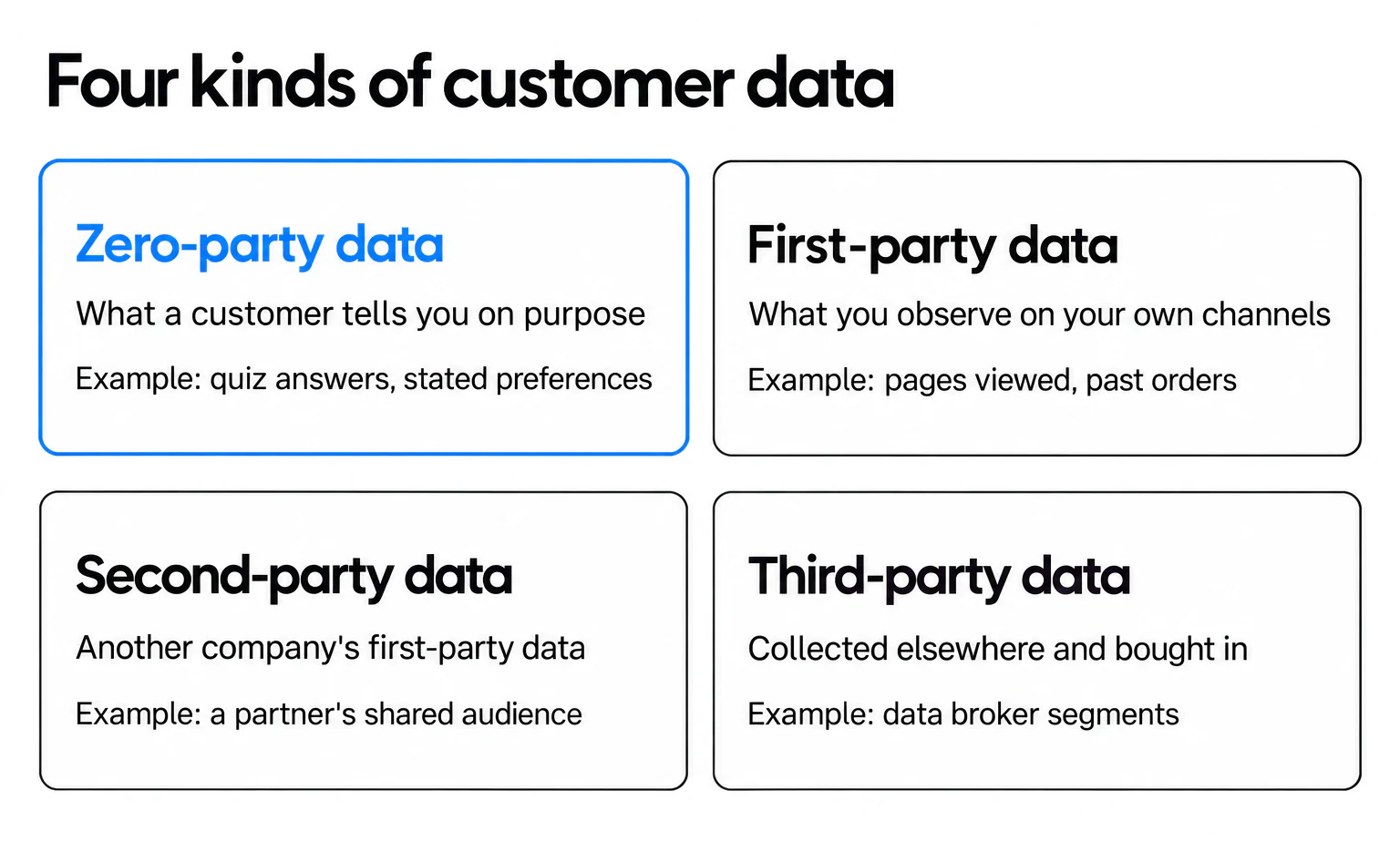
Zero-party data is what a customer tells you on purpose. A shopper who picks "running" in a quiz, gives their birthday for a birthday offer or chooses to hear from you once a week has handed you zero-party data. You didn't infer it from their clicks; they said it.
The term comes from Forrester. Analyst Fatemeh Khatibloo's report Q&A: What Marketers Need To Know About Zero-Party Data (October 10, 2018) set it apart from first-party data, the data a brand observes rather than is told.
| Data type | Where it comes from | Example | What to keep in mind |
|---|---|---|---|
| Zero-party data | The customer tells you, on purpose | Quiz answers, stated preferences, a birthday for a birthday offer, a chosen email frequency | It's what they said; answers can go stale |
| First-party data | You observe it on your own site, app or store | Pages viewed, cart contents, past orders | It shows what they did; the reason is a guess |
| Second-party data | Another company's first-party data, shared with you by agreement | A co-marketing partner's shared audience | Only as good as the partner's collection and consent |
| Third-party data | Collected by someone with no direct relationship to the customer, then sold or licensed | Data broker segments | The least direct of the four |
Is an email address zero-party data? Strictly, it's contact data, and most marketers file it with first-party data. The zero-party part is what comes with it: the interest they picked, their country, the offer they chose. That's how I read the 20 examples below: most collect contact details plus, at best, one answer. One extra question is what turns a sign-up into zero-party data.
Popups aren't the only way to collect it. Preference centers, quizzes, post-purchase surveys and account profiles all ask customers to tell you something. Popups are the onsite option that reaches visitors before they have an account or an order history.
Why use popups to collect zero-party data?
A popup asks at the moment of interest, on the page the visitor is already reading, and it can offer something in return. That value exchange is what makes people answer.
Set your expectations with real numbers. Across 3,034 Popupsmart popups that ask for an email or phone number (January 2024 - September 2026, each with at least 1,000 displays and 14 active days), the median converts 0.83% of its displays into leads; the top 25% reach 1.96% and the top 10% reach 3.87%. That comes from our 2026 popup conversion benchmark report, which covers 28,674 campaigns.
Our benchmark doesn't measure zero-party data on its own: it counts leads, and a lead is a popup submission that contains an email address or phone number. So there's no "zero-party conversion rate" in this post, only the form, offer and button findings that apply to any popup that asks for something.
5 Effective Ways to Use Popups for Collecting Zero-Party Data
Here are five answers to the question "how can you use popups for collecting zero-party data?"
One reminder before the methods: a user-friendly popup builder like Popupsmart makes every one of them easier to set up.
Start Creating a Popup for Zero-Party Data
1. Grow Your Email List
Popups are there for you if you need to grow your email list. For this, it's not unusual to offer some incentives to your visitors in exchange for their zero-party data.
For instance, the example below provides "exclusive offers" if you enter your email address.
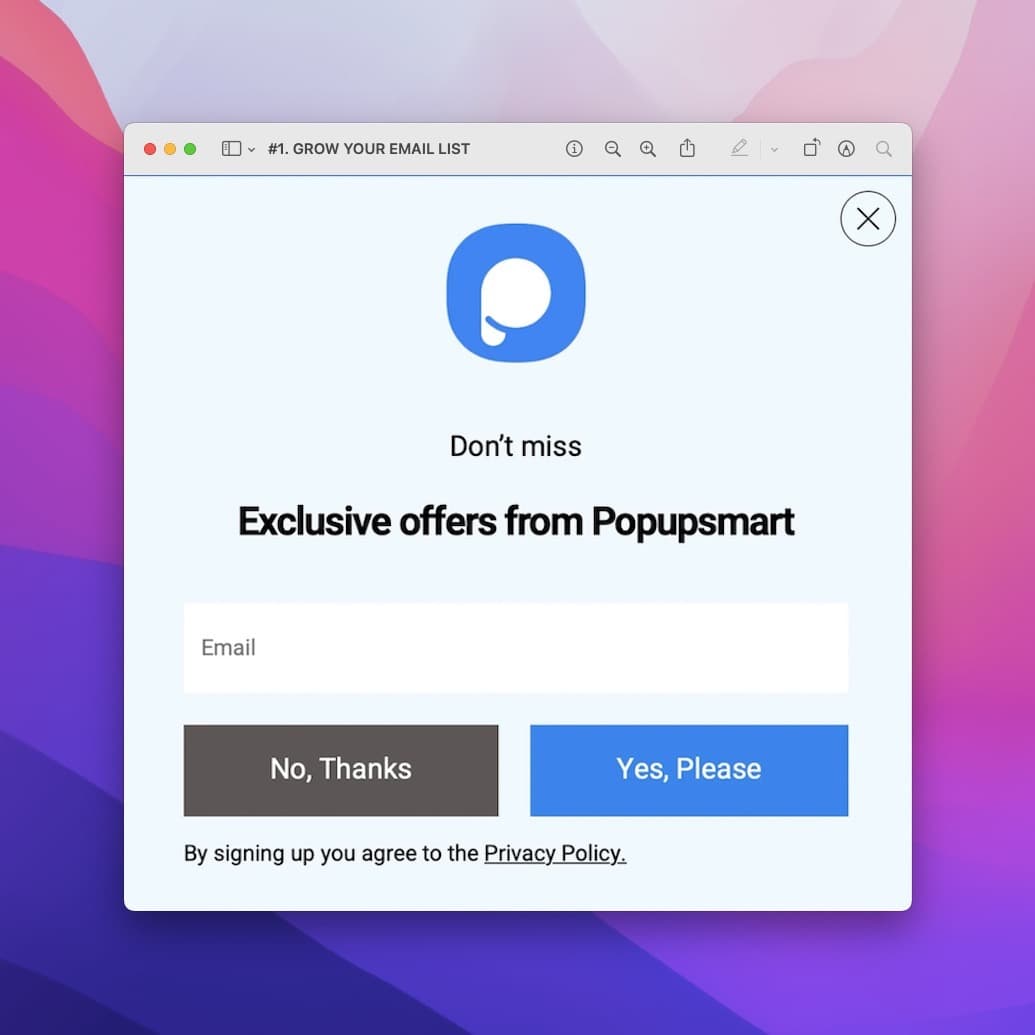
You can keep it simple by asking for the visitors' email addresses, or you can go ahead and ask for additional information while they are at it already.
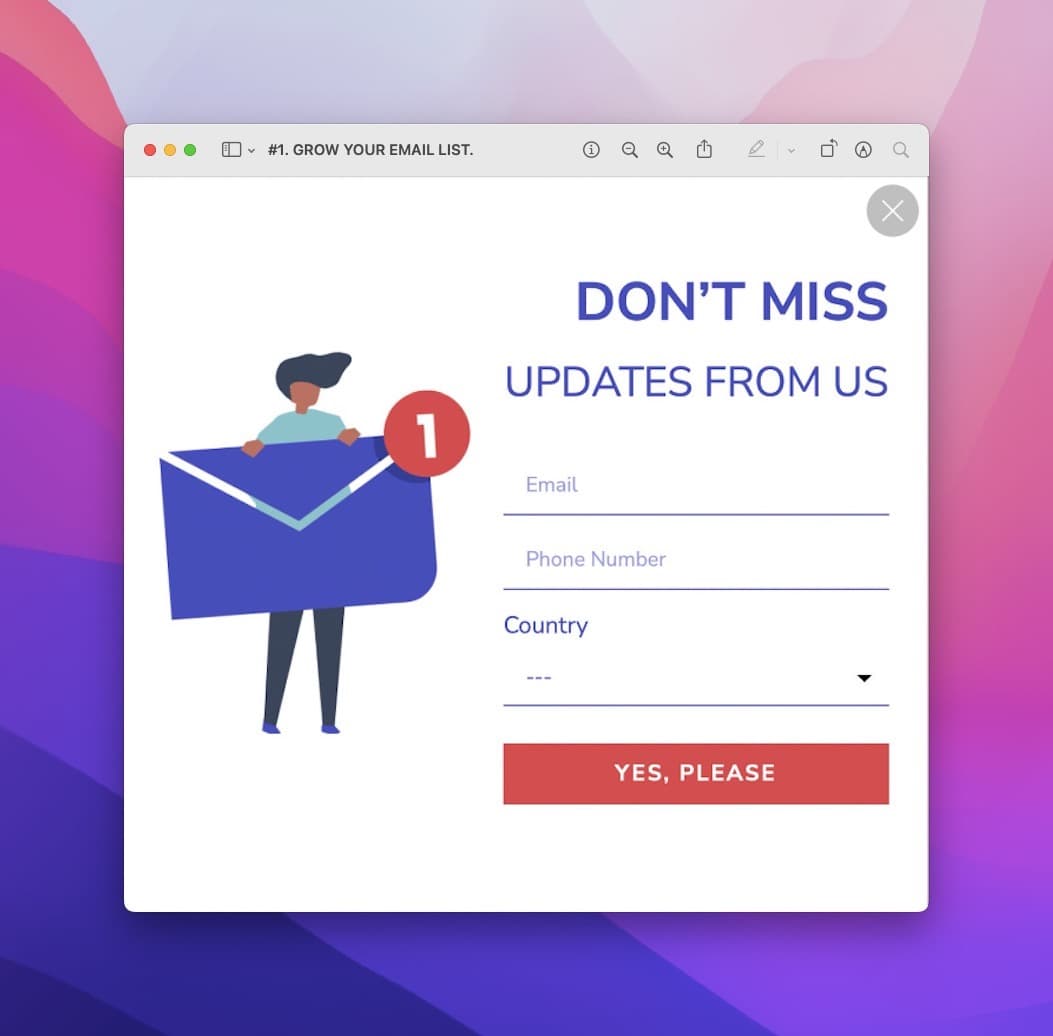
The country dropdown in that second template is the zero-party part: the visitor tells you where they are, so you can send offers that ship to them.
The data you need depends on your business.
That's why your popup builder must be fully customizable. You should be able to change the information boxes by "adding a new form field" for whatever data helps you most.
Add a field only when you'll use it. In our benchmark, adding a name field alongside the email shows no reliable effect: the overall gap in its favour (1.25% vs 0.88% for email only) reverses among campaigns whose form rarely changed (0.74% vs 0.79%).
2 . Increase Phone Calls
Phone calls work much like email sign-ups: you offer something, and the visitor leaves a number.
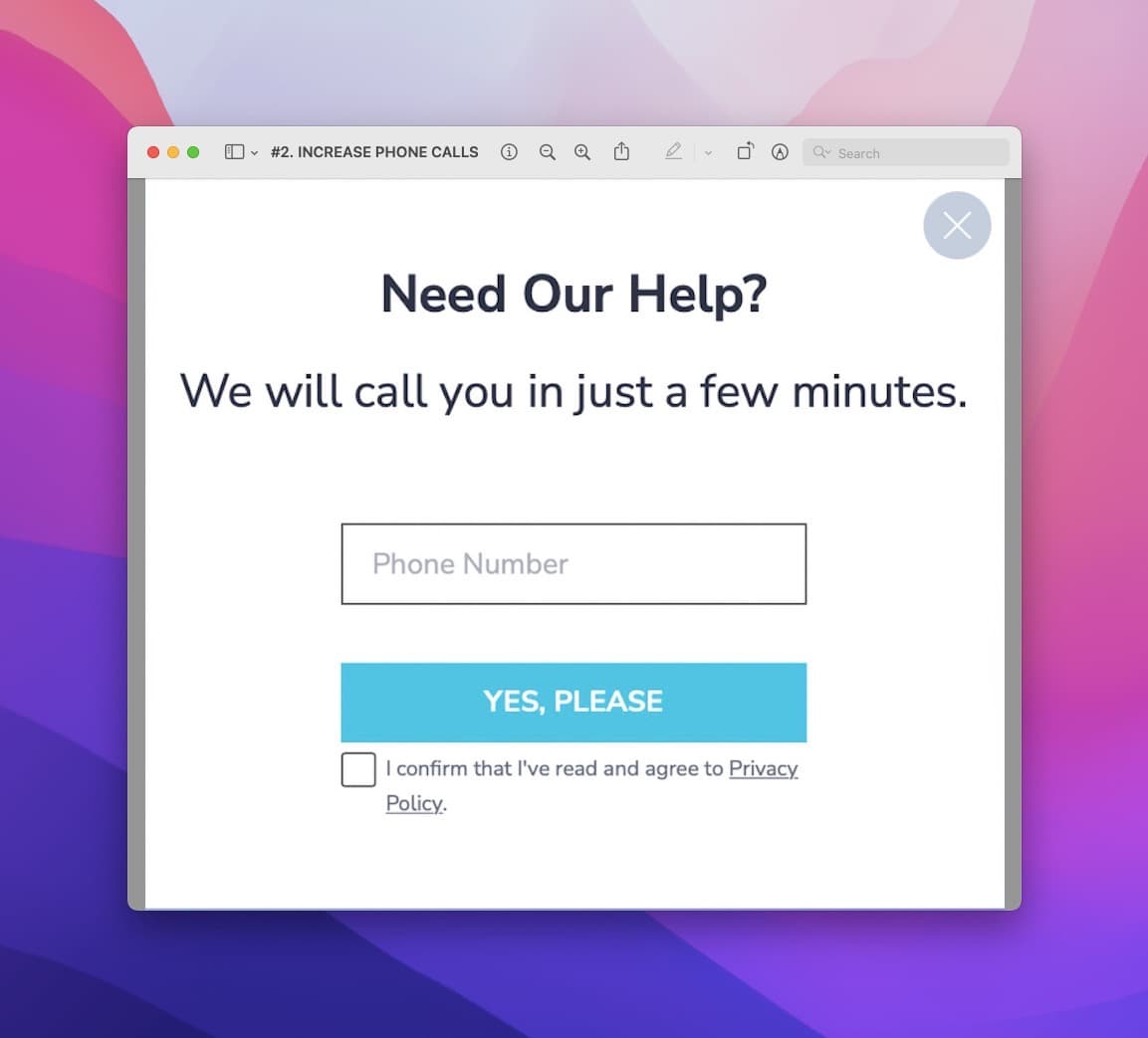
The popup above is a good example of getting phone numbers with a popup. Here, you're offering your support in return for the visitor's phone number.
If the viewer needs your assistance at that moment, adding headings like these increases the chances of getting the phone number
- "We will call you shortly.",
- "We'll be with you in a second."
A phone number asks for more trust than an email. Forms that ask for a phone number instead of an email look weakest (0.46% vs 0.88% for email only), though that gap is not statistically reliable. Yet more popups ask for one: the share of popup leads that include a phone number rose from 21.3% (2024) to 26.3% (2025) to 33.5% (2026) (all leads pooled); much of that comes from a few high-volume accounts that collect phone numbers, while most lead-collecting campaigns collect email only.
If you're using Popupsmart, you can also build a popup from scratch and make it as creative as you like.
Floating bar popups are another good option for collecting zero-party data. Because of where a floating bar sits, visitors see it without it blocking the page.
Click to Increase Phone Calls!
3. Collect Form Submissions
Have you heard about sidebar popups? They sit at the edge of the page and leave the content readable, which is another effective way to use popups for collecting form submissions. The example below takes the centred route instead: a newsletter popup that asks for an email and a country in return for 15% off the first order.
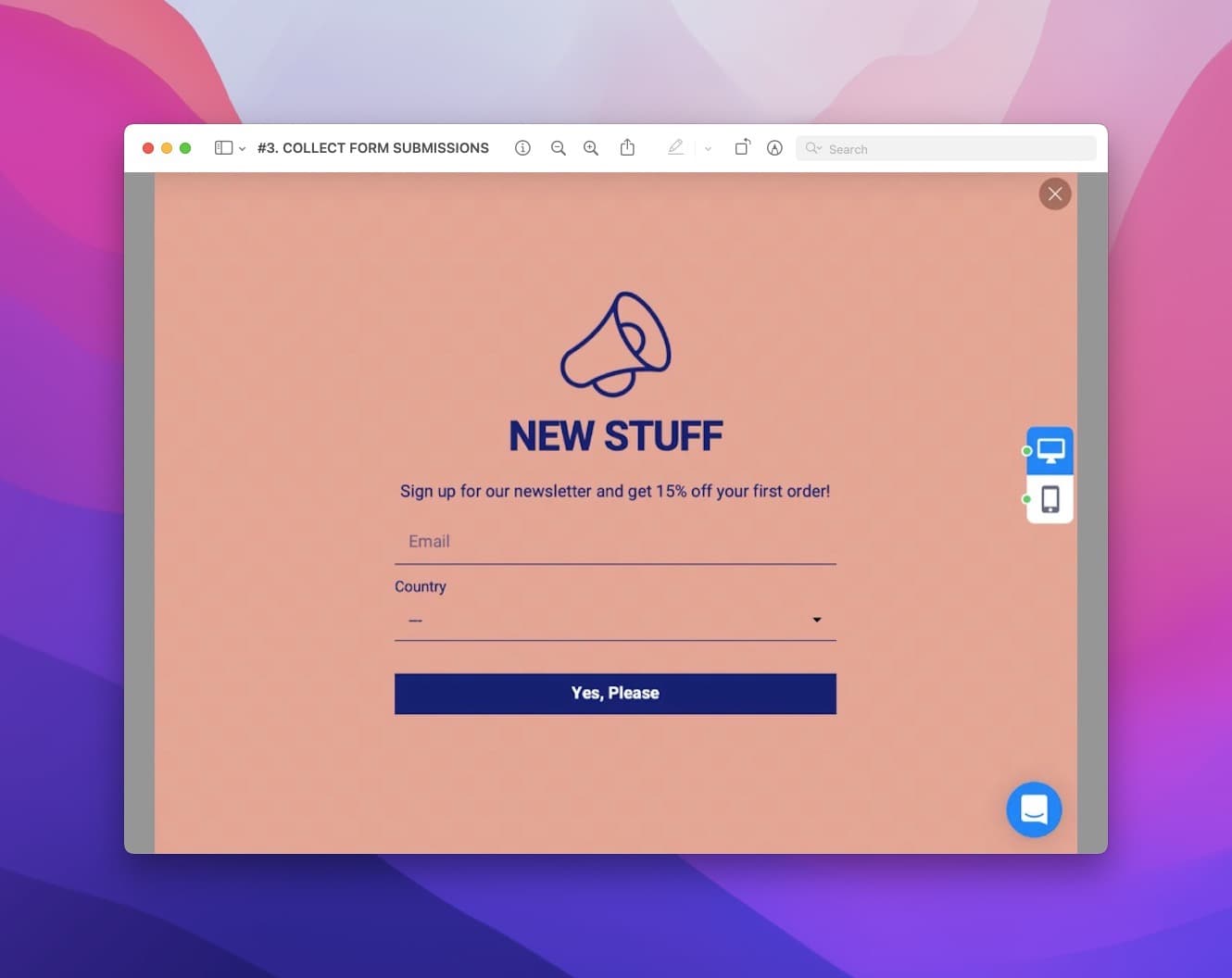
To make your form submission popups impossible to ignore, try using full-screen popups.
Whatever the format, keep the form short. Popups asking for one or two fields convert 0.88% and 0.94%, against 0.56% for three fields (median campaign; spin-to-win and other gamified popups are counted separately).
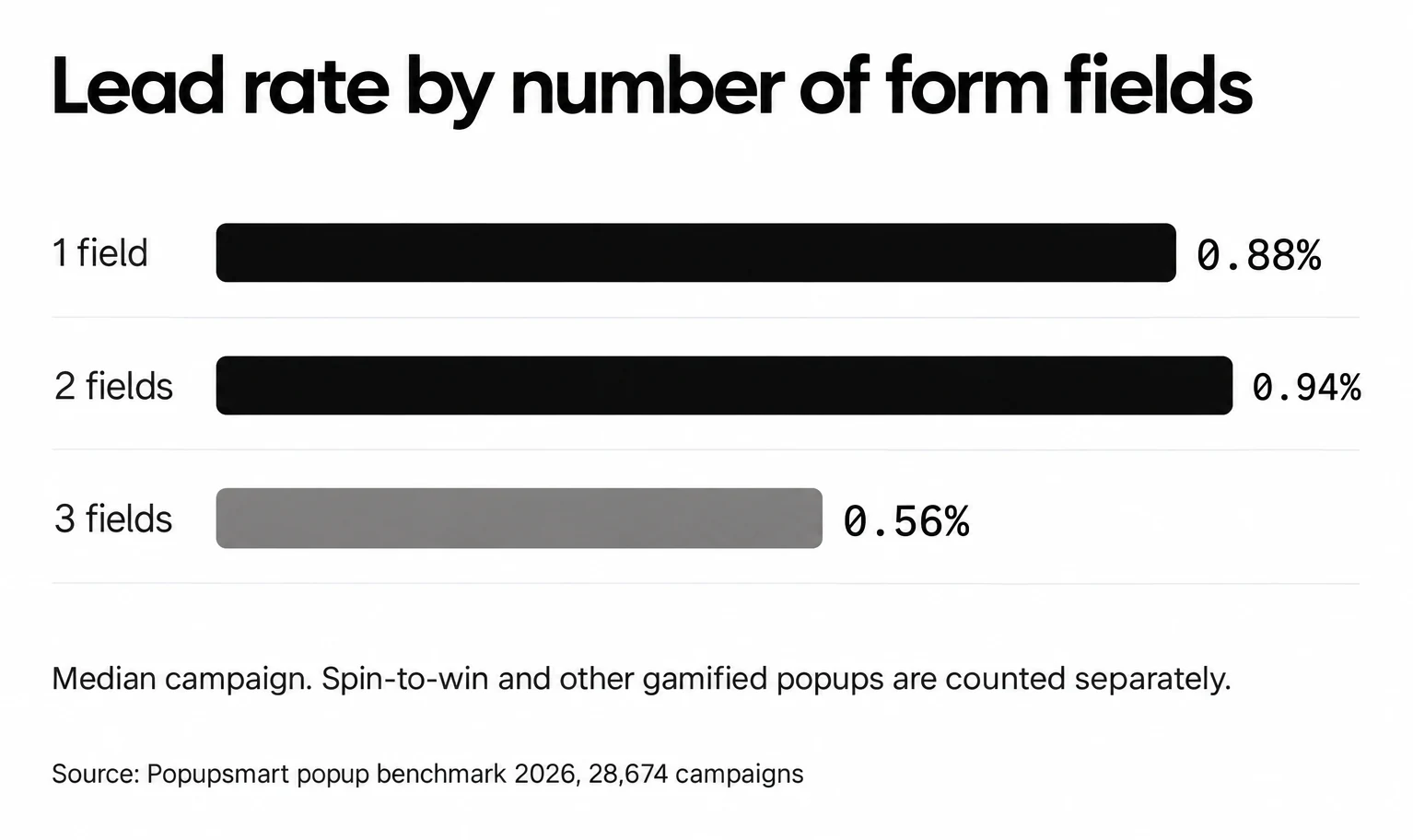
If you need three answers, don't cram them into one step and hope. Our step-by-step guide on how to create a popup form covers field order and the form settings.
Shortcut to Collecting Form Submissions!
4. Gamify Your Campaign
Gamifying your campaign makes it more attractive for visitors to interact with your popups.
You can create things such as wheel popups, and at the end of your game, you can ask the visitors to give their contact addresses.
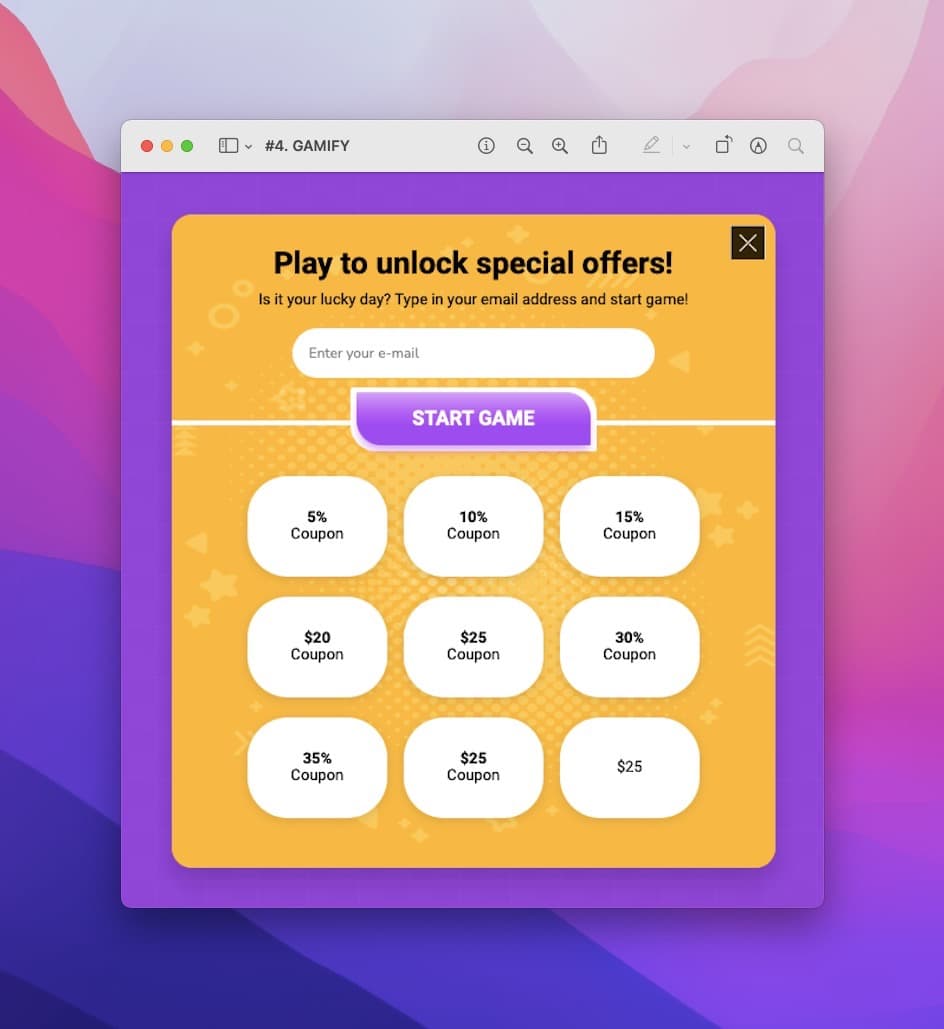
The usual thinking is that a game makes visitors more likely to provide you with the zero-party data you're asking for.
Test that assumption, though. Spin-to-win and other gamified popups get far more clicks (7.33% vs 1.87% of displays, median campaign; the spin itself counts as a click), but do not collect measurably more email or phone leads than plain signup popups.
Clicks are the easy part.
So judge fun gamification popups by what they bring in, newsletter sign-ups or purchases, and not by how many people spin.
5. Bonus: Don't Forget About Teasers
Teaser popups are miniature versions of larger popups. They open the main popup when clicked.
If used right, they can be more attractive and increase your chances of collecting zero-party data.
Teasers come in different forms and colors. Customize each element in line with your brand image so the teaser looks like part of your site.
A teaser changes how visitors reach your form, so it will change your rates too. Measure it like any other popup.
How to ask for zero-party data in a popup
A zero-party question is a form field with a choice in it. In Popupsmart, you add it to the form element of any popup: Single Choice, Multiple-Choice, Dropdown, Date, Rating and Opinion Scale sit next to the email and phone fields, and a Notice and Consent field handles the permission line. The help center lists them all under which elements you can add to a popup.
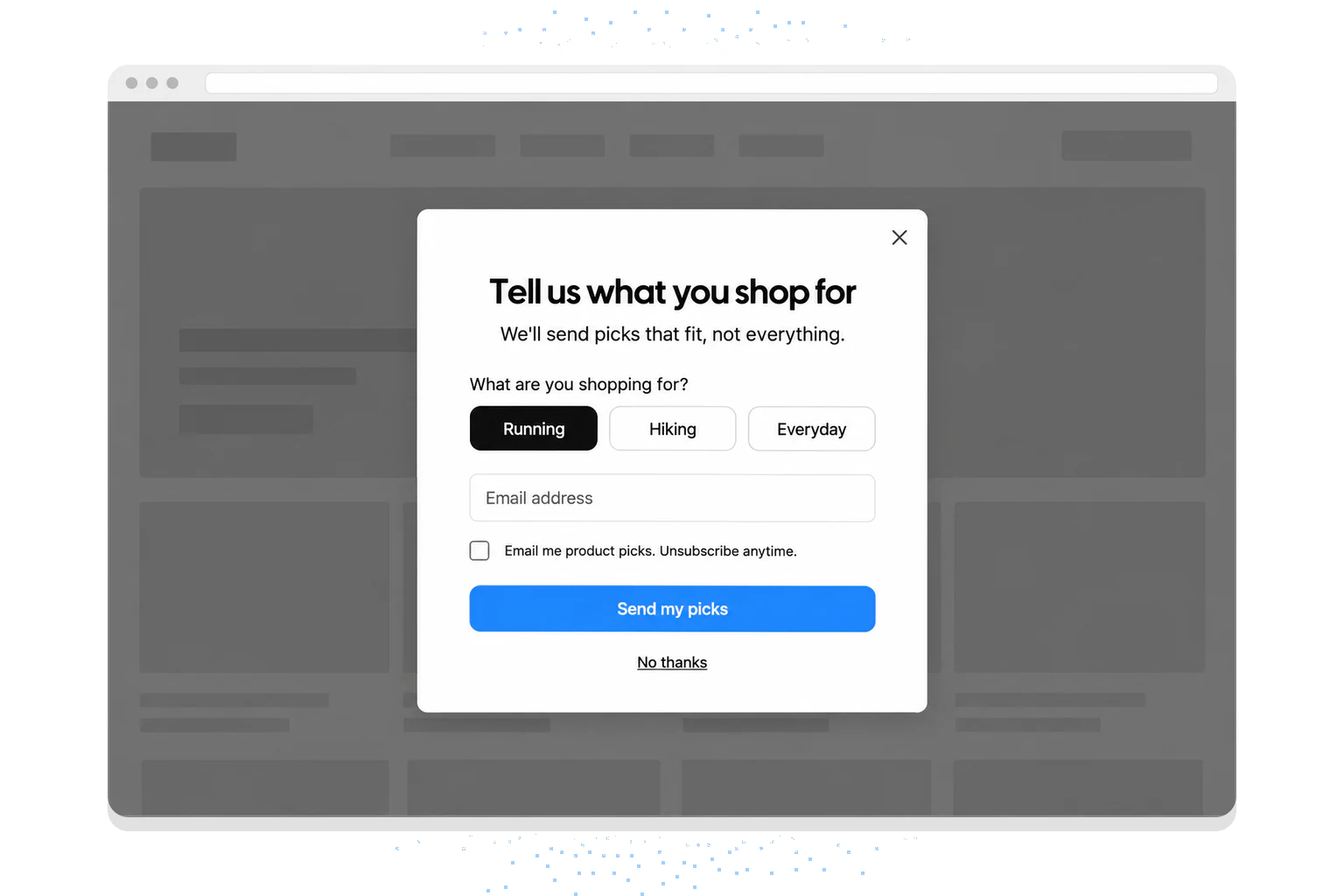
Here's how I'd build one:
- Ask one question you'll act on. "What are you shopping for?" is worth asking only if each answer gets different emails or product picks.
- Put the answer first and the email second. A single-choice answer is one tap, and it tells the visitor what the email will be about.
- Split a longer ask into steps. Multistep popups put the question on step one and the email on step two. Don't expect the steps alone to lift sign-ups: multi-step forms show no measurable conversion advantage over single-step forms once step-1 clicks without contact details are excluded.
- Say what they get. The line under the headline ("We'll send picks that fit, not everything") is the value exchange. A button that names it helps too: first-person buttons ("Send my code") convert 1.18% vs 0.80% for neutral wording (English popups, median campaign).
- Use a rating or opinion scale for feedback. For satisfaction or "how did you find us?" questions, our popup survey examples show how other brands phrase them.
Where the answers go: storing and passing zero-party data
An answer only pays off when it reaches the tool that sends your emails. In Popupsmart, every submission lands in the Leads section of the dashboard first. The Leads table shows each lead's ID, email address, created date, action name, page, referrer and device; you can search it, filter it by date and export it as CSV, PDF or XLS (where your collected lead data goes).
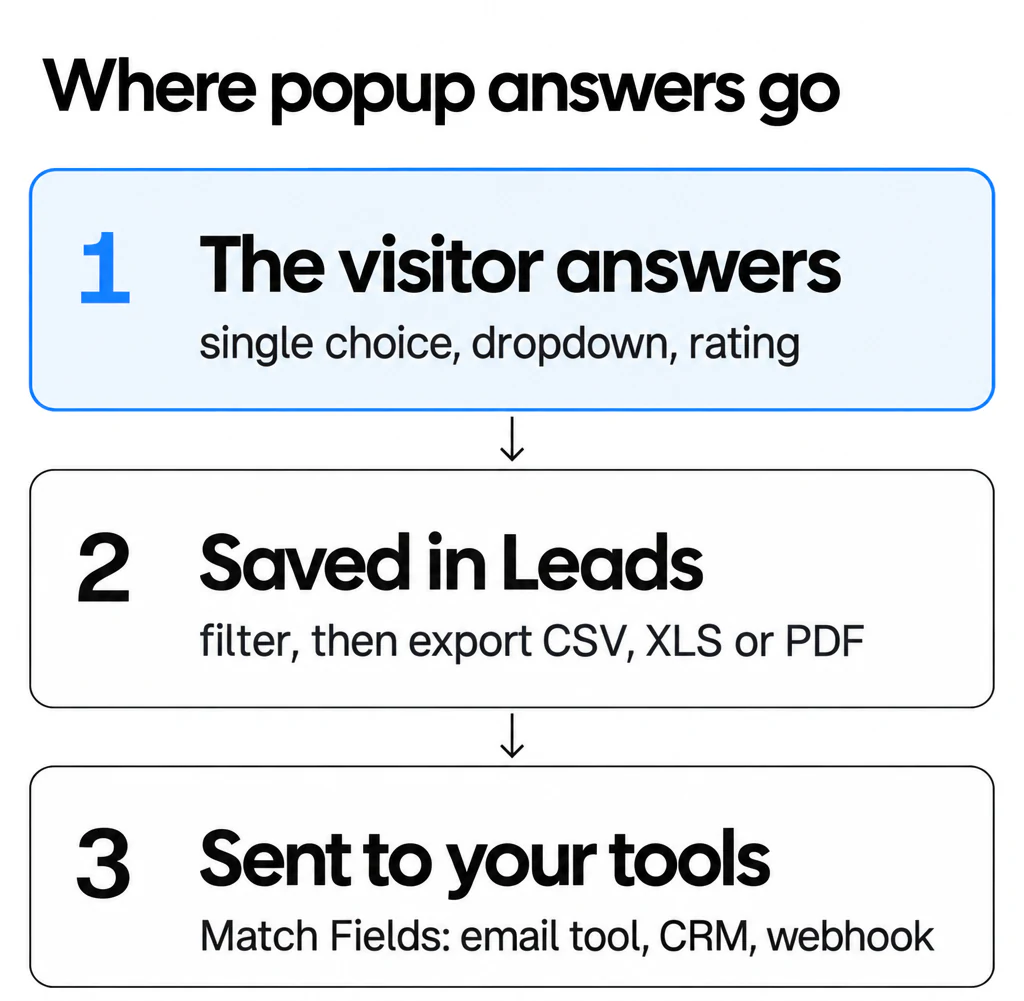
From there, the answers move to your other tools:
- Email and CRM integrations. On the form element's Integration tab you connect a tool, then use the Match Fields step to send each form field to a field in that tool. The help center lists 19 integration destinations; see all Popupsmart integrations.
- Webhooks, Zapier and Make. For a tool without a direct integration, a webhook or an automation platform passes the same fields on.
- The leads API. A
GET /api/leadsrequest pulls leads automatically, if you'd rather load them into your own database.
Connect the tool before you publish the popup, and check one test submission end to end: the answer should arrive in the right field, not in a notes column nobody reads.
Consent, GDPR and CCPA: what a zero-party popup still needs
Zero-party data isn't exempt from privacy law because the customer volunteered it. Once an answer sits next to an email address, it's personal data. This section is general information, not legal advice; check your own case with a lawyer.
- GDPR (EU and UK visitors). You need a lawful basis for each purpose. If that basis is consent, it has to be an active choice: the GDPR's Recital 32 says "Silence, pre-ticked boxes or inactivity should not therefore constitute consent." Bulgari's popup below does this well, with separate unticked boxes for profiling and for marketing.
- CCPA (California). A discount in exchange for an email is a financial incentive under the California Consumer Privacy Act. For a business the law covers, California Civil Code §1798.125(b) requires notice of the incentive and prior opt-in consent that describes its material terms and can be revoked at any time.
- Say what you'll do with the answer. "We'll use this to send picks that fit" next to the question is honest, and it's the reason people answer.
In Popupsmart, the Notice and Consent field adds the consent line, and its Required toggle stops the form from submitting until the visitor ticks it (how to add a privacy policy to a popup).
20 Popup Use Cases for Collecting Zero-Party Data
These are the brands we found using popups to collect zero-party data and grow their database.
We captured these popups in September 2022, so the offers are the ones the brands ran then. On October 1, 2026 we checked every brand again: 19 of the 20 websites are online. City of Gold's store (cityofgoldofficial.com) showed "This store is unavailable", and MADE is now run by Next plc, which bought the brand after MADE went into administration in November 2022. The popups themselves have likely changed since.
| # | Brand | What the popup asked for (September 2022) | Answer beyond email or phone |
|---|---|---|---|
| 1 | Jomashop | A spin, then an email address | None |
| 2 | FOSSIL | Email; SMS by texting a keyword | None |
| 3 | DSW | VIP form: name, email, password, address; optional birthday, gender, mobile | Birthday and gender (optional) |
| 4 | Laura Geller | None | |
| 5 | Maya Brenner | First name (optional) and email | First name |
| 6 | Myntra | A teaser, then sign-up for a coupon | None |
| 7 | PUPA Milano | Country and email, with a marketing consent box | Country |
| 8 | Redbubble | Sign-up button for an account | None in the popup |
| 9 | Camper | None | |
| 10 | City of Gold | Name and email | Name |
| 11 | Happy Socks | None | |
| 12 | Glasses Direct | Email, with a choice of two welcome offers | Which offer they want |
| 13 | MADE | None | |
| 14 | Software Suggest | Name, business email, phone, company | Company, and that they want help choosing software |
| 15 | RateHawk | None | |
| 16 | HubSpot | A subscribe click, then email | None |
| 17 | Movado | None | |
| 18 | Murray's Cheese | Email and mobile number | None |
| 19 | Nordic Expat Shop | None | |
| 20 | Bulgari | First and last name, email, country, two separate consents | Country and consent choices |
Only a handful ask a real zero-party question. The rest are contact-for-discount popups, which is exactly where one extra field could add a lot.
1. Jomashop
The first example is from Jomashop, a leading fashion retailer in watches, handbags, and sunglasses that uses a gamified popup on their website.
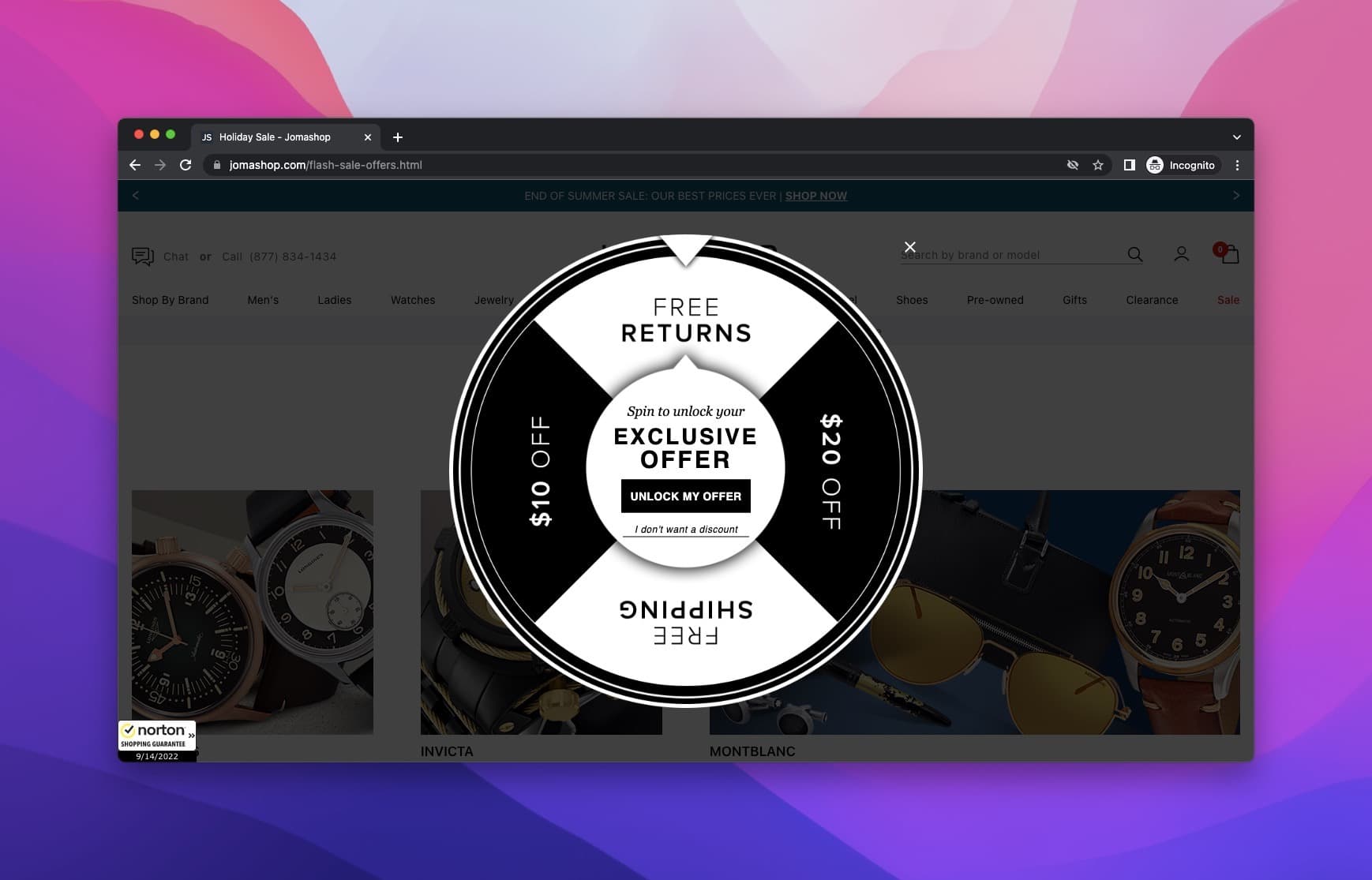
Once you click unlock my offer, the game starts, and you get the prize. To receive your discount code, they ask for your email. And that's it!
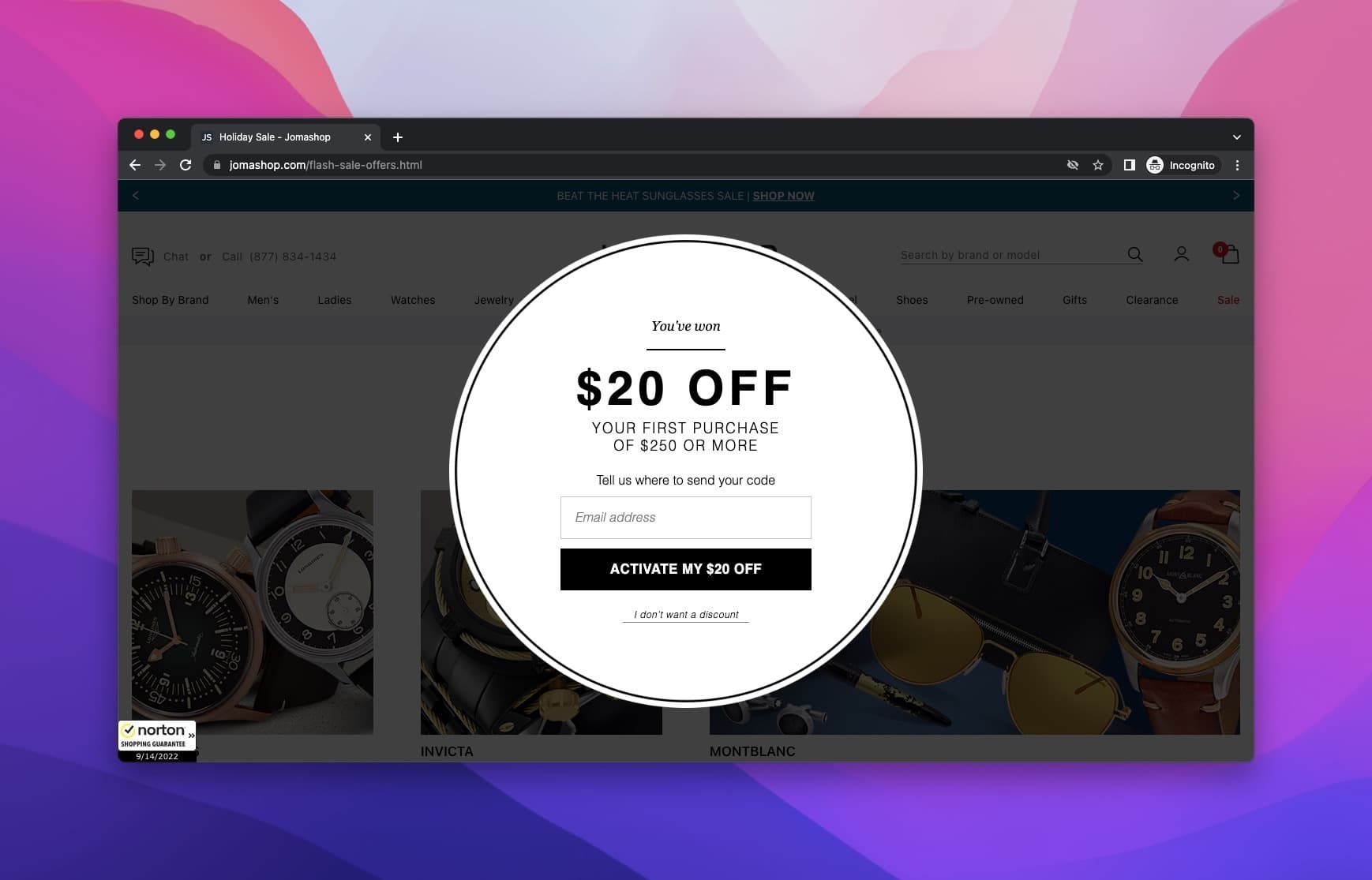
You get the zero-party data you desire by using popups, and they get their discount code smoothly. Win-win!
2. FOSSIL
Our following example is from the famous watch brand, FOSSIL.
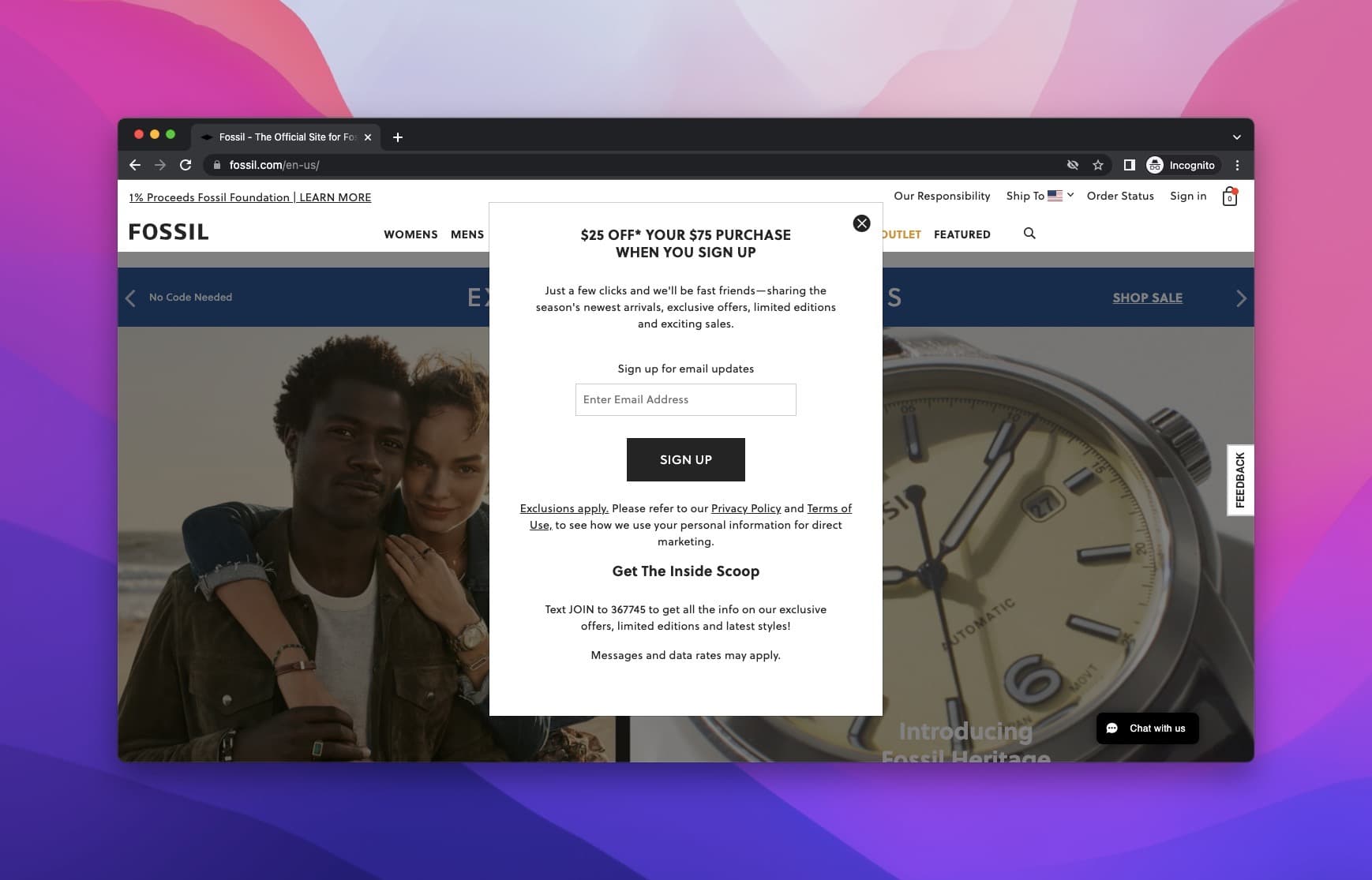
They ask you to become "fast friends" by signing up for email updates. In return, their offer is $25 off your $75 purchase.
They also put their SMS signup in the popup as a text-to-join keyword. So a popup works for getting phone numbers too.
Collecting a number doesn't replace an SMS tool: your SMS marketing software still sends the messages, and it needs the subscriber's consent. Our guide to the SMS popup covers that setup.
This clever popup aims at getting email addresses as well as phone numbers. This is what we call hitting two targets with one arrow!
3. DSW
Next stop, Designer Shoe Warehouse, aka DSW. It's an American company that sells designer and name-brand shoes and fashion accessories.
When you enter the website, you encounter the floating bar popup on the bottom of the screen asking you to sign up for free.
In return, their offer is to become a VIP member and get 20% off instantly, plus 5% back in rewards and free shipping.
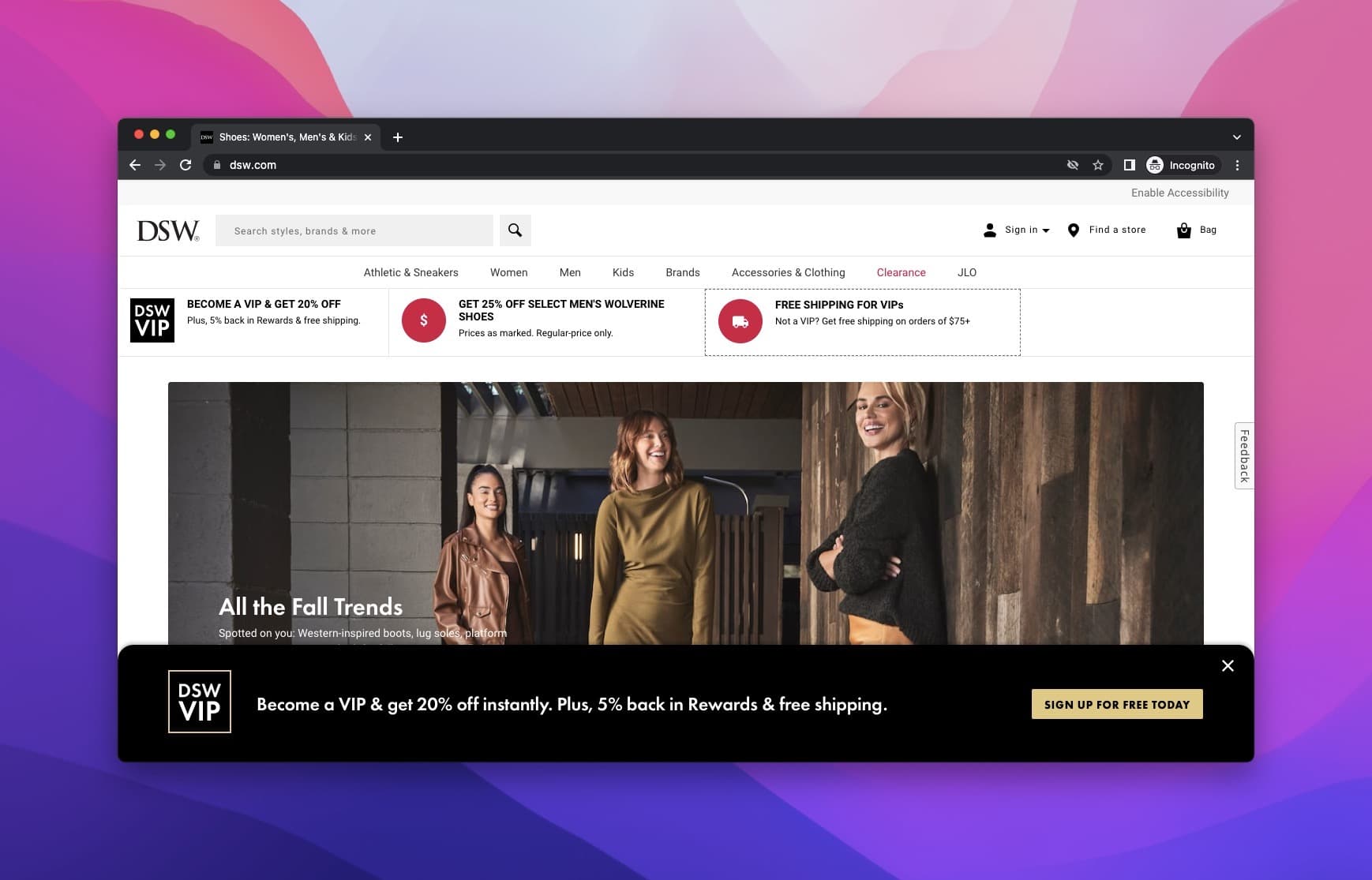
Once you click on the signup button, a submission form opens up.
There are many form fields on this page, like the first name, second name, email, and so on. DSW aims to get all the necessary zero-party data in one shot.
Below the address fields sits an optional section for birthday, gender and mobile phone. The optional birthday and gender fields are the zero-party part.
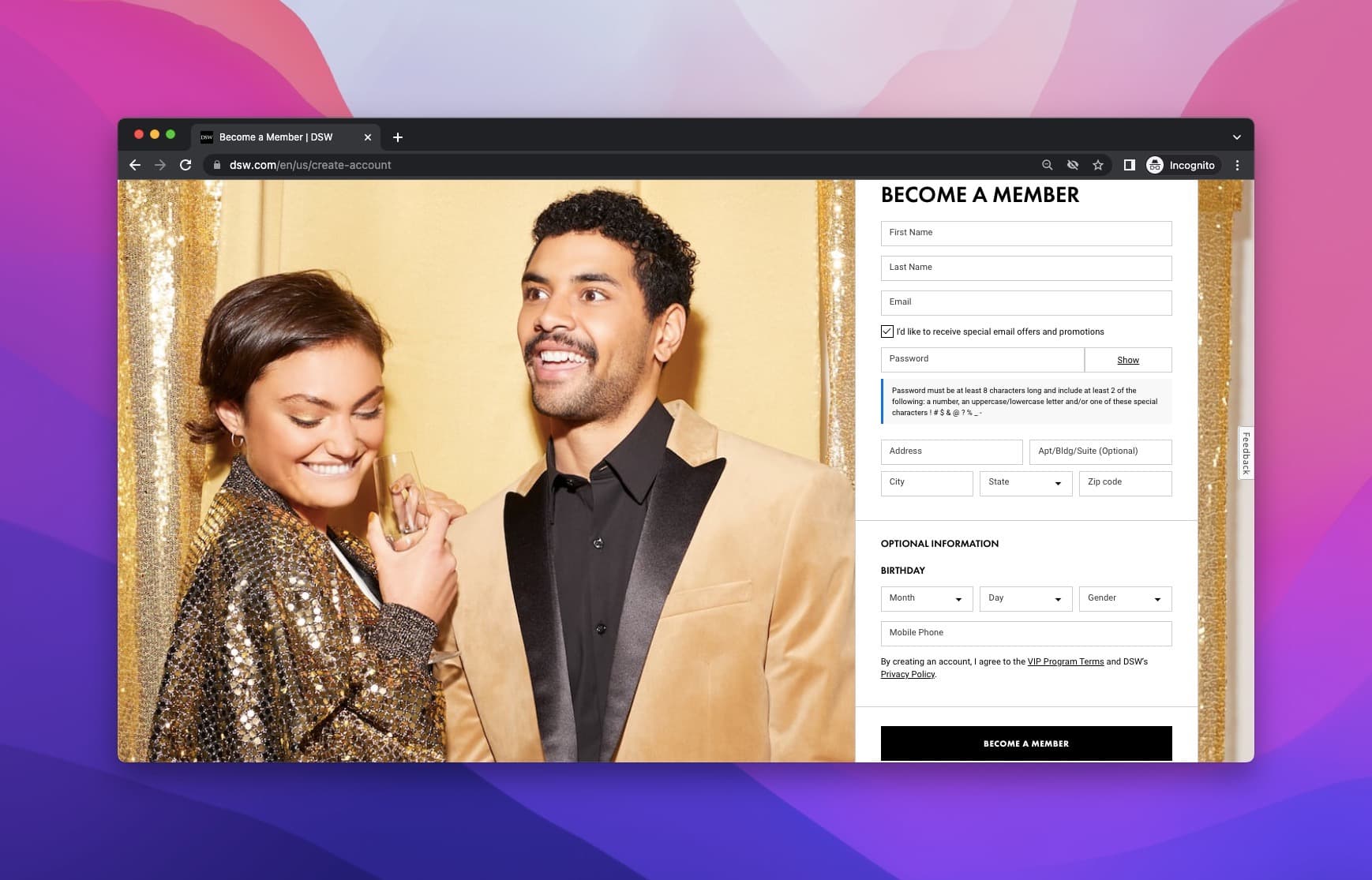
The email-offers box shows as ticked in our capture. If a box like that starts ticked, it wouldn't count as consent under the GDPR.
4. Laura Geller
Laura Geller New York is a modern cosmetics brand built around makeup textures, colors and formulations.
When you enter the website, you come across a popup upon your arrival asking you to enter your email address to get 30% off.
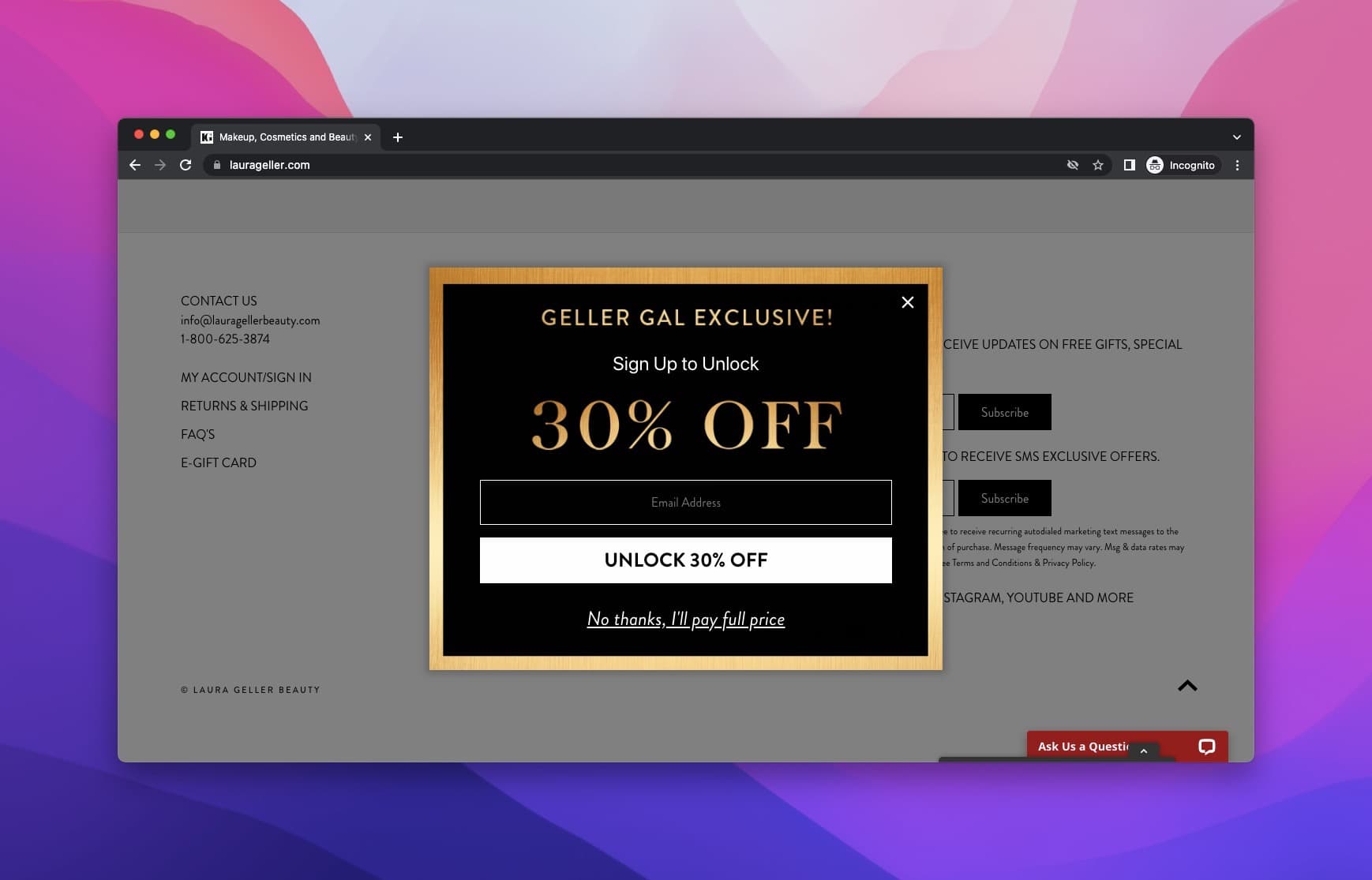
The 30% off pulls visitors in. The "No" button pushes back, and cleverly: "No thanks, I'll pay full price."
5. Maya Brenner
Maya Brenner is a jewelry design brand that used a popup seen upon arrival on the website.
The popup asks visitors for their names and email address. In return, you will become a #BrennerBabe that receives product launches, gifts, and brand updates first.
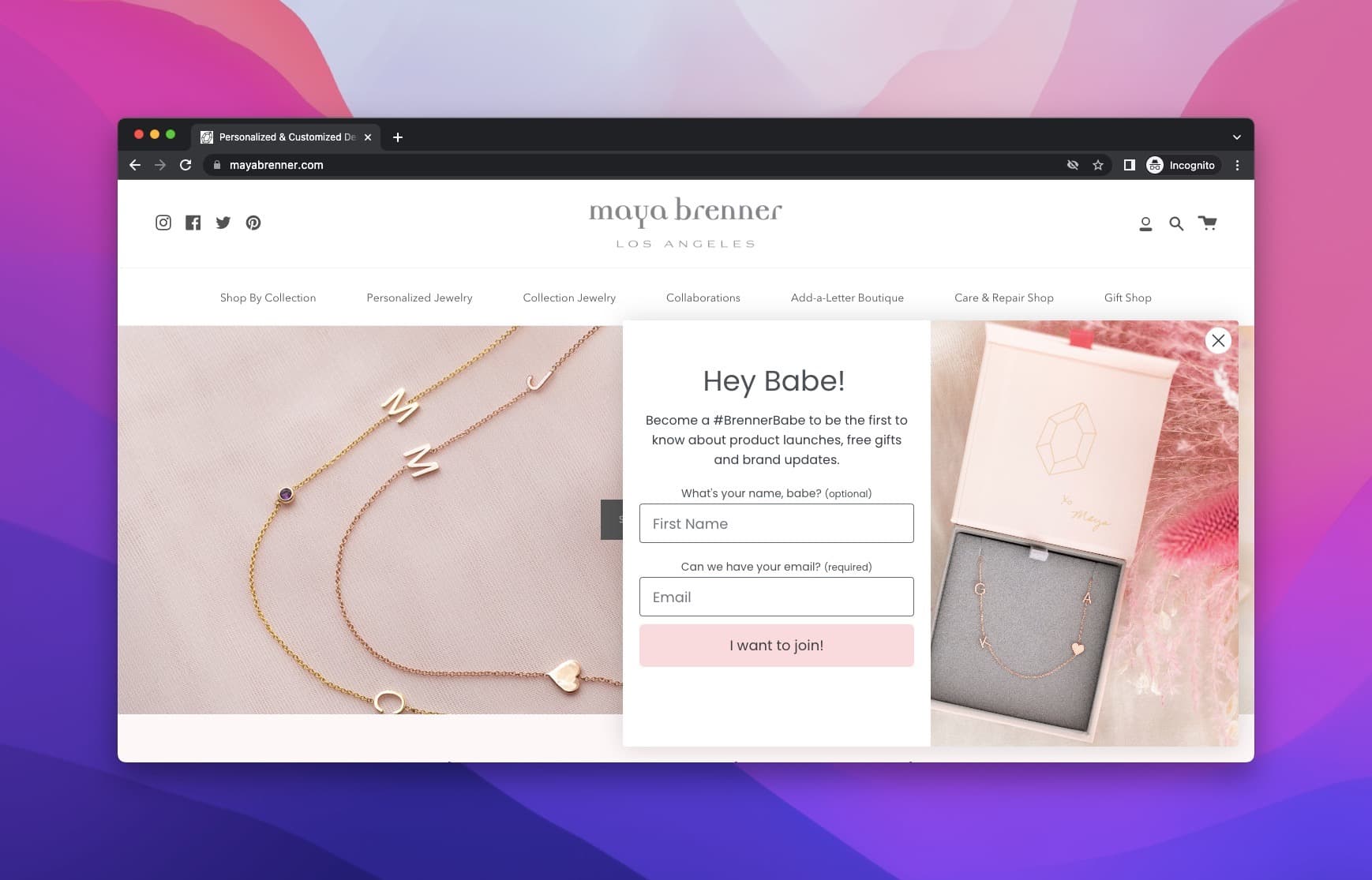
Maya Brenner manages to attract attention with its simple and cohesive design.
The first-name field gives the brand something to personalize with. It's marked optional, so nobody has to give it.
6. Myntra
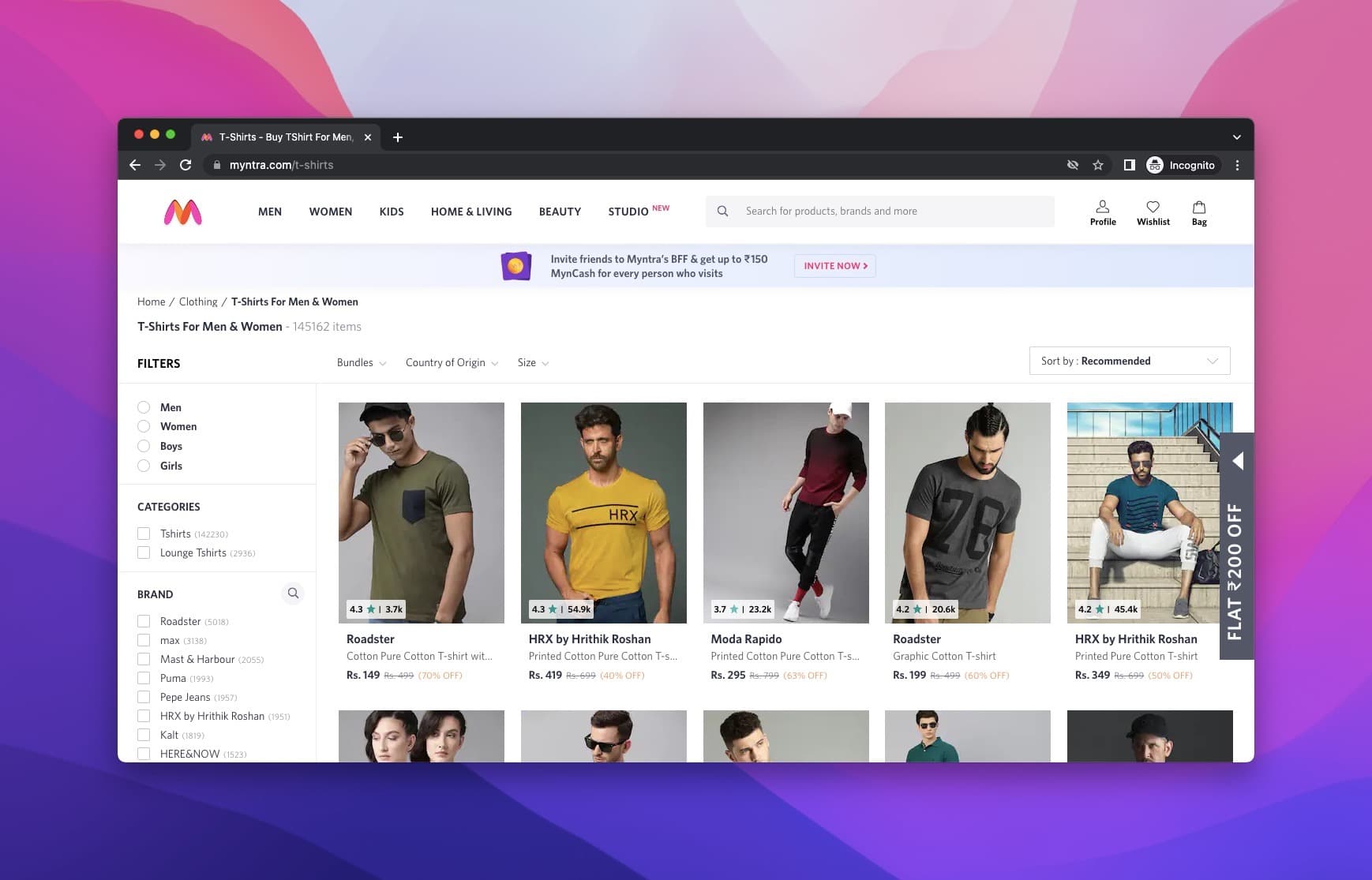
We have Myntra's teaser example next. They placed it on the right side of the page, offering a discount.
Thanks to the teaser, visitors feel curious about the offer.
Once you click, a popup opens up offering a coupon code for signing up.
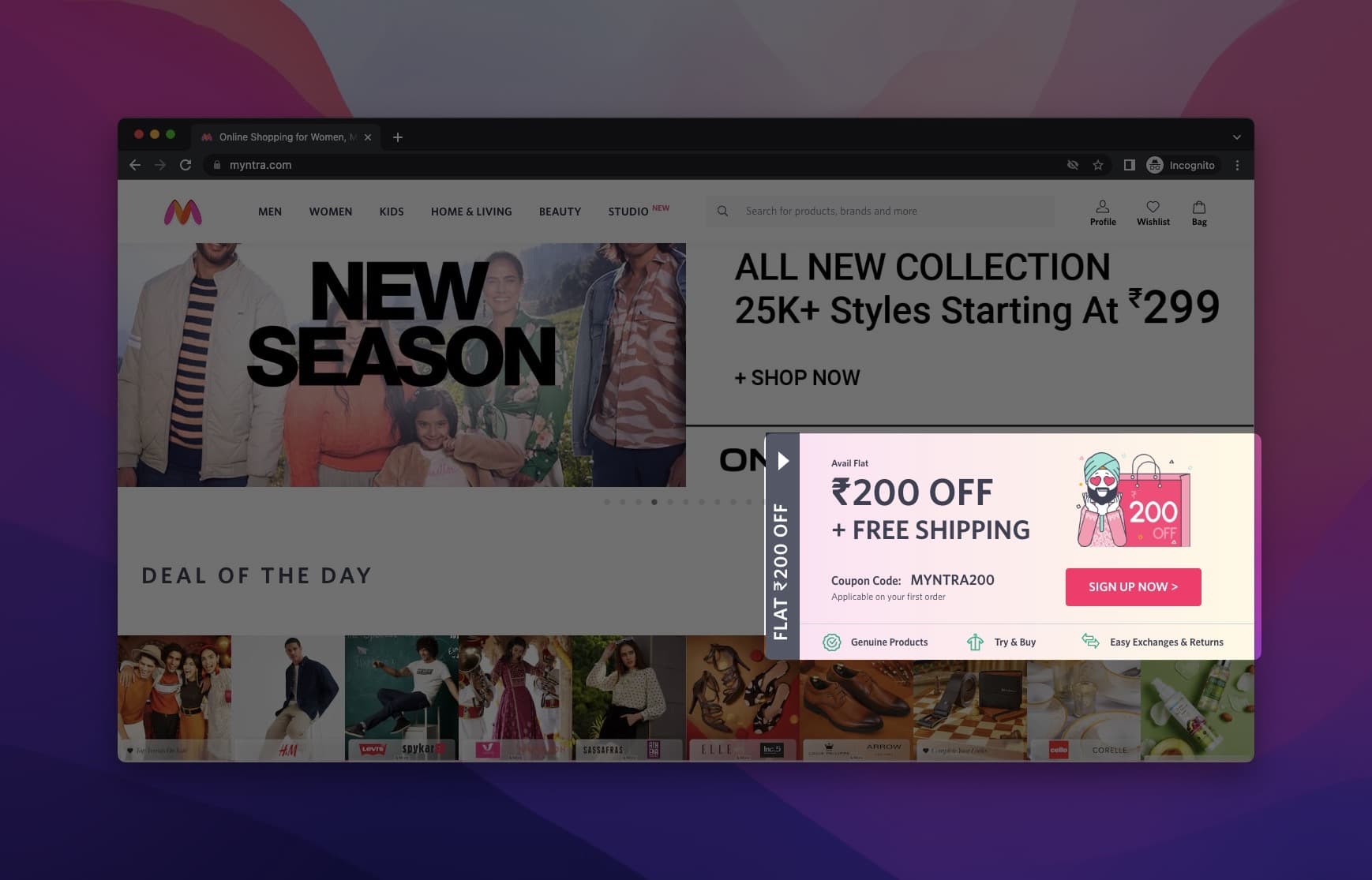
The teaser does its job. Myntra achieves raising curiosity, and curious visitors click.
7. PUPA Milano
PUPA Milano is an Italian cosmetics company that combines high-quality ingredients with a playful approach to makeup.
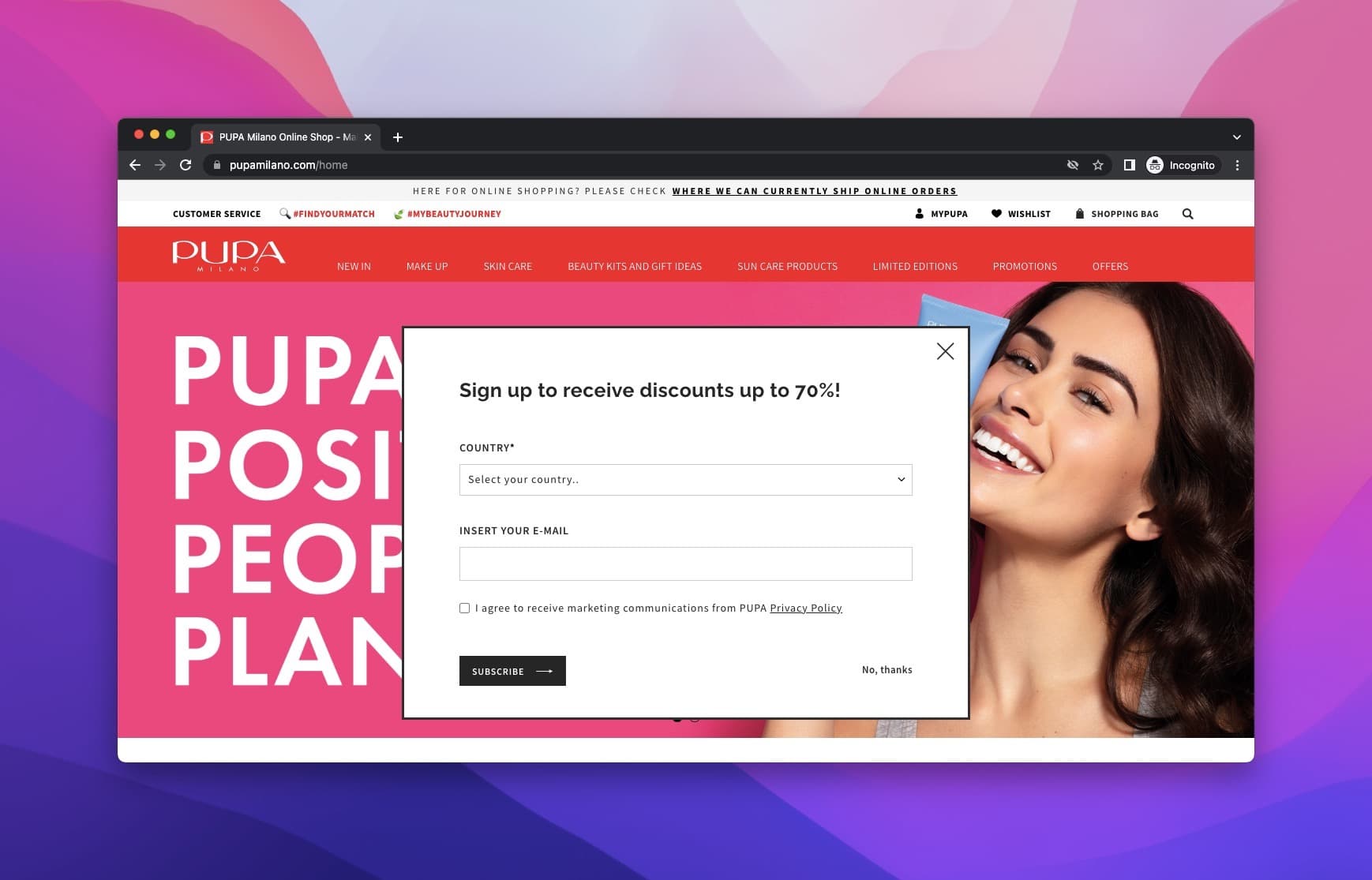
Their website uses a straightforward popup asking visitors to enter their country and email, with an unticked box for marketing consent.
Using simple designs for collecting zero-party data is sometimes the best if it also suits your brand image.
8. Redbubble
Redbubble is a global online marketplace for print-on-demand products based on user-submitted artwork.
Upon arrival, you see a popup offering discounts and other perks once you sign up.
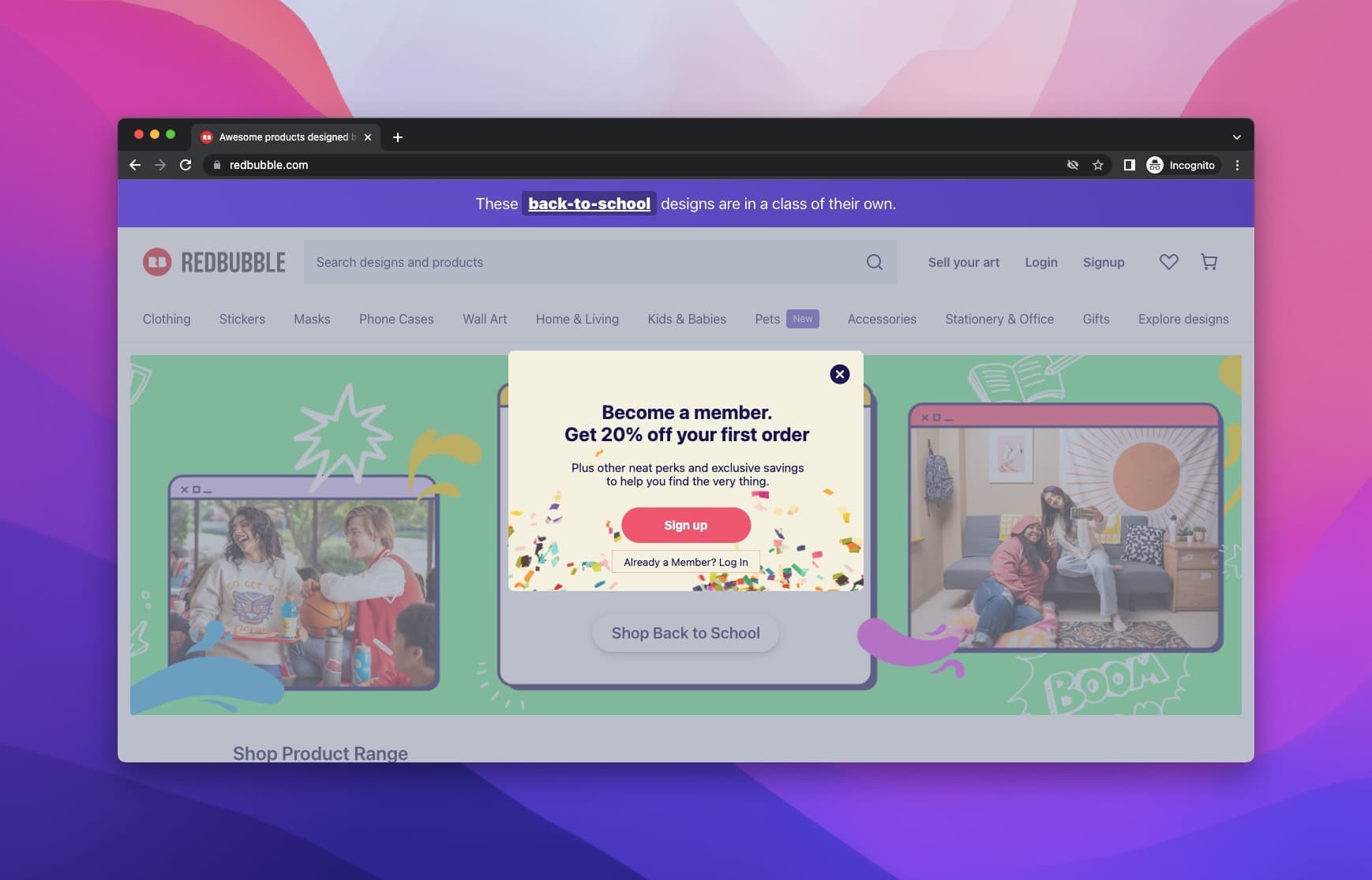
This popup is a good example of collecting zero-party data with simple and easy-to-follow steps.
9. Camper
Camper is a footwear company with headquarters in Mallorca, Spain.
For collecting zero-party data with a modern look, Camper does it right.
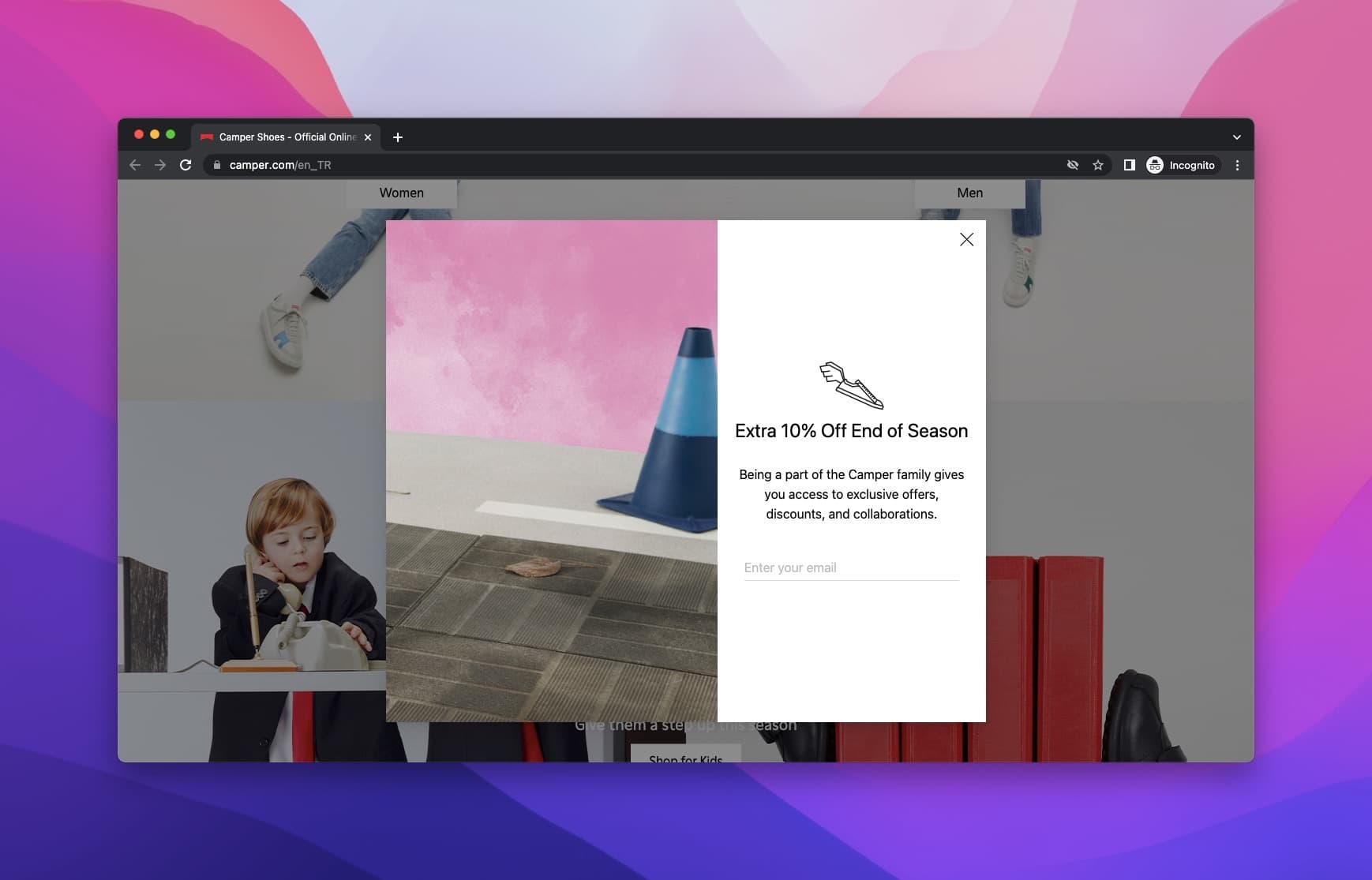
With their simple popup asking for your email in return for 10% off, they manage to make things easy for the visitor and increase their chances of getting the data they desire.
10. City of Gold
Another example is from the City of Gold, a brand selling jewelry for women and men.
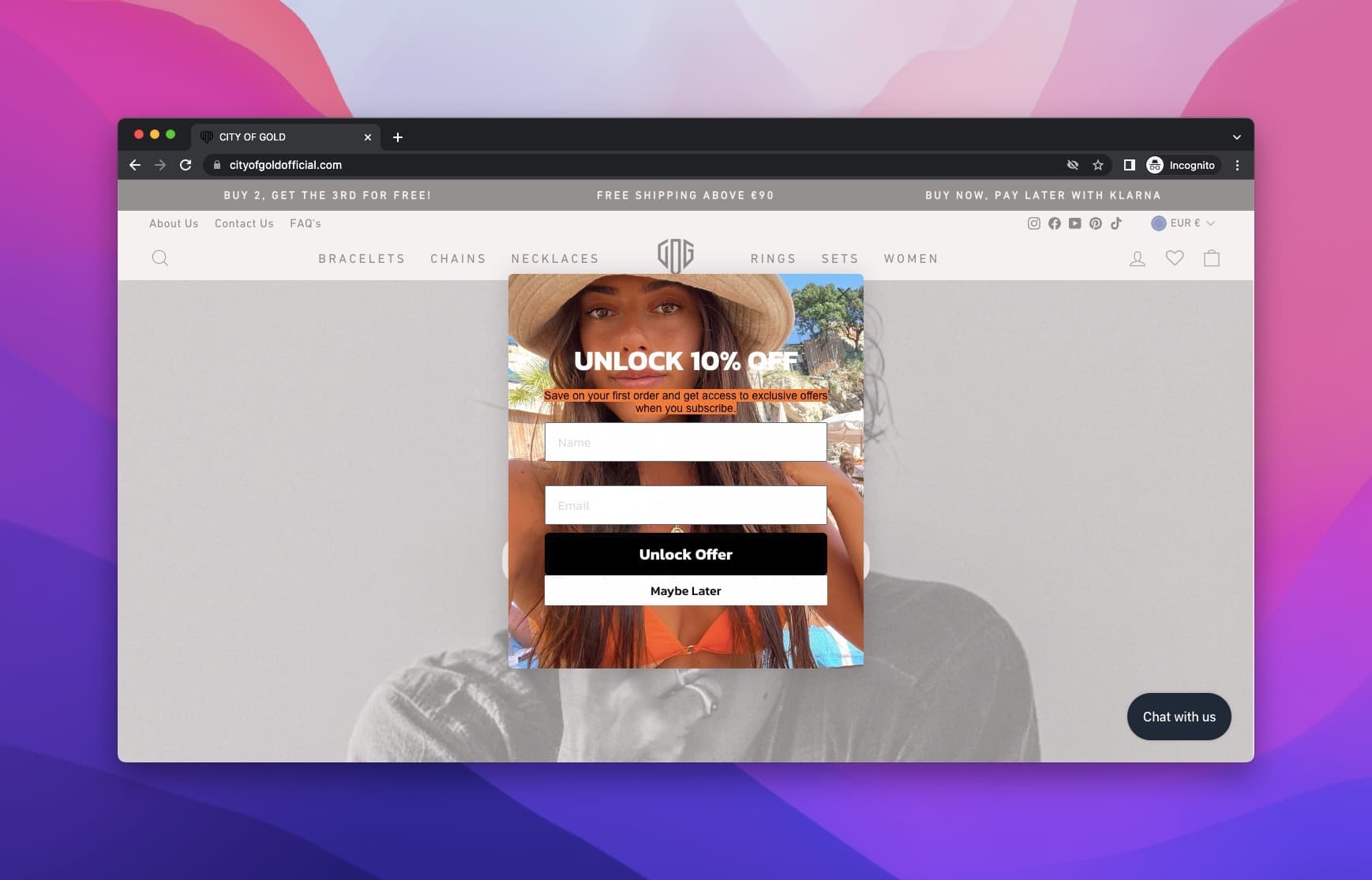
The popup asks for your name and email address in exchange for 10% off your first order.
It gets attention through its placement and simple layout, and the photo of a real person makes it feel less like an ad.
When we checked on October 1, 2026, the store at cityofgoldofficial.com showed "This store is unavailable".
11. Happy Socks
Happy Socks is a Swedish manufacturer and retailer of socks, underwear, and swimwear.
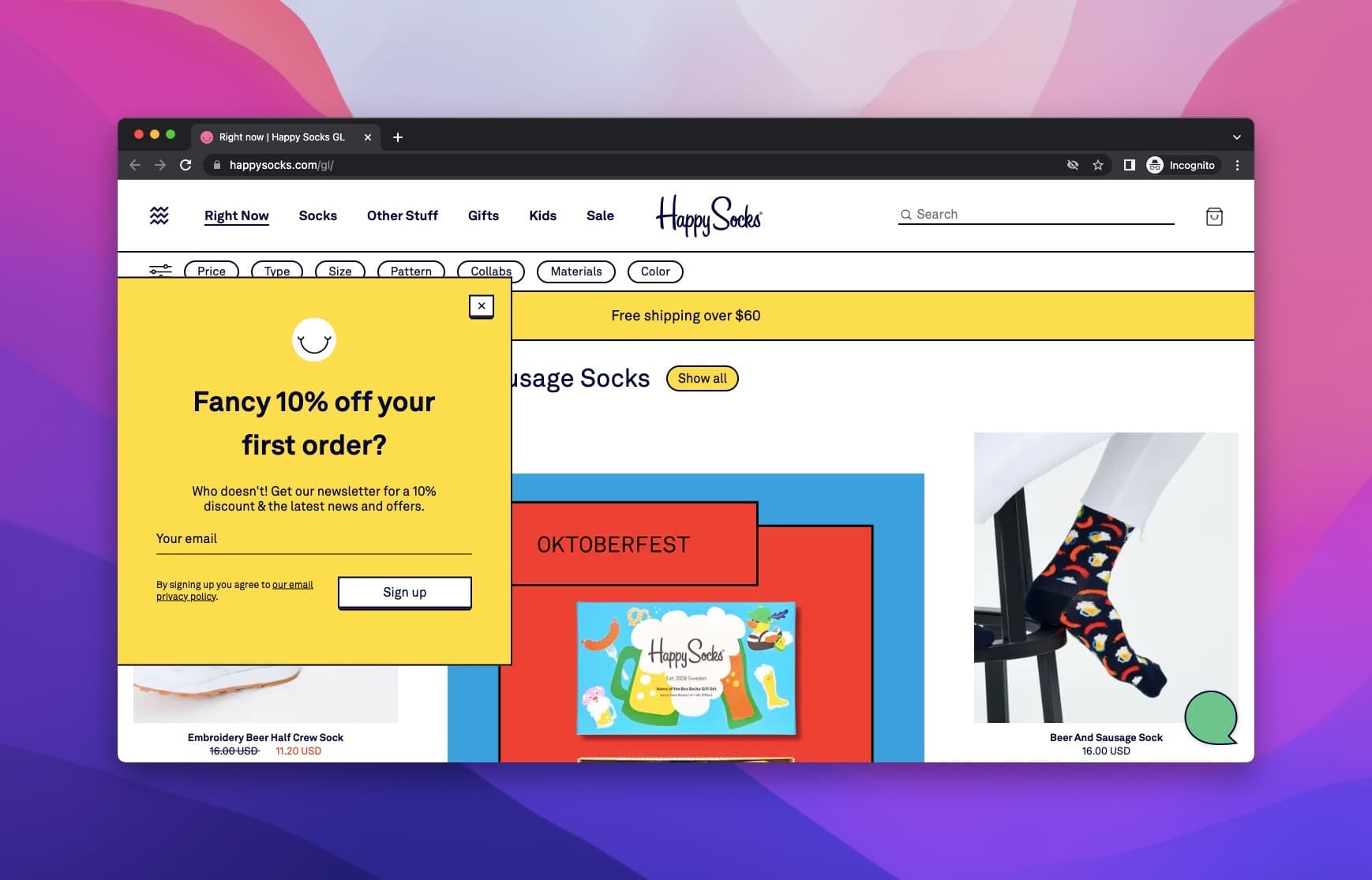
They ask for the visitor's email address offering 10% off their first order.
The popup matches the rest of the website design, and its bright color still catches the eye.
12. Glasses Direct
Glasses Direct is an online prescription eyewear store located in the United Kingdom.
A teaser popup in a contrasting color comes before the main popup, though it isn't as effective as the main one.
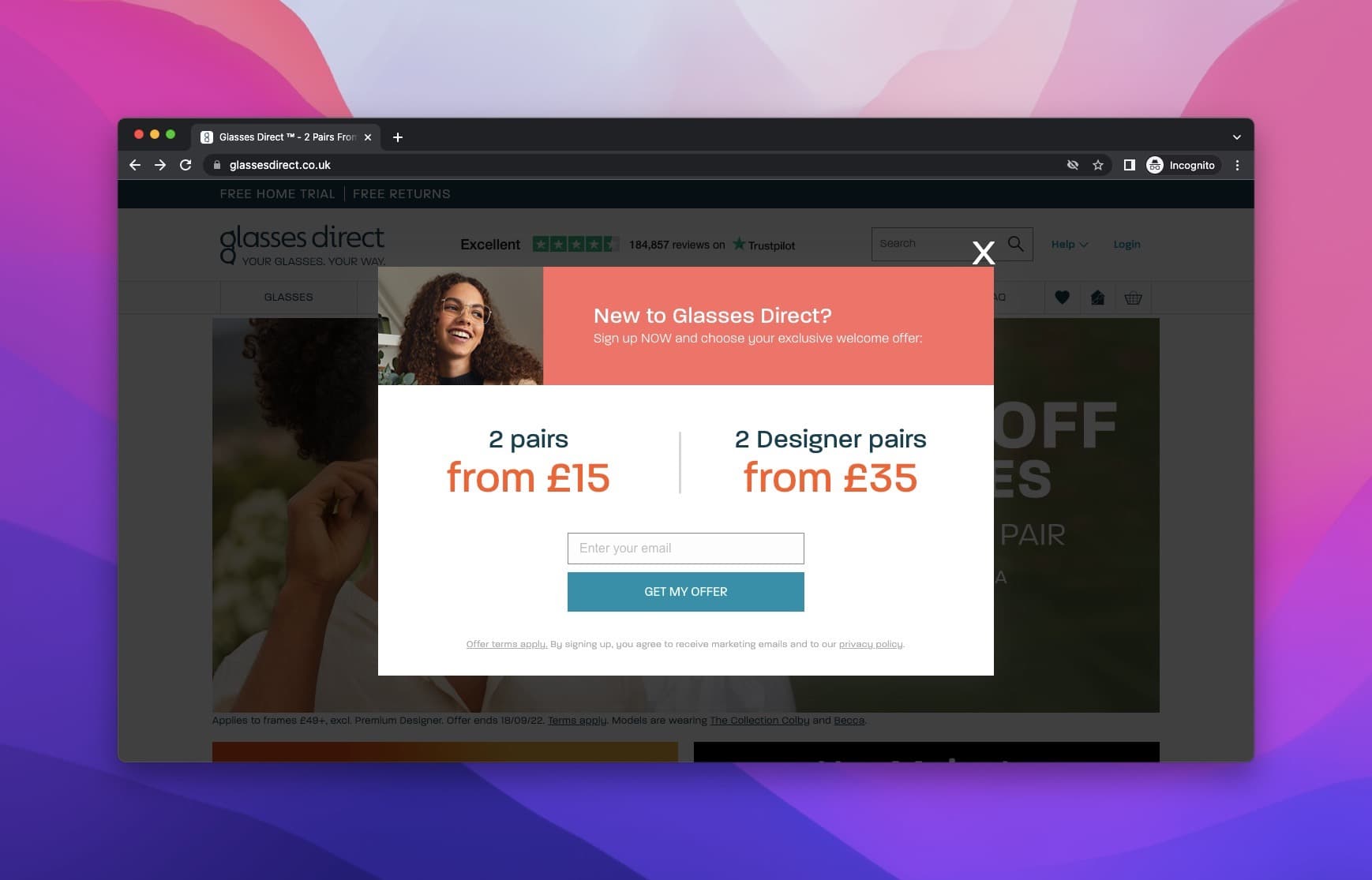
When you click on the teaser, they offer two different discounts, one for regular glasses and the other for designer glasses.
To get the offer, you enter your email address.
Glasses Direct offers two discounts instead of one, so a visitor who passes on one may still take the other. That raises its chances of collecting zero-party data, and the choice itself is zero-party data: a visitor who picks designer pairs has told you what they'd pay for.
That might be a wise way of increasing your database using popups.
13. MADE
Leonardo Da Vinci once said, "Simplicity is the ultimate sophistication." That's what MADE did for their popup to collect zero-party data.
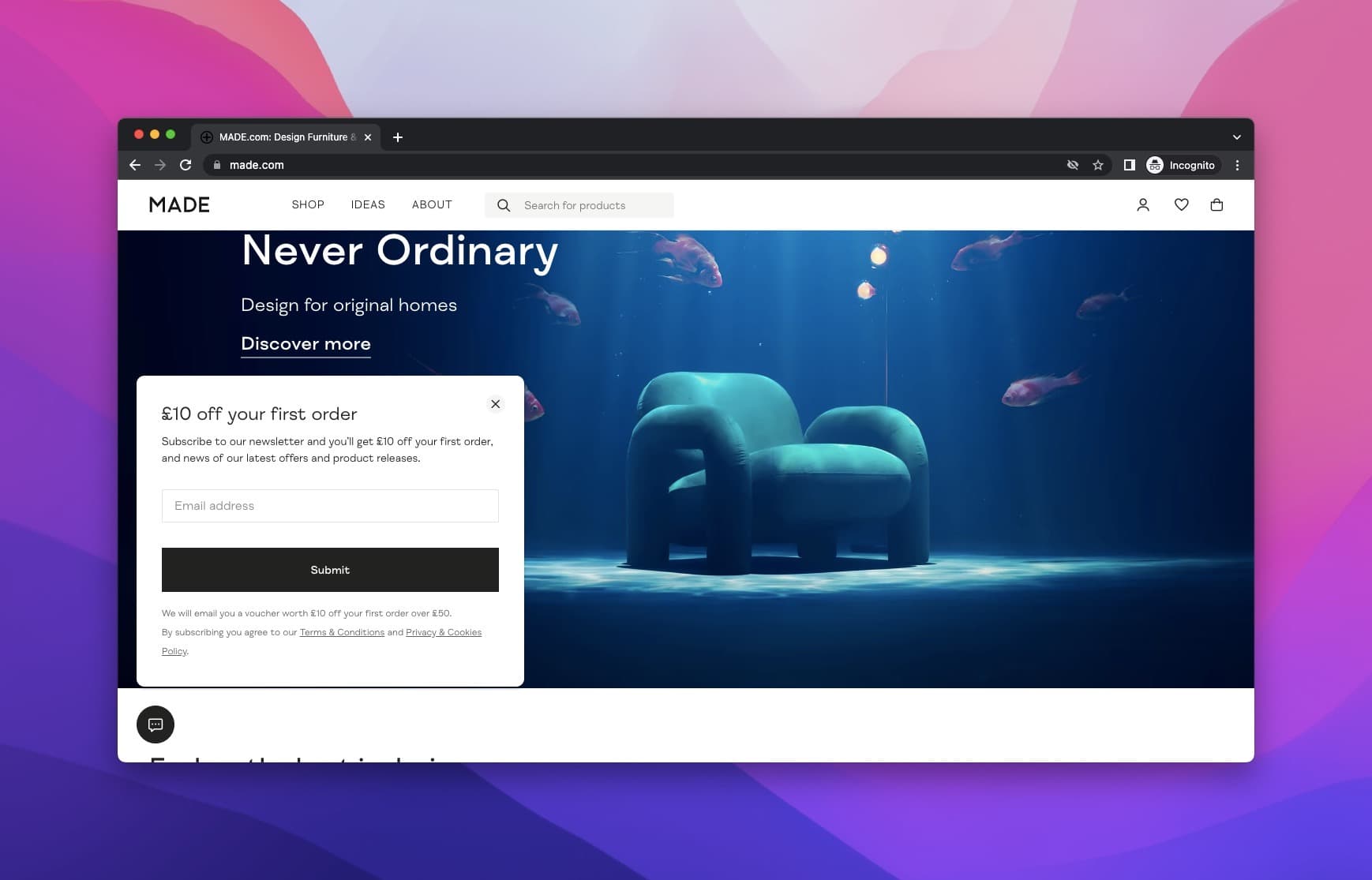
They used a simple, straightforward yet eye-appealing popup design offering a discount on the first purchase.
It's a great example of using popups in a simple way for gathering zero-party data.
The popup presents the offer in a clear way and waits for the visitors to fill it as they want, just like the zero-party data collecting popup should do.
MADE went into administration in November 2022, a few weeks after this capture; Next plc bought the brand and relaunched made.com in 2023.
14. Software Suggest
Switching sectors, Software Suggest is a directory that helps customers using the software share reviews and vendors share their products.
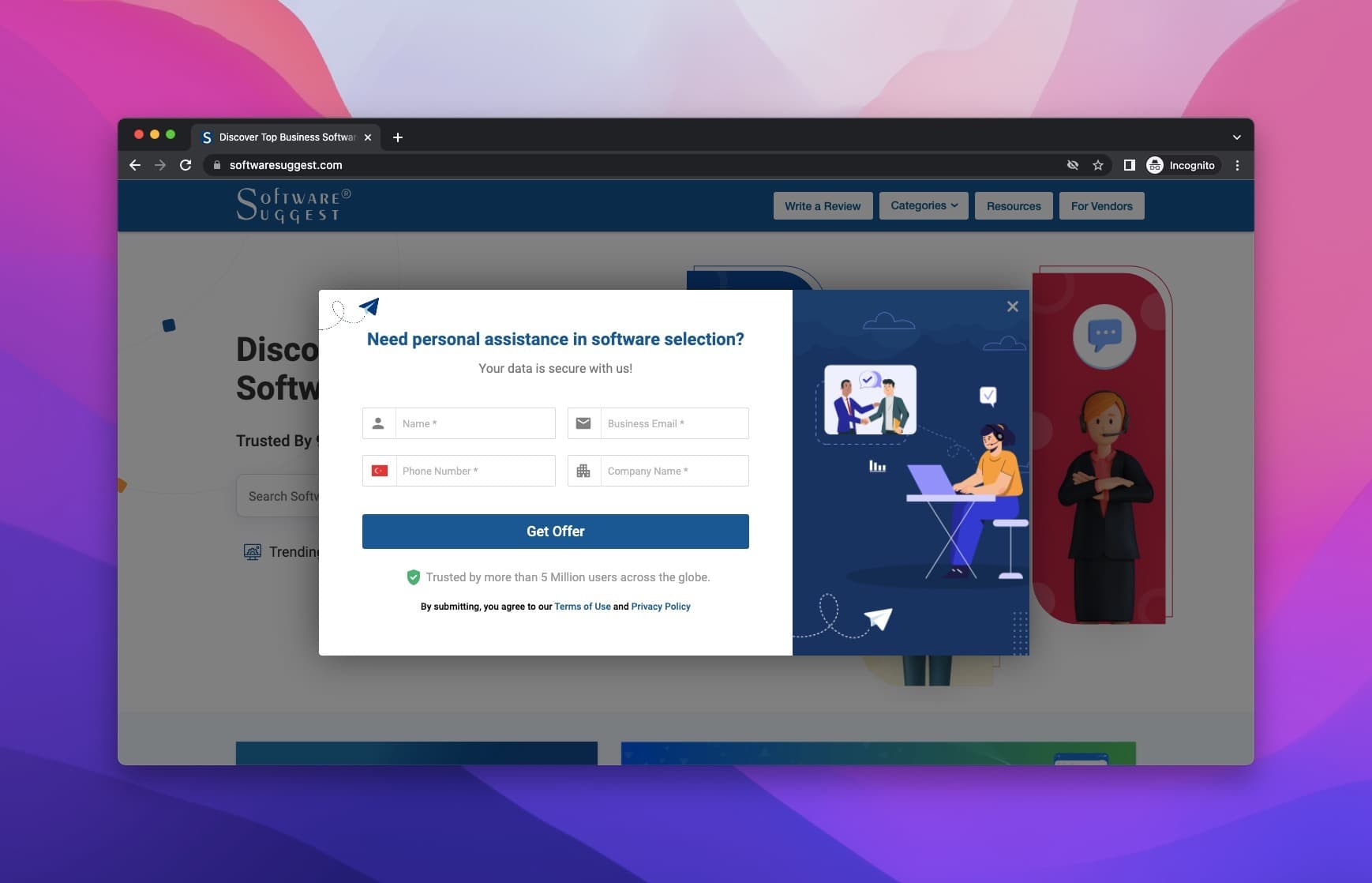
The popup asks visitors whether they need help choosing software, and it asks in detail.
Like MADE's, it's a simple design, and its colors match the rest of the site.
There's no pressure to fill it in. It still suits zero-party data well: a visitor who fills it in has told you they're choosing software now.
15. RateHawk
RateHawk is a B2B online booking engine for hotels, air tickets, transfers, and car hire.
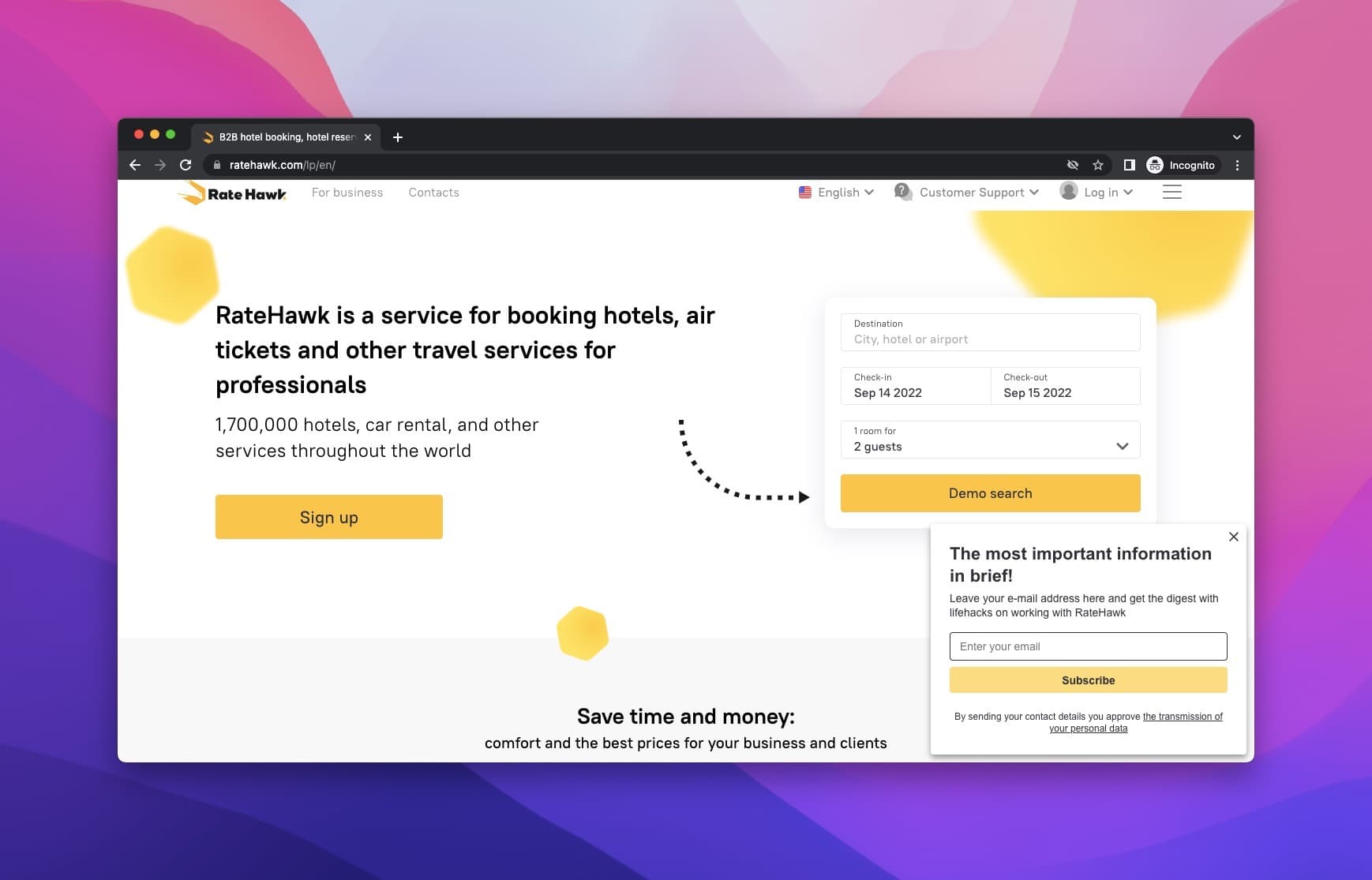
Their popup form has a consistent design that goes well with the rest of the page.
They manage to attract attention with their popup headline saying, "the most important information in brief!".
A simple design and a striking headline go a long way towards capturing zero-party data.
16. HubSpot
HubSpot is a CRM platform, and its blog is a regular source of business and marketing tips.
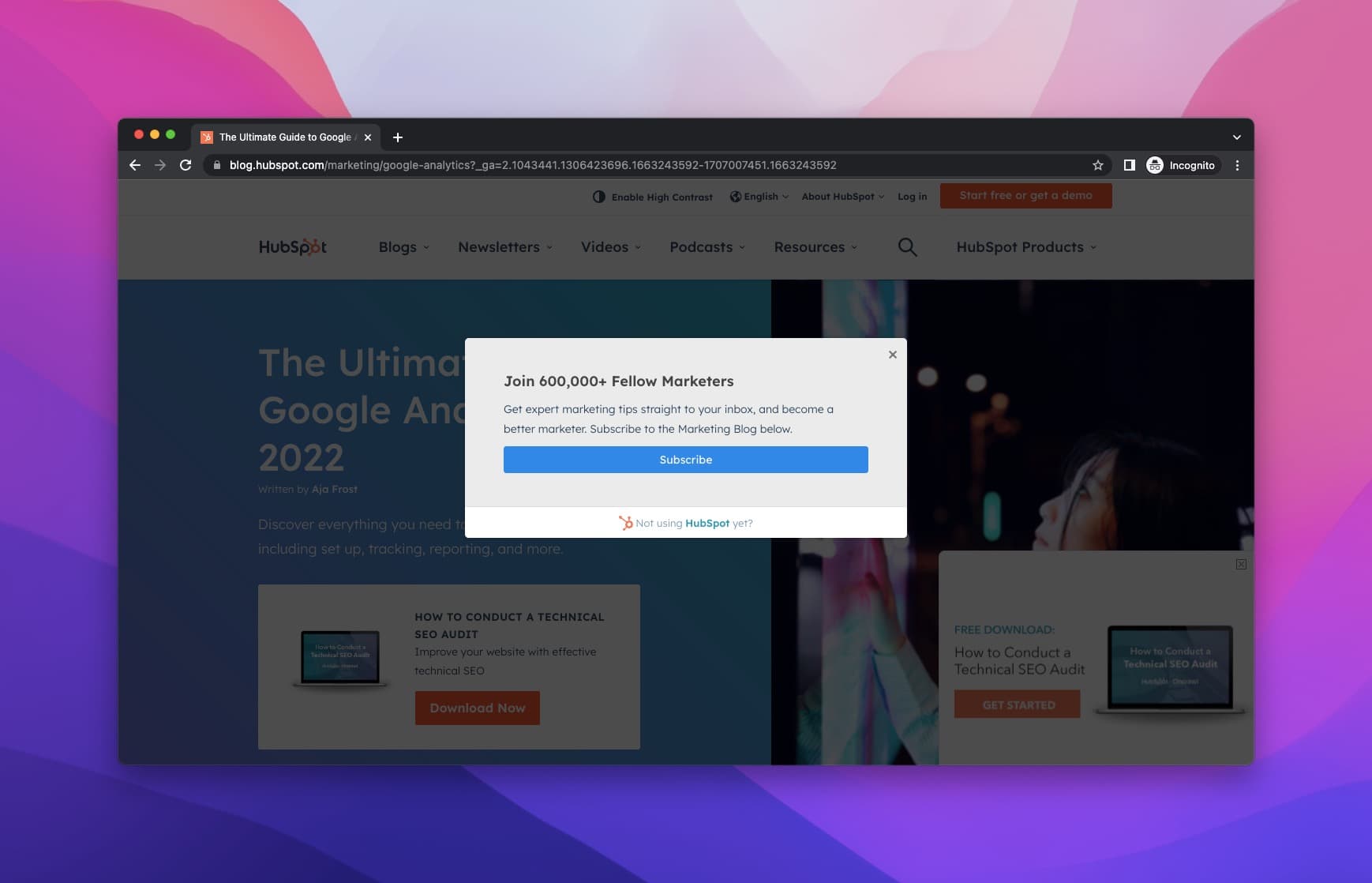
HubSpot rarely uses popups, but this one is a direct lesson in how a popup should be used for collecting zero-party data.
They have a popup asking if the visitors want to subscribe or not. If they are willing to subscribe, then they have another popup.
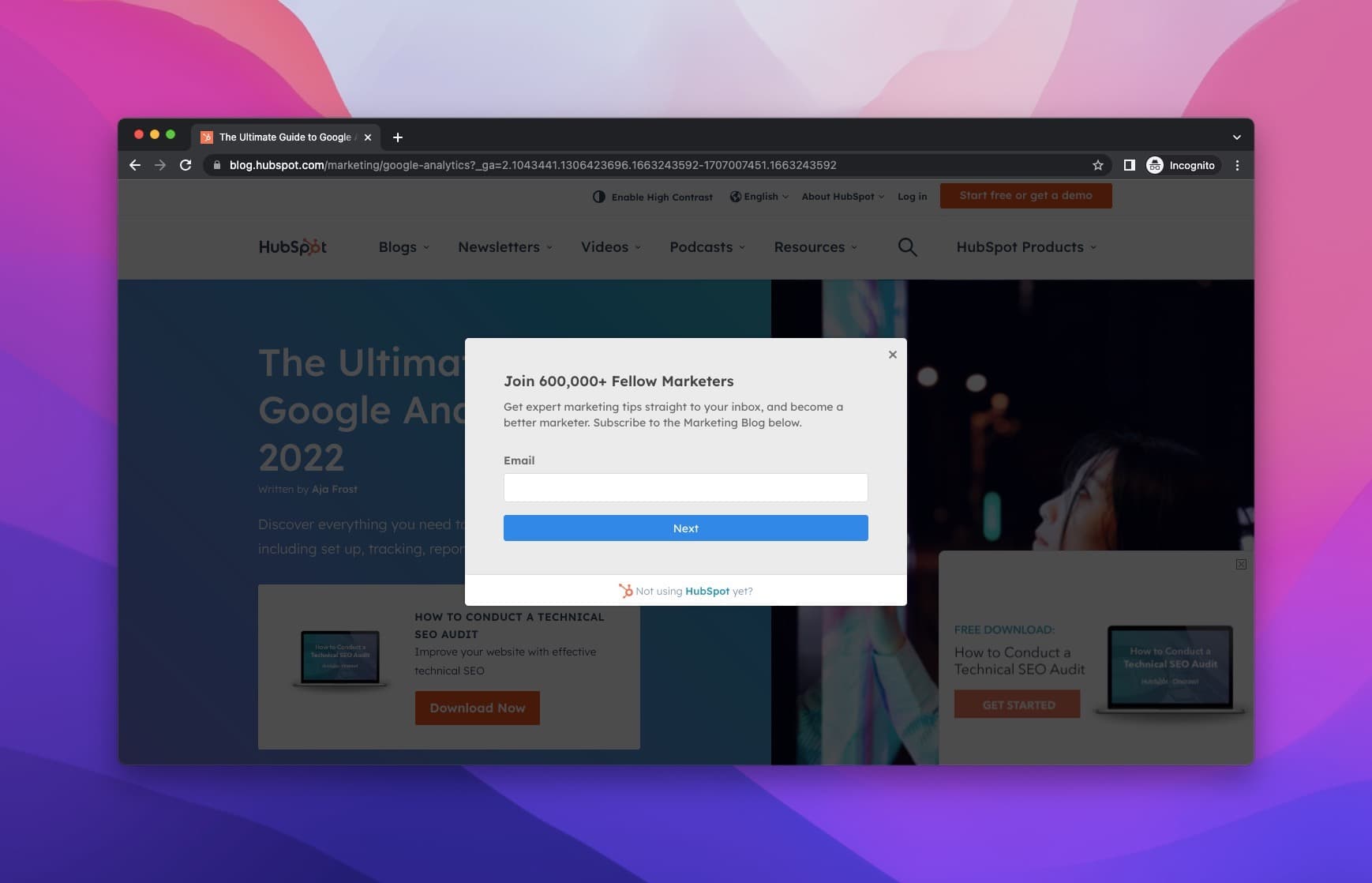
This popup only asks for the email address to keep the visitors updated about the new thing.
17. Movado
Movado is an accessory brand that is very famous for its watches.
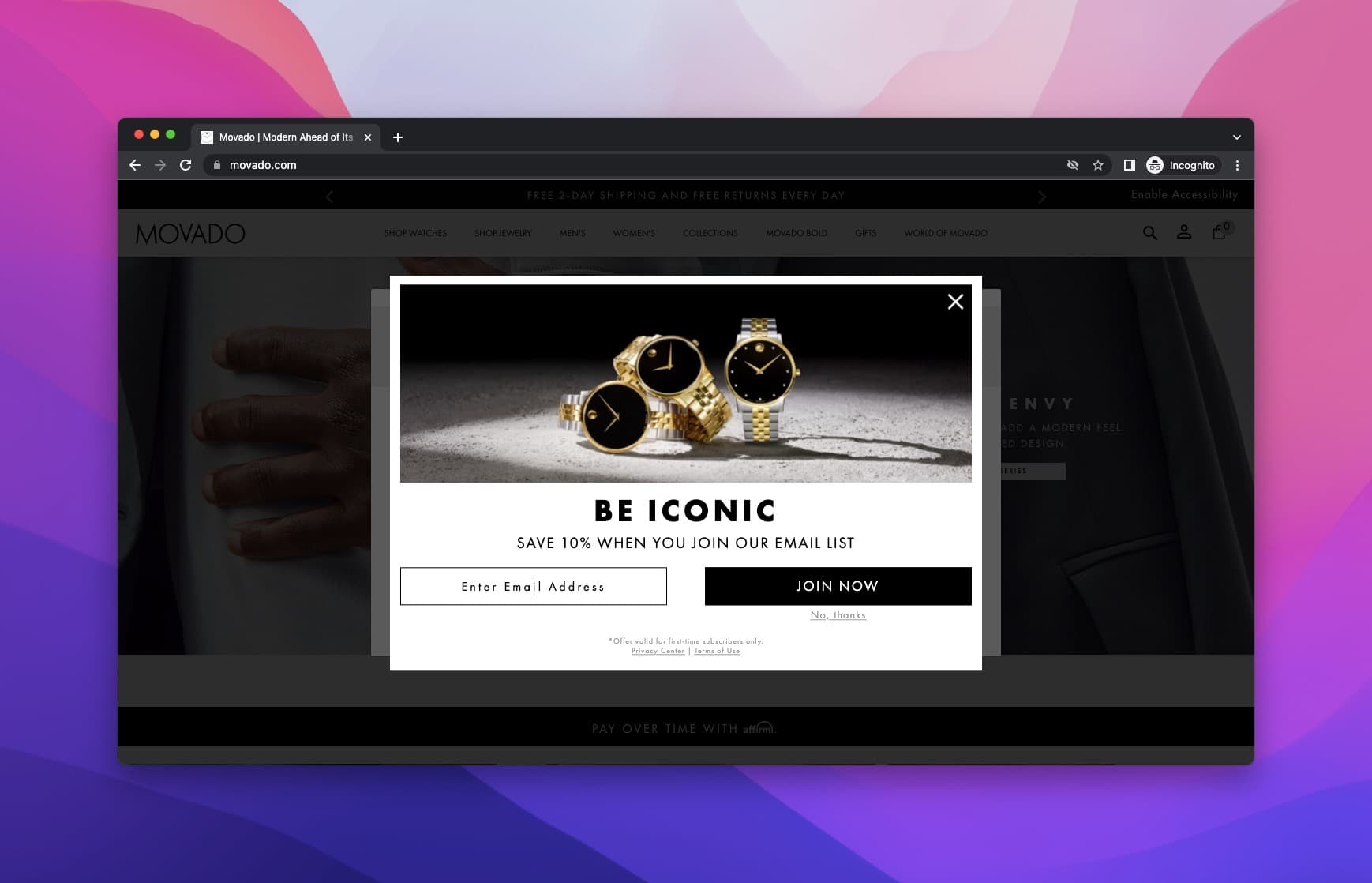
In our capture, Movado is one of the fastest websites on this list in terms of the appearance of the popup.
When you enter their page, a popup about your location welcomes you.
Upon it, there is another popup asking for your email address, with 10% off for joining the list. They aren't pushy, just quick.
18. Murray's Cheese
Murray's Cheese is an artisanal cheese and specialty foods retailer and wholesaler based in New York City.
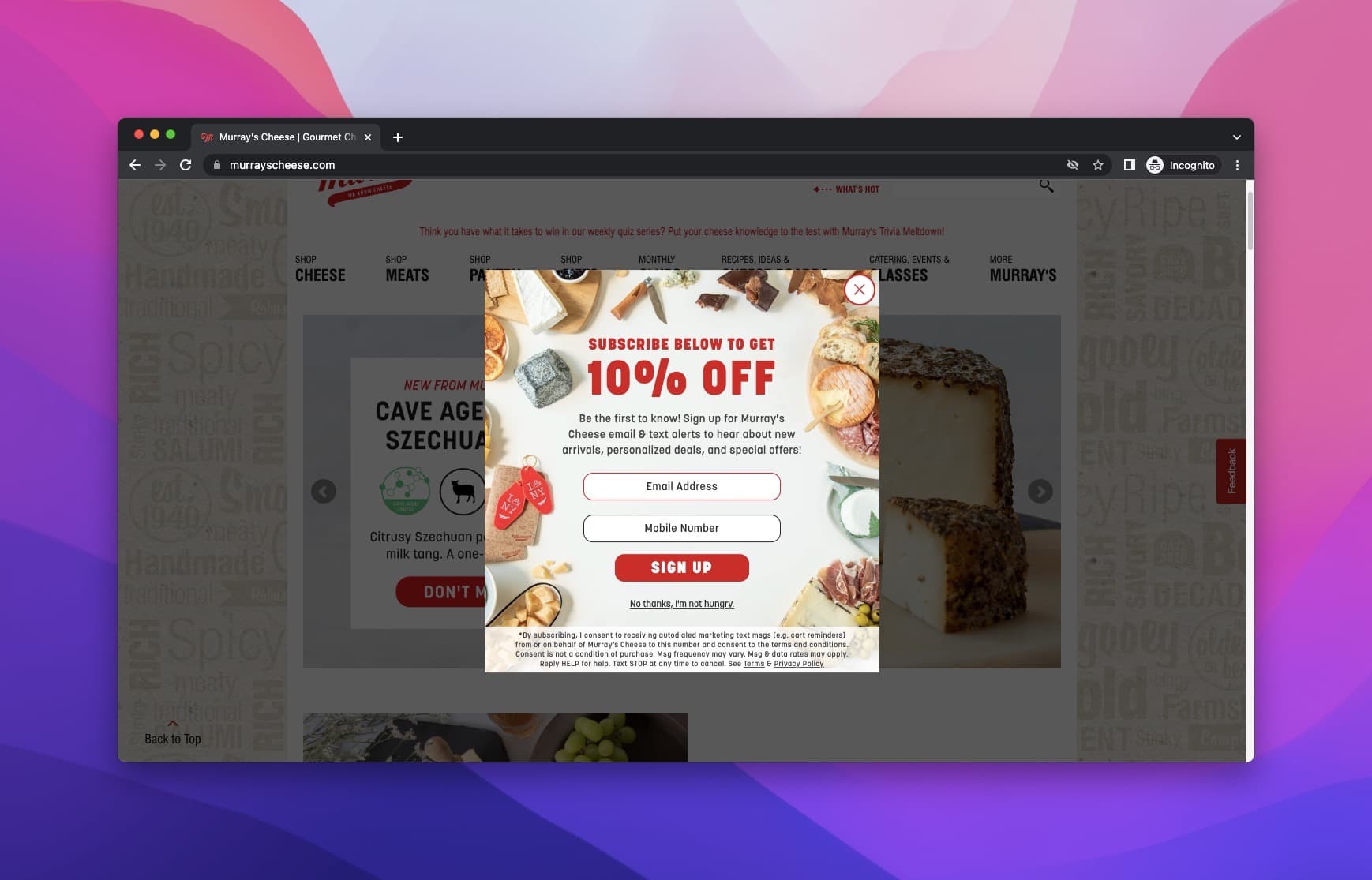
They used a "yummy" popup to collect the visitors' email addresses and mobile numbers in return for 10% off, with the SMS consent terms printed under the button.
Using relevant images is a smart idea when you design your popups for collecting zero-party data.
In Murray's case, it is very pleasing to look at and relevant to the notion of the page.
19. Nordic Expat Shop
Nordic Expat Shop is a platform that sells Scandinavian products on the website.
The shop website is simple and pleasant to use.
The popup slides in gently, so it doesn't give visitors a jump scare.
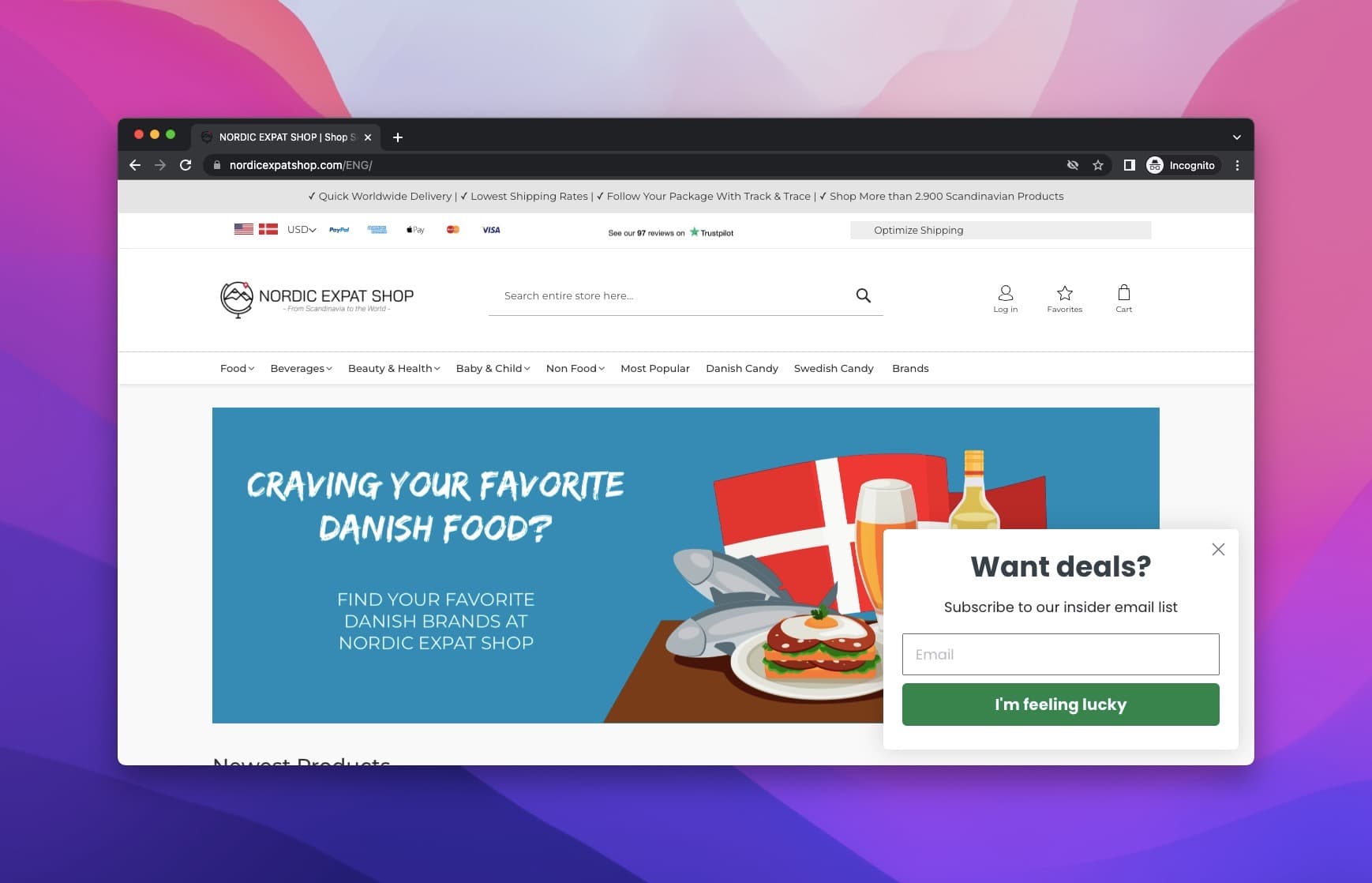
The brand offers a deal in return for the visitors' email addresses.
The submit button says "I'm feeling lucky", which keeps a plain email form from feeling dull.
20. Bulgari
Bulgari is an Italian luxury brand known for its jewelry, watches, fragrances, accessories, and leather goods.
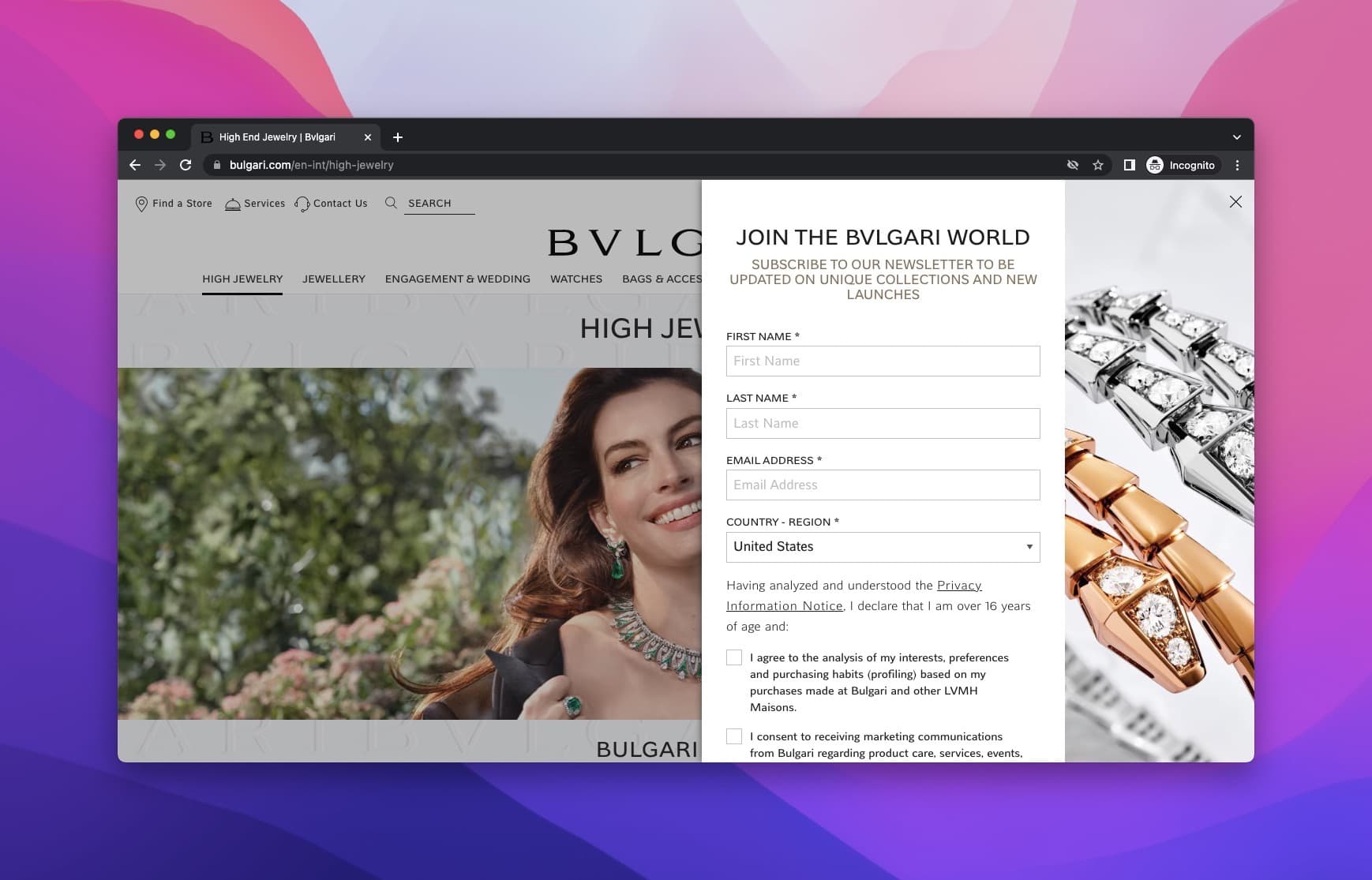
They went enormous with their popup. It takes up half of the website with the actress Anne Hathaway.
The aim is to collect qualified leads and as much zero-party data as possible.
So the form asks for a lot: first name, last name, email address and country. Two separate unticked boxes follow: one to agree to the analysis of your interests and purchasing habits, one to consent to marketing messages. Each purpose gets its own choice.
The design is also very modern and goes well with the brand image.
Before You Leave…
Popups are growing in popularity for collecting zero-party data.
Be smart about how you use them: appeal to your visitors with relevant offers, and collect only the information you need.
Popups are lightweight and require no software installation. Visitors can type in their answer quickly, without leaving your page, which makes collecting zero-party data easy on both sides.
So start small. Ask one question you'll use, send the answer to your email tool, and let what visitors tell you shape what you send them.
Frequently Asked Questions
What is zero-party data?
Zero-party data is information a customer shares with a brand intentionally and proactively: preferences, purchase intentions, personal context and how they want the brand to contact them. Forrester analyst Fatemeh Khatibloo's October 2018 report set it apart from first-party data, which a brand observes rather than being told.
What is the difference between zero-party and first-party data?
Zero-party data is what the customer tells you on purpose, such as a quiz answer or a stated preference. First-party data is what you observe on your own channels, such as pages viewed and past orders. First-party data shows what someone did; zero-party data tells you why, in their own words.
Why Should You Use Popups for Collecting Zero-Party Data?
While collecting zero-party data, popups will help you with increasing customer engagement, retention, and loyalty. A popup can ask one clear question at the moment a visitor is interested, before they have an account or a purchase history. Also, since people care about privacy-focused online experience, the reliance on zero-party data will develop when they realize that there is a need growing for it. If you apply zero-party data, you will have the chance to customize your messaging.
Is Collecting Zero-Party Data Advantageous?
Yes, zero-party data is advantageous because it comes straight from the customer, so you don't have to guess their intent from behavior. Another advantage is that this kind of data can provide you with much more insight into a specific user by having it in your possession. It isn't automatically accurate, though: people change their minds and answers go stale, so ask again from time to time.
What is the Most Common Mistake While Collecting Zero-Party Data with Popups?
Asking for too much information may not be the best idea as it may make the visitor feel much work is required, and it might have a negative impact. In Popupsmart's 2026 benchmark, popups asking for one or two fields convert 0.88% and 0.94%, against 0.56% for three fields (median campaign; spin-to-win and other gamified popups are counted separately).
How to Get the Most out of Popups for Collecting Zero-Party Data?
- Choose a user-friendly popup builder to make things easier for you.
- Design your popups in accordance with your brand style.
- Give your visitors an offer they can't refuse.
- Use FOMO marketing to your advantage.
- Ask one question you will actually use.
- Send the answers to your email or CRM tool.
Which Types of Popups Can Be Used for Collecting Zero-Party Data?
There are different types of popups that you can use for collecting zero-party data, such as:
- Lightbox Popup
- Floating Bar Popup
- Sidebar Popup
- Full-Screen Popup
- Exit-Intent Popup
Does zero-party data need consent under the GDPR?
Zero-party data is still personal data once it is linked to an email address, so the GDPR's rules apply. You need a lawful basis for each purpose, and if that basis is consent, it has to be an active choice: GDPR Recital 32 says silence, pre-ticked boxes or inactivity should not constitute consent. This is general information, not legal advice.
Check These Out!
- Popup templates with form fields ready to edit