ChatGPT
 Perplexity
 Claude
 Grok
Grok Google AI Mode
As the leaves change color and the air turns crisp, the enchanting season of Halloween approaches.
It's a time of spooks, scares, and creative costume ideas, but it's also a season of immense opportunity for website owners and online businesses. According to the National Retail Federation's 2026 Halloween survey, US consumers expect to spend $13.5 billion on Halloween in 2026, an average of $115.14 per person, and 27% plan to shop online.
Halloween popups offer an exciting way to engage your visitors, lift conversions, and add a dash of seasonal flair to your online offerings.
So in this blog post, we’ll see various Halloween popup ideas to make your website bewitchingly captivating for your visitors! There are 15 of them, each with the offer, the trigger, the timing for 2026 and the copy, plus a ready-to-use template you can clone.
The 15 Halloween popups at a glance:
| # | Halloween popup | Offer | Trigger | When (2026) |
|---|---|---|---|---|
| 1 | Limited-time offer | One deal with a real end date | A few seconds after landing | 29–31 October |
| 2 | Event | A spot at your event, with an early-signup perk | Home page and event page | 17 October until the event |
| 3 | Coupon | A Halloween code, shown after the email | New visitors, after a short delay | 17–31 October |
| 4 | Countdown | The last order date for delivery by Halloween | Product and cart pages | 24 October until your cut-off |
| 5 | Gamified (spin-to-win) | A wheel of real discount codes | New visitors, once each | 17–31 October |
| 6 | Freebies | Printables by email, or a free-shipping bar | Blog pages after a scroll | 17–31 October |
| 7 | Social media contest | A prize for the best costume photo | Home page, returning visitors | 17 October – 1 November |
| 8 | Product bundle | A bundle price, then a clearance bundle | Product and cart pages | 17 October – 7 November |
| 9 | Email signup | Early access, then Black Friday early access | New visitors | 17 October – 27 November |
| 10 | Flash sale | A 48-hour sale | Home and collection pages | 30–31 October |
| 11 | Exit intent | A reminder or a small code | Exit intent | 17–31 October |
| 12 | Social proof | A real customer review | Product pages, after a scroll | 17–31 October |
| 13 | Video | A costume or decoration video | On click | 17–31 October |
| 14 | Personalized recommendations | Products that match the page | URL targeting | 17–31 October |
| 15 | Animated | Motion on your most important popup | Same as the popup it animates | 30–31 October |
15 Halloween popup ideas to increase Halloween sales
Each Halloween popup below does one job, and each comes with a template you can clone into Popupsmart and change to fit your store.
1. Limited-Time Offer Halloween Popups
Limited-time offers are strong tools for e-commerce owners during Halloween. These Halloween-themed popups can effectively create FOMO and a sense of urgency to drive immediate sales.
To get the most from them, make sure the offer is genuinely limited and exclusive.
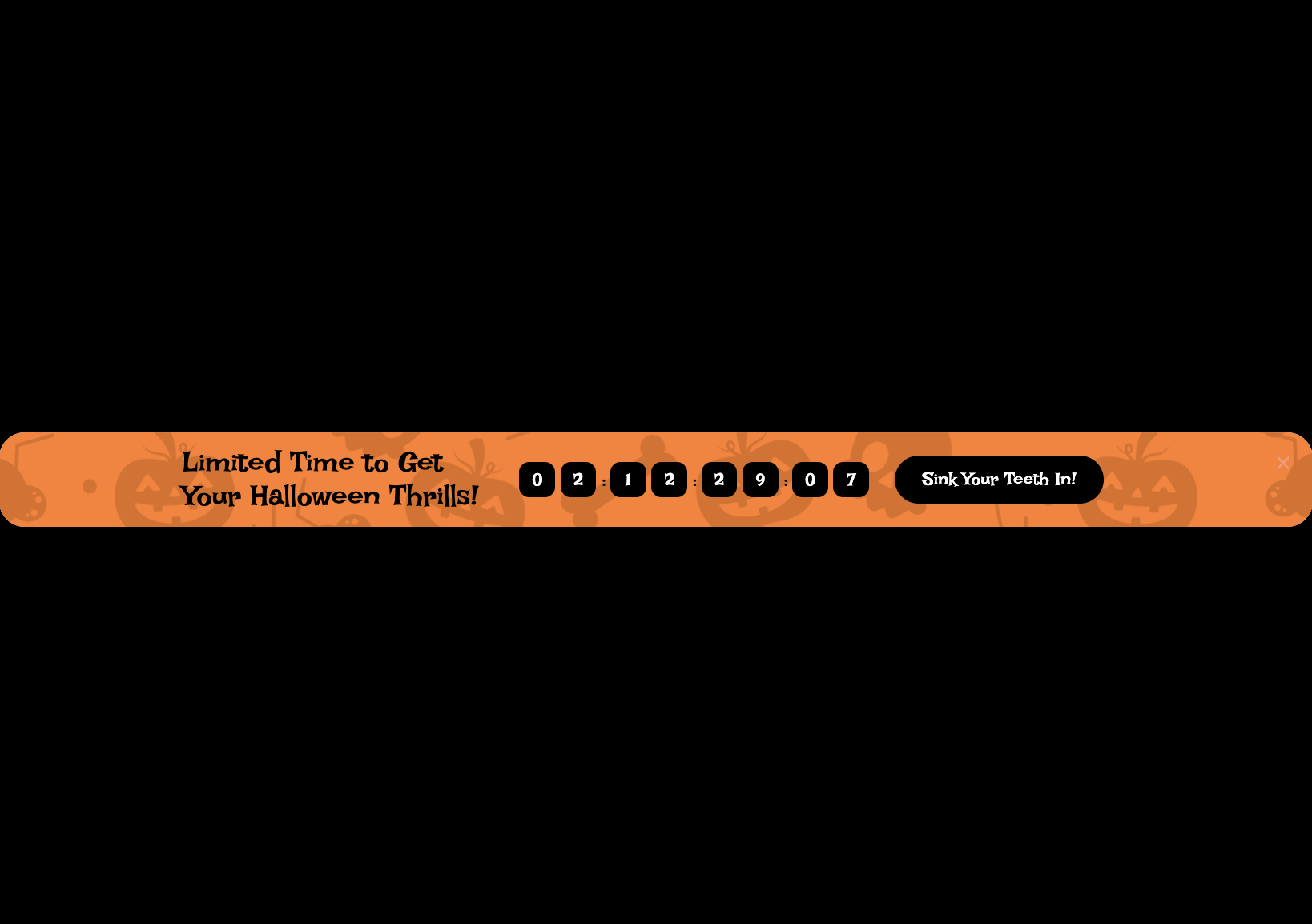
Write copy that states the value of the deal and when it really ends. You can also consider incorporating a countdown timer for extra urgency, as long as it counts down to that real end (idea 4 shows how).
A ticking clock catches the eye, and it can nudge a hesitant visitor to act.
Time-sensitive discounts in these popups can lift sales. They also create a buzz around your Halloween offerings.
- Offer: one deal with a real end, for example 15% off costumes until midnight on Saturday 31 October.
- Trigger: a few seconds after landing on product and collection pages.
- When: Thursday 29 to Saturday 31 October, with Schedule Date and Time targeting so it stops on time.
- Copy: "Our Halloween deal ends Saturday at midnight" with the button "Shop the deal".
2. Halloween Event Popups
Hosting Halloween-themed events is a super fun way to connect with your audience and get more people to know about your brand, in person or online.
To make these events even better, you can use Halloween event popups. These are like special messages or announcements that grab people's attention. Think of them as digital AI posters for your event.
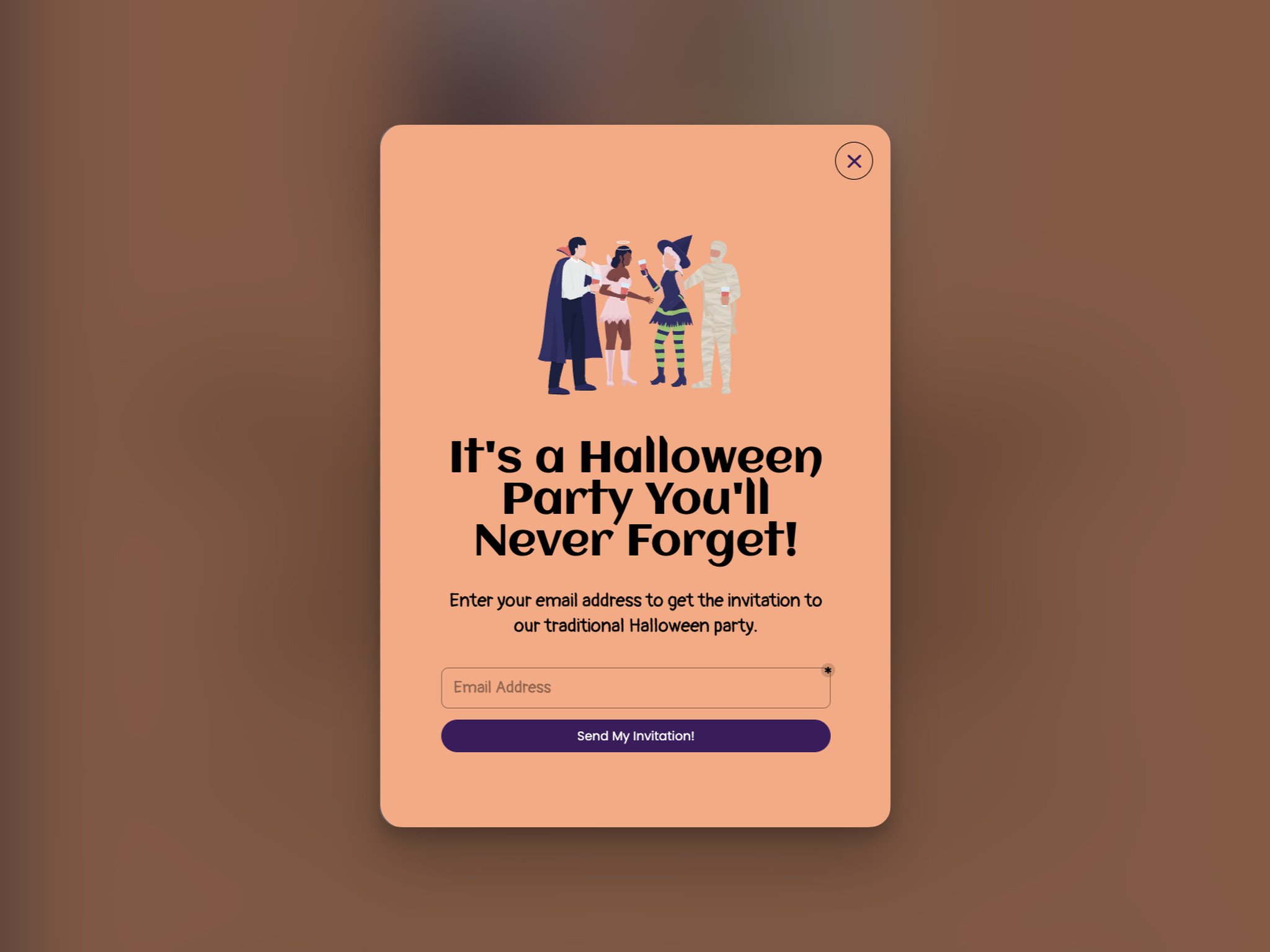
To make your Halloween event popups look awesome, use pictures and designs that show how much fun your Halloween event will be.
And don't forget to tell people the important stuff, like when it's happening, where it's taking place, and how they can get tickets.
You can either include the information on the popup or even send them a fancy invite with all the info.
Here's a cool idea: encourage people to sign up early by giving them something cool, like a discount for a limited time or a free Halloween-themed treat.
- Offer: a spot at your in-store Halloween night, online workshop or live costume try-on, with a small perk for early signups.
- Trigger: the home page and the event page; a floating bar if you'd rather not interrupt.
- When: from Saturday 17 October until the day before the event.
- Copy: "Join our Halloween night on Friday 30 October" with "Save my spot".
3. Halloween Coupon Popups
Coupons have long been a favorite among consumers, and Halloween popups that hand out coupon codes are the simplest seasonal offer an e-commerce owner can run.
To make the most of these popups, it's important to craft compelling offers and present them effectively.
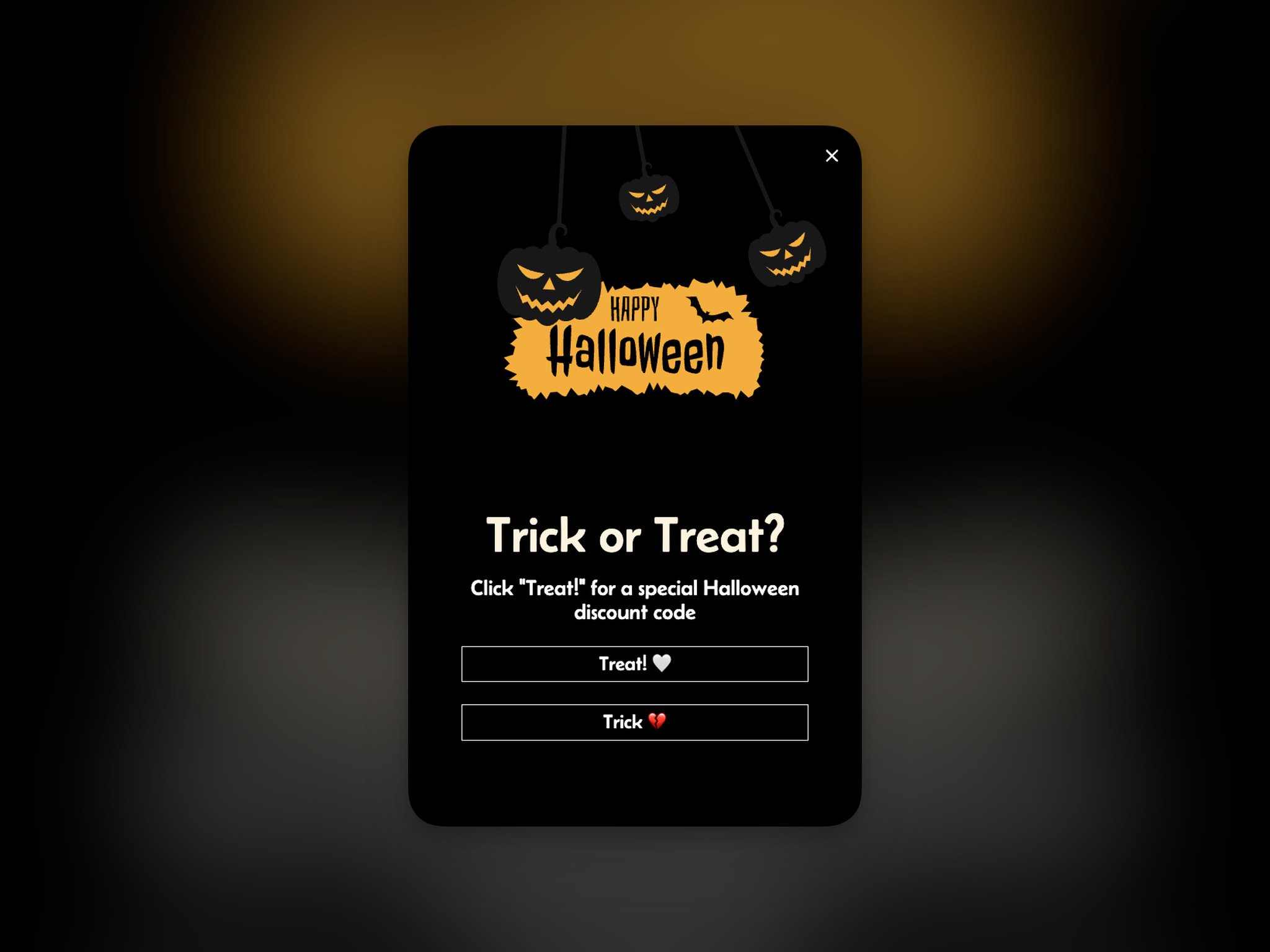
Clearly display the coupon code and its value, making it easy for customers to redeem.
Consider offering tiered discounts based on the purchase amount to encourage larger transactions.
Use Halloween-themed visuals and messaging to align with the season.
Put these popups on your homepage and product pages, where plenty of people will see them.
How much should the code be worth? Here's what our 2026 benchmark says about offers in popups (leads per popup display, median campaign):
| Offer | What our 2026 data shows |
|---|---|
| A discount code vs none | Signup popups that offer a discount code convert 1.46% vs 0.75% for signup popups without one. |
| 10% off vs no stated discount | Popups stating 10% off convert 1.25% vs 0.67% for popups that state no discount. |
| Bigger discounts | Bigger discounts did not convert measurably better: 10% off converted 1.25%, 20% off 0.91% and 25–30% off 1.33%, but the larger-discount samples are small (78 and 46 campaigns), so the data cannot rule out a real difference either way. |
So offer a code, and start modest: our data gives no sign that a bigger Halloween discount earns more signups than 10% off, though the larger-discount samples are too small to be sure. For more layouts, browse these discount popup examples.
- Offer: one Halloween code, for example TREAT10 for 10% off, shown after the visitor enters an email. Popupsmart's coupon code element shows either one fixed code to everyone or unique codes.
- Trigger: new visitors, a few seconds after landing.
- When: Saturday 17 to Saturday 31 October; set the code to expire at midnight on 31 October.
- Copy: "Trick or treat?" with two buttons, "Treat me to 10% off" and "No tricks, thanks".
4. Halloween Countdown Popups
Countdown popups are perfect for the Halloween season because they do two things at once: they build anticipation, and they make people want to act right away.
These popups are like your secret weapon for telling everyone about your Halloween sales or events.
Design countdown timers that match the Halloween vibes and make them fun with animations and pictures that catch people's eyes.
The most useful Halloween countdown counts down to a real deadline: the last day to order for delivery before Saturday 31 October. Work back from your carrier's delivery times. If standard shipping takes three business days, an order placed on Tuesday 27 October can arrive by Friday 30 October, so Tuesday is your cut-off and the countdown should end then.
After the cut-off, swap the countdown for options that still arrive in time: express shipping, in-store pickup or digital gift cards.
So, put these countdown popups on your website in the right places and ensure they match your Halloween marketing design and strategy.
That way, you'll get everybody excited and ready to check out all the awesome stuff you have for Halloween!
- Offer: the deadline itself: order by your cut-off to get it before Halloween.
- Trigger: product and cart pages, plus a floating bar on the rest of the site.
- When: Saturday 24 October until your shipping cut-off.
- Copy: "Order by Tuesday 27 October to get it before Halloween" with "Shop now".
5. Gamified Halloween Popups
Interactive games in e-commerce have a high potential to captivate your audience and drive engagement.
For gamified popups to work, use games that are easy to understand and navigate. Offer enticing rewards such as discounts, free products, or exclusive access to Halloween content.
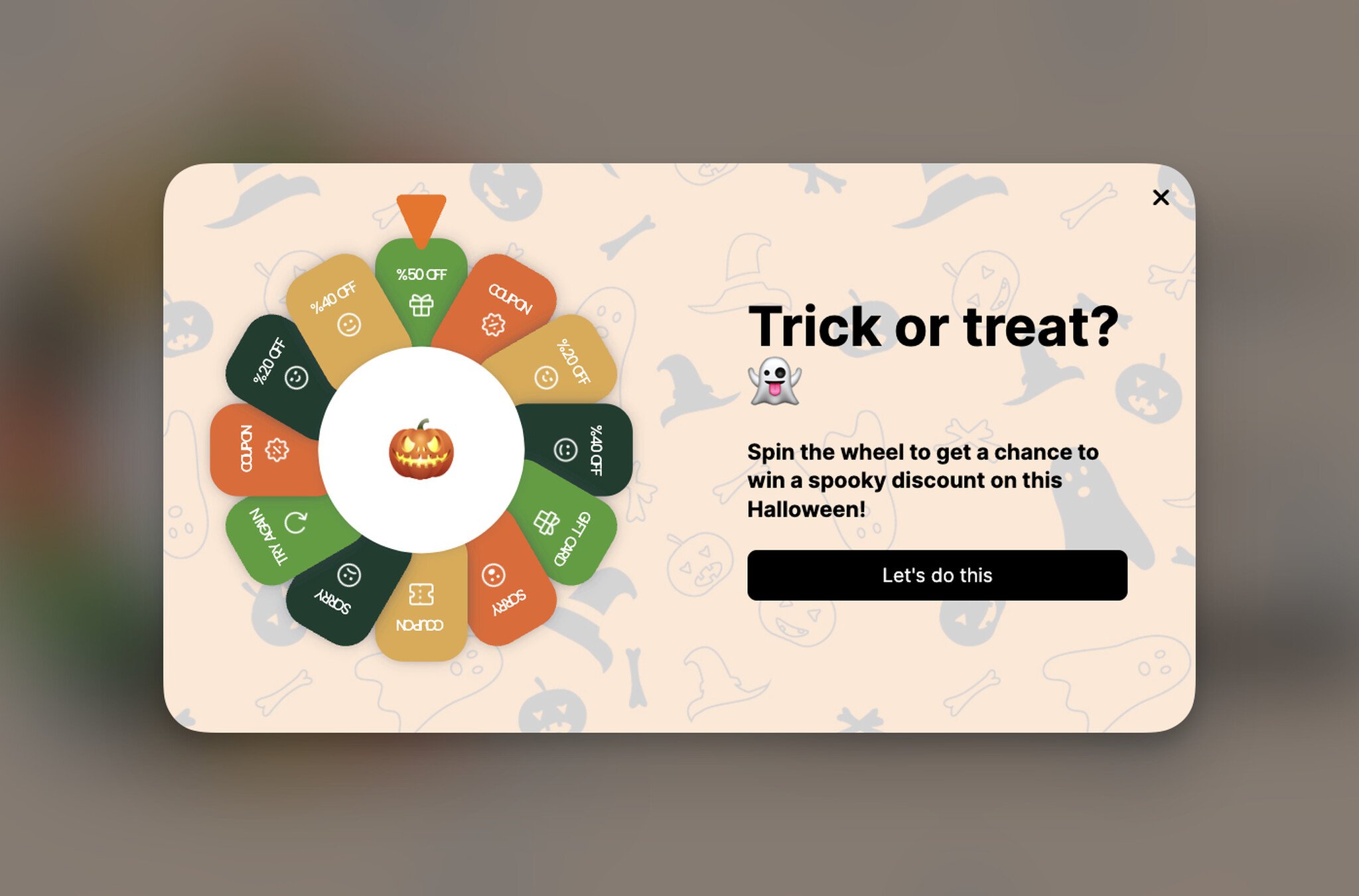
Keep the design of the popup aligned with the Halloween theme and promote these popups prominently on your website.
Gamified Halloween popups provide entertainment and can deepen the connection between your brand and your customers. Be clear about what a game does for you, though.
This is the part most spin-to-win advice skips. Run the pumpkin wheel because it's fun and puts a code in people's hands, not because you expect a longer email list than a plain coupon popup would bring. Our guide to spin-to-win wheel popups covers prizes and setup.
- Offer: a pumpkin wheel with three to five real prizes, such as 5% off, 10% off, free shipping or a free mini item. In Popupsmart's spin-to-win element, each slice gets its own discount code and weighting.
- Trigger: new visitors, a few seconds after landing, shown once per visitor.
- When: Saturday 17 to Saturday 31 October.
- Copy: "Spin the pumpkin wheel for a Halloween treat" with "Spin to win".
6. Halloween Freebies Popups
Who doesn't love getting free stuff, especially during Halloween when it's all about treats?
Halloween freebies popups are a smart way to make people happy!
Here's the idea: you can give away Halloween items like e-books, wallpapers, or print-your-own decorations, and all you ask for in return is their email address. That's it!
Then, when you have these email addresses, you can effectively use them to tell people about your products and deals.
It's a win-win because your customers get free stuff, and you get to keep in touch with them for more deals in the future!
Alternatively, you can offer free shipping to your customers with a simple floating bar popup. See an example below:
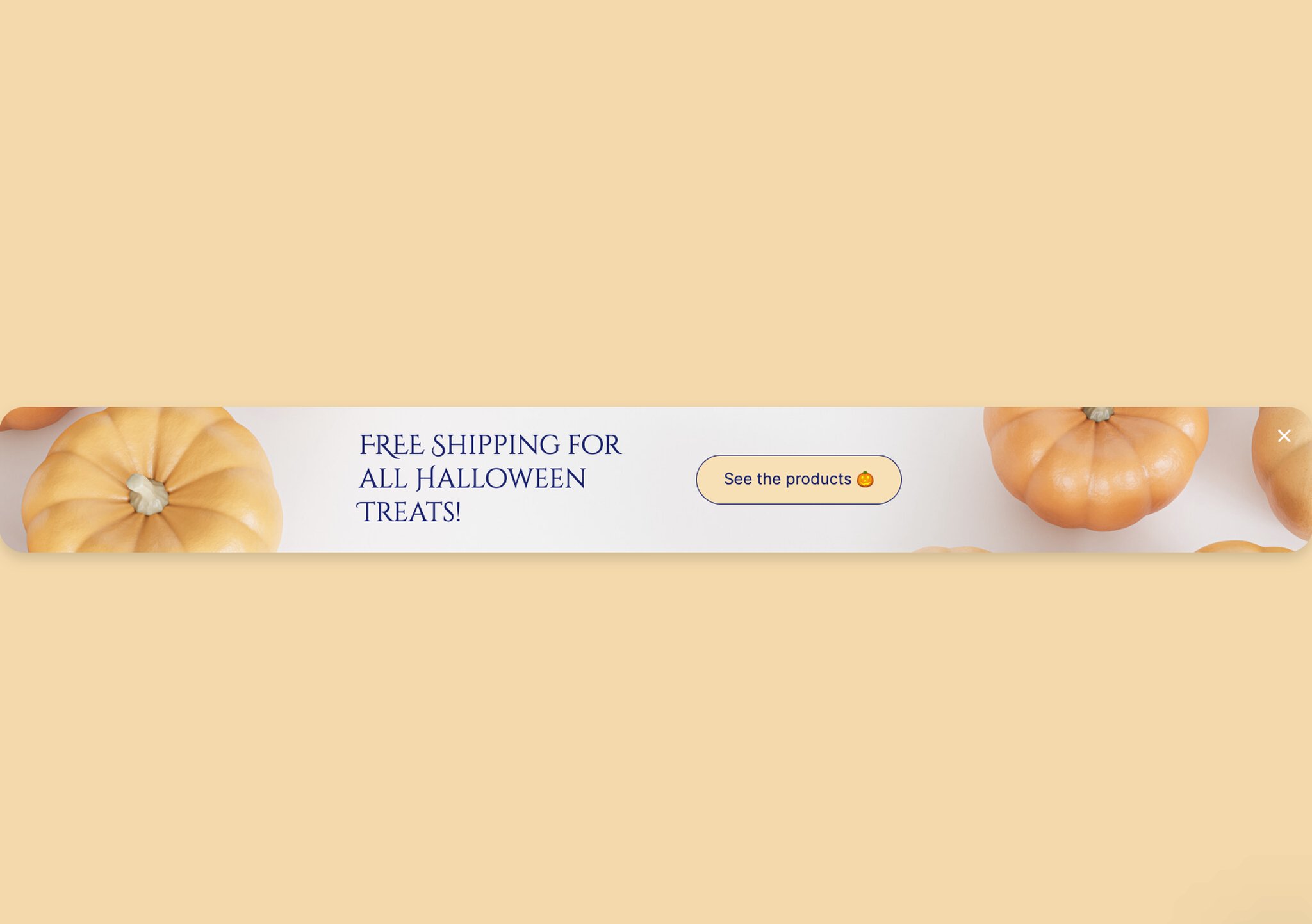
- Offer: a printable costume guide, pumpkin-carving stencils or phone wallpapers, sent by email; or free shipping above an order value you choose, as a floating bar.
- Trigger: blog and gift-guide pages after the visitor scrolls halfway down; the bar on every page.
- When: Saturday 17 to Saturday 31 October. Digital freebies still work on Halloween itself because nothing has to ship.
- Copy: "Free pumpkin stencils, straight to your inbox" with "Email me the stencils".
7. Social Media Halloween Contest Popups
Social media contests can significantly raise your brand's online visibility and engagement, especially during Halloween.
Halloween contest popups are effective tools for encouraging participation. When setting up these popups, you may consider outlining the rules and prizes for your contest.
Offer attractive incentives that align with the Halloween spirit, such as themed merchandise or exclusive access to Halloween events.
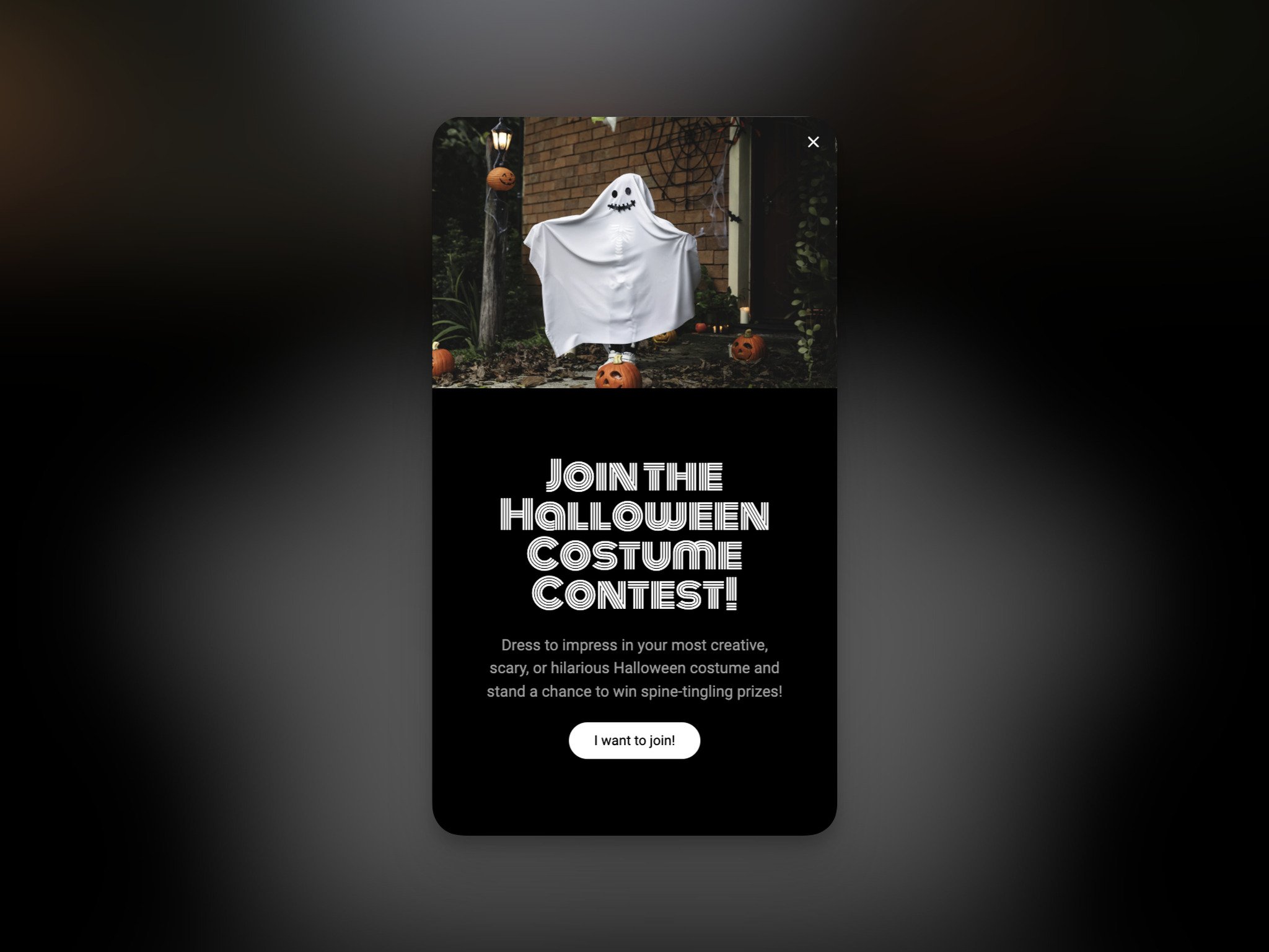
Encourage participants to share your content on social media, thereby increasing your brand's reach.
Be proactive in promoting these popups across your website and social media channels.
By running social media contests through popups, you can use the power of user-generated content and strengthen your brand's online presence during the Halloween season. Write the rules down on the page the popup links to: who can enter, the closing date and how you pick the winner.
- Offer: a costume contest with a gift card or a product as the prize; people enter by posting a photo with your hashtag.
- Trigger: the home page for returning visitors, plus a floating bar.
- When: announce it on Saturday 17 October and close entries on Sunday 1 November, so people can post their Halloween night photos.
- Copy: "Show us your costume, win a Halloween treat" with "See how to enter".
8. Halloween Product Bundle Popups
Product bundles tailored for Halloween can be a compelling way to increase the average order value and show related items.
Halloween product bundle popups can highlight these offerings. To make the most of them, give people enticing visuals and detailed descriptions of the bundles.
Tell people how much money they can save and why these bundles are extra special.
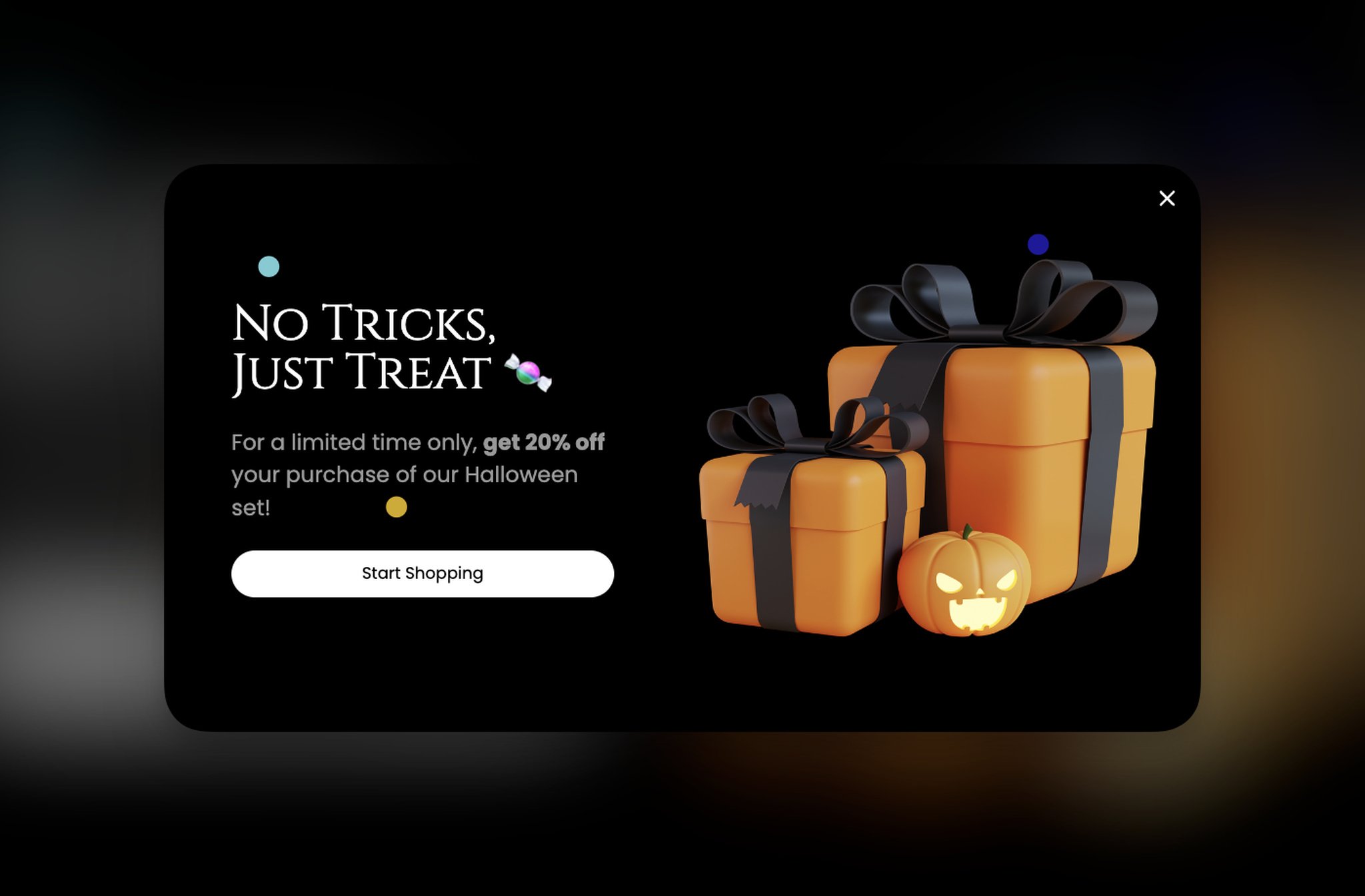
Consider offering limited-time discounts or special add-ons to sweeten the deal.
Put these popups in smart places on your website, especially where visitors are looking at items to buy: product pages first.
That way, you're making shopping more fun and helping people find more products they want.
The same popup has a second job after Halloween. On Sunday 1 November, leftover costumes and decorations become next year's stock unless they sell, so bundle them at a clearance price and show the bundle to returning visitors for a week.
- Offer: a bundle price on items that go together (a costume, hat and wand; a candy bowl and door decorations); from 1 November, a clearance bundle of what's left.
- Trigger: product pages for the items in the bundle, or the cart page.
- When: Saturday 17 to Saturday 31 October, then Sunday 1 to Saturday 7 November for the clearance.
- Copy: "Complete the costume: hat, cape and wand together" with "See the bundle"; after Halloween, "Halloween leftovers, bundled at clearance prices" with "Shop the clearance".
9. Halloween Email Sign-up Popups
A healthy email subscriber list matters for e-commerce, and Halloween-themed email sign-up popups are an easy way to grow it before the holiday season.
To get more signups, entice visitors to subscribe by offering an appealing incentive, such as a Halloween-related discount or exclusive content.
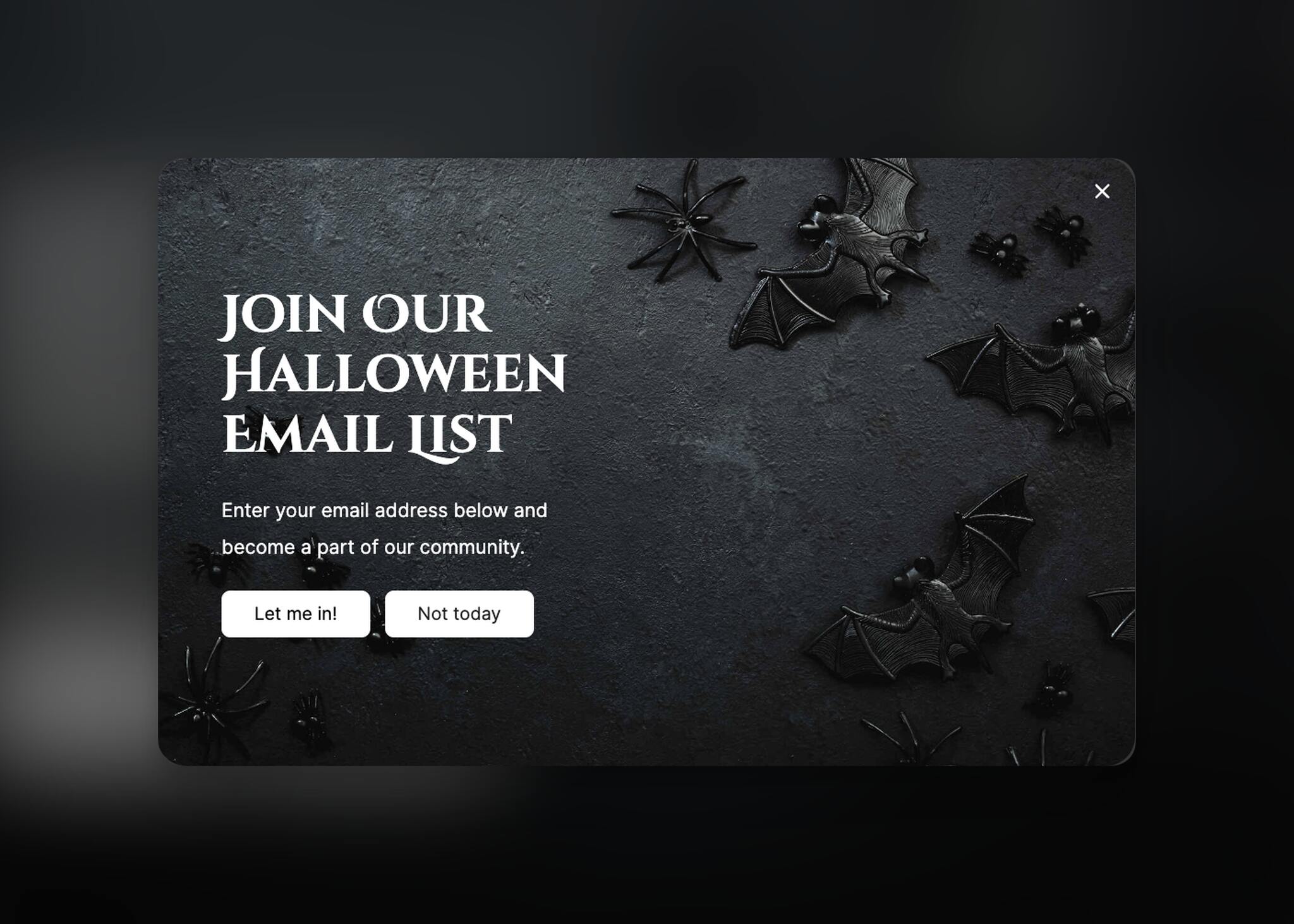
Consider clearly communicating the value of subscribing and the type of content subscribers can expect to receive.
And don't make signing up a big, confusing thing. Keep it super simple! Our 2026 benchmark backs this up: popups asking for one or two fields convert 0.88% and 0.94%, against 0.56% for three fields (median campaign; spin-to-win and other gamified popups are counted separately). The button matters too: first-person buttons ("Send my code") convert 1.18% vs 0.80% for neutral wording (English popups, median campaign).
Then make sure that your email marketing strategy includes tailored Halloween-themed newsletters and updates that provide real value to subscribers.
- Offer: early access to your Halloween sale; from 1 November, early access to Black Friday.
- Trigger: new visitors, a few seconds after landing.
- When: Saturday 17 October to Friday 27 November, with the copy switched on 1 November.
- Copy: "Get our Halloween deals a day early" with "Send me early access"; from 1 November, "Black Friday starts in your inbox" with "Get early access".
10. Halloween Flash Sale Popups
Flash sales have the innate ability to generate excitement and encourage immediate purchases, making Halloween flash sale popups a valuable asset for e-commerce owners.
To make the most out of these popups, create a sense of urgency by using attention-grabbing graphics and bold text.
Clearly communicate the duration of the sale and the exclusive discounts or offers available.
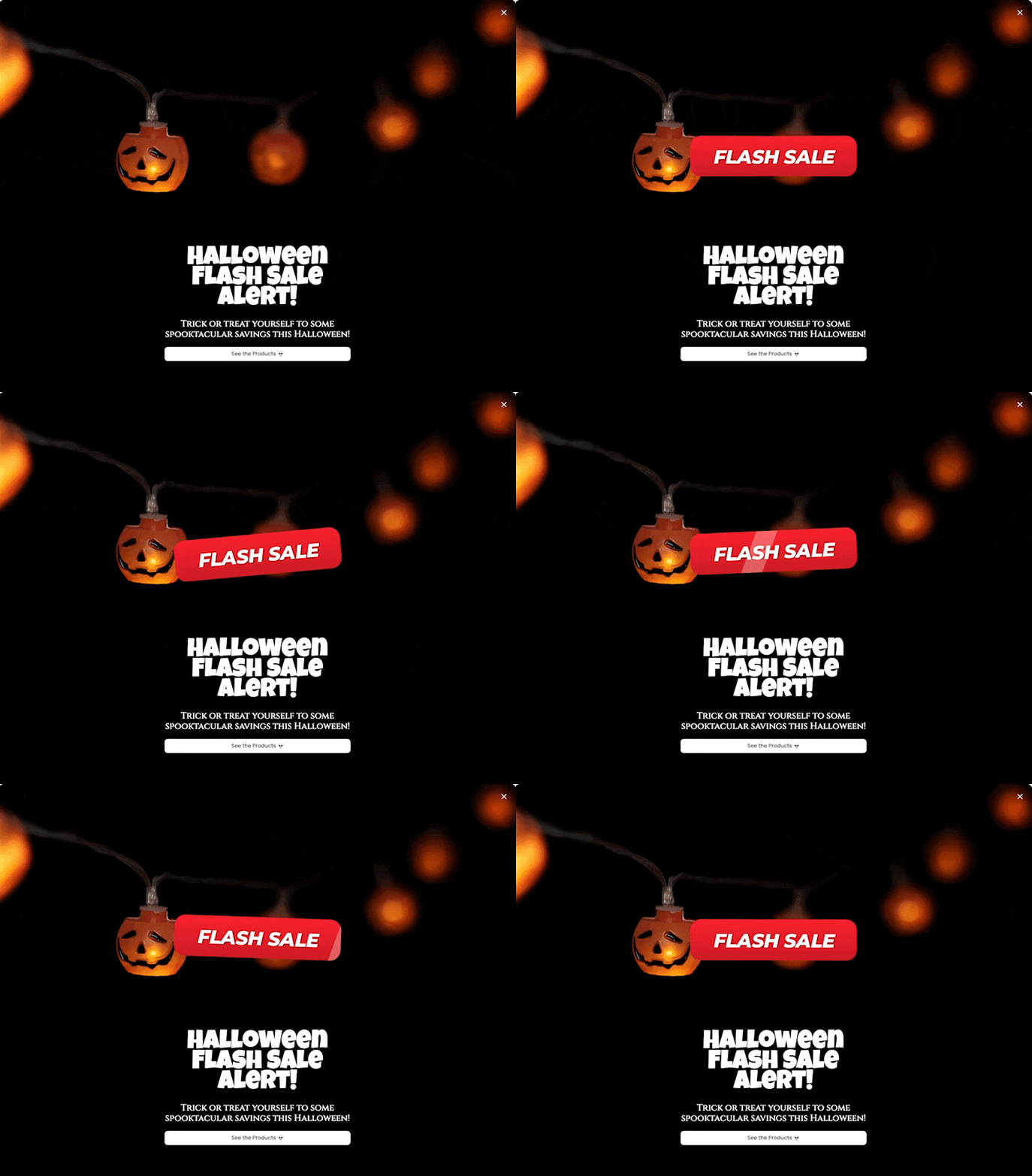
Time the flash sale so it fits your overall Halloween marketing plan.
Use these popups strategically on your website, especially on the homepage and product pages, to catch your visitors' attention.
By using these Halloween flash sale popups, you can also make people feel like they're part of something special and really get into the Halloween spirit!
- Offer: a 48-hour sale on your Halloween range.
- Trigger: home and collection pages, a few seconds after landing; a floating bar on the rest of the site.
- When: Friday 30 and Saturday 31 October, scheduled to stop at midnight.
- Copy: "48-hour Halloween flash sale ends Saturday at midnight" with "Shop the flash sale".
11. Halloween Exit Intent Popups
Exit-intent is a behavioral technology that can sense when a visitor is getting ready to leave a website. On desktop it reads the mouse heading for the browser bar; on mobile, Popupsmart's version reads a fast upward scroll.
Combining popups with this technology gives you one last chance to re-engage leaving visitors, and a ghost fits the moment.
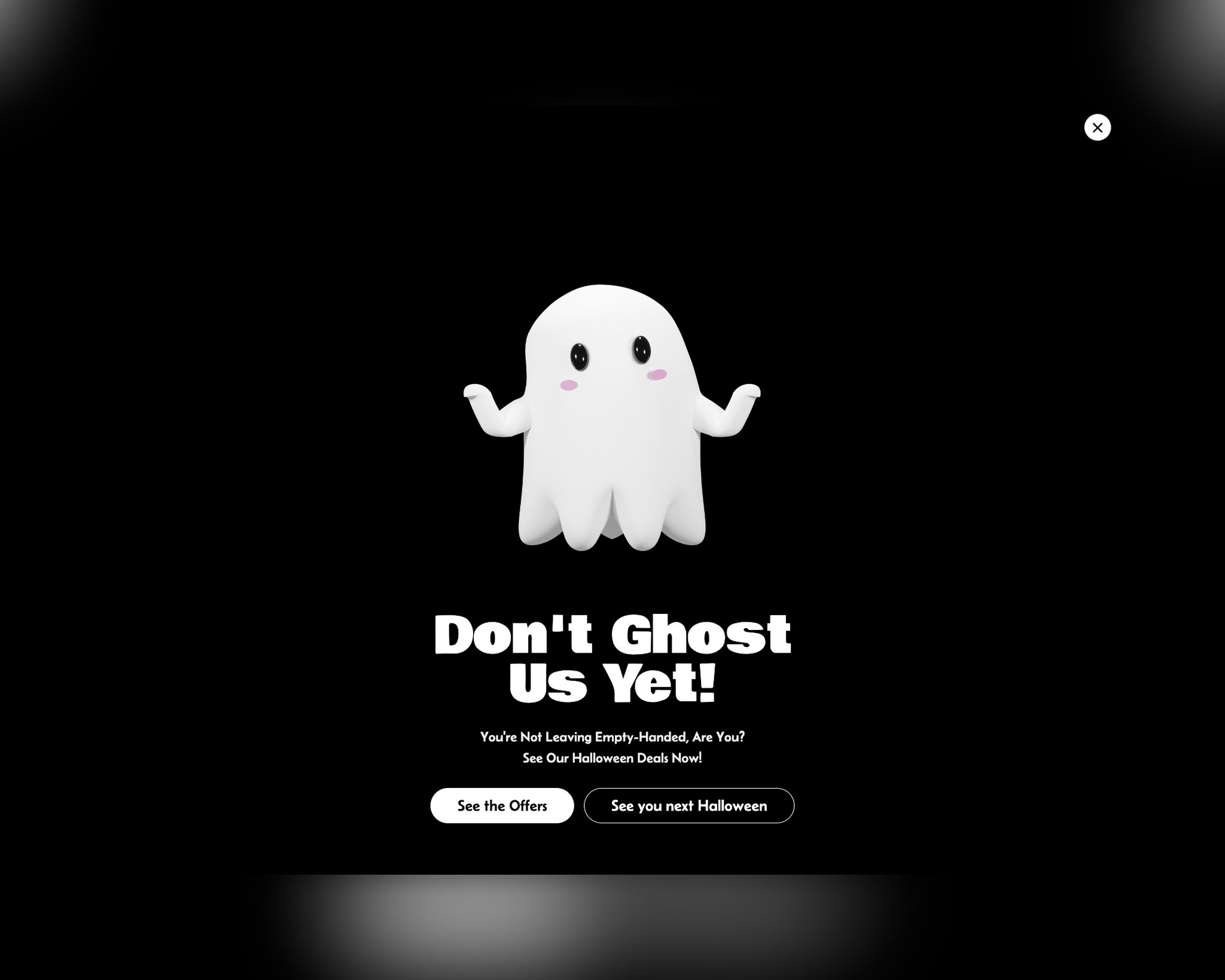
When crafting Halloween exit-intent popups, consider offering a last-minute deal or incentive to entice visitors to stay and explore further.
Craft a compelling exit message that emphasizes the value of your offer and the limited time available to claim it.
Use eye-catching visuals and persuasive copy to capture the attention of leaving visitors.
Keep your expectations honest. In our 2026 benchmark, exit intent shows no statistically reliable advantage: popups on the most sensitive exit-intent setting converted 1.10% vs 0.78% without exit intent (median campaign), a gap that could be chance. Use it as a polite last reminder, not as a conversion trick.
- Offer: a reminder of your shipping cut-off, a small code, or a link back to your gift guide.
- Trigger: exit intent, on the cart page and product pages.
- When: Saturday 17 to Saturday 31 October.
- Copy: "Don't ghost us yet" with "Show me the deal" and "Leave anyway".
12. Halloween Social Proof Popups
Building trust and credibility is essential for e-commerce success, and Halloween social proof popups can help achieve this during the holiday season.
Show reviews, ratings, or testimonials with a Halloween twist through these popups.
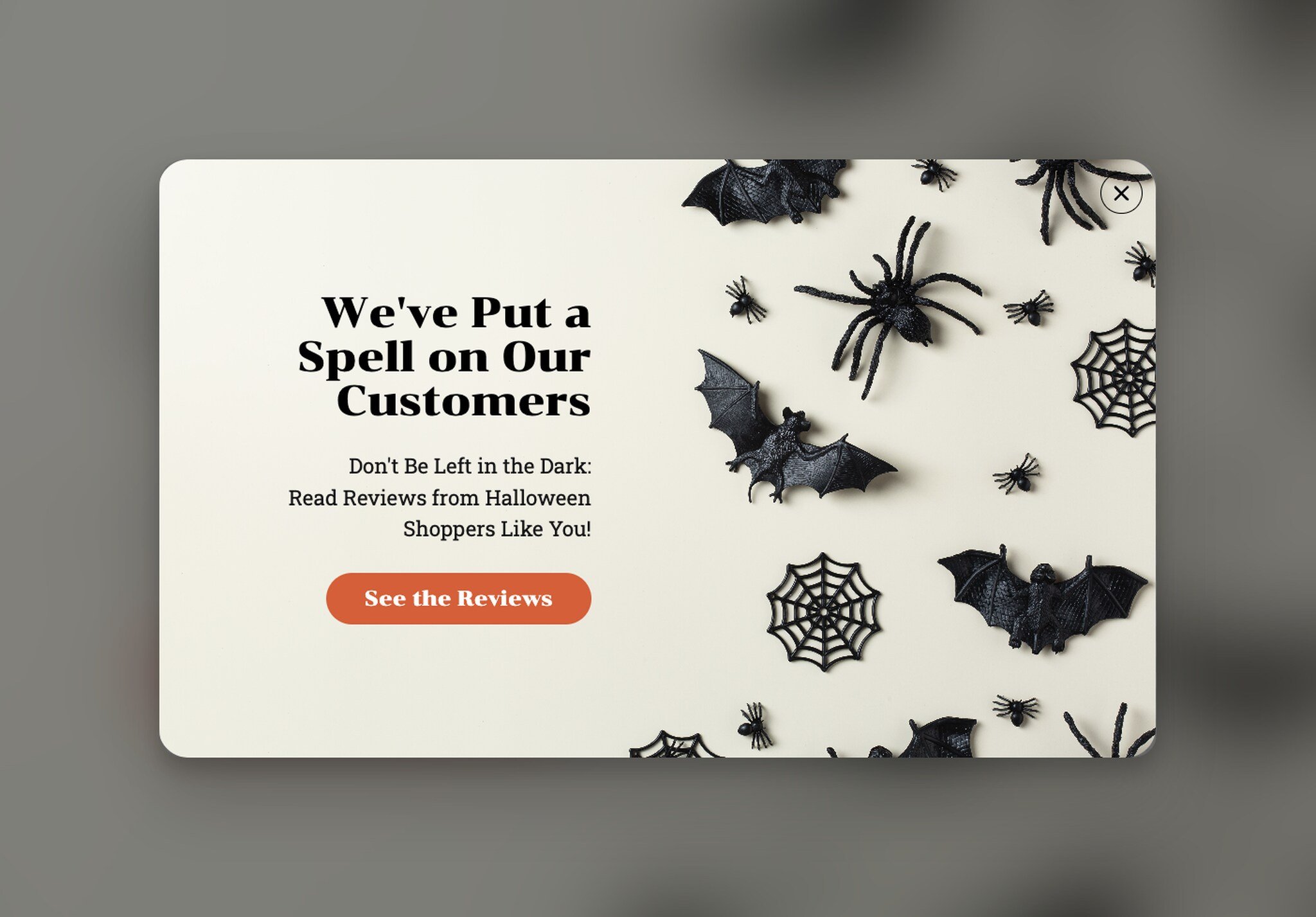
Highlight specific benefits or experiences related to your Halloween products or services. Use persuasive visuals and graphics to make the social proof visually appealing.
With Halloween social proof popups, you build trust with potential customers and influence their purchasing decisions positively.
- Offer: none needed; the review is the message.
- Trigger: product pages, after the visitor scrolls past the price.
- When: Saturday 17 to Saturday 31 October.
- Copy: a short quote from a real review of the product, with the reviewer's first name and star rating.
13. Halloween Video Popups
Video content is a great tool for storytelling and engagement, and Halloween video popups can bring a dynamic element to your seasonal marketing efforts.
To optimize the impact of these popups, keep the videos short, attention-grabbing, and aligned with your Halloween theme.
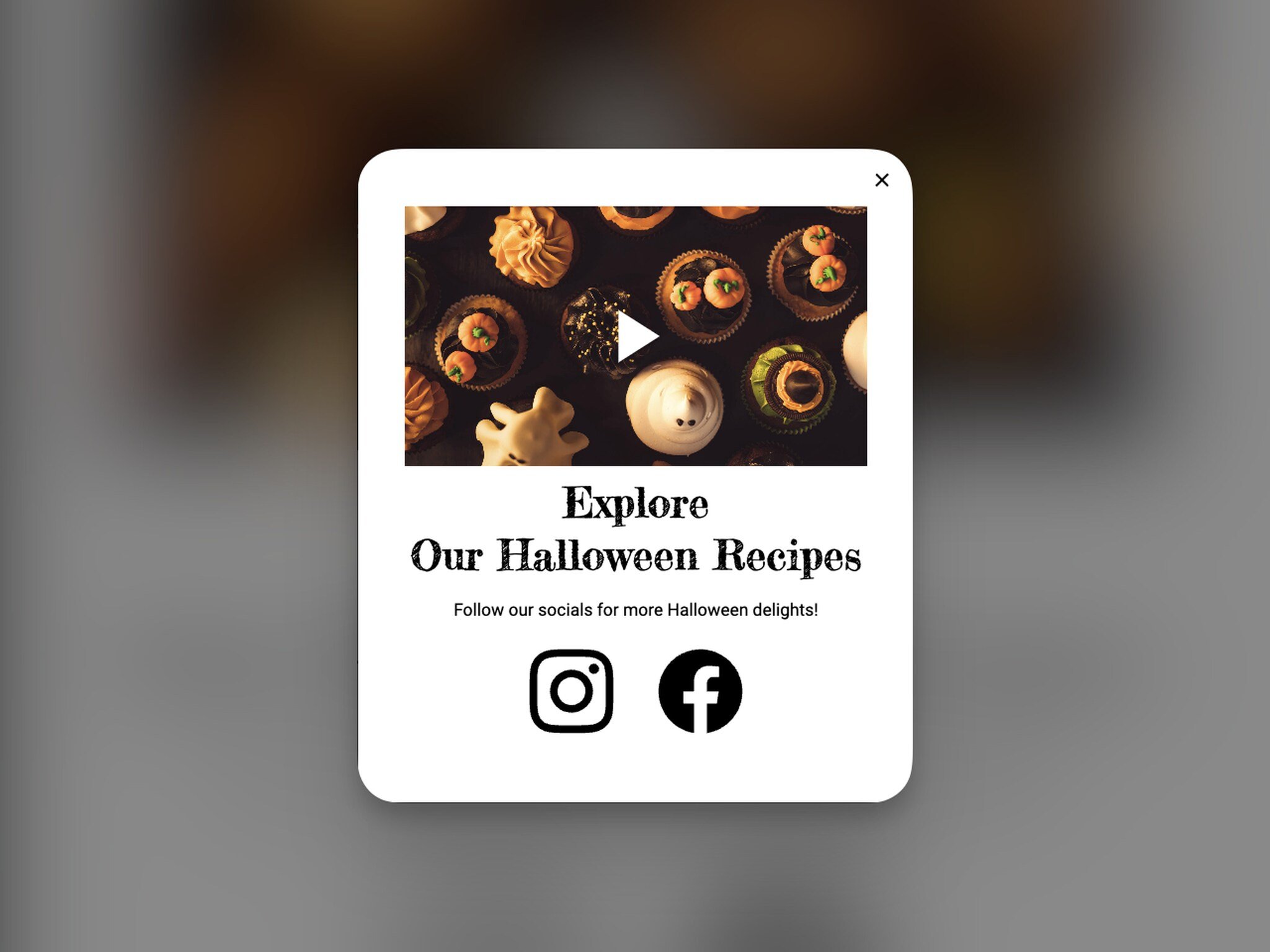
Use strong visuals and a simple story to convey your brand message effectively. And check that the videos play well on phones.
When you promote these popups strategically across your website, you’ll entertain and engage your audience and convey your brand message in a memorable and compelling way. Popupsmart's YouTube element plays a video you've already published on YouTube inside the popup, muted if you turn on autoplay.
- Offer: a short costume try-on, decoration setup or pumpkin-carving clip, with a link to the products in it.
- Trigger: on click, from a "Watch the look" button on the product page, so the video plays only for people who ask for it.
- When: Saturday 17 to Saturday 31 October.
- Copy: "See the costume in action" with "Shop this look".
14. Halloween Personalized Recommendations Popups
Personalization is a key driver of e-commerce success, and Halloween personalized recommendations popups can enhance the shopping experience for your customers.
Use customer data to offer tailored Halloween product recommendations.
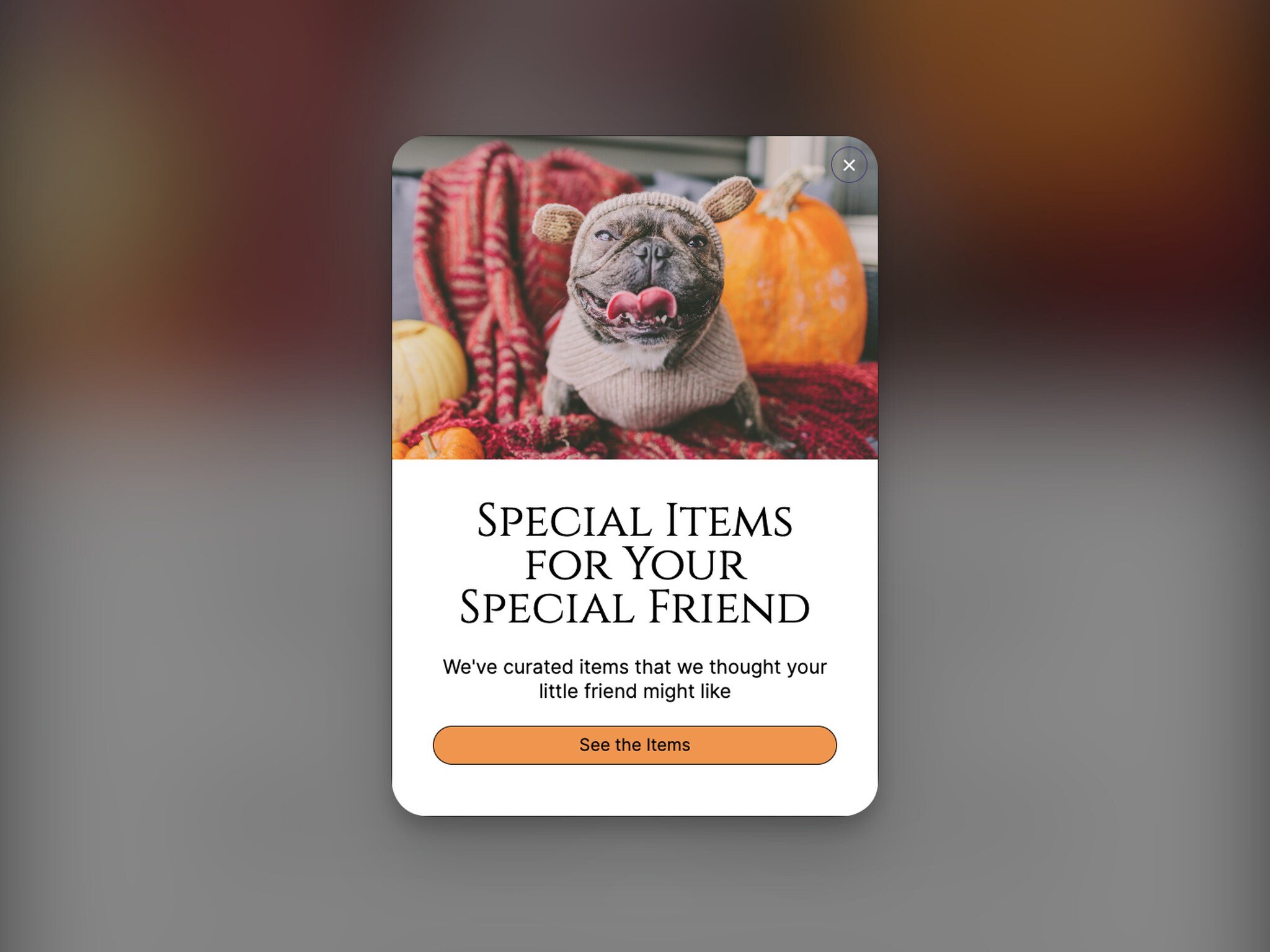
Make these popups easy on the eye, and say plainly why the recommended products are worth a look.
The simplest version needs no customer data at all: match the popup to the page. Someone browsing pet costumes sees pet costumes. Popupsmart's Product Feed element can pull products from a Google-compatible product feed into the popup.
When you use Halloween personalized recommendations popups, you're making shopping easier and more fun for your customers and increasing the chances that they'll buy more of your products.
And that means happier customers and more sales!
- Offer: three products that match the page being viewed.
- Trigger: URL targeting on the category, after the visitor scrolls.
- When: Saturday 17 to Saturday 31 October.
- Copy: "Costumes for your four-legged trick-or-treater" with "See pet costumes".
15. Animated Halloween Popups
Adding a touch of animation to your Halloween popups can make them more visually captivating and memorable.
When incorporating animated elements into your popups, keep them subtle and in line with your brand's style to avoid distractions or excessive movement.
Check that the animations don't drag down your page load times.
Respect visitors who turn motion off in their device settings and show them a still version; our guide to animated popups covers how. Popupsmart's Lottie element adds an animation to a popup, with autoplay and loop you can switch on or off.
- Offer: the offer of the popup you animate, usually the flash sale.
- Trigger: the same as that popup.
- When: Friday 30 and Saturday 31 October, when you most want one popup noticed.
- Copy: "Something wicked this way comes: 48 hours of Halloween deals" with "Show me".
P.S. You can also check our Pinterest Halloween popup design board for more inspiration!
Halloween 2026 popup calendar: what to show and when
Halloween 2026 falls on Saturday 31 October, which gives your popups three windows before the day and one after it. Start early: NRF's 2026 survey found that nearly half of consumers (49%) plan to begin shopping for Halloween in September or earlier.
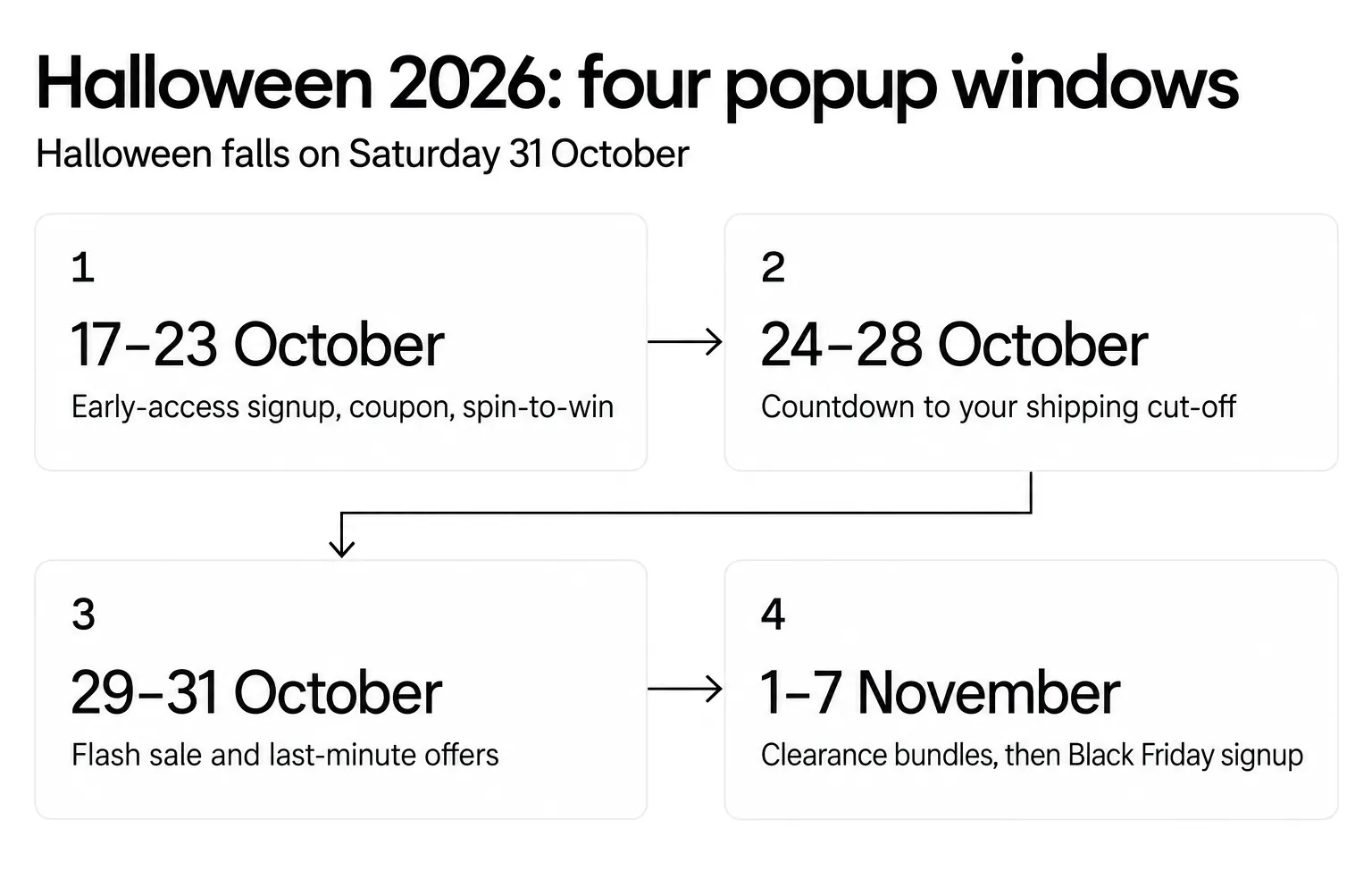
| Window (2026) | What shoppers need | Popups to run |
|---|---|---|
| Saturday 17 – Friday 23 October | Ideas and early offers | Email signup (9), coupon (3), spin-to-win (5), event (2), freebies (6), contest (7), video (13) |
| Saturday 24 – Wednesday 28 October | To order in time | Countdown to your shipping cut-off (4), bundles (8), recommendations (14), social proof (12) |
| Thursday 29 – Saturday 31 October | Last-minute options | Limited-time offer (1), flash sale (10), digital freebies and the free-shipping bar (6), exit intent (11), animation (15) |
| Sunday 1 – Saturday 7 November | Clearance, then the next season | Clearance bundles (8), Black Friday early-access signup (9) |
Load all four windows in advance. Popupsmart's Schedule Date and Time targeting shows a popup between a start and end date you set, so the flash sale can switch itself on for Friday 30 October and off at midnight on Saturday without anyone at a keyboard.
From Sunday 1 November, Halloween offers start to look stale. Turn the season's last popups into a clearance bundle (idea 8) and a Black Friday signup (idea 9). Black Friday 2026 is Friday 27 November.
15 best practices for an effective Halloween popup campaign
Here are practical tips for Halloween popups that engage your audience and drive conversions without spoiling the shopping experience.
Along with these practices, remember to continually analyze the performance of your popups and make adjustments to optimize their effectiveness.
1. Start Early: It’s never too early to prepare for Halloween! Don't wait until the last minute to implement Halloween popups.
Start well in advance of the holiday season to build anticipation and capture early shoppers. The calendar above starts on 17 October; start sooner if you sell costumes.
2. Align with Your Brand: Make sure your Halloween popups are a spooktacular match for your brand's identity and theme.
Use your brand's signature colors, fonts, and imagery to create a wickedly cohesive and eye-catching look that'll leave a lasting impression.
3. Mobile Responsiveness: Most popup views happen on phones: in our 2026 benchmark, 63% of popup displays happen on mobile.
For this, make sure your popups are mobile-responsive and display and function correctly on various screen sizes. Our guide to mobile popup design covers sizes and close buttons.
4. Timing Matters: Use timing strategically. Consider when and how frequently popups appear. Remember, too many popups in a short time can be as scary as a haunted house!
In our 2026 benchmark, popups that wait before appearing convert 0.83% vs 0.61% for popups shown the instant the page loads (median campaign); the direction holds in every year of data but the difference is not statistically reliable, so treat it as a lean, not a rule.
Tip: With Popupsmart’s precise timing options like Popup Display Frequency and Schedule Date and Time targetings, you can make sure your popups show up at the right time.
5. Clear Messaging: Craft clear and concise messaging in your popups. You may consider using Halloween-themed language and visuals that'll have your visitors under your spell in no time!
6. Value Proposition: Clearly communicate the value of the offer or action you're promoting in the popup. Let them know why it's a treat they won't want to miss out on!
7. Eye-Catching Visuals: Use attention-grabbing visuals that resonate with the Halloween theme. High-quality images or graphics can make your popups more appealing.
Tip: Thanks to Popupsmart’s ready-to-use designer-made templates, you can rest assured that all visual elements of your Halloween popups are nailed.
8. A/B Testing: If you have the chance, you can try A/B testing different popup variations to determine what resonates best with your audience.
Test different headlines, visuals, and calls to action to optimize performance. In Popupsmart, A/B testing is on the Advanced plan and up.
9. Personalization: Whenever possible, use personalization to tailor the popup content to individual visitors based on their browsing behavior or preferences.
You can check out Popupsmart’s targeting options, such as URL, traffic source and new or returning visitors, for this purpose.
10. Segmentation: Segment your audience to deliver relevant popups. For example, show different popups to first-time visitors, returning customers, or those who have abandoned their carts.
In our 2026 benchmark, popups targeted at new visitors only convert 1.13% vs 0.77% for popups shown to everyone.
Tip: Did you know that Popupsmart has ready-to-use, predefined segmentation options? That’s right! With these targeting options at hand, you’ll have no trouble targeting the correct audience.
11. Clear Call to Action (CTA): Your popup should have a clear and enticing CTA button. Use action-packed text like "Shop Now" or "Subscribe" to get those visitors to dive right in!
12. User-Friendly Close Options: Not being able to close the popup may lead your customers to leave your website.
Make it easy for visitors to close the popup if they're not interested. Clear "X" or "Close" buttons should be readily accessible.
13. Performance Tracking: Use analytics tools to track the performance of your popups. Monitor metrics like conversion rates, click-through rates, and the overall impact on your goals.
Judge each popup on leads or orders per display, not on clicks alone: a spin wheel can win the clicks and still bring in no more emails.
14. Test Load Times: Check that popups don't noticeably slow your website's load times, which hurts the user experience. Optimize images and scripts as needed.
Popupsmart's own measurement puts its script at about 97 KB, loading in about 124 ms, and nothing renders until a campaign's trigger fires.
15. Consistency: Maintain a consistent message and design across your website and popups to avoid confusion and create a cohesive user experience.
You don’t have to go super crazy with the design of your Halloween popups if your brand has a minimal look.
Before You Leave
By strategically implementing these Halloween popups on your e-commerce website and aligning them with your overall Halloween marketing strategy, you can enhance the holiday shopping experience for your customers and maximize your sales and engagement during this festive season.
If you only have time for three, start with a coupon or spin-to-win signup from 17 October, a countdown to your shipping cut-off, and a flash sale for Halloween weekend. Then switch to clearance and Black Friday signups on 1 November.
Each popup type offers unique opportunities to connect with your audience, drive conversions, and strengthen your brand's presence in the competitive Halloween market.
Remember, your first popup campaign with Popupsmart is free (forever-free, actually): the free plan is permanent, with one website, one live popup and 5K pageviews a month and Popupsmart branding. You can easily choose one of the popup templates above to make the most of this Halloween season, or describe the campaign to the Popupsmart AI agent in the app, which builds the whole campaign (template, targeting and triggers, integrations) and publishes it on every plan, the free one included.
Enjoy your conversions!
Frequently Asked Questions
1. What Types of Halloween Popups are Most Effective for E-commerce Businesses?
The effectiveness of Halloween popups can vary depending on your specific goals and target audience. However, some popular and effective types of Halloween popups for e-commerce businesses include limited-time offers, coupon popups, event promotions, exit-intent popups, and personalized recommendations. For most online stores in 2026, start with a coupon or early-access signup from 17 October, a countdown to your last shipping date and a flash sale on 30 and 31 October.
2. What should I do if my Halloween Popups aren't Getting the Desired Results?
If your Halloween popups aren't achieving the desired results, consider analyzing their performance using data and analytics, and compare leads or orders per popup display rather than clicks. A/B test different variations to see what resonates best with your audience, one change at a time. You can also seek feedback from your customers to make improvements and adjustments. In our 2026 benchmark, conversion falls from the third time a visitor sees a popup in a week, so cap repeat views.
3. How Early should I Start Implementing Halloween Popups on my Website?
It's a good practice to start implementing Halloween popups well in advance of the holiday season, ideally a few weeks before Halloween. In 2026, that means Saturday 17 October at the latest for signup and coupon popups, a countdown to your shipping cut-off from 24 October and a flash sale on 30 and 31 October. This allows you to build anticipation, capture early shoppers, and maximize the impact of your Halloween-themed promotions.
4. What should a Halloween popup say?
Say what the visitor gets and when it ends, in one line, such as 'Trick or treat? Treat: 10% off until Saturday 31 October.' Add a first-person button such as 'Send my code' and a clear way to close. Skip 'Hurry!': in our 2026 benchmark, urgency words showed no measurable effect on conversion.
5. Do gamified Halloween popups collect more emails than discount popups?
Not measurably. In our 2026 benchmark, spin-to-win and other gamified popups got far more clicks than plain signup popups (the spin itself counts as a click) but did not collect measurably more email or phone leads. Run a pumpkin wheel for the fun and the code it hands out, and judge it on leads per display.
6. What should I do with Halloween popups after 31 October?
Turn them off or give them a new job on Sunday 1 November. Leftover costumes and decorations can go into a clearance bundle popup for about a week, and your Halloween signup popup can switch to Black Friday early access until the sale opens on Friday 27 November. Halloween offers left running into November look neglected.