
Cookie Targeting
Want to target only registered users? It is quite easy to set cookie targeting for your popup campaigns on Popupsmart.
Want to target only registered users? It is quite easy to set cookie targeting for your popup campaigns with Popupsmart.
For example, with cookie targeting, you can display your popup only to registered users or choose to show your popup only to unregistered users.
Pro Tip
You can always use Popupsmart's ready-to-use popup templates designed with pro segmentation features for your goals.
How to Set Up Cookie Targeting
Navigate to Segment
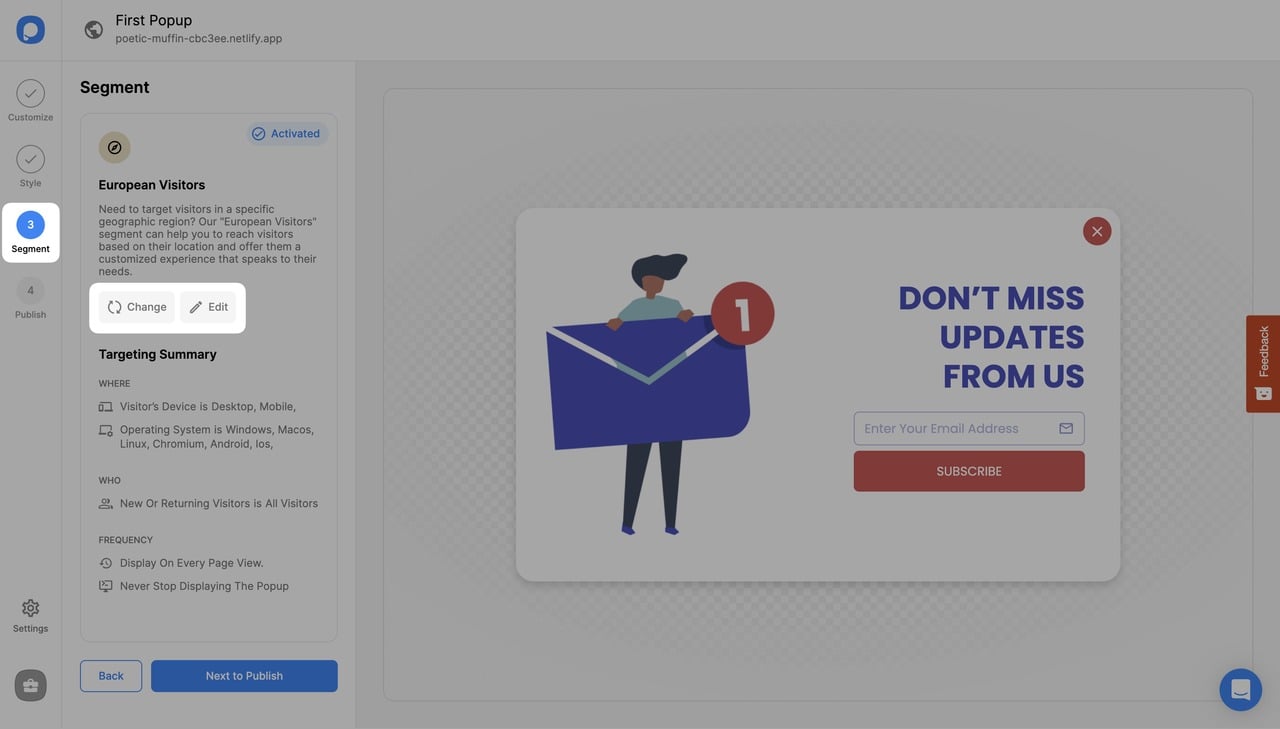
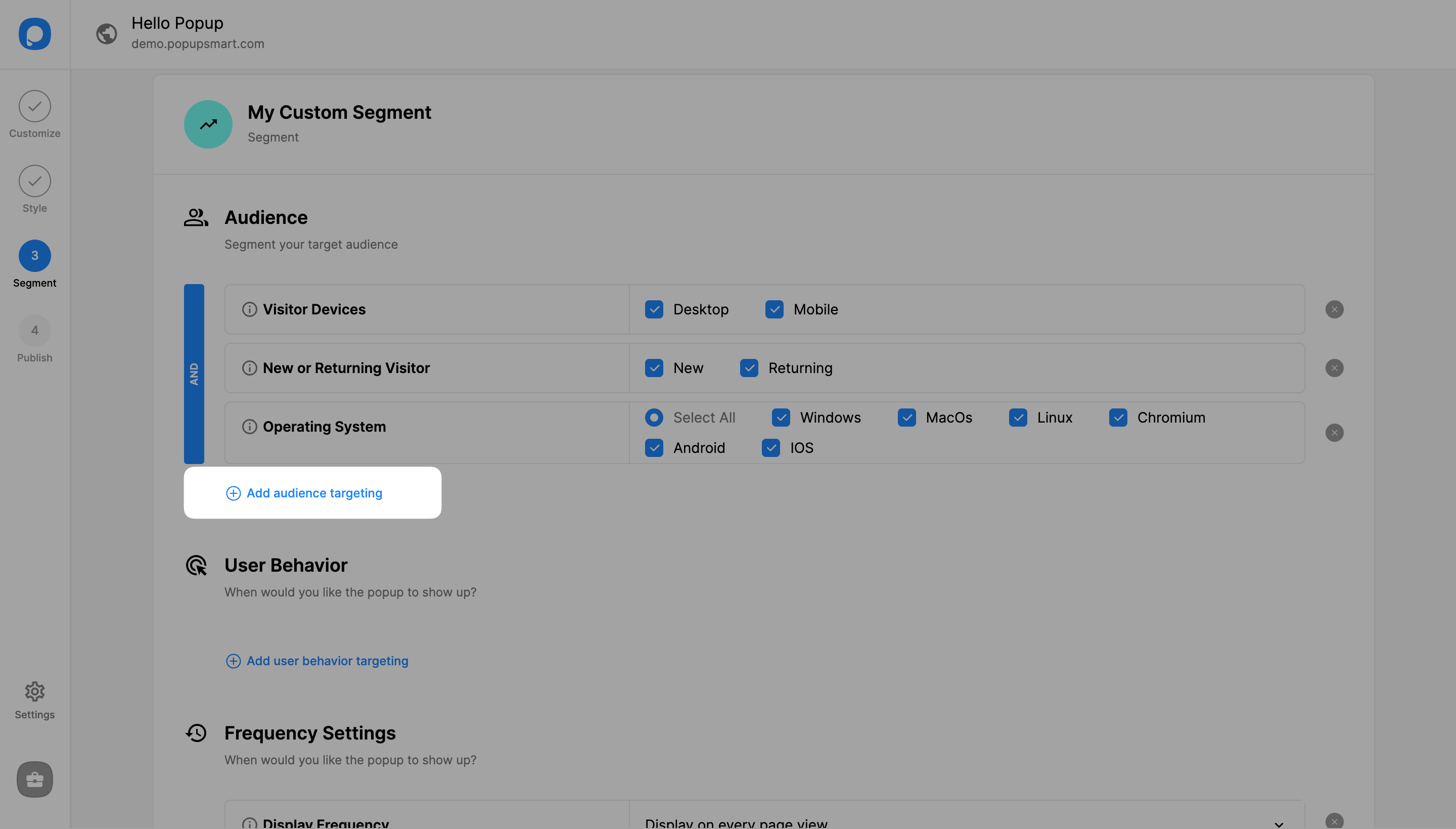
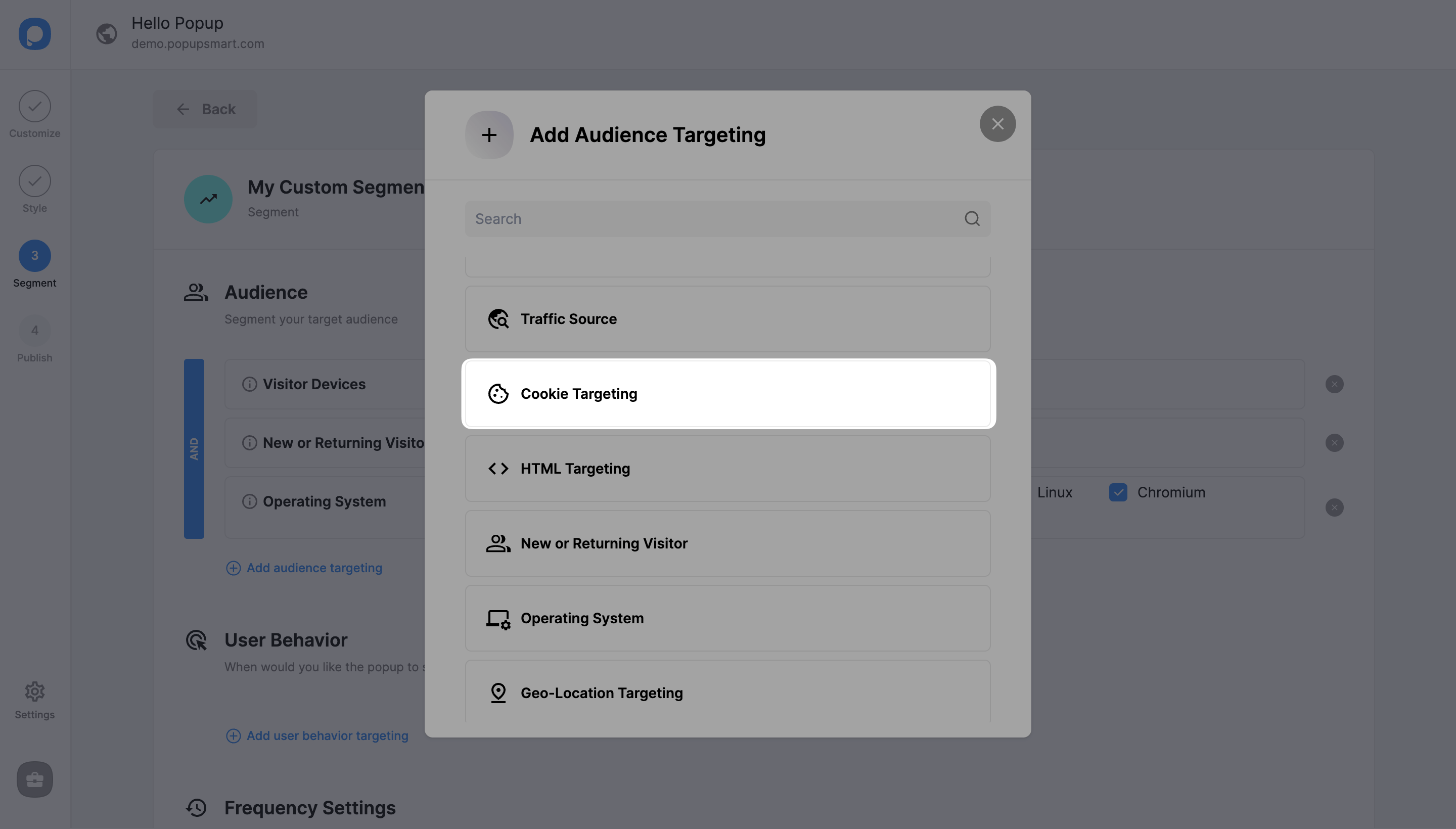
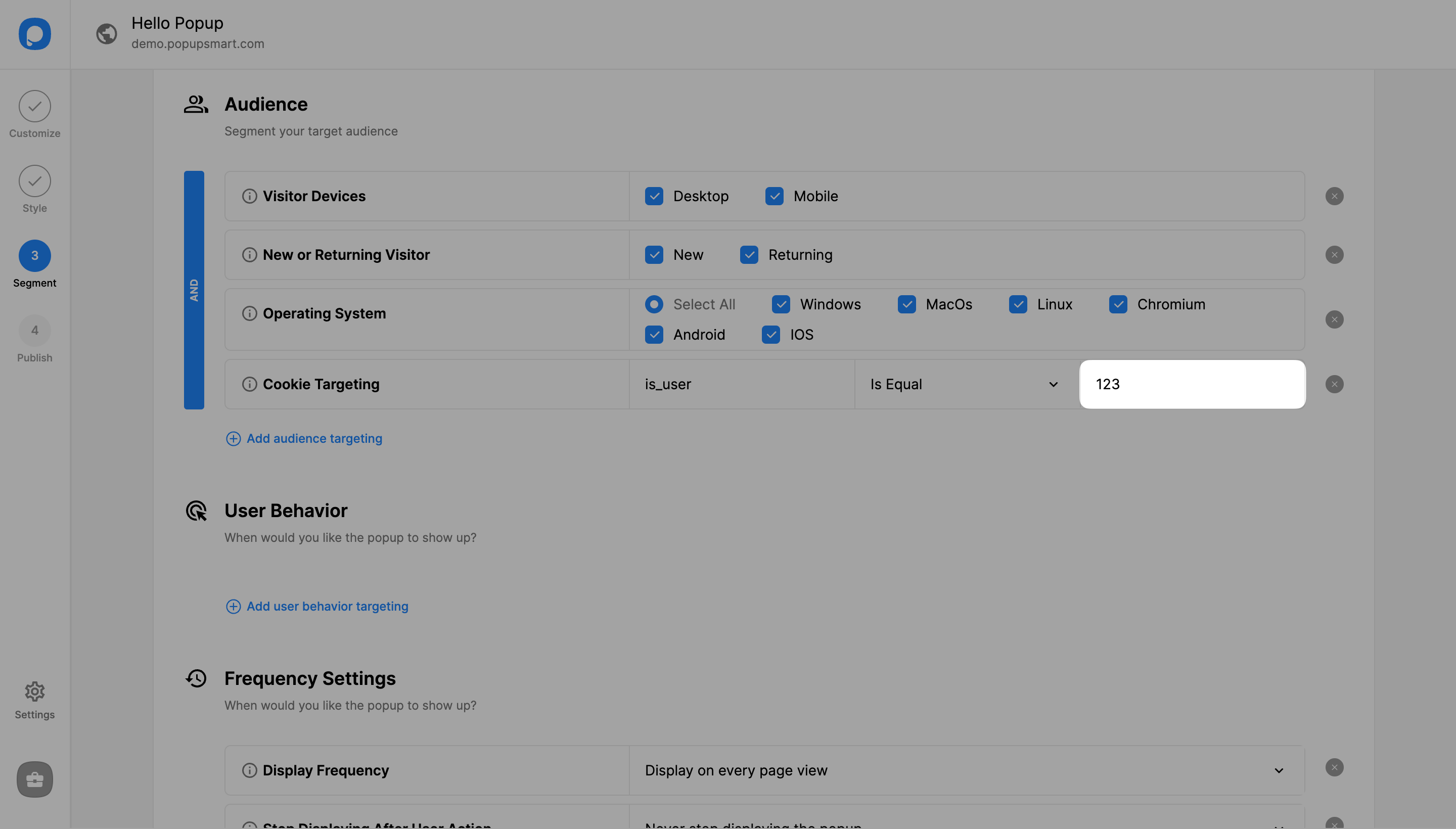
On the popup builder screen, navigate to the "Segment" section and click "Edit Segment." (If it's a new campaign, click the two circular arrows to choose a predefined segment or create one from scratch in "My Segment.")
Save and Publish
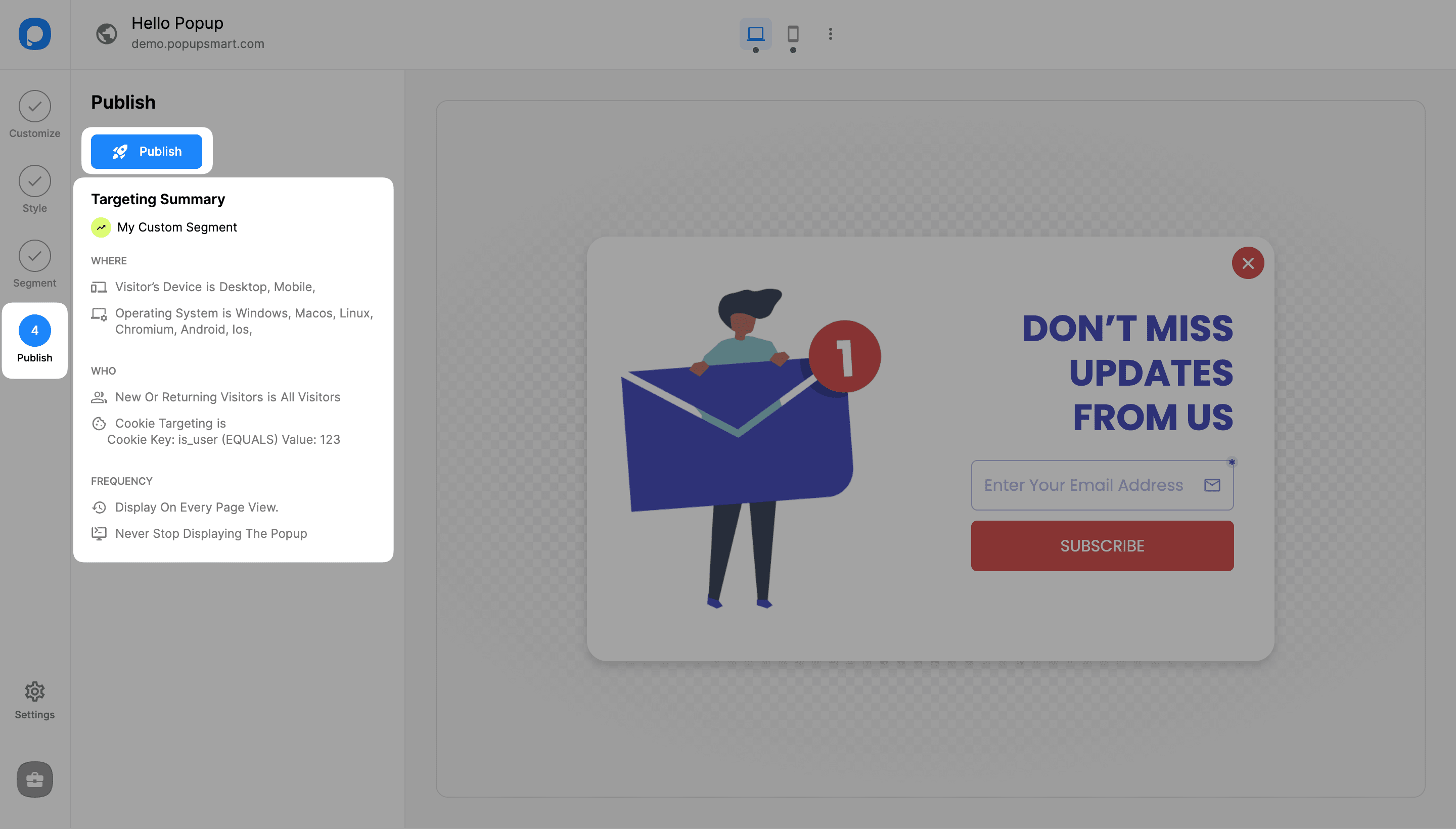
Click "Save" on the upper-right if all is done, and continue with the "Publish" step from the left-hand panel to see the Targeting Summary.
Example
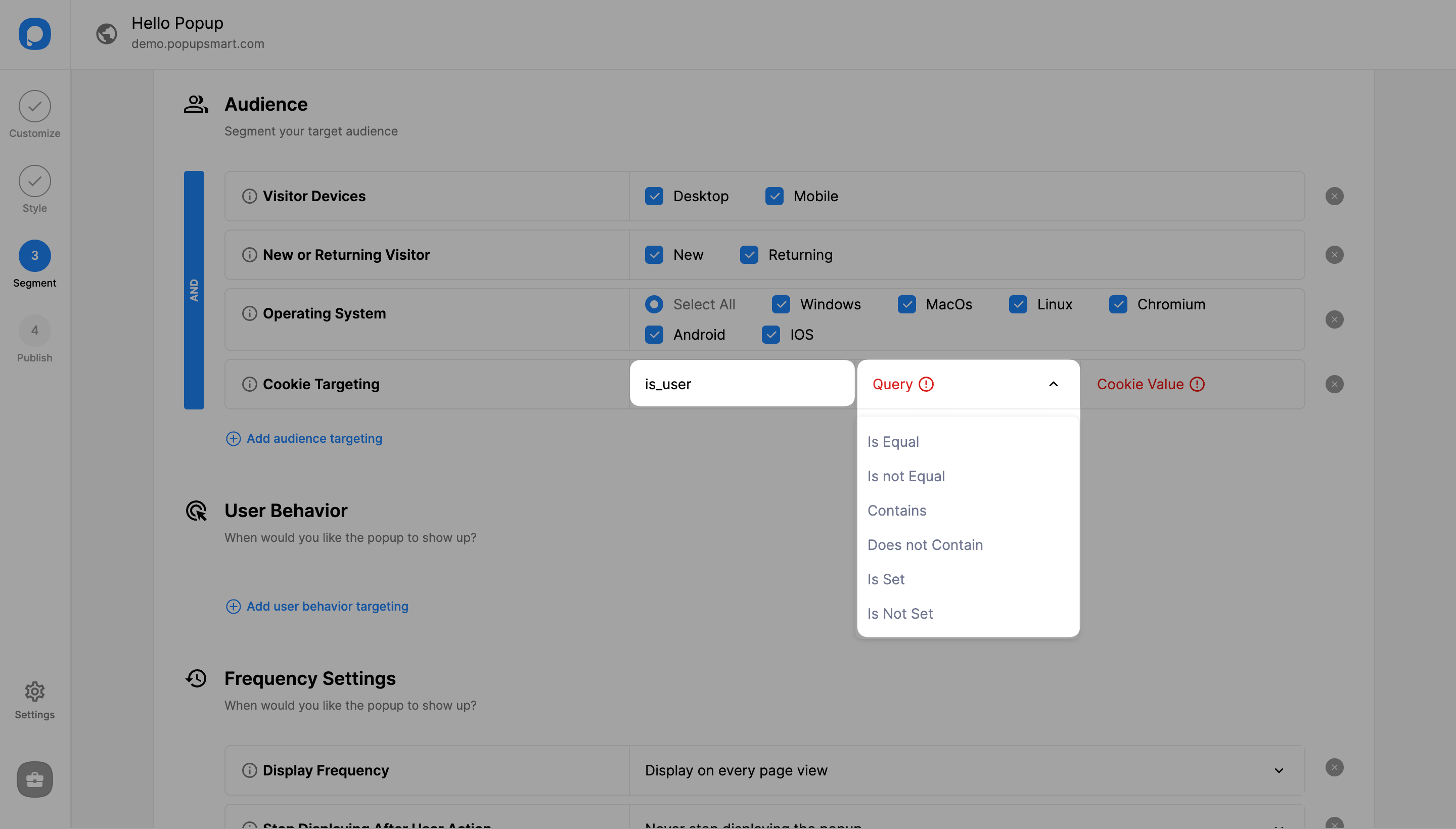
In this example, we have set the cookie key as "is_user" to show the popup only to registered users.
Advanced Cookie Targeting
Piece of cake. Right?
Need a hand? Contact Popupsmart!
How is this guide?