Top WordPress Statistics for 2026
• WordPress powers 42.6% of all websites globally in 2026, up from 39.5% in 2021 — W3Techs
• The CMS market share stands at 62.8%, nearly ten times higher than Shopify at 6.5% — Blogging Wizard
• Over 590 million websites worldwide run on WordPress — DemandSage
• Outdated plugins cause 95% of all WordPress vulnerability reports — Hostinger
• WooCommerce powers 4.6 million+ online stores with a 33.43% e-commerce market share — WPZOOM
• WordPress has been translated into 208 languages and locales — WPZOOM

Before we break the data down by category, here are the headline wordpress statistics that define the platform's position in 2026. These numbers come from W3Techs, WordPress.org, and independent research firms tracking CMS adoption worldwide.
• WordPress powers 43.5% of all websites on the internet. — Pantheon.io (citing W3Techs)
That's not 43.5% of sites using a CMS. That's 43.5% of every website, period. The remaining 56.5% includes hand-coded sites, proprietary systems, and every other CMS combined.
What to do: If you're evaluating CMS options for a new project, WordPress should be your default starting point. Its ecosystem of developers, plugins, and hosting providers makes it the lowest-risk choice for most use cases.
• Over 590 million websites worldwide run on WordPress. — DemandSage
Different sources report different totals (WPZOOM cites 605 million, Diviflash reports up to 861 million including inactive sites). The discrepancy comes from how "active website" gets defined. DemandSage's 590 million figure counts sites that are live and publicly accessible.
What to do: When citing WordPress adoption numbers in your own reports, specify whether you're counting active sites only. The range between 590M and 861M reflects methodology differences, not uncertainty about WordPress dominance.
• An average of 661 new WordPress sites launch every single day. — Diviflash
That daily pace has held steady since 2023, translating to roughly 241,000 new sites per year. Growth comes primarily from small businesses and creators in non-English markets adopting WordPress for the first time.
What to do: If you sell themes, plugins, or hosting, the 661-per-day figure means your addressable market expands by a quarter million sites annually. Target multilingual and emerging-market segments where adoption is accelerating.
• WordPress has been the fastest-growing CMS since 2011. — Diviflash
No other content management system has sustained this trajectory. WordPress went from roughly 13% market share in 2011 to 43.5% today, a 27% absolute increase over a decade according to DemandSage.
• 97% of bloggers use WordPress. — DemandSage
This stat reflects WordPress.org (self-hosted) and WordPress.com combined. The blogging platform that started it all still overwhelmingly owns the blogging category, even as the platform itself has expanded far beyond blogs into e-commerce, membership sites, and enterprise applications.
If you're starting a blog in 2026, WordPress is still the default recommendation. The 97% figure means the community, tutorials, and plugin ecosystem are all optimized around blogger needs. You won't find that depth of support on any other platform.
WordPress Usage Statistics and Market Insights
WordPress usage statistics reveal the platform's reach across different website categories, geographic regions, and organization sizes. These numbers matter because CMS market share directly affects the availability of developers, plugins, security patches, and community support for your site.

• WordPress holds a 62.8% share of the CMS market. — Blogging Wizard
Shopify sits in second place at 6.5%, followed by Wix at 3.4%, Squarespace at 3.0%, and Joomla at 2.3%. No other CMS breaks 2%. WordPress's CMS share is almost ten times the nearest competitor's.
For marketing teams evaluating platforms, this dominance means WordPress has the deepest talent pool. You'll find more freelance developers, agencies, and pre-built solutions than for any other CMS.
• 1.19 billion websites are currently online as of early 2025. — Pantheon.io
WordPress's 43.5% share of that 1.19 billion total means every other website you visit has a roughly coin-flip chance of running WordPress under the hood. This includes corporate sites, personal blogs, online stores, and government portals.
• 11.36% of WordPress sites are based in the United States. — Blogging Wizard
The US leads WordPress adoption, but nearly 89% of WordPress sites are outside America. This global distribution matters for plugin developers and hosting companies making localization decisions.
If your WordPress product only supports English, you're missing 89% of the market. Prioritize translations for the top WordPress languages: Spanish, Indonesian, Portuguese, and French.
• WordPress is available in over 208 languages and locales. — WPZOOM
The translation effort is entirely community-driven. Volunteer translators on WordPress.org Polyglots maintain these localizations, making WordPress one of the most linguistically accessible software projects ever built.
• Top websites using WordPress include TechCrunch, CNN, UPS, TED, and Spotify's newsroom. Enterprise adoption validates WordPress for organizations with millions of monthly visitors and strict uptime requirements.
• WordPress.com reports that over 409 million people read more than 20 billion pages on the platform each month. That reading volume spans blogs, news sites, portfolio pages, and online stores. For marketing teams evaluating content platforms, this traffic figure shows WordPress's reach as a content distribution channel, not just a website builder.
If you're running a WordPress site and want to convert more of that traffic, tools like WordPress popup plugins can help you capture leads without slowing your site down. Speaking of platform comparisons, you might also want to see our Shopify statistics guide for how WordPress stacks up against the e-commerce giant.
WordPress Version Statistics
WordPress version statistics track which releases sites actually run, how quickly administrators update, and what PHP versions power the ecosystem. Version adoption rates reveal the gap between WordPress's latest features and what most sites actually use in production.
• Version 6 of WordPress is used by 79.9% of WordPress sites. — Blogging Wizard
WordPress 6.x introduced the site editor, block themes, and significant performance improvements. The 79.9% adoption rate is strong, but it means one in five sites still runs an older major version. Those holdouts face increasing security risks as older versions stop receiving patches.
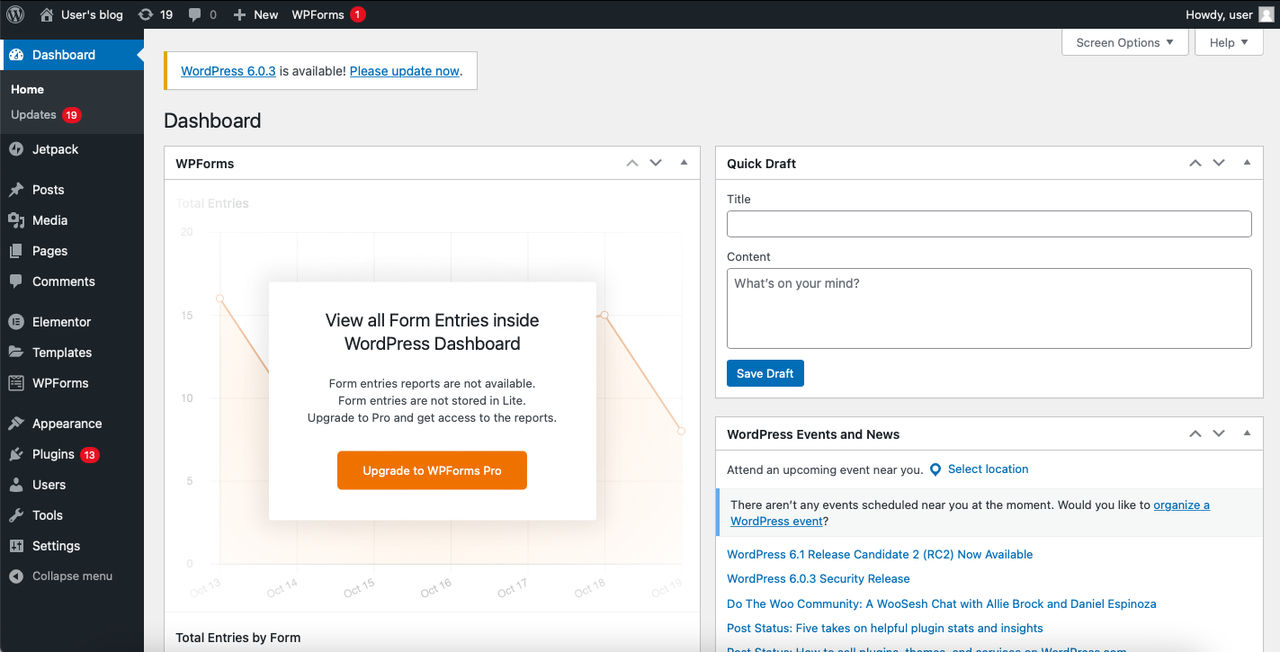
What to do: Check your WordPress version in the dashboard under "Updates." If you're on anything below 6.0, schedule an update this week. Back up your site first, test on staging, then push to production. The performance gains alone justify the effort.
• There have been 53 major WordPress releases since the platform launched in 2003. — WPZOOM
That averages out to roughly 2.3 major releases per year over WordPress's 23-year history. The pace has remained remarkably consistent, with each release named after a jazz musician. Version naming aside, this cadence gives developers a predictable schedule for compatibility testing.
WordPress was initially released on May 27, 2003, by Matt Mullenweg and Mike Little as a fork of b2/cafelog. The name "WordPress" was suggested by Christine Selleck Tremoulet, a friend of Mullenweg.
WordPress Plugins Statistics
The plugin ecosystem is what transforms WordPress from a basic blogging tool into a platform that can do almost anything. Plugin statistics reveal the scale of this ecosystem and the challenges that come with maintaining tens of thousands of third-party extensions.

• More than 61,000 free plugins are available in the WordPress.org directory. — WPZOOM
This count has grown from roughly 59,000 in 2023 to 61,000+ in 2025. Other sources report slightly different numbers (Blocksy cites 60,000, Hostinger reports 59,000+) because the directory constantly adds and removes plugins. The directional trend is clear: the ecosystem keeps expanding.
What to do: Don't let the sheer volume paralyze your selection. For any given function (SEO, caching, forms, security), there are usually 3-5 well-maintained options and thousands of abandoned ones. Filter by "last updated" date and "active installations" to find the viable candidates quickly.
• 60,000 free plugins are available on WordPress, with over 1.5 billion total plugin downloads recorded. — DemandSage
That download volume represents the cumulative total since the plugin directory launched. It doesn't mean 1.5 billion plugins are active right now, but it shows the scale of experimentation happening across the WordPress ecosystem. Site owners try, test, and sometimes discard plugins at enormous volume.
• Hello Elementor leads WordPress themes among the top 1 million websites, powering 18,389 sites (1.85% market share). — Pantheon.io
This stat technically belongs to themes but reflects the tight coupling between page builder plugins and their companion themes. Elementor's dominance among high-traffic sites signals a shift from traditional themes toward builder-first design approaches.
• Outdated plugins are responsible for 95% of WordPress vulnerability reports. — Hostinger
This is the single most important security statistic for any WordPress site owner. Not WordPress core, not themes. Plugins. And specifically, plugins that haven't been updated. We'll cover this more in the security section below, but it bears repeating here: your plugin update schedule is your security strategy.
The most popular WordPress plugins by active installations include Yoast SEO (5M+), Elementor (5M+), WooCommerce, Akismet, Contact Form 7, and Jetpack. Each has over 5 million active installations.
For WordPress site owners looking to grow their email lists or promote offers, a coming soon plugin can capture leads even before your full site launches. And if you're thinking about GDPR compliance for your plugins, check our guide to WordPress GDPR plugins.
WordPress Themes Statistics
Theme statistics show how WordPress users approach design and what kind of visual experiences dominate the ecosystem. The theme market has shifted substantially since WordPress introduced full site editing with the block editor, creating a split between classic themes and newer block-based themes.
• There are over 30,000 WordPress themes available across free and premium marketplaces. — WPZOOM
The WordPress.org directory hosts around 12,000 free themes, while marketplaces like ThemeForest add thousands more premium options. The total count keeps climbing, but adoption concentrates heavily among a small number of popular themes. Most themes in the directory have fewer than 100 active installations.
Tip: Stick with themes that have at least 10,000 active installations and a "last updated" date within the past 6 months. An abandoned theme becomes a security liability regardless of how good it looks.
• Hello Elementor is the most-used WordPress theme among high-traffic sites, with 18,389 installations in the top 1 million. — Pantheon.io
Hello Elementor replaced older favorites like Divi and Astra at the top of the high-traffic rankings. It's a minimal "starter" theme designed as a canvas for the Elementor page builder, reflecting the industry-wide shift from feature-heavy themes toward lightweight themes paired with visual builders.
• ThemeForest hosts over 51,000 premium themes and templates, with more than 15,000 specifically for WordPress. It remains the largest commercial theme marketplace, though competition from independent theme shops has grown as developers move to direct-sales models to avoid marketplace commission fees.
The theme market is bifurcating. On one side, free block-based themes built for the WordPress site editor are gaining adoption. On the other, premium page-builder ecosystems (Elementor, Divi, Beaver Builder) continue to attract users who want drag-and-drop design without learning block editor patterns. Both approaches work. The choice depends on whether you prioritize core WordPress alignment or visual design flexibility.
WooCommerce Statistics
WooCommerce transforms WordPress into a full e-commerce platform, and its adoption numbers rival dedicated e-commerce solutions. These statistics matter for anyone evaluating online store platforms or building products and services for e-commerce businesses.

• More than 4.6 million online stores use WooCommerce as their e-commerce platform. — Hostinger
This makes WooCommerce the most widely installed e-commerce solution by raw store count. Shopify may dominate in terms of GMV (gross merchandise volume), but WooCommerce wins on sheer adoption. The open-source model means there's no monthly platform fee, which appeals to cost-conscious merchants.
Pro tip: If you're building an online store with a tight budget, WooCommerce's zero-platform-fee model makes it hard to beat. Just factor in hosting costs ($20-$50/month for managed WordPress hosting) and the time investment of self-management.
• WooCommerce holds a 33.43% share of the global e-commerce platform market. — WPZOOM
One in three online stores runs on WooCommerce. Shopify competes for the top spot depending on how you measure (store count vs. revenue processed), but WooCommerce's open-source nature means it attracts a different merchant profile: businesses that want full control over their data and customization.
• E-commerce stores using WooCommerce generate around $25 million to $50 million in annual revenue. — Hostinger
This range represents the typical annual revenue for established WooCommerce stores, not the median. Most WooCommerce stores are much smaller. But the stat shows that WooCommerce can scale to serious revenue levels when properly implemented, contradicting the misconception that it's only for small shops.
• There are more than 6,000 WooCommerce plugins on WordPress.org alone. The WooCommerce extension ecosystem adds payment gateways, shipping calculators, subscription management, and hundreds of other e-commerce functions. This extensibility is WooCommerce's primary advantage over closed platforms.
• Automattic, the company behind WordPress.com and WooCommerce, was valued at $7.5 billion in its 2021 funding round. — Blogging Wizard
That valuation reflects investor confidence in the WordPress ecosystem's commercial potential. Automattic has raised over $697 million in total funding. For context, this makes Automattic one of the most valuable private web infrastructure companies globally.
If you're running a WooCommerce store, conversion optimization matters as much as traffic. Our e-commerce conversion rate statistics break down what "good" looks like by industry.
WordPress Security Statistics
Security is the most common concern raised about WordPress, and the data tells a more specific story than "WordPress gets hacked a lot." The actual vulnerability patterns point to specific, preventable causes rather than fundamental platform weaknesses.

• WordPress sites face a security attack on average every 32 minutes. — WPZOOM
This doesn't mean every attack succeeds. Most are automated bot scans probing for known vulnerabilities. The frequency reflects WordPress's market share, the same way Windows gets targeted more than Linux desktops. Popularity attracts attackers.
Tip: Install a web application firewall (WAF) that blocks known attack patterns before they reach your WordPress installation. Cloudflare's free tier or Wordfence's plugin-based firewall both handle the most common automated attacks.
• Outdated plugins are responsible for 95% of WordPress vulnerability reports. — Hostinger
This is the stat that should change how you think about WordPress security. The platform core is well-maintained and patched quickly. Themes account for a small percentage. But plugins, especially abandoned or rarely-updated ones, create almost all the attack surface. I've seen this pattern repeatedly working with WordPress sites: the breach almost always traces back to a plugin that hasn't been updated in 6+ months.
Tip: Audit your plugin list quarterly. Remove any plugin that hasn't received an update in the past year. For the plugins you keep, enable auto-updates or check weekly. This single habit eliminates the vast majority of WordPress security risk.
• Over 70% of WordPress installations are vulnerable to known attacks. — Melapress (WP WhiteSecurity data)
This figure comes from a study of 40,000 WordPress sites in the Alexa Top 1 Million. The vulnerabilities aren't exotic zero-days. They're known issues with available patches that site owners simply haven't applied. The gap between "patch available" and "patch applied" is where most WordPress breaches happen.
• The trend for 2026 is moving security and caching to the server level. — LivenCreative
Instead of relying on security plugins that run inside WordPress (and consume PHP resources on every page load), managed hosting providers are shifting WAF, rate limiting, and malware scanning to the infrastructure layer. This approach is faster and eliminates the paradox of using a plugin to protect against plugin vulnerabilities.
• The 2026 security trend is "visible security" that goes beyond SSL certificates. — LivenCreative
Trust badges, security seals, and transparent security documentation are becoming conversion factors. Visitors increasingly expect visible evidence that a site takes security seriously, not just the padlock icon in the browser bar.
WordPress Performance and AI Trends for 2026
Performance optimization and artificial intelligence are reshaping how WordPress sites get built and maintained in 2026. These emerging trends affect everyone from solo bloggers to enterprise teams managing hundreds of WordPress installations.
• A one-second delay in page load time can result in a 7% reduction in conversions. — LivenCreative
This stat has been replicated across multiple studies and holds true for WordPress sites specifically. Given that many WordPress sites load 20-40+ plugins, each adding HTTP requests and JavaScript, performance optimization isn't optional. It directly affects revenue.
What to do: Run your WordPress site through Google PageSpeed Insights. Target a Largest Contentful Paint (LCP) under 2.5 seconds. The three highest-impact fixes are typically: switch to a faster host, implement server-level caching, and audit plugins for slow database queries.
• AI is becoming part of everyday WordPress workflows, from content generation to plugin development. — Southwave Software
Content creators use AI assistants for drafting and editing. Developers use AI to generate custom plugin code that previously required hiring a specialist. The WordPress ecosystem is absorbing AI at every level, though this also raises questions about quality control.
• Basic WordPress products are losing customers to AI-generated alternatives. — Blocksy
Collins Agbonghama, Lead Developer of the ProfilePress Membership Plugin, reported that customers are churning because "they've been able to replace our plugin with an AI-assisted coded one." Simple, single-function plugins face the most pressure. Complex plugins with deep integrations are harder to replicate with AI.
However, Pavel Ciorici, Owner of WPZOOM, offers a counterpoint: "Let's give these people a few more months to see how many issues they encounter when they try to scale their website, add new features, and end up consuming a lot of AI credits." The sustainability of AI-built replacements remains unproven at scale.
What to do: If you're a plugin developer, focus on deep integrations and multi-step workflows that AI can't easily replicate with a single prompt. Simple CSS tweaks and basic shortcode plugins are most vulnerable to AI replacement. Complex functionality like payment processing, membership management, and API integrations still require dedicated plugins.
• Modern WordPress development in 2026 focuses on Core Web Vitals compliance, smarter caching, and stricter security standards. — Southwave Software
Google's Core Web Vitals directly affect search rankings, and WordPress sites that fail these metrics lose organic traffic. The three metrics that matter: LCP (load speed), INP (interactivity), and CLS (visual stability). Only 47-54% of all websites pass all three thresholds, which means WordPress sites that optimize for Core Web Vitals have a genuine competitive advantage in search rankings.
Pro tip: Test your WordPress site at pagespeed.web.dev. If your LCP exceeds 2.5 seconds, start with server-side caching and image optimization. If INP exceeds 200ms, audit your JavaScript-heavy plugins. These two fixes address the most common WordPress performance bottlenecks.
Fun WordPress Facts Worth Knowing
Not every WordPress statistic needs a strategic implication. Some numbers are just interesting on their own, revealing the quirky side of a platform that started as a blogging tool and became the backbone of 43% of the web.
• WordPress has been translated into 208 languages and locales. — WPZOOM
All translations are maintained by community volunteers through the WordPress.org Polyglots program. English remains the most popular language at roughly 71%, followed by Spanish at 4.7%. Non-English WordPress downloads actually surpassed English downloads back in 2018, and the gap has continued to widen. This makes WordPress one of the most linguistically diverse software projects in history.
• The WordPress community has organized WordCamps in more than 71 countries. — Hostinger
WordCamps are affordable, community-organized conferences that typically cost $20-50 to attend. They run on every continent except Antarctica, making the WordPress community one of the most geographically distributed tech communities in the world.
• There have been 53 major WordPress releases, each named after a jazz musician. — WPZOOM
From Version 1.0 "Davis" (Miles Davis) to the latest releases, this naming tradition has run unbroken since 2004. It reflects co-founder Matt Mullenweg's lifelong passion for jazz.
• WordPress isn't owned by any company and doesn't have a CEO. The WordPress open-source project is managed by the WordPress Foundation, a nonprofit. Automattic (the company behind WordPress.com) is a major contributor but doesn't control the open-source project. This governance model is unusual for software used by 43% of the web.
• WordPress was originally created as a fork of b2/cafelog, blogging software whose main developers had abandoned it. Matt Mullenweg and Mike Little built WordPress on top of that existing codebase in 2003, launching the first version on May 27, 2003. Twenty-three years later, it's a full application platform that powers news sites, online stores, learning management systems, and government portals.
• WordPress sites receive visits from over 400 million unique people each month. The platform processes 24.7 million file uploads per month on WordPress.com alone. The anti-spam plugin Akismet has blocked over 450 billion spam comments across more than 6 million WordPress sites, making it one of the largest spam-fighting systems on the internet.
How to Access WordPress Statistics for Your Own Site
Tracking your own WordPress site's performance data requires either a plugin or an external analytics tool. Here are the main options available in 2026, from fully privacy-compliant solutions to full-featured analytics suites.
WP Statistics is the most popular privacy-friendly analytics plugin for WordPress, with over 600,000 active installations. It provides visitor tracking, page views, referrer data, and geographic insights without cookies and without sending data to external servers. All data stays in your WordPress database. WP Statistics is fully GDPR, CCPA, and PECR compliant, which means no consent banner required for analytics.
Jetpack Stats offers a simpler analytics dashboard integrated into the WordPress.com ecosystem. It's best for site owners who want basic traffic metrics (visits, popular posts, referrers) without configuring Google Analytics.
Google Analytics remains the industry standard for detailed traffic analysis. Plugins like MonsterInsights and Site Kit by Google provide WordPress-specific integrations. If you need campaign tracking, conversion funnels, and audience segmentation, Google Analytics offers depth that WordPress-native plugins don't match.
The key decision is privacy vs. depth. WP Statistics keeps your data entirely on your server and avoids cookie consent requirements. Google Analytics provides richer behavioral data but requires cookie consent banners in the EU and transfers data to Google's servers.
Tip: For most small to mid-sized WordPress sites, start with WP Statistics for baseline traffic data without compliance headaches. Add Google Analytics only if you need conversion funnels, audience segmentation, or advertising attribution. Running both simultaneously gives you privacy-friendly data as a backup while accessing Google's deeper behavioral insights.
The privacy-first analytics trend isn't limited to WordPress. European regulations (GDPR, ePrivacy Directive) and browser changes (third-party cookie deprecation) are pushing the entire web analytics industry toward server-side, cookie-less tracking. WordPress sites that adopt this approach now will avoid compliance scrambles later.
How We Compiled WordPress Statistics
We compiled WordprPess statistics from 14 independent sources, cross-referenced where multiple sources report on the same metric. The primary data authority for CMS market share is W3Techs, which surveys the top 10 million websites by traffic ranking and extrapolates global percentages. W3Techs data forms the basis for most "WordPress powers X% of websites" claims across the industry.
We noticed discrepancies across sources for several metrics. Total WordPress website counts ranged from 474 million (Diviflash) to 861 million (also Diviflash, counting inactive), with DemandSage's 590 million representing active sites only. CMS market share figures varied between 59.9% (WPZOOM) and 62.8% (Blogging Wizard, DemandSage). Where sources conflicted, we included the range rather than picking one number. All statistics are from 2024-2026 sources unless otherwise noted, sourced from WPZOOM, Blogging Wizard, DemandSage, Hostinger, Pantheon.io, and others linked individually throughout the article.
WordPress Statistics FAQs
How Many Websites Use WordPress in 2026?
WordPress powers approximately 43.5% of all websites on the internet, according to W3Techs. In absolute numbers, over 590 million active websites run on WordPress as of 2025. This includes everything from personal blogs to major enterprise sites like TechCrunch, CNN, and TED. The platform adds roughly 661 new sites per day, and the total count has grown 27% over the past decade.
What Is the Market Share of WordPress?
WordPress holds between 59.9% and 62.8% of the global CMS market, depending on the source. Blogging Wizard and DemandSage cite 62.8% and 60.4% respectively. The nearest competitor, Shopify, holds roughly 6.5%. In terms of all websites (not just those using a CMS), WordPress accounts for 43.5%.
Does WordPress Have Built-In Analytics?
WordPress.org (self-hosted) does not include built-in analytics. You need a plugin or external service to track visitor data. WordPress.com (the hosted version) does include Jetpack Stats by default, which shows basic traffic metrics. For self-hosted WordPress, the three most popular analytics solutions are WP Statistics (privacy-first, no external service), Jetpack (WordPress.com integration), and Google Analytics via plugin.
How Has WordPress Market Share Changed Over Time?
WordPress's share of all websites has grown from roughly 13% in 2011 to 43.5% in 2026, according to Diviflash and DemandSage. That's a 27% absolute increase over 15 years, making WordPress the fastest-growing CMS during that period. The growth accelerated after WordPress moved beyond blogging into full website building with custom post types (2010), the REST API (2016), and the Gutenberg block editor (2018).
Is WordPress Secure?
WordPress core is actively maintained and security-patched. The real risk comes from plugins: outdated plugins cause 95% of WordPress vulnerability reports according to Hostinger. Sites face an attack attempt every 32 minutes on average, but most are automated scans that fail against updated installations. Keep WordPress core, themes, and plugins updated, use a WAF, and remove unused plugins to maintain a strong security posture.
Staying informed about statistics and data trends helps marketers make better decisions. For more data-driven content, explore our chatbot statistics roundup and email marketing statistics compilation.

.png)