ChatGPT
 Perplexity
 Claude
 Grok
Grok Google AI Mode
I use a welcome popup to greet new visitors, capture emails, promote first-order discounts, and guide people toward action before they leave. A strong welcome popup design feels clear, timely, and relevant, not pushy. In this guide, I’ll walk through welcome popup examples, practical tips, and a real welcome popup tutorial showing how I’d create one with Popupsmart.
What Is a Welcome Popup?
I think of a welcome popup as the digital version of a good first impression. It appears when someone lands on a website and gives them a reason to stay, click, sign up, or shop. Sometimes that reason is a discount. Sometimes it is a useful reminder, a free resource, or a simple invitation to join an email list.
Unlike popups that show up at the end of a visit, a website welcome popup is usually meant to catch attention early. So it needs care. If the message is vague, badly timed, or visually messy, it can feel like friction. But if the welcome popup design is clean and the offer is relevant, it can feel surprisingly helpful.
I usually see welcome popups used for a few core goals:
- collecting email signups
- offering a first-order discount
- promoting free shipping
- highlighting a seasonal campaign
- guiding people to bestsellers or key pages
- introducing a lead magnet, demo, or webinar
This is also where many brands get the balance wrong. They assume every welcome popup should scream “10% OFF” in giant letters. That can work, sure. But not every audience responds to the same thing. A SaaS brand may need a softer welcome popup template built around a demo or newsletter. An e-commerce brand might do better with a discount, free shipping, or product discovery angle.
Having a welcome popup isn't the goal. It has to earn its place on the page. That means the message should be easy to understand, the CTA should be obvious, and the timing should make sense.
A good welcome popup says, “Here’s something useful.” A bad one says, “Interrupting you was more important than helping you.”
Most of this guide is about landing on the right side of that line.
Why Welcome Popups Still Work
Welcome popups still work because they reach the visitors most likely to respond: people on their first visit. In Popupsmart's 2026 benchmark, new visitors convert on popups more often than visitors who were on the site in the previous 7 days: the same popup converts better for new visitors in 75% of campaigns (median gap 0.30 percentage points; pooled 1.28% vs 0.54% of displays).
People love to argue about popups in extremes. Either they treat them like a conversion miracle, or they act like every popup is automatically annoying. My experience sits somewhere in the middle. A welcome popup still works, but only when I use it with intent.
The reason is simple: attention is fragile. In Popupsmart's 2026 benchmark, 71% of visitors who close a popup do so within 5 seconds of it appearing, and 61% of popup leads are submitted within 30 seconds of the popup appearing. The first few seconds decide most of it.
When someone lands on a site, I usually have a very small window to make the value clear. If I use that moment well, a website welcome popup can support the page instead of fighting with it. It can give a visitor a clear next step, a relevant offer, or a reason to stay a little longer.
There is also a practical reason I keep coming back to welcome popups: email capture still matters. Owned audiences are more stable than rented attention from ads or social platforms. That is one reason so many brands still rely on email list growth as a core use case. According to HubSpot’s email marketing ROI guide (updated May 2026), email marketing ROI consistently outperforms most digital channels, which makes even a simple email signup welcome popup template worth taking seriously.
I also think welcome popups work because they reduce hesitation when the offer is strong. A first-time visitor may not be ready to browse twenty pages. But they might respond to one clear message like:
- Get 10% off your first order
- Join my newsletter for weekly insights
- Explore the new collection
- Take the quiz and find the right product
- Claim free shipping today
That kind of clarity matters. It is also a good reminder that a welcome popup design should feel lightweight, fast, and intentional, not overloaded.
I also like to look at welcome popups through a conversion lens. Most visitors do not convert on their first pageview. Baymard Institute’s 2026 cart abandonment list puts the average documented online shopping cart abandonment rate at 70.22%, calculated from 50 studies, which means I need more than just a product page and hope. A well-timed welcome popup can become one of those small conversion assists that helps recover attention before it disappears.
Still, I never assume a popup works just because it exists. It works when I get a few things right:
| What helps a welcome popup work | Why it matters |
|---|---|
| A clear offer | People understand the value fast |
| Strong timing | The popup does not feel premature |
| Relevant targeting | The message fits the visitor |
| Clean design | The popup is easy to read and act on |
| Simple CTA | People know exactly what to do next |
So I don't ask whether welcome popups still work.
I ask something else: Can I make this welcome popup useful enough that people won’t mind seeing it?
When the answer is yes, results usually follow.
12 Welcome Popup Examples to Inspire Your Campaign
This is the part I always enjoy most, because a strong welcome popup usually starts with a strong angle. I do not begin with colors or button shapes. I begin with the reason someone should care.
When I look for welcome popup examples, I usually ask one question first: *What do I want this first interaction to do for me? *Do I want an email signup? A first purchase? A product discovery moment? A softer introduction?
That one question changes the entire welcome popup design.
Discount Welcome Popup
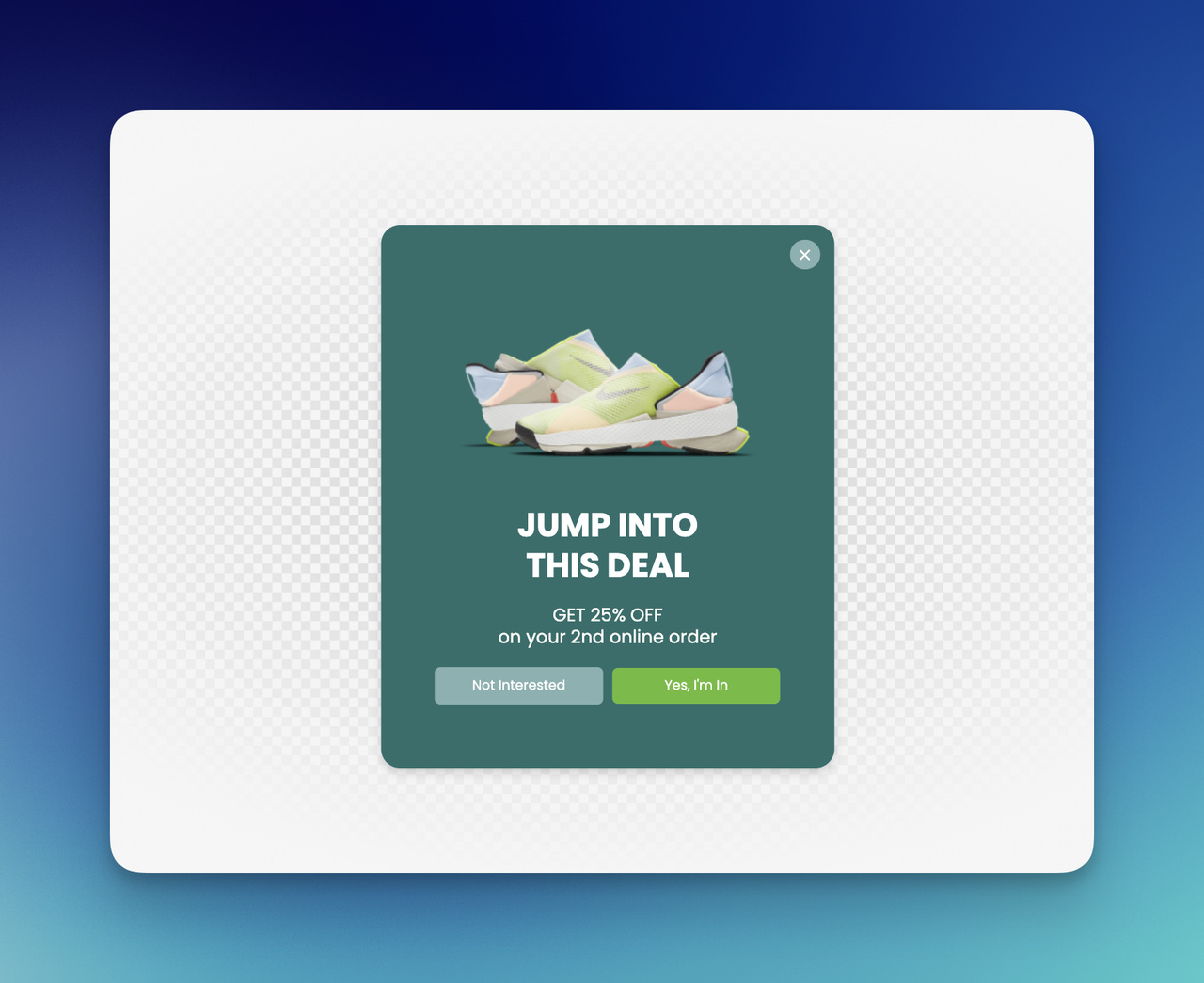
This is probably the most familiar format, and it still works when I keep it simple.
I’d use a discount popup template when my goal is first-order conversion. The message is direct, the value is immediate, and the CTA is easy to understand.
Example copy:
Welcome 👋 Here’s 10% off your first order. Use code: FIRST10 [Unlock Your Discount]
What I like here:
- immediate value
- low cognitive load
- strong fit for first-time visitors
- easy to pair with ecommerce campaigns
What I’d watch out for:
- weak design hierarchy
- generic discount wording
- showing it too fast
If I use a discount, I want it to feel earned, clean, and worth noticing, not desperate.
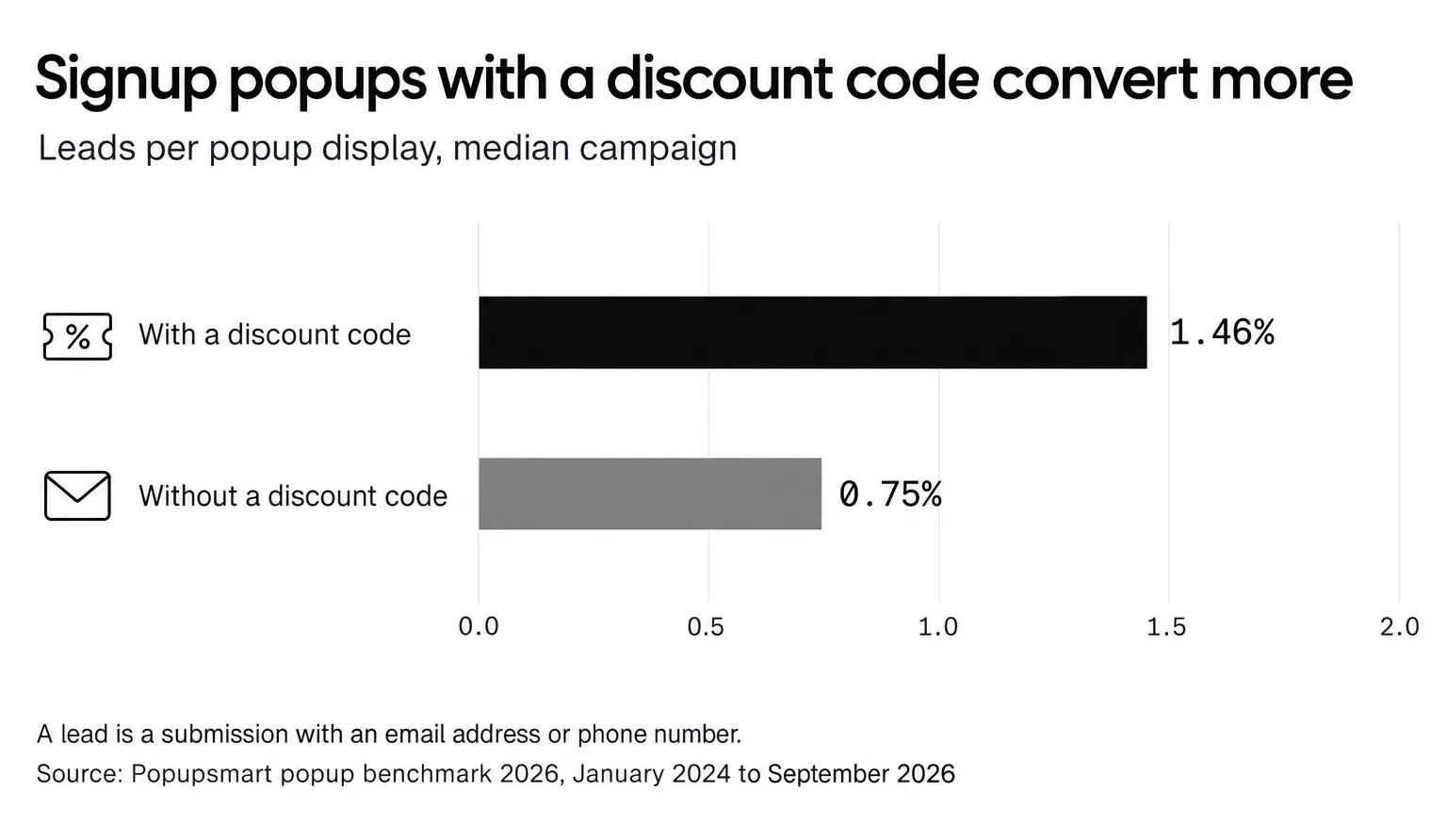
The numbers back the format. In Popupsmart's 2026 benchmark, signup popups that offer a discount code convert 1.46% vs 0.75% for signup popups without one. The size of the offer matters less than you'd think: popups stating 10% off convert 1.25% vs 0.67% for popups that state no discount, and bigger discounts did not convert measurably better: 10% off converted 1.25%, 20% off 0.91% and 25-30% off 1.33%, but the larger-discount samples are small (78 and 46 campaigns), so the data cannot rule out a real difference either way.
Email Signup Welcome Popup
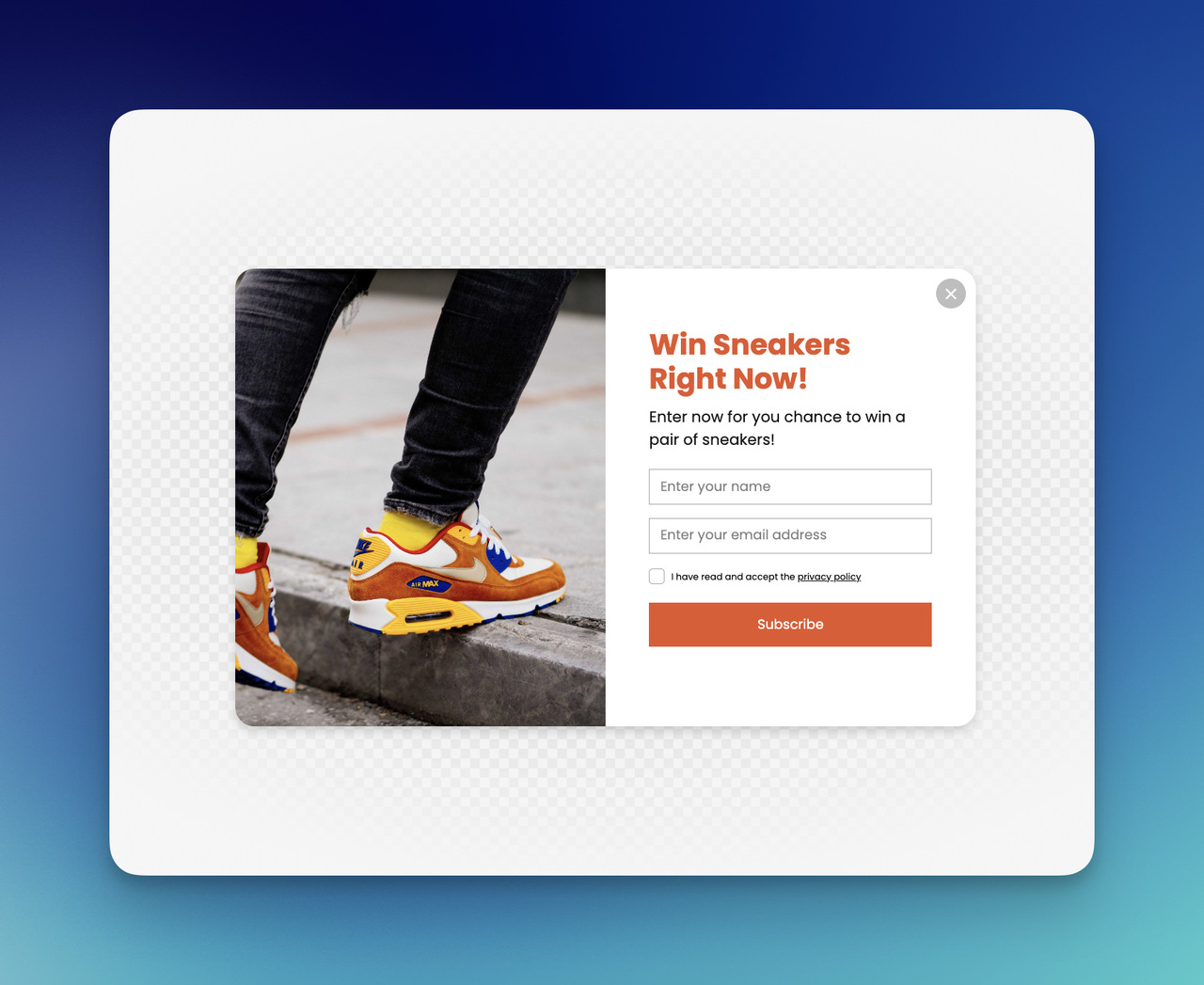
Sometimes I do not want to lead with a discount at all. Sometimes I want the website welcome popup to feel softer and more brand-led.
That is where an email signup format works well.
Example copy:
Join our list for weekly ideas, new arrivals, and small conversion wins ✨ [Sign Up]
I like this format for:
- content brands
- SaaS products
- personal brands
- stores that do not want to rely on discounts
A good email signup welcome popup design usually needs:
- one clear promise
- one field at most
- one CTA
- no extra clutter
If I ask for too much too early, I can feel the friction instantly. For more formats built around the signup itself, see these email popup examples.
Free Shipping Welcome Popup
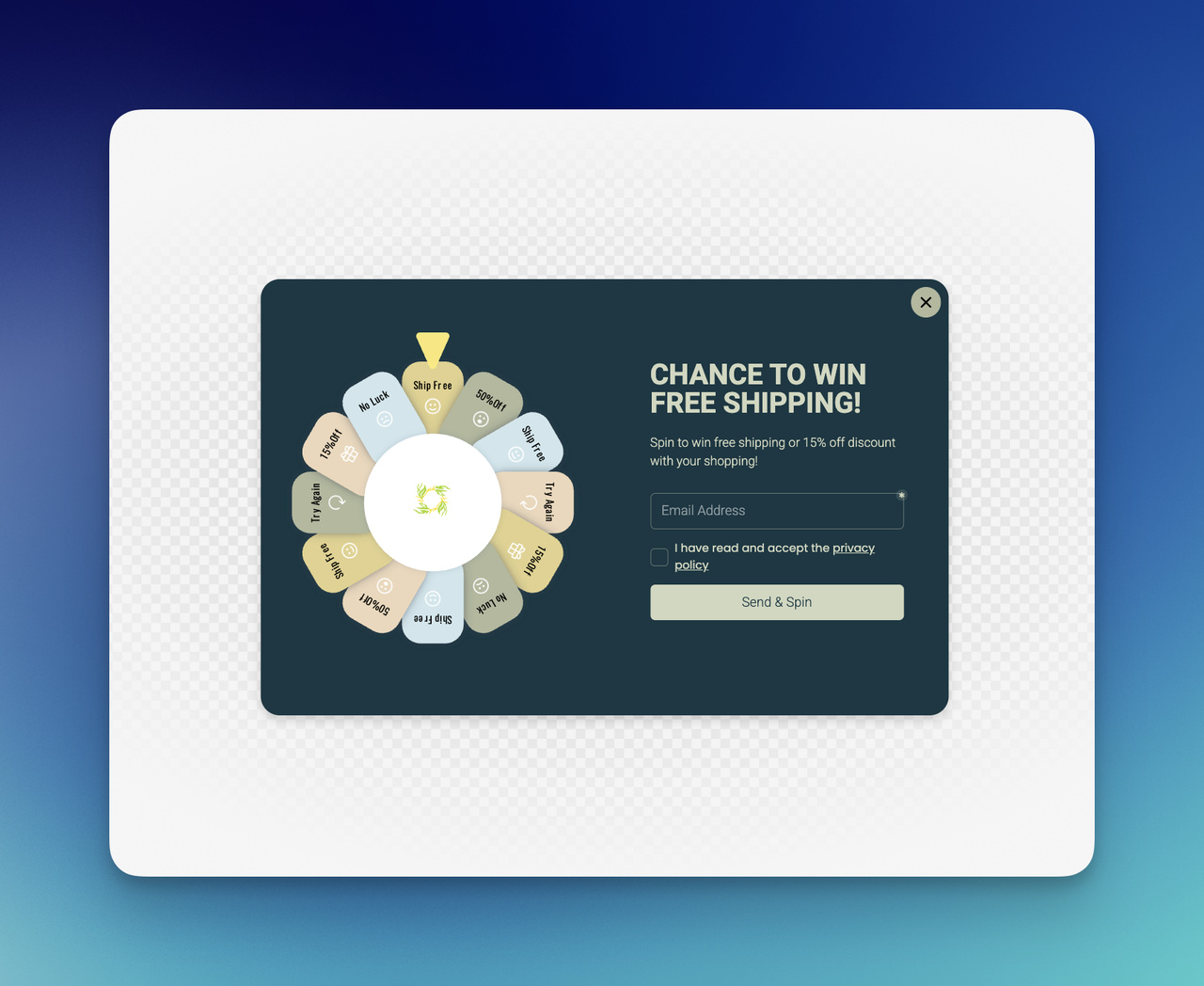
I think free shipping is one of the most underrated welcome popup offers for ecommerce.
Sometimes a visitor does not need a percentage discount. Sometimes the hesitation is simpler than that. Shipping cost can be the thing that creates resistance. So I like using a welcome popup that removes that tension right away.
Example copy:
Good news, shipping’s on me 🚚 Enjoy free shipping on your order today. [Shop Now]
This works especially well for:
- lower-margin stores that want an alternative to discounts
- brands with average order value goals
- campaigns where margin protection matters
This kind of welcome popup example feels practical, and practicality often converts.
Seasonal Campaign Welcome Popup
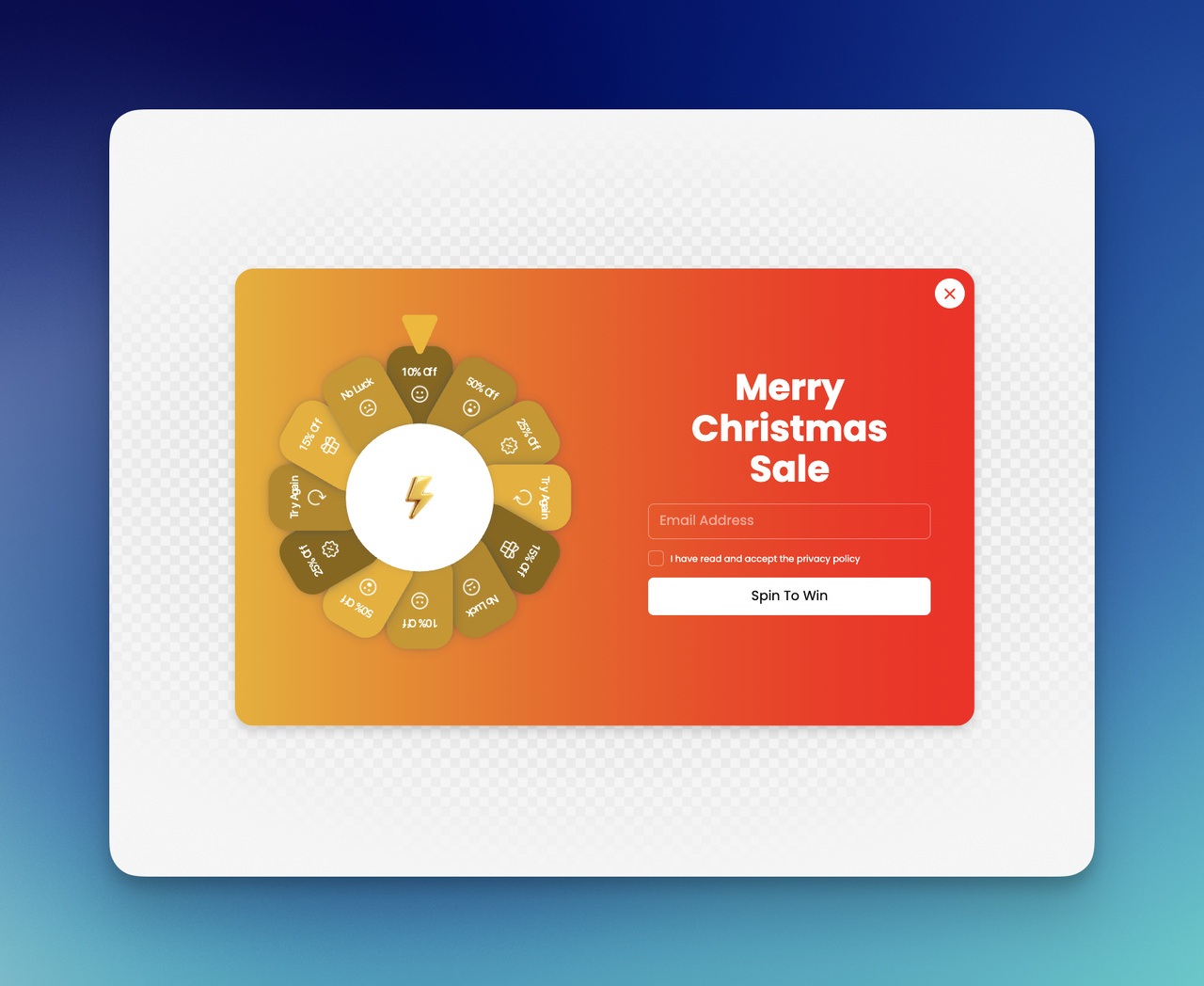
I love seasonal campaigns because it gives a welcome popup freshness. It stops the message from feeling permanent and forgettable.
A seasonal welcome popup template can be built around:
- Black Friday
- back-to-school
- holiday gifting
- summer launch
- end-of-season sale
Example copy:
Our Spring Edit is here 🌿 Shop fresh arrivals before they’re gone. [See the Collection]
What makes this one work for me is timing. It feels current. It gives the homepage a pulse.
New Collection Welcome Popup
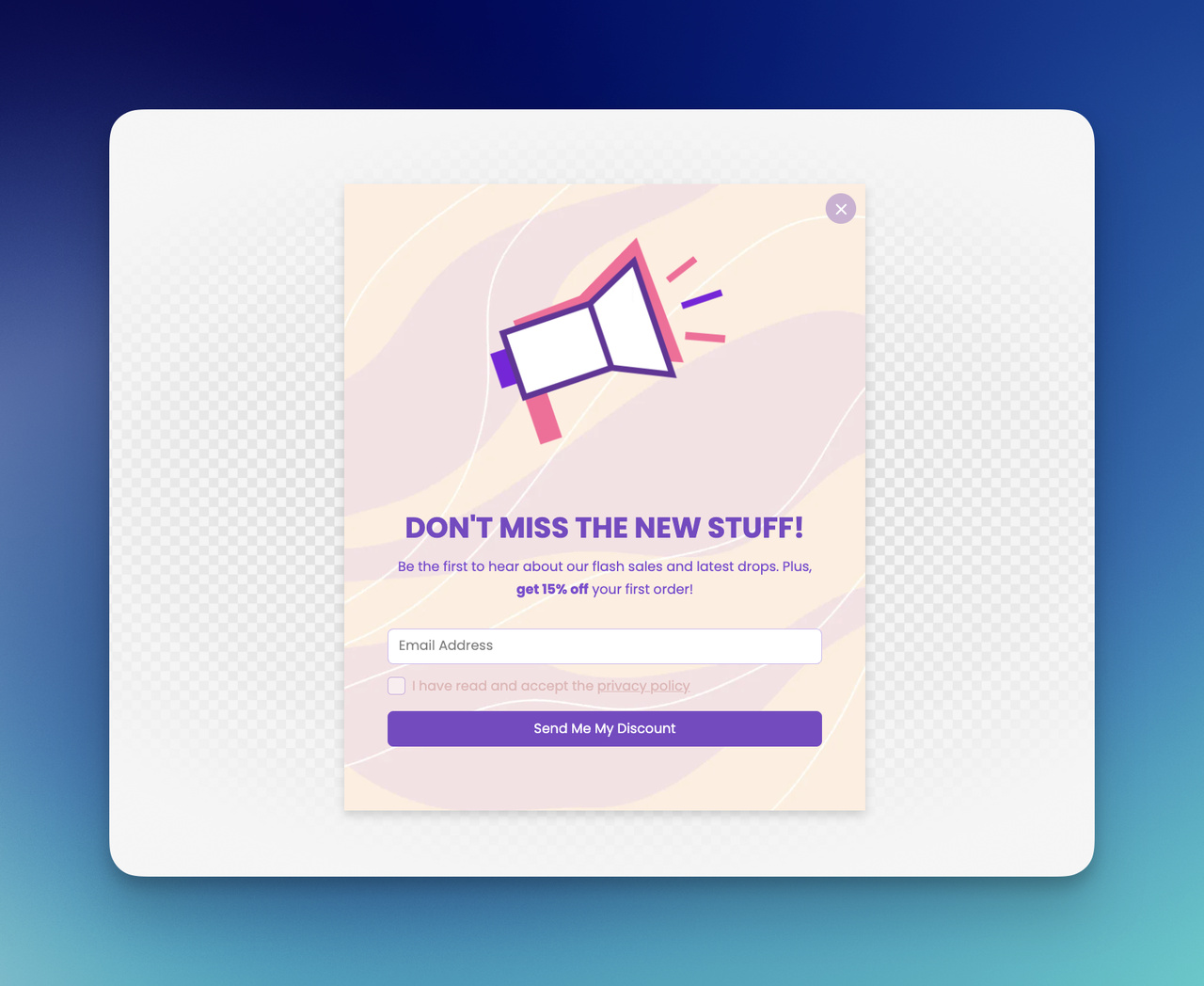
Sometimes I want the popup to act less like a coupon and more like a guide.
If a store has a new drop, a refined category, or a standout collection, I can use the popup to direct attention instead of asking for a signup right away.
Example copy:
New arrivals just landed ✨ I picked the pieces worth seeing first. [Explore New In]
I like this approach when I want:
- product discovery
- homepage guidance
- a cleaner brand feel
- less discount dependence
This kind of welcome popup design feels more editorial, which I like.
Product Recommendation Welcome Popup
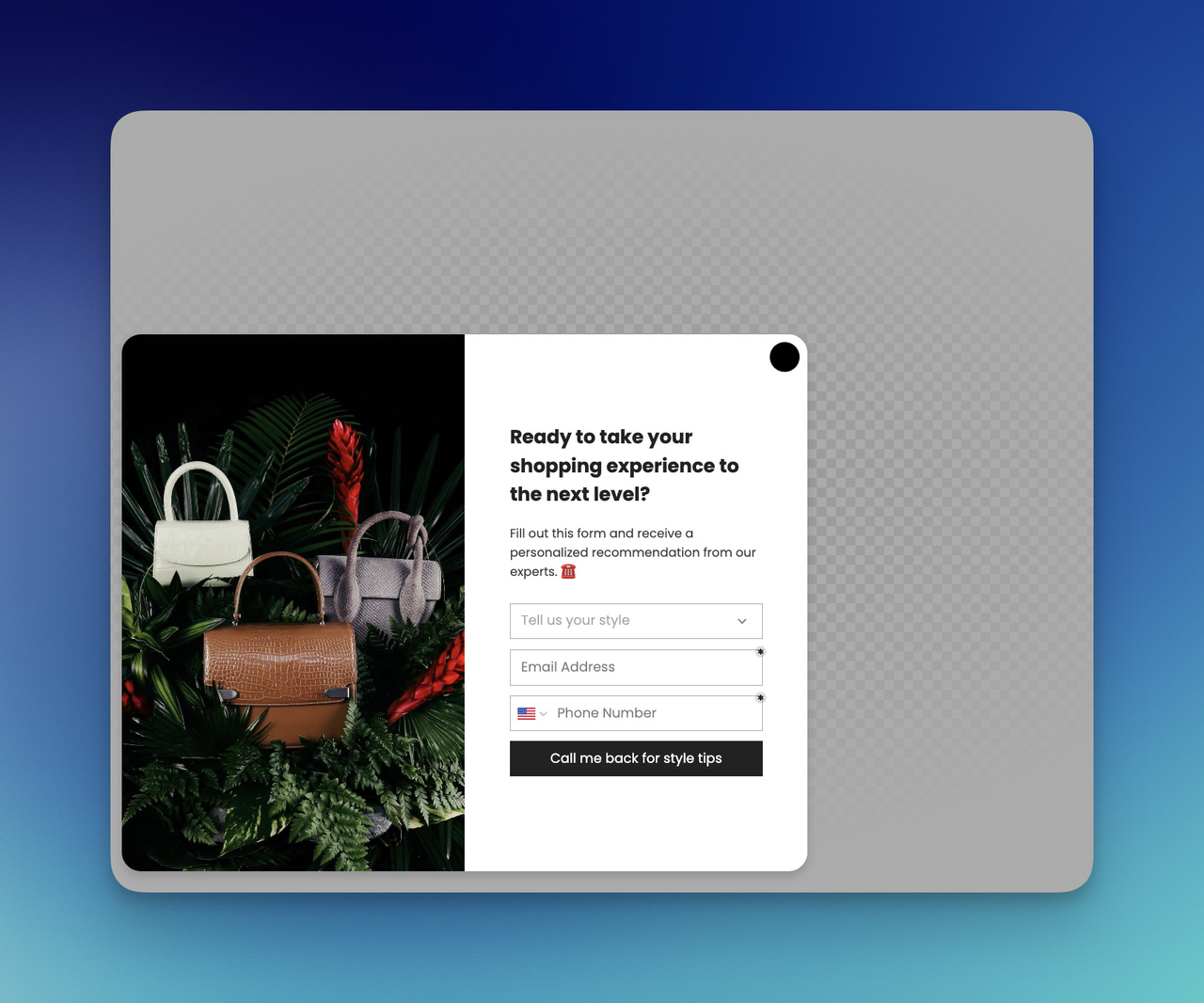
This one works best when a catalog is large and browsing can feel overwhelming.
Instead of letting a first-time visitor wander, I can help narrow the path.
Example copy:
Not sure where to start? I can help find the right fit in a minute. [Show Bestsellers]
Or:
Looking for the right match? Start with our most-loved picks. [Browse Favorites]
I like this format because it reduces decision fatigue. It feels less like an interruption and more like guidance.
Quiz Welcome Popup
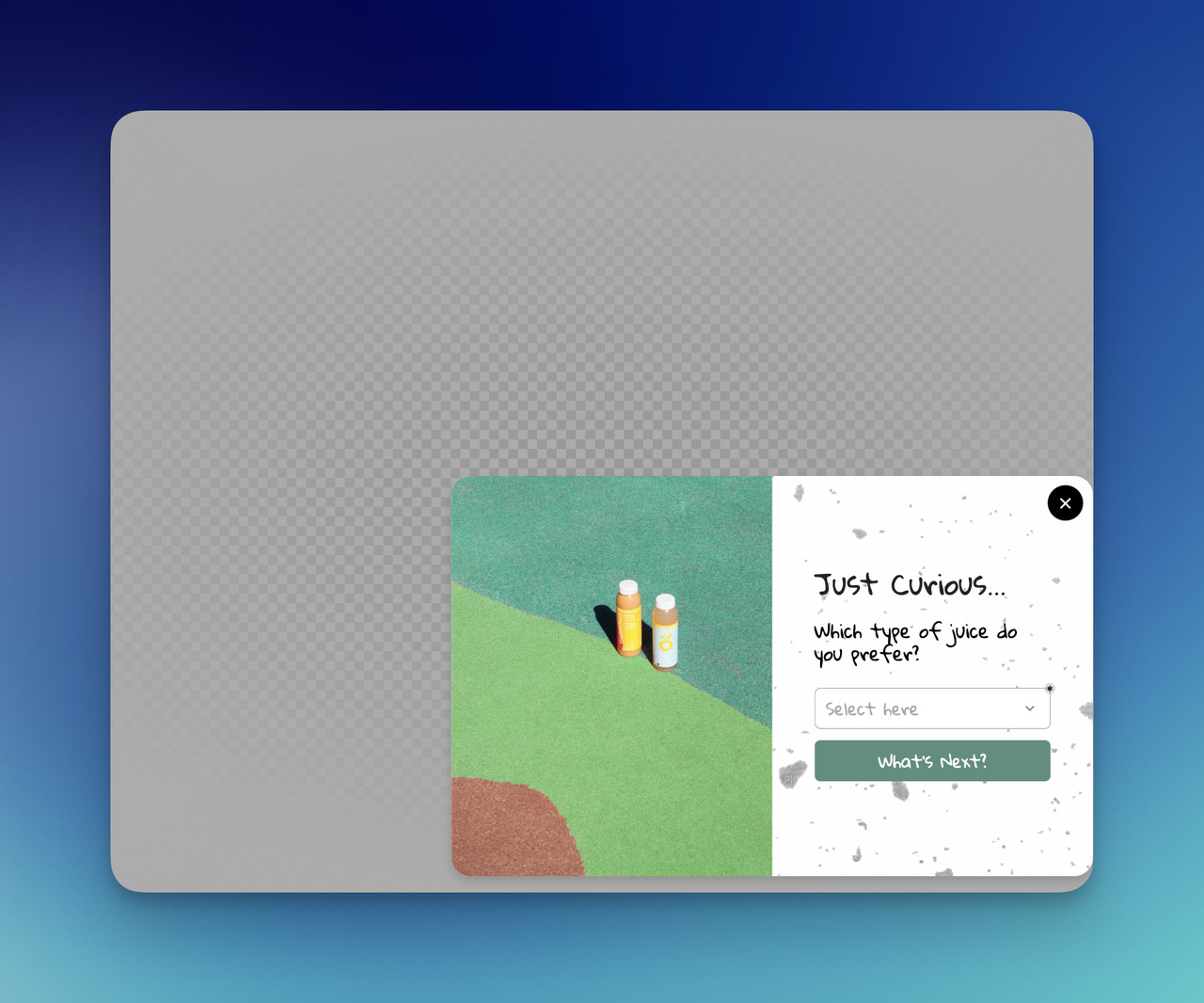
I think quiz popups are great when I want engagement and personalization in the same moment.
They work especially well for:
- skincare
- fashion
- supplements
- home decor
- gifting
Example copy:
I can help find the right product for me in 30 seconds ✨ Take the quick quiz. [Start the Quiz]
This is one of my favorite welcome popup examples because it turns passive attention into active curiosity.
Spin-to-win Welcome Popup
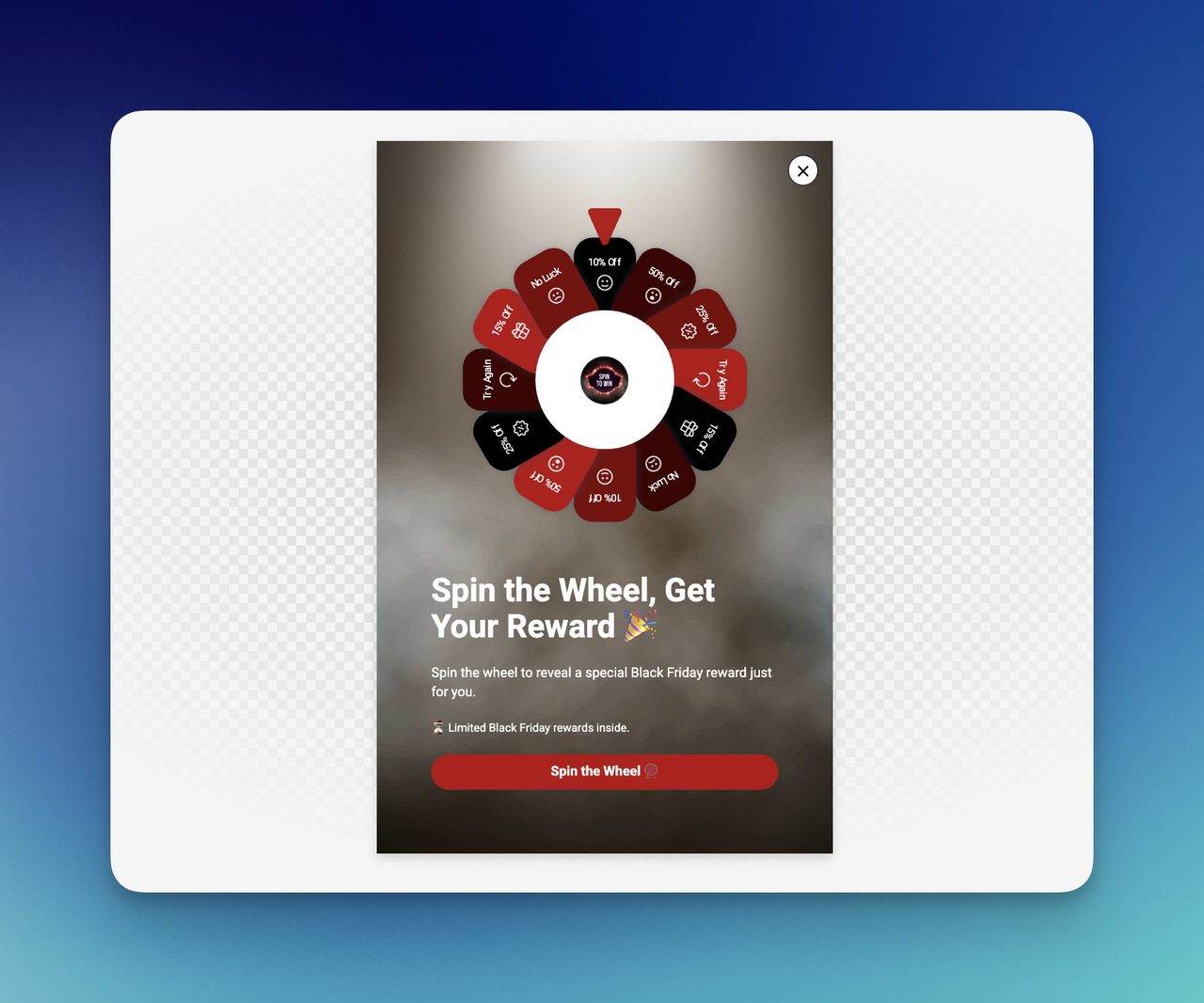
This one is more playful, and I only use it when the brand tone can carry that energy.
A spin-to-win style welcome popup template can feel fun, but only if the site already has a lively, promotional personality. Otherwise, it can feel like too much.
Example copy:
Feeling lucky? 🎉 Spin to unlock our surprise offer. [Spin Now]
I’d use this for:
- promotional ecommerce brands
- high-energy campaigns
- list growth with gamified interaction
I would not use it for:
- luxury positioning
- minimalist premium brands
- serious B2B experiences
Tone matters here. A lot.
There is also a data caveat. In Popupsmart's 2026 benchmark, spin-to-win and other gamified popups get far more clicks (7.33% vs 1.87% of displays, median campaign; the spin itself counts as a click), but do not collect measurably more email or phone leads than plain signup popups. So I treat the wheel as a tone choice, not a shortcut to a bigger list.
Lead Magnet Welcome Popup
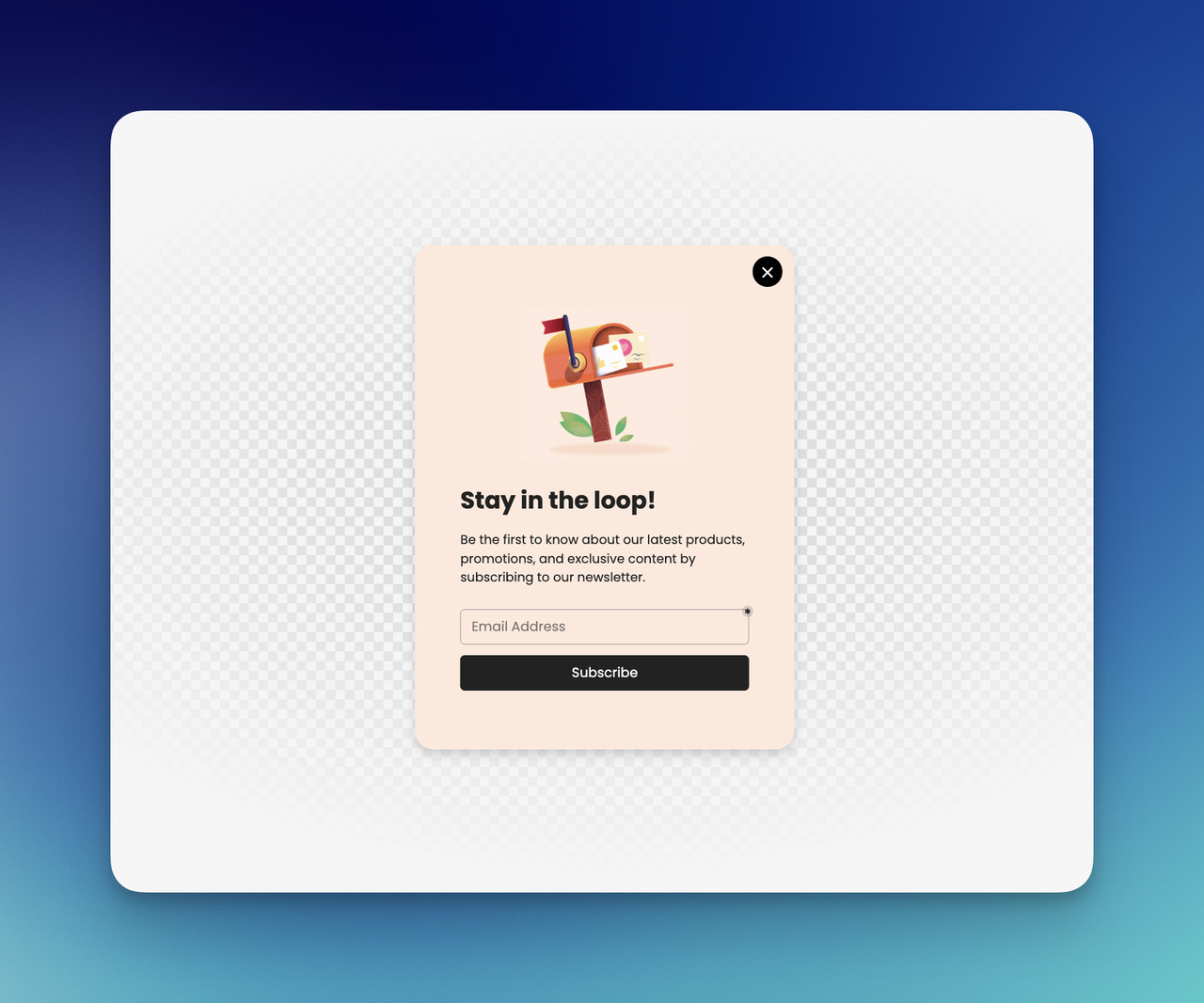
For content-led brands, agencies, SaaS tools, or consultants, a lead magnet is often stronger than a discount.
This kind of welcome popup tutorial angle usually works well when I have something useful to offer.
Example copy:
I made a free checklist for better conversions. Grab it here. [Download the Guide]
I like this because:
- it builds trust
- it attracts more qualified leads
- it aligns with expertise-driven brands
A welcome popup does not always need to sell immediately. Sometimes it only needs to begin the relationship well.
Webinar or Demo Signup Welcome Popup
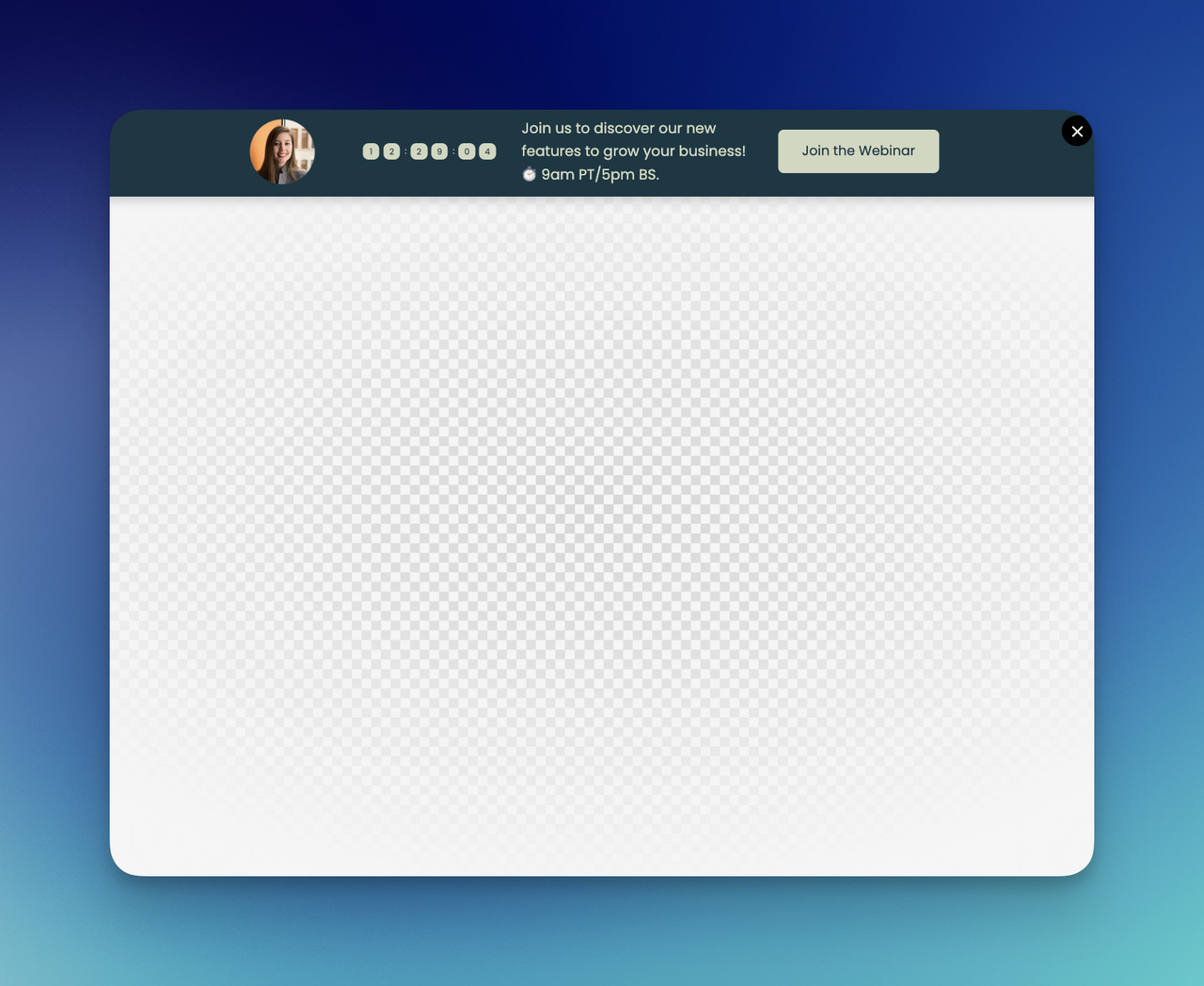
This is a strong fit for B2B, SaaS, service businesses, and education-focused offers.
Example copy:
I’m hosting a free demo this week. See how I’d solve this problem step by step. [Save Your Spot]
Or:
Want a closer look? Book a demo and see it in action. [Book a Demo]
This works best when I want a welcome popup to support pipeline, not just traffic.
Mobile-friendly Welcome Popup
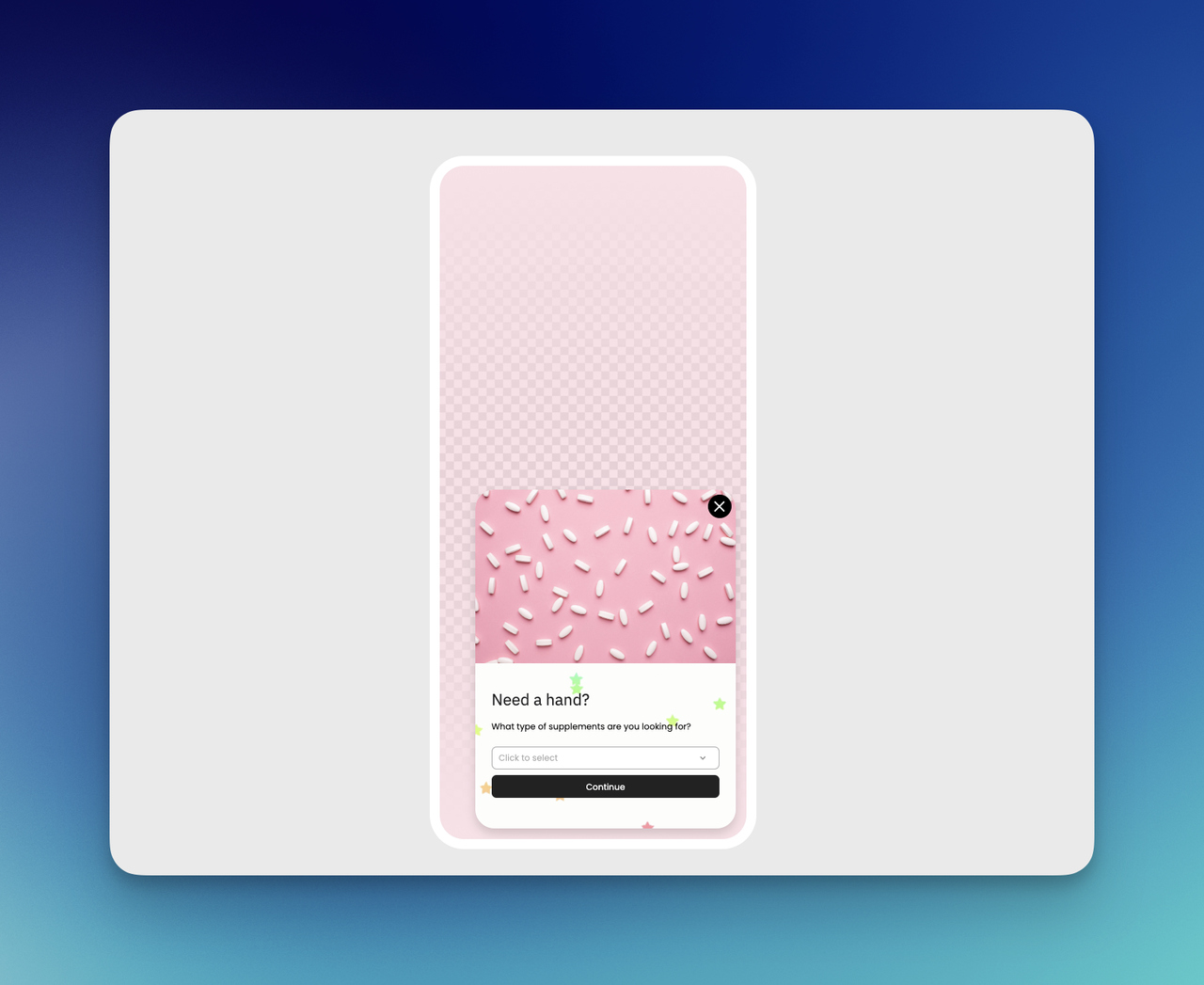
I never treat mobile like a smaller desktop. That is how popup performance gets ruined.
A mobile-first welcome popup design usually works better for me when I keep:
- the copy shorter
- the form lighter
- the CTA larger
- the layout cleaner
- the close option obvious
Example copy:
10% off your first order 📱 [Get Your Code]
That is it. Short. Clear. Easy to tap. No drama.
Mobile is where most welcome popups are seen. In Popupsmart's 2026 benchmark, 63% of popup displays happen on mobile, and mobile visitors convert on popups at 1.02% vs 0.57% on desktop, and click at 2.99% vs 1.34% (median campaign).
Welcome Popup for First-time Visitors
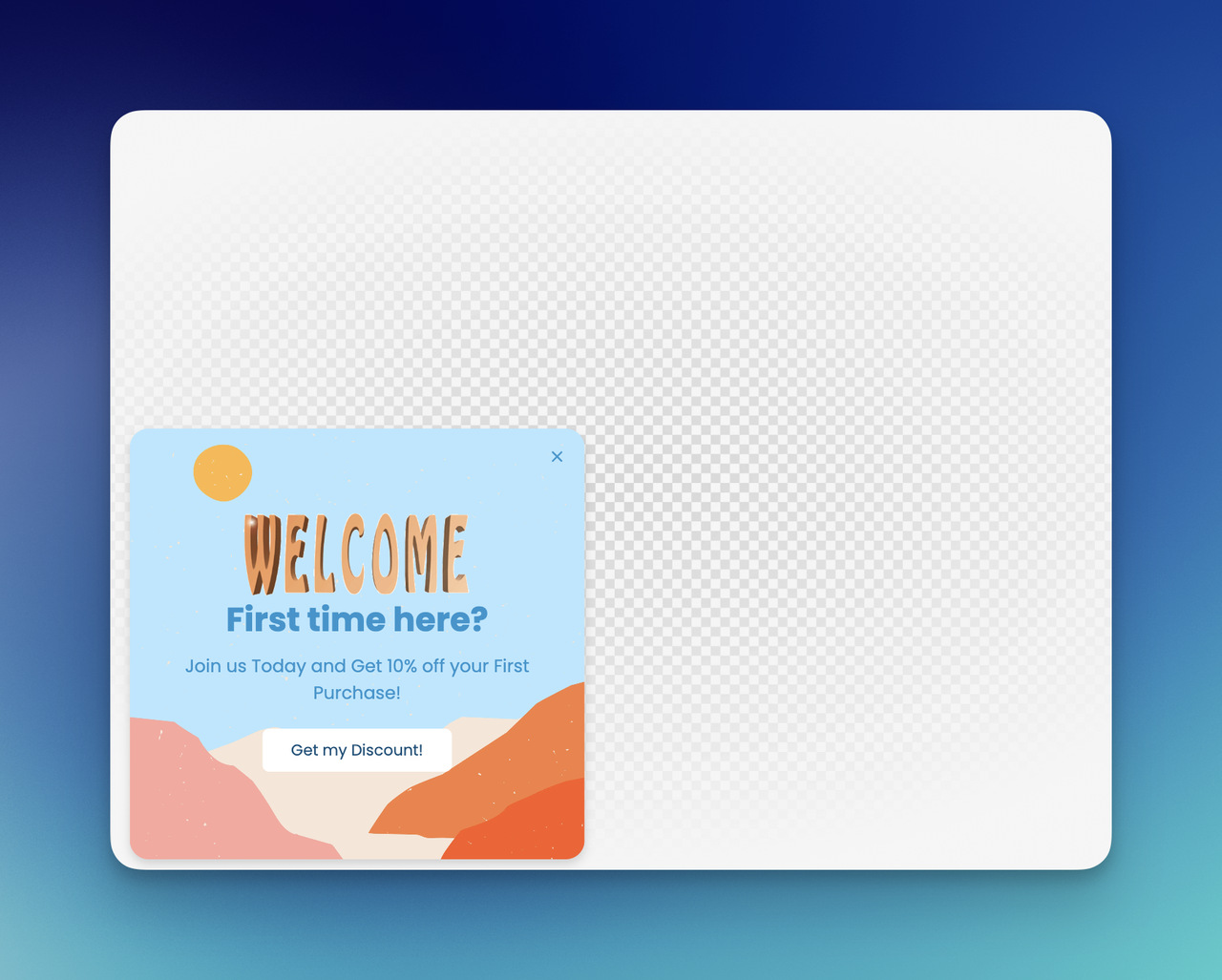
This is where targeting makes everything sharper. I do not always want the same popup for every visitor.
For first-time visitors, I usually want a message that introduces value fast.
Example copy:
First time here? I’ve got 10% off, bestsellers, and a few good reasons to stay. [Start Here]
I like this format because it feels welcoming in the actual sense of the word. Not just promotional, welcoming. It is also the format the data favours most clearly; the timing and targeting tips below show the numbers.
A quick way to choose the right example:
| Goal | Welcome popup example I’d use |
|---|---|
| Grow an email list | Email signup popup |
| Increase first purchase rate | Discount popup |
| Protect margins | Free shipping popup |
| Promote a campaign | Seasonal popup |
| Guide browsing | Product discovery popup |
| Personalize shopping | Quiz popup |
| Offer a resource | Lead magnet popup |
| Drive meetings or trials | Demo or webinar popup |
For me, the best welcome popup examples are never just visually nice. They match the goal, and that's what makes them useful. If you want ideas beyond the welcome moment, these website popup examples cover the rest of the visit.
Tips for Creating a Welcome Popup That Converts
I’ve seen a lot of welcome popup campaigns fail for the same reason: they ask for attention before they earn it. A popup does not convert because it exists. It converts because the offer is clear, the timing makes sense, and the whole thing feels easy to act on.
So when I build a welcome popup design, I usually focus on a few simple conversion truths rather than trying to make it “look impressive.”
Offer clarity
If a visitor needs more than a second or two to understand what I’m offering, I already know the popup is weaker than it should be.
That is why I keep the value proposition sharp. One offer. One message. One action.
Here’s what usually works better for me:
- “Get 10% off your first order”
- “Join our list for weekly marketing tips”
- “Get free shipping today”
- “Take the quiz to find the right product”
Here’s what I try to avoid:
- vague language
- too many competing benefits
- overly clever headlines that hide the offer
- paragraphs inside the popup
I want the visitor to understand three things instantly:
| Question | What the popup should answer |
|---|---|
| What is this? | A discount, signup, guide, or offer |
| Why should I care? | There is a clear benefit for me |
| What do I do next? | Click, sign up, shop, or download |
That kind of clarity persuades more than any clever headline.
Timing and targeting
A welcome popup works best when it waits a moment and goes only to new visitors. Popupsmart's 2026 benchmark leans that way on timing and is clearer on targeting. Timing can make a perfectly good welcome popup template feel either helpful or unbearable.
If I show it the second someone lands on the page, I’m talking before I’ve even introduced myself. That can work in some aggressive campaigns, but most of the time I prefer a more intentional trigger.
Popupsmart's benchmark leans one way on timing. Popups that wait before appearing convert 0.83% vs 0.61% for popups shown the instant the page loads (median campaign); the direction holds in every year of data but the difference is not statistically reliable, so treat it as a lean, not a rule. The exact delay length (0-5 seconds vs 21-60 seconds) makes no measurable difference to conversion. So I add a short delay with Popupsmart's After X Seconds trigger and don't agonize over the exact number.
I usually think in terms of visitor readiness:
- a few seconds of delay
- some scroll depth
- first-time visitor targeting
- landing-page-specific behavior
- exit intent, if I want a later interruption
This is where targeting becomes the difference between “smart” and “random.”
For example, I would not show the same welcome popup to:
- a first-time homepage visitor
- someone already on the checkout page
- a returning blog reader
- someone coming from a paid ad campaign
Those are different states of mind. So I try to respect them.
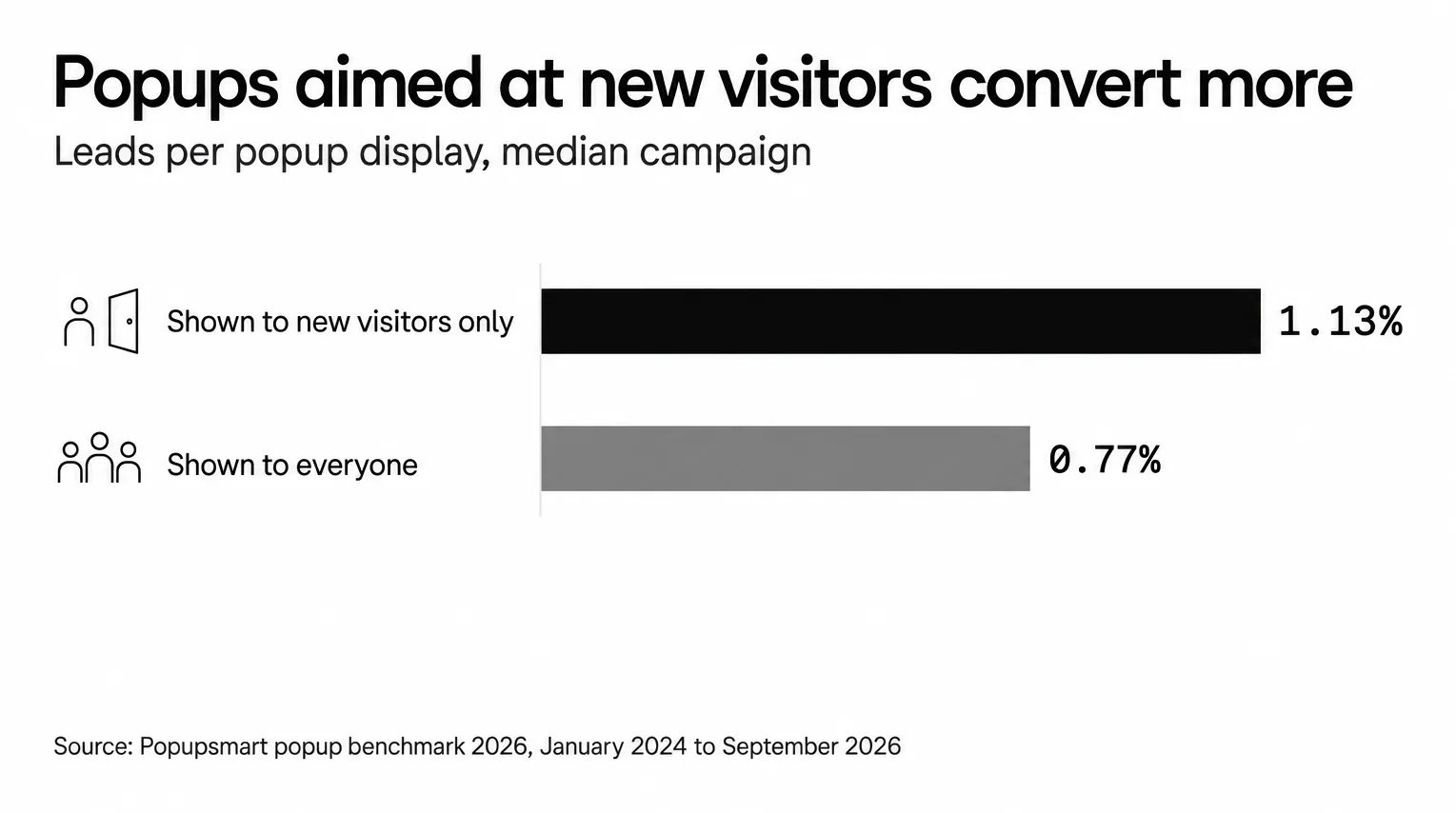
Targeting is where the data is clearest. In Popupsmart's 2026 benchmark, popups targeted at new visitors only convert 1.13% vs 0.77% for popups shown to everyone. In Popupsmart, that is the New or Returning Visitor targeting rule in the campaign's Segment step.
Then cap how often the popup appears. The first two times a visitor sees a popup in a week convert at similar rates (1.33% and 1.22% of displays, pooled); from the third view conversion falls, and from the sixth view it is 0.41%, 31% of the first-view rate. Popupsmart's display frequency settings can stop a popup once the visitor closes it or after a set number of views.
For triggers beyond the welcome moment, including scroll depth and exit intent, see the popup timing guide.
Design and CTA best practices
A welcome popup converts best with a short form and a button that names what the visitor gets. I love good visuals, but I never let visual ambition ruin conversion clarity.
A strong welcome popup design should feel easy on the eyes and even easier to act on. That usually means:
- a short headline
- one supporting sentence
- one CTA
- enough white space
- strong contrast
- an obvious close option
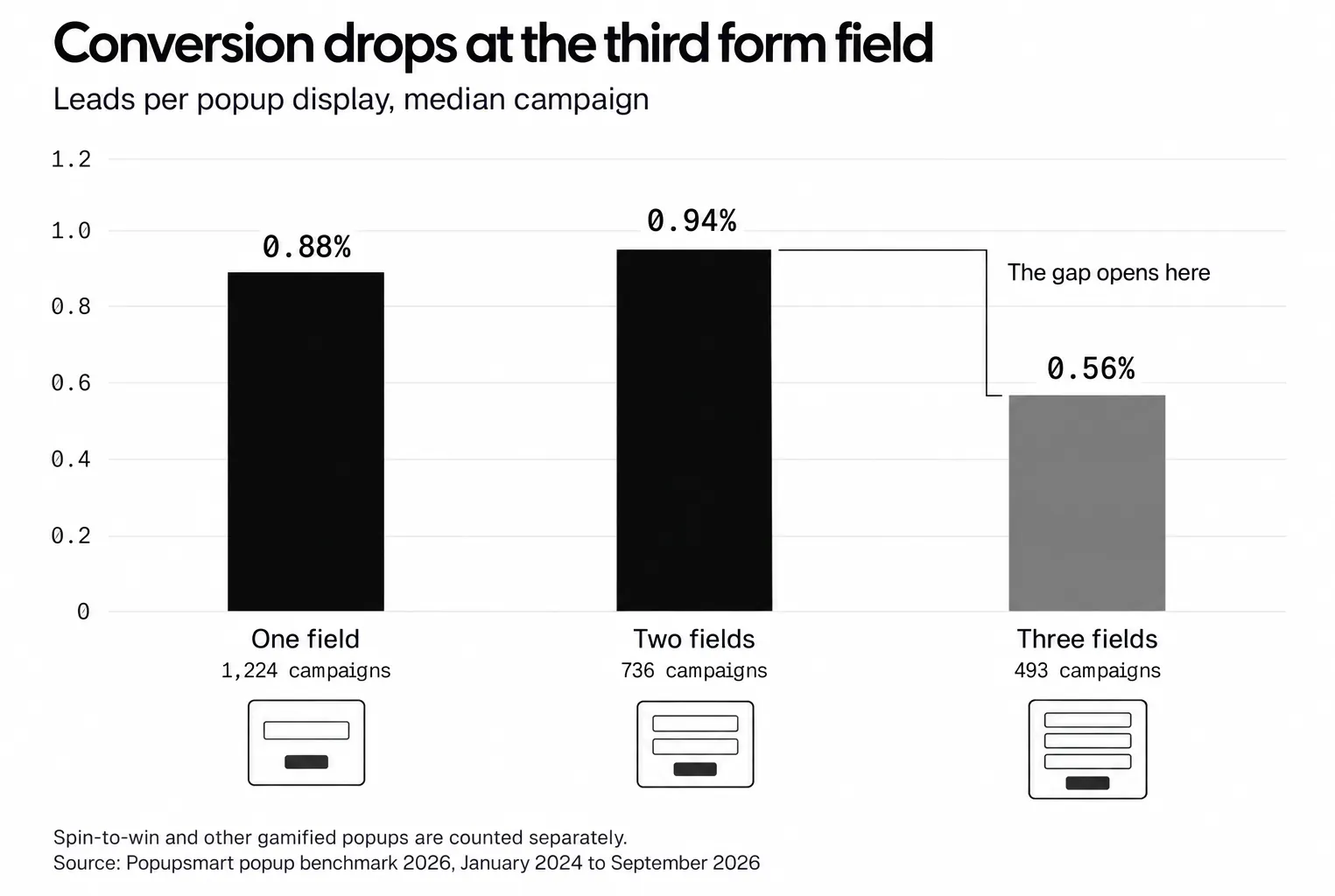
If I’m using a form, I keep it light. In many cases, just one email field is enough. Every extra field adds hesitation, and the third one is where it shows. In Popupsmart's 2026 benchmark, popups asking for one or two fields convert 0.88% and 0.94%, against 0.56% for three fields (median campaign; spin-to-win and other gamified popups are counted separately).
I also pay close attention to the CTA. A weak button can flatten a good offer.
I’d rather say:
- Get Your Discount
- Join Our List
- Show the Collection
- Download the Guide
than:
- Submit
- Continue
- Learn More
Those generic buttons rarely carry enough energy. The wording data points the same way. In Popupsmart's 2026 benchmark, first-person buttons ("Send my code") convert 1.18% vs 0.80% for neutral wording (English popups, median campaign). CTA buttons that promise value ("Get", "Claim", "Unlock") look stronger than "Subscribe" / "Join" buttons (1.06% vs 0.77%, English popups, median campaign), but the gap is not statistically reliable. That is one reason I'd test "Get My Discount" before "Join Our List".
Here’s the quick checklist I use before publishing:
| Element | What I look for |
|---|---|
| Headline | Clear, specific, benefit-led |
| Body copy | Short and supportive |
| CTA | Action-focused and obvious |
| Layout | Clean, not crowded |
| Form | As short as possible |
| Close button | Easy to find |
| Mobile view | Fast, readable, tappable |
One more thing matters here too: trust.
If I’m asking for an email, I want the popup to feel credible. That can mean better branding, cleaner copy, or a more thoughtful promise. Useful, specific copy earns more trust than generic messaging, in a popup as much as anywhere else.
I always ask myself this:
Would I click this if I saw it on someone else’s site?
That question cuts through a lot of noise.
If the offer feels weak, too early, too generic, or too messy, I usually know it before the data even tells me.
A good welcome popup does not need to shout. It just needs to make the next step feel worth taking.
How to Create a Welcome Popup With Popupsmart
You can create a welcome popup in Popupsmart in five steps: start a campaign, pick and edit a template, set the Segment rules, check the mobile view, then publish. When creating a welcome popup with Popupsmart, there is no need for a complicated setup. I usually break it into a few simple steps and keep my focus on the goal, the message, and the visitor experience.
1. Create a new popup campaign
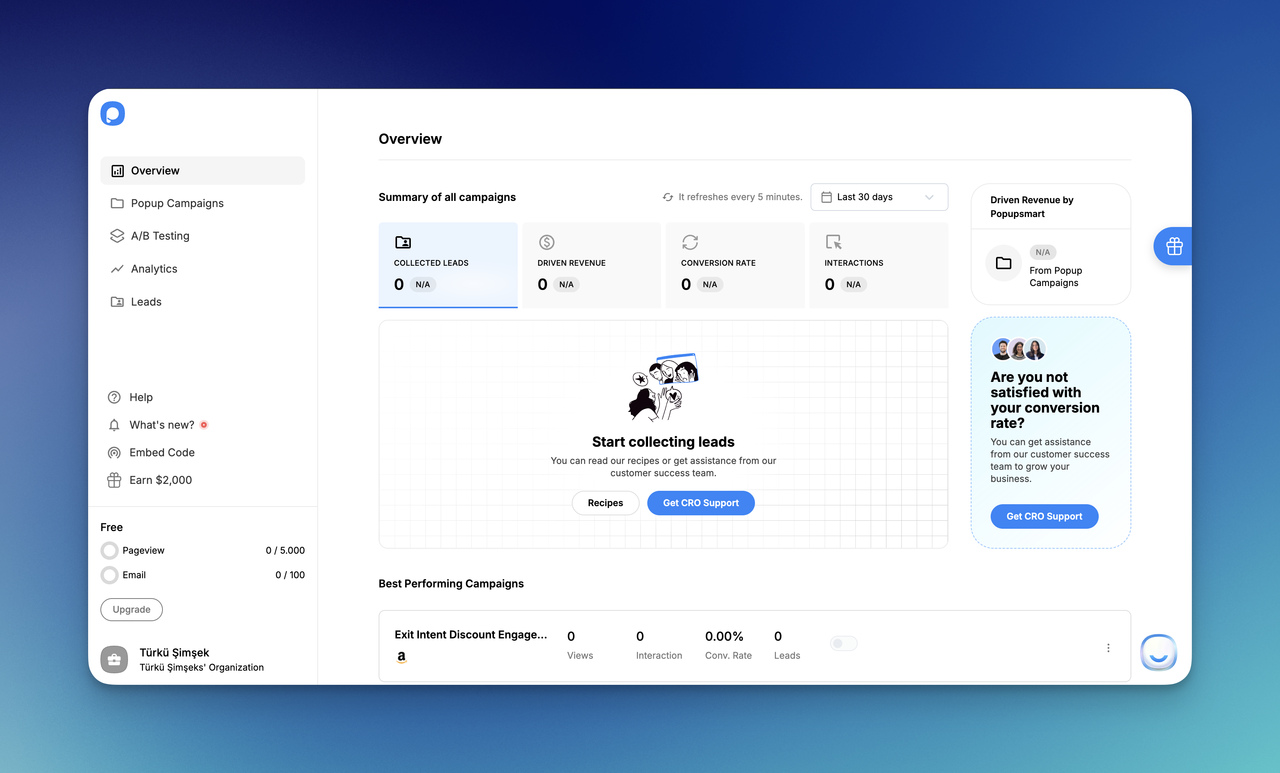
First, I sign up to Popupsmart, go into the dashboard, and start a new campaign. At this point, I decide what I want my website welcome popup to do. Do I want to collect emails, offer a discount, announce something, or guide visitors to a collection? I like to answer that first, because the goal shapes everything else.
2. Choose a welcome popup template and edit it
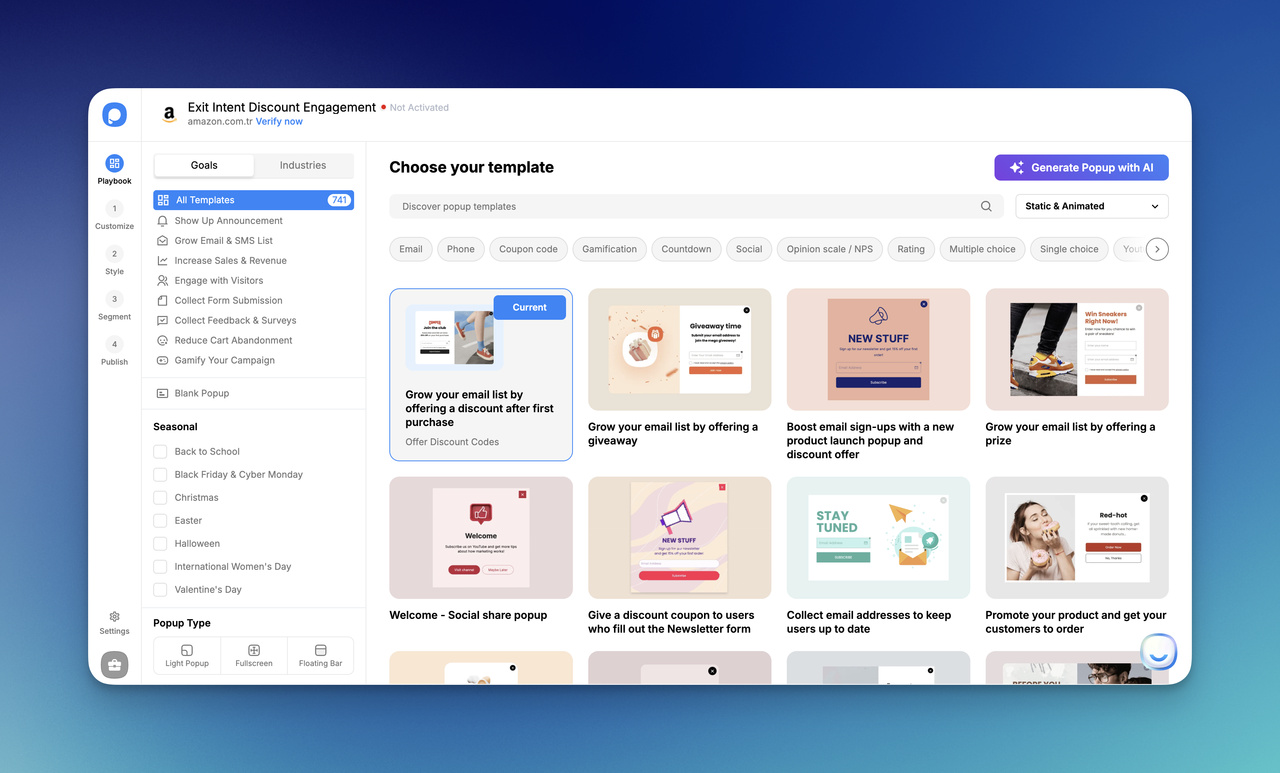
Next, I pick a welcome popup template that fits my goal from Popupsmart's popup templates. Then I customize it with my own headline, supporting text, image if needed, and CTA button. I keep the copy short, clear, and easy to understand.
For example, I might write:
- Get 10% off my first order
- Join my list for weekly updates
- Explore the new collection
I do not try to say too much here. A good welcome popup design should feel quick to read.
3. Set the display rules
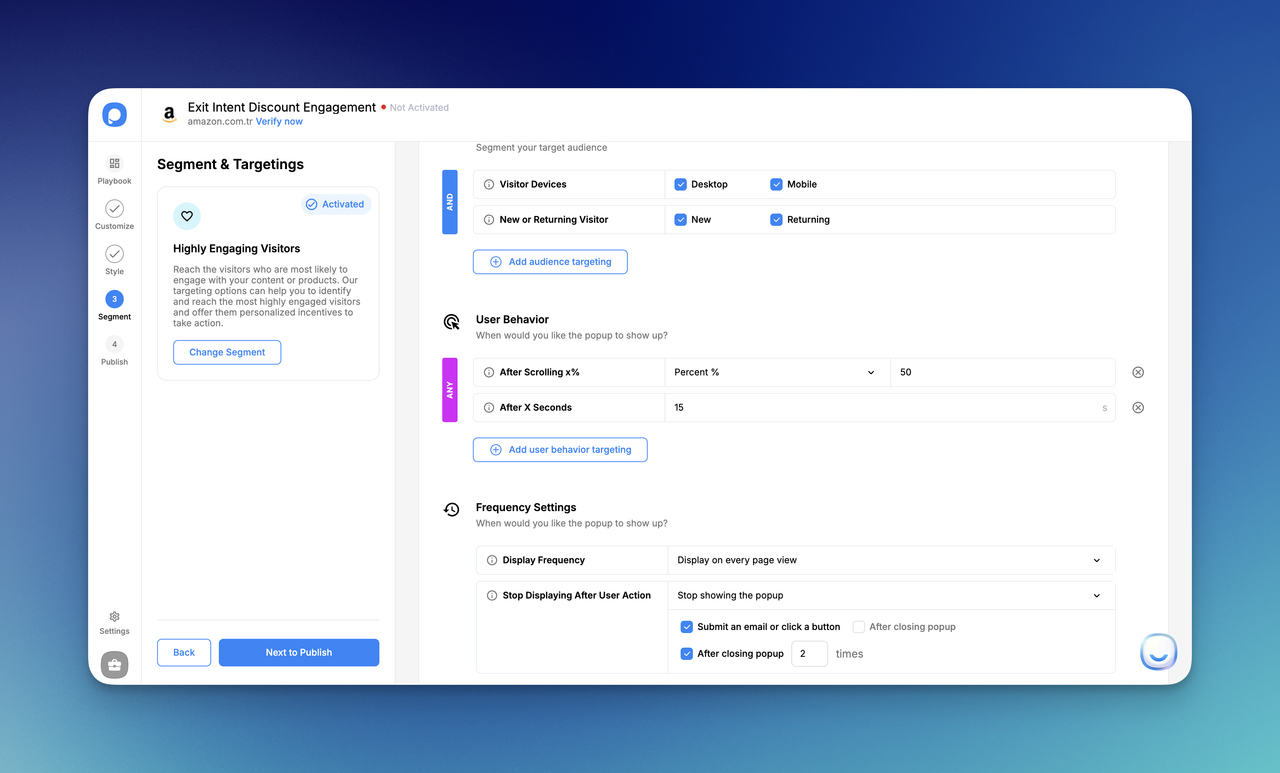
After the design is ready, I decide who should see the popup and when. This is where I make the popup smarter. I might show it only to first-time visitors, only on specific pages, or after a few seconds instead of instantly.
In Popupsmart this is the Segment step. Under audience targeting I add New or Returning Visitor and tick New; under User Behavior I add After X Seconds; under Frequency Settings I choose when the popup stops displaying, for example after the visitor submits an email or closes the popup.
This step matters a lot. Even a strong welcome popup can feel annoying if I show it to everyone at the wrong moment.
4. Make sure it looks good on mobile
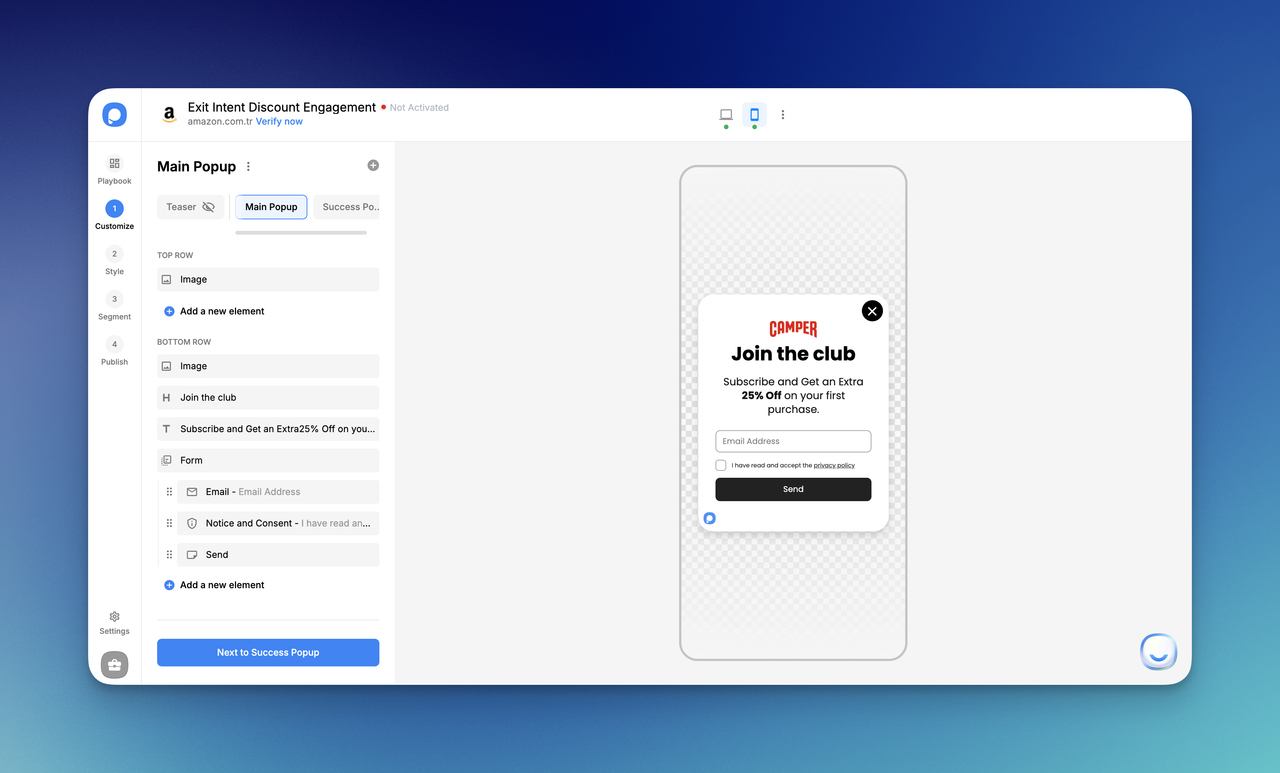
Before publishing, I always check the mobile version. I make the text shorter, keep the button easy to tap, and make sure the popup is not overwhelming on a smaller screen. If a welcome popup tutorial ignores mobile, it is missing a huge part of real performance.
5. Publish and test it
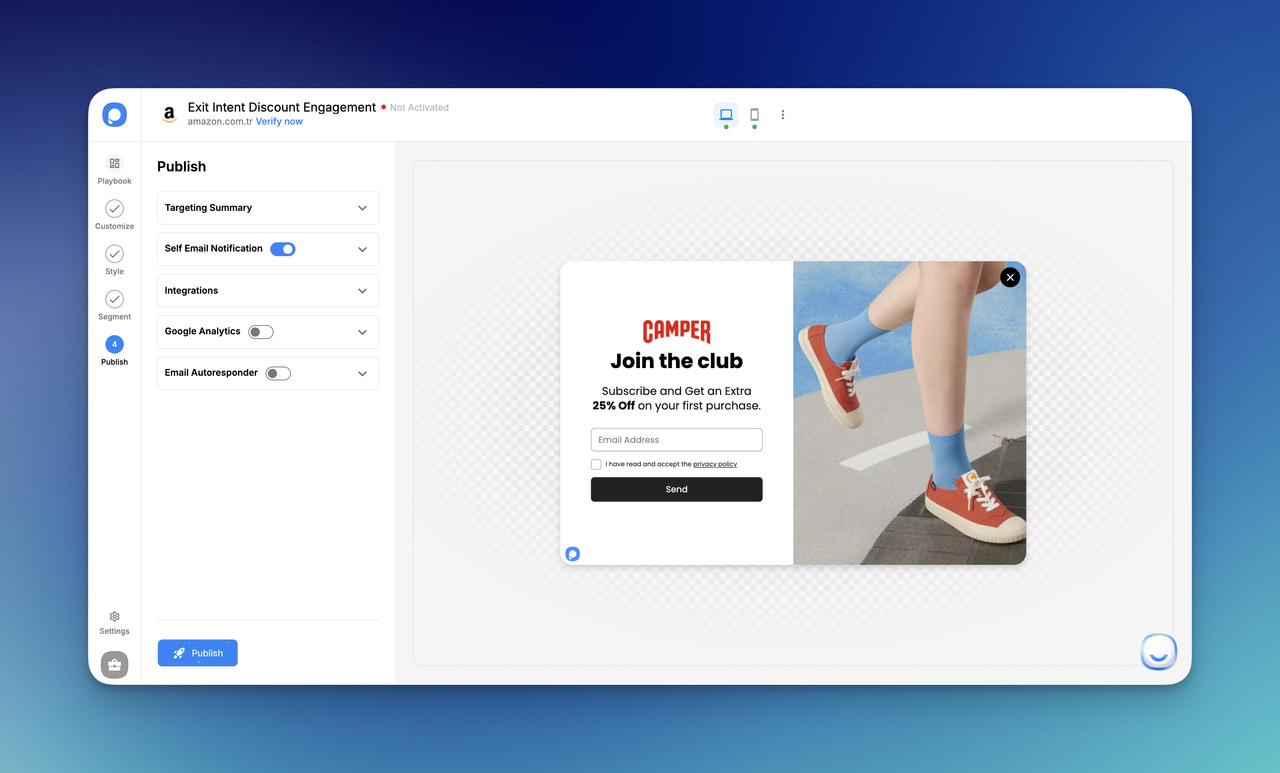
Finally, I publish the popup on my site and test how it feels. I check whether it appears at the right time, whether the CTA is clear, and whether the whole experience feels smooth. Then I keep improving it based on results.
The Publish step shows a Targeting Summary and lets you connect Integrations or turn on the Email Autoresponder. If the popup doesn't appear on your site, check that the Popupsmart embed code is installed and the campaign is activated.
That's the whole process:
| Step | What I do |
|---|---|
| 1 | Create a new campaign |
| 2 | Choose and customize a welcome popup template |
| 3 | Set targeting and timing rules |
| 4 | Check the mobile version |
| 5 | Publish and test |
I think the best workflow is the one that stays simple. I do not need to overbuild the popup. I just need to make it clear, relevant, and easy to act on.
Welcome Popup Mistakes to Avoid
The most common welcome popup mistakes are showing it too early, asking for too much, and showing the same popup to every visitor. I’ve noticed that most weak welcome popup campaigns do not fail because popups are a bad idea. They fail because the execution feels careless. The offer is vague, the timing is off, or the popup asks for too much too soon.
Here are the mistakes I would avoid first. For problems that apply to every popup, not only welcome popups, see these popup UX mistakes.
1- Showing the popup too early
This is probably the fastest way to make a website welcome popup feel annoying.
If the popup appears the exact second I land on a page, I have not even had time to understand where I am yet. That kind of interruption can feel pushy, especially when there is no context.
I usually prefer to give visitors a small moment first. A few seconds, a little scroll depth, or first-time visitor targeting can make the experience feel much more natural. The benchmark lean in the timing and targeting tips points the same way.
2- Using weak or generic copy
A lot of popups sound like they were written in a hurry.
Things like:
- Subscribe now
- Join us
- Don’t miss out
- Submit
can technically work, but they usually do not say enough.
I want my welcome popup copy to answer one simple question: Why should I care? If the popup cannot answer that clearly, it is not ready.
Instead of generic wording, I try to make the benefit specific:
- Get 10% off my first order
- Join my list for weekly growth tips
- Explore the new collection
- Download the free checklist
That small shift changes the whole feel of the popup.
3- Asking for too much information
I see this mistake all the time in lead generation popups. Someone wants an email, first name, company name, website URL, phone number, and maybe a small piece of your soul too.
I keep it lighter whenever I can.
If I am using a welcome popup template for email capture, one field is often enough. Every extra field adds friction, and friction quietly kills conversions. In the form-field chart above, the drop shows up at the third field.
4- Overdesigning the popup
I love good visuals, but a popup is not the place for design showing off.
A cluttered welcome popup design can hurt performance fast:
- too many colors
- too much text
- too many buttons
- busy backgrounds
- unclear visual hierarchy
I want the popup to be easy to scan, not something people have to decode.
5- Ignoring mobile experience
This one is expensive because so much traffic now comes from phones: 63% of popup displays happen on mobile, according to Popupsmart's 2026 benchmark.
If my popup looks fine on desktop but takes over the whole mobile screen, has tiny text, or hides the close button, I am creating friction right where I should be reducing it.
That is why I always check:
- text length
- button size
- spacing
- image use
- close visibility
A mobile welcome popup should feel lighter, not crammed.
6- Treating every visitor the same
Not every visitor needs the same message.
A first-time visitor may respond well to a discount or email signup. A returning visitor might be better served by a product recommendation or campaign reminder. When I ignore that difference, the popup becomes less relevant.
Targeting fixes this. A relevant popup feels smarter.
My quick “don’t do this” checklist:
| Mistake | Why it hurts |
|---|---|
| Showing the popup instantly | It feels intrusive |
| Using vague copy | The value is unclear |
| Asking for too much | Friction increases |
| Overdesigning it | Readability drops |
| Ignoring mobile | UX gets worse |
| Showing the same popup to everyone | Relevance disappears |
For me, the goal is never just to make a popup visible. The goal is to make it feel worth seeing.
A good welcome popup can help conversions. A lazy one just teaches people to close it faster.
Conclusion
I think the best welcome popup is the one that earns attention instead of demanding it. When I keep the offer clear, the timing thoughtful, and the design simple, a popup can do much more than collect emails. It can guide new visitors, support first purchases, highlight campaigns, and make the first interaction with a brand feel more intentional.
So I never treat welcome popup design as a visual task alone. It is just as much about the message, the timing and the user experience. The right welcome popup template is not the flashiest one. It is the one that fits the goal, the audience, and the page it appears on.
If I had to keep it simple, this is what I would focus on:
- lead with one clear offer
- keep the copy short
- make the CTA obvious
- check the mobile experience
- test and improve over time
If you’re ready to turn these ideas into a real campaign, try creating your first welcome popup with Popupsmart and see what works best for your audience.
Frequently Asked Questions About Welcome Popups
Do welcome popups still work?
Yes, welcome popups still work when the offer is relevant, the timing makes sense, and the experience does not feel disruptive. They suit new visitors best: in Popupsmart's 2026 benchmark, popups targeted at new visitors only convert 1.13% vs 0.77% for popups shown to everyone. Lead with one clear offer, keep the form short, and let the popup wait a moment before it appears.
What is the best welcome popup type?
The best welcome popup type depends on the goal. For email signups, use a simple signup popup with one or two fields. For first purchases, use a discount popup: in Popupsmart's 2026 benchmark, signup popups that offer a discount code convert 1.46% vs 0.75% for signup popups without one. For product discovery, use a collection or bestseller popup.
How long should a welcome popup stay on screen?
There is no fixed duration for a welcome popup; what counts is what the visitor sees in the first seconds. In Popupsmart's 2026 benchmark, 71% of visitors who close a popup do so within 5 seconds of it appearing, and 61% of popup leads are submitted within 30 seconds of the popup appearing. Make the offer and the button readable at a glance.
When should a welcome popup appear?
Show a welcome popup after a short delay rather than the instant the page loads. In Popupsmart's 2026 benchmark, popups that wait before appearing convert 0.83% vs 0.61% for popups shown the instant the page loads (median campaign); the direction holds in every year of data but the difference is not statistically reliable, so treat it as a lean, not a rule. The exact delay length makes no measurable difference.
Should I show a welcome popup on mobile?
Yes, but design the mobile version on its own. In Popupsmart's 2026 benchmark, 63% of popup displays happen on mobile, and on mobile the median popup converts 1.02% vs 0.57% on desktop. A mobile welcome popup should have shorter copy, a clear CTA, enough spacing, and a close button that is easy to find.
How do I create a welcome popup with Popupsmart?
Create a new campaign in Popupsmart, choose a welcome popup template, and customize the copy and design. In the Segment step, add New or Returning Visitor targeting, an After X Seconds trigger and a frequency limit. Then check the mobile version and publish. That keeps a practical welcome popup tutorial short without making the setup feel heavy.