ChatGPT
 Perplexity
 Claude
 Grok
Grok Google AI Mode
WordPress popup plugins help you raise your site's conversion rate and talk to visitors while they're still on the page.
Below are the 15 best WordPress popup plugins for growing your list, each with its main features, pros and cons, pricing and ratings.
Updated 1 October 2026. The 2023 edition listed 17 plugins with prices from 2023 and 2024. This edition re-reads every price and rating, and drops two entries: Ninja Forms is a form plugin that doesn't sell a popup product (the earlier entry mixed it up with Arscode's Ninja Popups on CodeCanyon and a third-party add-on), and Forminator is a form builder whose forms appear in popups only through Hustle, which is listed. Sumo is now called BDOW!. Popupsmart's "5 out of 5" was a single WordPress.org rating; it now shows its G2 rating instead.
What is a WordPress Popup Plugin?
A WordPress popup plugin is a tool for adding popups to your WordPress website, usually to generate leads or promote products.
Most of them add a popup editor to your WordPress dashboard: you design the popup, choose when it opens (after a delay, on scroll, on exit intent or on a click) and choose who sees it. A hosted popup tool works differently: you build the popup in the tool's own app, and a plugin or one script tag puts it on your site.
Popups aren't the right answer for everything. They do work well for announcements, social sharing, feedback and surveys.
Do You Need a WordPress Popup Plugin?
It depends on what you want from your site.
Email marketing is a good example. Good email marketing lifts conversion rates, and it only works when you have people to email. Ask yourself:
- Do you want lead generation?
- Do you want to get more subscribers?
- Do you want to engage with your customers?
- Do you want to increase your sales?
If you said yes to any of these, a popup is a good place to start.
What a popup on a WordPress site converts
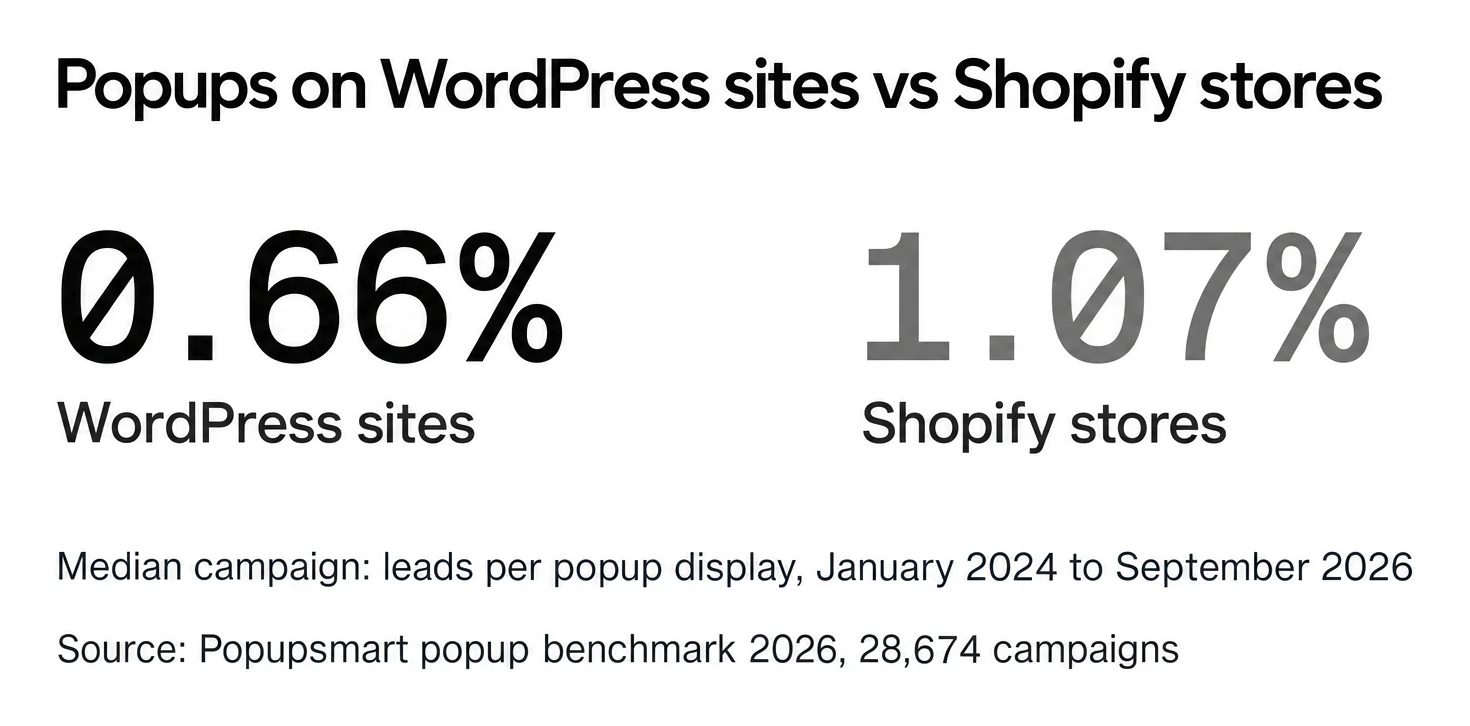
Popupsmart's 2026 popup benchmark covers 28,674 campaigns, 499.6 million popup displays and 1.84 million leads between January 2024 and September 2026. Across the popups we power in that window, 43% of the businesses in the benchmark (January 2024 to September 2026) run on Shopify; the WordPress ecosystem (WordPress and WooCommerce) accounts for 14%.
Popups on Shopify stores convert at 1.07% vs 0.66% on WordPress sites (median campaign). The rate is leads per popup display, so it measures the popup, not the website. Part of the gap is what the popups ask for: 35% of popup campaigns on Shopify stores ask for an email or phone number, against 25% on WordPress sites. WooCommerce is closer to Shopify: Shopify (1.07%) and WooCommerce stores (0.82%) show no statistically reliable difference in popup conversion; the data cannot rule out a gap in either direction.
How we compiled this list
We didn't install and score the plugins for this edition, and we don't claim to have. What we did:
- Prices were read from each vendor's own pricing page on 1 October 2026, from a US location. Popup Maker, OptinMonster and BDOW! come from the records behind our head-to-head comparisons, read between 26 and 28 September 2026.
- Ratings come from each plugin's WordPress.org listing, read on 1 October 2026, with the number of ratings. Where we hold a G2 reading, it's shown on its own line. We never average two platforms.
- Screenshots of each vendor's site were captured between 22 and 30 September 2026; the date is under each one.
- Order: Popupsmart comes first because it's our product; after that, the order follows the 2023 edition, not a score. No affiliate links.
15 best WordPress popup plugins to use in 2026
| Plugin Name | Best for | Free version | Paid plans start at | WordPress.org rating | Active installs |
|---|---|---|---|---|---|
| Popupsmart | Teams without a developer, several sites | Yes, 5,000 pageviews a month | $39/mo | 1 rating | 600+ |
| WP Popups | Filtering and display rules | Yes | $35/yr | 4.9 (112) | 30,000+ |
| MailOptin | Opt-in forms plus newsletters | Yes (Lite) | $99/yr | 4.8 (437) | 10,000+ |
| Popup Maker | The biggest free plugin | Yes, no traffic limit | $99/yr | 4.9 (4,508) | 700,000+ |
| Popup Builder | A cheap licence for several sites | Yes | $49.95/yr | 4.7 (2,215) | 200,000+ |
| Icegram Engage | Bars, toasts and messengers | Yes | $99/yr | 4.7 (370) | 10,000+ |
| Hustle | Social sharing and a free core | Yes | $50/yr | 4.4 (859) | 90,000+ |
| OptinMonster | Inline forms and campaign formats | No | $21/mo | 4.3 (817) | 1,000,000+ |
| BDOW! (formerly Sumo) | Forms with email sending | Yes, 100 conversions | $25/mo | 4.2 (519) | 10,000+ |
| PopupAlly | One simple paid licence | Yes | $99/yr | 4.1 (76) | 2,000+ |
| Popups for Divi | Divi sites | Yes | $89/yr (Divi Areas Pro) | 4.8 (441) | 100,000+ |
| TrustPulse | Social proof notifications | No | $5/mo billed annually | 4.5 (35) | 10,000+ |
| Brave | Many widget types | Yes | $59/yr | 4.8 (209) | 20,000+ |
| WiserNotify | Social proof and urgency widgets | No, 7-day trial | $59/yr | 5.0 (29) | 900+ |
| Elementor | Sites already built with Elementor | Editor free, popups paid | $84/yr | 4.5 (7,312) | 10,000,000+ |
Prices read from each vendor's own pricing page on 1 October 2026 (Popup Maker and OptinMonster on 26 September, BDOW! on 28 September), US dollars. WordPress.org ratings are out of 5, with the number of ratings in brackets, read on 1 October 2026.
Where Popupsmart loses: Popup Maker's free plugin has no traffic limit where our free plan stops at 5,000 pageviews, OptinMonster has more campaign formats, and a yearly plugin licence costs less than our monthly plans on a single small site.
Here are the 15 plugins one by one.
1. Popupsmart WordPress Popup Plugin
Best for teams without a developer and for several sites on one plan
What Do Users Think about Popupsmart?: "Popupsmart has great UX for non-developers. The team is very responsive, and it has lots of integrations & templates to quickly become our favorite email capturing tool." -Mert A., Co-founder | Marketing Manager
Popupsmart is a popup builder that helps you create popups with conversion-ready templates. It isn't a WordPress-only plugin: you build campaigns in Popupsmart's web app, and the optional Popupsmart plugin on WordPress.org or one script tag puts them on your site. The same account covers your sites that aren't on WordPress.
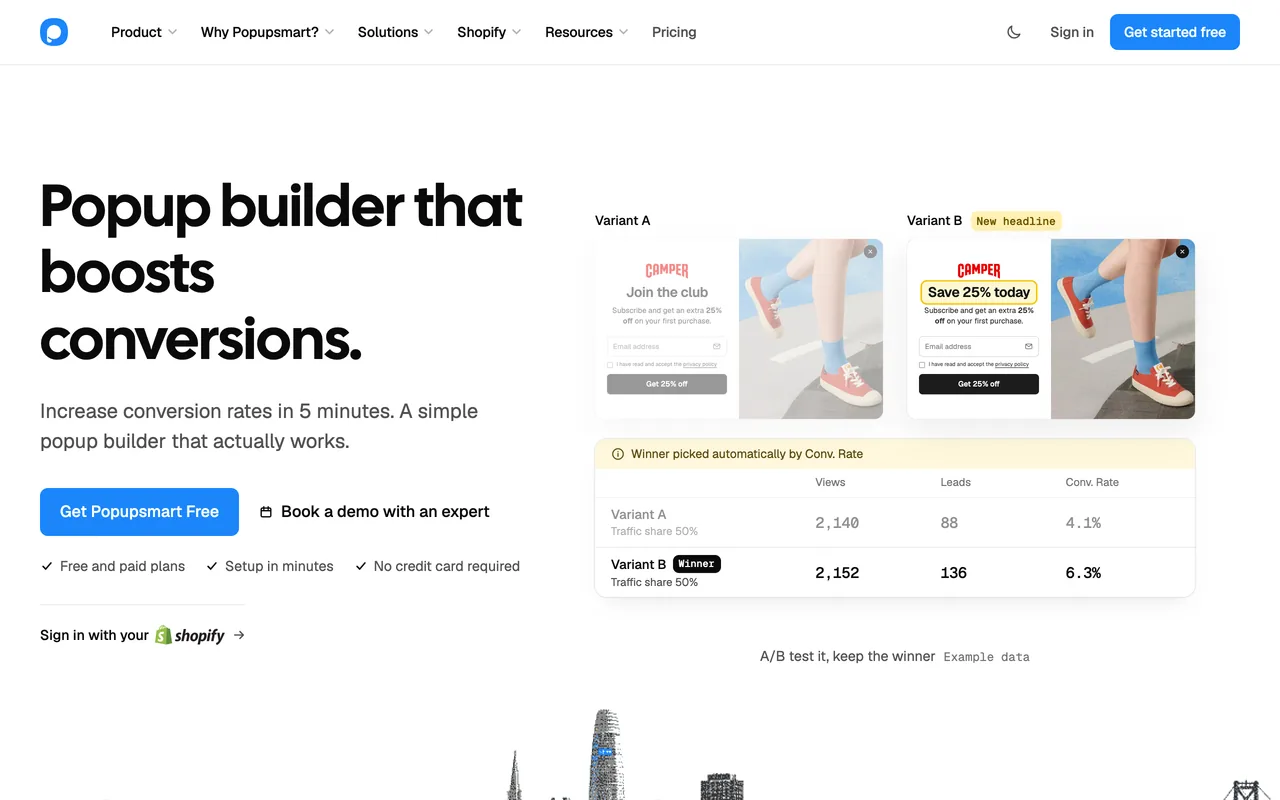
Key Features:
- 500+ popup templates, by our own count, in a no-code editor
- Exit intent, scroll, inactivity, geo-location, traffic source and new vs returning visitor targeting on every plan, the free one included
- The Popupsmart AI agent: from a chat request it builds a whole campaign (template, targeting and triggers, integrations) and publishes it, on every plan, the free plan included
- An MCP server and CLI, so your own AI agent can do everything the app does
- 19 integration destinations, Mailchimp, Klaviyo and HubSpot included
- Leads and Analytics pages to follow rates (analytics from the Basic plan)
On a WordPress site you get the same popup types as anywhere else: light popups, full-screen ones and floating bars.
Pros:
- User-friendly dashboard; once you're set up, a person builds and publishes a campaign in under 5 minutes, by our own estimate
- Creating mobile-responsive popups
- Detailed timing and geo-targeting functionality
- One hosted script of about 97 KB, loading in about 124 ms, by our own measurement
- Several websites on one plan: 3 on Basic, unlimited on Expert
- Chat support within 15 minutes during working hours (GMT+3) on paid plans
Cons:
- The free plan runs one popup at a time, with Popupsmart branding, and has no analytics.
- A/B testing starts on the Advanced plan ($69 a month).
- Campaigns are built in Popupsmart's app, not inside wp-admin.
- Popupsmart doesn't send email or SMS; it collects contacts for the tools that do.
Pricing: There is a free plan for Popupsmart: 5K pageviews a month, one website and one live popup. Paid plans are billed monthly or annually:
- Basic: $39 a month, or $32.50 a month billed annually; 50K pageviews, 3 websites.
- Advanced: $69 a month, or $57.50 billed annually; 100K pageviews and A/B testing.
- Pro: $99 a month, or $82.50 billed annually; 250K pageviews.
- Expert: $159 a month, or $132.50 billed annually; 500K pageviews and unlimited websites.
Above 500K pageviews a month, pricing is a custom quote.
What We Think about Popupsmart: Popupsmart gives you plenty of templates and customization options for campaigns that sell. It suits a team that wants exit intent and targeting without a paid add-on, or runs popups on WordPress and non-WordPress sites from one account. On a single small WordPress site where budget decides, a free plugin will cost less.
Also, take a look at How to Build a Popup in WordPress for Free for the step-by-step version.
➤ WordPress Rating of Popupsmart: one rating so far, too few to compare.
- Active Installations: 600+
- WordPress Version: 3.0.1 or higher
- Compatible up to: 6.7.9
➤ G2 Rating of Popupsmart: 4.5 out of 5 from 141 reviews, as of 6 September 2026.
2. WP Popups WordPress Popup Plugin
Best for advanced filtering options
What Do Users Think about WP Popups?: "... It was easy to understand and served my needs easily. In my case, I am using it for a cookie acceptance screen, and it was simple to configure under what circumstances the popup would show and how often." - James, WordPress User for four years.
WP Popups is a WordPress popup builder plugin with a free Lite version on WordPress.org and paid add-ons.
Key Features:
- Filtering based on search engines, pages, roles
- Auto-hide option
- A/B testing add-on
- Exit intent popups on paid plans
- Device-based publishing options
- Geolocation and scheduler add-ons on Pro
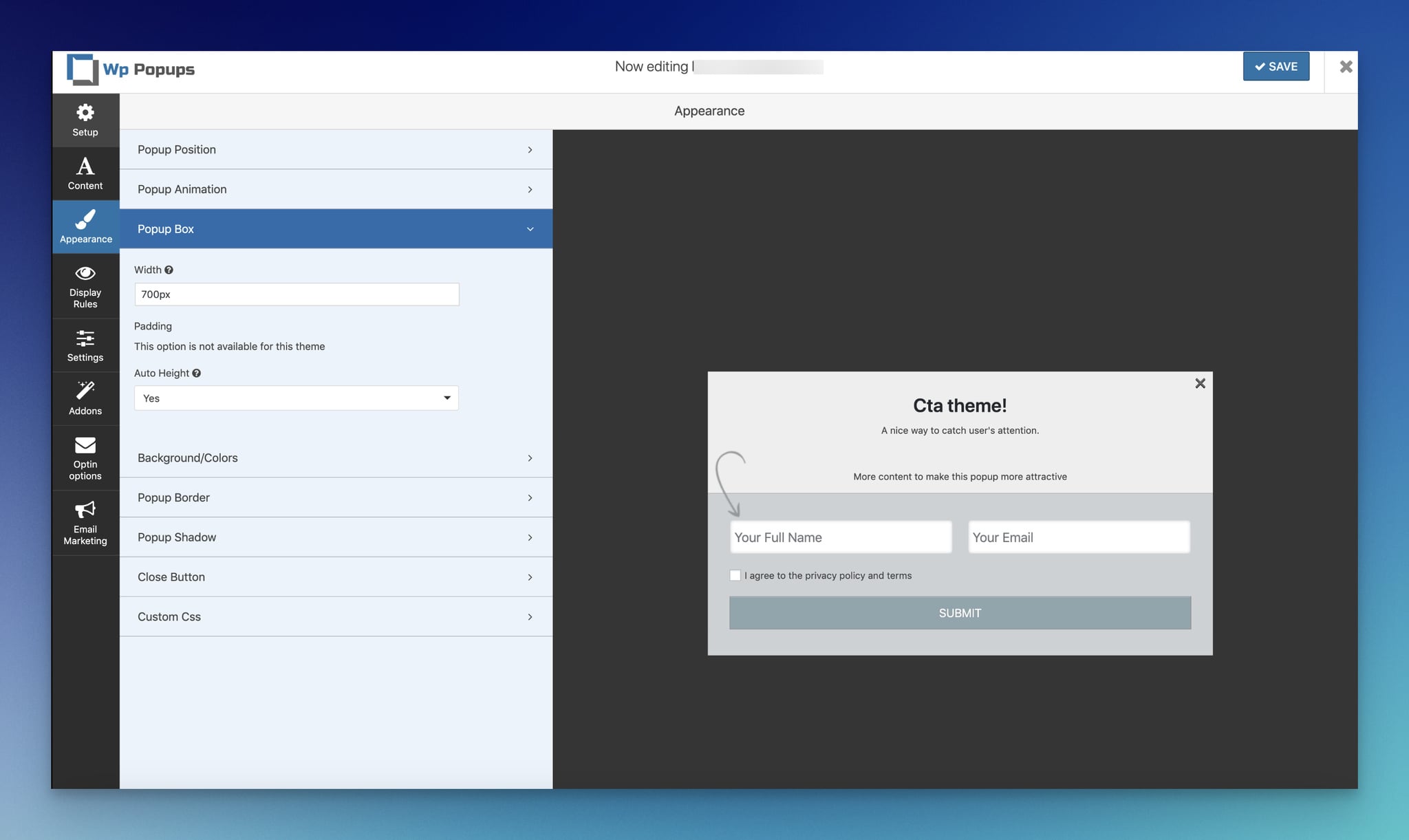
Its template builder lets you create and customize a popup in a few clicks, with no coding or design experience.
Pros:
- Simple to modify
- After X seconds, triggering option
- Font, color, background, border changeable
- Compatible with lots of form plugins
- Arranging geolocation
- Various displaying rules
Cons:
- Display rules are limited, and core features belong to premium plans.
- The listed prices are introductory: renewals are at the regular price minus 30%.
Pricing: The Lite plugin is free. Paid plans are yearly, read on 1 October 2026:
- Basic: $35 a year for 1 site (normally $70),
- Plus: $99.50 a year for 5 sites (normally $199),
- Pro: $199.50 a year for 10 sites (normally $399),
- Agency: $299.50 a year for unlimited sites (normally $599).
What We Think about WP Popups: WP Popups suits most WordPress owners because of its filtering and display rules, and its Basic plan is the cheapest way on this list to get exit intent inside a plugin.
➤ WordPress Rating of WP Popups: 4.9 out of 5 from 112 ratings.
- Active Installations: 30,000+
- Requires WordPress Version: 3.6 or higher
- Compatible up to: 7.2
3. MailOptin WordPress Popup Plugin
Best for opt-in forms and newsletters in one plugin
What Do Users Think about MailOptin?: "We love the fact that there is a beautiful design with the MailIn features. This really helps as a marketing team, and we want to make the website as great as it can." -Verified User, Mid-Market.
By using MailOptin, you can build opt-in forms and popups and send newsletters and automated emails from WordPress.
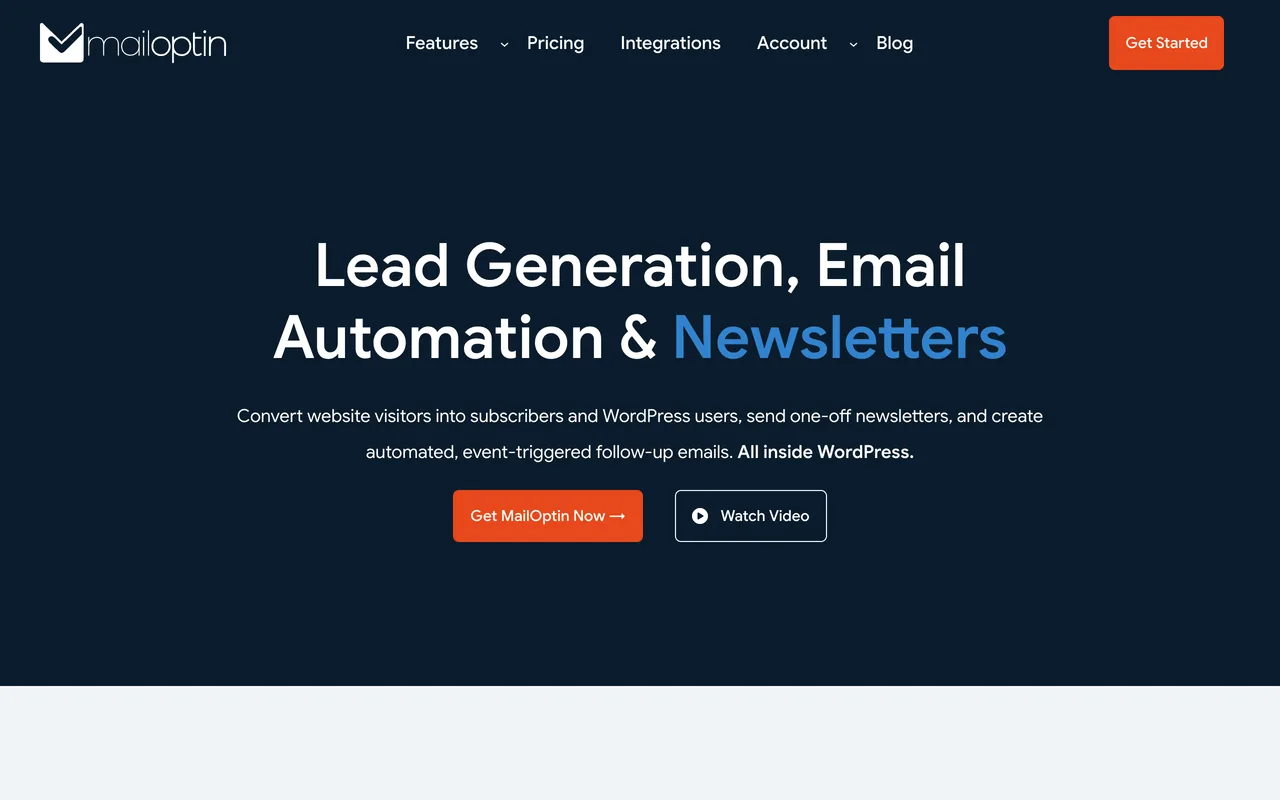
Key Features:
- Popups, slide-ins, notification bars and inline forms
- A/B Testing
- Targeted messages with CTA
- Popups for content locking
- Email automation and newsletters on the Pro plan
- Integration with email marketing platforms and form plugins
You build campaigns in a drag-and-drop form and template builder. No development experience needed.
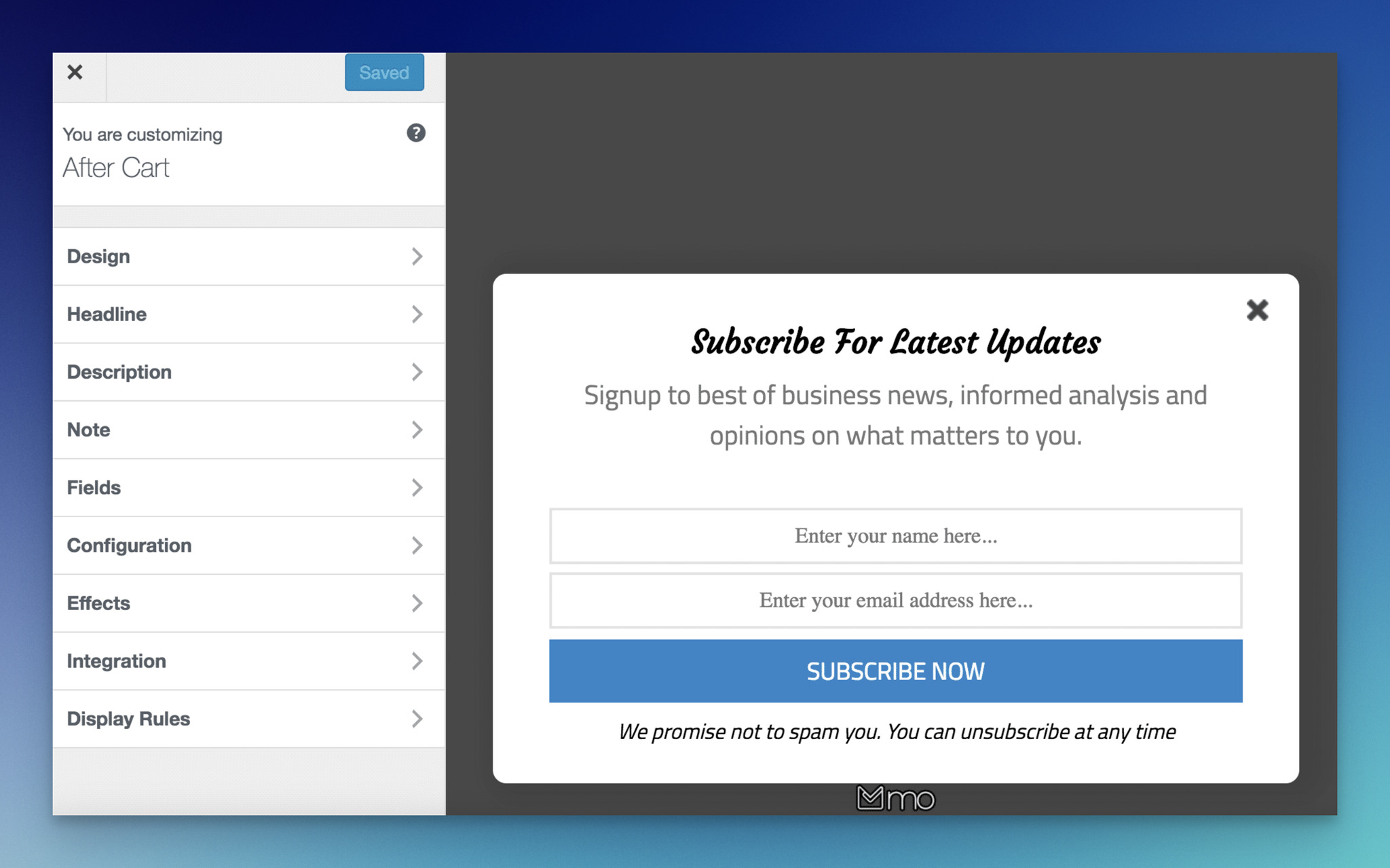
Pros:
- Spam protection with CAPTCHA
- GDPR compliant
- Integration with email marketing platforms and form plugins
- Custom CSS
- A hosted demo to try every feature before buying
- Successful documentation
Cons:
- Display rules and triggers are problematic.
- The Lite version is limited; email automation and newsletters need Pro.
Pricing: There is a free Lite plugin. Paid plans are yearly, read on 1 October 2026:
- Standard: $99 per year for 1 site, lead generation only,
- Pro: $289 per year for 3 sites, with email automation and newsletters,
- Agency: $499 per year for unlimited sites.
A lifetime Pro licence costs $999 once. MailOptin refunds within 14 days of purchase, on conditions.
What We Think about MailOptin?: MailOptin is an email tool first. It collects leads, popups included, and then emails them. It fits a site that wants to send its newsletters from WordPress too.
➤ WordPress Rating of MailOptin: 4.8 out of 5 from 437 ratings.
- Active Installations: 10,000+
- Requires WordPress Version: 6.4 or higher
- Compatible up to: 7.1.2
4. Popup Maker WordPress Popup Plugin
Best for the biggest free WordPress popup plugin
What Do Users Think about Popup Maker?: "Popup Maker is a multi-functional popup solution that helps you … get more leads…" -Mary J. A.
Popup Maker has 700,000+ active installations on WordPress.org. Its core plugin is free with unlimited popups and pageviews.
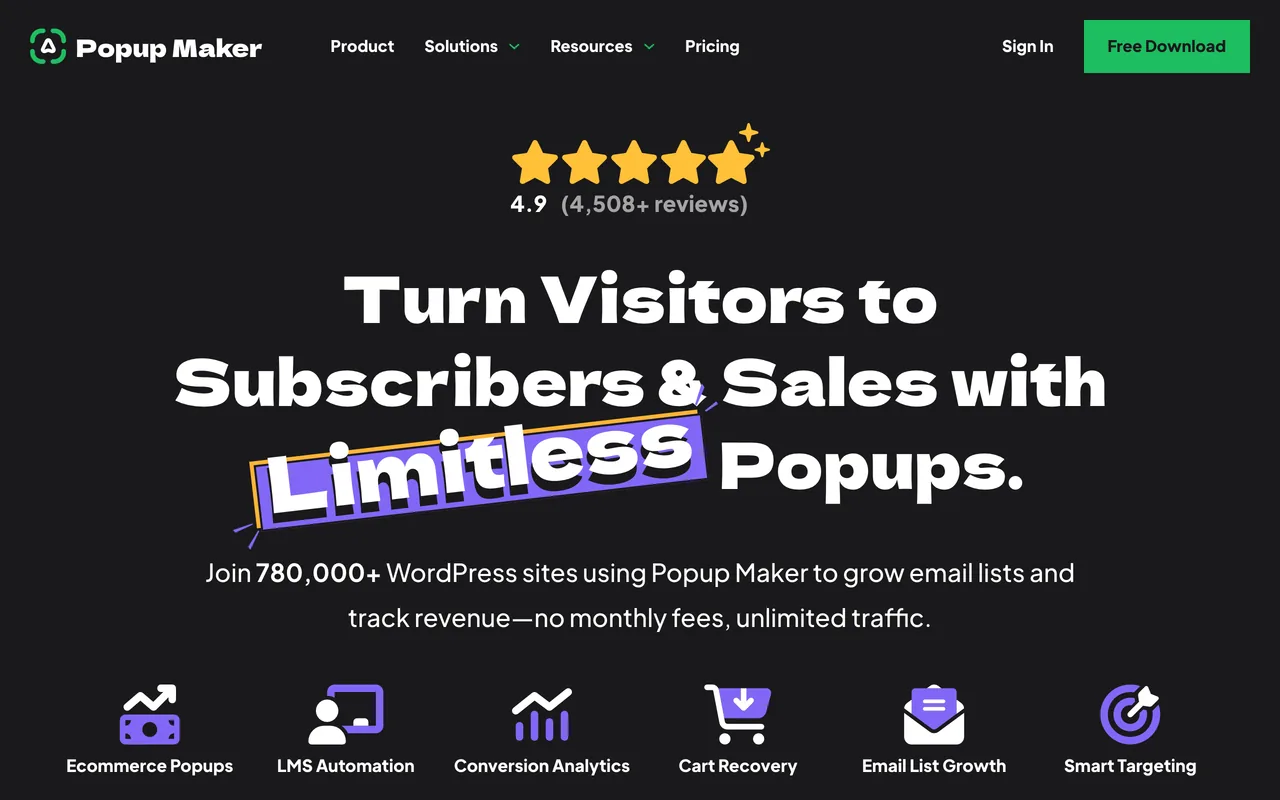
Key Features:
- Analytics (Pro)
- Advanced Theme Builder
- Age Verification Modals
- Scroll Triggered Popups (Pro)
- AJAX Login Modals
- Forced Interaction (Pro)
Popup Maker's WYSIWYG editor makes responsive popups easy to build.
The theme builder lets you create popup themes and set some display parameters.
Also, you can set the frequency at which popup forms will appear on your site with cookies.
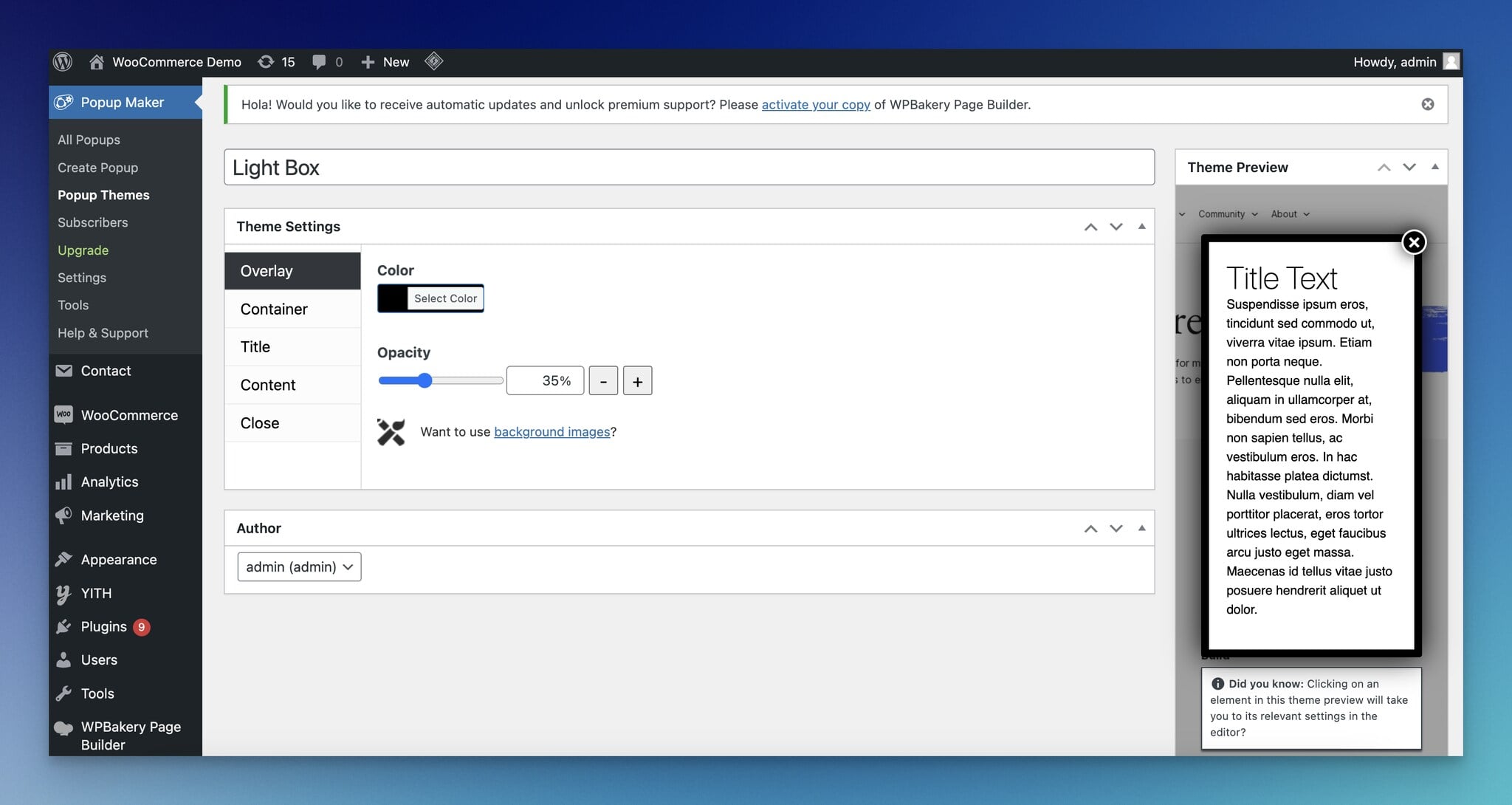
Pros:
- Unlimited popups and pageviews on the free plugin
- Open on a delay, a click or a form submission for free
- Target posts, pages, categories and tags
- Mobile responsive popups
- Its own subscription form and form-plugin integrations
- Priced per site, not by traffic
Cons:
- Exit intent, scroll triggers, analytics and split tests need Pro.
- WooCommerce actions such as cart abandonment need Pro+.
Pricing: The core plugin is free. Pro licences are yearly, read on 26 September 2026:
- Pro: $99 a year for 1 site,
- Pro+: $249 a year for 1 site, adding revenue attribution and WooCommerce actions,
- Pro for 5, 25 or 100 sites: $249, $599 and $1,299 a year.
A launch offer takes 40% off the first year, and one-site lifetime licences cost $299 (Pro) and $749 (Pro+). There's a 30-day money-back guarantee.
What We Think about Popup Maker?: Popup Maker is known mainly in the WordPress world, and its users often praise its customer service. For a WordPress-only site, Popup Maker's free plugin is the cheapest way to start, and it holds 4.9 out of 5 from 4,508 WordPress.org ratings. For the full side-by-side, see Popupsmart vs Popup Maker.
➤ WordPress Rating of Popup Maker: 4.9 out of 5 from 4,508 ratings.
- Active installations: 700,000+
- Requires WordPress Version: 6.7 or higher
- Compatible up to: 7.1.2
➤ G2 Rating of Popup Maker: 4.6 out of 5 from 11 reviews, as of 26 September 2026.
5. Popup Builder WordPress Popup Plugin
Best for a cheap licence across several sites
What Do Users Think about Popup Builder?: "Popup Builder is a highly effective Popup creator with a big variety of email collecting and targeting Popup types such as Mailchimp, AWeber, Geo, and Advanced targeting extensions, etc." - Mariam Y.
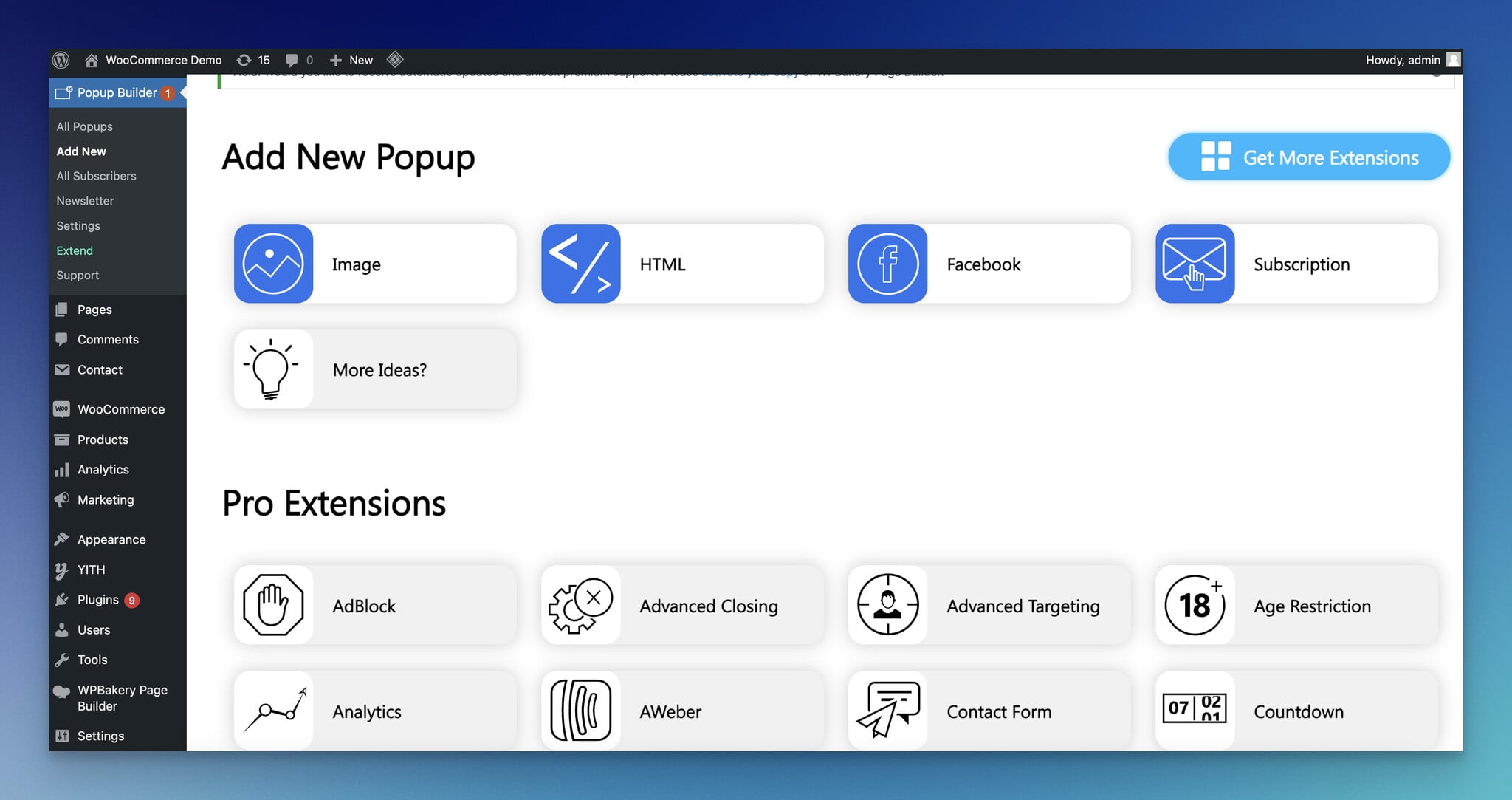
Popup Builder has 200,000+ active installations on WordPress.org, and its paid plans bundle all 28 of its extensions.
Key Features:
- Unlimited popup creation and customization
- Animation-based popups
- Time-based segmentation
- Compatible (WPML & DIVI)
- Extensions for countdown, login, registration, contact form and WooCommerce popups
- Geo targeting extension
You can create promotional modal popups to increase conversions of your website.
Pros:
- Different choices of targeting features
- The large scope of themes
- Effective exit-intent trigger
- Suitable for collecting email purposes
- Proper customization options
- Network compatible popups
Cons:
- Many of the useful features come as paid extensions, so the free plugin alone is limited.
Pricing: The plugin is free. Every paid plan includes all extensions, billed yearly, read on 1 October 2026:
- Starter: $49.95 a year for 2 websites,
- Business: $89.95 a year for 10 websites,
- Agency: $145.95 a year for unlimited websites.
What We Think about Popup Builder?: It could use a few more features. The team takes feedback and keeps improving the tool, though, and that counts for a lot. The per-year price for several sites is hard to beat if you manage more than one WordPress site.
➤ WordPress Rating of Popup Builder: 4.7 out of 5 from 2,215 ratings.
- Active Installations: 200,000+
- Requires WordPress Version: 4.2 or higher
- Compatible up to: 7.0.6
6. Icegram WordPress Popup Plugin
Best for scheduled notices
What Do Users Think about Icegram?: "Icegram was developed with your audience in mind, as the tool ranges from the free version to the full version that offers all the services provided." - Pedro Igor S.
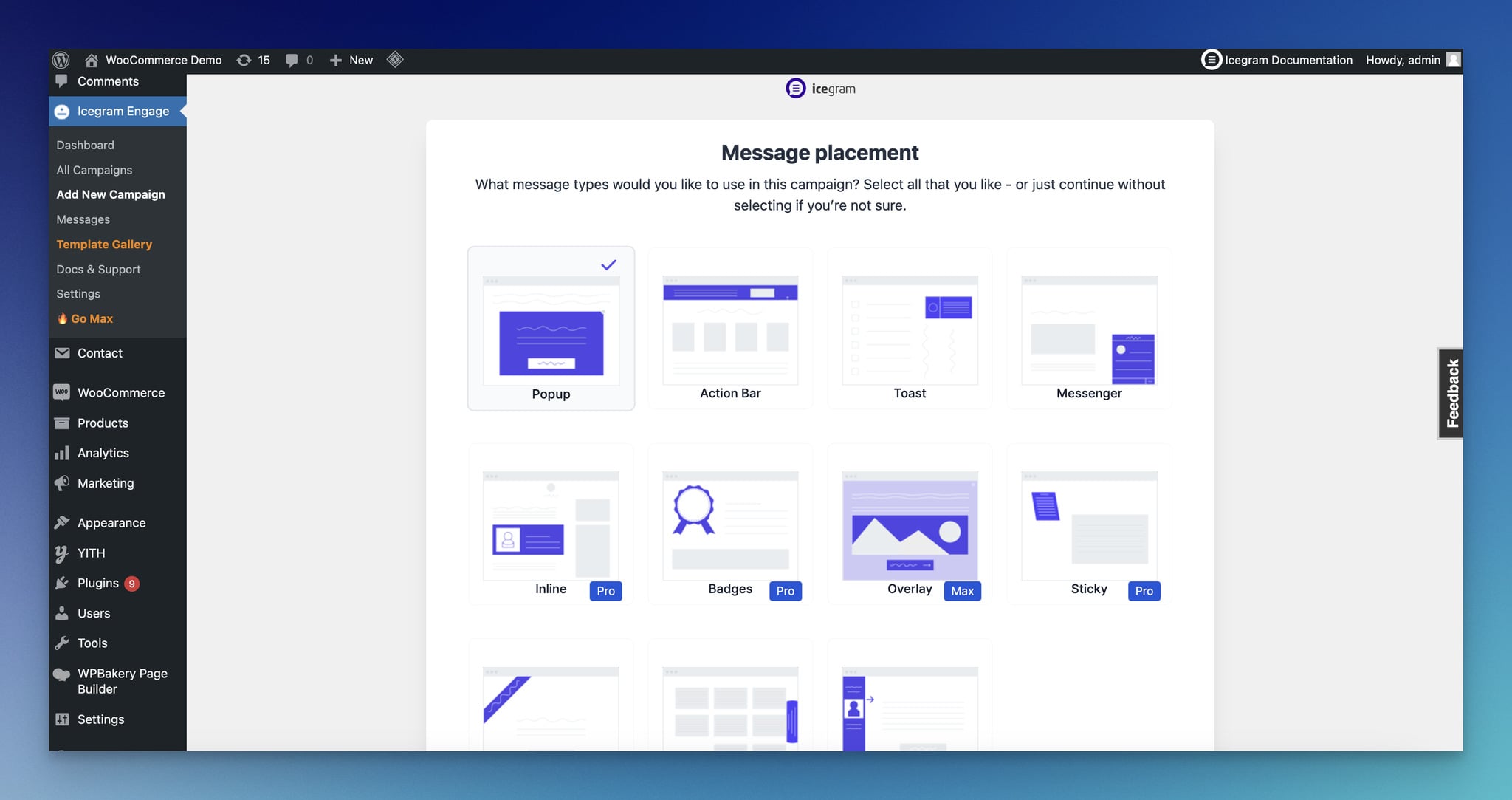
Icegram Engage turns visitors into subscribers with several opt-in formats: popups, action bars, toast notifications and messengers.

Key Features:
- Advanced Targeting
- Sleek Action Bars for lead generation
- Toast Notifications
- Appealing Slide-in Messengers
- Two-step opt-in
- A/B Testing (Max)
What sets Icegram apart from most of the others is that it does more than popups.
You also get messengers, a hello bar and toast notifications.
Pros:
- More flexible targeting options, such as pages, posts, and devices
- Responsive design
- Possibility to add custom CSS and JavaScript in the popup body
- Creating time-targeted popups and optimized lightboxes
- Straightforward to use
- Can show campaigns on sites that aren't on WordPress (Max)
Cons:
- The user interface is difficult and doesn't provide a drag-and-drop builder.
- A/B testing, geo targeting and the interstitial, overlay and sidebar formats need the Max plan.
Pricing: There is a free plan called Starter, for a single site.
- Max: $99 a year for up to 3 sites, read on 1 October 2026. Icegram offers a 30-day money-back guarantee.
What We Think about Icegram?: Icegram covers what most customers need. Split tests and the bigger popup formats sit in the Max plan, though.
➤ WordPress Rating of Icegram Engage: 4.7 out of 5 from 370 ratings.
- Active Installations: 10,000+
- Requires WordPress Version: 3.9 or higher
- Compatible up to: 7.1.2
7. Hustle WordPress Popup Plugin
Best for social sharing
What Do Users Think about Hustle?: "We used this plugin to build a beautiful pop-up to attract more users and increase the conversion rate. Thanks" - inblch98 (user nickname)
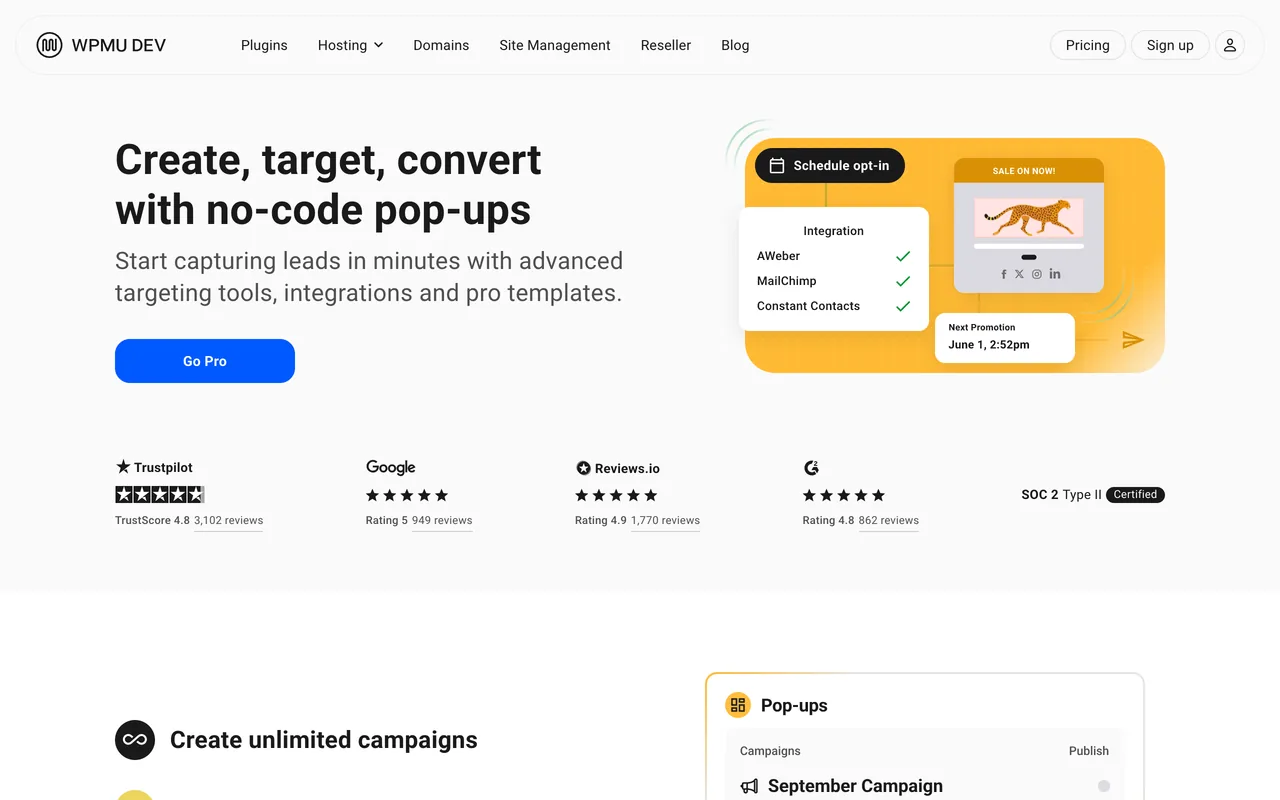
Hustle is an online marketing tool for WordPress, which was created by WPMU DEV.
You can create email opt-ins, popups, slide-ins, and floating social bars to increase conversions for your website.
Key Features:
- Advanced Targeting
- Exit Intent Technology
- Animations
- Analytics
- Integrations
- Compliance with GDPR
The design is easy to customize.
It has an advanced behavioral targeting system that allows users to use time, on-click, scroll, location, position, page, post, login, category, device, tag, and referral link.
Pros:
- Fast and steady tool
- Personalized messages
- Suitable for team usage
- Simple interface
- Floating share buttons
- Unlimited campaigns
Cons:
- Hustle Pro is sold only inside a WPMU DEV plan, alongside tools you may not need.
Pricing: The Hustle plugin is free. Hustle Pro comes with WPMU DEV's plans, read on 1 October 2026: Pro Basic $50 a year for 1 site, Pro Standard $75 a year for 3 sites and Pro Plus $100 a year for 10 sites. There's a 30-day money-back guarantee.
What We Think about Hustle?: In Hustle's WordPress.org reviews, the support team is what stands out. Hustle's free version covers more than most, and the paid plans are cheap if you already use WPMU DEV's other plugins.
➤ WordPress Rating of Hustle: 4.4 out of 5 from 859 ratings.
- Active Installations: 90,000+
- Requires WordPress Version: 6.4 or higher
- Compatible up to: 7.1.2
8. OptinMonster Popup Plugin
Best for flexible targeting options
What Do Users Think about OptinMonster?: "It helps us experiment with lots of different CTA and lead generation campaigns without writing the code ourselves" - Panos G.
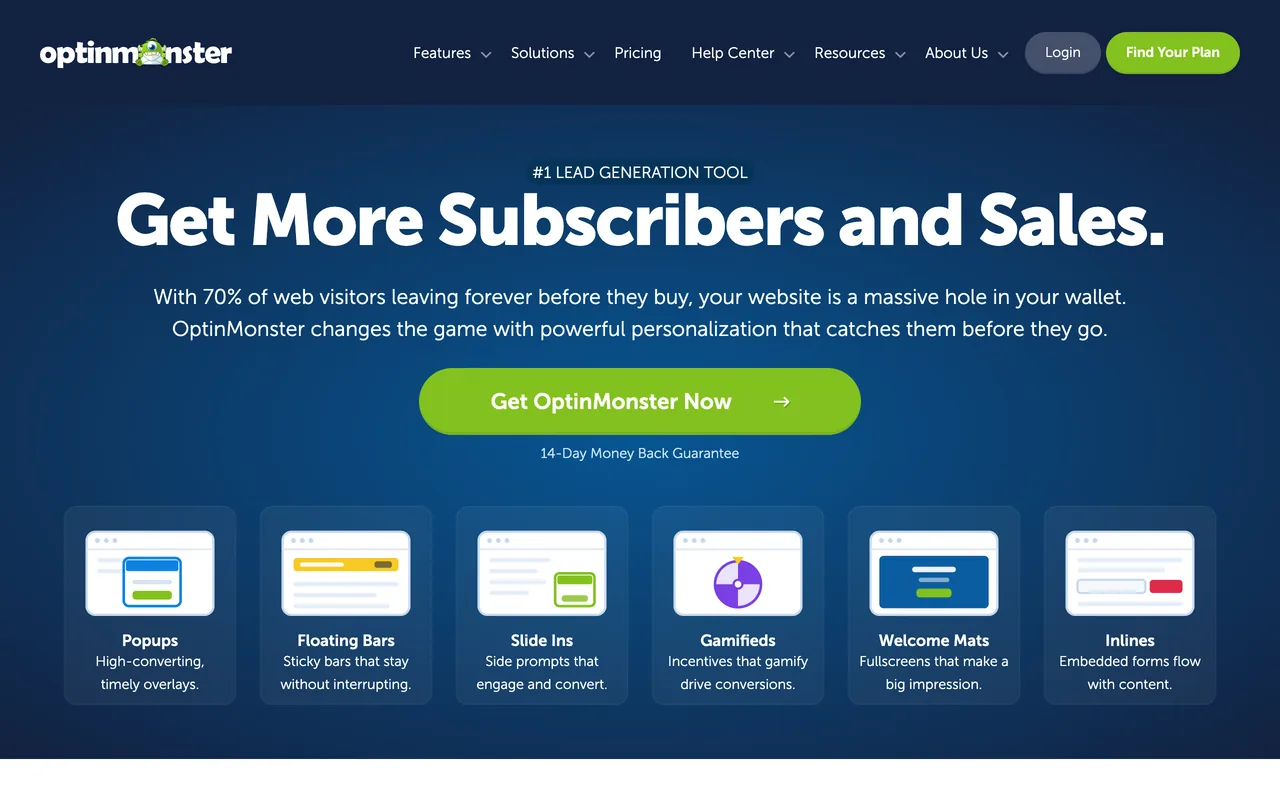
OptinMonster is a hosted popup builder with a WordPress plugin that has more than a million active installations. It bills by campaign impressions and unlocks features plan by plan.
Key Features:
- Lightbox/Fullscreen popup
- Inline and sidebar forms, content lockers
- 2-step opt-in technology
- Custom analytics
- Exit intent (from the Pro plan)
- A/B testing
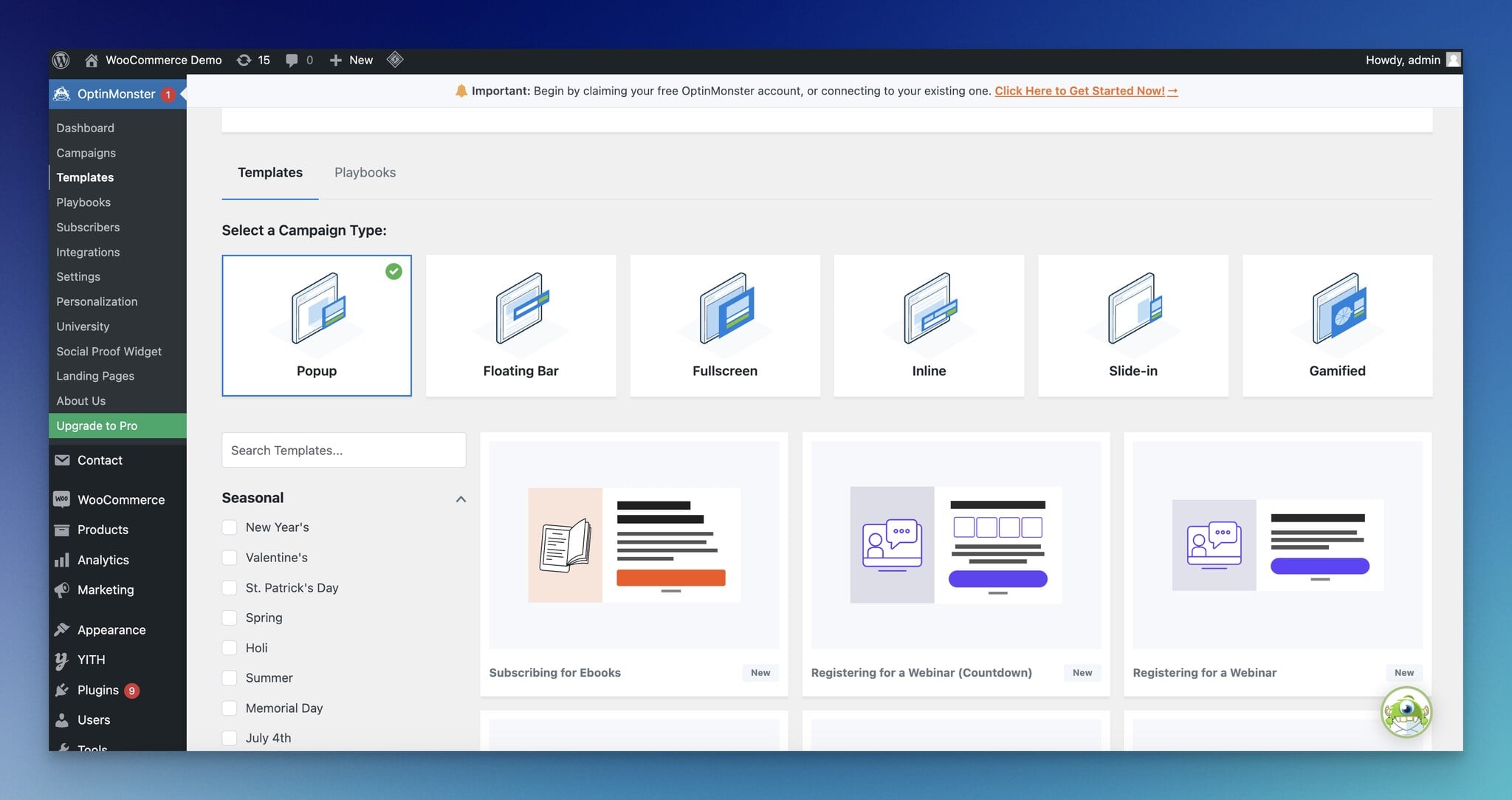
It provides a drag-and-drop popup builder for you to customize the popup campaigns without coding knowledge.
Pros:
- Different display options
- Advanced targeting options
- Adding custom fields
- The easy design of campaigns
- Agency sub-accounts
- Successful integration capabilities
Cons:
- There is no free plan, only a 14-day money-back guarantee.
- Exit intent and traffic-source targeting start on Pro; location and new-visitor targeting on Growth.
Pricing: Read on 26 September 2026. Monthly prices, with the first-year price on annual billing in brackets:
- Basic: $21 a month for 2,500 campaign impressions ($7 a month),
- Plus: $57 a month for 10,000 impressions ($19 a month),
- Pro: $87 a month for 25,000 impressions ($29 a month),
- Growth: $147 a month for 100,000 impressions ($49 a month).
Annual renewals are at full price.
What We Think about OptinMonster?: OptinMonster's loyal customers like its features. What they generally look for is a free plan, and it doesn't have one. It fits a site that wants forms inside its pages and follow-up campaigns; a team that wants exit intent on its cheapest plan will pay more here. Compare Popupsmart vs OptinMonster, or see OptinMonster alternatives.
➤ WordPress Rating of OptinMonster: 4.3 out of 5 from 817 ratings.
- Active Installations: 1,000,000+
- Requires WordPress Version: 6.0 or higher
- Compatible up to: 7.0.6
➤ G2 Rating of OptinMonster: 4.3 out of 5 from 108 reviews, as of 26 September 2026.
9. BDOW! (formerly Sumo) WordPress popup plugin
Best for collecting lead magnets
What Do Users Think about Sumo?: "Sumo is a tool that allows both the company and its website visitors' experience to be easy. I like how it makes sharing pages and posts on our website easy for our visitors…" -Verified User
BDOW!, the product formerly called Sumo, is built to help small businesses grow their email lists, with email sending in the same tool.

Key Features:
- Popups, welcome mats and inline forms
- Email broadcasts: 500 emails a month on the free plan
- Welcome emails and A/B tests on Pro
- Ecommerce features on Pro
- Social media sharing buttons
- ROI-focused Dashboard
It's an easy way to build an email list and reduce cart abandonment.
Pros:
- Customizable appearance
- Easy implementation
- A free plan that sends email too
- Social media sharing possibility
Cons:
- Beneficial features come with a premium option.
- The WordPress plugin was last updated on 5 June 2025.
Pricing: Read on 28 September 2026. There is a free plan for 1 site and 100 conversions, with BDOW! branding. Pro is $25 a month ($19 billed annually) for 1 site and 25K pageviews; Plus is $49 a month ($39 billed annually) for 3 sites.
What We Think about BDOW!?: Sumo was known for its whole kit of web tools more than for its popups, but plenty of people use the popups too. It suits a small site that wants forms and email in one tool.
If you wonder about the alternatives to Sumo, including Popupsmart, here they are: Sumo alternatives.
➤ WordPress Rating of BDOW!: 4.2 out of 5 from 519 ratings.
- Active Installations: 10,000+
- Requires WordPress Version: 4.7 or higher
- Compatible up to: 6.8.10
➤ G2 Rating of Sumo: 4.0 out of 5 from 55 reviews, as of 28 September 2026.
10. PopupAlly WordPress Popup Plugin
Best for basic and fast customization
What Do Users Think about PopupAlly?: "Popup Ally was SO easy to set up, and it looks very professional. I would highly recommend it. Saved me so much stress and time." - Kaelyrion, WordPress User for eight years.
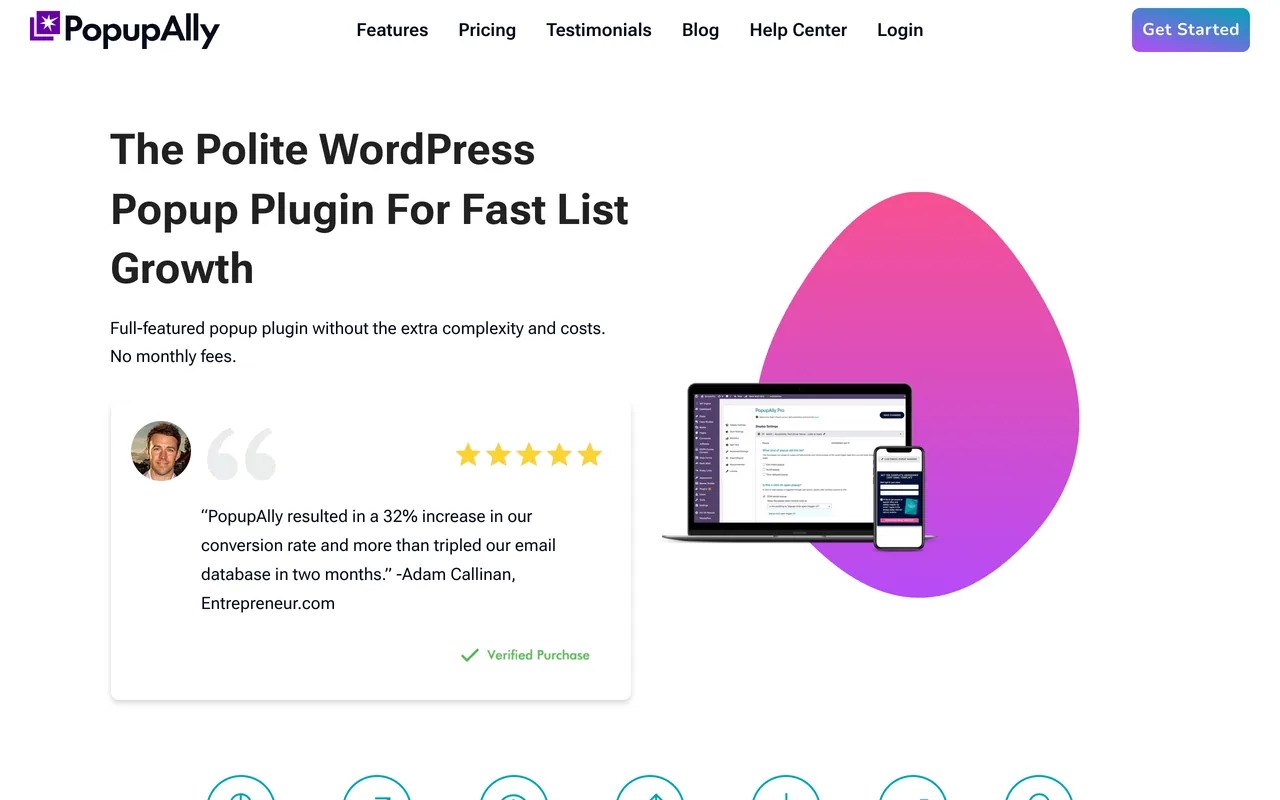
PopupAlly offers a lightbox popup to build a list and convert abandoning visitors with Exit-Intent technology.
Key Features:
- Integrations
- Exit-Intent
- A/B Testing
- Analytics
- Mini-Survey Popups
- Add Videos and Social Media Sharing Code
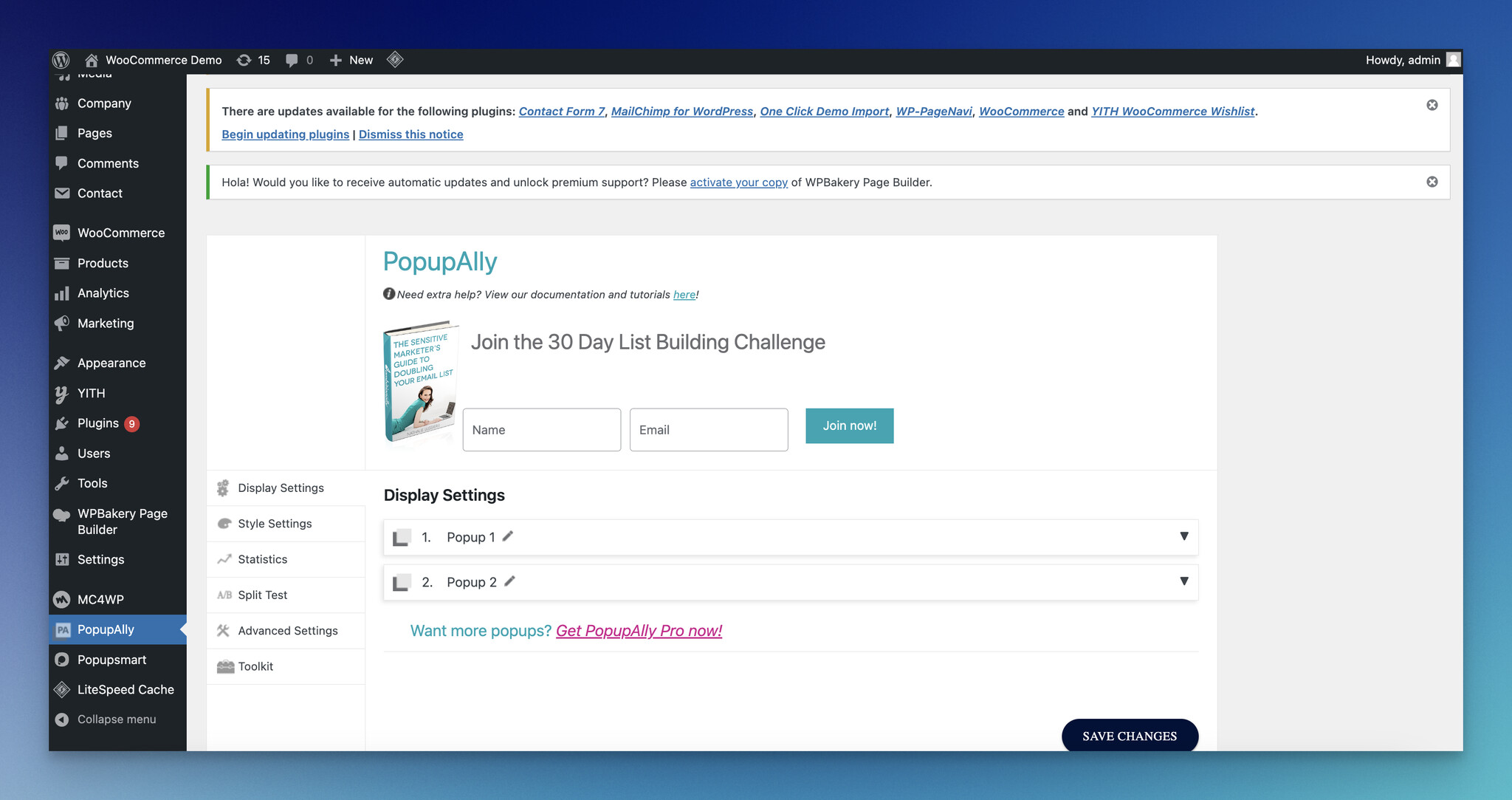
You can also embed an opt-in box to collect subscribers from inside your pages. The drag-and-drop design templates are flexible, too.
Pros:
- Support & Tutorials
- Easy Visual Editor
- Advanced settings of Popup Design
- Advanced settings of Drag-and-Drop Design Editor
- Mobile-friendly popups
- Email marketing providers
Cons:
- Almost all features come with the premium version.
- The user interface needs to be improved to be more modern and user-friendly.
Pricing: There is a free plugin, and one paid plan called PopupAlly Pro that costs $99 per year with unlimited popups, updates and support, read on 1 October 2026.
What We Think about PopupAlly?: PopupAlly looks good from a distance. Up close, there's more to improve for its users.
➤ WordPress Rating of PopupAlly: 4.1 out of 5 from 76 ratings.
- Active Installations: 2,000+
- Requires WordPress Version: 6.0 or higher
- Compatible up to: 7.0.6
11. Popups for Divi- Divimode WordPress Popup Plugin
Best for step-by-step beginning
What Do Users Think about Popups for Divi?: "I love this plugin! It worked beautifully straight out of the box, but by following the excellent tutorial provided by Divimode, I customized it to my exact needs." -Wendy, WordPress User, for six months.
Popups for Divi turns any section built in Divi's visual builder into a popup.
Divimode's website walks you through using it step by step, and the guidance is good.
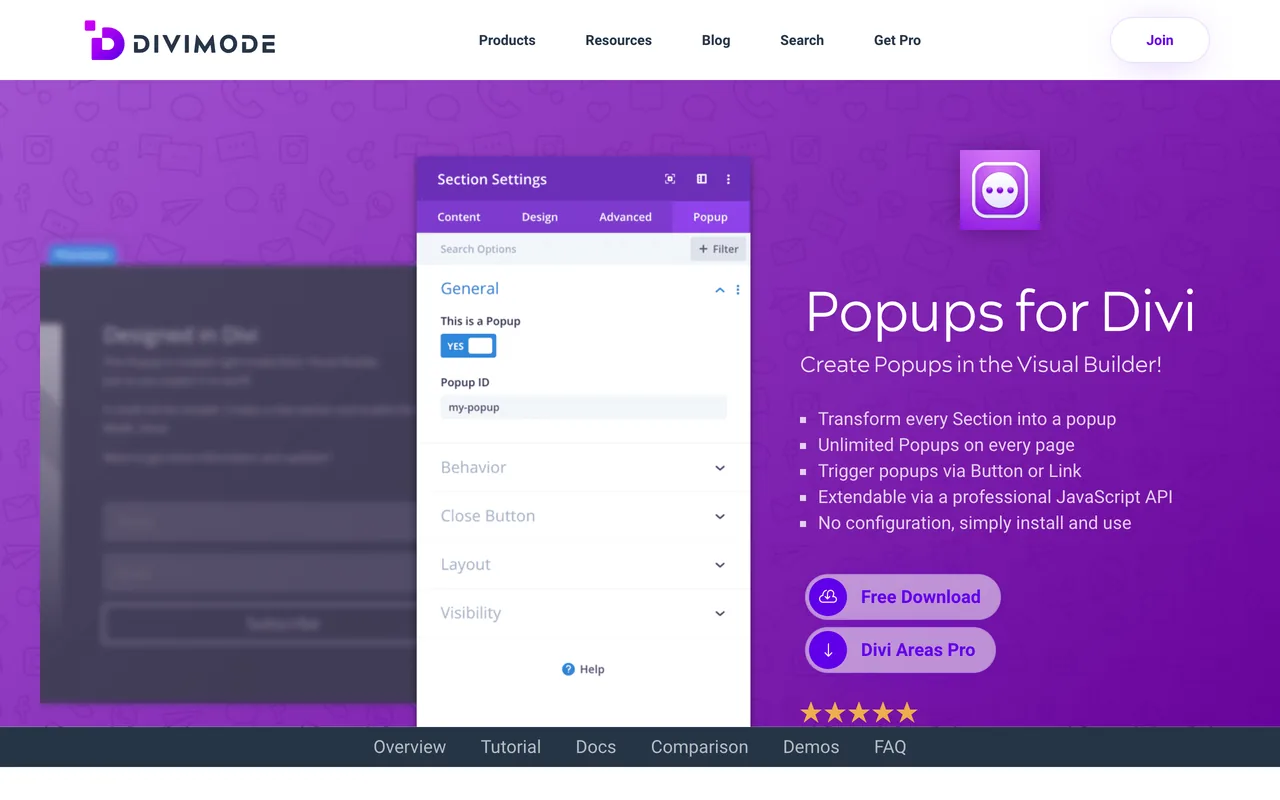
Key Features:
- CSS class options
- JS API documentation
- WP filter documentation
- Trigger popups via a button or link
- Unlimited popups on every page
Because it's part of the Divi family, it integrates easily.
Pros:
- Beautiful user interface
- Extendable customization
- Display-based adjustments
- Behavior-centered arrangements
- Compatible with different browsers
- Setting up easily
Cons:
- It needs the Divi theme, the Extra theme or the Divi Builder plugin.
- Users may sometimes experience some delays or glitches while publishing popups.
Pricing: It is free to use. However, if you want to grow your plan, there is Divi Areas Pro, which will give you more features. It costs $89 a year on 1 website or $169 a year on unlimited websites, shown at $44 and $84 in a 50%-off offer on 1 October 2026, with a 14-day money-back guarantee.
What We Think about Popups for Divi?: Users are generally happy with Popups for Divi. The catch: it only works on Divi sites.
➤ WordPress Rating of Popups for Divi: 4.8 out of 5 from 441 ratings.
- Active Installations: 100,000+
- Requires WordPress Version: 4.0.0 or higher
- Compatible up to: 7.0.6
12. TrustPulse WordPress Popup Plugin
Best for social proof
What Do Users Think about TrustPulse?: "Installation is seriously a breeze, and the support since day one has been excellent. The response times are quick, and the level of detail on any ticket is extensive." - Studio C5, WordPress User for a year.
TrustPulse is a no-code FOMO tool that manages notifications and user activity at the same time, from the OptinMonster company.

Key Features:
- Useful for membership websites
- Analytics and measurements
- Purchase and conversion notifications
- Action messages
- Popular visitor activity
- Smart targeting
TrustPulse shows visitors what other people on the site are doing. That social proof is the tool's main advantage.
Pros:
- Reliable support
- Easy to set up FOMO notifications
- Customizable to use
- Attractive design options
- Available for the usage of many industries
- Proper for different types of CMS
Cons:
- It shows notifications, not opt-in popups, and has no free plan.
- The WordPress plugin was last updated on 11 August 2025.
Pricing: Read on 1 October 2026, billed annually: Basic $5 a month (1 site, 1,500 unique visitors), Plus $10 (2 sites, 10,000), Pro $19 (5 sites, 25,000) and Growth $39 (10 sites, 100,000). The page lists them as normally $9, $17, $34 and $50 a month.
What We Think about TrustPulse: TrustPulse is a reliable tool, but it needs more ratings on WordPress.org before anyone can judge it well. Treat it as an add-on to a popup tool, not a replacement for one.
➤ WordPress Rating of TrustPulse: 4.5 out of 5 from 35 ratings.
- Active Installations: 10,000+
- Requires WordPress Version: 3.5.1 or higher
- Compatible up to: 6.8.10
13. Brave WordPress Popup Plugin
Best for many conversion widget types
What Do Users Think about Brave?: "Right from the first time I started using the plugin, I found it very easy to navigate around the settings and build attractive-looking popups for use on various websites." - Simon M., Chief Content Creator
Brave offers more than 200 conversion widgets, by its own count.
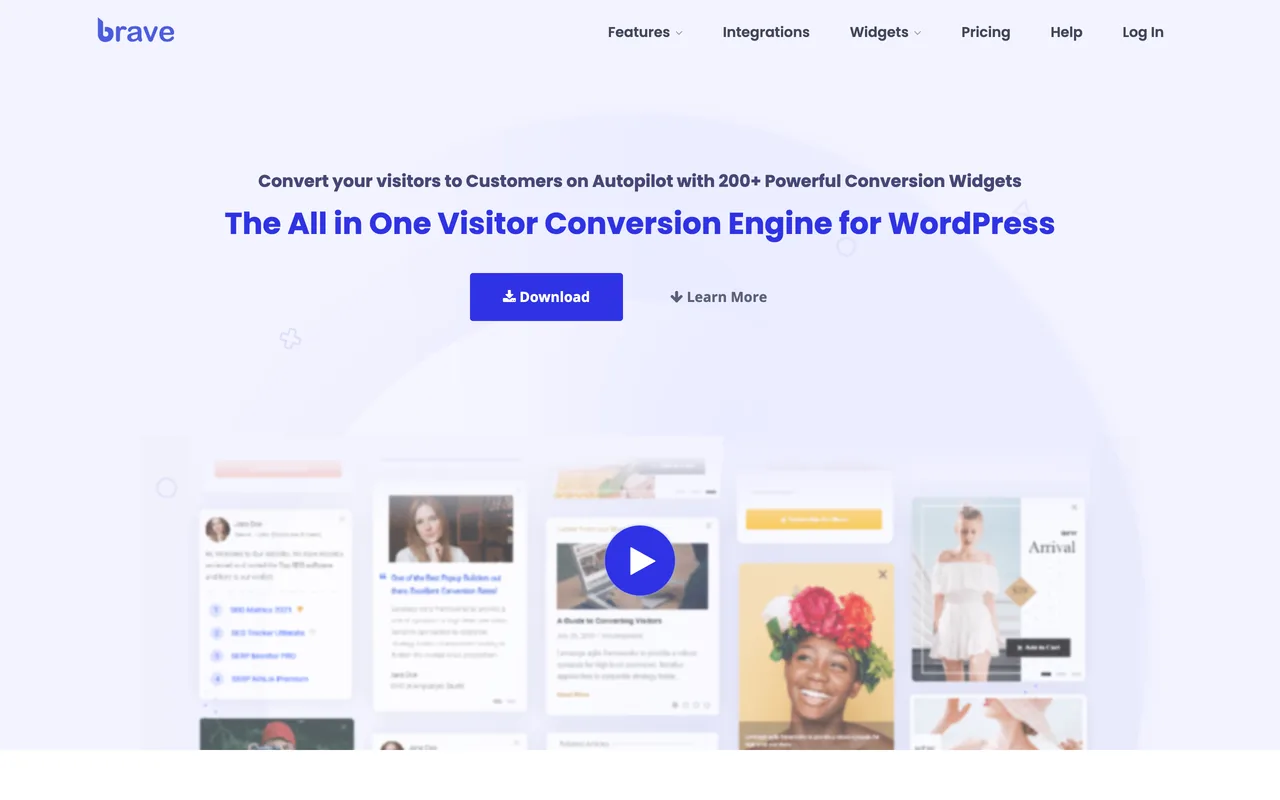
Key Features:
- User acquisition possibilities
- Opportunity to upsell and cross-sell
- Valid for initiating chats socially
- Custom banner ads
- Multi-step and animated popup templates
- Advanced design elements to use
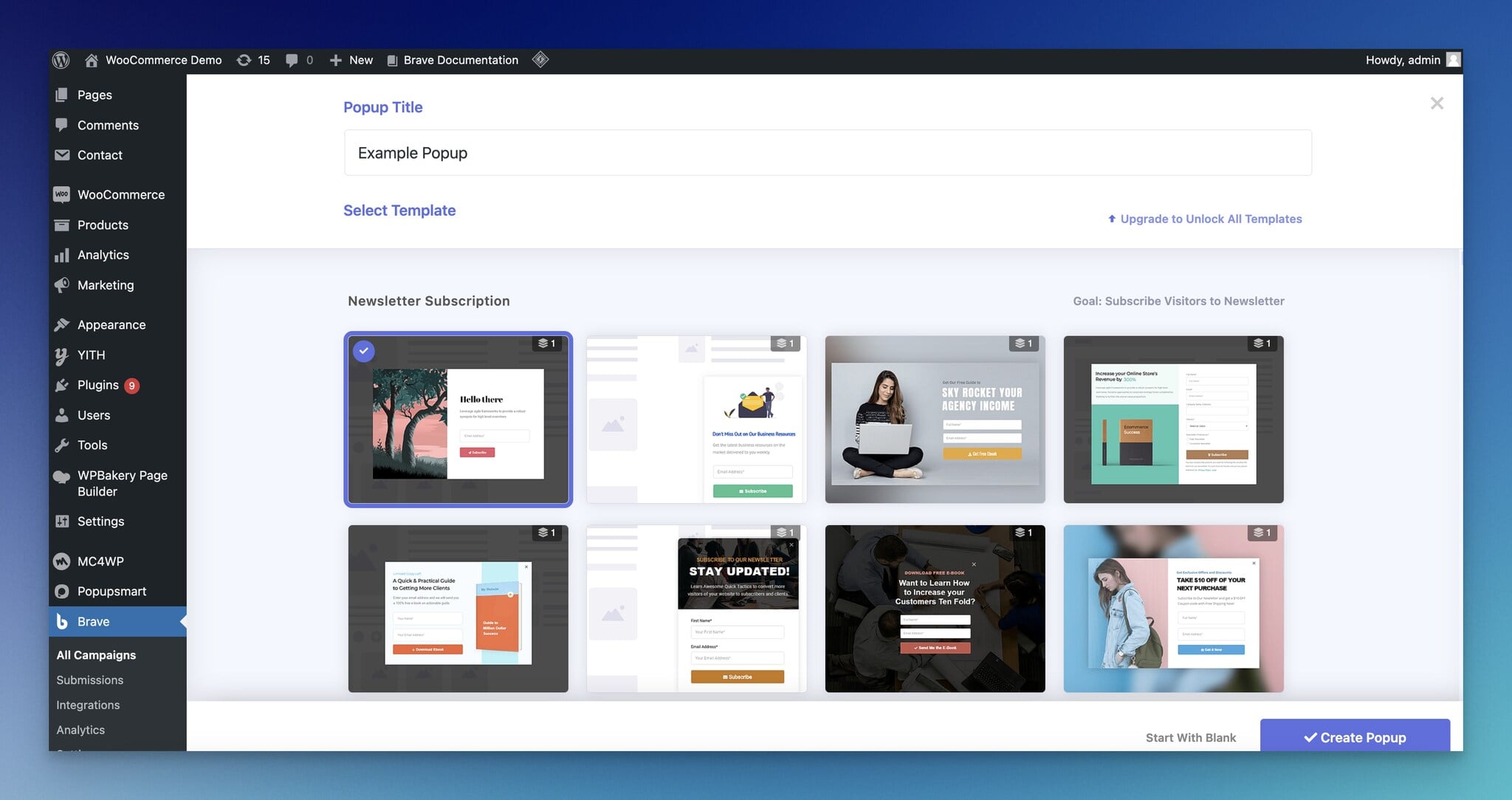
Also, the tool gathers several widget types in one plugin at a fair price.
Pros:
- Fast and quick system
- Good customer service
- Zero-coding needed
- Intuitive visual editor
- A free version to start
- Syncing with devices
Cons:
- You need to upgrade your plan to unlock all templates.
Pricing: The plugin has a free version. There are three pricing plans for Brave with a 30-day money-back guarantee: Brave PRO, Brave Mega, and Brave Ultimate. Brave PRO costs $59 per year with all features and a website; Brave Mega costs $99 per year with all features and ten websites; and Brave Ultimate costs $199 per year with all features and 100 websites. Read on 1 October 2026.
What We Think about Brave?: Brave is generous with its widgets and features since it offers them with all pricing plans. However, it might be better if Brave had a free trial of its paid plans.
➤ WordPress Rating of Brave: 4.8 out of 5 from 209 ratings.
- Active Installations: 20,000+
- Requires WordPress Version: 5.2 or higher
- Compatible up to: 7.1.2
14. WiserNotify WordPress Popup Plugin
Best for practical social proof engine
What Do Users Think about WiserNotify?: "I enjoy the platform's user-friendly interface and navigation." - Sharon C, Marketing and Advertising
WiserNotify is a social proof tool that shows sales popups, live visitor counts, reviews and countdowns.

Key Features:
- Website building platform integration
- Providing reviews from review platforms
- Customization options
- GDPR-compliant
- Collecting visitor insights
- A/B testing
- Live visitor count
WiserNotify's real-time activity notifications help you build trust with customers and visitors.
Pros:
- A fast alternative compared to social proof competitors
- Reliable data source
- Effective alert generation
- Easy to install
- Use on several domains on one plan
- Setting up announcements
Cons:
- It has no free plan, only a 7-day trial.
- The WordPress plugin has 900+ active installations, the fewest on this list.
Pricing: Read on 1 October 2026. Basic costs $59 a year for 5,000 visitors a month (yearly only); Pro starts at $16 a month for 10,000 visitors; Growth starts at $65 a month for 100,000 visitors. There's a 14-day money-back guarantee.
What We Think about WiserNotify?: WiserNotify has a lot going for it. As far as we can see, users have few complaints about the experience. As with TrustPulse, it sits beside a popup tool rather than replacing one.
➤ WordPress Rating of WiserNotify: 5 out of 5 from 29 ratings.
- Active Installations: 900+
- Requires WordPress Version: 5.1 or higher
- Compatible up to: 6.9.9
15. Elementor WordPress Popup Plugin
Best for providing web design and form building
What Do Users Think about Elementor?: "Elementor is very easy to handle, and in no time, you can learn how to use even complex functions. Most functions are useable via drag and drop, and there are a lot of templates/examples you can use…" - Peter E., Advisor.
Though Elementor is mainly a website builder that allows WordPress users to create effective pages, creating popups is also possible with Elementor's paid Popup Builder.

Key Features:
- Popup Builder with display conditions and triggers
- Full website kits
- Theme Builder and Form Builder
- Giving importance to design
- Custom code and CSS (from Advanced Solo)
- Lots of widgets to benefit from
You can also start from ready-made templates and build contact forms.
Pros:
- Intuitive user interface
- Drag-and-drop functionality
- Quick popups and widgets
- Diverse content support
- Responsive website skills
- Custom CSS
Cons:
- The free Elementor plugin and the Essential plan don't include the Popup Builder.
- Page loading part can be optimized.
Pricing: Read on 1 October 2026, billed annually. The Popup Builder starts on Advanced Solo at $84 a year for 1 site ($7 a month); Advanced is $108 a year for 3 sites. The Essential plan at $60 a year leaves the Popup Builder out. There's a 30-day money-back guarantee.
What We Think about Elementor?: People seem satisfied with Elementor's popups, and the rest of the builder comes along with them. If your site is already built with Elementor Pro, its Popup Builder is the natural choice; buying Elementor only for popups costs more than a popup plugin.
➤ WordPress Rating of Elementor: 4.5 out of 5 from 7,312 ratings.
- Active Installations: 10,000,000+
- Requires WordPress Version: 6.8 or higher
- Compatible up to: 7.1.2
Exit-intent popups on WordPress
An exit-intent popup opens when a visitor's cursor moves toward the browser's tab bar or close button, the moment before they leave. On WordPress you add one the same way as any popup: through a plugin, or through a hosted tool's script. What differs is the plan: several plugins keep exit intent out of their free version.
Which WordPress popup plugins include exit intent
| Plugin | Exit intent on | Price of that plan |
|---|---|---|
| Popupsmart | Every plan, the free one included | $0 |
| WP Popups | Basic and up | $35 a year |
| Popup Maker | Pro and up | $99 a year |
| OptinMonster | Pro and up | $87 a month, or $29 a month in the first year billed annually |
Read from each vendor's pricing page between 26 September and 1 October 2026.
How to set up an exit-intent popup on WordPress
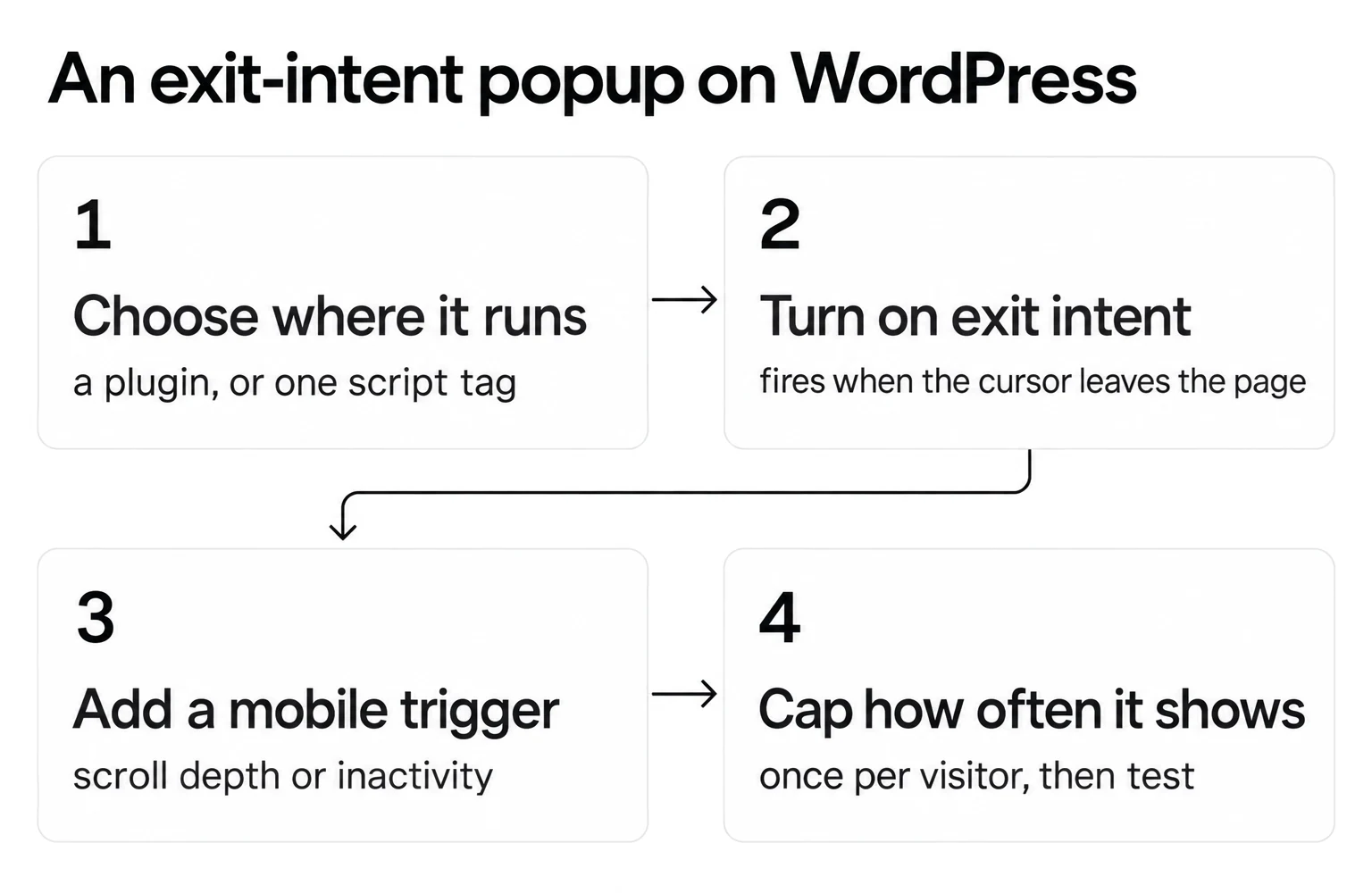
1. Choose where it runs: a WordPress plugin from the list above, or a hosted tool's script added once to your theme's header.
2. Turn on the exit-intent trigger. It fires when the cursor leaves the page, which only happens on a desktop.
3. Add a mobile trigger, such as scroll depth or inactivity, because phones have no cursor to leave the page.
4. Cap how often it shows: once per visitor is a sensible start, then test from there.
For the offers that work at that moment, see these exit-intent popup examples.
Does exit intent convert better?
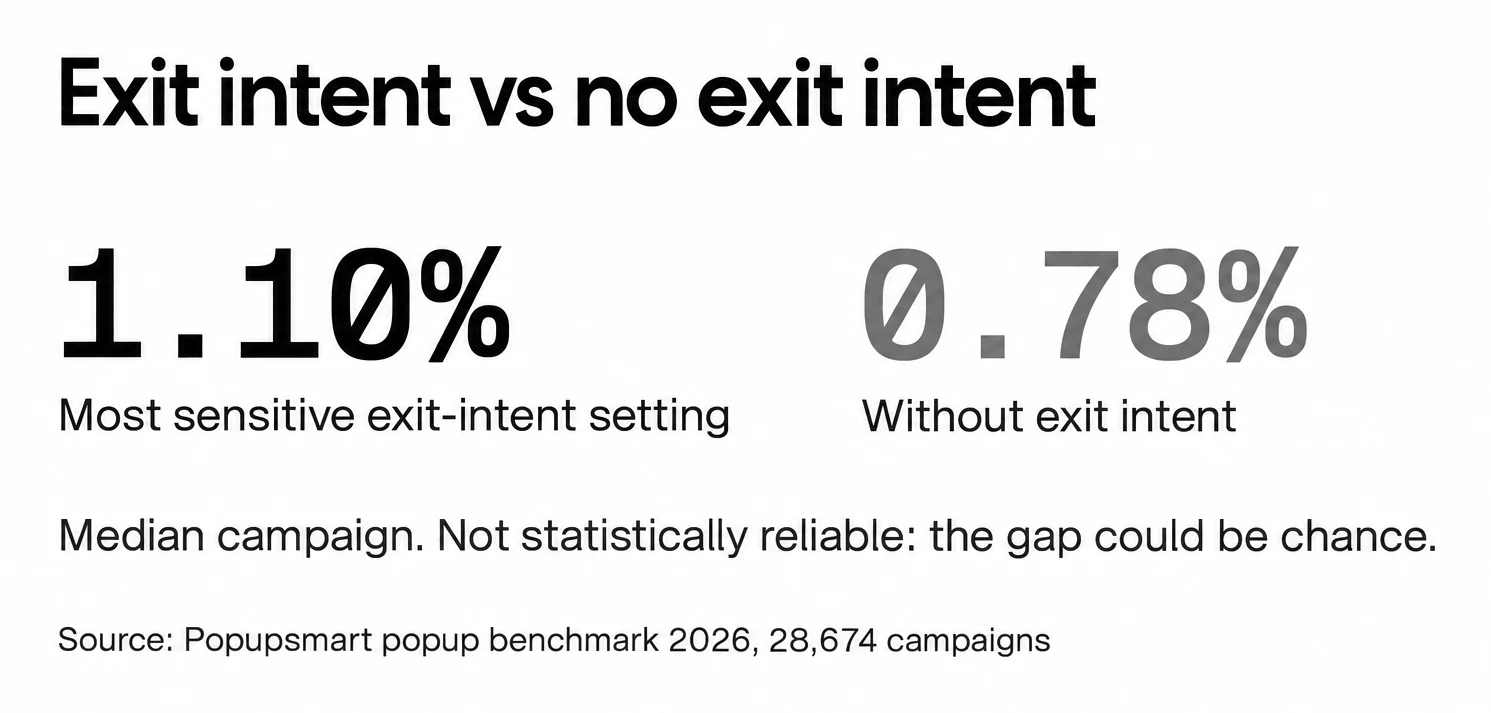
Not reliably, in our data. Exit intent shows no statistically reliable advantage: popups on the most sensitive exit-intent setting converted 1.10% vs 0.78% without exit intent (median campaign), a gap that could be chance. Timing matters a little more than the trigger type: popups that wait before appearing convert 0.83% vs 0.61% for popups shown the instant the page loads (median campaign); the direction holds in every year of data but the difference is not statistically reliable, so treat it as a lean, not a rule.
So an exit-intent popup is worth testing on WordPress, not a guaranteed win. We looked at the question in more depth in do exit-intent popups work?
Things to Consider When Choosing a WordPress Popup Plugin
The plugin you pick shows up in your engagement and conversion numbers. Check these before you choose:
- It works with your WordPress version and the other plugins you run. The "Tested up to" line under each plugin above shows how recently it was checked.
- You can set it up and use it without much coding.
- It has enough customization options to match your brand and site design.
- It has the features you need: exit-intent triggers, analytics, targeting and the popup types you'll use. Check which plan each one is on: exit intent is free on some tools and paid on others.
- It doesn't slow your pages down, since load time affects SEO and the visitor's experience. Test key pages with and without it, and prefer one that loads its files only where a popup can show.
- It's updated regularly and the support is reliable.
- The price matches what you'll use. Plugins sell yearly licences per site; hosted tools bill by pageviews, impressions or visitors, so compare at your own traffic.
- Its reviews hold up. Read the number of ratings as well as the score.
If you'd rather skip the plugin, here's how to create a popup in WordPress without a plugin.
To Wrap Up
WordPress popup plugins turn visitors into subscribers and customers when the popup, the offer and the timing fit.
For a free start on a WordPress-only site, Popup Maker is hard to beat. For exit intent on a small budget, WP Popups' Basic plan is the cheapest plugin route. For formats beyond popups, OptinMonster. For exit intent and targeting on a free plan, and one account across WordPress and other sites, start with Popupsmart.
And if you don't run a shop, popups still work for announcements and engagement.
Frequently Asked Questions
Do WordPress Popup Plugins Slow Down My Website?
It depends, and they can. A popup plugin adds its own scripts and styles, and some load them on every page even where no popup can show. Test your pages with and without the plugin, check whether it loads assets only where a popup is eligible, and keep the number of active popup tools to one.
Is It Possible to Switch from One Popup Plugin to Another?
It also depends. Based on the functionality of importing and exporting data from popup plugins, migration can be easy or not. In practice, most WordPress popup plugins don't export their designs to other plugins. Plan to rebuild the popups and their display rules, and export your subscribers from your email tool rather than from the plugin. A hosted tool that runs from one script is easier to move between sites than a plugin.
Is Integration Important While Choosing a WordPress Popup Plugin?
Yes, exactly. You will be dealing with a large amount of leads and, thus, people. A popup that collects emails is only useful if the leads reach the tool that emails them. Check that the plugin connects natively to your email or CRM tool, or through Zapier or a webhook, and which plan that connection is on.
What is the best free WordPress popup plugin?
Popup Maker's free plugin has no pageview or popup limit and is rated 4.9 out of 5 from 4,508 ratings on WordPress.org, read on 1 October 2026. Popup Builder, WP Popups, Hustle, Icegram Engage, Brave and Popups for Divi also have free versions; exit intent and advanced targeting are usually paid add-ons.
Which WordPress popup plugins include exit intent?
Popupsmart has exit intent on every plan, the free one included. WP Popups adds it from its Basic plan at $35 a year, Popup Maker from Pro at $99 a year, and OptinMonster from its Pro plan at $87 a month, or $29 a month in the first year billed annually.
How much does a WordPress popup plugin cost?
Most WordPress popup plugins have a free version and sell a yearly licence per site: WP Popups from $35, Popup Builder from $49.95, Brave from $59, and Popup Maker, MailOptin, Icegram Engage and PopupAlly from $99 a year. Hosted tools bill monthly: Popupsmart from $39 a month and OptinMonster from $21 a month.
Can I add a popup to WordPress without a plugin?
Yes. You can paste a hosted popup tool's script into your theme's header, or build a small popup with HTML, CSS and JavaScript. A plugin or hosted tool is easier when you need targeting, triggers and form integrations.
Recommended Blog Posts
If you are a WordPress owner or a potential one, you should look at these blog posts: