ChatGPT
 Perplexity
 Claude
 Grok
Grok Google AI Mode
Summary of all 6 tips to use e-commerce trust badges:
1. Add trust badges to your homepage — set the right first impression
2. Display trust badges in popups — reinforce security at high-friction moments like exit intent and cart addition
3. Place guarantee badges on product pages — reduce purchase hesitation right next to the buy button
4. Use endorsement seals in email footers — build ongoing credibility across every marketing touchpoint
5. Stack security badges on the checkout page — answer security concerns at the moment shoppers enter their card details
6. Show payment badges in your site footer — signal legitimacy on every page, sitewide
What Are E-commerce Trust Badges?
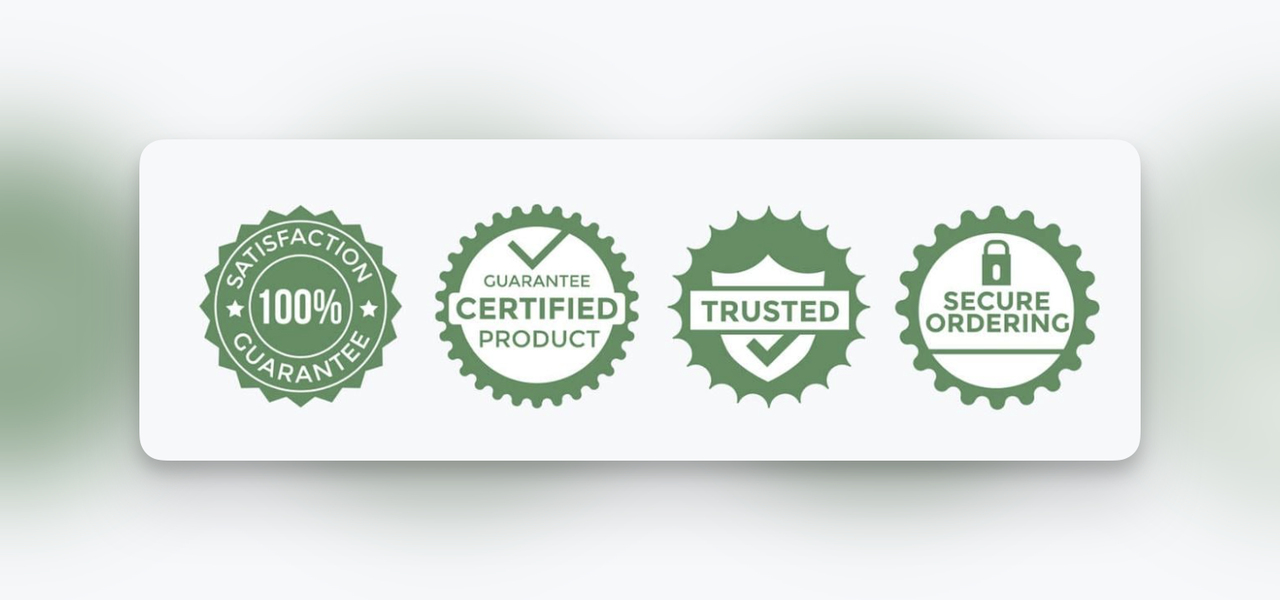
Trust badges (also called site seals or trust signals) are small icons placed on e-commerce websites to communicate security, reliability, and credibility. They range from SSL certificate seals and payment processor logos to third-party endorsements and satisfaction guarantees.
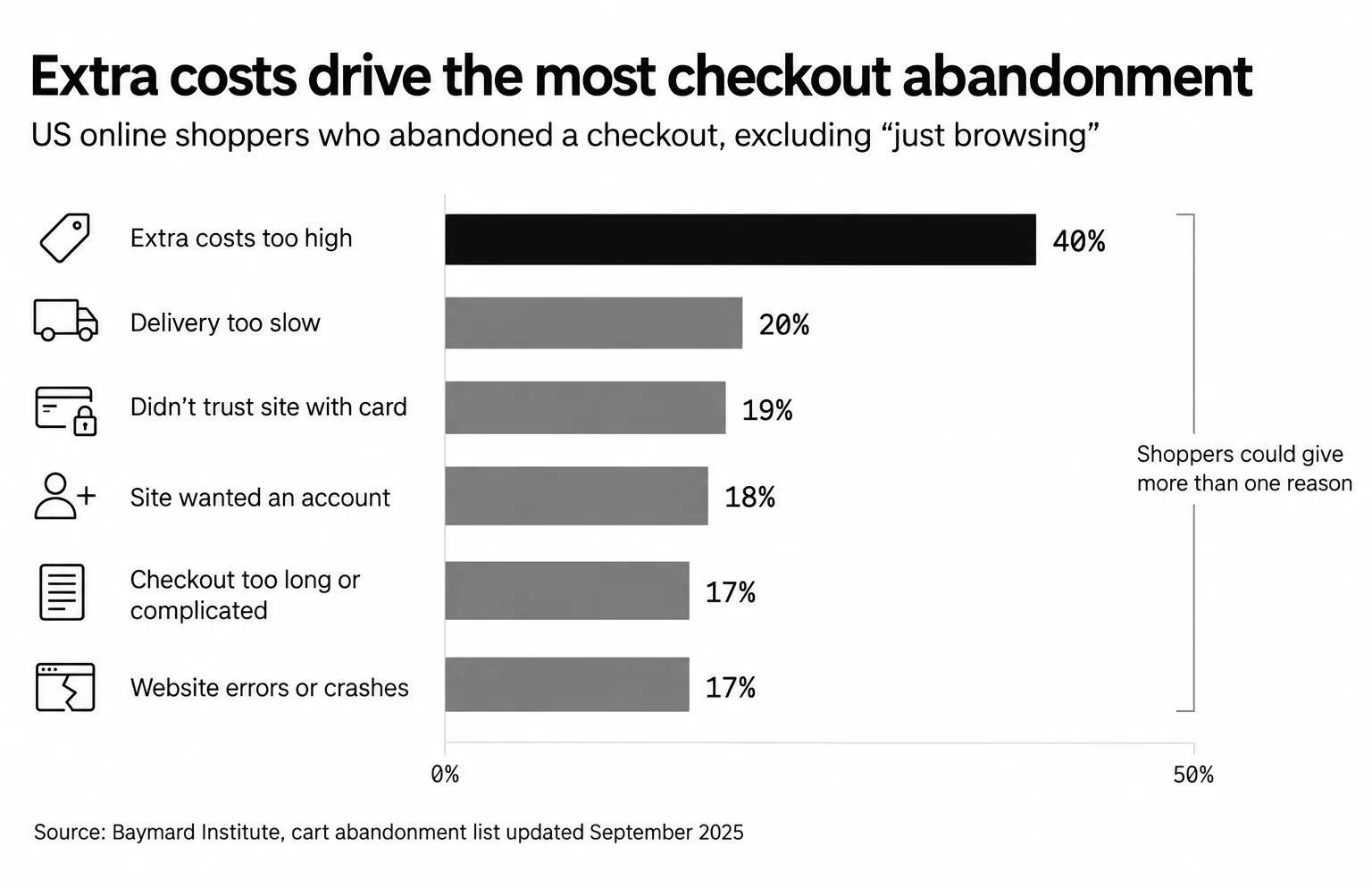
Why do they matter? In a 2025 Baymard Institute survey of 1,026 US adults, 19% had abandoned a checkout in the previous three months because they didn't trust the site with their credit card information. That's a large slice of revenue lost to a problem trust badges directly address.
The average documented cart abandonment rate is 70.22%, according to Baymard's list of 50 studies (updated September 2025), and security anxiety is a consistent driver; the cart abandonment statistics barely move year to year. Trust badges won't fix bad pricing or poor UX, but they remove one of the most common psychological barriers between a shopper and the checkout button.
That anxiety is higher in 2026 than it was even a year ago. A TrustedSite 2026 survey of 1,295 US shoppers found that over 90% are concerned about AI-related shopping threats: 94% about fake businesses created with AI-generated content, 93% about AI-generated phishing emails impersonating retailers, and 91% about fake product reviews written by AI. US consumers also lost $38 billion to identity fraud and scams in 2025, according to Javelin Strategy & Research's 2026 Identity Fraud Study, cited in the same post. A badge that proves a real security check happened carries more weight when shoppers assume scams are everywhere.
Why Should You Use Trust Badges in E-commerce?
Trust badges serve multiple functions beyond just "looking secure." Here's what they actually do for your bottom line:
• Reduce transaction anxiety: SSL seals and payment gateway logos (PayPal, Visa, MasterCard) visually confirm that financial data is encrypted during checkout
• Lower cart abandonment: They reassure shoppers who are about to abandon over security concerns, right at the moment of decision
• Build first-visit credibility: New visitors have zero brand familiarity. A verified merchant seal or industry endorsement badge gives them a reason to stay
• Lift conversion rates: As hesitation at checkout drops, more visitors finish their purchase. Measure the effect in your own store with an A/B test
• Support repeat purchasing: Guarantee badges like "30-Day Money-Back" don't just close the first sale. They make customers comfortable enough to return
Verified badges specifically move the needle. According to TrustedSite, 82% of shoppers are more likely to trust a site that prominently displays a third-party verified trust badge, and 74% say seeing the TrustedSite badge on an unfamiliar site would make them more likely to complete a purchase.
Types of E-commerce Trust Badges
Not all trust badges serve the same purpose. Choosing the right type depends on where your customers feel the most friction. Here are the five main categories:
| Badge Type | What It Signals | Common Examples | Best Placement |
|---|---|---|---|
| Security badges | Data encryption and site safety | Norton Secured, McAfee, SSL certificate seals | Checkout page, footer |
| Payment badges | Accepted payment methods | Visa, MasterCard, PayPal, Apple Pay, Stripe | Footer, checkout page |
| Endorsement badges | Third-party validation | BBB Accredited, Google Customer Reviews, TrustPilot | Homepage, product pages |
| Guarantee badges | Risk reversal for the buyer | Money-back guarantee, satisfaction guarantee, free returns | Product pages, checkout |
| Shipping badges | Delivery reliability | Free shipping, fast delivery, tracked shipping | Product pages, cart page |
Some seals carry far more recognition than others. Among security badges, Norton and McAfee are the best-known names, while TrustedSite has become a common choice for smaller stores that want a third-party check. For endorsement, BBB Accreditation, Google Customer Reviews, and TrustPilot are the most common widgets.
The most effective approach is to mix badge types based on page context. A checkout page needs security and payment badges. A product page benefits from guarantee and endorsement badges. Your homepage should carry a broad trust signal like a BBB seal or Google Customer Reviews widget.
1. Add Trust Badges to Your Homepage: Set the First Impression
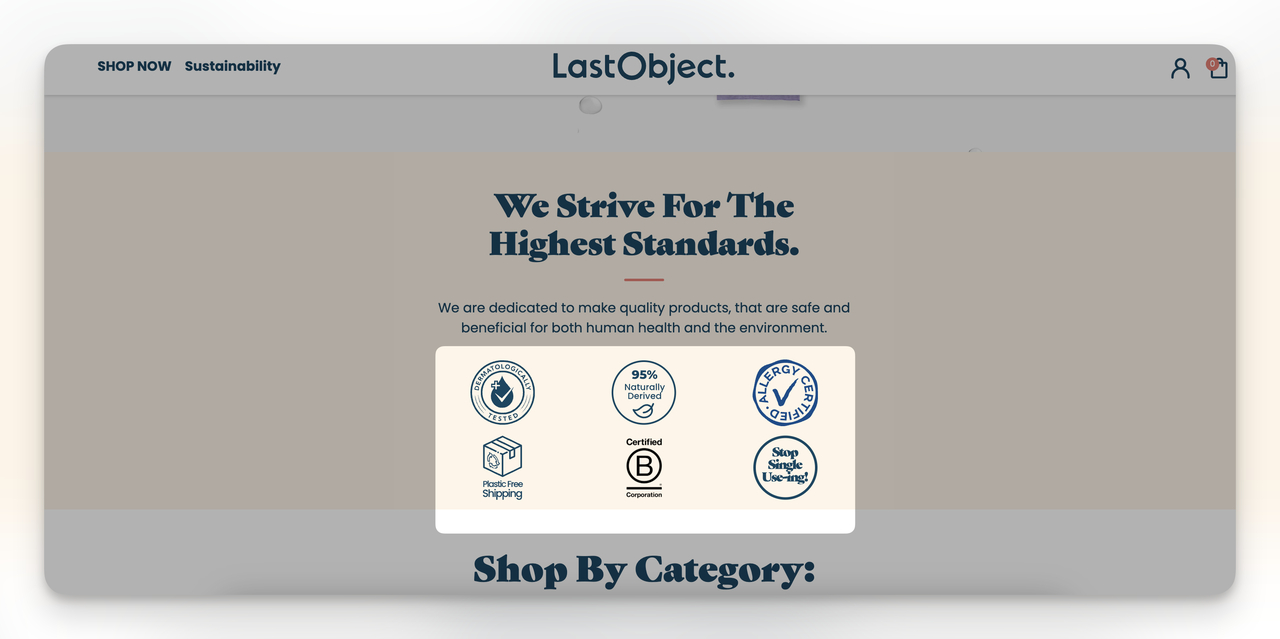
Homepage trust badges are security seals, endorsement icons, or verified merchant stamps placed above the fold or in the hero section of your e-commerce site. They target the very first moment a visitor evaluates your legitimacy.
How to implement
1. Pick 2-3 trust badges that match your brand's actual credentials. If you have an SSL certificate, display the seal. If you're BBB-accredited, use that badge. Don't display badges you haven't earned.
2. Place them in the header area or directly below your hero section. They should be visible without scrolling on both desktop and mobile.
3. Keep badge sizes consistent (40-60px height works well) and align them with your site's color palette. Badges that clash with your design look fake, which defeats the purpose.
4. Make sure badges link to their verification page when applicable. A Norton seal that links to Norton's verification lookup is more credible than a static image.
What to expect
Homepage badges alone won't produce a dramatic lift. They work best as part of a full-site trust strategy that reinforces confidence at every stage of the buyer journey. To see their effect, test a version with badges against one without, on enough traffic.
2. Display Trust Badges in Popups: Reinforce Security at High-Friction Moments
Popup-based trust badges appear at critical decision points, like when a shopper is about to leave the site, adds an item to the cart, or reaches the checkout page. Unlike static page badges, ecommerce popups demand attention. They interrupt the abandonment pattern and give hesitant shoppers a reason to reconsider. Popups convert because they target behavior rather than page position.
How to implement
1. Use a popup builder to create a campaign with specific trigger rules. Set the trigger to "Exit Intent" for payment or checkout pages.
2. Design 3-4 popup variations, each featuring a different badge type:
• Safe checkout badge — trigger when the customer proceeds to checkout
• Fast delivery badge — display on product pages or during cart review
• Free shipping badge — trigger when items are added to cart
• Secure payment options badge — show Visa, MasterCard, PayPal logos at the payment step
3. Add a "100% Money-Back Guarantee" badge inside an exit-intent popup on your payment page. This gives abandoning shoppers a safety net.
4. Run an A/B split test between badge variations to find which converts best for your audience. Test for at least 14 days, and don't call a winner until each variant has had enough visitors.
5. Cap how often the popup shows. In Popupsmart's 2026 popup benchmark, the first two times a visitor sees a popup in a week convert at similar rates (1.33% and 1.22% of displays, pooled); from the third view conversion falls, and from the sixth view it is 0.41%, 31% of the first-view rate. Don't show the same trust-badge popup to a visitor more than twice a week.
What to expect
Where the popup shows changes the result. In Popupsmart's 2026 benchmark, popups on cart and checkout pages convert 4.57% vs 1.07% on the home page (median campaign); blog pages convert 0.23%. These are conversions per popup display, so don't compare them with your store's sales conversion rate.
Keep expectations for the trigger realistic too. Exit intent shows no statistically reliable advantage: popups on the most sensitive exit-intent setting converted 1.10% vs 0.78% without exit intent (median campaign), a gap that could be chance. Test your exit-intent badge popup against a version that opens when a shopper adds to cart, and pick the winner from your own data. For how shoppers weigh other people's experiences, see these social proof statistics.
3. Place Guarantee Badges on Product Pages: Remove the Purchase Barrier
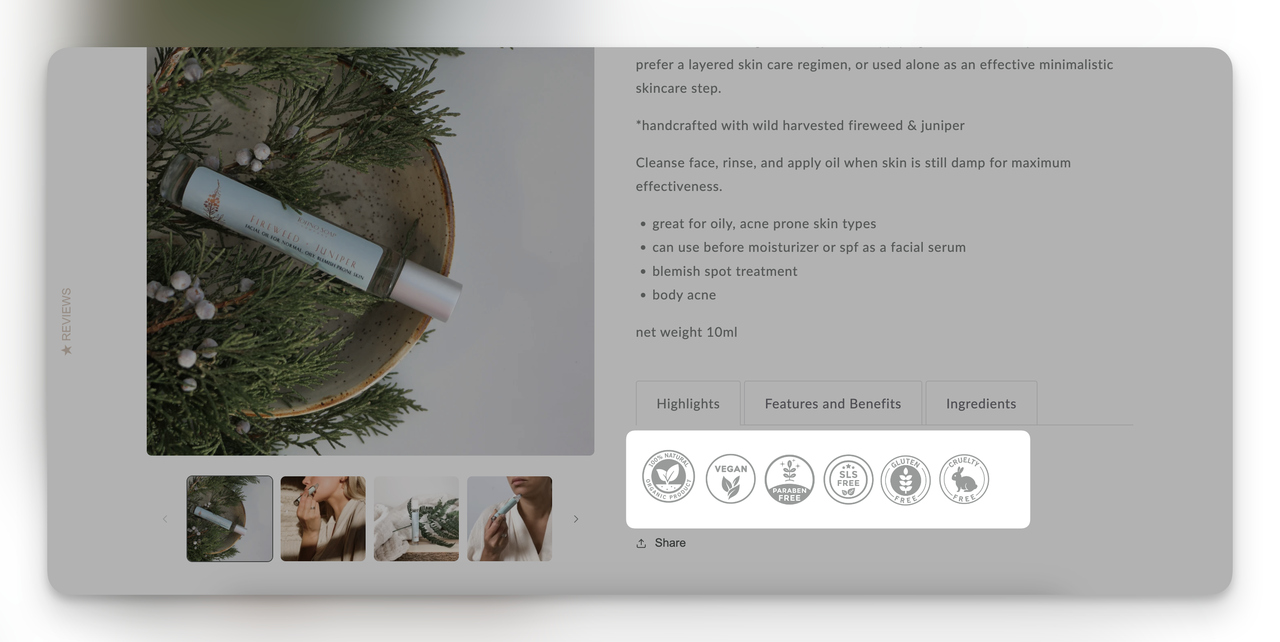
Guarantee trust badges on product pages — like "30-Day Money-Back Guarantee" or "Cruelty Free" — sit directly below the "Add to Cart" or "Buy Now" button. They answer the shopper's unspoken question: "What if this isn't what I expected?" Unlike security badges that address data fears, guarantee badges address product-quality fears. That distinction matters because each page in your funnel has a different anxiety profile.
How to implement
1. Identify the top concern for your product category. Beauty products need "cruelty free" or "dermatologist tested." Electronics need warranty badges. Apparel needs "free returns."
2. Place the badge directly below the CTA button, not in the sidebar or footer. Shoppers make the buying decision next to the button, so that's where the badge needs to be seen.
3. Use brief supporting text next to the badge. "30-Day Money-Back Guarantee — No questions asked" is more persuasive than the icon alone.
4. If you sell across categories, use conditional logic to display relevant badges per product type. A supplements store should show "GMP Certified" on supplements and "Free Returns" on apparel.
5. Test badge placement above vs. below the CTA button over a 4-week period. Which position wins can depend on the product's price and category.
What to expect
Skincare brand Tower 28 features seals of acceptance from the National Eczema Association on their product pages. As Shopify reports, founder Amy Liu tied the seal to the brand's promise on the Shopify Masters podcast: "How do you make sure you have a unique selling proposition or brand promise in a crowded industry? For us, so much of that is the National Eczema Association." For customers who need assurance about product safety, an endorsement badge does exactly that job. How much a guarantee badge lifts sales depends on the product and its price; an A/B test is the way to measure it.
4. Use Endorsement Seals in Email Footers: Build Trust Beyond Your Website
An endorsement or review trust badge in your email footer extends your credibility signal beyond the website itself. Every marketing email, transactional confirmation, and newsletter becomes a trust-building touchpoint. This is especially effective for e-commerce brands running email marketing campaigns where recipients may not have visited the site recently and need a reminder of your legitimacy.
How to implement
1. Choose 1-2 endorsement badges that carry the most weight in your industry. For e-commerce, TrustPilot ratings, Google Customer Reviews, or BBB accreditation work well.
2. Add the badge to your email footer template, keeping it at 30-40px height. It should be noticeable but not dominate the footer layout.
3. Link the badge to your review profile page so recipients can verify the rating themselves. A TrustPilot badge linking to your TrustPilot page is far more convincing than a static image.
4. Update the badge quarterly to reflect current ratings. A badge showing "4.8/5 on TrustPilot (2,300+ reviews)" is more specific and persuasive than a generic TrustPilot logo.
5. Include badges in both promotional and transactional emails. Transactional emails (order confirmation, shipping updates) are emails customers expect and open, so they're prime real estate for trust signals.
What to expect
As a 2026 article on Agility PR puts it, "A brand willing to display a three-star review alongside five-star reviews is a brand confident enough in its product to let customers decide." Email footer badges won't produce dramatic overnight conversion lifts, but they compound over time: as subscribers grow more familiar with your brand's trust signals, those signals can support repeat purchases.
5. Stack Security Badges on the Checkout Page: Answer Security Concerns
Checkout page trust badges are security seals (SSL, Norton, McAfee) and payment method icons placed directly on the page where shoppers enter their credit card information. This is the highest-anxiety point in the buying process, and it's where trust badges have the single biggest impact. In Baymard Institute's 2025 survey, 19% of US adults had abandoned a checkout in the previous three months because they didn't trust the site with their credit card information — a problem checkout badges address head-on. On Shopify, pairing checkout badges with a solid Shopify abandoned checkout recovery flow compounds the effect.

How to implement
1. Place your SSL certificate seal directly below or beside the credit card input fields. Shoppers look at this area while typing their card number, so the badge hits them at the exact moment of highest anxiety.
2. Add a "Secure Checkout" text label paired with a lock icon. Use the two together, because different people process trust signals differently: some notice the icon, others read the label.
3. Display accepted payment method logos (Visa, MasterCard, PayPal, Apple Pay) near the payment form. These aren't just trust badges — they also answer the practical question "Can I pay with my preferred method?"
4. Include a "Free Shipping" badge if applicable. Extra costs (shipping, taxes and fees) are the top reason shoppers abandon a checkout, named by 40% of US online shoppers in Baymard Institute's 2025 survey, so confirming free shipping at checkout removes two barriers at once.
5. For Shopify checkout optimization, add badges via the checkout extensibility API rather than theme hacks. This keeps them stable across theme updates.
What to expect
Baymard Institute estimates that a better checkout flow and design alone could raise ecommerce conversion rates by 35.26%. Trust signals are one part of that checkout work. The checkout page is where trust badges deliver the highest per-page ROI because it's the final friction point before revenue.
6. Show Payment Badges in Your Site Footer: Sitewide Legitimacy Signal
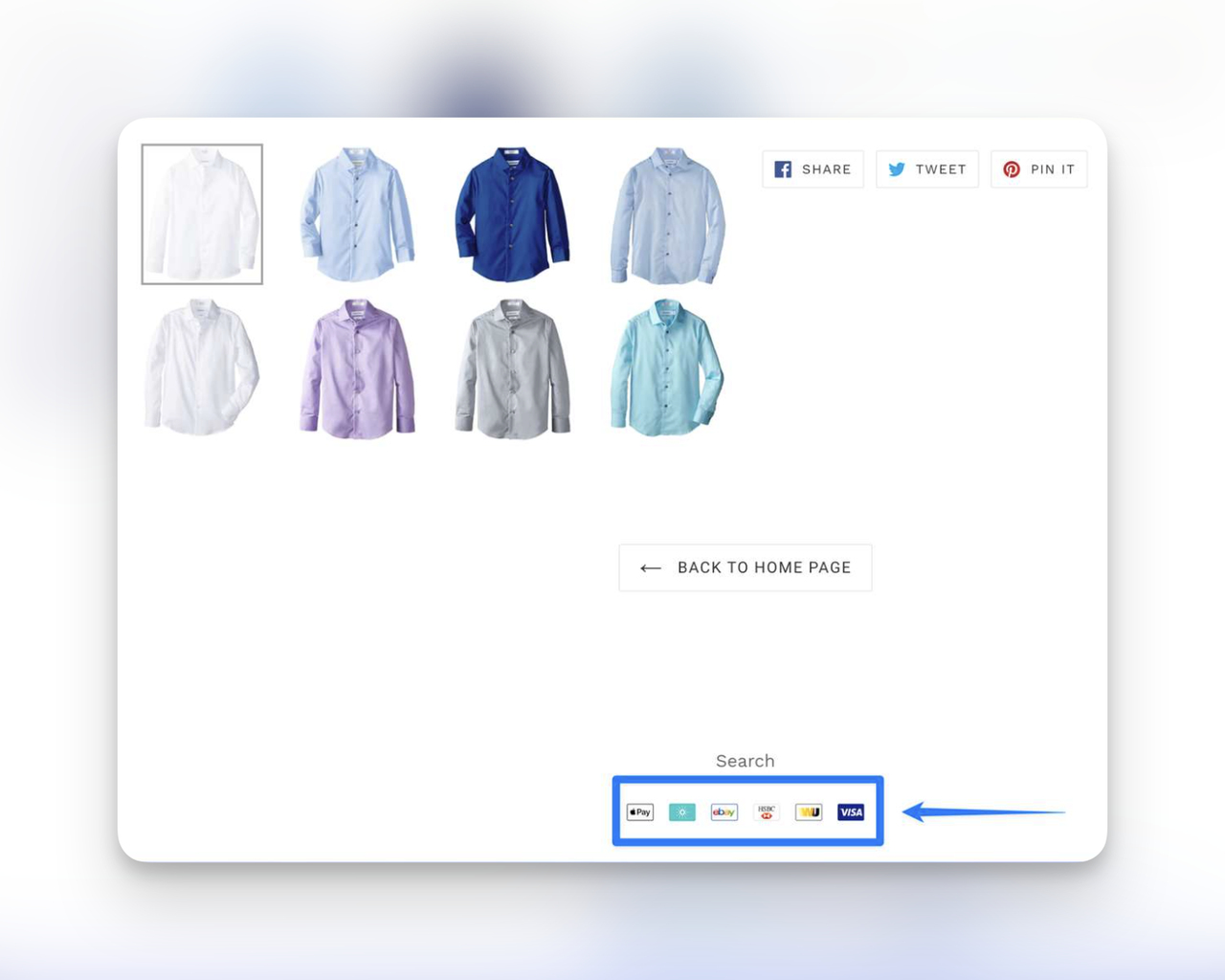
Footer payment badges are accepted-method logos (Visa, MasterCard, PayPal, American Express) and security seals placed in the global footer that appears on every page of your site. Unlike page-specific badges, footer placement means every single page a visitor lands on carries a baseline trust signal. This is especially valuable for visitors who enter through blog posts, category pages, or landing pages rather than your homepage.
How to implement
1. Select the payment methods you actually accept — don't display logos for methods you don't support. That creates a worse trust problem than having no badges at all.
2. Group payment badges together in a single row near the bottom of your footer, after navigation links but before the copyright line.
3. Add an SSL seal next to the payment logos if you have one. The combination "We accept [payment icons] | SSL Secured" communicates both convenience and safety.
4. Use grayscale or muted versions of payment logos that match your footer's design. Bright, colorful logos in a dark footer look out of place and can undermine the professional feel.
5. Keep the footer consistent across desktop and mobile. On mobile, stack badges in two rows rather than shrinking them to an unreadable size. Badges people can't read don't build trust.
What to expect
Footer badges are a low-effort, low-risk move. They won't produce the dramatic lifts you get from checkout page badges, but they set a foundation of credibility that supports every other trust signal on your site. For e-commerce optimization, footer badges are table stakes — their absence raises more questions than their presence answers.
Best E-commerce Trust Badge Placement Strategies for Maximum Impact
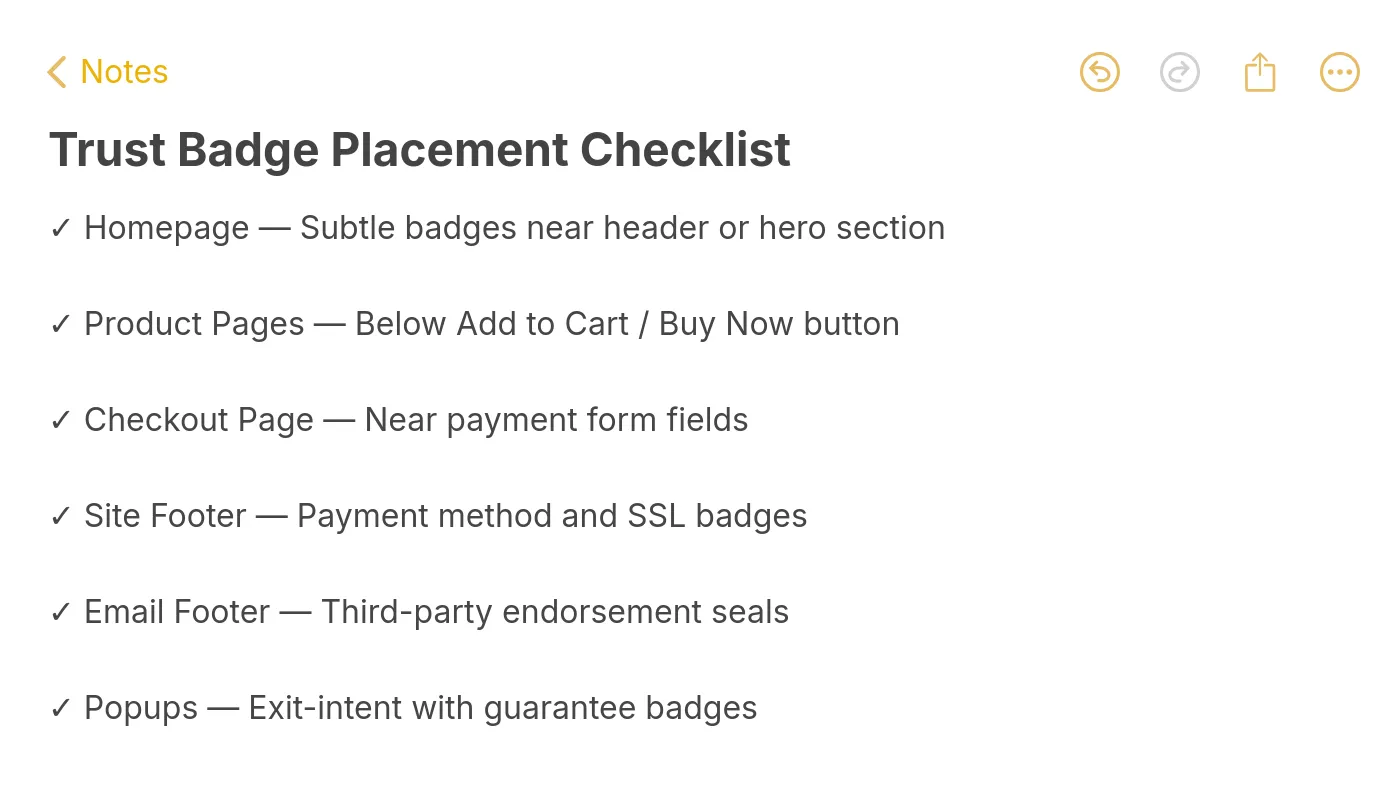
Knowing which badges to use is half the equation. Where you place them determines whether they actually influence buying behavior. Here's a prioritized breakdown:
| Page | Badge Type | Placement | Impact Level |
|---|---|---|---|
| Checkout page | Security + payment | Near credit card fields | Highest |
| Product pages | Guarantee + endorsement | Below CTA button | High |
| Homepage | Endorsement + security | Above the fold | Medium-high |
| Popups | Guarantee + shipping | Exit-intent trigger | Medium-high |
| Email footer | Endorsement + review | Footer template | Medium |
| Site footer | Payment + SSL | Global footer | Medium |
The general rule: the closer a badge is to a payment decision, the higher its impact. Checkout badges beat product page badges, which beat homepage badges. But the compounding effect of trust signals across every touchpoint is greater than any single placement.
A common mistake is overloading one page with badges while leaving others bare. A shopper who sees five trust badges on the homepage but zero on the checkout page will still hesitate at the moment that matters most.
Where to Start with E-commerce Trust Badges
| Priority | Strategy | Effort | Impact | Best For |
|---|---|---|---|---|
| 1 | Checkout page security badges | Low | High | Any store with cart abandonment issues |
| 2 | Product page guarantee badges | Low | High | Stores selling higher-priced products |
| 3 | Homepage trust badges | Low | Medium | New brands building credibility |
| 4 | Trust badges in popups | Medium | High | Stores with high exit rates |
| 5 | Site footer payment badges | Low | Medium | All e-commerce sites |
| 6 | Email footer endorsement seals | Medium | Medium | Brands with active email lists |
Start with strategies 1 and 2. They're quick to implement and address the highest-friction points in the buying process. Move to popups and footer badges once you've established your baseline metrics.
How to Measure the ROI of Trust Badges
Adding badges without tracking their performance is guesswork. Here's what to measure:
• Conversion rate before vs. after: Track overall and per-page ecommerce conversion rate for at least 30 days before and after badge implementation
• Cart abandonment rate: Compare the percentage of shoppers who add items but don't complete checkout
• A/B test results: Run controlled tests with badge vs. no-badge variants. Don't call a winner until each variant has enough conversions for statistical significance
• Bounce rate on key pages: A drop in bounce rate on product or checkout pages suggests badges are keeping visitors engaged
• Revenue per visitor: The most complete metric — it captures both conversion rate and average order value changes
For A/B testing trust badges on your conversion rate optimization pages, test one variable at a time. Don't change badge type, placement, and page design simultaneously — you won't know which change drove the result.
Common Mistakes to Avoid with Trust Badges
Trust badges can backfire when used incorrectly. These are the most common pitfalls:
Displaying badges you haven't earned. Showing a Norton Secured seal without an actual Norton subscription is deceptive. If a visitor clicks it and there's no verification page, you've just destroyed the trust you were trying to build.
Overloading pages with too many badges. Five or six badges clustered together look desperate. Pick 2-3 that matter most for each page's context and give them room to breathe.
Using low-resolution badge images. Blurry or pixelated badges look unprofessional and can trigger fraud suspicions. Always use the official badge assets provided by the issuing organization.
Ignoring mobile placement. Badges that are visible on desktop but hidden below the fold on mobile miss a huge portion of your traffic.
Never testing badge performance. What works for one store may not work for yours. Audience demographics, product categories, and price points all affect which badges resonate. Use trust badge tools for Shopify or your platform's built-in A/B testing to find what actually moves the needle.
Create Your Trust Badge Popup in Less Than 5 Minutes
If you want to test trust badges in popups without writing code, here's a walkthrough using Popupsmart. Popupsmart says most users build and publish a campaign in under 5 minutes once they've signed up; the first time, with account setup and installing the embed code, takes longer.
1. Create a Popupsmart account or sign in.
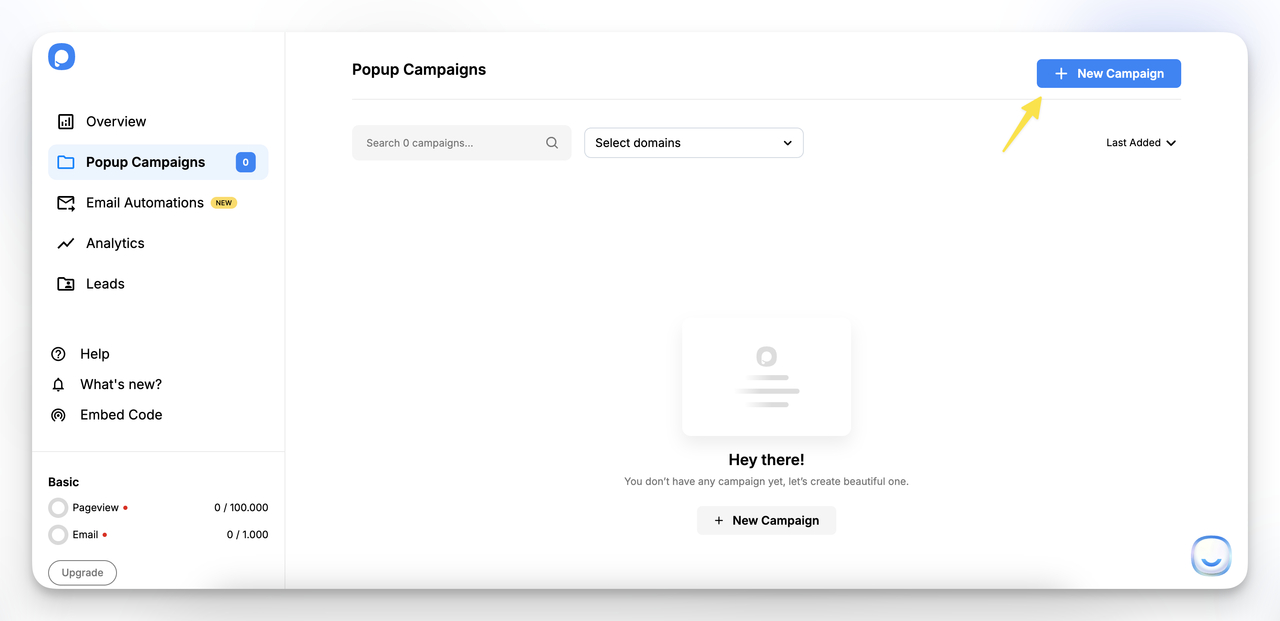
2. Click "+ New Campaign" and select your business objective. For trust badge popups, "Grow Your Email List" or "Increase Sales" are the best starting points.
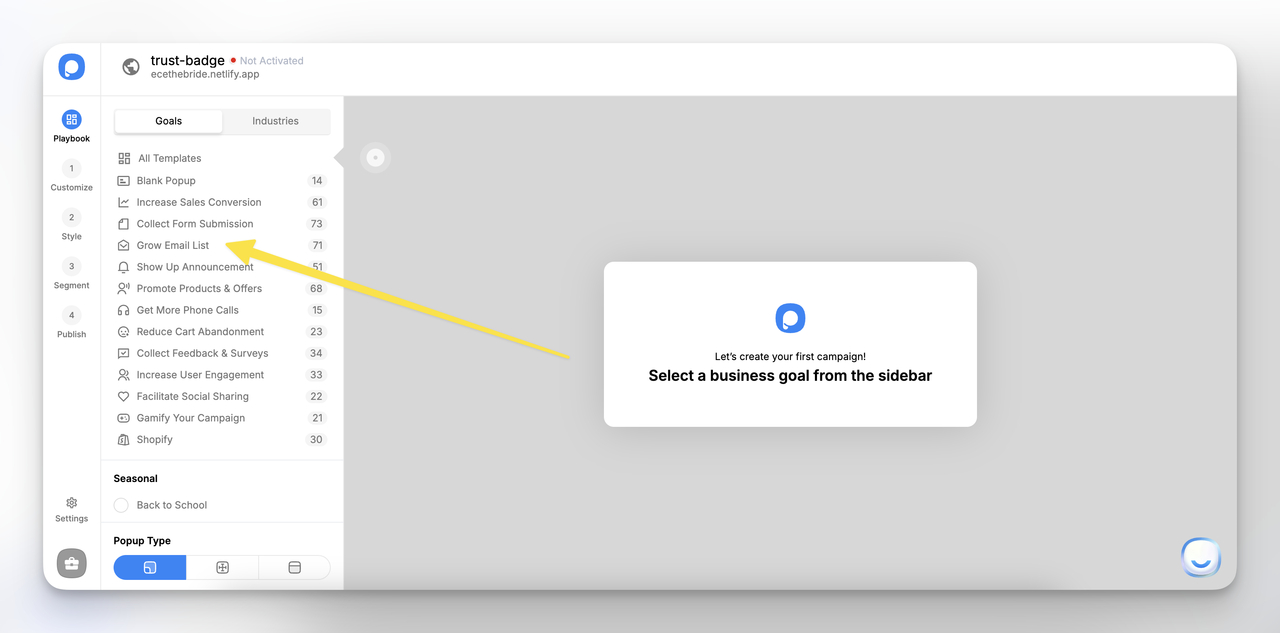
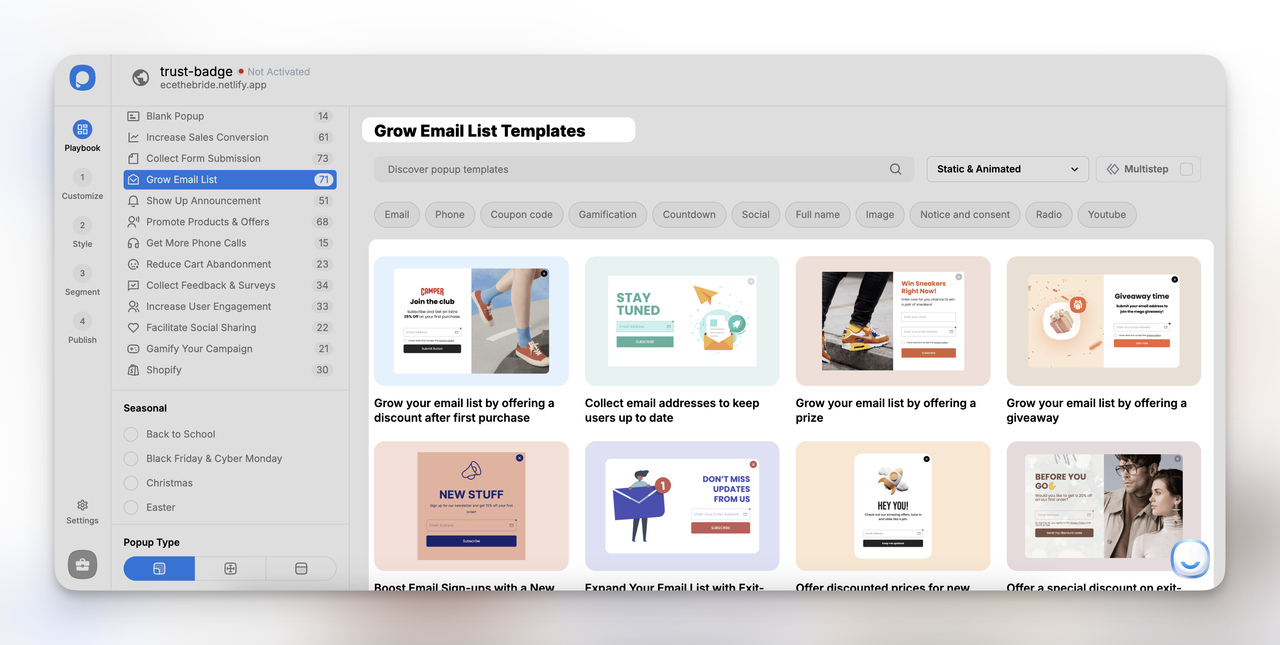
3. Choose a template that fits your brand's style from the template gallery.
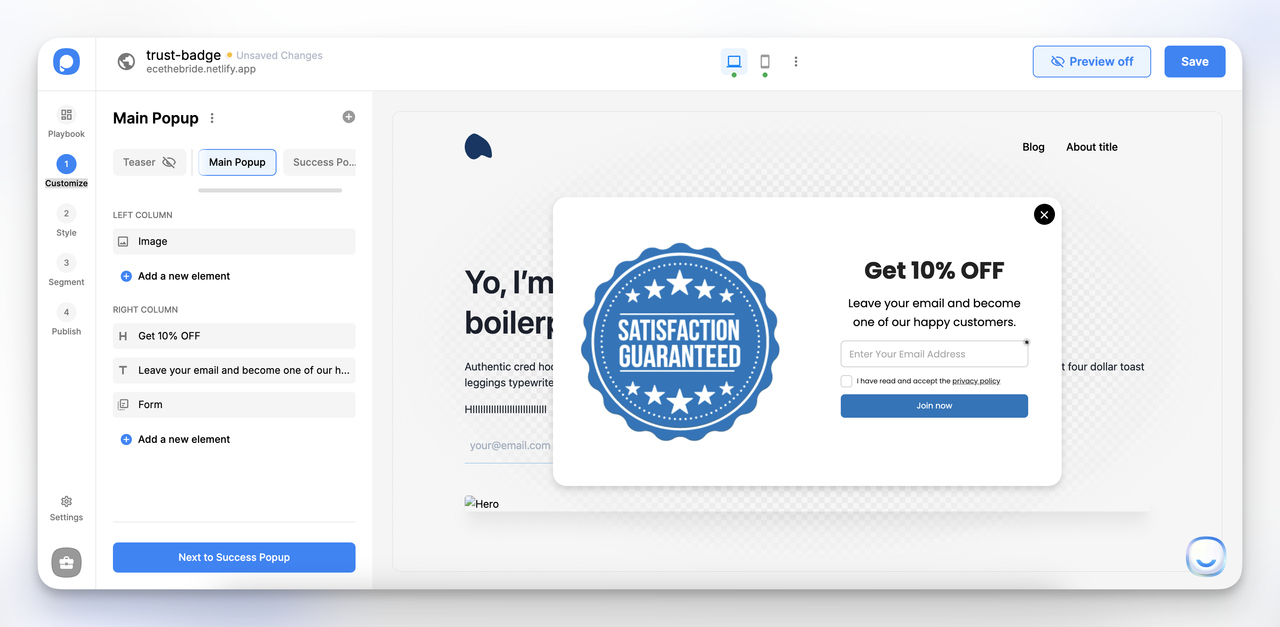
4. Click "Next to Customize" and add your trust badge image. Edit the headline, description, and CTA to match your trust message.
5. Style the popup to match your brand colors, adjust padding, and set background preferences.
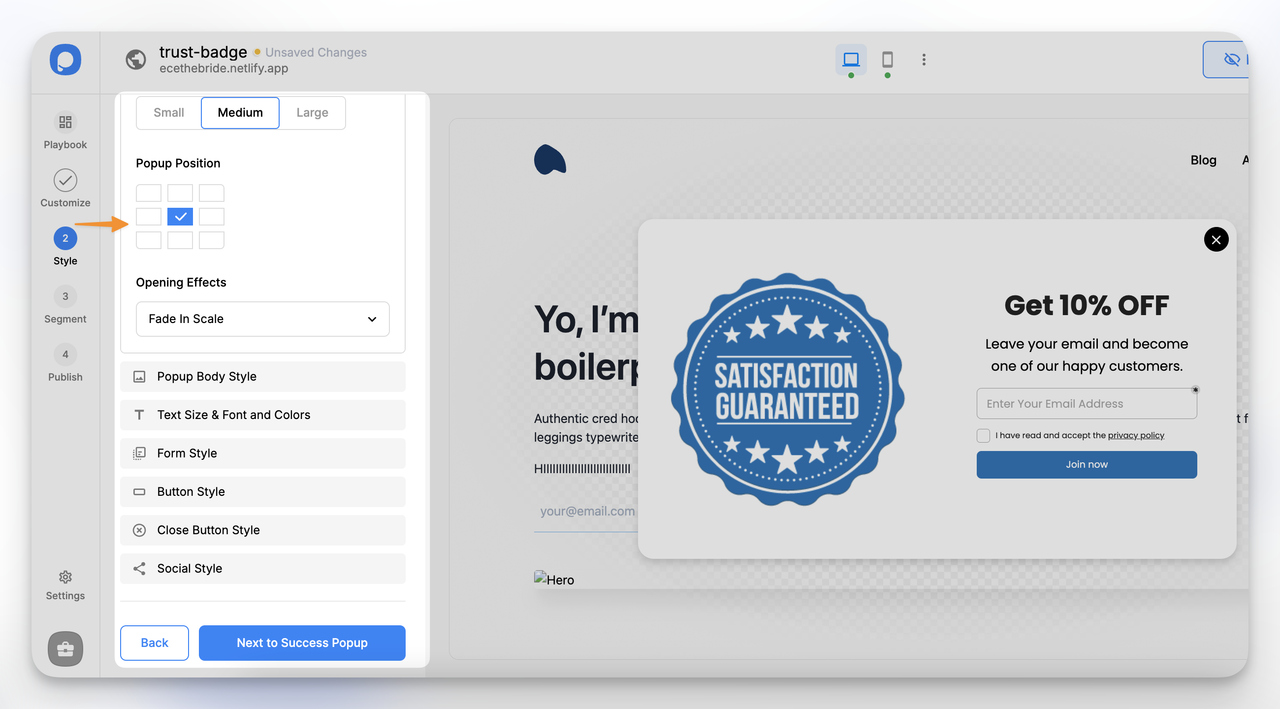
6. In the "Segment" section, configure targeting: visitor behavior, device type, and audience filters like operating system, new vs. returning visitors, browser language, and geolocation.
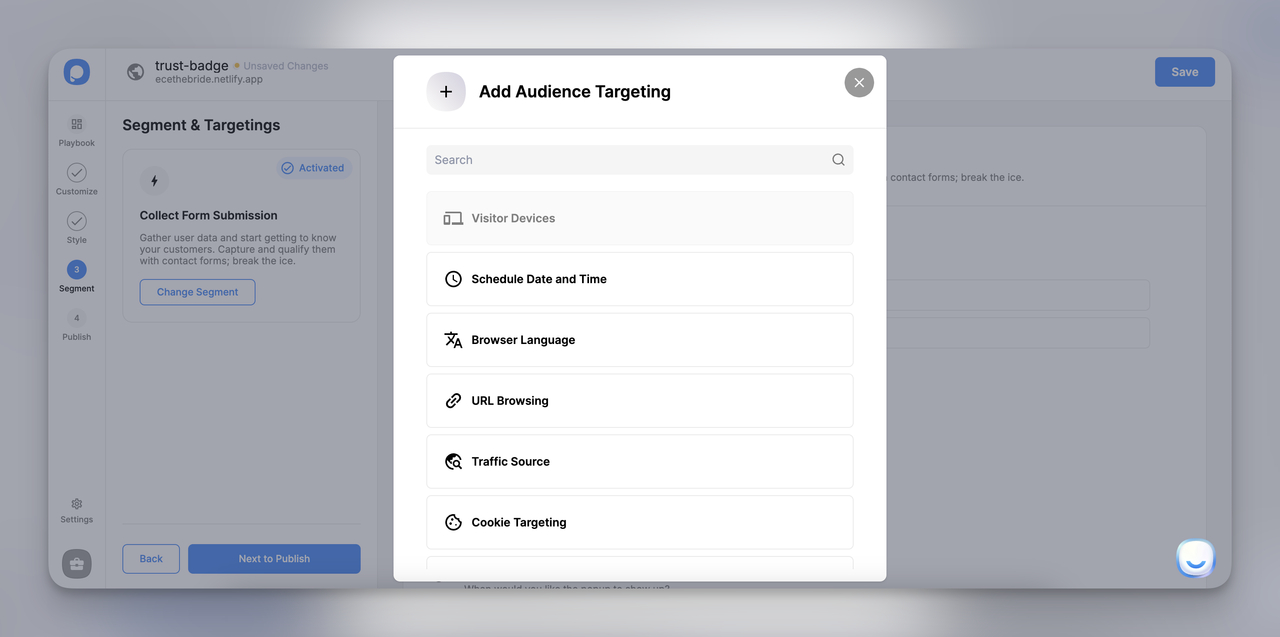
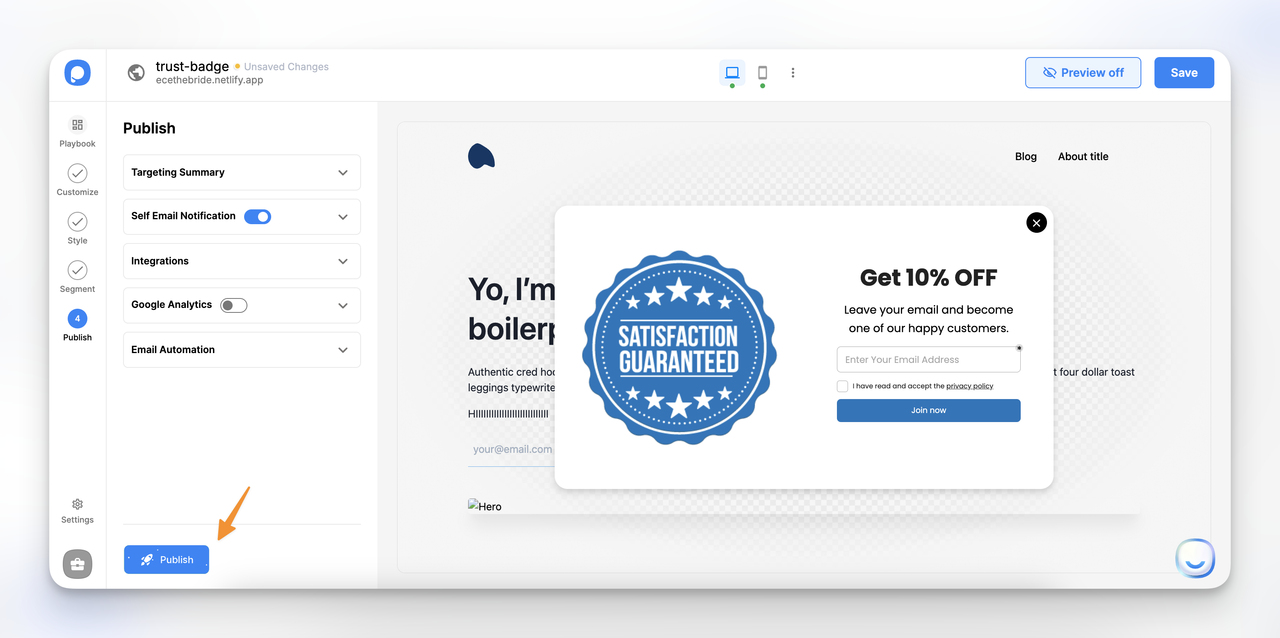
7. Click "Next to Publish", configure your publishing options, and hit "Save & Publish."
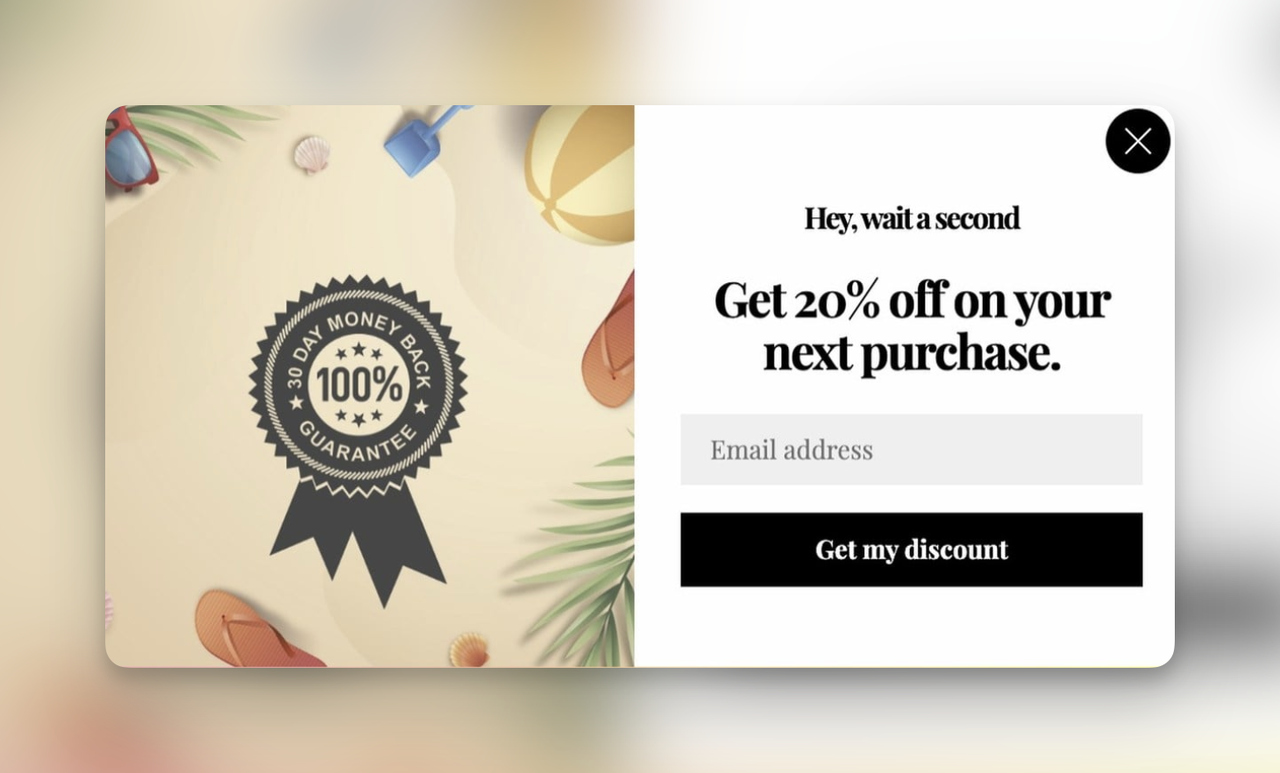
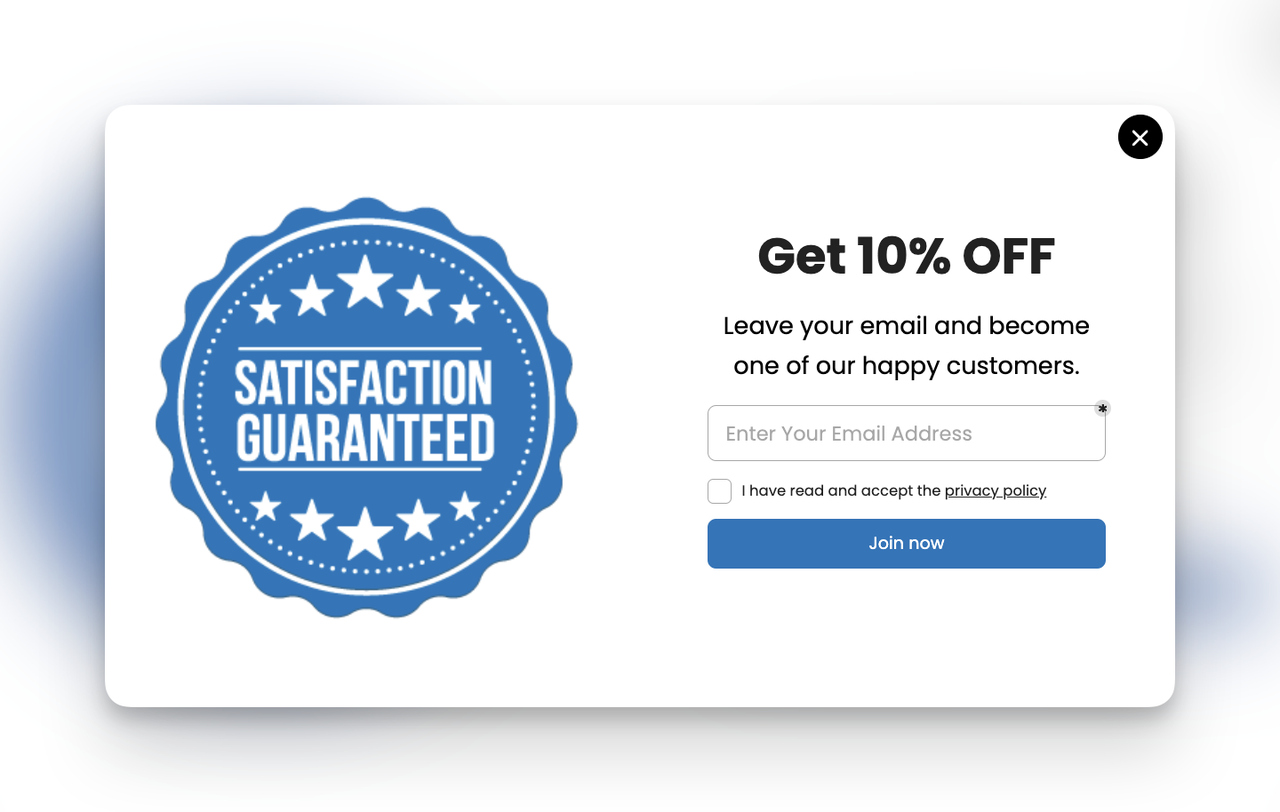
Here's the final result, a clean popup with a satisfaction guaranteed trust badge:
Trust Badge Trends to Watch in 2026
The bar for a believable badge keeps rising. As Dropified puts it, "In 2016, slapping a 'Norton Secured' badge on your footer was enough." In 2026, buyers are more skeptical, and AI-driven scams have made them harder to convince. A decorative image anyone can copy no longer settles the question of whether a store is safe.
That's why earned badges tied to live verification now carry more weight than static graphics. When over 90% of shoppers are already concerned about AI-related threats, a seal that links to a live verification lookup does more work than one that just sits on the page. Expect more stores to adopt badges tied to continuous monitoring, and expect shoppers to reward the ones that can prove the check is real. After all, Salsify's 2025 consumer research, cited by Flair Commerce, found that 87% of shoppers would pay more for a product from a brand they trust.
Start Building Trust Today
You don't need to implement all six strategies at once. Start where the friction is highest.
If your conversion data shows high cart abandonment, begin with checkout page badges. If first-time visitors bounce quickly, focus on homepage and product page badges. If you're running email campaigns with low click-through rates, add endorsement badges to your footer template.
Shoppers who see trust signals at the right moments find it easier to buy. Each badge you add is a small investment that compounds across thousands of visitor sessions.
Ready to test trust badges in popups? Create a free Popupsmart account and build your first trust badge popup.
Frequently Asked Questions
Do trust badges actually increase sales?
Usually, though results vary by store, product category, and existing trust level. In TrustedSite's 2026 survey of 1,295 US shoppers, 82% said they're more likely to trust a site that prominently displays a third-party verified trust badge. New and lesser-known brands tend to see larger lifts than established brands where trust is already high. Measure the effect in your own store with a badge vs. no-badge A/B test.
Where should I place trust badges on my website?
Prioritize placement based on decision proximity. The checkout page should carry security and payment badges near the credit card fields. Product pages need guarantee badges below the buy button. Your homepage benefits from endorsement badges above the fold. The site footer should display payment method logos sitewide. And cart recovery popups with trust badges can catch abandoning shoppers at the exit point.
What are the best trust badges for e-commerce sites?
The best badges depend on your store's specific friction points. For checkout anxiety, Norton Secured and SSL seals are most recognized. For payment trust, Visa, MasterCard, and PayPal logos are standard. For product confidence, money-back guarantee badges and industry-specific endorsements (like lead generation forms with trust badges) perform well. Google Customer Reviews and TrustPilot badges carry weight for overall credibility.
How do trust badges reduce cart abandonment?
Cart abandonment driven by security concerns happens because shoppers don't feel safe entering payment information. Trust badges address this by providing visual proof that the site uses data encryption (SSL badges), partners with recognized payment processors (payment badges), and offers buyer protections (guarantee badges).
Can trust badges improve SEO for e-commerce?
Trust badges don't directly affect search rankings. The effect is indirect: a page that helps visitors stay and find what they came for looks better in the user-behavior signals Google collects. In the US Department of Justice's case against Google, testimony described NavBoost, the system that uses click data, as one of the important ranking signals. Still, add badges for shoppers' trust, not for SEO.