 ChatGPT
 Perplexity
 Claude
 Grok
Grok Google AI Mode
Most popup software guides sound the same. They list features, compare prices, and promise higher conversions without addressing how popups actually behave once they’re live on a real site.
After 8+ years working at the intersection of growth marketing, product development, and CRO, and building Popupsmart from the ground up, I’ve learned one consistent truth:
Popups don’t fail. They fail because of design, timing, intent, and targeting.
Why trust this list? I founded Popupsmart in 2018, so I'm not a neutral judge, and Popupsmart is on this list. What keeps it honest is the method. Every competitor price here was read from the vendor's own pages between 22 and 27 September 2026 for our head-to-head comparisons, and we had every G2 review of seven of these ten tools read, 716 in all, with AI assistance. Each tool's section says where it beats Popupsmart and links to a page with the full sources. No affiliate links.
In this guide, I’m breaking down the top popup software tools of 2026 based on:
- Real-world usability
- Pricing scalability
- G2 & Shopify review themes
- Setup friction
- CRO flexibility
Let’s start with what most readers actually want:

Top 10 Best Popup Software Tools Reviewed (2026)
Choosing the right popup software can directly impact how effectively you turn traffic into subscribers, leads, and customers. This section provides unbiased popup software reviews based on hands-on usage, feature depth, ease of implementation, and real user feedback across platforms like Shopify and G2.
Rather than ranking tools by popularity alone, I’m evaluating them based on who they’re best for, small teams, fast-growing e-commerce brands, agencies, or teams that want the work done for them.
Here is the short version. The list opens with Popupsmart because it's our product; after that, the order follows the original edition of this guide, not a score.
- Popupsmart (best for teams without a developer)
- OptinMonster (best for inline forms and agency sub-accounts)
- Wisepops (best for campaigns run by a strategist)
- OptiMonk (best free popup software for online stores)
- Justuno (best for AI product recommendations and a done-for-you plan)
- Privy (best for Shopify stores sending email and SMS from one app)
- Sleeknote (best for every feature on unlimited websites)
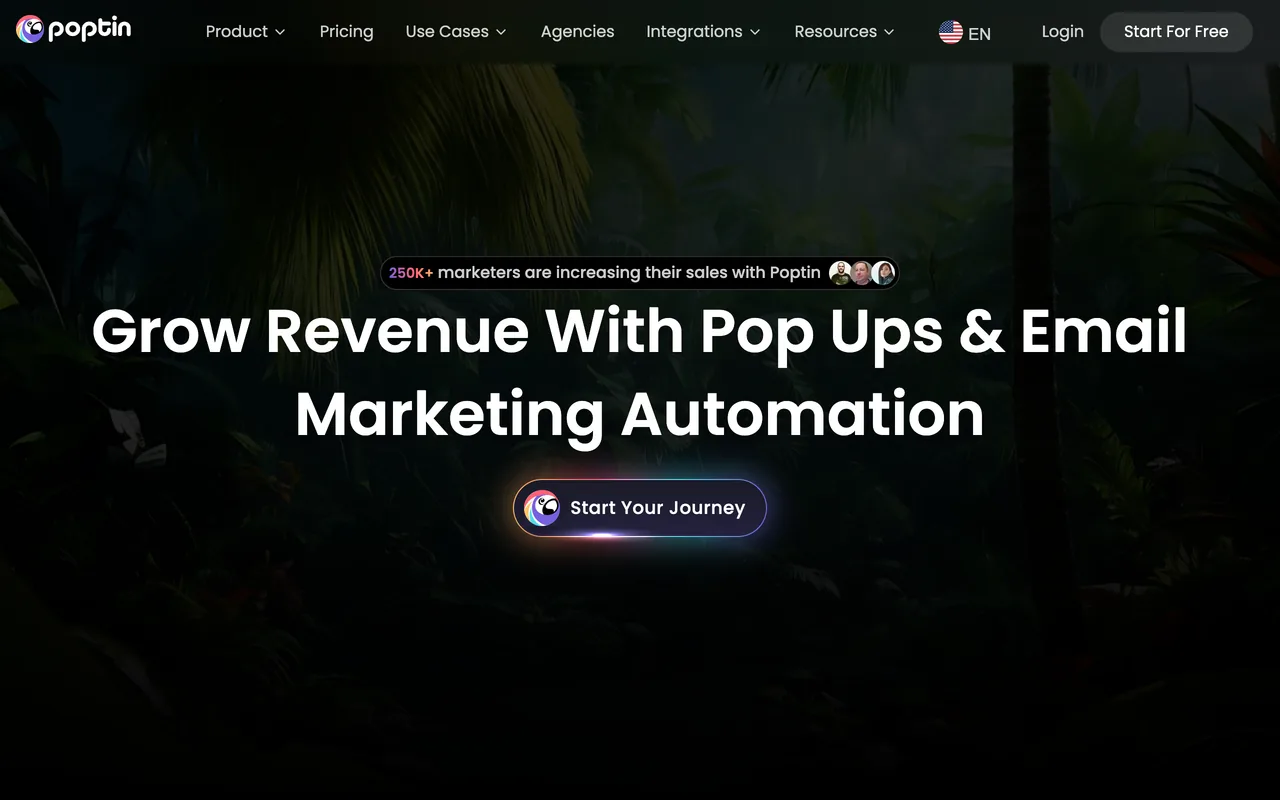
- Poptin (best for popups and email campaigns from one company)
- Hello Bar (best for bars and simple announcements)
- ConvertFlow (best for multi-step funnels)
| # | Tool | Best for | Free plan | Paid plans start at |
|---|---|---|---|---|
| 1 | Popupsmart | Teams without a developer | Yes, 5,000 pageviews a month | $39/mo |
| 2 | OptinMonster | Inline forms, agency sub-accounts | No, 14-day money-back guarantee | $21/mo, or $7/mo in the first year billed annually |
| 3 | Wisepops | Campaigns run by a strategist | No, 14-day trial on Shopify | $299/mo on Shopify; quoted after a demo elsewhere |
| 4 | OptiMonk | The biggest free plan, store features | Yes, 10,000 pageviews a month | $19/mo |
| 5 | Justuno | AI recommendations, done-for-you plan | No, 14-day trial | $59/mo |
| 6 | Privy | Stores sending email and SMS from Privy | No, 15-day trial | $24/mo popups only; $30/mo with email |
| 7 | Sleeknote | Every feature, unlimited websites | No, 14-day trial | $69/mo |
| 8 | Poptin | Popups and email, free start | Yes, 1,000 visitors a month | $25/mo |
| 9 | Hello Bar | Bars and simple popups | Yes, 5,000 views in total | $29/mo billed annually |
| 10 | ConvertFlow | Multi-step funnels | Build free, pay to launch | $29/mo |
Competitor prices read from each vendor's own pricing page between 22 and 27 September 2026, monthly billing unless stated. Popupsmart's come from our pricing page.
Where Popupsmart loses: OptinMonster has more campaign formats, Wisepops does the work for you, OptiMonk's free plan is twice the size of ours, and Privy sends the email and SMS that Popupsmart only collects contacts for.
Each tool below gets the same treatment: quick facts, how the tool works, who should use it, full pricing breakdown, key features, honest pros and cons, third-party ratings with review counts, and where it beats Popupsmart, with links to a head-to-head comparison and an alternatives page for the full detail.
1. Popupsmart — Best overall for teams without a developer
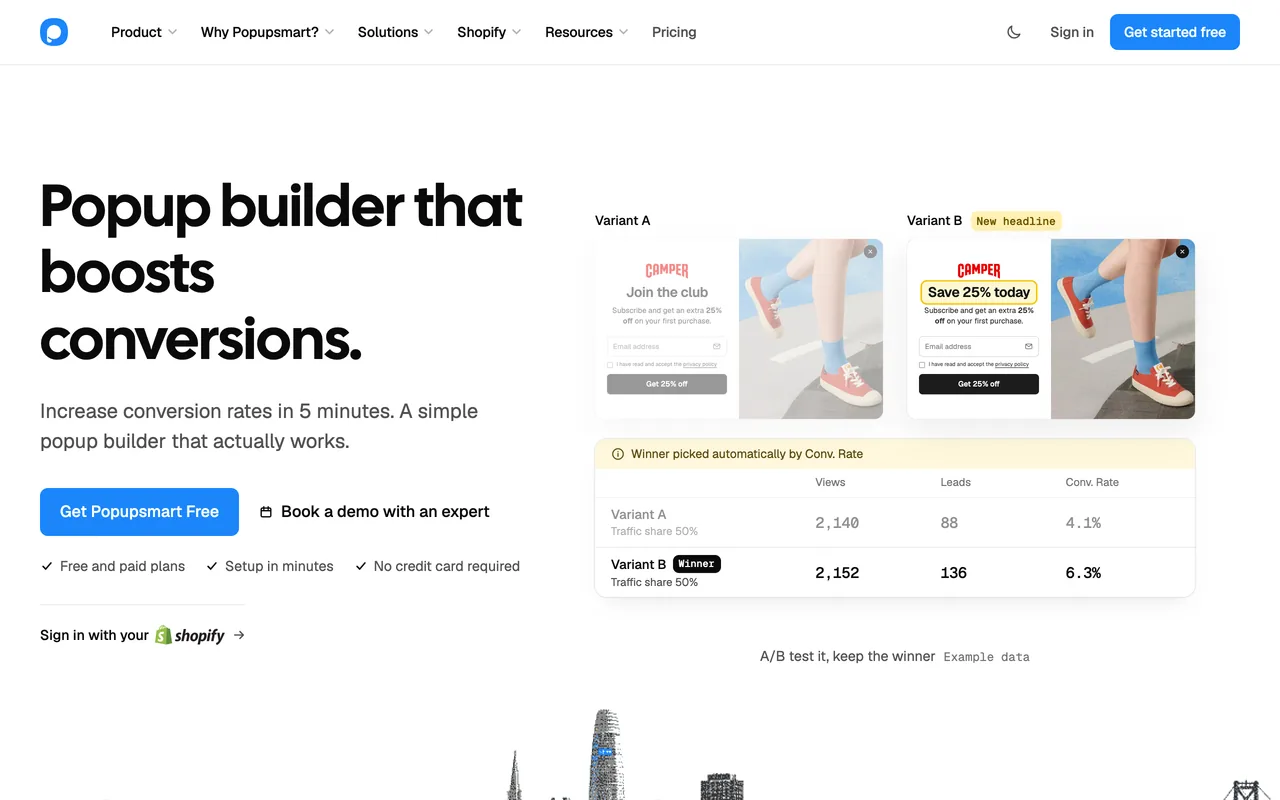
Popupsmart consistently stands out as one of the most balanced popup tools on the market. It combines fast setup, clean UX, and advanced targeting without overwhelming users with unnecessary complexity.
Full transparency: I founded Popupsmart, so I know this tool inside and out. We built it in 2018 specifically because the existing popup tools were either too bloated for small teams or too limited for real CRO work. Among people who signed up in the 90 days to 16 September 2026, the median time from signup to a first published campaign was 32.5 minutes, registering and installing included.
That said, I'll be straightforward about where Popupsmart falls short, especially for enterprise teams with complex multi-domain setups: it has fewer integrations and campaign formats than several tools below, and A/B testing starts on the Advanced plan.
Quick Facts:
- Best For: Small-to-mid-sized businesses and Shopify stores wanting fast popup setup with strong conversion rate optimization features, and agencies running several sites
- Ease of Use: Beginner - No-code builder; once you're set up, a person builds and publishes a campaign in under 5 minutes, by our own estimate
- Pricing: Free plan, then $39/month (Basic, Advanced, Pro, and Expert tiers)
- Rating: 4.5/5 on G2 (141 reviews, as of 6 September 2026)
- Standout Feature: The Popupsmart AI agent builds and publishes a whole campaign from a chat, and an MCP server and CLI let your own AI agent do everything the app does, on every plan, the free one included
Key Features
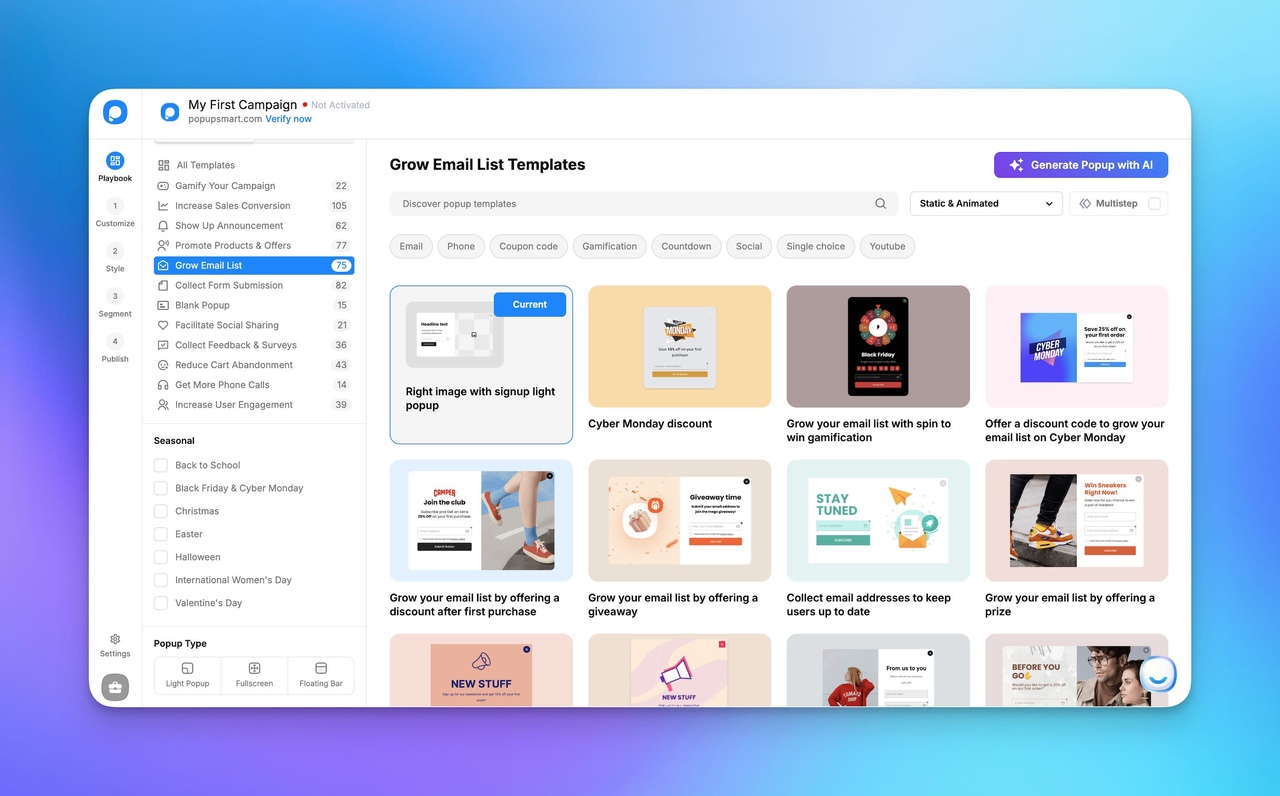
- No-code visual builder with 500+ popup templates
- Advanced triggers (exit intent, scroll, geo, device, URL), plus traffic source and new vs returning visitors, on every plan
- Multi-step forms
- Native Shopify integration, an optional WordPress plugin, and one snippet for every other platform
- Built-in A/B testing (from the Advanced plan)
- AI-powered popup generation: the Popupsmart AI agent in the app, plus an MCP server and CLI for your own agent
- 19 integrations on every plan, Klaviyo, Mailchimp, HubSpot and Zapier included
What Reviewers Say (G2 + Shopify)
G2 reviewers praise ease of use most and complain most about the cost of upgrading (the table below has the counts). One caveat, since I hold every tool on this list to it: most of Popupsmart's G2 reviews came through our own review invitations.
A Shopify App Store review from 8 July 2025 puts the recurring theme plainly: “The setup was quick and straightforward, and I didn't need any technical skills to get started.”
Pros
- Fast to launch and iterate
- Strong mobile optimization
- Clean UI, low learning curve
- Every targeting rule and every integration on every plan, the free one included
- Light script: about 97 KB, loading in about 124 ms, by our own measurement
Cons
- A/B testing starts on the Advanced plan ($69/month); the free plan has no analytics
- The free plan runs one popup at a time, with Popupsmart branding
- 19 integrations, against 35 for OptinMonster and 38 for Wisepops
- Not designed for complex enterprise orchestration: no inline forms, content lockers or web push
- Popupsmart doesn't send email or SMS; it collects emails and phone numbers for the tools that do
Pricing Overview: Free plan starts at $0/month (5K pageviews, 1 website, 1 popup). Basic is $39/month (50K pageviews, 3 websites, unlimited popups). Advanced is $69/month (100K pageviews + A/B testing). Pro is $99/month (250K pageviews + campaign filing). Expert is $159/month (500K pageviews, unlimited websites) for full-scale needs. On annual billing, Basic works out to $32.50 a month; above 500K pageviews a month, pricing is a custom quote.
Where It Fits
The strongest satisfaction cluster revolves around speed, usability, and support quality.
The main friction appears when enterprise teams expect deep backend workflow customization — which the product intentionally avoids in favor of simplicity.
Pattern observed: High satisfaction among SMB & mid-market. Less aligned for enterprise-heavy automation stacks.
Rating
- G2: ⭐ 4.5/5 (141 reviews)
- Shopify App Store: ⭐ 4.6/5 (48 reviews)
- Capterra: ⭐ 4.5/5 (46 reviews)
- Trustpilot: ⭐ 4.2/5 (42 reviews)
Ratings as of 6 September 2026; each platform is a separate pool, so we don't average them.
Popupsmart Pros & Cons (Based on G2 Reviews)
| ✅ Pros (Advantages) | ❌ Cons (Disadvantages) |
|---|---|
| Ease of use – Users praise Popupsmart’s intuitive setup and quick popup creation without coding. (54 mentions) | Pricing concerns – Some users find the pricing structure expensive, especially when upgrading from free plans. (10 mentions) |
| Easy setup – Quick and intuitive integration with websites. (26 mentions) | Limited design flexibility – Some users want more customization options. (6 mentions) |
| Integrations – Enables fast setup and targeted engagement without hassle. (18 mentions) | Integration issues (edge cases) – Occasional issues with specific CMS platforms like Storyblok and reliance on third-party tools. (5 mentions) |
| Easy audience targeting – Helps grow an audience and conversions with minimal effort. (15 mentions) | Analytics – Some users want deeper insight into popup performance. (4 mentions) |
| Intuitive and user-friendly interface – Allows quick custom setups for effective engagement. (15 mentions) | — |
G2's review themes as read on 26 September 2026.
2. OptinMonster — Best for inline forms and agency sub-accounts
OptinMonster is one of the most well-known names among top popup tools, particularly for WordPress sites, content-heavy sites and agencies running client sites. It bills by campaign impressions and unlocks features plan by plan.
Quick Facts:
- Best For: Content-heavy WordPress sites needing advanced behavioral targeting or forms inside their pages, and agencies running client sites from sub-accounts
- Ease of Use: Advanced - Deep but steep learning curve, best for experienced marketers; features unlock plan by plan
- Pricing: $21/month for 2,500 impressions, or $7/month in the first year billed annually (no free plan, 14-day money-back guarantee)
- Rating: 4.3/5 on G2 (108 reviews), as of 26 September 2026
- Compared in depth: Popupsmart vs OptinMonster · OptinMonster alternatives
- Standout Feature: Page-level targeting with referral detection, plus formats beyond popups: inline and sidebar forms, content lockers and follow-up campaigns
Key Features
- Advanced behavior-based targeting: Exit Intent® and traffic source from the Pro plan, location and new visitors on Growth
- Large template library (700+)
- Strong WordPress integration, plus 35 email, CRM and automation integrations; HubSpot, Klaviyo, Zapier and webhooks from Pro
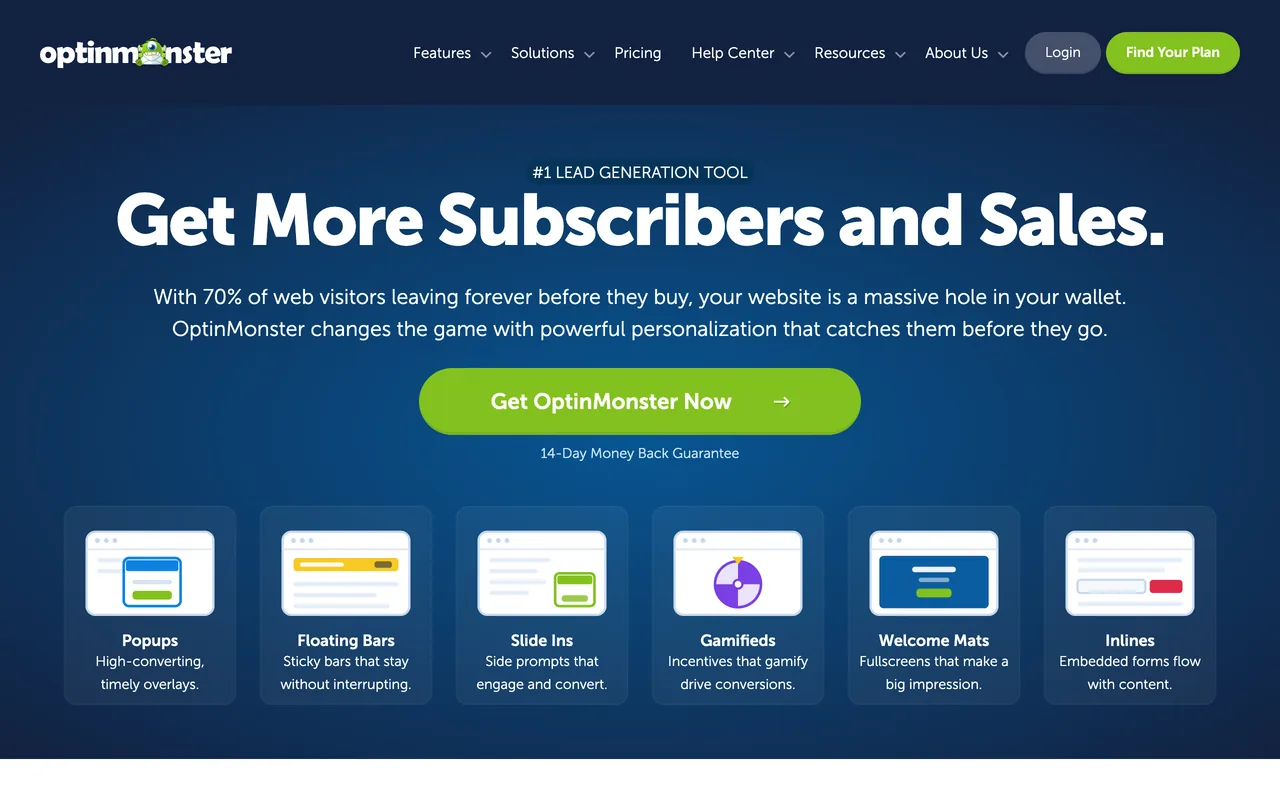
- Popups, floating bars, slide-ins, welcome mats, inline and sidebar forms, and content lockers
- Sub-accounts and client logins for agencies, and follow-up campaigns
Pros
- Highly customizable segmentation
- Deep ecosystem support: 35 integrations
- More campaign formats than most tools here, forms inside your pages among them
- Sub-accounts for agencies, and a cheap first year for a small site on annual billing
Cons
- Steeper onboarding curve; can feel heavy for small teams
- Pricing increases quickly at scale, and the first-year discount ends at renewal
- No free plan, and features unlock plan by plan: exit intent from Pro, location and new-visitor targeting only on Growth
- Billed by campaign impressions; OptinMonster's own FAQ recommends a plan with 20–30% more impressions than your pageviews
Choose it over Popupsmart if you need forms inside your pages or follow-up campaigns, run client sites from sub-accounts, or your site is small and a cheap first year on annual billing decides it.
Pricing Overview:
| Plan | Monthly | Annual, first year | Annual, after | Impressions a month | Sites |
|---|---|---|---|---|---|
| Basic | $21 | $7/mo | $17.50/mo | 2,500 | 1 |
| Plus | $57 | $19/mo | $47.50/mo | 10,000 | 2 |
| Pro | $87 | $29/mo | $72.50/mo | 25,000 | 3 |
| Growth | $147 | $49/mo | $122.50/mo | 100,000 | 5 |
Pricing verified on 26 September 2026 from OptinMonster's public pricing page. Above 100,000 impressions, OptinMonster moves you to a custom plan.
OptinMonster Pros & Cons (Based on G2 Reviews)
| ✅ Pros (Advantages) | ❌ Cons (Disadvantages) |
|---|---|
| Ease of use – Simplifies setup and improves overall efficiency. (5 mentions) | Expensive pricing – Considered costly for small users despite advanced features. (2 mentions) |
| Easy implementation & wide feature set – Campaign management is straightforward. (3 mentions) | Confusing campaign management – Issues around sorting, tabs and live campaign status. (1 mention) |
| Easy implementation – Accessible for small users. (2 mentions) | Complex features – Some users find features confusing and require time to fully understand. (1 mention) |
| Easy setup – Quick and efficient campaign launch process. (2 mentions) | Interaction complexity – Can cause confusion about campaign status and visibility. (1 mention) |
| Effective tool – Improves visitor engagement. (2 mentions) | — |
G2's review themes as read on 26 September 2026. They rest on five mentions at most; in the reviews written since 2023, support is praised second only to ease of use. Satisfaction correlates strongly with user sophistication.
3. Wisepops — Best for campaigns run by a strategist
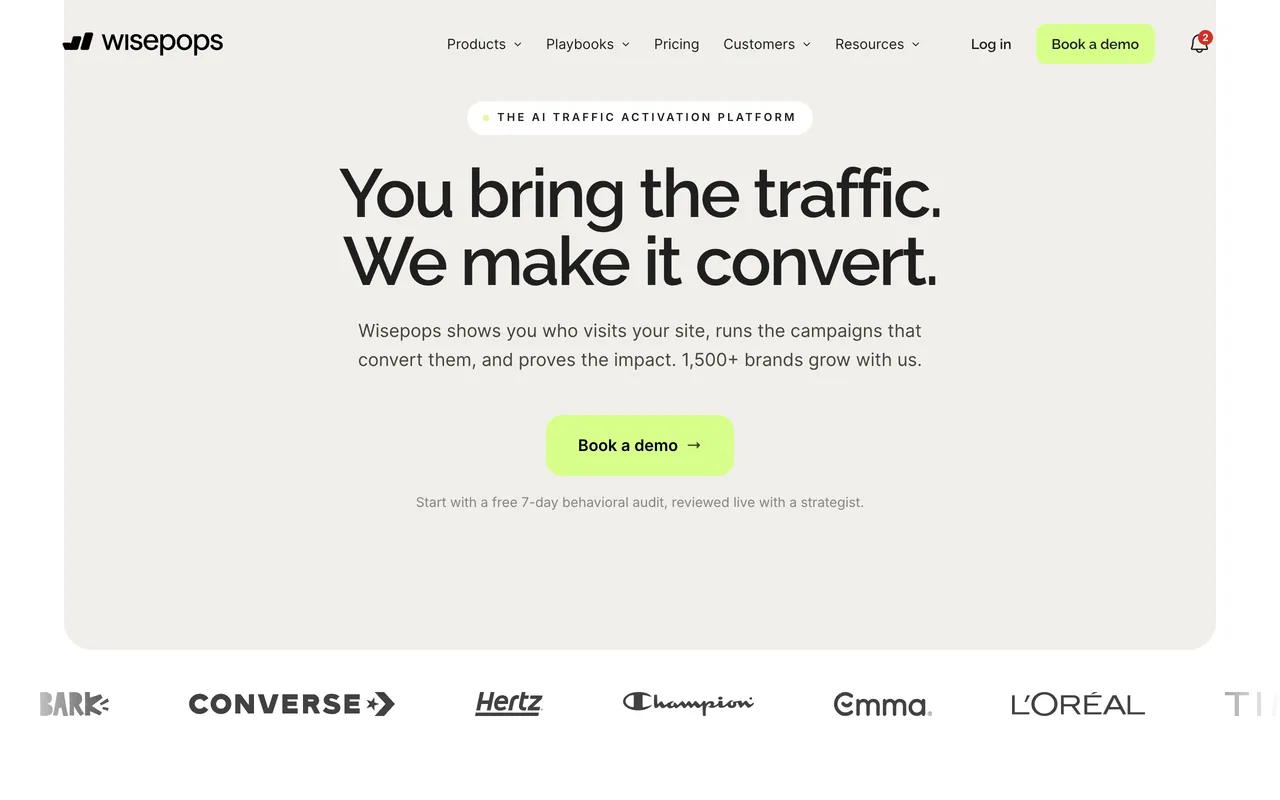
Wisepops has moved from a self-serve popup builder to a managed program. Before anything goes live, its team audits seven days of your traffic, then a strategist builds your first campaigns and tests each one against a control group.
Quick Facts:
- Best For: Online stores that want a strategist to audit their traffic, build the campaigns and test them against control groups
- Ease of Use: Managed - Its team builds the campaigns; you review and approve them
- Pricing: $299/month for up to 500,000 pageviews on the Shopify App Store (14-day trial); off Shopify, quoted after a demo
- Rating: 4.5/5 on G2 (90 reviews), as of 26 September 2026
- Compared in depth: Popupsmart vs Wisepops · Wisepops alternatives
- Standout Feature: Popups, web push, an onsite notification feed and embedded forms from one script, with control-group testing on every plan
Key Features
- A strategist who builds and tests campaigns after a 7-day traffic audit
- Web push, an onsite feed and embeds beside popups
- Tests against control groups on every plan
- On Shopify: AI product recommendations and AI cart recovery
- 38 email, SMS, CRM and data integrations, with Klaviyo segments in targeting
Pros
- The work is done for you, from the traffic audit to the tests
- More channels than popups alone
- Support its G2 reviewers praise (10 mentions)
- Running since 2013
Cons
- Premium pricing: no free plan, and no self-serve price outside the Shopify App Store
- Not ideal for lean teams on a budget: the entry price covers 500,000 pageviews
- No MCP server or CLI listed; its API reads campaigns but doesn't create them
Choose it over Popupsmart if you want a strategist to audit your traffic, build the campaigns and test them against control groups, or you use web push, an onsite feed or AI product recommendations beside your popups.
Pricing Overview: Wisepops publishes no self-serve price on its own site. Its pricing page books a demo, and its FAQ says plans start at €599 a month for up to 1 million pageviews, quoted in USD or EUR. Its home page, read the same day, says the high-touch plan starts at $499 a month and that annual plans get two months free. The only public pageview-based price is on the Shopify App Store: $299 a month, or $2,990 a year, for up to 500,000 pageviews, with a 14-day free trial.
Pricing verified on 26 September 2026 from Wisepops' pricing page, home page and Shopify App Store listing; where its own pages disagree, both figures are shown.
Wisepops Pros & Cons (Based on G2 Reviews)
| ✅ Pros (Advantages) | ❌ Cons (Disadvantages) |
|---|---|
| Ease of use – Intuitive design and a quick setup process. (26 mentions) | Expensive pricing – Recent price increases make it costly for smaller teams on a budget. (3 mentions) |
| Intuitive & user-friendly interface – Simplifies campaign management and setup. (11 mentions) | Limited customization options – Restricts usability. (2 mentions) |
| Responsive and effective customer support – Queries are addressed promptly and efficiently. (10 mentions) | Limited design flexibility – Users want more design customization options. (2 mentions) |
| Easy setup – Launch targeted campaigns quickly. (9 mentions) | Limited features – Inflexible prize assignments and missing customization options. (2 mentions) |
| Swift campaign creation – With strong targeting options. (8 mentions) | — |
G2's review themes as read on 26 September 2026. Wisepops performs best among mid-market teams that want the work done; smaller brands question the cost-to-impact ratio.
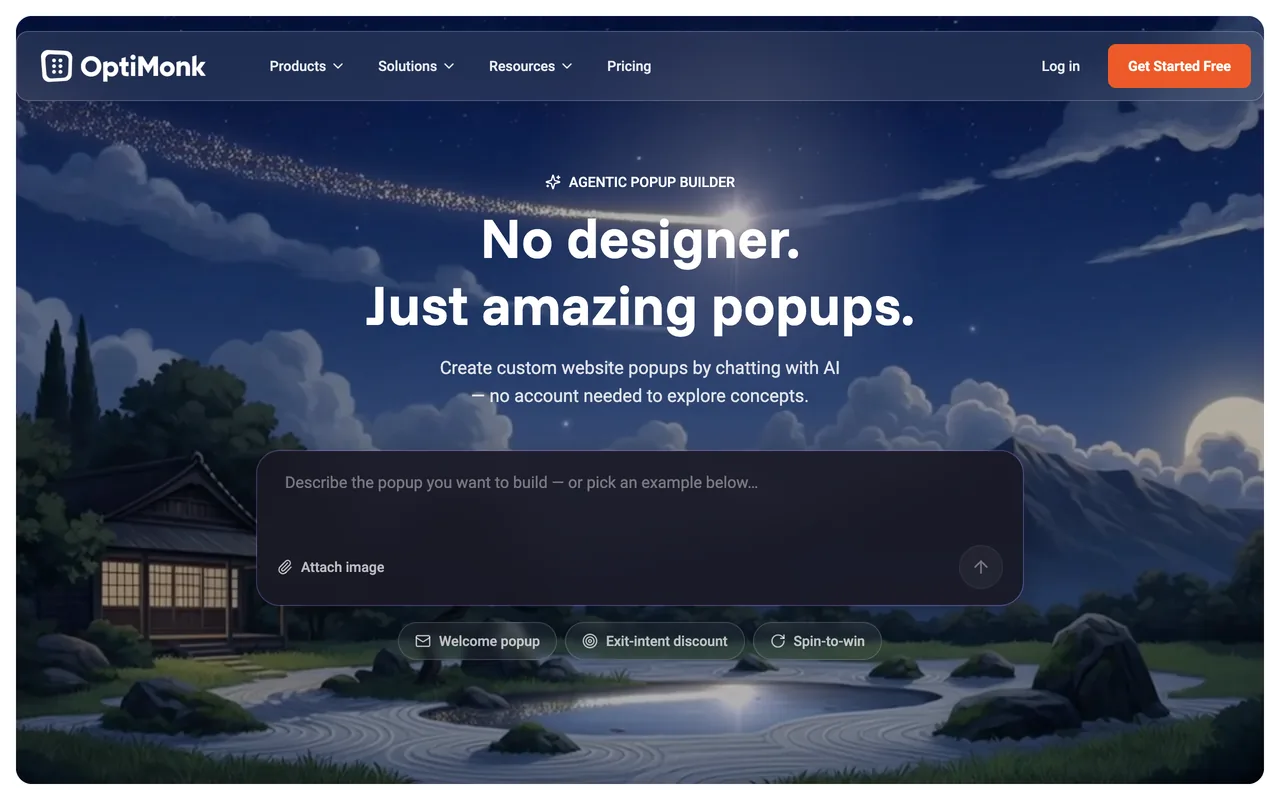
4. OptiMonk — Best free popup software for online stores
OptiMonk positions itself around AI-driven personalization, and it puts every feature on every plan, the free one included. That makes it the most generous free start on this list.
Quick Facts:
- Best For: Data-driven e-commerce teams that run frequent A/B tests and want AI-powered personalization, every feature on a free plan, and revenue measured per campaign
- Ease of Use: Intermediate - Intuitive campaign creation, but full personalization setup requires testing experience, and its G2 reviewers say the editor can be hard to handle
- Pricing: Free for 10,000 pageviews a month; paid plans from $19/month for 20,000
- Rating: 4.8/5 on G2 (159 reviews), as of 22 September 2026
- Compared in depth: Popupsmart vs OptiMonk · OptiMonk alternatives
- Standout Feature: An AI agent that drafts four designs from a chat and builds the one you pick, plus an MCP server with 29 tools that build, target and publish campaigns
Key Features
- AI-driven personalization: product recommendations tuned to each visitor, add-to-cart from the popup, and revenue per campaign
- Behavioral targeting and advanced segmentation logic
- Embedded content inside your pages
- An AI agent in the app and an MCP server for your own agent
- 39 email, SMS, CRM and analytics integrations, and live chat on every plan
Pros
- Advanced personalization tools
- Good for CRO experimentation
- Flexible segmentation logic
- The biggest free plan here: 10,000 pageviews, every feature, no branding, and it costs less than Popupsmart below 30,000 pageviews a month
Cons
- Onboarding complexity: not plug-and-play
- Above 30,000 pageviews, Popupsmart costs the same or less and covers more websites (OptiMonk's Essential plan covers 2)
- Fewer templates than OptinMonster: 300+ against 700+
- Its MCP server has no integrations tool, and no CLI is listed
Choose it over Popupsmart if you want every feature on a free plan, pay less at low traffic, or rely on its product recommendations and revenue per campaign.
Pricing Overview: Free plan is $0/month (10K pageviews, 1 domain, unlimited campaigns, every feature). Essential is $19/month (20K pageviews, 2 domains). Growth is $69/month (100K pageviews). Premium is $179/month (500K pageviews). Master comes with custom pricing and limits for large-scale needs, with unlimited domains. Each plan has a pageview picker: Essential runs to $44 for 50K, Growth to $129 for 250K, Premium to $299 for 1 million.
Pricing verified on 22 September 2026 from OptiMonk's public pricing page (monthly prices; each plan has a pageview picker).
OptiMonk Pros & Cons (Based on G2 Reviews)
| ✅ Pros (Advantages) | ❌ Cons (Disadvantages) |
|---|---|
| Easy campaign creation – User-friendly templates make campaign setup smooth. (1 mention) | Difficult setup – Challenging when targeting specific pages to conserve pageviews. (1 mention) |
| Ease of campaign creation + strong support – Efficient workflow backed by responsive customer service. (1 mention) | Editing issues – Difficulty changing colors and fonts effectively. (1 mention) |
| Convenient setup and campaign management – Once initial challenges are addressed. (1 mention) | Integration difficulty (Emarsys) – With pageview limits. (1 mention) |
| Amazing customer support – Helpful, professional, and proactive assistance. (1 mention) | Lack of API integration (Emarsys) – Limits setup flexibility and efficiency. (1 mention) |
G2's review themes as read on 22 September 2026. OptiMonk's 4.8 ties Poptin for the highest G2 rating here, but these themes rest on single mentions and most of its G2 reviews were written in 2021 and 2022. In our read of all 159, a hard-to-handle editor is among the most common complaints.
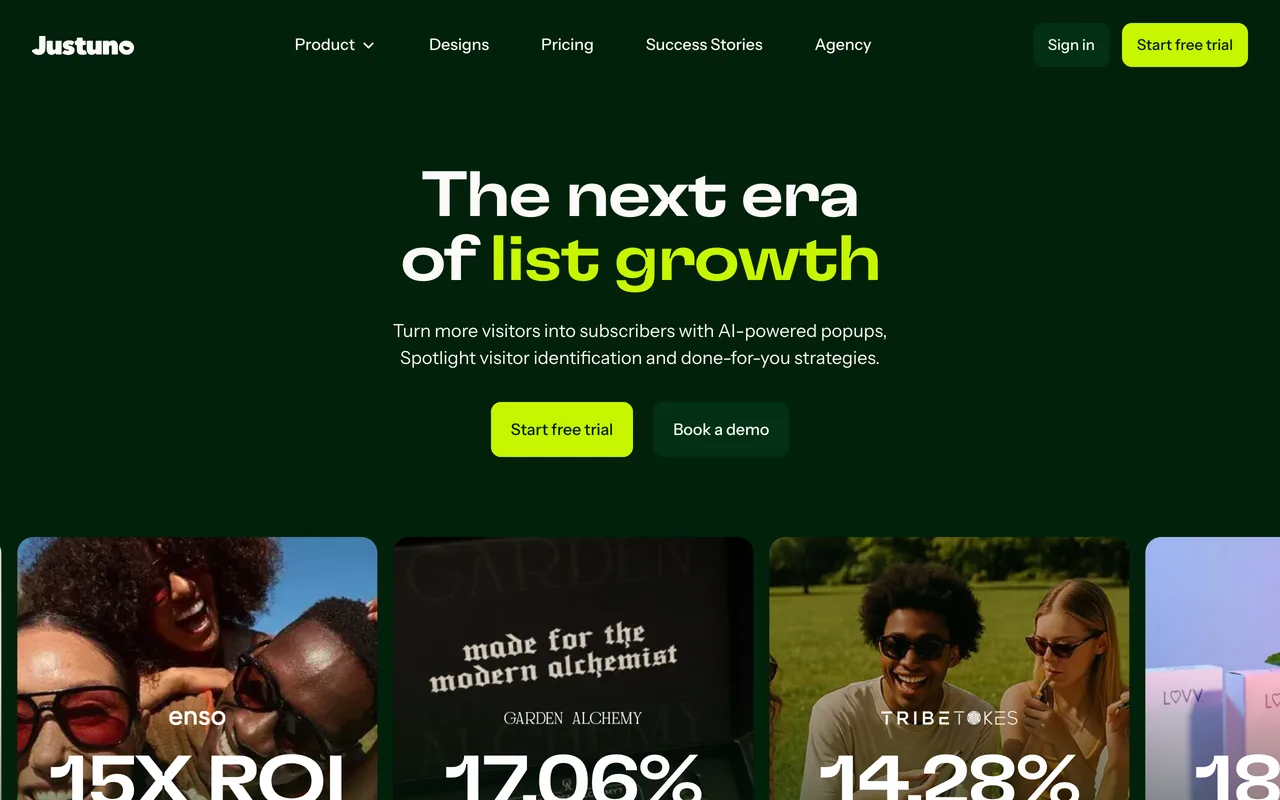
5. Justuno — Best for AI product recommendations and a done-for-you plan
Justuno is a list-growth platform aimed at e-commerce brands, with AI timing, product recommendations and visitor identification in one tool, and a plan where its own team runs the program.
Quick Facts:
- Best For: Ecommerce brands that want AI product recommendations, AI timing and multivariate testing in one tool, or want Justuno's team to run the program
- Ease of Use: Advanced - Resource-heavy setup, best for teams with internal expertise, or with its Done-For-You plan
- Pricing: From $59/month for up to 10,000 visitors (14-day trial, no free plan)
- Rating: 4.3/5 on G2 (67 reviews), as of 22 September 2026; G2 shows no review summary for it, and we've read only its rating and count
- Compared in depth: Justuno alternatives
- Standout Feature: AI Smart Timing and AI product recommendations, with visitor profiles and visitor identification
Key Features
- Advanced audience segmentation, with visitor profiles and visitor identification
- AI Smart Timing, multivariate testing and AI product recommendations
- A Done-For-You plan with a dedicated account manager
Pros
- Strong automation capabilities, and an entry plan that lists every feature, multivariate testing among them
- Large-catalog support with AI product recommendations
- A plan where its team does the work
Cons
- Requires internal expertise, or the Done-For-You plan
- No free plan: a 14-day trial, 30 days on Done-For-You
- It counts visitors, not pageviews, and the entry plan runs 5 live workflows with 3 team seats
Choose it over Popupsmart if you want AI product recommendations, AI timing and multivariate testing in one tool, or Justuno's team to run the program on the Done-For-You plan.
Pricing Overview: Justuno prices by monthly visitors with a slider. At its default position, the pricing page shows two plans: Lite at $59 a month for up to 10,000 visitors, with every feature, 5 live workflows and a 14-day free trial; and Done-For-You at $299 a month for up to 20,000 visitors, with a 30-day free trial, ongoing services, a dedicated account manager and a Slack channel.
Pricing verified on 22 September 2026 from Justuno's public pricing page.
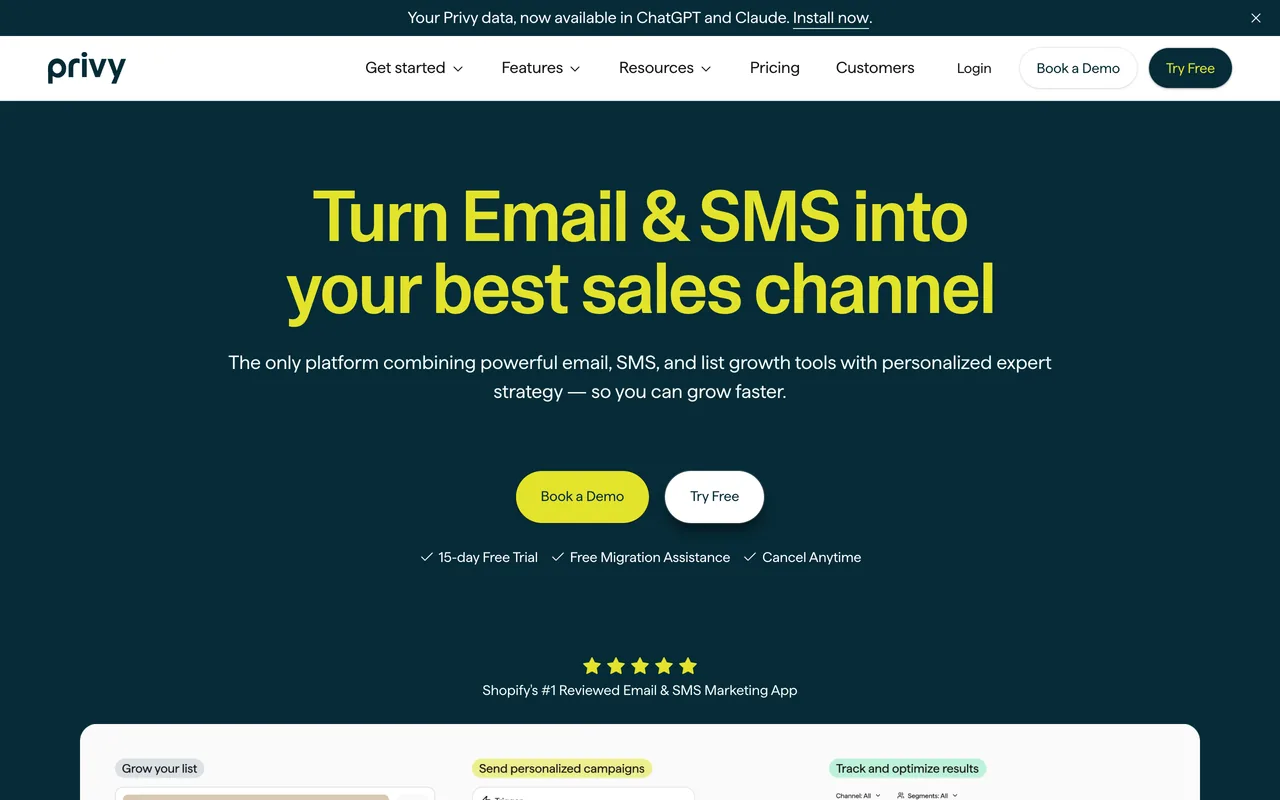
6. Privy — Best for Shopify stores sending email and SMS from one app
Privy is an email and SMS platform for online stores, with popups built in. It suits a store that wants its popups, email and SMS in one app, priced by its contacts.
Quick Facts:
- Best For: Online stores, most of them on Shopify, that send their email and SMS from Privy
- Ease of Use: Beginner - Designed specifically for non-technical e-commerce store owners
- Pricing: Popups only from $24/month for 10,000 pageviews; email from $30/month for 1,500 contacts, popups included (15-day trial, no free plan)
- Rating: 4.6/5 on G2 (122 reviews) and 4.5/5 on the Shopify App Store (4,212 reviews), as of 26 September 2026
- Compared in depth: Popupsmart vs Privy · Privy alternatives
- Standout Feature: Email and SMS popup capture, email campaigns, automated flows and SMS sending in one app, with store targeting down to the products in the cart
Key Features
- Email & SMS popups, with email campaigns, automated flows and SMS sending on its Email plans
- Shopify-native integration and pre-built discount templates
- Store targeting: products and variants in the cart, cart value, order count, postal code
- Landing pages, embedded forms, cross-sell displays and a free shipping bar
- Connects to SMS, review and loyalty apps such as Attentive, Postscript and Yotpo, plus Klaviyo and Mailchimp
Pros
- Extremely beginner-friendly, with quick Shopify installation
- Popups, email and SMS campaigns in one app
- Store targeting that goes deeper than most tools here
- Up to 10,000 pageviews a month, its popups-only plan costs less than Popupsmart's Basic: $24
Cons
- No free plan: after the 15-day trial, the displays stop
- Pricing tied to list growth can escalate, and the popups-only plan climbs quickly with traffic: $84 for 50,000 pageviews, $168 for 100,000
- Its MCP server is read-only: an agent can read your data, not build or publish
Choose it over Popupsmart if you send your email and SMS from Privy, since its email plan includes the popups, or your store gets 10,000 pageviews a month or fewer and you want its store targeting, landing pages and embedded forms.
Pricing Overview: Email plan starts at $30/month for 0–1,500 mailable contacts (unlimited email sends), with 250 SMS credits a month and the popups included; it rises with your list ($90 at 5,000 contacts). The popups-only Displays plan is priced by pageviews: $24 a month for 10,000, $84 for 50,000, $168 for 100,000. There's no free plan, only a 15-day trial, and the pricing page shows monthly prices with no annual contracts.
Pricing verified on 26 September 2026 from Privy's public pricing page and help center.
Privy Pros & Cons (Based on G2 Reviews)
| ✅ Pros (Advantages) | ❌ Cons (Disadvantages) |
|---|---|
| Amazing customer support – Helpful real staff providing hands-on assistance. (4 mentions) | Reporting issues – Users want more detailed insights for better email targeting. (2 mentions) |
| Ease of use – User-friendly and efficient for managing email campaigns. (4 mentions) | Need for more campaign templates – Some existing options feel confusing or insufficient. (2 mentions) |
| Excellent customer support – Guidance through marketing automation and strategy. (4 mentions) | Reporting lacks detail – Limited insight into subscriber engagement and preferences. (1 mention) |
| Strong email marketing features – Improves signups and overall engagement. (3 mentions) | Delays in updates – Frustration over lost work on templates during updates. (1 mention) |
| User-friendly interface – Clean usability inside the Shopify dashboard. (3 mentions) | — |
G2's review themes as read on 26 September 2026. They're dated: 96 of Privy's 122 G2 reviews were written in 2021 and 2022, and one in the past twelve months, so its 4,212 Shopify App Store reviews are the better guide to Privy today.
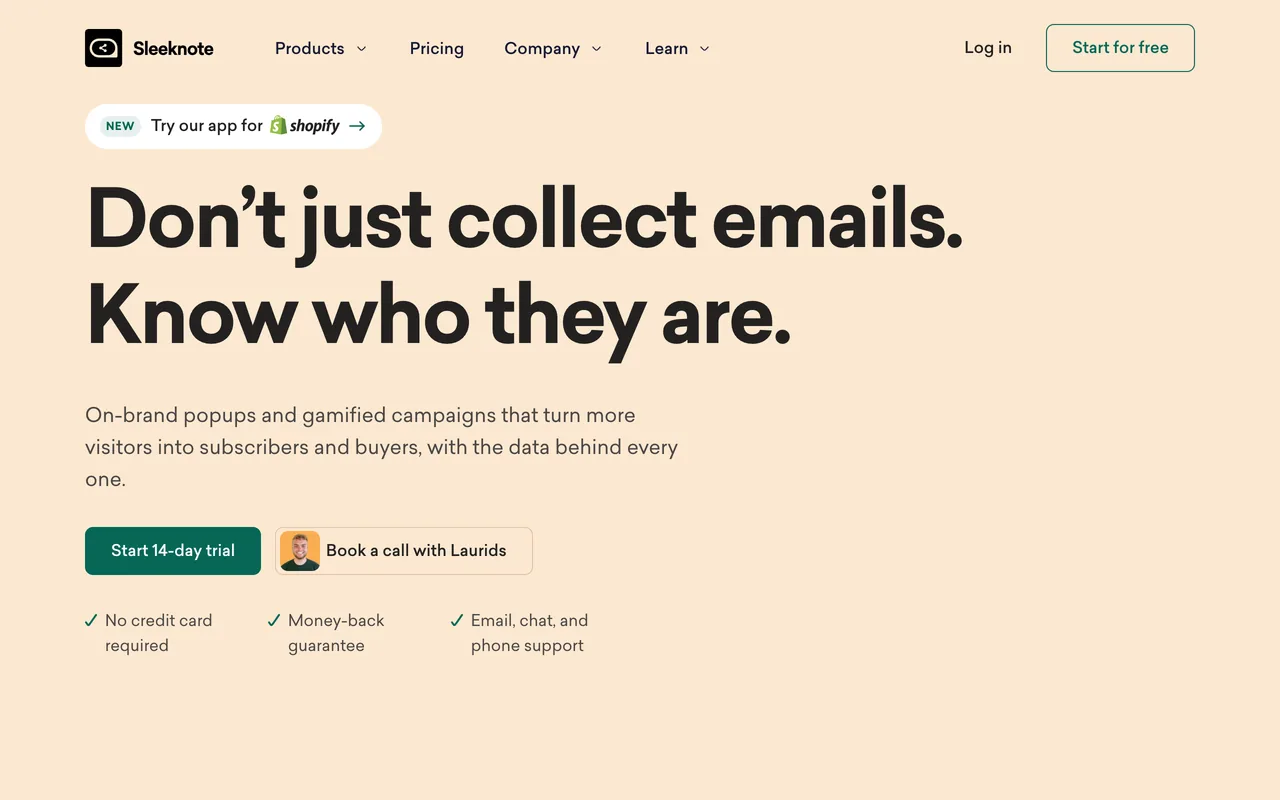
7. Sleeknote — Best for every feature on unlimited websites
Sleeknote, from Aarhus in Denmark, offers popups, slide-ins, bars and embedded forms for ecommerce teams, with every feature on every plan and unlimited websites.
Quick Facts:
- Best For: Ecommerce teams running several websites that want every feature and phone support on every plan
- Ease of Use: Intermediate - Quick to set up, by its reviewers' account, though audience settings can take trial and error
- Pricing: $69/month for up to 25,000 visitors, or $55/month billed annually (14-day trial, no free plan)
- Rating: 4.8/5 on Capterra (13 reviews) and 4.3/5 on G2 (6 reviews), as of 27 September 2026
- Compared in depth: Popupsmart vs Sleeknote · Sleeknote alternatives
- Standout Feature: Every feature on every plan, A/B testing and analytics included, with unlimited campaigns on unlimited domains
Key Features
- Non-intrusive popup formats: popups, slide-ins, bars and embedded forms
- Advanced targeting options and personalization rules: SiteData rules built on your own site's data, product recommendations, coupon codes and multistep forms
- A/B testing and analytics with goal tracking and revenue attribution on every plan
- A Gamification add-on: Spin to Win, Scratch to Win, Learn to Earn, a Seasonal Calendar and quizzes
- 27 direct integrations, Klaviyo, HubSpot and Salesforce among them
What Reviewers Say (G2, Capterra, Trustpilot)
Sleeknote has few public reviews anywhere, so we read every one we found. On G2 it's rated 4.3 from 6 reviews, praised for quick setup and ease of use. On Capterra it's rated 4.8 from 13, where missing features (4) and price (3) are the complaints that recur. On Trustpilot it has a TrustScore of 4.3 from 16 reviews, 10 of which praise the support. On the Shopify App Store it has 3.5 from 4 reviews.
Pros
- Excellent for editorial environments and non-disruptive design
- Every feature on every plan, with unlimited websites
- Phone, chat and email support on every plan (8:00–17:00 CET)
- More game formats than most tools here
Cons
- Expensive for small teams, with no free plan
- Gamification is a paid add-on: $26 a month more at the entry tier
- It bills by visitors, not pageviews
- No MCP server or CLI listed, and its page for AI assistants says it offers no public API
Choose it over Popupsmart if you want every feature from the entry plan, unlimited websites, phone support, or scratch cards, quizzes and seasonal calendars.
Pricing Overview: Core is $69/month (up to 25K visitors / ~75K pageviews, unlimited campaigns and domains, full support), or $55/month billed annually. Core + Gamification is $95/month, adding Spin to Win, Scratch to Win, Learn to Earn, quizzes and a seasonal calendar. Both include a 14-day free trial. Larger plans are priced by visitors: $83 for 25–50K, $155 for 50–125K, up to $470 for 300–500K, and a custom quote above that.
Pricing verified on 27 September 2026 from Sleeknote's public pricing page.
8. Poptin — Best for popups and email campaigns from one company
Poptin is a self-serve popup builder that starts free, with an email marketing tool beside it. It offers a solid feature set at a lower price point.
Quick Facts:
- Best For: Small sites that want unlimited popups, A/B testing and analytics on a free plan, and email campaigns from the same company
- Ease of Use: Beginner - Straightforward drag-and-drop editor accessible to non-technical users
- Pricing: Free for 1,000 visitors a month; Basic $25/month for 10,000 visitors, or $20/month billed yearly
- Rating: 4.8/5 on G2 (90 reviews) and 4.9/5 on the Shopify App Store (342 reviews), as of 26 September 2026
- Compared in depth: Popupsmart vs Poptin · Poptin alternatives
- Standout Feature: A free plan with unlimited popups, A/B testing and analytics for testing before committing to paid tiers
Key Features
- Drag-and-drop editor
- Template library, with unlimited popups, A/B testing and analytics on every plan, the free one included
- Embedded forms, and email campaigns and automations sold as a bundle priced by contacts
- Autopilot picks the trigger on paid plans
- 67 integrations by its own count
Pros
- Affordable, easy to implement, with decent feature coverage
- A generous free plan: unlimited popups with A/B testing and analytics
- Support its reviewers praise in more than half of their reviews
- Email campaigns from the same company
Cons
- UI feels older compared to competitors
- Poptin branding on the free plan
- It counts unique visitors a month, so which tool costs less depends on how many pages each visitor views
- Its Basic plan covers one domain, where Popupsmart's covers three
- No AI agent, MCP server or CLI listed
Choose it over Popupsmart if you want popups and email campaigns from one company, A/B testing and analytics on a free plan, or the support its reviewers praise in more than half of their reviews.
Pricing Overview: Free plan includes 1,000 visitors/month on 1 domain with unlimited poptins (branded). Billed yearly, Basic is $20/month (10K visitors, 1 domain, 1,000 autoresponders, unbranded). Pro is $47/month (50K visitors, 4 domains, 5,000 autoresponders). Agency is $95/month for higher limits and multi-site needs (150K visitors, unlimited domains). Billed monthly, the same plans cost $25, $59 and $119. Enterprise is priced after a call.
Pricing verified on 26 September 2026 from Poptin's public pricing page (its popup plans; the email bundle is priced by contacts).
Poptin Pros & Cons (Based on G2 Reviews)
| ✅ Pros (Advantages) | ❌ Cons (Disadvantages) |
|---|---|
| Ease of use – Simple setup process and smooth integration with websites. (10 mentions) | Limited customization options – Overlapping elements and manual updates. (1 mention) |
| Excellent customer support – Users highlight responsive and helpful support that improves overall experience. (8 mentions) | Time-consuming updates – Popups overlapping website elements. (1 mention) |
| Integrations – Appreciated for user-friendliness and easy connections with other tools. (6 mentions) | — |
| Incredibly intuitive interface – Easy for beginners and non-technical users to navigate. (5 mentions) | — |
| Highly customizable – Allows tailored experiences and flexible campaign setups. (3 mentions) | — |
G2's review themes as read on 26 September 2026. In our read of every Poptin G2 review, more than half praise the support.
9. Hello Bar — Best for bars and simple announcements
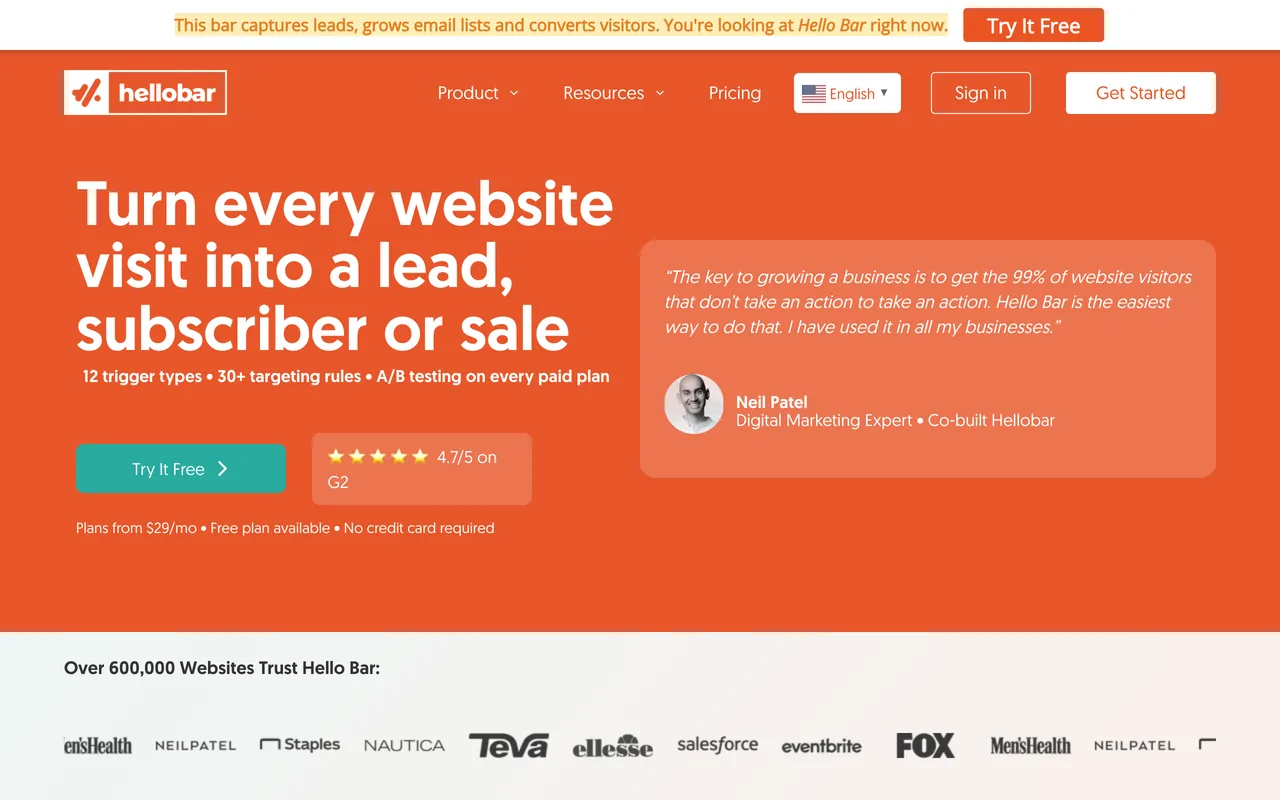
Hello Bar focuses on top bars and simple lead capture. It has a free Starter plan and A/B testing on every paid plan.
Quick Facts:
- Best For: Sites that want a bar or a simple popup on several websites
- Ease of Use: Beginner - Among the simplest popup tools available, minimal setup required
- Pricing: Free Starter plan (5,000 views in total); Growth $29/month billed annually for 50,000 popup views a month
- Rating: 4.7/5 on G2 (25 reviews), as of 22 September 2026; too few reviews for G2 to publish a summary
- Compared in depth: Hello Bar alternatives
- Standout Feature: Bars, popups and full-screen overlays, with unlimited A/B tests on every paid plan
Key Features
- Top bars and basic popups, plus full-screen overlays
- Unlimited popups and subscribers on every plan, and unlimited A/B tests on paid plans
- Several websites on every plan
- A Design Assistant that matches your site's colors and fonts
Satisfaction is high when expectations are limited to announcements. It is not positioned as a CRO powerhouse.
Pros
- Very easy to use
- Good for announcements, with minimal setup time
- A free start, A/B testing on every paid plan, and several websites on every plan
Cons
- No advanced targeting, and not suitable for complex CRO workflows
- The free plan's 5,000 views are for the account's lifetime, not per month
- It counts popup views, and the published prices assume annual billing
Choose it over Popupsmart if you want a bar or a simple popup on several websites, with A/B testing on every paid plan from $29 a month.
Pricing Overview: Growth is $29/month (up to 50K popup views, unlimited popups, subscribers, and A/B tests). Premium is $49/month (150K views with premium support and integrations). Elite is $99/month (500K views plus top-tier support and advanced features). These are annual-billing prices: Hello Bar says annual billing saves up to 24%, so paying monthly costs more. The free Starter plan covers 5,000 views in total.
Pricing verified on 22 September 2026 from Hello Bar's public pricing page.
10. ConvertFlow — Best for funnel-based experiences
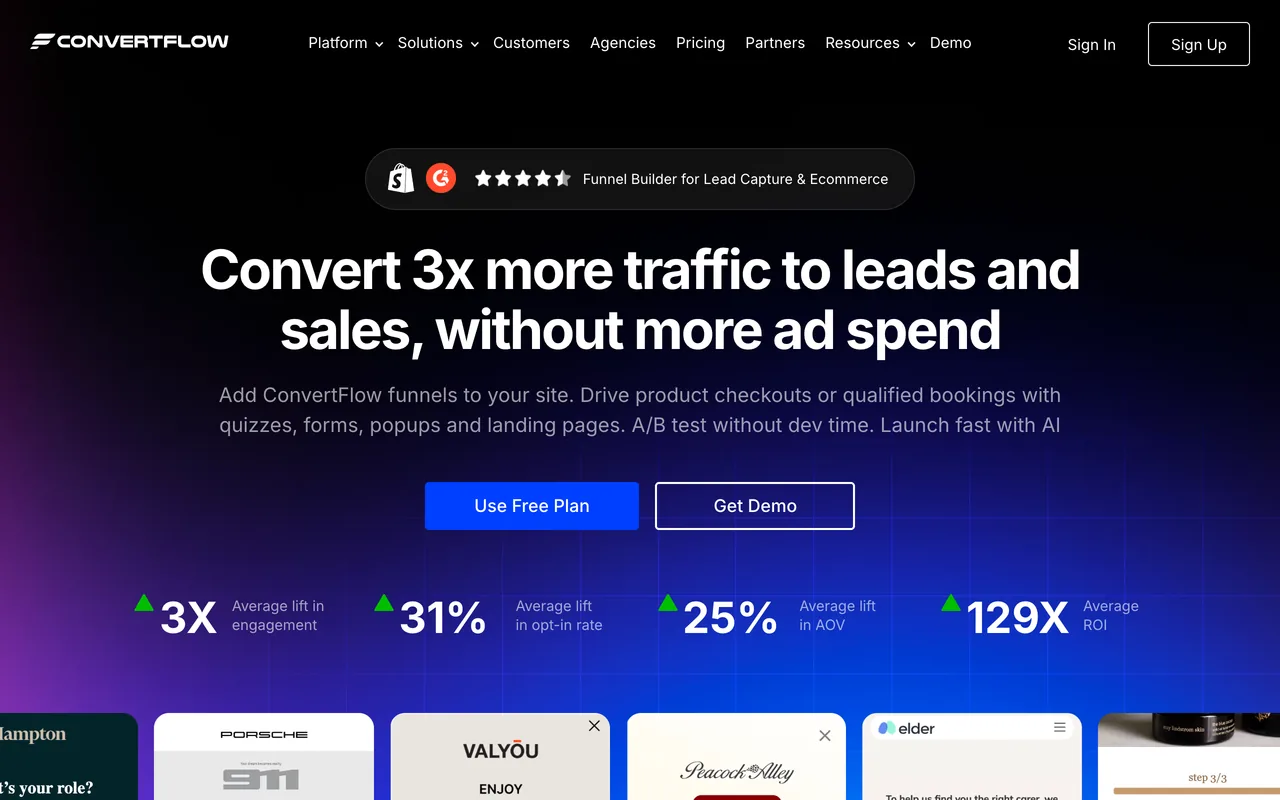
ConvertFlow combines popups with funnel logic and personalization. It's the only tool here that we haven't compared head to head yet, so its facts come from its own pricing page and G2.
Quick Facts:
- Best For: Marketing teams building multi-step conversion funnels with personalized visitor journeys
- Ease of Use: Advanced - A deep funnel builder that requires setup time and marketing strategy knowledge
- Pricing: Build free, upgrade to launch: from $29/month for up to 10,000 monthly funnel views
- Rating: 4.5/5 on G2 (56 reviews), as of 22 September 2026
- Standout Feature: Multi-step journey builder that chains popup interactions into personalized conversion funnels based on visitor behavior
Key Features
- Funnel logic builder
- Multi-step journeys with quizzes, forms, popups and landing pages
- Personalization rules
- Audience segmentation and A/B testing
Pros
- Strong funnel orchestration
- Flexible personalization
- Good for structured marketing flows
Cons
- Requires setup investment
- Not beginner-friendly
- More complex than simple popup tools, and nothing goes live on the free plan: you upgrade to launch
Pricing Overview: ConvertFlow lets you build for free with no time limit and asks you to upgrade to launch. Paid plans are priced by monthly funnel views: from $29 a month for up to 10,000, $99 for 30,000 and $299 for 100,000, with lower prices on annual billing ($25, $83 and $250).
Pricing verified on 22 September 2026 from ConvertFlow's pricing page.
ConvertFlow Pros & Cons (Based on G2 Reviews)
| ✅ Pros (Advantages) | ❌ Cons (Disadvantages) |
|---|---|
| Easy to implement & use – Users highlight simple setup and customizable options that improve lead conversion. (8 mentions) | Slow loading times – Backend CMS and overall usability can be affected by lag. (3 mentions) |
| Integrations – Makes enhancing websites and connecting tools straightforward. (5 mentions) | Slow performance & lag – Lengthy load times impact responsiveness. (3 mentions) |
| Easy setup – Quick integration and smooth functionality across sites. (4 mentions) | Complex interface – Some users find the UI challenging and requiring extra focus. (2 mentions) |
| Easy integrations – Quick setup. (4 mentions) | Editing issues – Finicky and laggy, though support helps. (2 mentions) |
| Effective A/B testing – Revenue from optimized funnels. (3 mentions) | Editor issues – Lag and placement problems. (2 mentions) |
G2's review themes as read on 22 September 2026. Satisfaction increases significantly among structured, strategy-driven teams. Casual users may find it heavy.
Other popup tools we've compared
These six didn't make the top ten, but each has its own comparison page, with prices read from the vendor's pages in late September 2026:
- Claspo puts every feature on every plan, the free one included, with more than 1,000 templates; free for 3,000 pageviews, paid plans from $39 a month. Popupsmart vs Claspo · Claspo alternatives
- Alia is a popup tool for Shopify stores only, whose AI runs the campaign; no free plan, from $100 a month after a 14-day trial. Popupsmart vs Alia · Alia alternatives
- Popup Maker is a WordPress plugin: the core plugin is free with no traffic limit, and paid plans start at $99 a year. Popupsmart vs Popup Maker
- Sumo, now called BDOW!, puts signup forms, popups, a sticky bar and email broadcasts in one tool that starts free. Sumo alternatives
- Mailmunch is an email marketing tool with forms, popups and landing pages, priced by list size from $9.99 a month. Mailmunch alternatives
- Adoric suits busy sites: $100 a month buys 300,000 pageviews on 3 domains, with lift tests against a control group. Adoric alternatives
What Is Popup Software (and Why It Still Works in 2026)
Turning casual visitors into subscribers doesn’t require dark patterns or aggressive interruptions anymore. It requires timing, relevance, and restraint, and that’s exactly where modern popup software earns its place.
In my eight years working hands-on with growth teams and e-commerce brands, I’ve consistently seen well-implemented popups earn their place, not because they shout louder, but because they appear at moments when visitors are already deciding what to do next. When popups respect intent, they stop feeling like obstacles and start acting like guidance.
Popup software refers to tools that display contextual, behavior-based overlays on a website, such as exit-intent prompts, first-visit welcome offers, scroll-triggered signups, or cart-recovery nudges. These aren’t the intrusive popups people learned to hate in the early 2000s. Today’s popup builders are built around conversion optimization: they analyze user behavior, trigger at high-intent moments, and deliver a clear value exchange.
At their core, popups solve a very real business problem: most visitors won’t convert on their first session. Popup software bridges the gap between browsing and action, whether that action is subscribing, claiming an offer, or completing a purchase.
The Real Business Impact of Popup Software
When popups are designed with intent and restraint, the upside is measurable.
- Faster email list growth: For both SaaS and e-commerce brands, targeted email popup software remains one of the most efficient ways to grow an owned audience, especially when it replaces a generic signup form with behavior-based popups.
- Reduced cart abandonment: Exit-intent and checkout popups can recover otherwise lost revenue with minimal friction, often through simple incentives like free shipping or reminder messaging.
- Better user experience (yes, really): When popups are personalized and frequency-controlled, they reduce friction instead of adding it. Visitors see offers that match what they’re doing, not random interruptions.
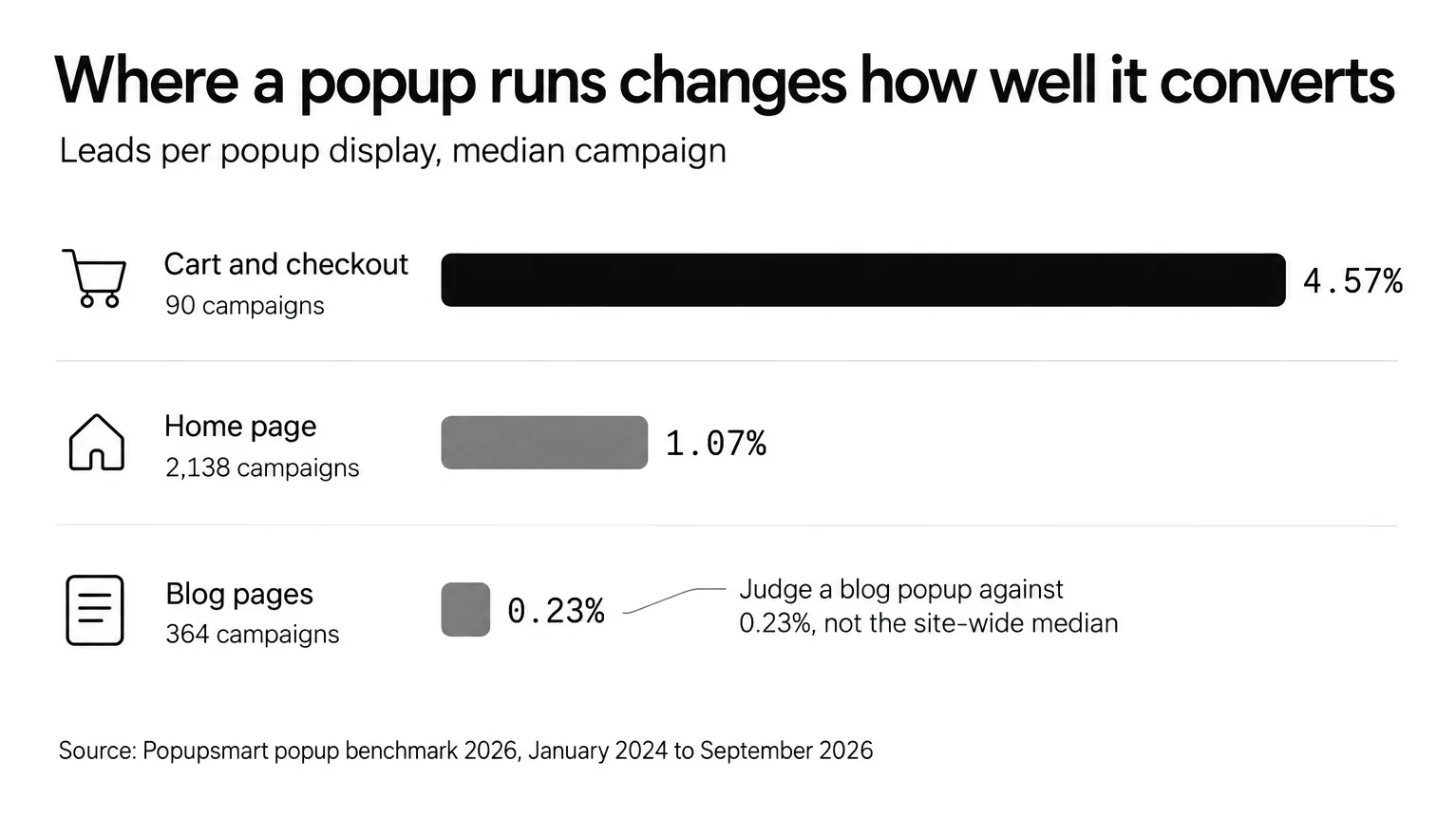
Popupsmart's own data puts numbers on it: in our popup conversion benchmark of 28,674 campaigns run between January 2024 and September 2026, the median popup that asks for an email or phone number converts 0.83% of its displays, and the top 10% convert 3.87% or more.
Where Popup Software Is Heading
Popup tools are evolving quickly, and the gap between “generic” and “high-performing” setups is widening.
- AI-driven personalization: Modern popup platforms increasingly use behavioral signals and predictive logic to decide what to show and when to show it, making interactions feel tailored rather than scripted.
- AI agents that build campaigns: A few tools now let an AI agent build and publish the campaign, not just draft the copy. The comparison in the AI section below shows which ones list an agent, an MCP server or a CLI.
- Mobile-first execution: With the majority of traffic now coming from mobile devices, responsive design and non-blocking formats are no longer optional. The best popup software adapts to smaller screens without harming the browsing experience.
- Deeper integrations: Popups are no longer standalone widgets; they’re part of a broader stack, connecting with email platforms, CRMs, and analytics tools to drive long-term value.
Why Popup Software Matters for Modern Businesses
Popups aren’t cosmetic add-ons. They’re one of the few on-site tools that directly influence lead generation, revenue recovery, and audience ownership.
For digital marketers, popup software enables consistent lead capture without relying solely on paid traffic. For e-commerce teams, it supports immediate revenue wins, recovering abandoning visitors, increasing first-purchase conversions, and encouraging repeat engagement.
In competitive markets, ignoring popup optimization often means leaving qualified leads and revenue unrealized. The brands that win aren’t the ones using more popups, they’re the ones using smarter ones.
Pricing Comparison of Best Popup Software
The entry price only tells you part of the story, because these ten tools bill by six different units. Take one visitor who reads 3 pages and sees your popup once: that's 3 pageviews, but 1 visitor, 1 unique visitor, 1 campaign impression, 1 popup view and 1 funnel view.
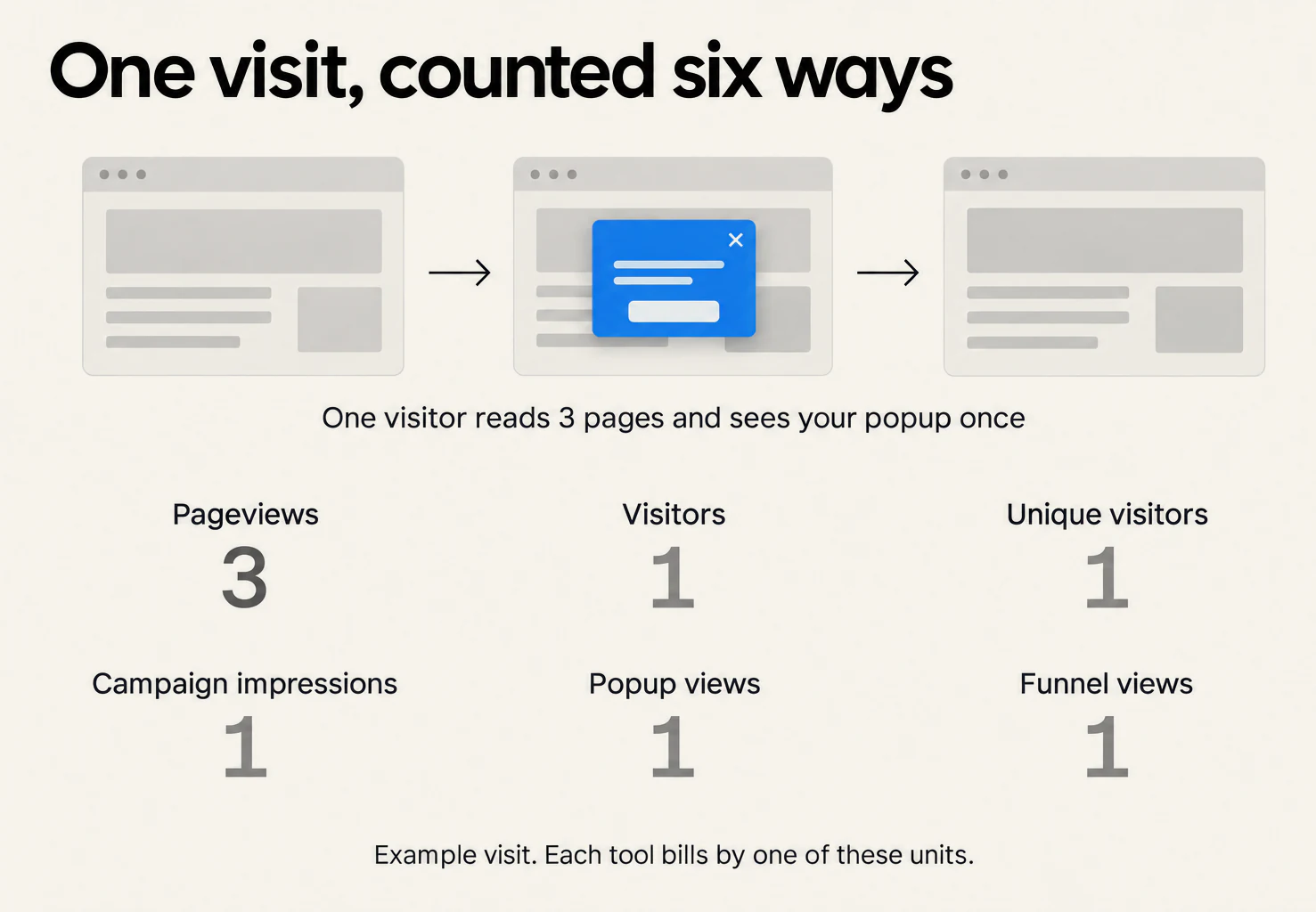
Here is what each free plan and entry plan actually buys.
| Tool | Free plan | Starting price | Billing note |
|---|---|---|---|
| Popupsmart (Recommended) | Yes: 5K pageviews, 1 website, 1 live popup | $39/mo | Monthly Basic plan, 50K pageviews on 3 websites (annual option available: $32.50/mo) · View pricing |
| OptinMonster | No (14-day money-back guarantee) | $21/mo | Basic, 2,500 campaign impressions on 1 site; $7/mo in the first year billed annually |
| Wisepops | No (14-day trial on Shopify) | $299/mo | Shopify plan, 500K pageviews; €599/mo elsewhere, quoted after a demo |
| OptiMonk | Yes: 10K pageviews, every feature | $19/mo | Essential, 20K pageviews |
| Justuno | No (14-day trial) | $59/mo | Lite, 10K visitors, every feature |
| Privy | No (15-day trial) | $24/mo | Displays (popups only), 10K pageviews; $30/mo for email with 1,500 contacts |
| Sleeknote | No (14-day trial) | $69/mo | Core, 25K visitors, every feature ($55/mo billed annually) |
| Poptin | Yes: 1K visitors, unlimited popups | $25/mo | Basic, 10K unique visitors ($20/mo billed yearly) |
| Hello Bar | Yes: 5K views in total | $29/mo | Growth plan (billed annually), 50K popup views a month |
| ConvertFlow | Build only; upgrade to launch | $29/mo | 10K funnel views |
Competitor prices verified between 22 and 27 September 2026 from each vendor's own pricing page. Popupsmart's from our pricing page, 30 September 2026.
How We Evaluated and Ranked These Popup Tools
I didn't rank these tools based on feature count or marketing claims. After 13 years in growth marketing and building Popupsmart from the ground up, I've learned that the best popup software is the one your team can actually use, test, and improve consistently.
Here's the evaluation framework I applied to all 10 tools:
Ease of Implementation: How quickly can a non-technical marketer go from signup to live popup? I weighted tools a person can run without a developer, and noted which ones sell the work done for you instead.
Targeting Depth: Can you show the right message to the right person at the right time? I evaluated behavioral triggers, audience segmentation, personalization capabilities, and which plan unlocks each rule.
Real User Feedback: We had every G2 review of seven of these tools read, 716 in all, with AI assistance, plus Sleeknote's Capterra, Trustpilot and Shopify reviews; for Justuno, Hello Bar and ConvertFlow we used G2's rating and summary. Patterns in user feedback reveal more than feature lists.
Pricing Transparency: Does the pricing page tell the full story? I flagged tools where entry prices are misleading, where costs spike at scale, or where key features are locked behind higher tiers. Every price was read from the vendor's own pages between 22 and 27 September 2026, and we saved the pages.
Integration Ecosystem: Does the tool connect to your existing stack? I prioritized native integrations with Shopify, WordPress, email platforms, and CRMs over tools that depend heavily on Zapier.
Performance Impact: Does the popup script slow down your site? Popupsmart's own measurement puts its script at about 97 KB, loading in about 124 ms; we haven't measured the other nine, so test your pages before and after installing any of them. Tools that harm Core Web Vitals aren't worth the conversion gains.
Agent-Readiness: Can an AI agent run the tool for you? I checked each vendor's own pages for an AI agent in the app, an MCP server and a CLI.
Key Features to Look for in the Best Popup Software
Choosing the best popup software isn’t about finding the tool with the longest feature list, it’s about finding the one that consistently turns traffic into action without hurting user experience.
In my experience optimizing popup campaigns for B2B SaaS and e-commerce brands, the highest-performing setups always share the same pattern: strong fundamentals, flexible targeting, and data-backed iteration. The tools that underperform usually fail not because they lack features, but because they make execution harder than it needs to be.
If your goal is to grow email subscriptions, reduce bounce rates, or recover abandoning visitors, the features below are the ones that actually move the needle.
Essential Popup Builder Features
At a minimum, good popup software should make building and launching campaigns fast, without relying on developers.
What to look for:
- Visual drag-and-drop editor: You should be able to build, edit, and launch popups without touching code. This matters more than it sounds, speed of iteration directly impacts conversion rate optimization.
- Customizable templates: Pre-built templates for email signups, discounts, announcements, and exit offers save time while keeping design consistent. The best tools let you fully adapt these templates to your brand instead of locking you into rigid layouts.
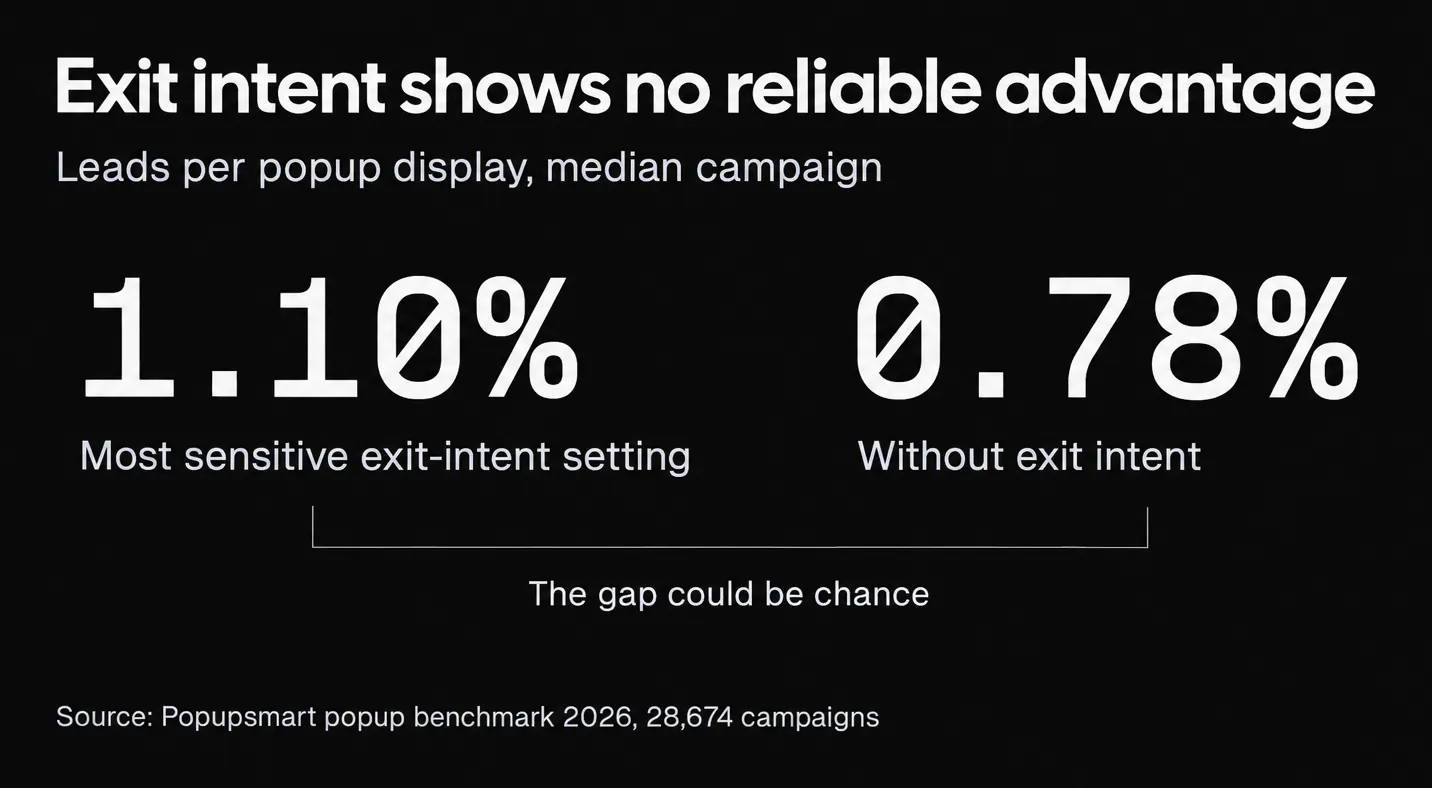
- Flexible trigger types: Triggers define when a popup appears, and they matter more than design. Look for exit intent (desktop & mobile), time-on-page, scroll depth, and page or URL targeting. In practice, combining multiple trigger types often outperforms single-trigger setups.
- Built-in form builder: Native form fields for email, name, phone number, or custom inputs reduce friction and simplify integrations downstream.
- Subtle animations and transitions: Movement should guide attention, not interrupt it. Overly aggressive effects tend to increase bounce rather than conversions.
These features form the baseline. Without them, even advanced popup tools struggle to perform consistently.
Targeting, Integrations, and Compatibility
Popup software becomes significantly more useful once it connects to the rest of your stack.
Key capabilities to prioritize:
- Platform compatibility: Native support for platforms like Shopify and WordPress makes setup faster and more reliable, especially for non-technical teams.
- Email & CRM integrations: Direct integrations with email marketing and CRM tools allow new leads to enter automation flows instantly. This is essential for email popup software focused on list growth and lifecycle marketing.
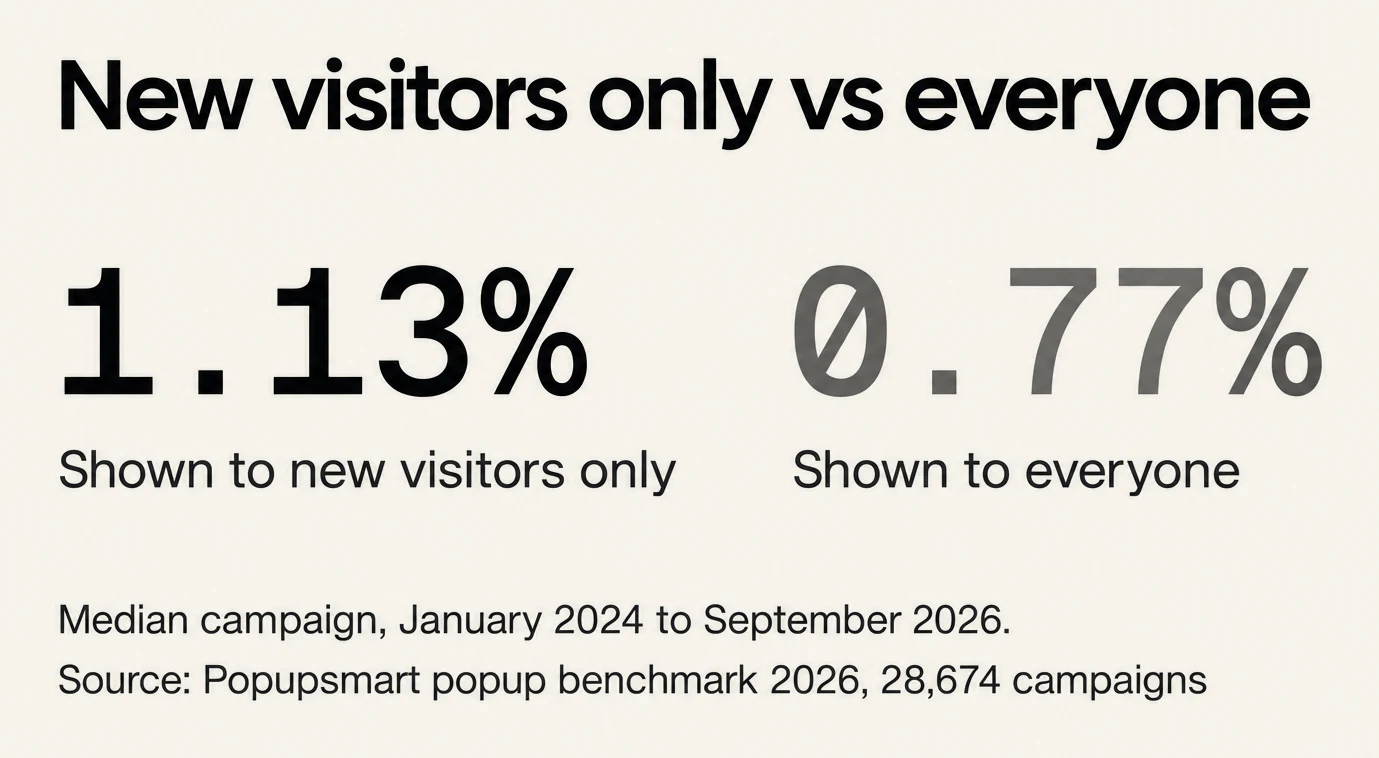
- Advanced targeting options: Look for conditions based on visitor location (geo-targeting), device type, new vs. returning visitors, and cart value or page context. Relevance is what separates high-converting popups from ignored ones, and several tools on this list sell these rules only on their higher plans.
- Mobile optimization: With most traffic now coming from mobile devices, popups must adapt to smaller screens without blocking content or hurting usability. Mobile-specific layouts and triggers are no longer optional.
- Analytics & tracking: Built-in performance tracking and compatibility with analytics tools help you understand what’s working, and what needs refinement. Without data, optimization stalls quickly.

AI, Automation, and Smarter Personalization
Advanced popup software increasingly uses automation and AI to improve relevance at scale, but only when applied carefully.
Where AI actually helps:
- Behavior-based personalization: Showing different messages based on browsing behavior, product views, or session history makes popups feel contextual instead of generic.
- Automated segmentation: Rules for first-time visitors, repeat shoppers, or high-intent users allow you to tailor offers without manual setup for every scenario.
- Timing optimization: Some tools dynamically adjust when popups appear based on engagement signals, reducing disruption while improving visibility.
The newer question is whether an AI agent can do the work, not just suggest it. Here is what each vendor's own pages listed in September 2026:
| Tool | AI agent in the app | MCP server for your own agent | CLI |
|---|---|---|---|
| Popupsmart | Builds and publishes a whole campaign from a chat | Yes, everything the app does, integrations included | Yes |
| OptiMonk | Drafts four designs from a chat and builds the one you pick | Yes, 29 tools that build, target and publish; no integrations tool | Not listed |
| Privy | Not listed | Read-only, on paid plans | Not listed |
| OptinMonster | Not listed; its AI suggests copy for a campaign you build | Not listed | Not listed |
| Sleeknote | Not listed; its AI suggests and rewrites the text you select | Not listed | Not listed |
| Wisepops | Not listed | Not listed; its API reads campaigns but doesn't create them | Not listed |
| Justuno, Poptin, Hello Bar | Not listed | Not listed | Not listed |
ConvertFlow wasn't checked for this table. "Not listed" means the vendor's own pages don't list it, not that it can't exist.
By our own estimate, an agent using Popupsmart's MCP server or CLI publishes a campaign in under a minute, even on a new account. Our guide to AI popup tools covers the AI builders in more depth.
That said, automation should enhance, not replace, human judgment. Over-automation often leads to overexposure, which can hurt trust and long-term performance.
Data privacy and compliance matter here as well. The best popup software includes built-in controls for consent, frequency limits, and regional compliance requirements, helping you grow responsibly.
How to Choose Among the Top Popup Tools
Rather than asking “Which popup software is best?”, the better question is:
- How complex is my funnel today?
- How fast do I need to launch and iterate?
- Do I need enterprise-level targeting, or speed and simplicity?
- Who will build the campaigns: my team, an AI agent, or the vendor's team?
- Do I need email and SMS sending in the same tool, or a popup tool that feeds the email tool I already use?
For most growing businesses and Shopify stores, tools like Popupsmart strike the best balance between performance, usability, and scalability. Teams that want the work done lean toward Wisepops or Justuno's Done-For-You plan, WordPress sites that want forms inside their pages lean toward OptinMonster, and stores that send their email from Privy often stay with Privy.
The best popup software is the one your team can actually use, test, and improve, consistently.
When you don't need popup software yet
If you only need one signup form, with no targeting, the free form in your email tool (Klaviyo, Mailchimp, Omnisend or Shopify Forms) may be enough for now. It costs nothing extra and needs no new install. Popup software earns its place when you want to target returning visitors, cart pages or traffic sources, test one offer against another, run several sites, or keep the freedom to change email tools. The alternatives pages compare each tool on this list against the ones it's most often weighed with.
Final Verdict: Which Popup Software Should You Choose?
After building popup software since 2018 and analyzing 716 G2 reviews of seven of these tools, the answer depends on your situation, not a one-size-fits-all ranking.
Choose Popupsmart if you want the fastest path from signup to results. It's the best balance of targeting power, ease of use, and transparent pricing for SMBs and Shopify stores, with every targeting rule and integration on every plan and an AI agent that can build and publish campaigns for you.
Choose OptinMonster if you need forms inside your pages, content lockers or agency sub-accounts, and have the patience to learn a demanding platform.
Choose Wisepops if you want a strategist to build and test your campaigns for you.
Choose OptiMonk if you're data-driven, run frequent A/B tests, and want AI personalization that adapts to each visitor, or you want every feature on a free plan and your traffic is under 30,000 pageviews a month.
Choose Justuno if you want AI product recommendations in one tool, or its team to run the program.
Choose Privy if you're launching a Shopify store, send your email and SMS from Privy, and want the popups in the same app.
Choose Sleeknote if you want every feature and unlimited websites from the entry plan.
Choose Poptin if you want popups and email campaigns from one company, starting free.
Choose Hello Bar if you only need a bar or a simple popup on several websites.
Choose ConvertFlow if you think in funnels, not individual popups, and you need multi-step lead qualification.
The best popup software isn't the one with the most features. It's the one your team will actually use, test, and improve week after week. Start with a free plan, run your first campaign, measure the results, and scale from there.
Ready to see results? Try Popupsmart free and launch your first high-converting popup in minutes.
Frequently Asked Questions
1. What is the best popup software in 2026?
The best popup software in 2026 depends on your business size and goals, but the top tools share a few traits: fast setup, flexible targeting, mobile optimization, and reliable analytics. For most Shopify stores and growing businesses, lightweight, CRO-focused tools like Popupsmart offer the best balance of ease of use and performance, while enterprise teams may prefer platforms with more advanced segmentation. Beyond that, it depends on who runs your campaigns: OptinMonster suits inline forms, OptiMonk has the biggest free plan, Privy bundles email and SMS, and Wisepops builds campaigns for you.
2. Does popup software hurt user experience or SEO?
No—when implemented correctly, popup software does not hurt user experience or SEO. Modern popup tools are designed with intent-based triggers, frequency controls, and mobile-friendly layouts. Popups that respect timing and relevance can actually improve engagement and conversions without disrupting the browsing experience or violating Google’s guidelines.
3. Are popups still effective for lead generation?
Yes, popups remain one of the most effective on-site lead generation tools. In Popupsmart's 2026 benchmark of 28,674 campaigns, the median popup that asks for an email or phone number converts 0.83% of its displays, and the top 10% convert 3.87% or more. Email popup software is especially effective for capturing first-time visitors who are not ready to purchase yet.
4. Which popup software is best for Shopify stores?
For Shopify stores, the best popup software is one that integrates natively, loads fast, and works well on mobile. Tools like Popupsmart, Privy, and Justuno are commonly used by Shopify merchants, but ease of setup, targeting flexibility, and pricing scalability are often more important than the number of features. Privy fits a store that also sends its email and SMS from Privy; Popupsmart fits a store that keeps its own email tool, such as Klaviyo or Mailchimp. Our Shopify popup apps comparison goes deeper on the Shopify-only options.
5. How do I choose the right popup software for my business?
Start by defining your goal—email capture, cart recovery, announcements, or personalization. Then evaluate popup tools based on how quickly you can launch, how precisely you can target visitors, what each one bills by, and whether the software scales with your traffic and tech stack. The right popup software should support experimentation and growth without adding operational complexity.
6. What is the best free popup software?
Of the ten tools compared, OptiMonk has the biggest free plan: 10,000 pageviews a month with every feature and no branding. Popupsmart's free plan covers 5,000 pageviews a month on one website with one popup live at a time; Poptin's covers 1,000 visitors a month with unlimited popups; Hello Bar's covers 5,000 views in total. OptinMonster, Wisepops, Justuno, Privy and Sleeknote have no free plan.
7. How much does popup software cost in 2026?
Paid popup software starts between $19 and $69 a month for a small site: OptiMonk $19, Privy $24 for popups only, Poptin $25, Hello Bar $29 billed annually, Popupsmart $39 and Sleeknote $69. OptinMonster is $21 a month, or $7 a month in the first year on annual billing. Wisepops sells a managed program from $299 a month on Shopify. Each tool bills by a different unit, so compare at your own traffic.
8. Is OptinMonster the best popup software?
OptinMonster is the best pick on this list for forms inside your pages, content lockers and agency sub-accounts. It has no free plan, bills by campaign impressions, and unlocks exit intent from its Pro plan and location targeting on Growth, so a team that wants every targeting rule on every plan may prefer Popupsmart or OptiMonk.
9. Which WordPress popup plugin is the best?
For a pure WordPress site, a plugin such as Popup Maker is the cheapest start: its core plugin is free with no traffic limit. OptinMonster is the most WordPress-focused of the ten tools compared here. Popupsmart has an optional WordPress plugin, but works from one snippet, so the same account also covers sites that are not on WordPress. Our WordPress popup plugins comparison ranks the plugin-only options.
What changed in this post
Every competitor price re-read from the vendor's own pages between 22 and 27 September 2026, and several corrected: Privy and Justuno no longer have a free plan, Wisepops now sells a managed program, and OptinMonster's $7 is a first-year annual price. G2 ratings and review themes re-read, combined "overall" scores removed, and each tool linked to its head-to-head comparison and alternatives page. New cover, a fresh screenshot of every tool's home page, and benchmark figures for page type, exit intent and new-visitor targeting.