
6 Best Shopify Cookie Tools You Can Use for Your Store

 ChatGPT
 Perplexity
 Claude
 Grok
Grok Google AI Mode
Explains why Shopify stores need GDPR/ePrivacy-compliant cookie consent popups, defines cookies, and lists six top tools for 2025 (Popupsmart, CookieYes, Cookiebot, Enzuzo, EU GDPR Cookies, TrustArc) with pricing and a comparison table.
Table of contents (15)
The question of “How do we handle cookies in our store?” is one that all Shopify store owners ask themselves, and one that can be answered best by Shopify cookie tools.
Cookie tools are among the most important platforms to simplify or automate the process of getting consent from your customers.
It saves time for everyone and makes it easier for visitors to accept cookies without too many hassles.
Yet there is still some confusion regarding what Shopify cookies actually are, as well as what they are used for.
While this may seem like a small problem, in fact, it’s one that can have big consequences, particularly when it comes to the General Data Protection Regulation (GDPR) and other related laws.
Several regulations, including the EU's GDPR laws, mandate you to use a cookie information popup to inform users you keep their data.
💡 Shopify cookie tools can play an important role in ensuring that a store's privacy is protected to the fullest extent under GDPR law and help you in an easy and non-intrusive way to deliver privacy information to customers.
However, there are so many options out there that it can get overwhelming and time-consuming to choose the best app for your Shopify store.
Well, we´ve made the process as smooth and hassle-free as possible by doing the research for you. 🤓
Listed below are the best Shopify cookie consent tools that can help you ensure your customers that their data is protected under GDPR (and other privacy norms).
Hopefully, this will help you in your journey to find the right app for your store.
But before we get to the full list, let's dig a bit deeper to learn what cookies are and why you need them for your Shopify store.
If you are already familiar with these concepts, then feel free to head over to the best Shopify cookie tool list we have curated for you as shown in the table of content below. 👇🏻
What are Cookies? 🍪
A cookie is a small piece of data that's stored within a web browser that the website can retrieve at a later time. This data is assigned a unique ID to identify you and your computer.

Cookies used for web browsing are called HTTP cookies, which are used to identify specific users and improve your web experience.
When the cookie is exchanged between your computer and the network server, the server reads the ID and knows what information to specifically serve to you.
Website owners use cookies to make their websites work better for the users, as well as to provide insights into how the sites are being used by people.
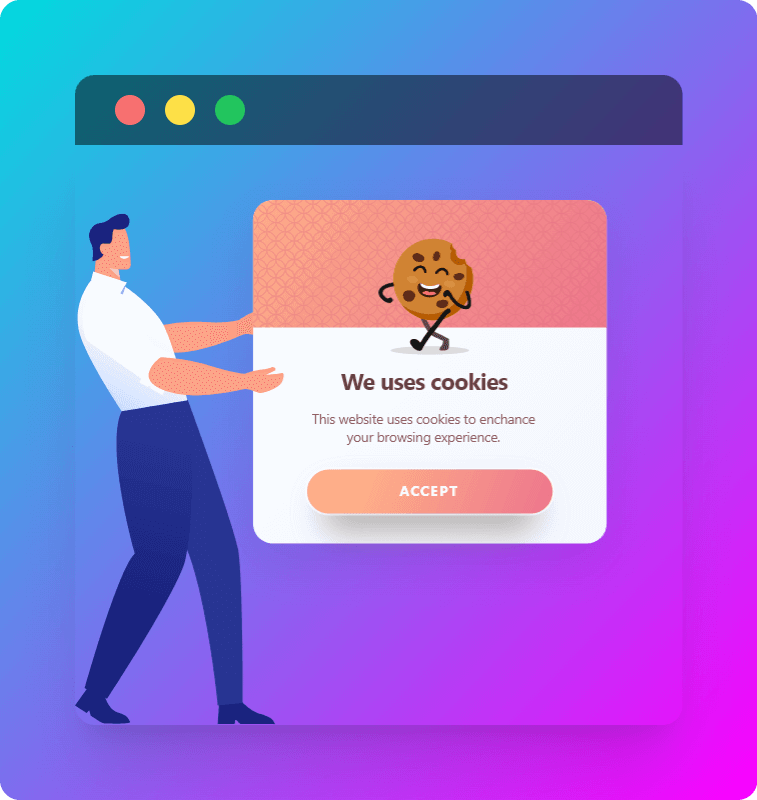
Cookies consent is the interaction between a visitor to your site and a consent management platform (CMP) that enables them to decide whether they want to allow cookies to collect their personal data.
Law-compliant cookie consent notices are crucial for short term memory on the web.
You can store users' actions on their browsers, collect data, remember your visitors, and show targeted pages to improve user experience.
For example, Shopify stores use cookies to remember basic details about prospects browsing history and preferences, such as which region they selected when visiting the site.
This allows them later provide you with more relevant suggestions and content when you return to the site.
Why Do You Need a Shopify Cookie Consent? 🛍️
Shopify cookie popup lets your visitors know that you store cookies on your website. If you’re going to be collecting any personal data on your website and your Shopify store, then you need to inform users that you’re doing so.
This means telling them exactly what data you collect and why — and giving them an opportunity to opt out.
In order to raise people's awareness of their privacy rights with a strong focus on key EU laws like the ePrivacy Directive and GDPR you need a way to inform them about how you collect their personal data, including cookies.
The cookie law in Europe requires businesses to provide clear and specific information about their use of cookies and other tracking technologies on websites and in apps.
This includes informing visitors about why they are being tracked, who is doing it, and how long it will continue — plus providing an easy way for them to opt out if they don’t want their data collected anymore.
One of the best ways to do so is with a cookie popup that is displayed on your website as soon as someone visits for the first time.
This might be a popup in the center of the screen, or a banner in the header or footer area.
You can also read more about Shopify's cookies and customer tracking policy on the help center page.
So now that you know the importance of having a Shopify cookie consent, let's explore the best tools to set one up for your store.
6 Best Shopify Cookie Tools in 2025 🚀
1. Popupsmart
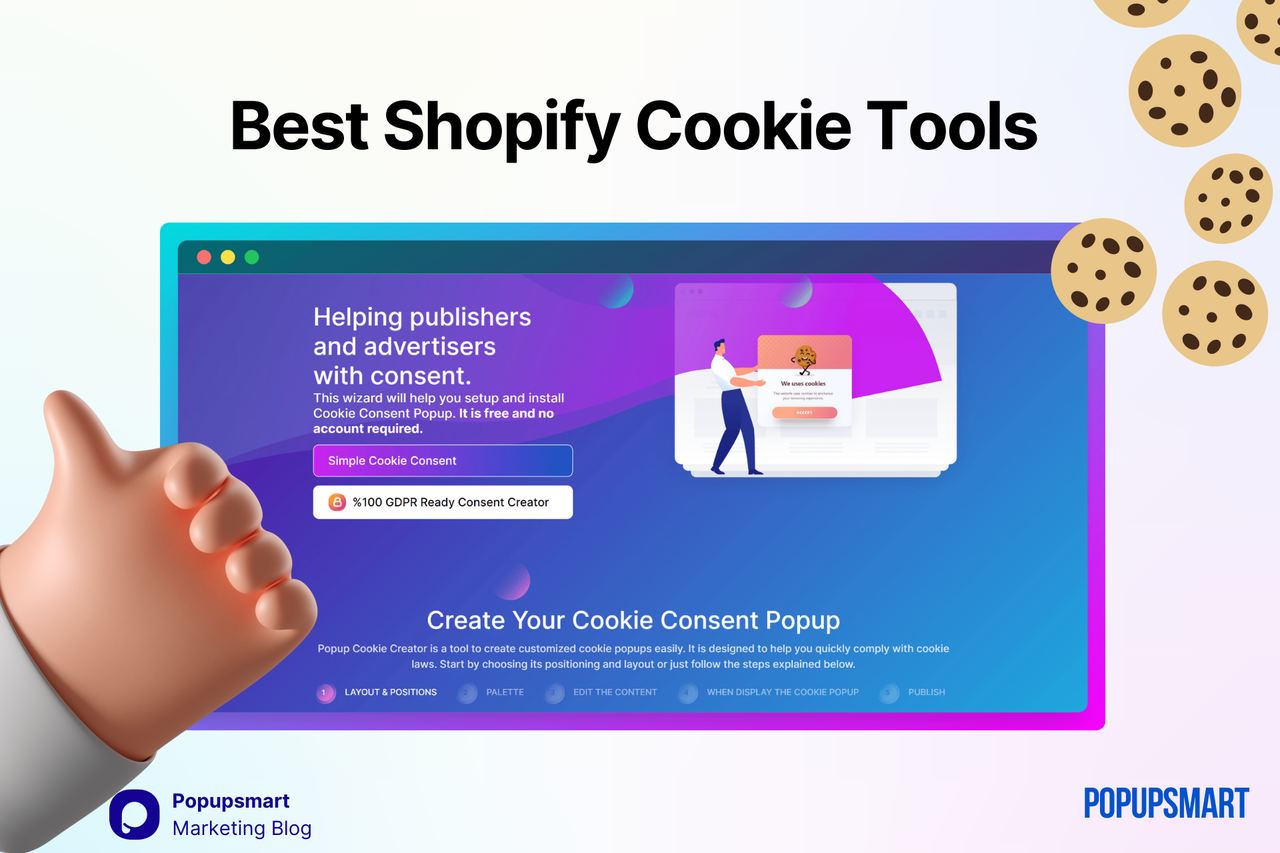
Popupsmart is a no-code popup builder with a free cookie consent creator that is one of the easiest and the best tools you can use for your Shopify store.
This wizard will help you set up and install Cookie Consent Popup in less than five minutes.
Popupsmart cookie app allows you to have a cookie banner that will protects your Shopify store from complications with GDPR regulations and other privacy norms.
During forming the cookie consent popup process with Popupsmart cookie creator, you will simultaneously experience how your design will look like on a website.
It´s user-friendly and designed to help you quickly comply with cookie laws and have the best result in your store.
You can also use Popusmart for your Shopify exit intent popups as well and increase your store’s conversion rate significantly.
This tool is a cost-effective and simple solution that keeps your brand voice with prebuilt popup templates and email editors.
If you haven't worked with popup tools before, this is the best beginner-friendly option for creating your first one.
With Popupsmart tool you can make a compliant cookie consent that:
- Clearly specifies the data types and their collection purposes.
- Given as a positive and unambiguous action.
- Securely recorded as evidence to the related authorities.
- Is withdrawable for website users whenever they want.
- Renewed once a year for ePrivacy Directive rules.
Pricing: Popupsmart cookie consent creator is free and requires no account.
2. CookieYes
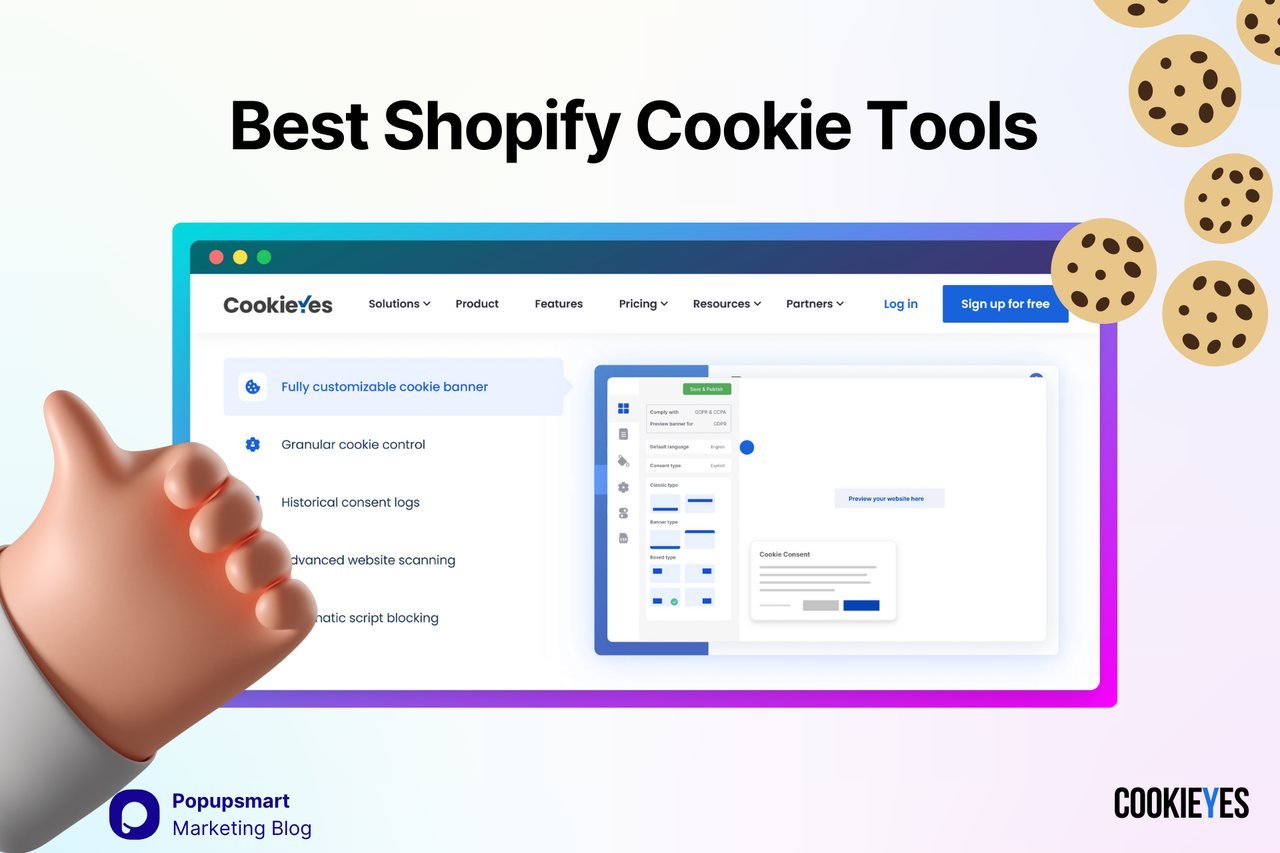
CookieYes is another all-in-one cookie consent management platform on our list that you can use for your Shopify store.
CookieYes has the greatest strength of integration with all of the major content management systems such as WordPress, Drupal, Magneto, Blogger, Joomla, and Wix.
Cookies consent banners are automatically generated by this system to comply with GDPR requirements.
You don't have to use a CMS to use the system - you can use it on your own custom website as well.
With CookieYes you have the opportunity to customize your consent popup and publish it on your Shopify store exclusively. The system also hosts a consent database of user responses. Capterra reviews on CookieYes can provide you with more detailed information.
Pricing:
- Free plan: For blogs and personal websites $0 /year /domain
- Basic plan: For small business and startups $10 per month or $100 /year /domain
- Pro plan: For medium business with growing traffic $20 per month or $200 /year /domain
- Ultimate plan For large business with high traffic $40 per month or $400 /year /domain
3. Cookiebot
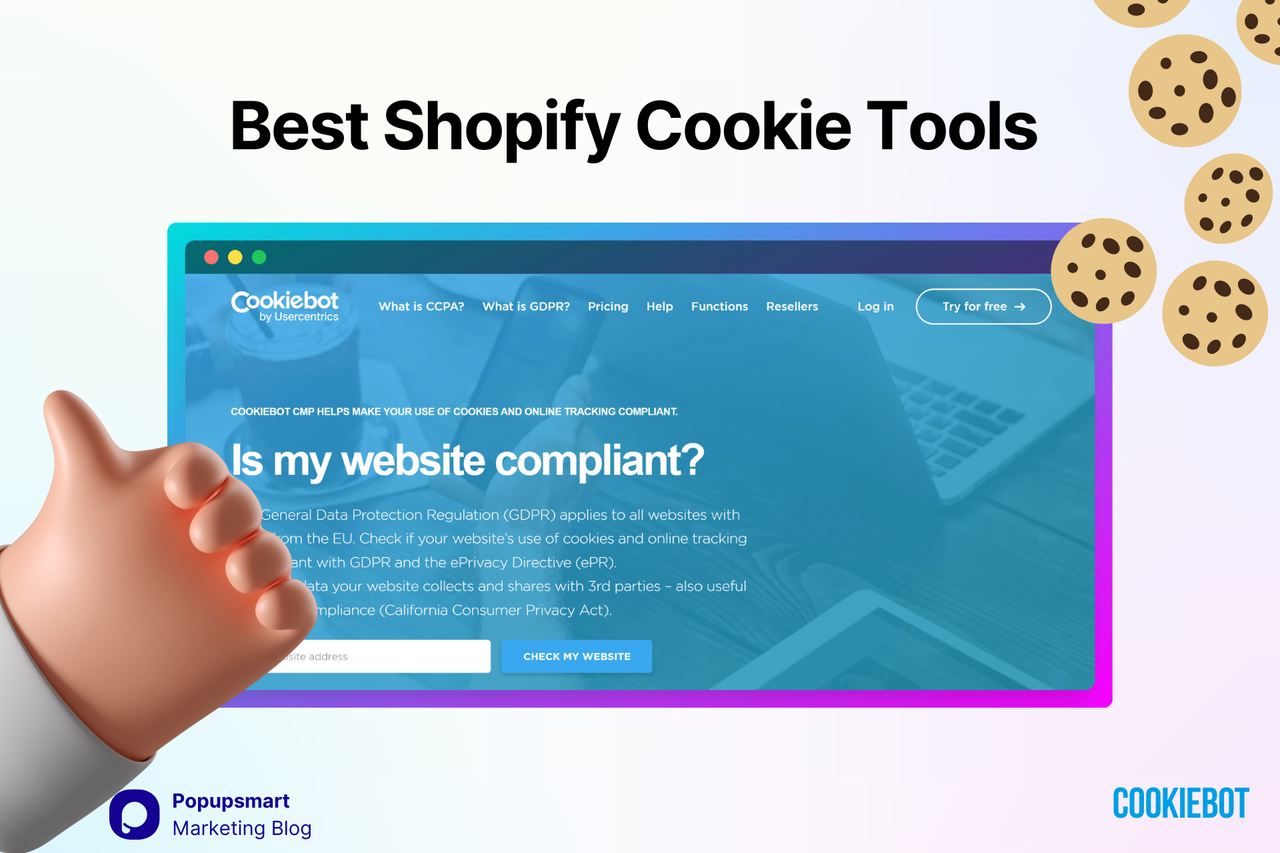
Cookiebot is another great consent management platform that analyzes your website for cookies and trackers, making it easier to determine what forms of consent you need from visitors to your site.
Cookiebot is a cloud-based, hosted service that scans your Shopify site and presents you with a short questionnaire about your business.
The platform is going to create a consent banner based on analyzing your store and the answers to the survey, allowing you for further customization. The code for the banner is hosted so you just need to insert a few lines into your site.
The Cookiebot crew keeps up to date with all consent-related legal developments around the world. Any changes to the legal landscape cause the consent management platform’s detection and management processes to be updated.
In addition to providing a means of complying with GDPR regulations, Cookiebot has many other advantages:
- It offers full transparency on your cookie usage as well as GDPR compliance.
- It provides an overview of consent status across multiple domains.
- Real-time geo targeting.
- White-listing strictly necessary cookies.
Take a look at Cookiebot's Capterra reviews for detailed information.
Pricing:
- Free plan: Limited access with maximum 1 domain and less than 100 subpages.
- Premium Small: €12 per domain and per month.
- Premium Medium: €28 per domain and per month.
- Premium Large: €49 per domain and per month.
4. Enzuzo
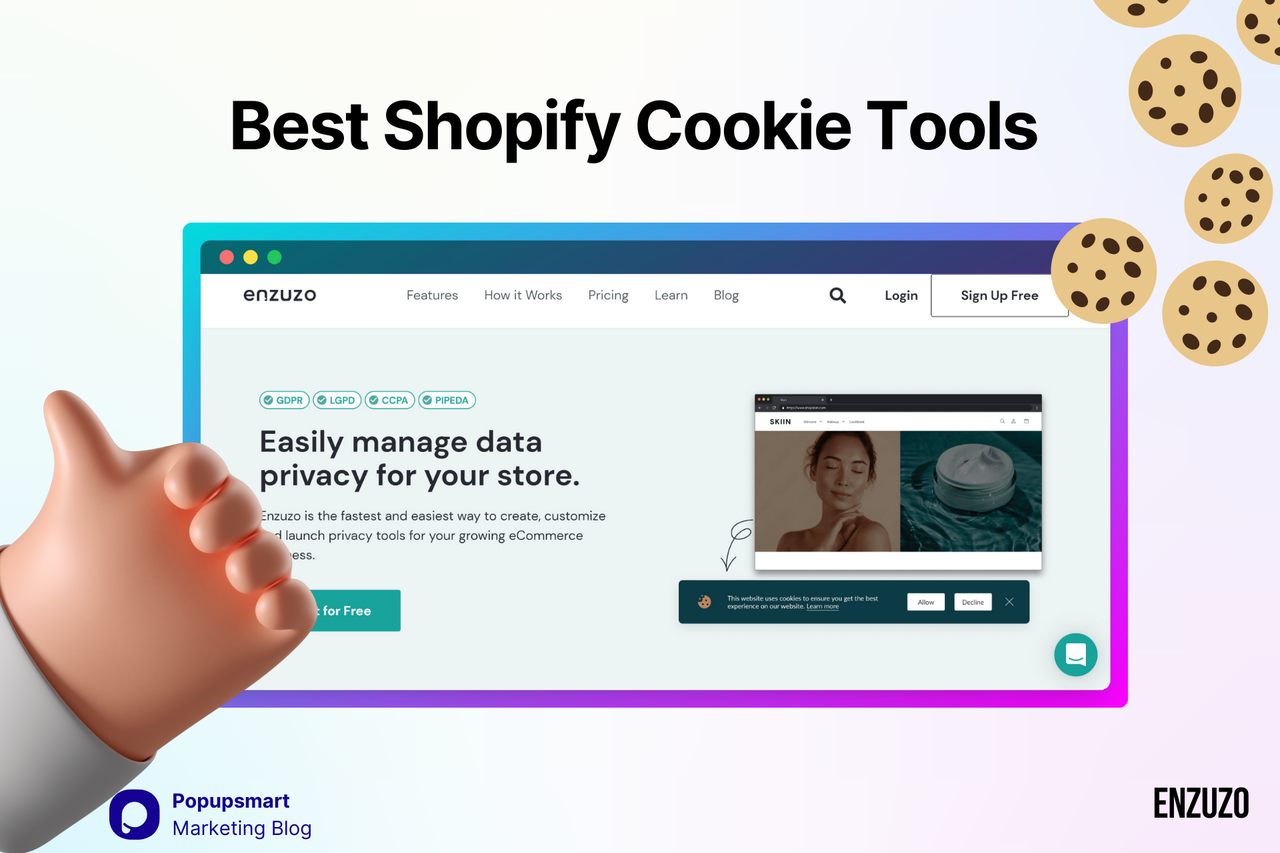
Using Enzuzo you can build a personalized privacy experience that customers trust, all from one simple eCommerce privacy platform.
This cookie banner tool lets you create and add a compliant Shopify cookie banner in moments.
You can customize the template, set your preferences, and choose to display your banner only to visitors in the EU.
The service offers plenty of customization and styling options, so you can pick your own text and link colors, and box style.
Visitors to your website can easily provide their consent, or set their own preferences, with just one click. In addition, visitors can withdraw and modify their consent at any time.
With this privacy platform, you can manage your website compliance in one place.
Besides the cookie banner, you can build and manage a compliant privacy policy that goes beyond the basics and puts the user's experience first.
Take a look at the some of the honest reviews about Enzuzu on Shopify to get a better understanding of this great software.
Pricing
- Free plan: No credit card required $0 / per month.
- Starter plan: $9 / per month.
- Growth plan: $29 / per month.
- Unlimited plan: $129 / per month.
5. EU GDPR Cookies Notification
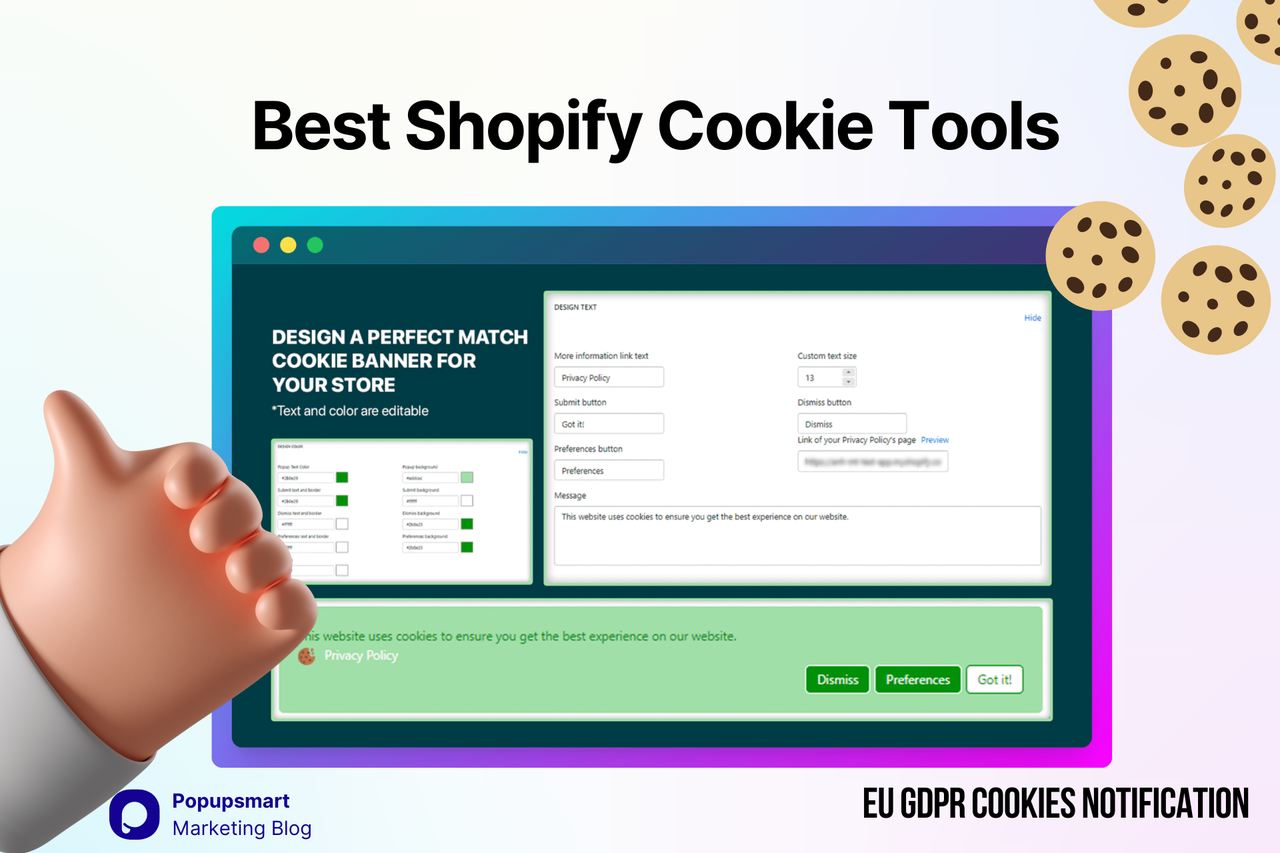
EU GDPR Cookies Notification is another cookie consent tool you can use for your Shopify store and create branded cookie banner that looks native to your store.
Using this platform each preference category can be transparent with cookie name, function, and description. Your cookies and preferences can be fully customized and explained in plain language to your customers.
You can document and store consent received from users with this too and manage them right in-app.
Even if your store's visitors refuse to allow certain cookies, they can change their cookie settings at any time.
Using EU GDPR Cookies Notification you can:
- Auto-scanned cookies
- Add, edit, manage cookies and preferences
- Manage consent and export
- Customize cookie banner & preference look
- Change cookie settings anytime
- Set cookie lifetime
Pricing
- Free plan
- Premium plan: $5.99/month
6. TrustArc Cookie Consent Manager
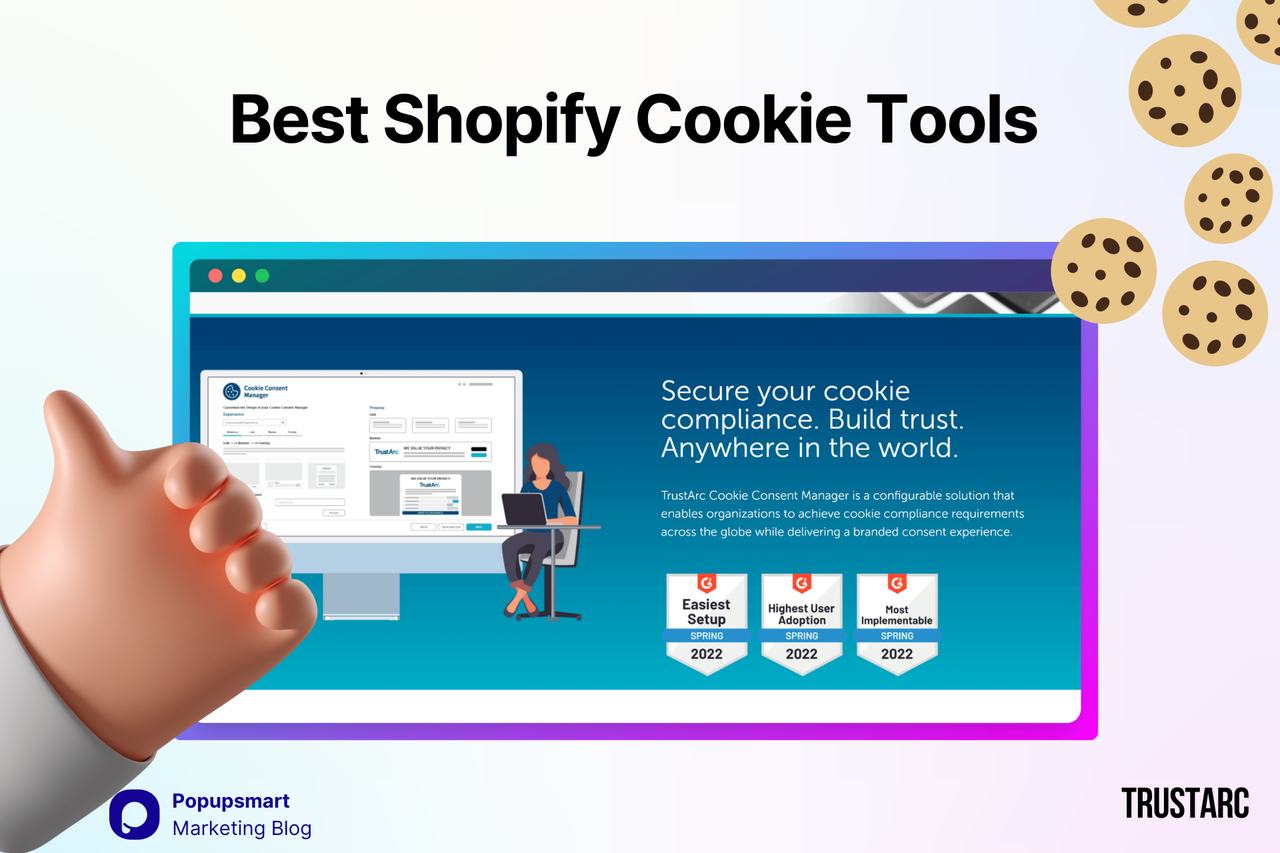
The TrustArc Cookie Consent Manager is another great tool on our list that implements compliance procedures for websites and Shopify stores.
With TrustArc Cookie Consent Manager, organizations can achieve cookie compliance requirements across the globe while delivering a branded consent experience.
A tool that locates and identifies all cookies and trackers built into a website and then categorizes them.
By using this system you can stay compliant with regional privacy laws and avoid fines and litigation.
Following an assessment of all cookies, TrustArc creates the appropriate cookie consent banner. This system is hosted on the TrustArc site and called as an API within your Shopify site.
Using this banner creation tool, you can create a customized cookie popup banner that aligns with the overall style of your store.
Pricing:
- TrustArc Cookie Consent Manager is available for 14 days free of charge and after that it includes performance monitoring and compliance reporting services accessible through the dashboard.
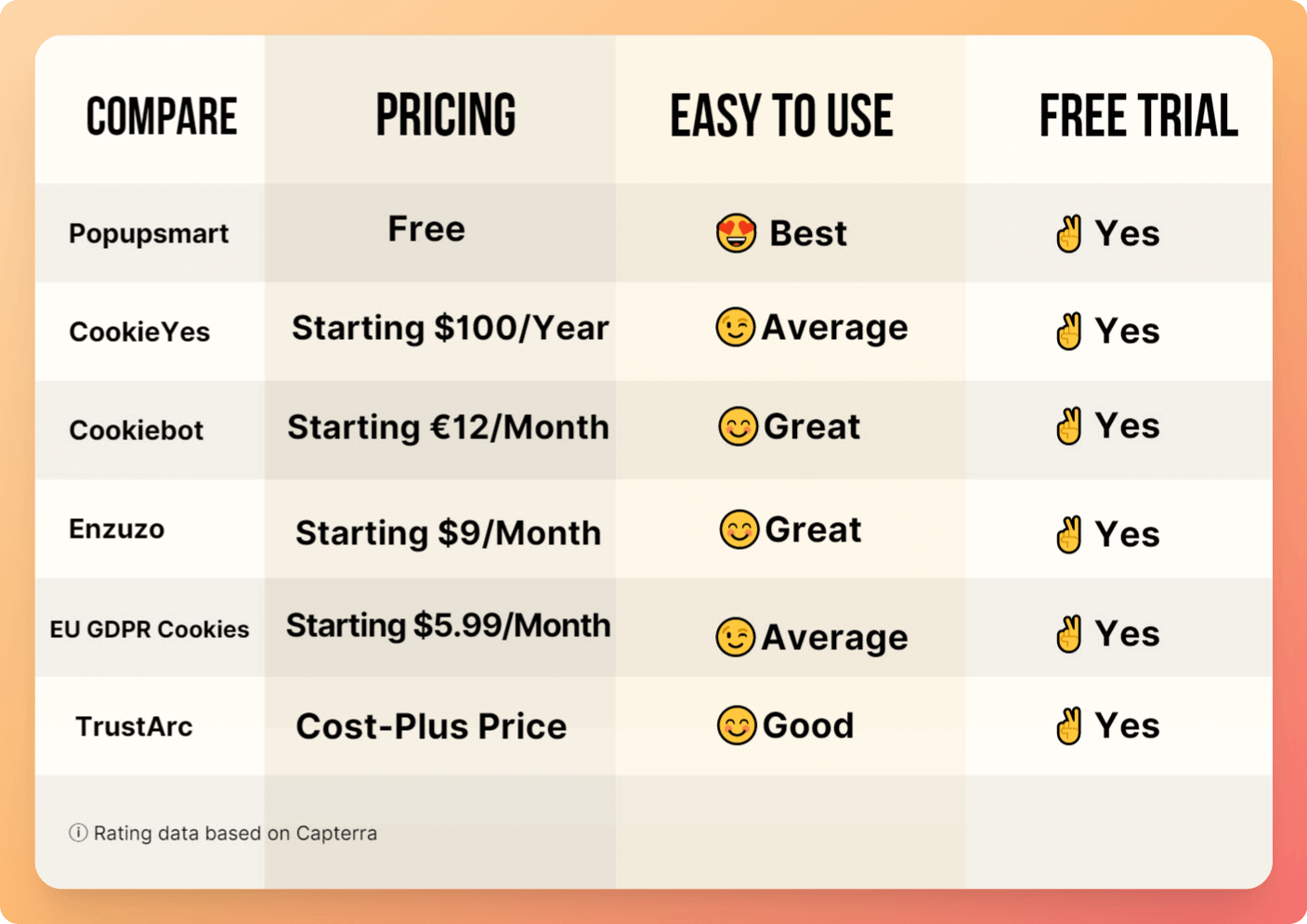
Shopify Cookie Tools Comparison Table
| Platform | Pricing | Easy To Use | Free Trial |
|---|---|---|---|
| Popupsmart | Free 😍 | The Best | Yes |
| CookieYes | $10 | Average | Yes |
| Cookiebot | $12 | Great | Yes |
| Enzuzo | $9 | Great | Yes |
| Eu GDPR Cookies | $5.99 | Average | Yes |
| TrustArc | Custom | Good | Yes |
Create a GDPR Compliant Cookie Banner with Popupsmart
With Popupsmart it takes only a few minutes to create a GDPR Compliant Shopify cookie popup!
Follow these steps to create a Shopify cookie popup with Popupsmart's cookie creator:
- Visit Popupsmart’s cookie popup creator.
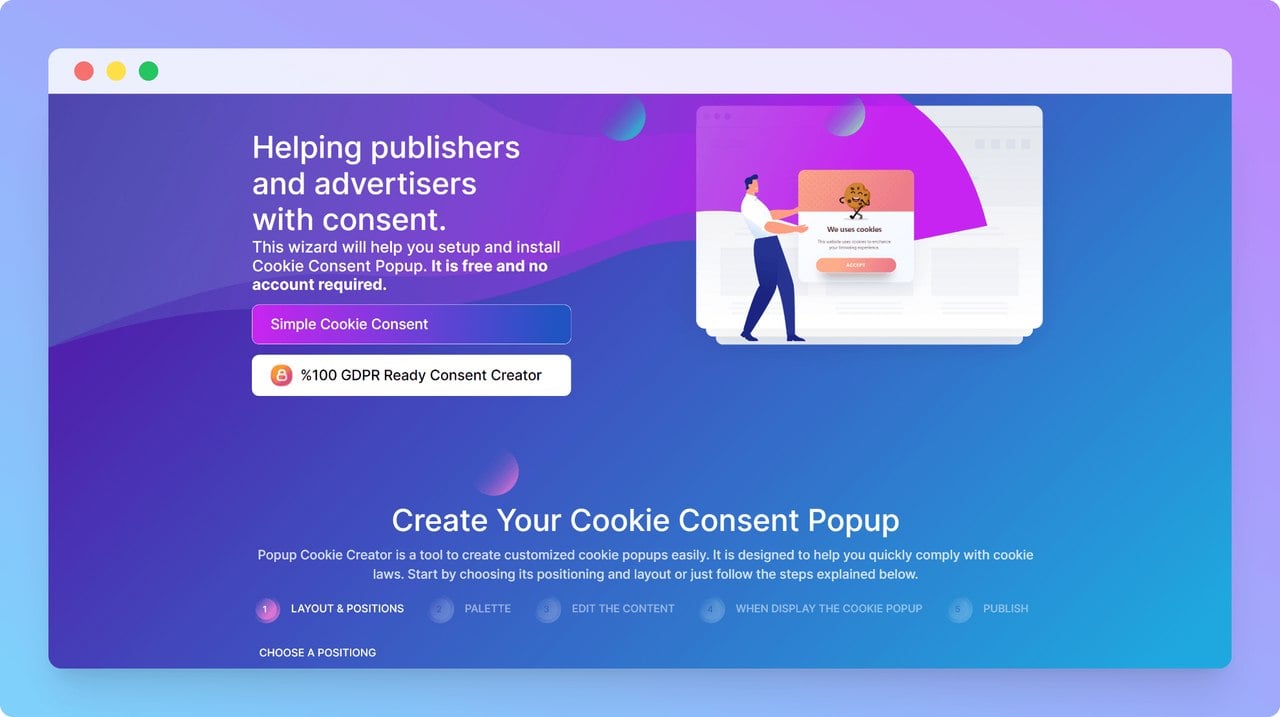
- Select the place where you want to add your cookie popup from the “Layout & Positions” section.
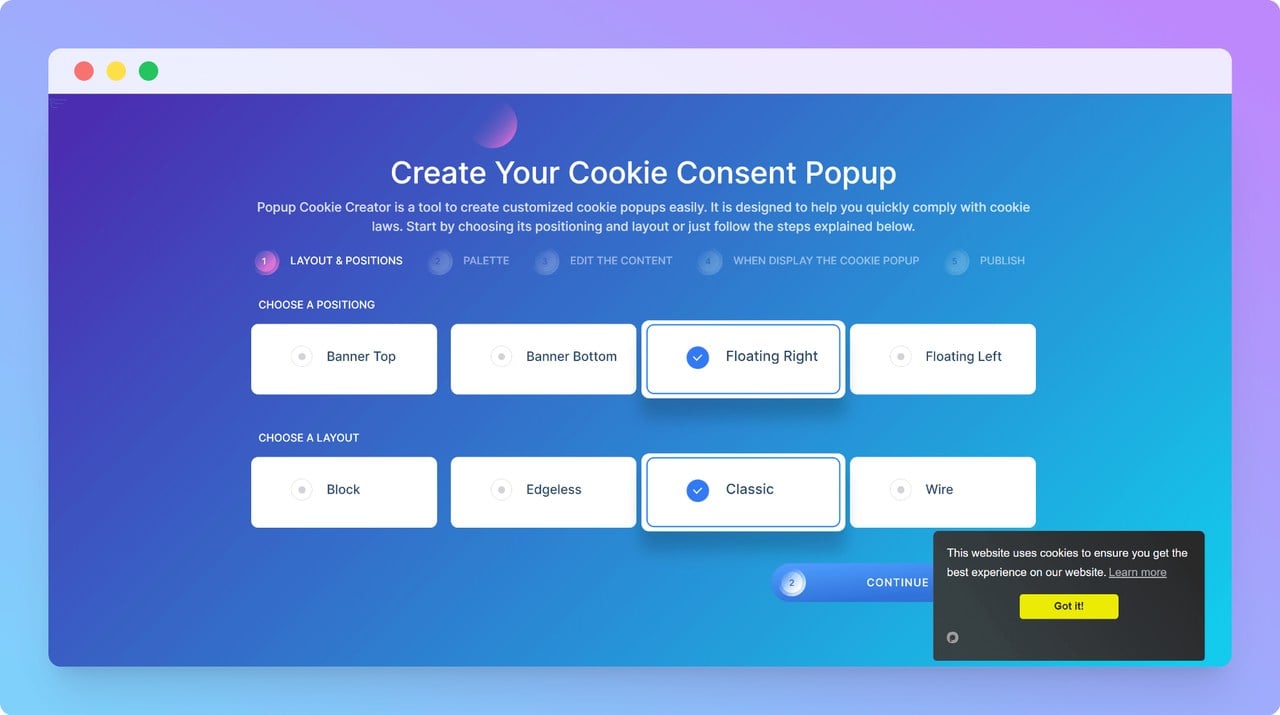
- Next, choose a layout from many options for your cookie popup.
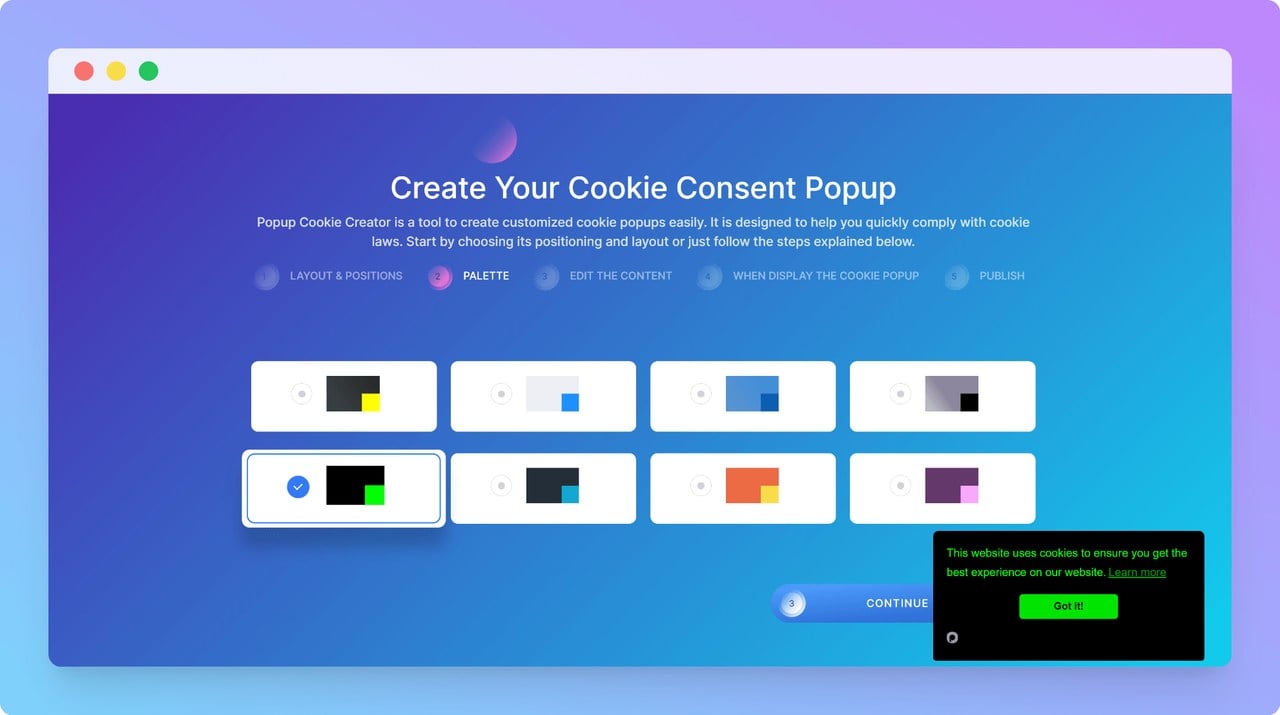
- From the "Palette" section, choose the color of your Shopify cookie consent. Ensure that your cookie consent pop-up is consistent with your website's overall style.
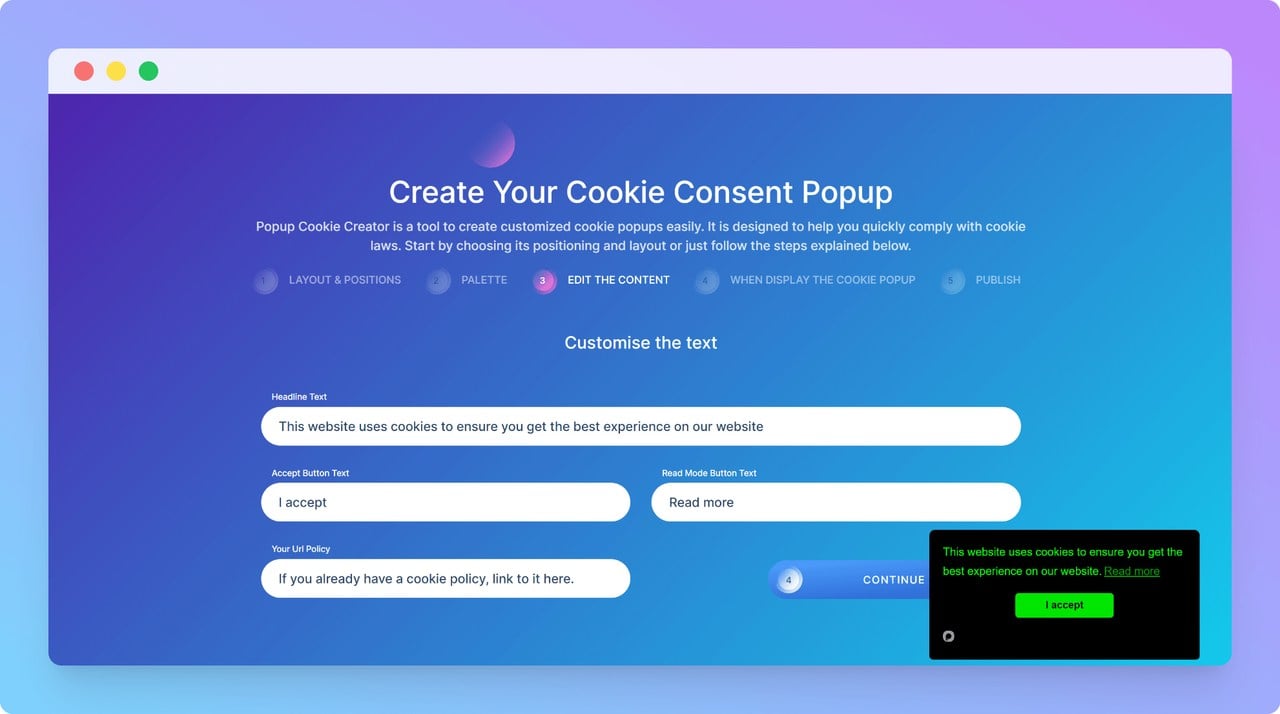
- "Customize the text" allows you to edit the popup's text. Be sure to include an eye-catching call to action in the headline. It is also a good idea to include your company's privacy policy about cookies in the text section.
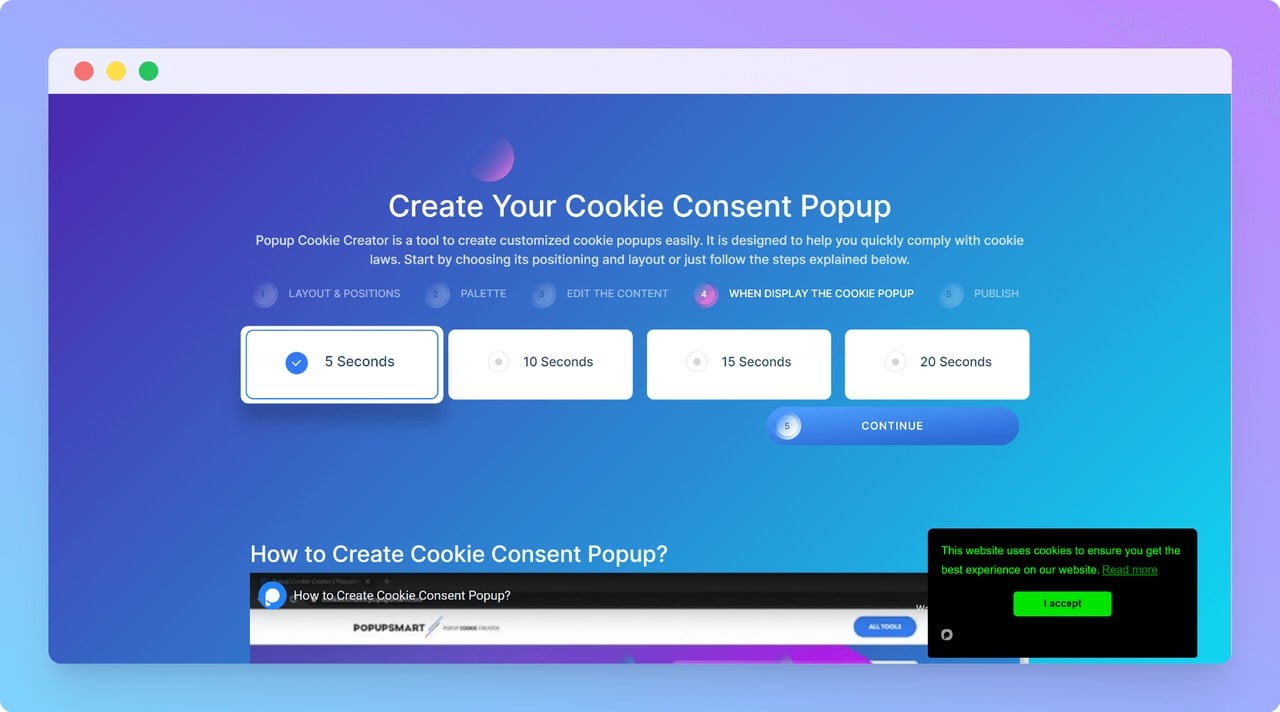
- Here you can set the display time for the cookie consent. Suppose it is a 5-second popup; a visitor can see it in 5 seconds after clicking on your website.
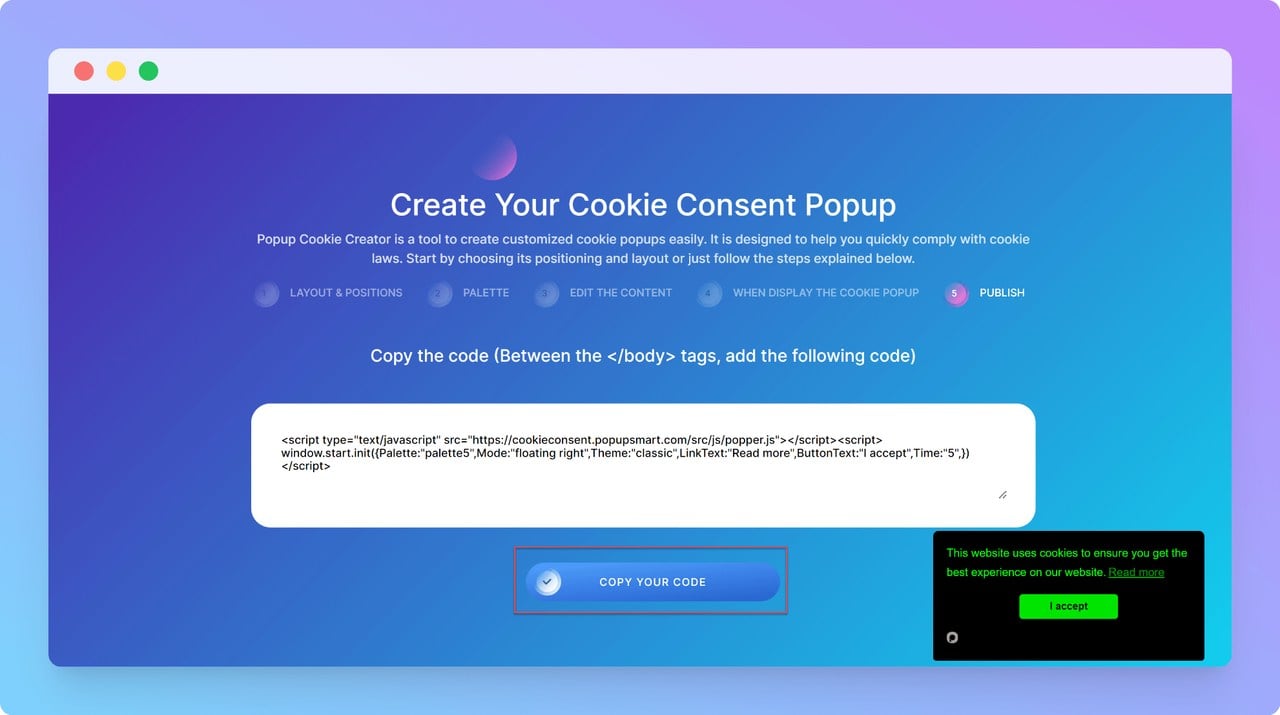
- Finally, copy the two codes provided for your cookie consent popup creation. Include the given code within your Shopify store.
Frequently Asked Questions

What is a Cookie Message?
In the cookie consent banners, the cookie text or cookie message - as it's sometimes referred to - is what communicates to users about the cookies and informs them about how cookies are used.
Do I Need a Cookie Policy on My Shopify Store?
The short answer is YES! A cookie policy is absolutely necessary if your site uses cookies and your users are in a country with a cookie policy requirement (CCPA, GDPR, etc.). For instance, you need to comply with CCPA or GDPR if you have users in California or the European Union.
What is the Best Shopify Cookie Tool?
Here are some of the best Shopify cookie tools you can use for your store:
- Popupsmart
- CookieYes
- Cookiebot
- Enzuzo
- EU GDPR Cookies Notification
- TrustArc Cookie Consent Manager
Final Words
Creating a GDPR-compliant banner couldn’t be any easier! Just use the right tool and you'll quickly create a great banner. However, remember to make your banner entertaining, informative, and visually appealing too.
Your customers will appreciate you for this extra effort when they choose to opt in to your services and see how much easier their experiences could be with solutions that match their preferences.
In this article we have listed the best Shopify cookie tools that can help you create your own customized cookie popup.
By using these tools, you can create, personalize, and deploy a cookie banner that gives your users greater control over their own personal data. Take a good look at them and choose the one that best suits your objectives.
If you are interested in getting to know more about the Shopify platform, you can also check out the following article. 👀👇🏻
How would you rate your experience with this article? 😊