AI Popup Builder: a complete popup from one prompt

Describe the campaign. Popupsmart writes the headline, places an image, and adds a call to action. Publish in under 30 seconds. No code.

What is an AI popup builder?

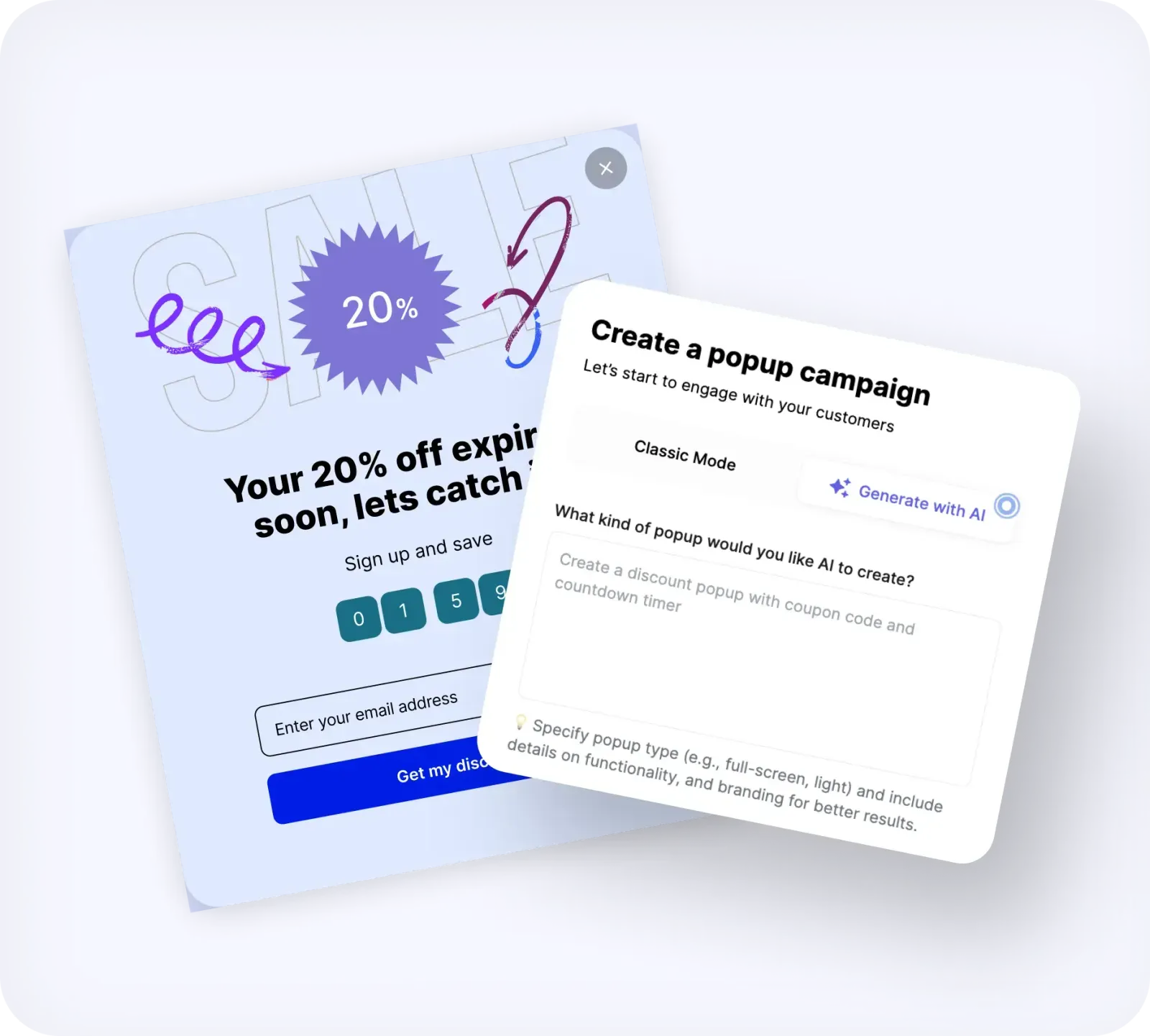
An AI popup builder turns a text prompt into a complete website popup: headline, body, image, and call to action. Type the goal. Popupsmart returns a draft you can edit and publish in under 30 seconds.

See how it works

Popupsmart AI popup builder prompt field generating a campaign

How the AI popup builder works

Five steps from a sentence to a live campaign. You can stop after step 3 and publish, or keep editing.
  1. 1. Open the AI Popup Builder. Sign in to Popupsmart and start a campaign from the AI Popup Builder. No design file and no developer ticket.
  2. 2. Describe the popup in one prompt. Write the goal in plain language. Examples: collect emails before checkout, announce free shipping, offer 10% off to new visitors.
  3. 3. Review the generated campaign. The builder returns a headline, body, image, and call to action sized for the popup. That draft is the campaign, not a mood board.
  4. 4. Rewrite copy or regenerate the image. Click Generate AI Suggestions for new headlines and body lines. Type a new visual prompt in Generate Image with AI if the picture is wrong.
  5. 5. Set targeting and publish. Add exit-intent, scroll, device, or Shopify cart rules, connect your email tool, and publish. Same editor as every other Popupsmart campaign.
See the builder

Publish a branded popup in under 30 seconds

The AI Popup Builder returns a campaign you can put on the site the same session. Headline, image, and button are already in the layout.
See the prompt step
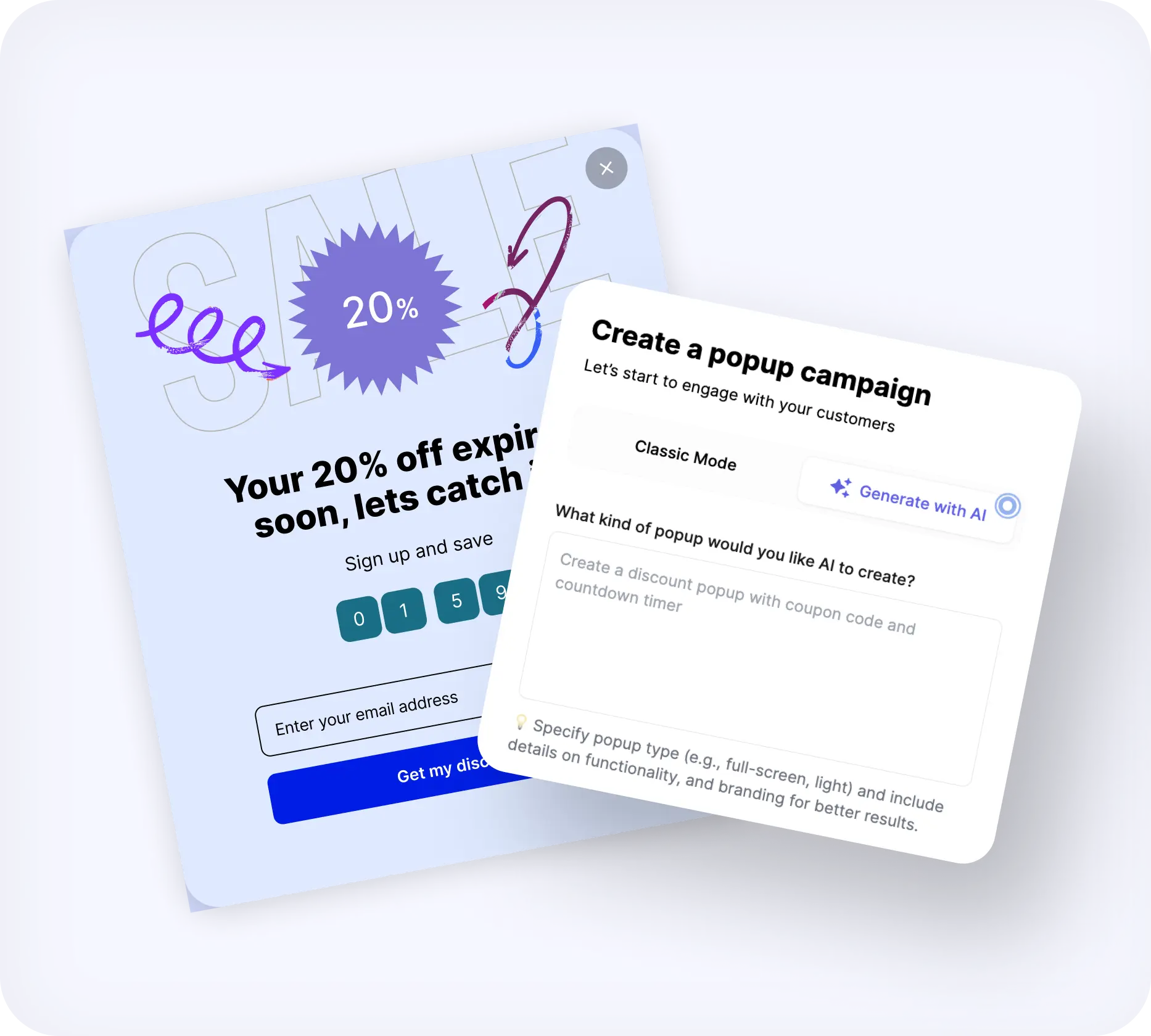
Popupsmart AI popup builder generating a branded popup from a text prompt

Single prompt. Instant popup.

Tell the builder what you want: "collect emails before checkout", "announce free shipping", or "offer 10% off to first-time visitors". It builds the popup from that sentence.
See copy suggestions
Single prompt field in Popupsmart that creates a complete popup

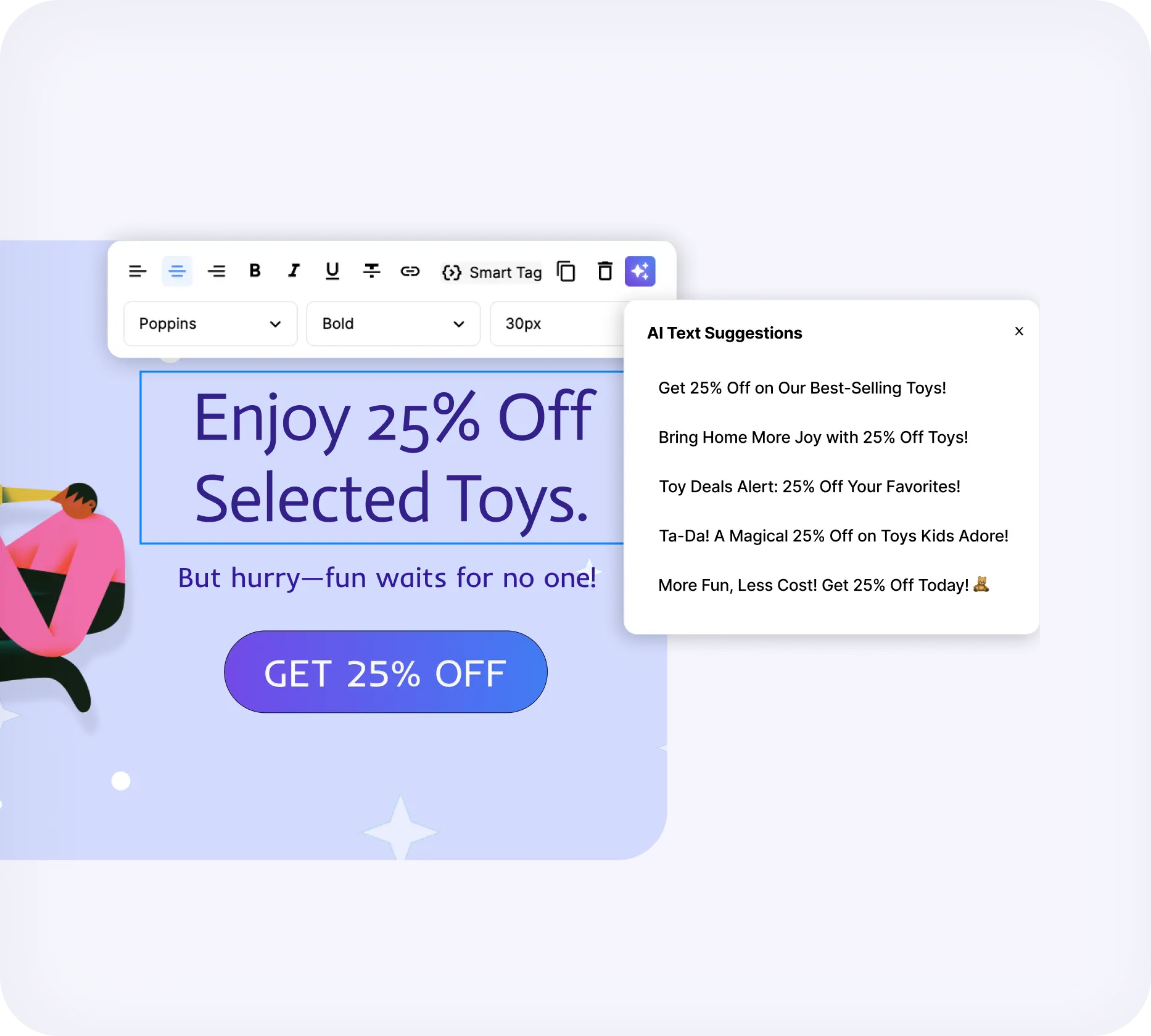
Rewrite the copy with AI suggestions

Click "Generate AI Suggestions" for new headlines and body lines. Drop the one that fits. You are not stuck with the first draft, and you are not opening a separate writing tool.
See image generation
Generate AI Suggestions button rewriting popup headlines and body copy

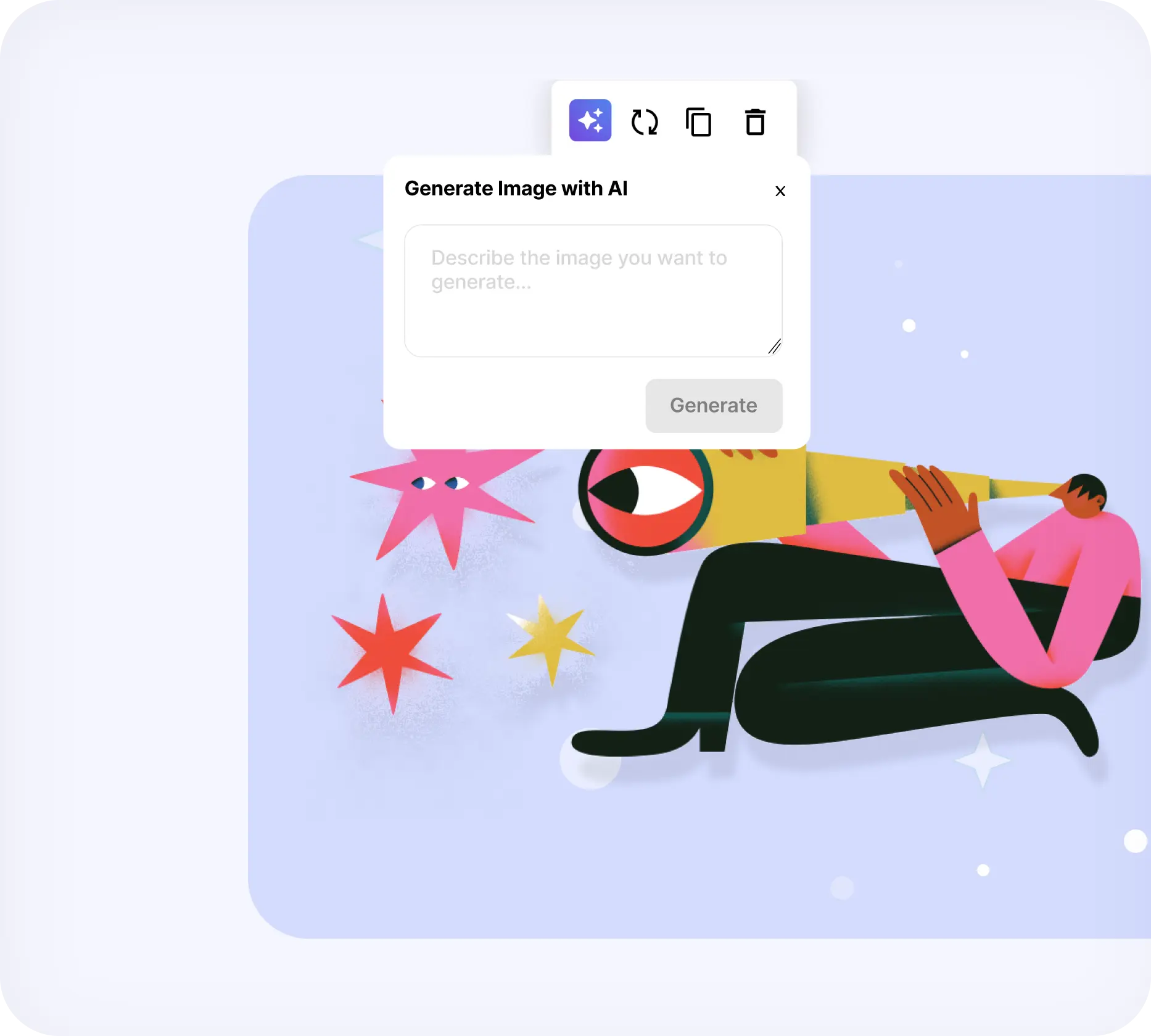
Generate a popup image from a prompt

Type a prompt in "Generate Image with AI" and hit Generate. A sized visual drops into the popup. The same flow is in the Shopify app, so you do not export, crop, and re-upload.
Create your AI popup
Generate Image with AI box placing a sized visual into a popup

What the AI popup builder actually produces

A prompt is the start. The published campaign still has the rest of Popupsmart behind it.

AI popup generated from a single prompt

A full campaign from one sentence

Headline, body, image, and call to action land in a popup layout. You do not assemble those four pieces by hand.

AI text suggestions for popup copy

Copy you can regenerate

Generate AI Suggestions replaces headlines and body lines in place. Keep the layout. Change the words.

AI-generated image inside a popup

An image that already fits

Generate Image with AI places a visual at popup size. No separate image tool, no crop-and-hope upload.

Popup targeting rules for AI-generated campaigns

The same targeting as every campaign

Exit-intent, scroll, device, referrer, cart stage, and frequency caps still apply. The AI draft does not skip the targeting step.

Cart abandonment popup created with AI

Cart and offer campaigns, not only signups

Prompt a discount, free shipping, or a last-chance cart offer the same way you prompt an email form.

Email capture popup created with AI

Email capture without a designer

Prompt a welcome or newsletter popup and publish. Connect Mailchimp, Klaviyo, or another integration after.

Prompts the AI popup builder can ship

Write the goal. The builder returns a campaign for that goal. These are the prompts people actually type.

Collect emails before checkout

Collect emails before checkout

A one-field signup with a reason to opt in, shown before the shopper reaches payment.
Announce free shipping

Announce free shipping

A short offer popup with a threshold, for homepage, collection, or cart pages.
Recover a leaving cart

Recover a leaving cart

An exit-intent draft with a discount or reminder. You add the trigger after the AI step.
Welcome first-time visitors

Welcome first-time visitors

A first-session popup that states the offer and captures an email without a mockup round.
Promote a product or bundle

Promote a product or bundle

A product popup with a picture and a button. Swap the image with a new visual prompt if the first one misses.
Run a giveaway

Run a giveaway

A campaign built around an entry form. Pair it with gamified templates if you want a wheel or quiz on top.
Shopify Icon
The same prompt flow is in the Popupsmart Shopify app

Use the AI popup builder on Shopify

Shopify audience targeting

Shopify audience targeting

Show the AI-generated campaign to the right cart, page, or customer tag.

Read more
green arrow right up
Shopify-based triggers

Shopify-based triggers

Fire the popup on cart value, product, or checkout events after the AI draft.

Read more
green arrow right up
Shopify store recipes

Shopify store recipes

Start from a store recipe if you would rather clone than prompt.

Read more
green arrow right up
Shopify help

Shopify help

Install the app and publish without a theme developer.

Read more
green arrow right up

AI popup builder FAQ

Can't find what you are looking for?
We would like to chat with you.
livechatai logo
cta arrow
What is an AI popup builder?
plus icon
An AI popup builder turns a text prompt into a complete website popup: headline, body copy, image, and call to action. Popupsmart's AI Popup Builder generates that draft in under 30 seconds, then you edit and publish in the same editor as every other campaign.
How does Popupsmart's AI popup builder work?
plus icon
Open the AI Popup Builder, describe the campaign in one sentence, and review the generated headline, image, and button. Use Generate AI Suggestions to rewrite copy, or Generate Image with AI to replace the visual. Add targeting and publish.
How long does it take to create a popup with AI?
plus icon
The first draft is ready in under 30 seconds. Most of the remaining time is targeting, integrations, and a pass on the copy. Teams that used to brief a designer for a single campaign can publish the first version in one sitting.
Can I edit an AI-generated popup?
plus icon
Yes. The draft opens in the regular Popupsmart editor. Change layout, colors, form fields, teaser, success step, and targeting the same way you would on a template campaign. The AI step is the start, not a lock.
Is the AI popup builder the same as Smart Mode?
plus icon
No. The AI Popup Builder creates the campaign from a prompt. Smart Mode is a targeting feature: after a campaign has run with manual targeting for at least a month, it can show that campaign to the visitors most likely to convert. Create first, then decide who sees it.
Does the AI popup builder work with Shopify?
plus icon
Yes. The same prompt, copy, and image flow is in the Popupsmart Shopify app. You can still add Shopify cart and page targeting after the draft. The builder also runs on WordPress, Webflow, and other sites through the standard install.
Do I need design or coding skills?
plus icon
No. The prompt is plain language. Publishing uses Popupsmart's no-code editor. A developer is not required to install the script or the Shopify app.
Can AI generate the image and the copy separately?
plus icon
Yes. Generate AI Suggestions rewrites headlines and body lines without changing the picture. Generate Image with AI replaces the visual without changing the copy. Use either on a campaign the builder created or on one you started from a template.
How much does the AI popup builder cost?
plus icon
Popupsmart has a free plan. Paid plans are listed on the pricing page and are billed monthly or annually. The AI Popup Builder is part of the product, not a separate SKU. Check current plan limits on the pricing page before you pick a tier.

Companies grow for the better when they work with Popupsmart.

Reviewed more than 250+
High Performer G2 BadgeCapterra User Friendly IconMomentum Leader G2 Badge

"POPUPSMART makes it easy to create and implement well-designed pop ups for your website. We chose it because it works well with our older website which does not offer built-in pop up options."

- Katelyn S. B., Web and Marketing Specialist

"Many templates available and easy to use, no code popin creation for our marketing teams."

- Mohammed E., Digital Project Manager

"PopupSmart has great analytics and UI. It has tons on integrations. Easy to setup. So much less expensive than hiring a developer to create something. Templates all look amazing."

- Andrew M., Board Member

"What I like best about Popupsmart is how easy it is to use. You can create customizable popups without any coding (+ they provide low code screens), and it offers smart targeting options to boost conversions. Plus, the A/B testing helps you fine-tune your popups for better results. Easy to use and effective! + I'd like add that they got a wonderful tech support with really quick response time."

- Onur C., Digital Marketing Specialist

"I have been trying to figure out how to get a popup on my website for over a year. Thankfully I found POPUPSMART and it has been so easy and efficient!"

- Samantha C. , Content Creator/Podcast Host

"I find POPUPSMART makes setting up pop-ups more accessible and customizable to match our website theme without a paywall, enhancing my website's look and feel."

- Vigen V., Video Producer

"The integration with Shopify is seamless and quick. The pop-ups are highly customizable, responsive, and don't slow down the website. I also appreciate the wide variety of ready-to-use templates and advanced targeting options that help increase conversions and capture leads effectively."

- Pedro Miguel T., Web Developer