
Geo-Located Targeting
Attract locals by using Geo-located Targeting! Learn how to target a specific geographic audience effectively and boost your site's regional engagement.
Geo-targeting allows your popup campaigns to appear only to visitors from specific location/s. It's one of the best practices if you have campaigns that target based on locations like a country or a city.
Your Popupsmart campaigns are set to display on all locations by default.
Pro Tip
You can always use Popupsmart's ready-to-use popup templates equipped with precise segmentation options for instant use.
How to Set Up Geo-Location Targeting
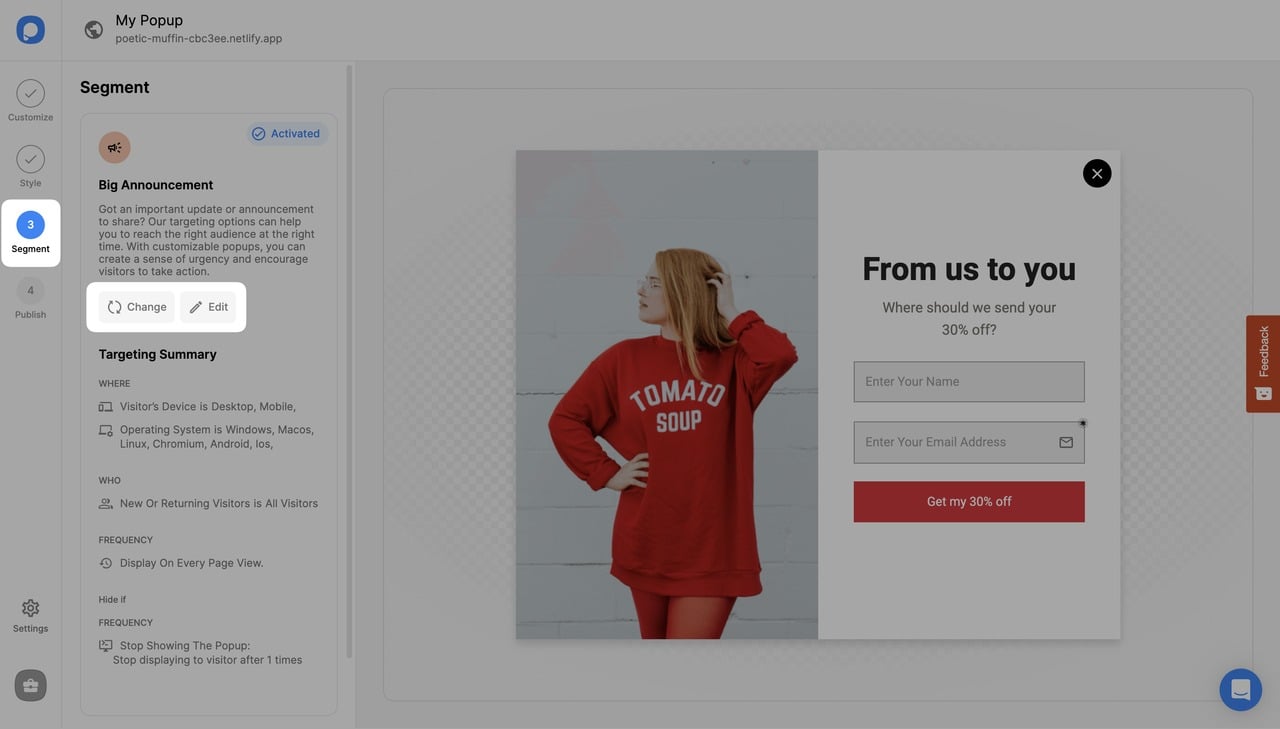
Navigate to Segment
On the popup builder screen, navigate to the "Segment" section and click "Edit Segment." (If it's a new campaign, click the two circular arrows to choose a predefined segment or create one from scratch in "My Segment.")
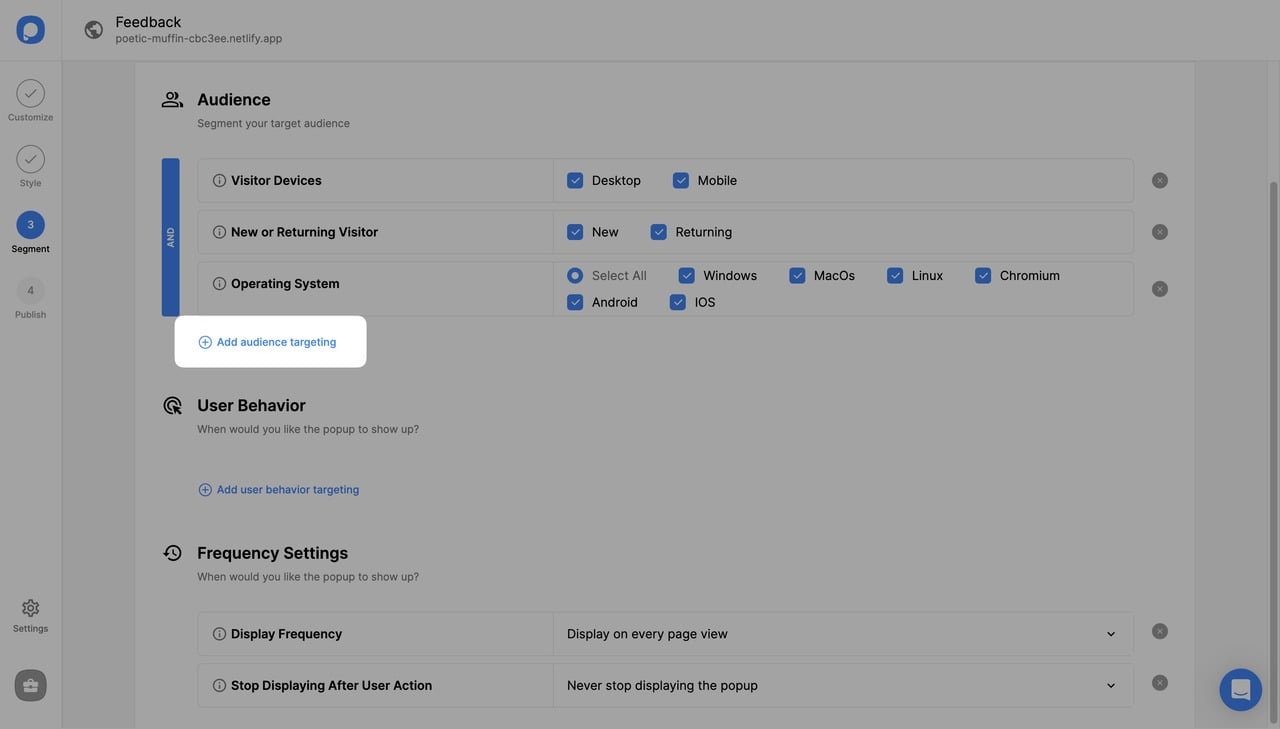
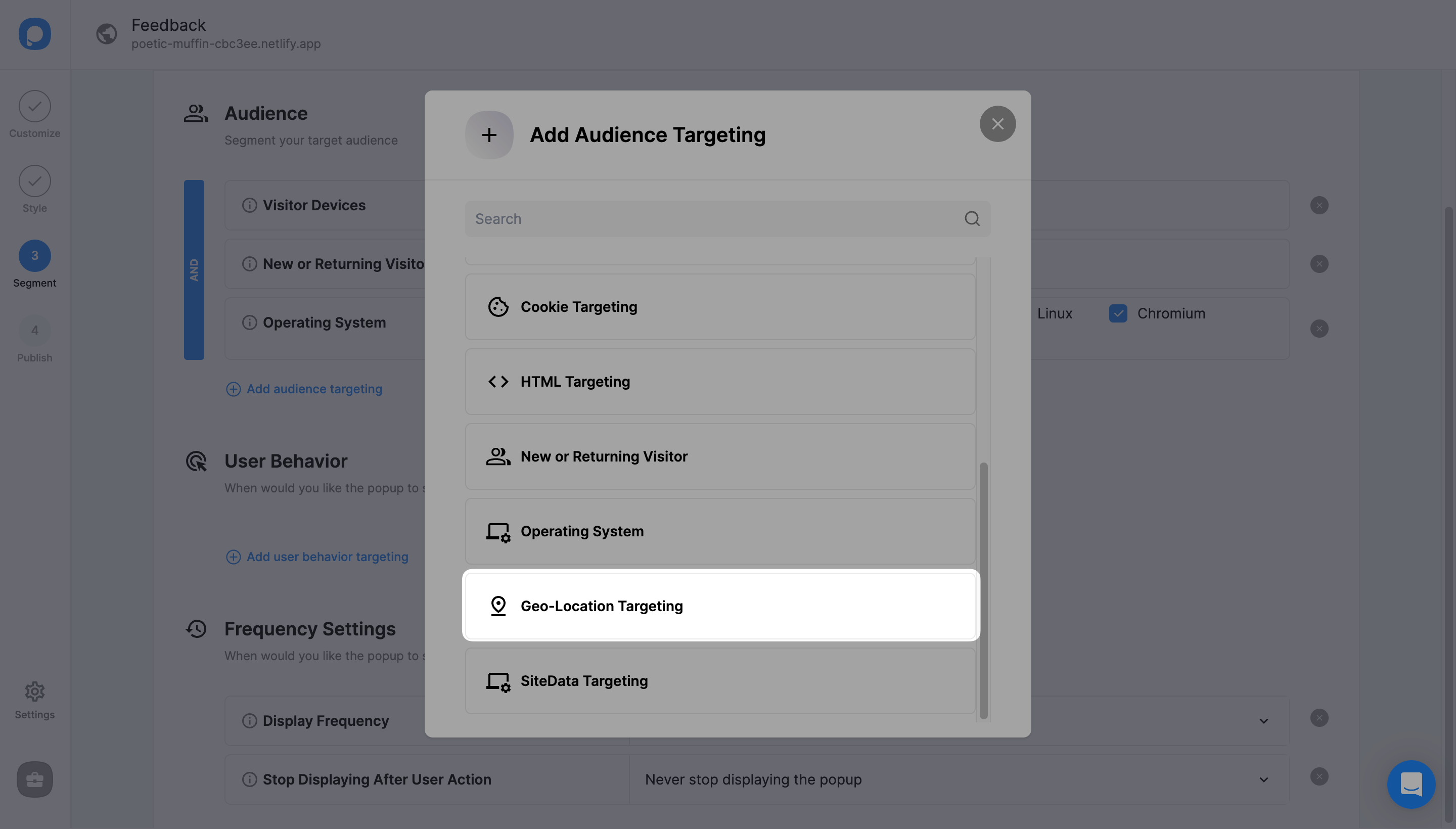
Choose Location Options
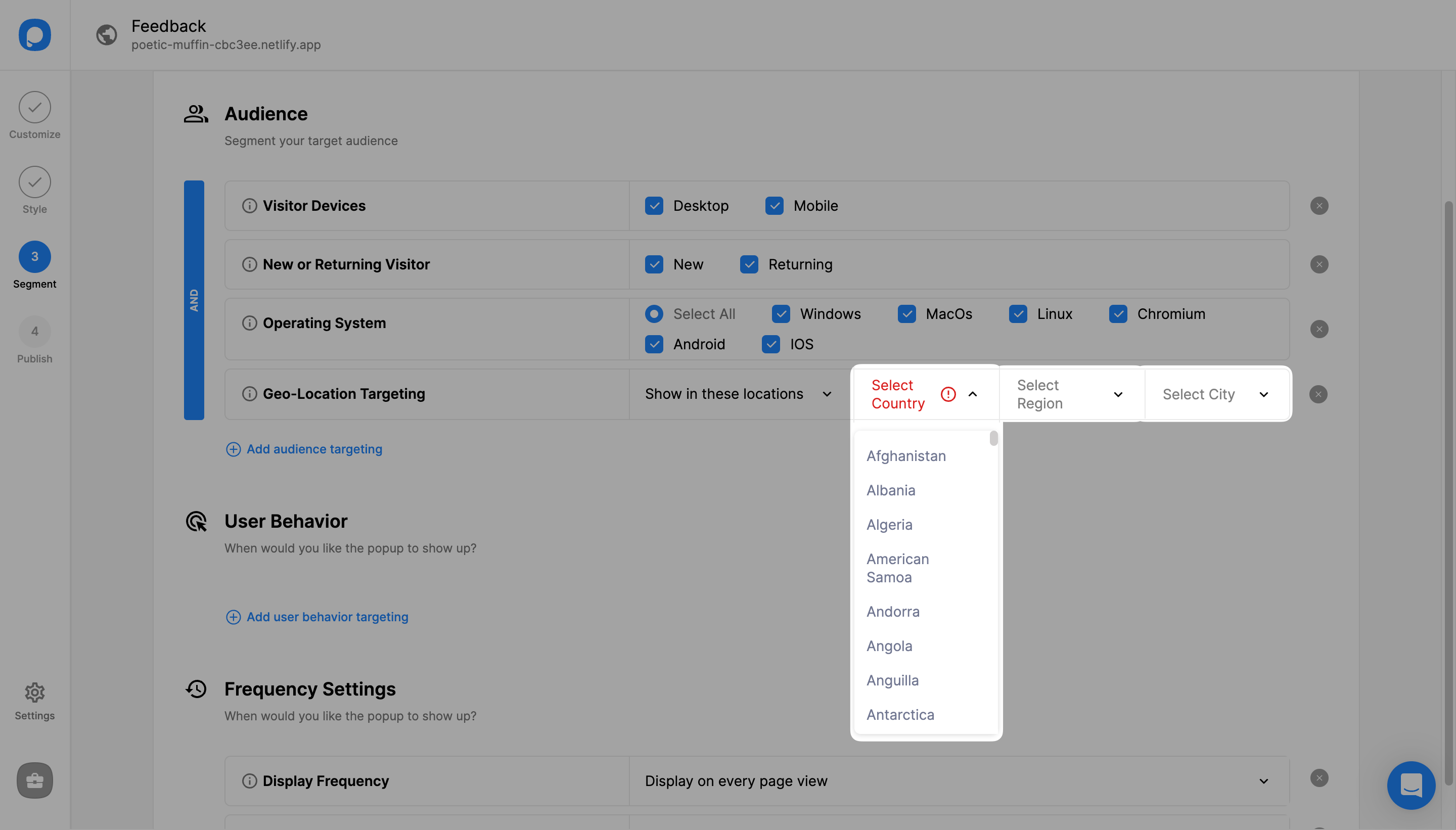
There are three options to choose from: target all locations, include specific locations, or exclude specific locations.
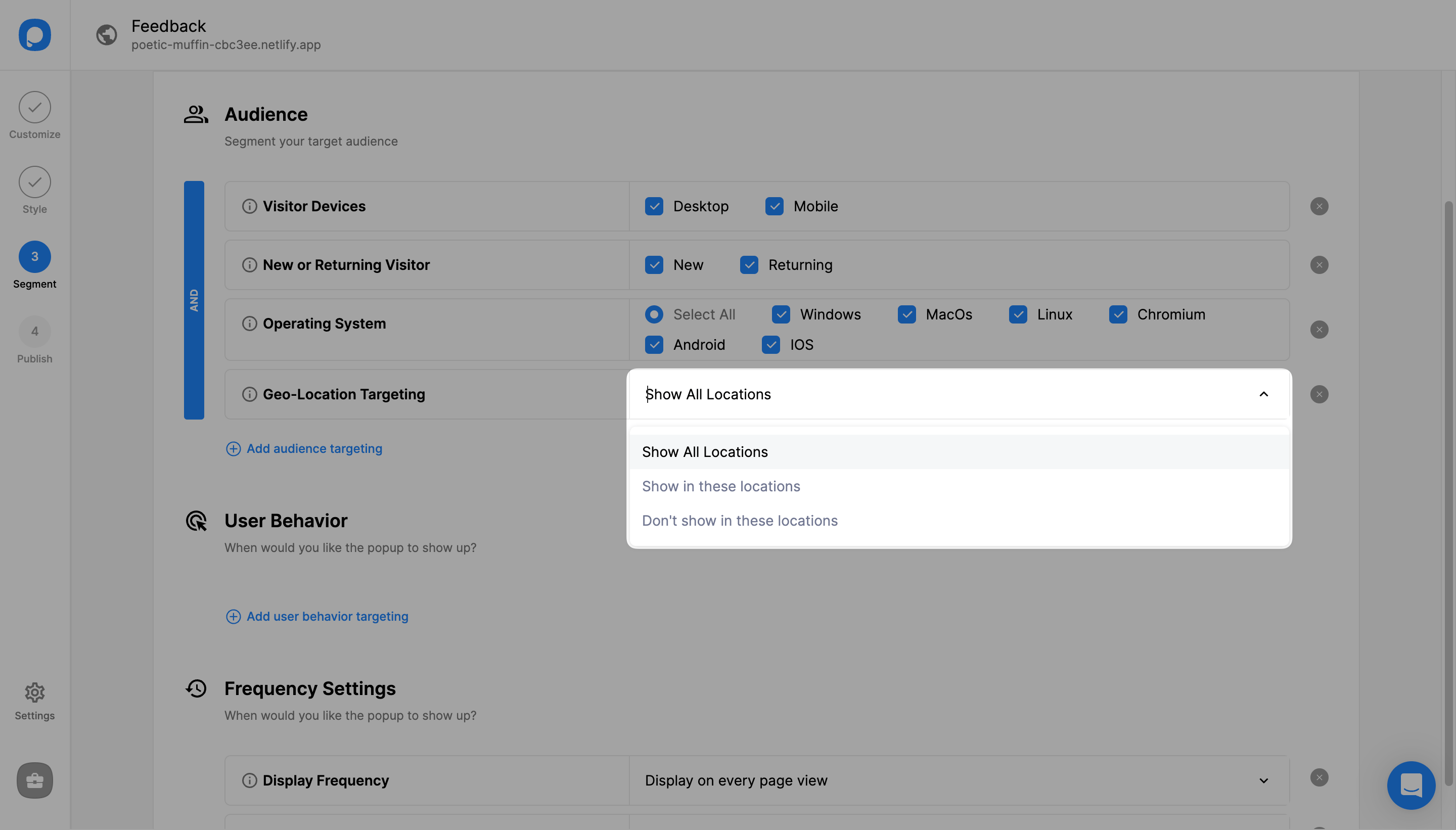
Select Specific Locations
If you select one of the last two options, click on the drop-down to choose a "Country", "Region" and "City" or you can simply type in a location name.
Save Your Settings
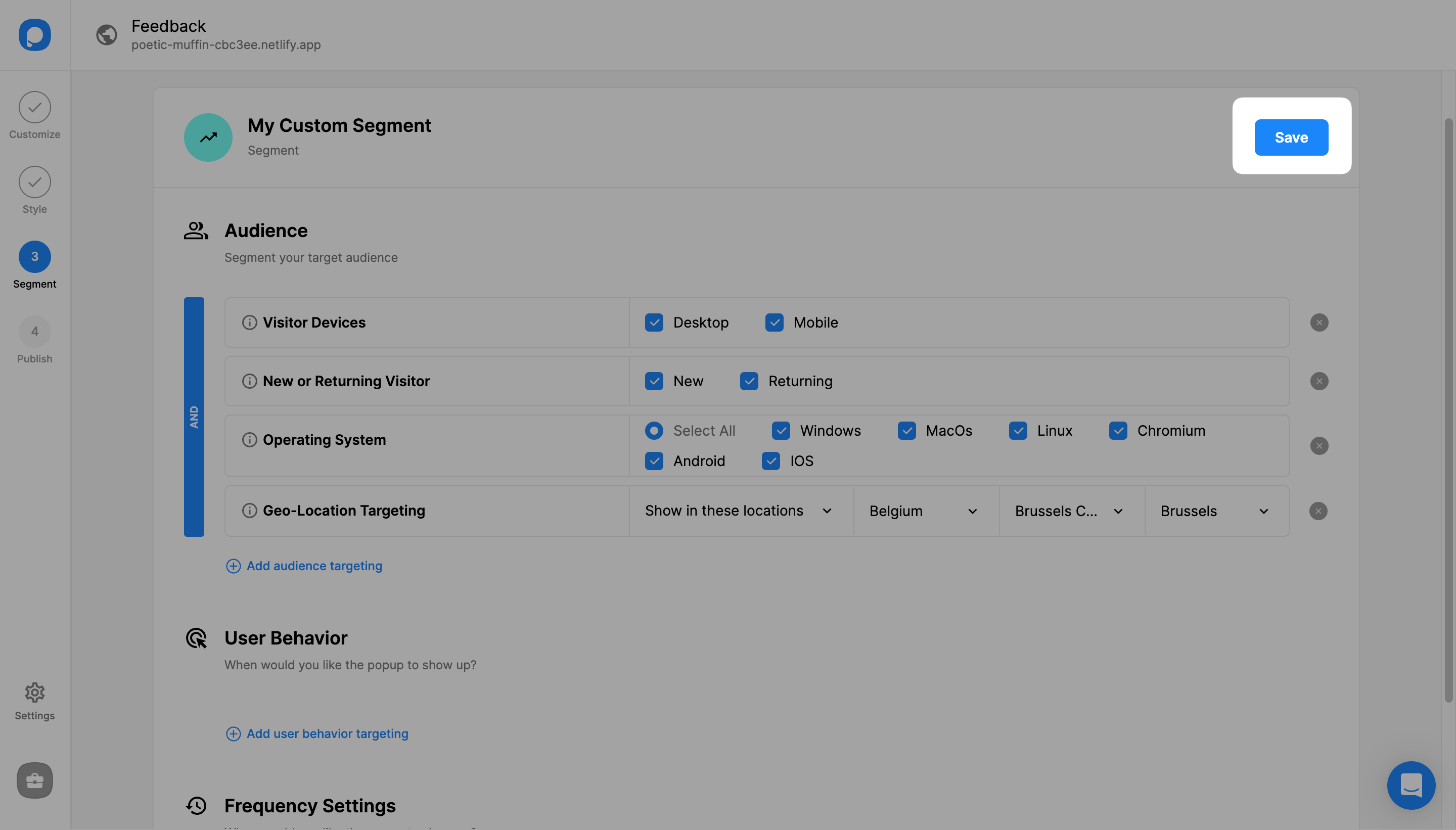
Once you have configured location-specific settings, click "Save" from the upper-right corner. Note that you can add more than one location by repeating Step 3.
View Targeting Summary
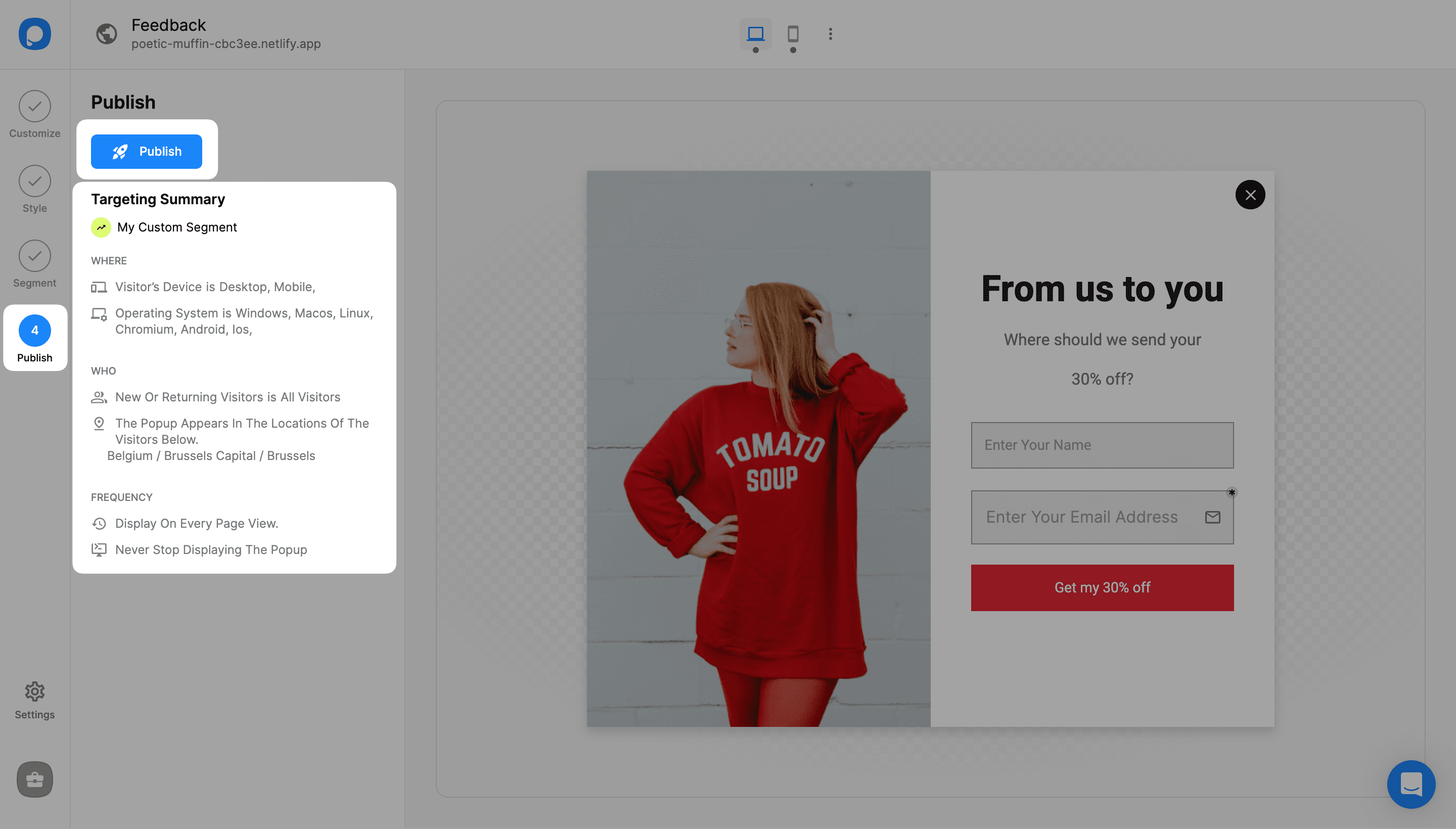
You can also continue with "Publish" from the left-hand panel to see all your current display settings, including the geo-location targeting you've just set up under "Targeting Summary".
That's it! Need a hand? Contact Popupsmart!
How is this guide?