
How Popupsmart Works
Explore how Popupsmart works to drive your engagement and conversions to new heights.
Popupsmart is a conversion optimization toolkit that is designed to support your business.
We aim to increase your conversion rate and achieve your business goals with our smart popups.
For this, we are here with our no-code popup builder, which offers an advanced customization facility but still has a completely user-oriented and easy interface.
With Popupsmart's drag & drop builder, you can gain more lead conversions by creating one or multi-step campaigns which have powerful and smart targeting features and eye-catching popup templates in a fast and secure way. Then, use Popupsmart's simple web analytics tool to track the campaign performance.
Dashboard Overview
Now, it is time to introduce the main features of Popupsmart's simple, smart, and powerful interface!
This is where you can view all your campaigns. Moreover, if you have verified more than one website, you can choose from the window above to view your campaigns that are valid for only one website.
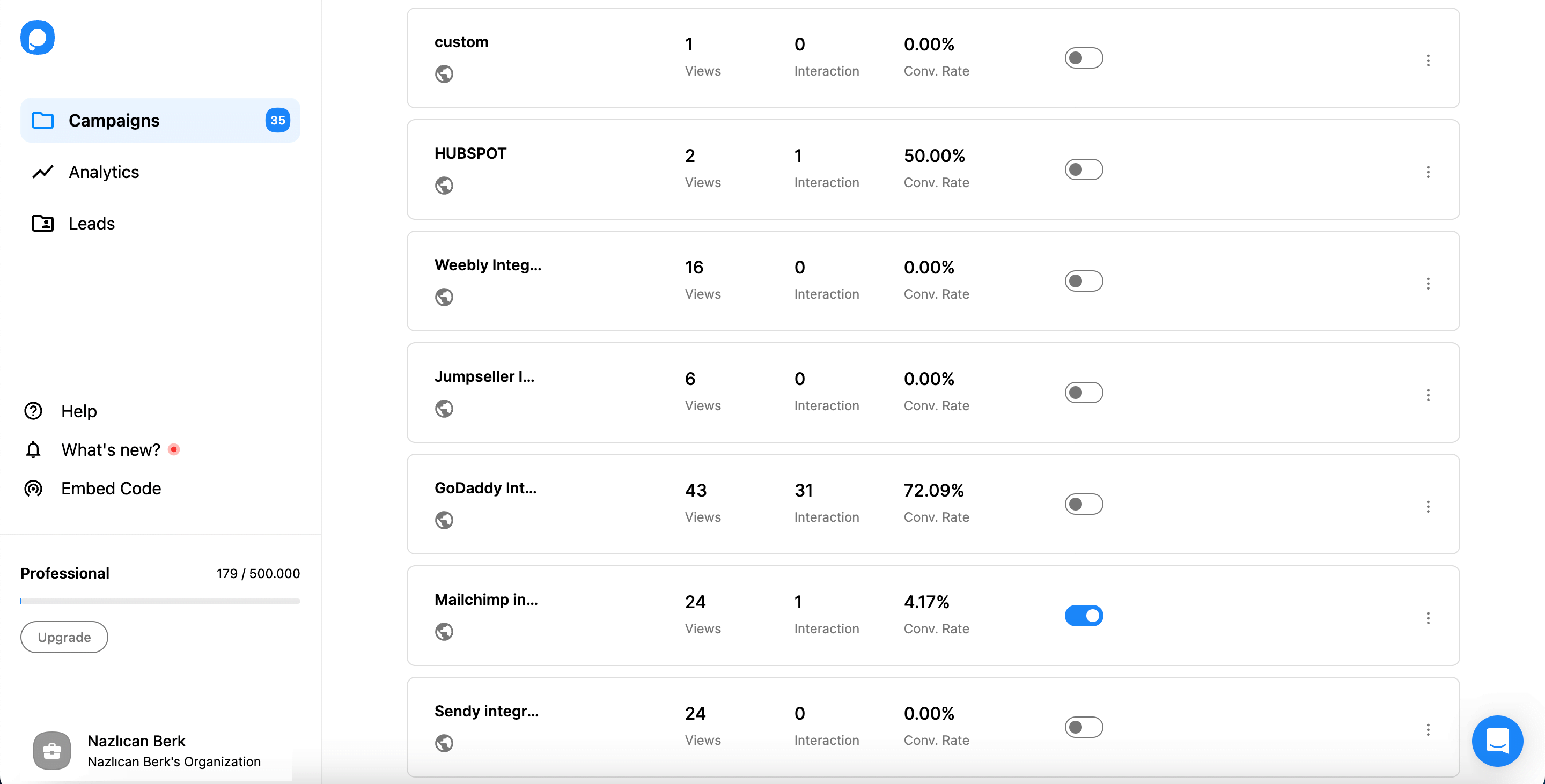
You can:
- See the main statistics of that campaign
- Activate or deactivate that campaign on your website via the toggle
- Edit the campaign by clicking the edit campaign button
- Duplicate it by clicking the duplicate option
- Rename, preview, or delete your campaign by clicking on the three-dot option
If you haven't created any popup campaigns yet, your campaign screen will appear a bit blank for now. Don't worry; you can have a popup campaign within minutes by clicking the New Campaign button in the upper right corner of your screen.
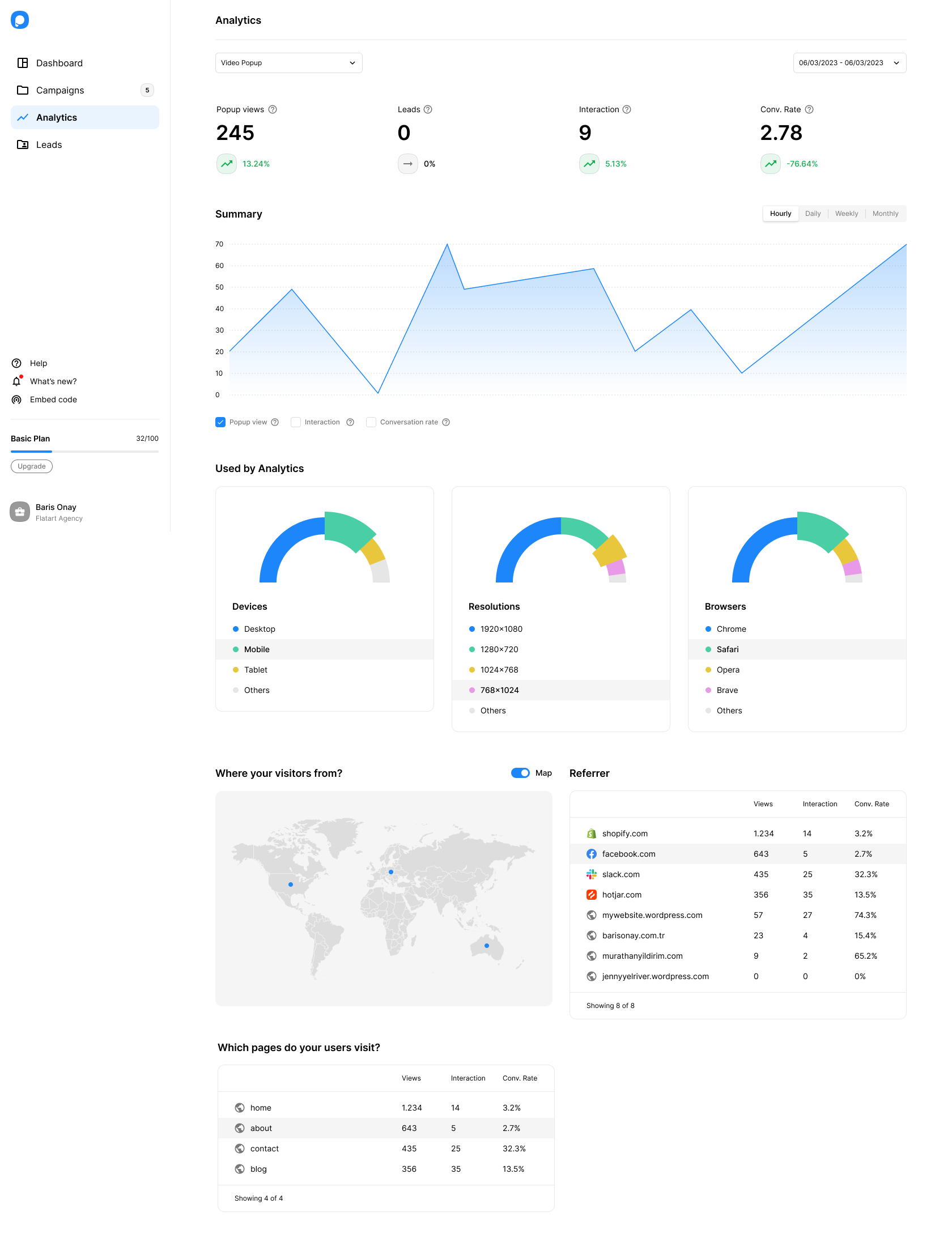
You access the screen where you can see the detailed analytical info of all your popup campaigns, one by one or all, by clicking the Analytics button on the left menu. Moreover, you can view the analysis for the time period you want by selecting a date range.
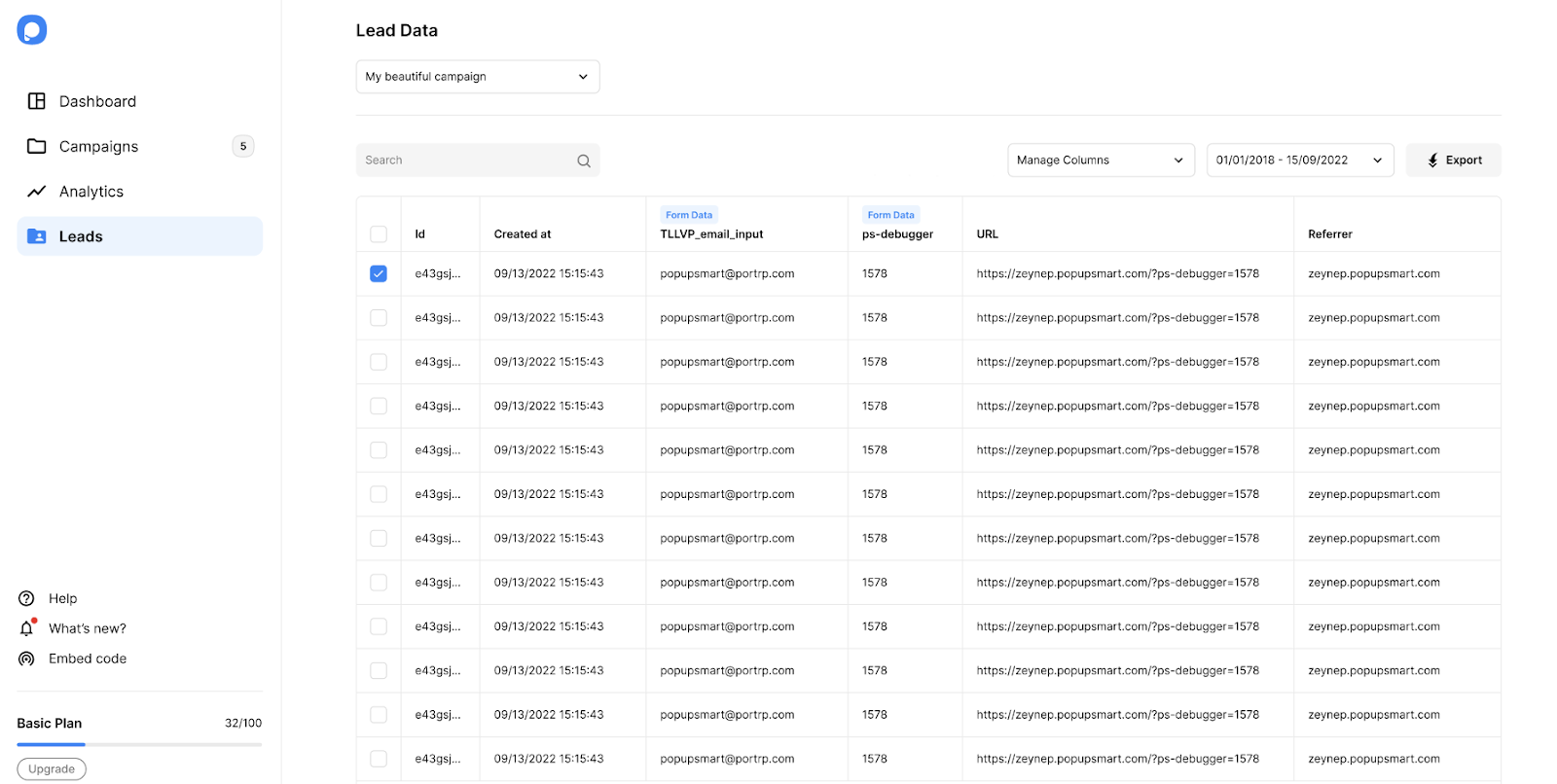
You can see the lead table you obtained from your popup campaigns by clicking the Leads button on the left menu. Find exactly the information here you are looking for; by filtering the leads, you can list them according to the date range you want.
When you click on your name, which appears in the lower-left corner of the dashboard, a window opens, allowing you to access your Popupsmart Account details.
At the top of this window, you can see your page view, and if you need, you can click the upgrade button to upgrade your plan according to your page view.
Pageview Reset
Pageview counts are reset on every first day of a month according to user GMT.
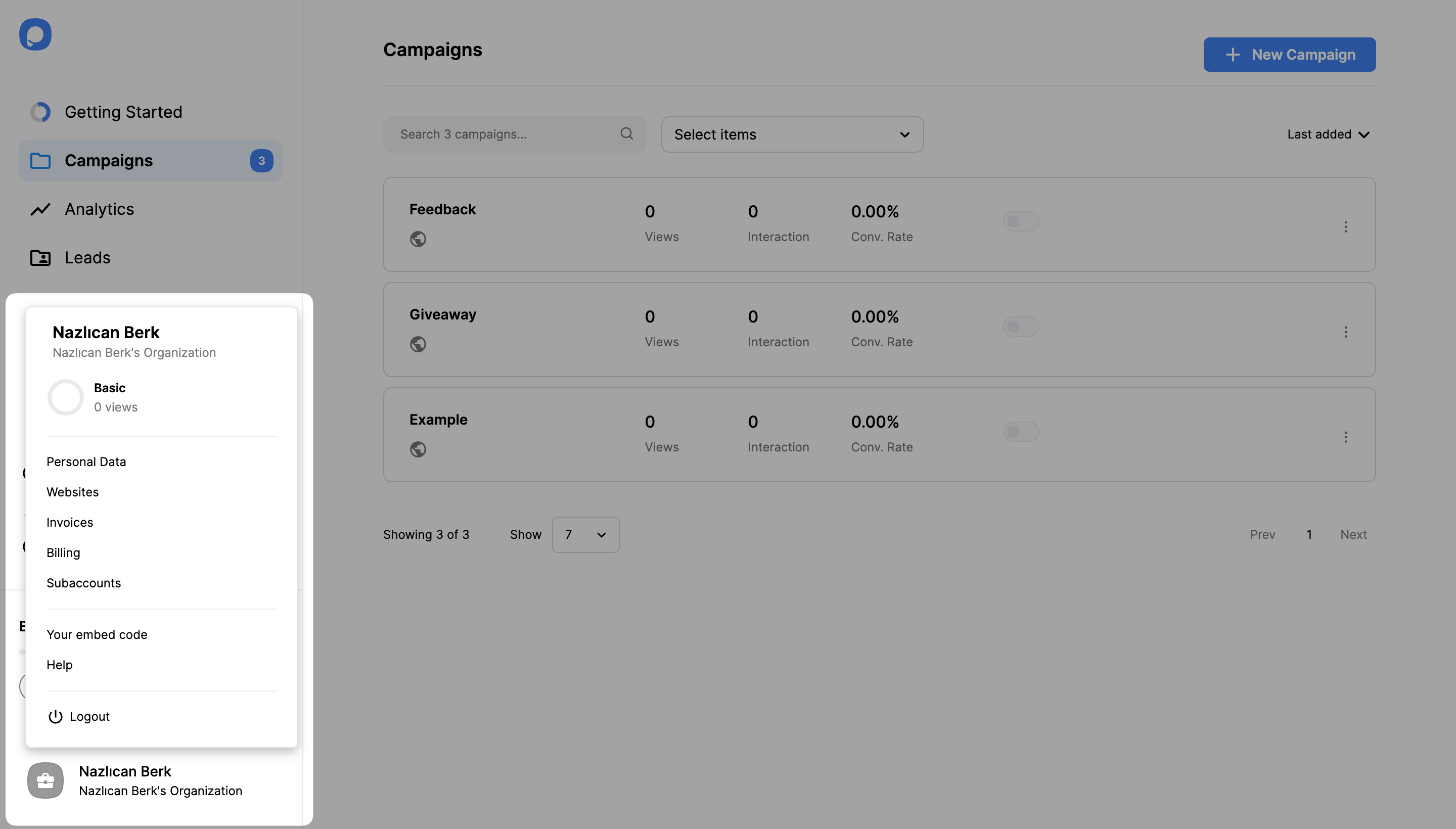
Account options include:
- Personal Data - Access and update your personal information and delete your account if you wish
- Websites - Add or remove websites and view verification status
- Invoices - View your invoice history
- Billing - See your current plan and billing method, or change your pricing plan
- Subaccounts - Add or remove teammates to share your account
- Your embed code - View the embed code required to activate your campaigns
- Help - Access guidance documents for everything you need
Creating Your First Campaign
You are now ready to create your first popup campaign!
Select Your Popup Template
After installing Popupsmart on your website, you can choose the most suitable template for your campaign purpose among the ready-to-convert popup themes and publish it on your website.
Customize Your Popup
You can choose one of our many pre-designed popup templates with precise segmentation settings and modify, add new elements, or delete existing ones. Although all themes are fully-customizable, you can also select a blank page and create your own unique popup.
Choose Targeting Options & Set Integrations
After you set the most effective targeting options for your campaign and simply make the integration you want, you can launch your popup.
Furthermore, Popupsmart is fully Google compliant. We provide SEO-friendly popups without affecting your website speed.
We continuously upgrade our product to give you the best popup experience. Do you have further questions about how Popupsmart works? Visit our About Us page or contact us!
How is this guide?