
On-Click Targeting
On-click targeting option allows you to display your popup when a visitor clicks on a button. What button? That one there, click on it.
Did you know you can embed a code on a button, link, or image that opens your popup with a click?
Popupsmart's on-click targeting feature makes it as easy as a finger snap.
Basically, it improves the user experience by not bombarding users with a popup immediately after landing on a page. The popup works on the condition of clicking the set element.
The on-click feature works anywhere on your website that supports JavaScript and HTML.
All you need to do is customize your button, link, or image and copy and paste the generated code snippet to where you want to show it.
Pro Tip
Leave this process to last when customizing your popup. Once your main popup is done, you can align your button based on it. Additionally, think of this on-click targeting as an embed button. It's possible to embed it anywhere on a JS-supported page, such as in a blog post.
Creating On-Click Button
Navigate to Segment
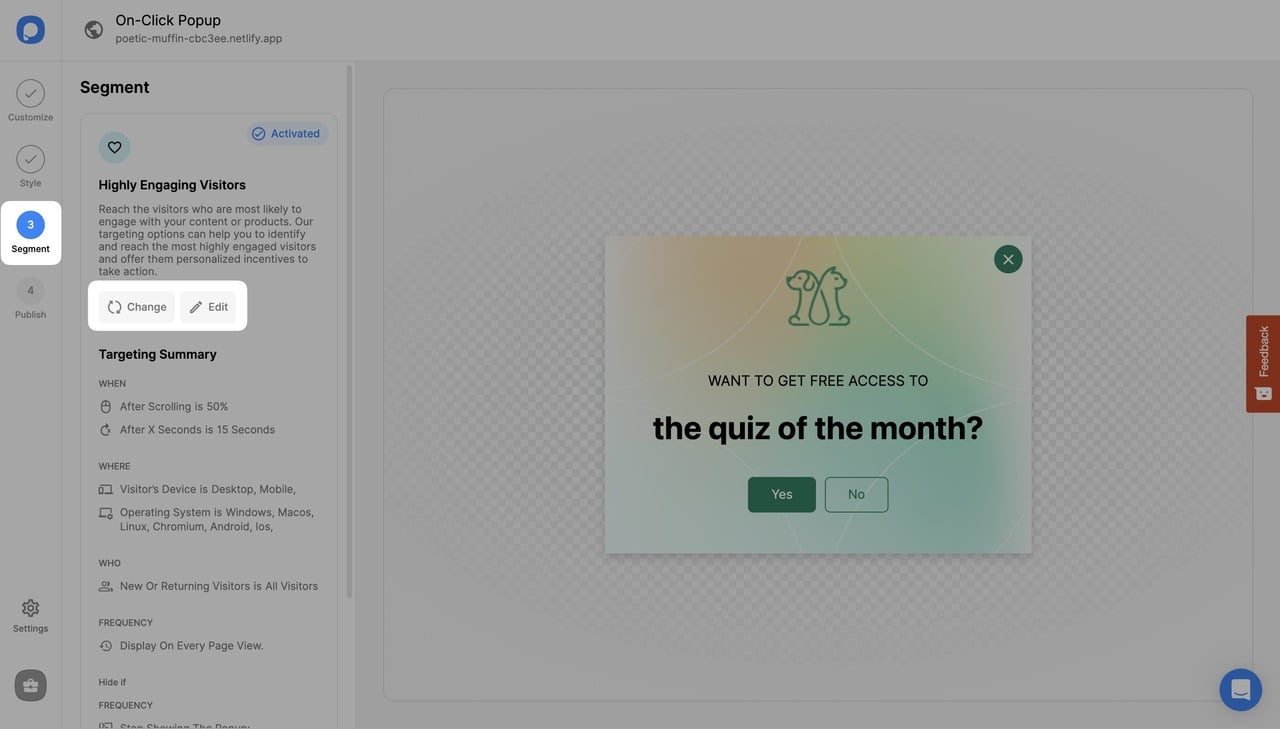
After logging into your Popupsmart account, create/edit a popup campaign. On the popup builder screen, navigate to the "Segment" section and click "Edit Segment." (If it's a new campaign, click the two circular arrows to choose a predefined segment or create one from scratch in "My Segment.")
Add On-Click Targeting
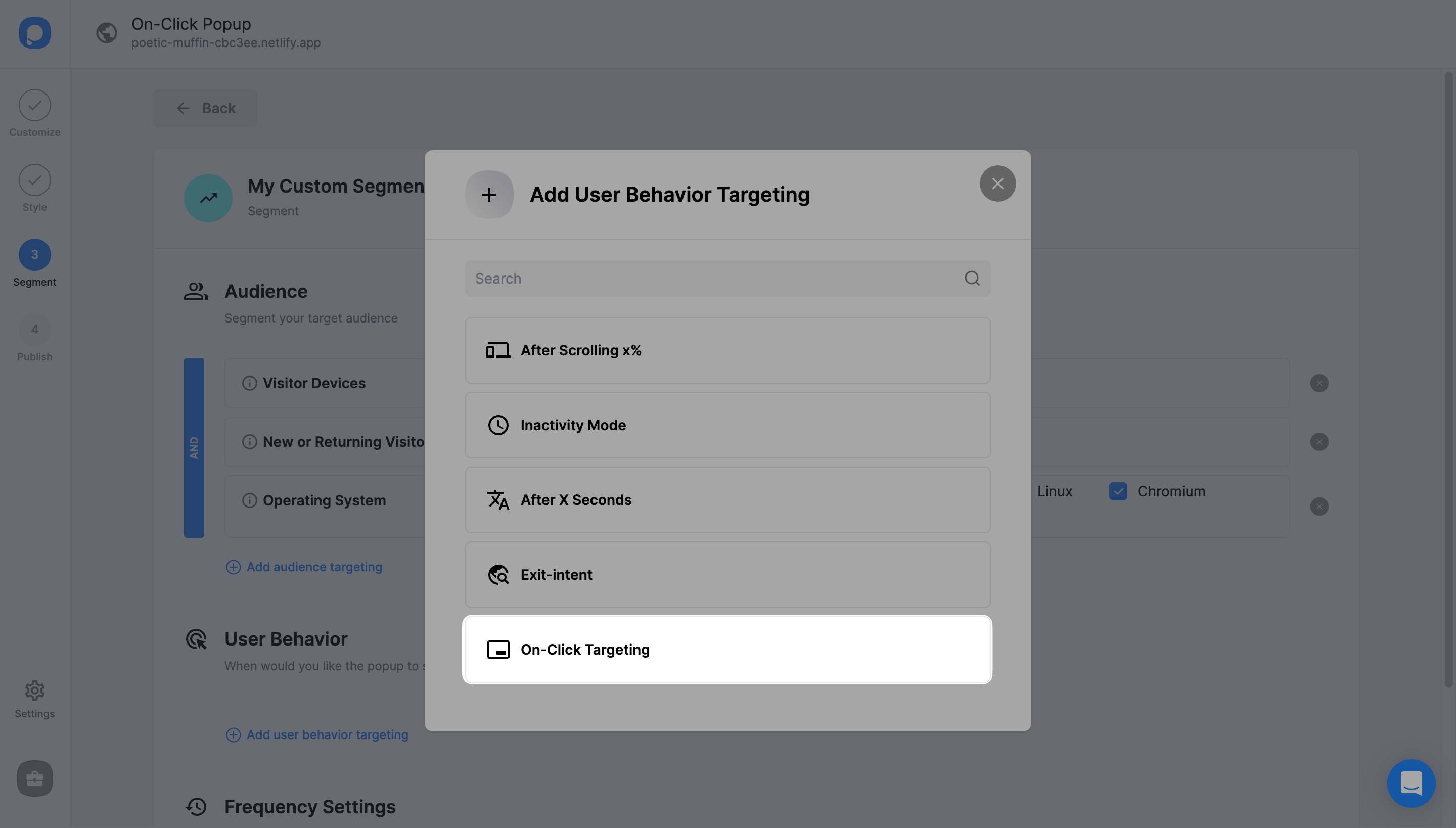
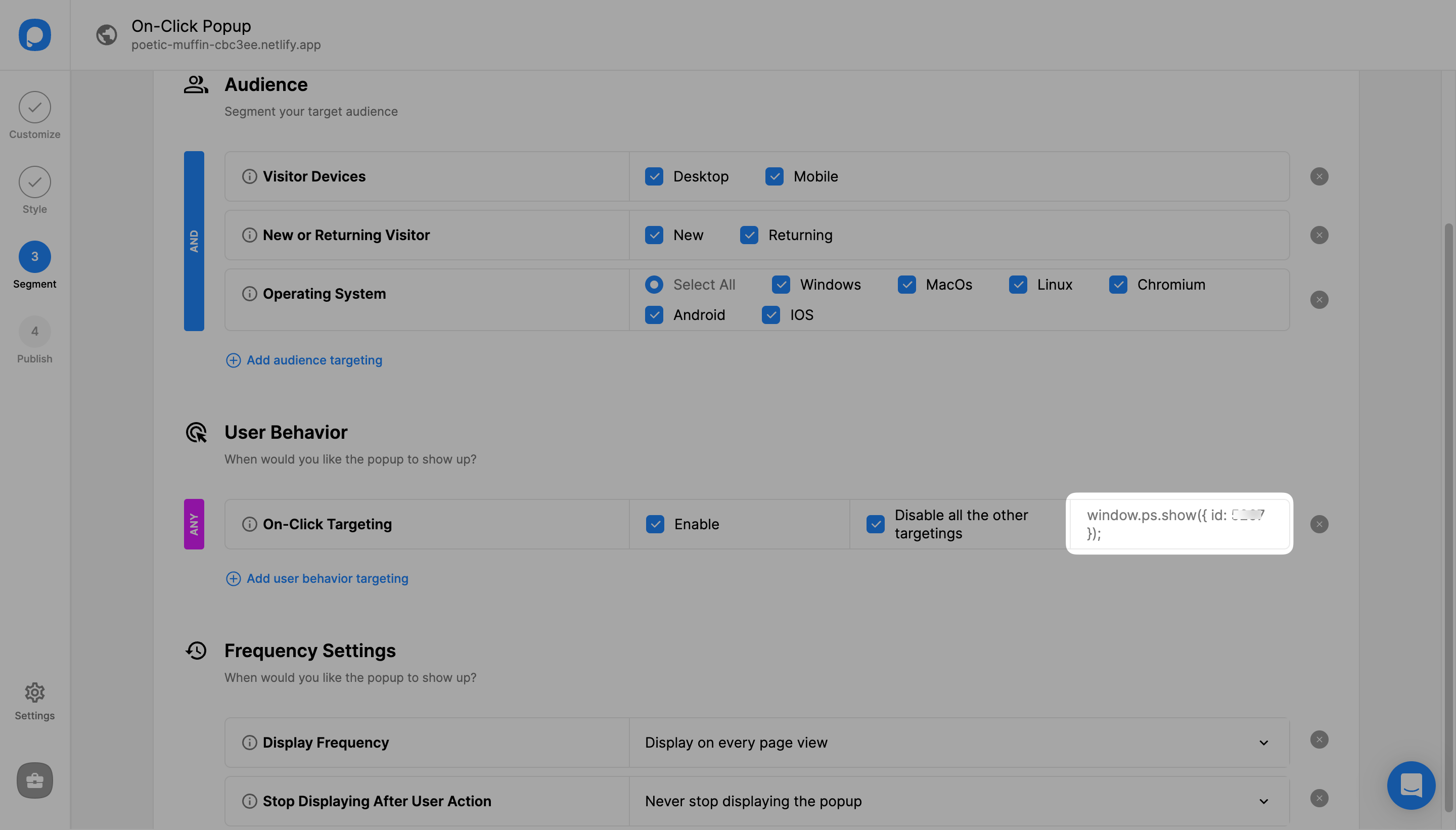
Click "Add user behavior targeting" under "User Behavior". Then, click "Add" next to "On-Click Targeting".
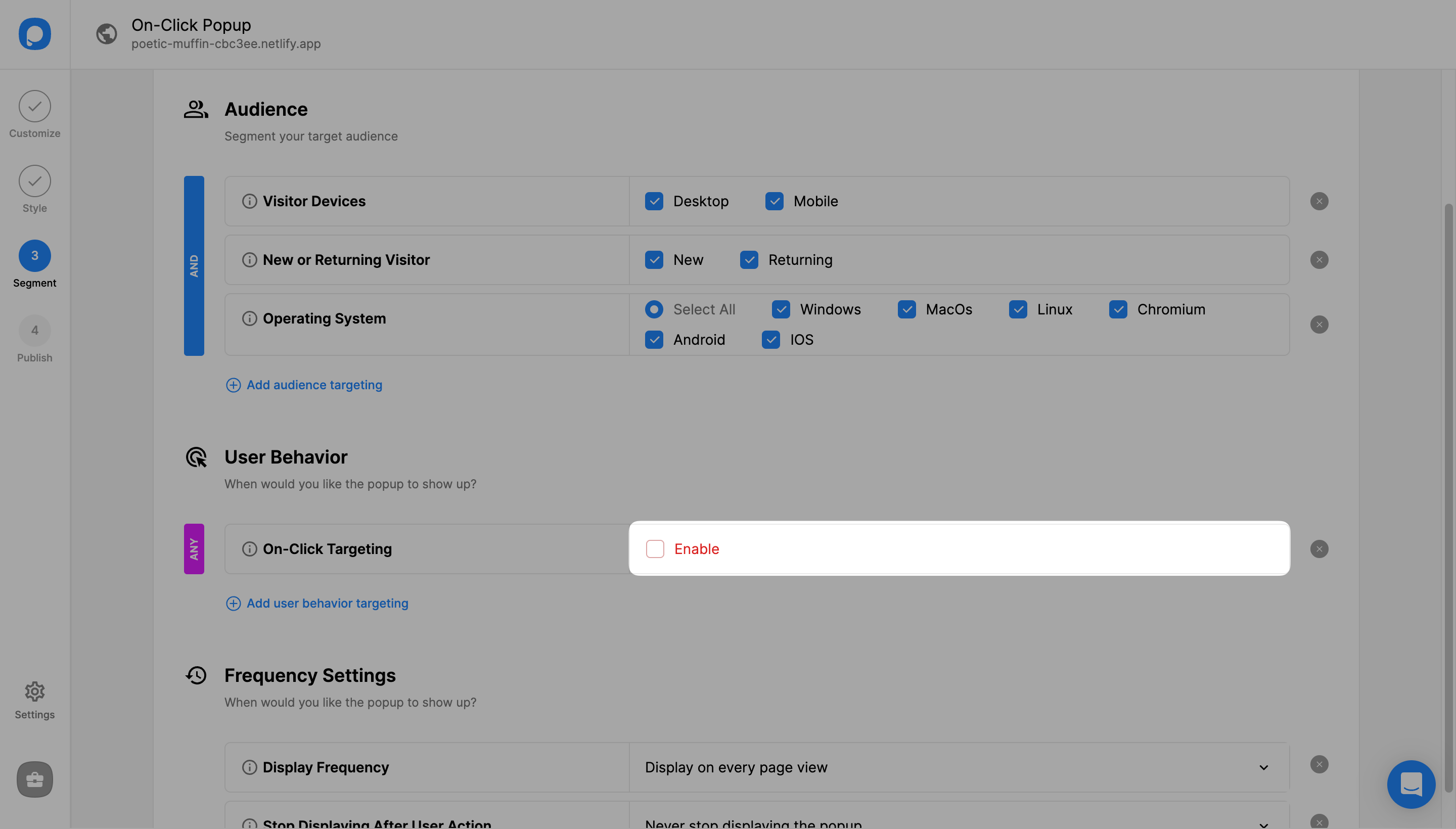
Optional: Disable Other Targetings
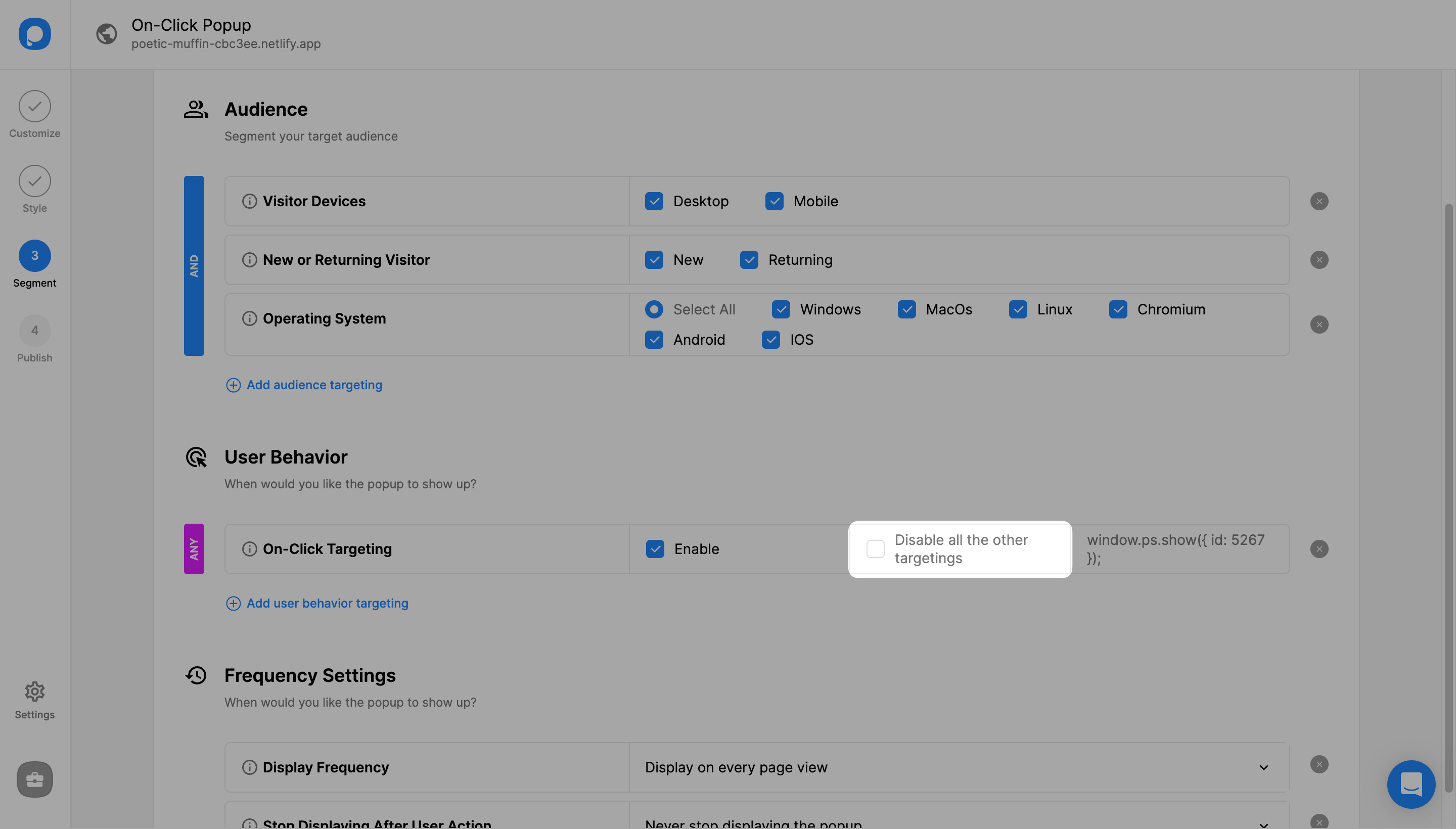
You can also choose to "Disable all the other targetings" by checking the following box. This will make all other targetings stop running except On-Click Targeting.
Save and Publish
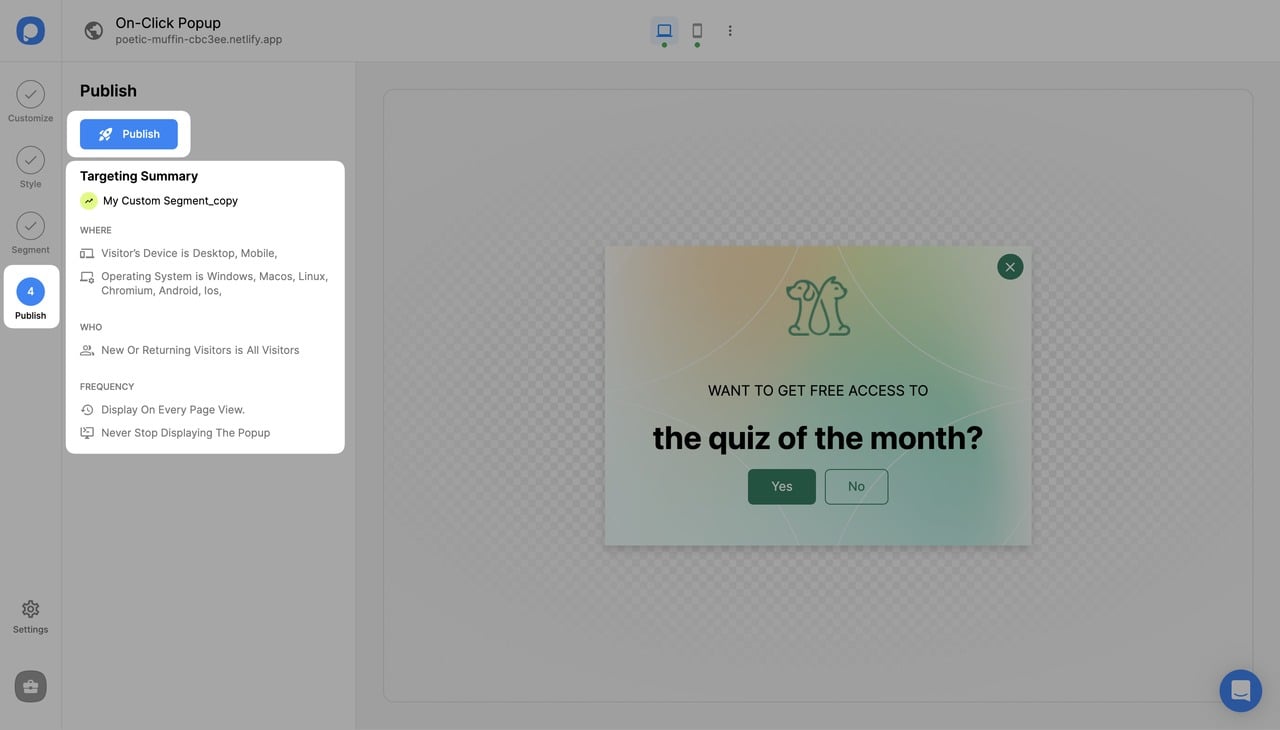
Click "Save" from the upper-right corner and continue with the "Publish" step from the left-hand panel to see the Targeting Summary.
Usage Warning
The function window.ps.show({ id: xxxxx }); should be assigned to the on-click property of the element. It is not recommended to use it on <a> tags or buttons that redirect to another page when clicked.
Examples of correct usages:
<div onclick="window.ps.show({ id: xxxxx });">test2</div>
<button onclick="window.ps.show({ id: xxxxxx });">test2</button>
Incorrect usage (avoid):
<a onclick="window.ps.show({ id: xxxxxx });" href="/about">about</a>This is incorrect because the <a> tag redirects to another page when clicked, which will prevent the popup from showing.
Still have questions? Feel free to contact us via live chat or email!
How is this guide?