
After-Scrolling X% Trigger
To let you display popups based on some percentage of scroll activity on every page you targeted, we have this feature waiting for you.
After-scroll is a behavioral technology that triggers a popup campaign once the user scrolls a certain percentage or pixel of a webpage.
It is designed to help you show campaigns to the users who showed enough interest in the page to scroll down.
Key Benefit
More segmented audience = More high-quality leads
Pro Tip
Popupsmart already has ready-to-convert popup templates that are precisely targeted for your business goals. Still, you have the ability to tweak them to your liking or create one from scratch by choosing a blank template.
How to Set Up the After-Scroll Trigger
Open Campaign
Log in to your Popupsmart Dashboard. Click "Edit campaign" or create a new one by clicking "New Campaign".
Navigate to Segment
On the popup builder screen, navigate to the "Segment" section and click "Edit Segment." (If it's a new campaign, click the two circular arrows to choose a predefined segment or create one from scratch in "My Segment.")
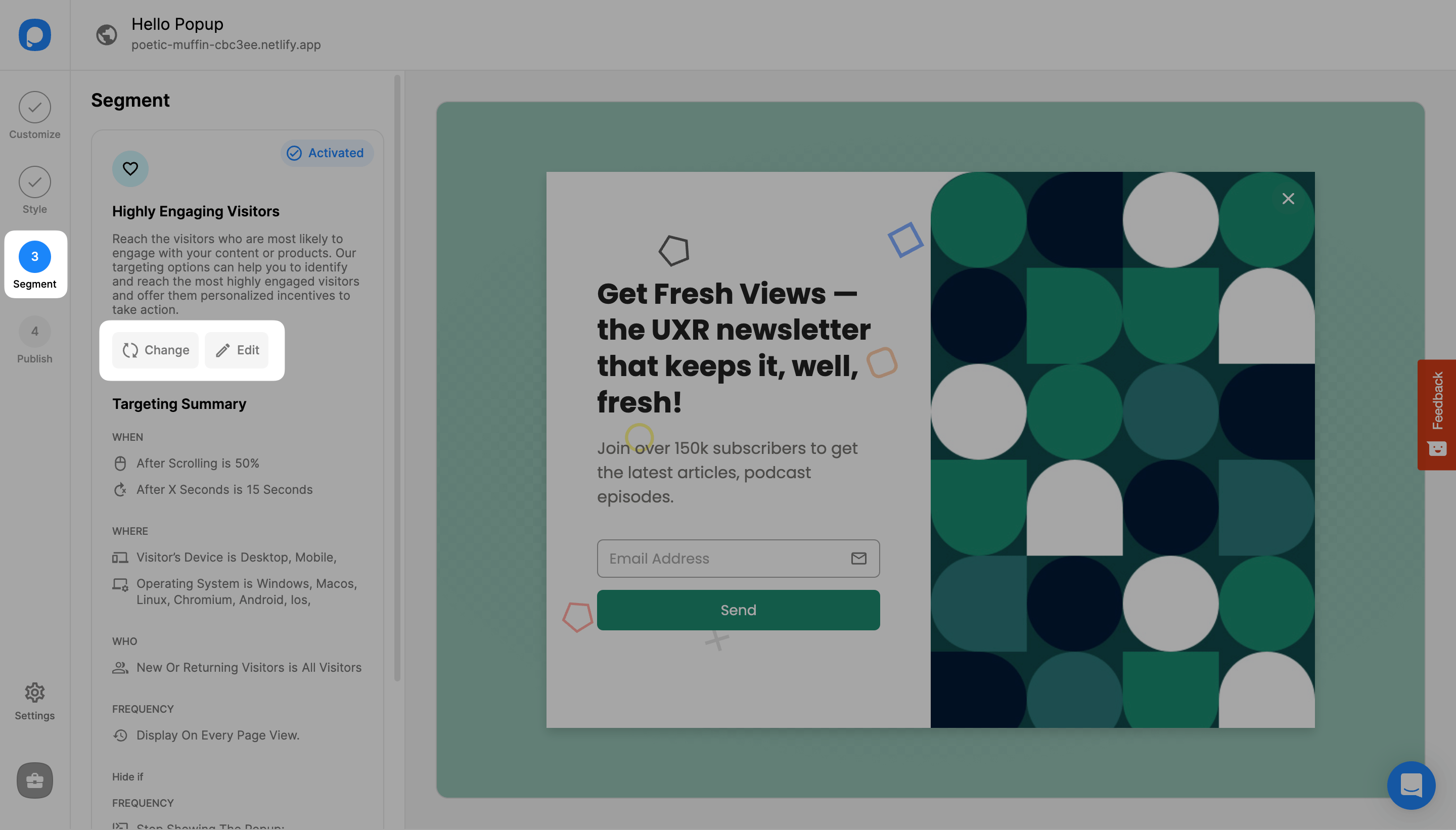
Add User Behavior Targeting
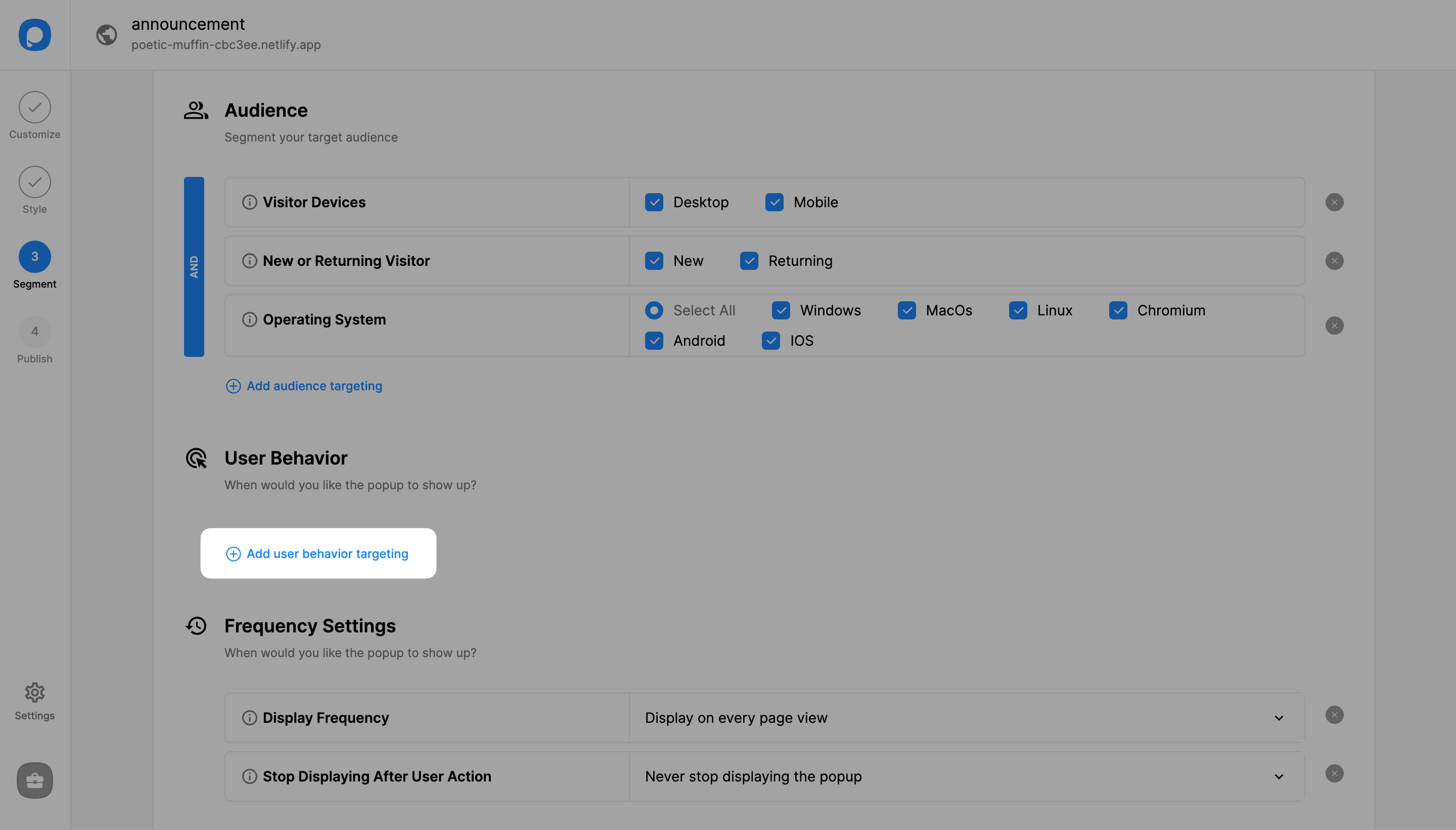
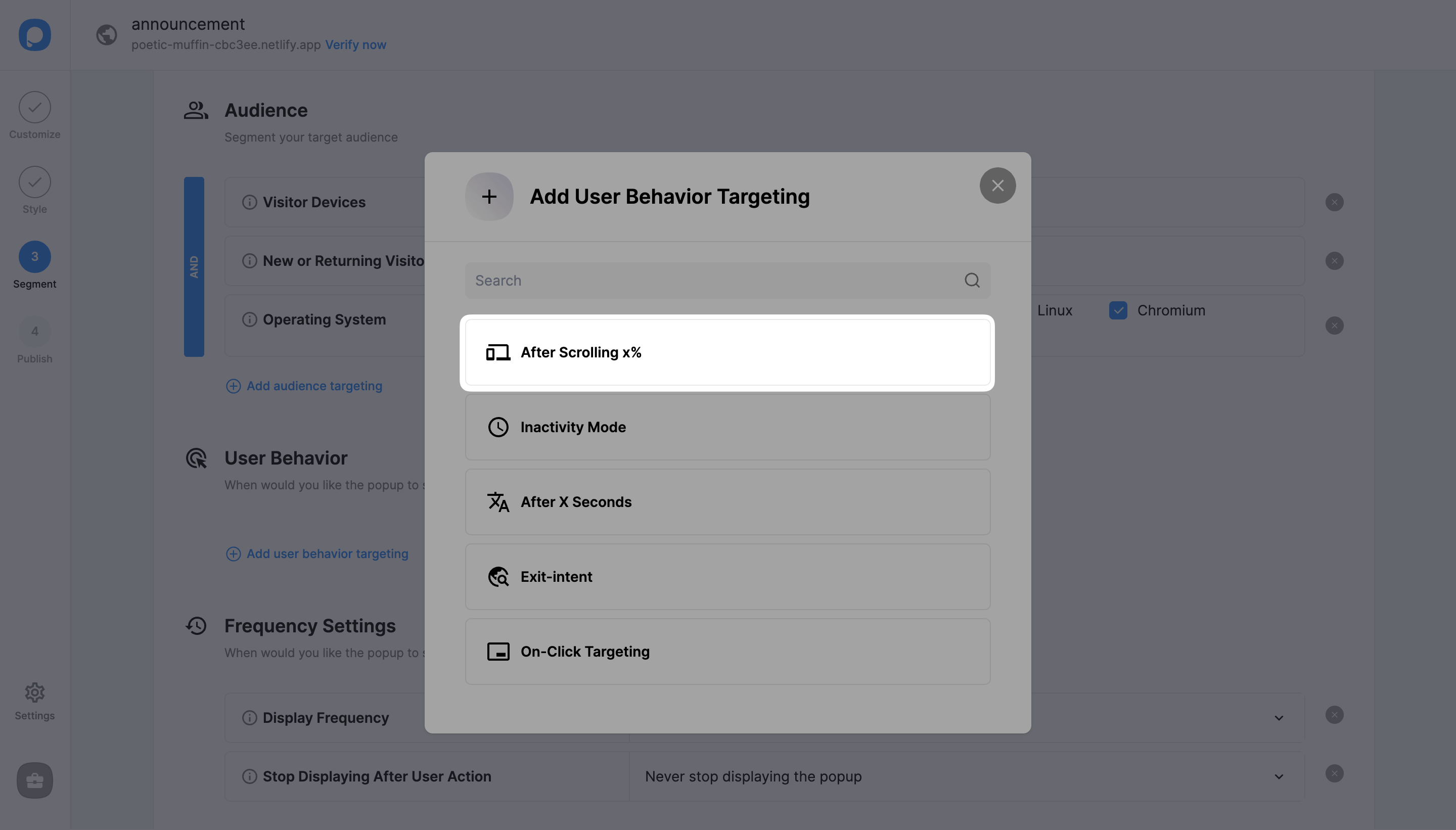
Click "Add user behavior targeting" to see all behavioral triggers available.
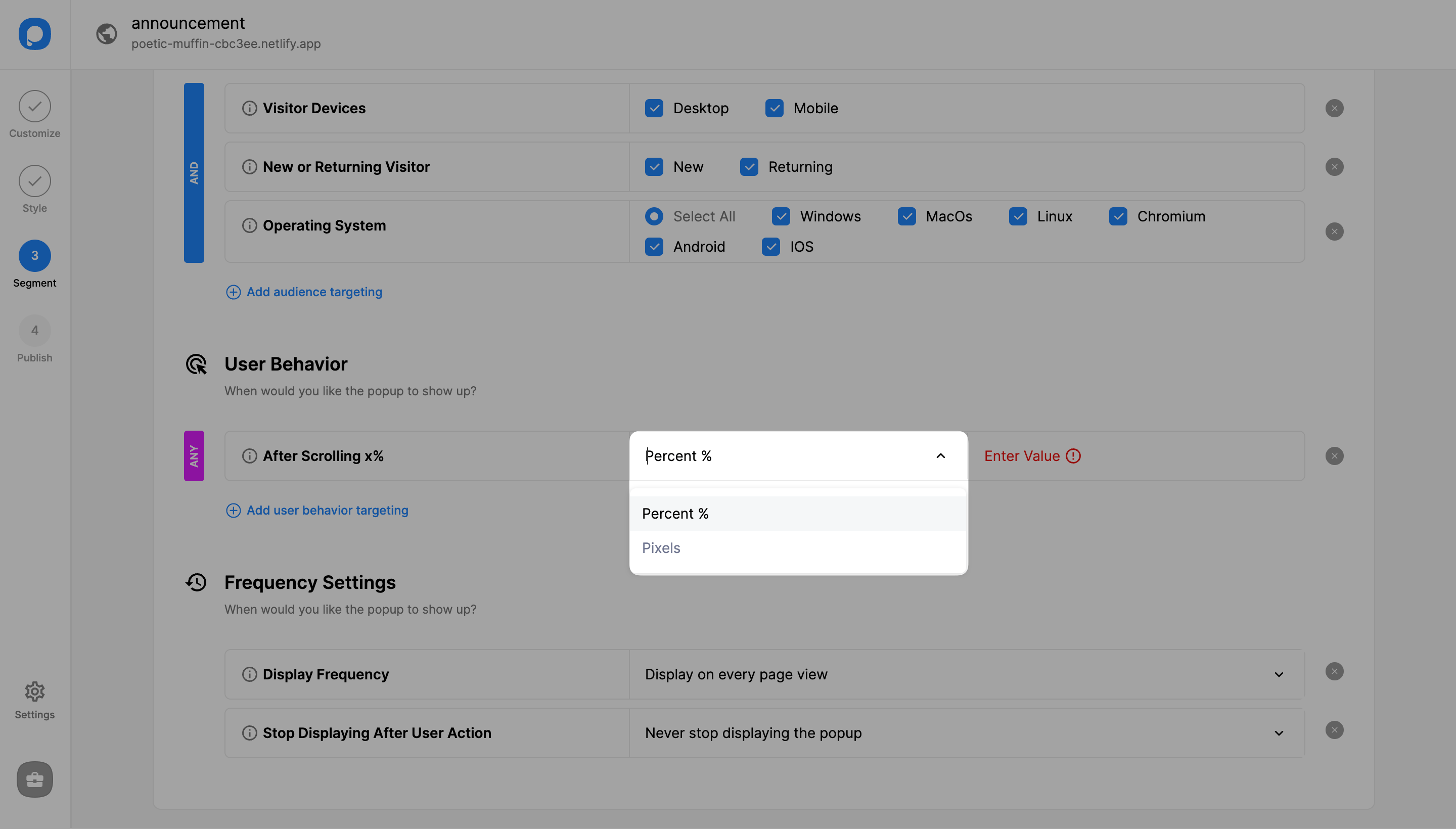
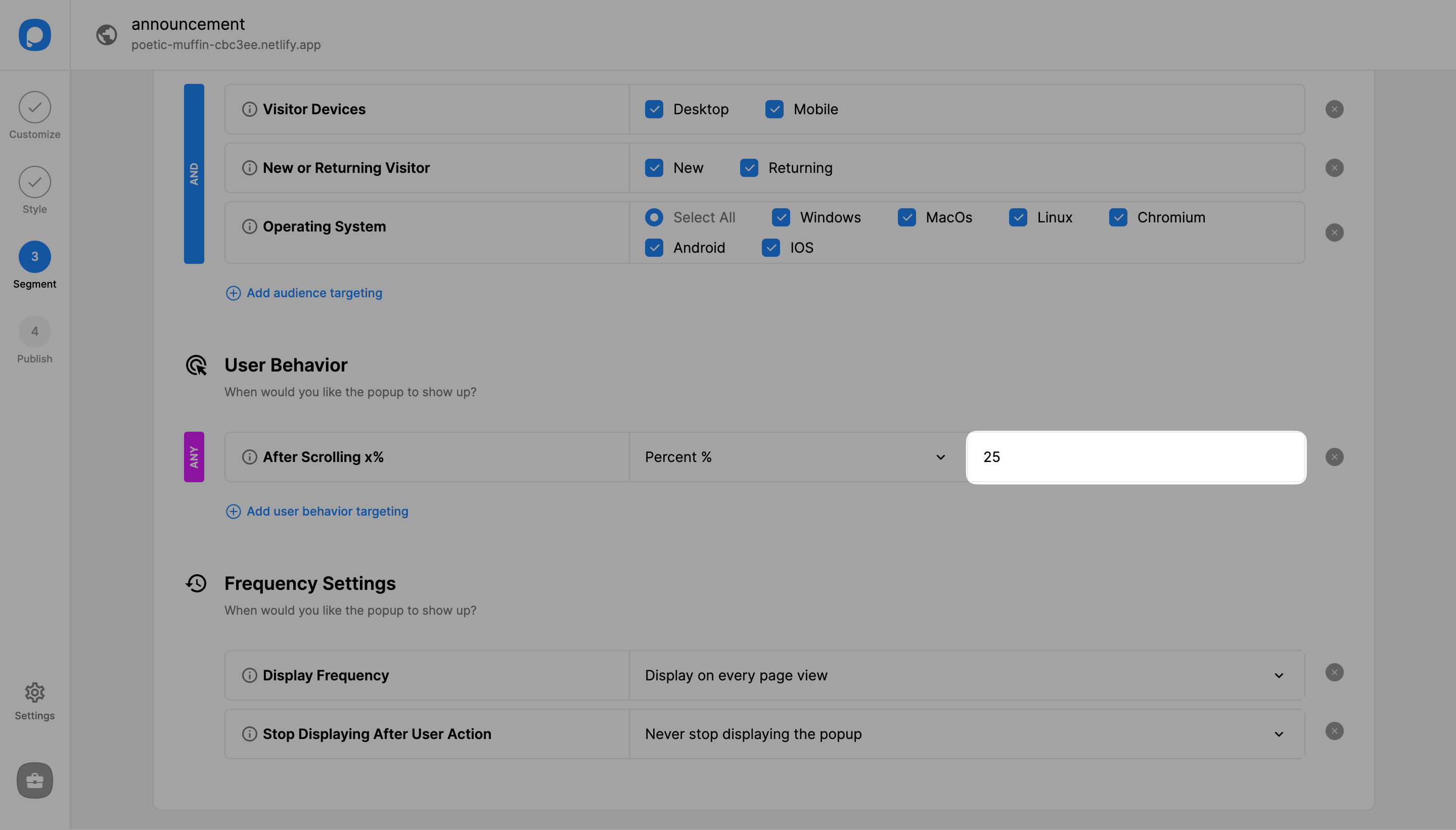
Enter the Value
Enter the value on the "Value" field. For example, if the "Percent" option is selected, you can enter a value such as 20. This will trigger the popup after the users scroll 20% of the page.
Publish Your Campaign
You can continue with the "Publish" step if all is done, where you'll see the Targeting Summary.
Debug Mode
After publishing your campaign, you can also click "Debug" on the "Publish" step to see if there are any issues with any of the triggers. You can use Debug to understand which of these targeting is working correctly on your website.
Need a hand? Contact Popupsmart!
How is this guide?