
How to Set Event Integration in Google Analytics 4
Learn how to set up event integration in Google Analytics for seamless popup campaign performance tracking and enhanced data analysis.
Welcome to the new era of data integration with Google Analytics 4! Popupsmart offers an easy way to track the statistics of your campaigns while introducing significant enhancements to elevate your analytics experience.
Steps to Follow If You Installed GA4 to Your Website Directly
Prerequisites
You need a Popupsmart account and a Google Analytics account before starting the integration.
Verify Your Website
You need to verify your website on the Popupsmart dashboard.
Design Your Popup
Go to the Popupsmart dashboard and design your popup. Don't hesitate to rely on your creativity and customize it as you like.
Enable Integration
After completing your popup, click the "Settings" and "Integrate with Google Analytics" fields to enable the integration.
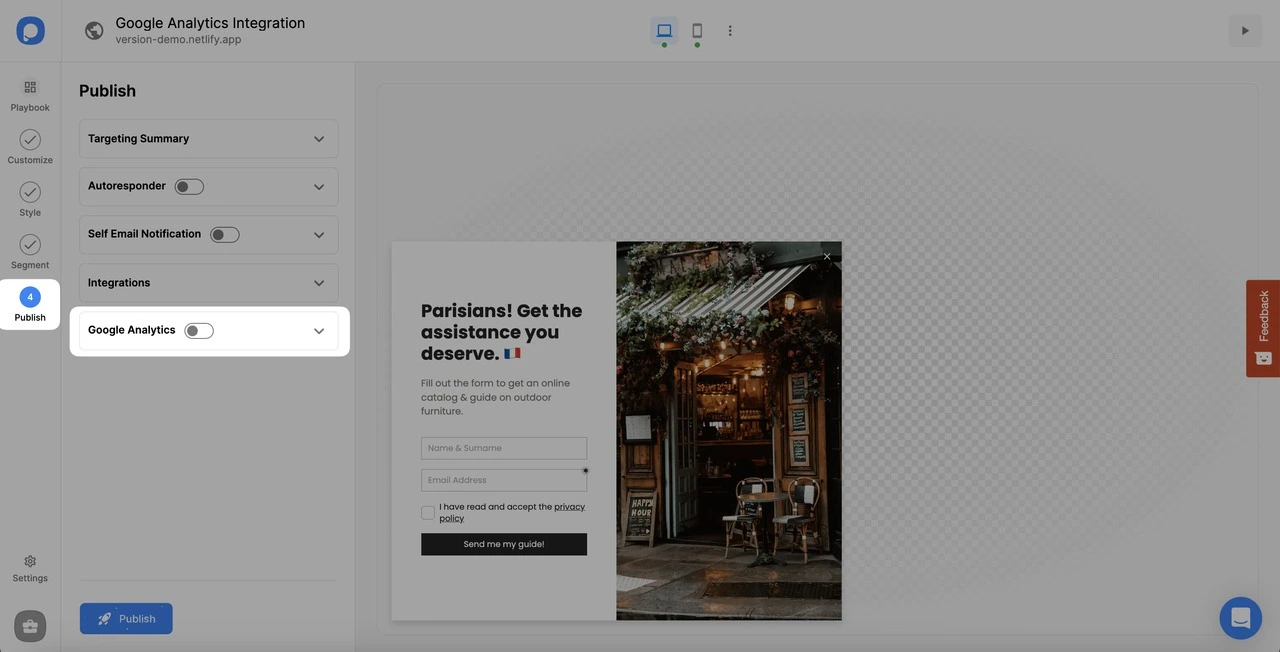
Publish
Click "Publish," and your integration is completed.
Steps to Follow If You Installed GA4 via Google Tag Manager
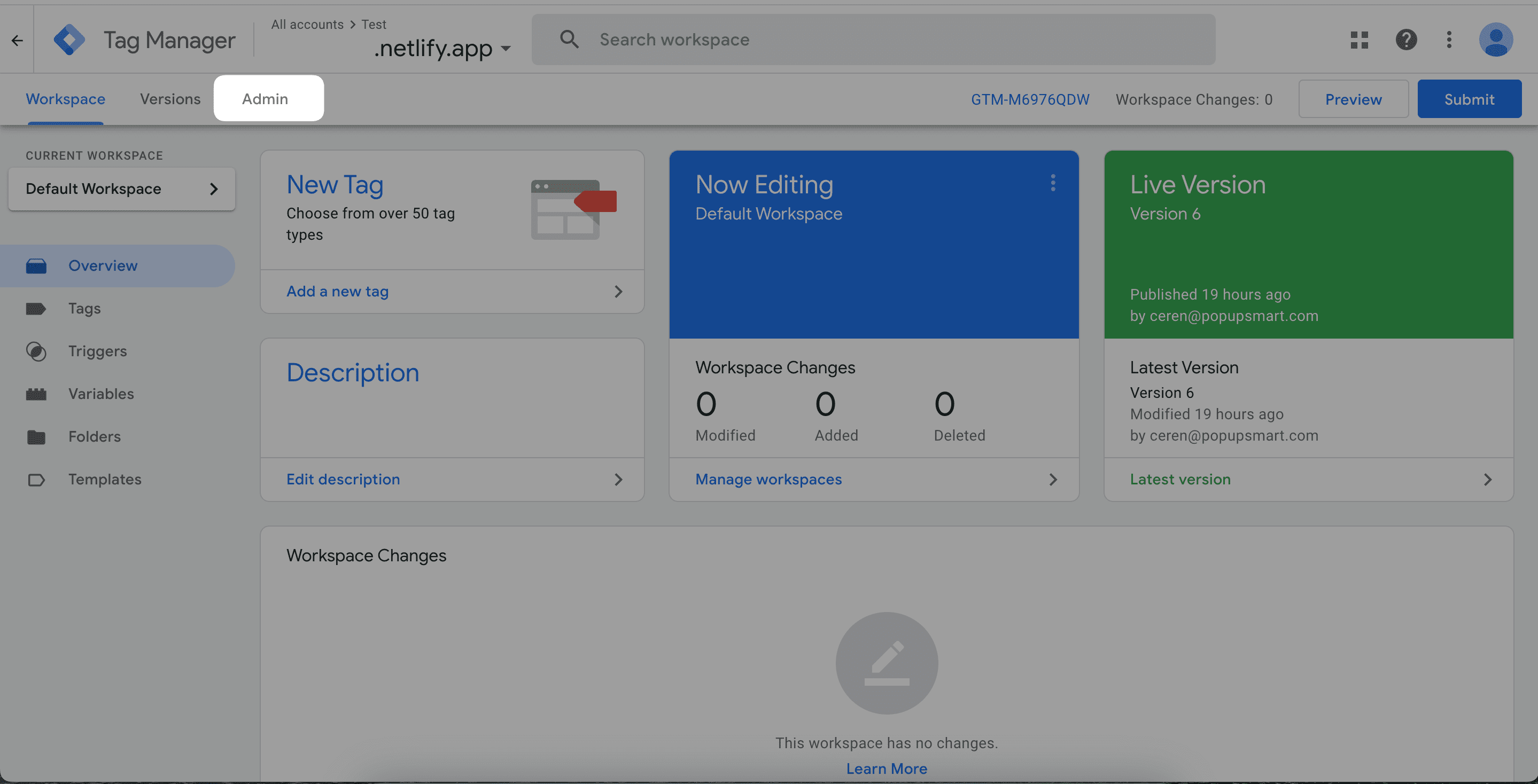
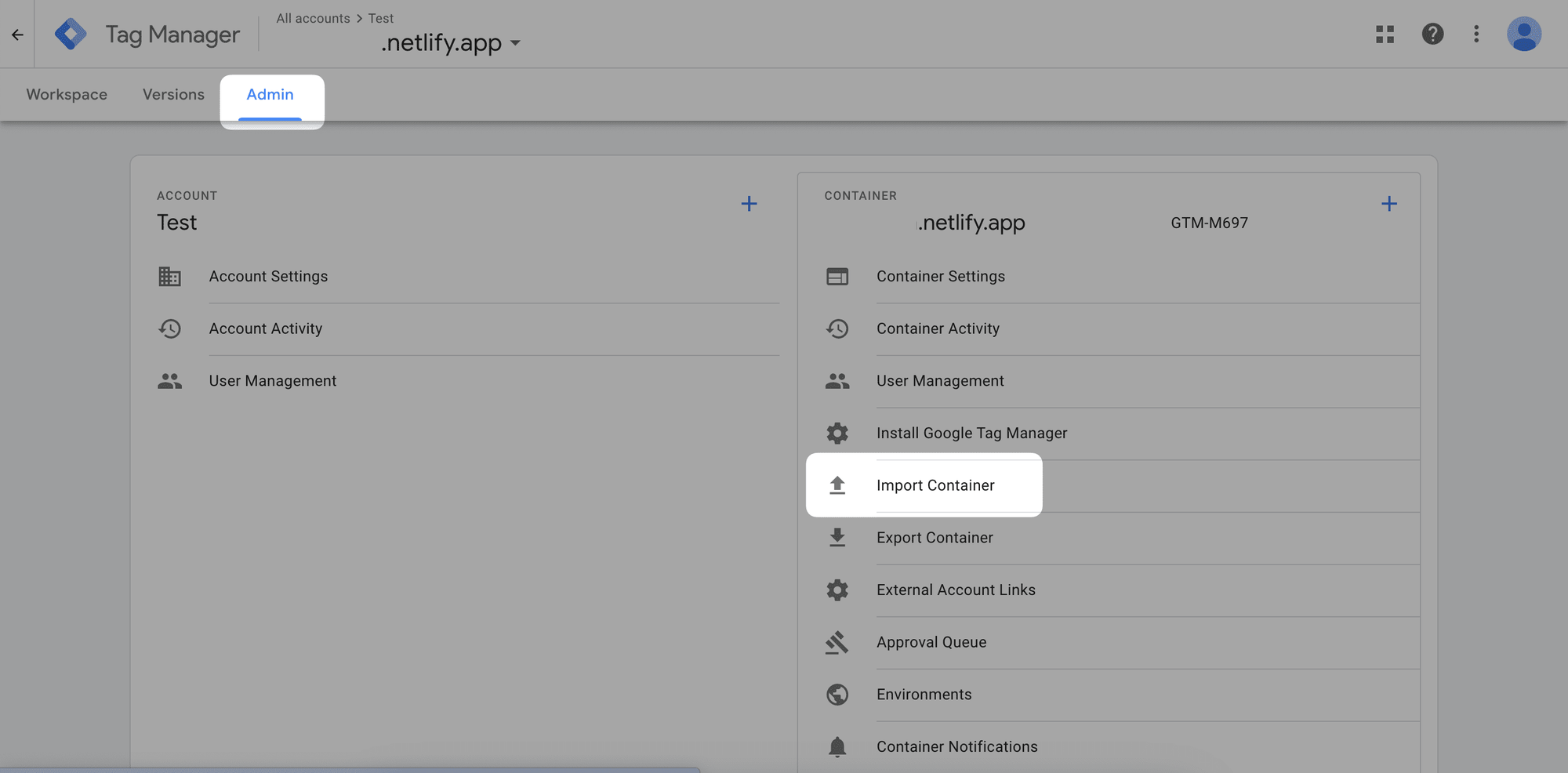
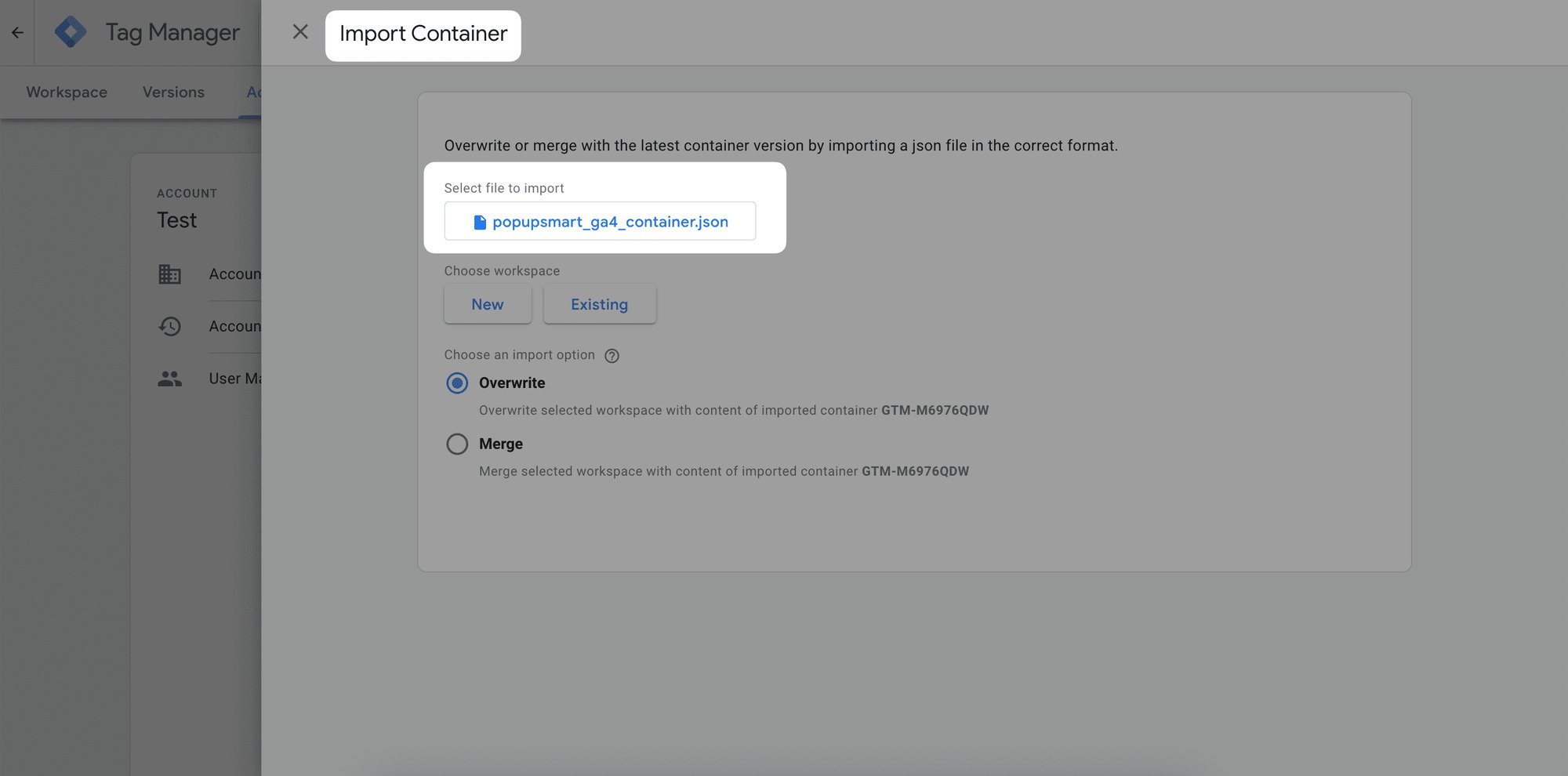
Configure Merge Settings
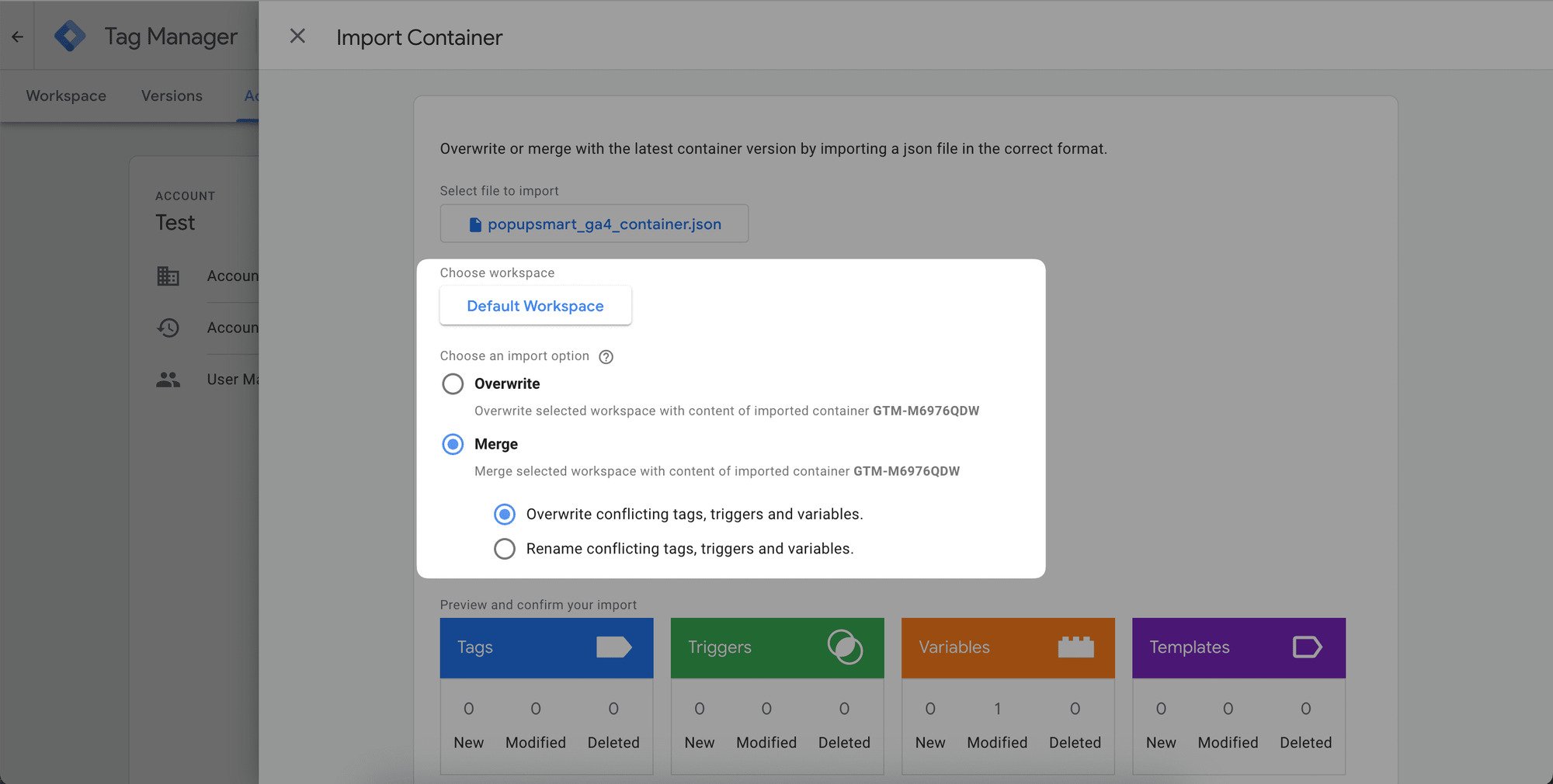
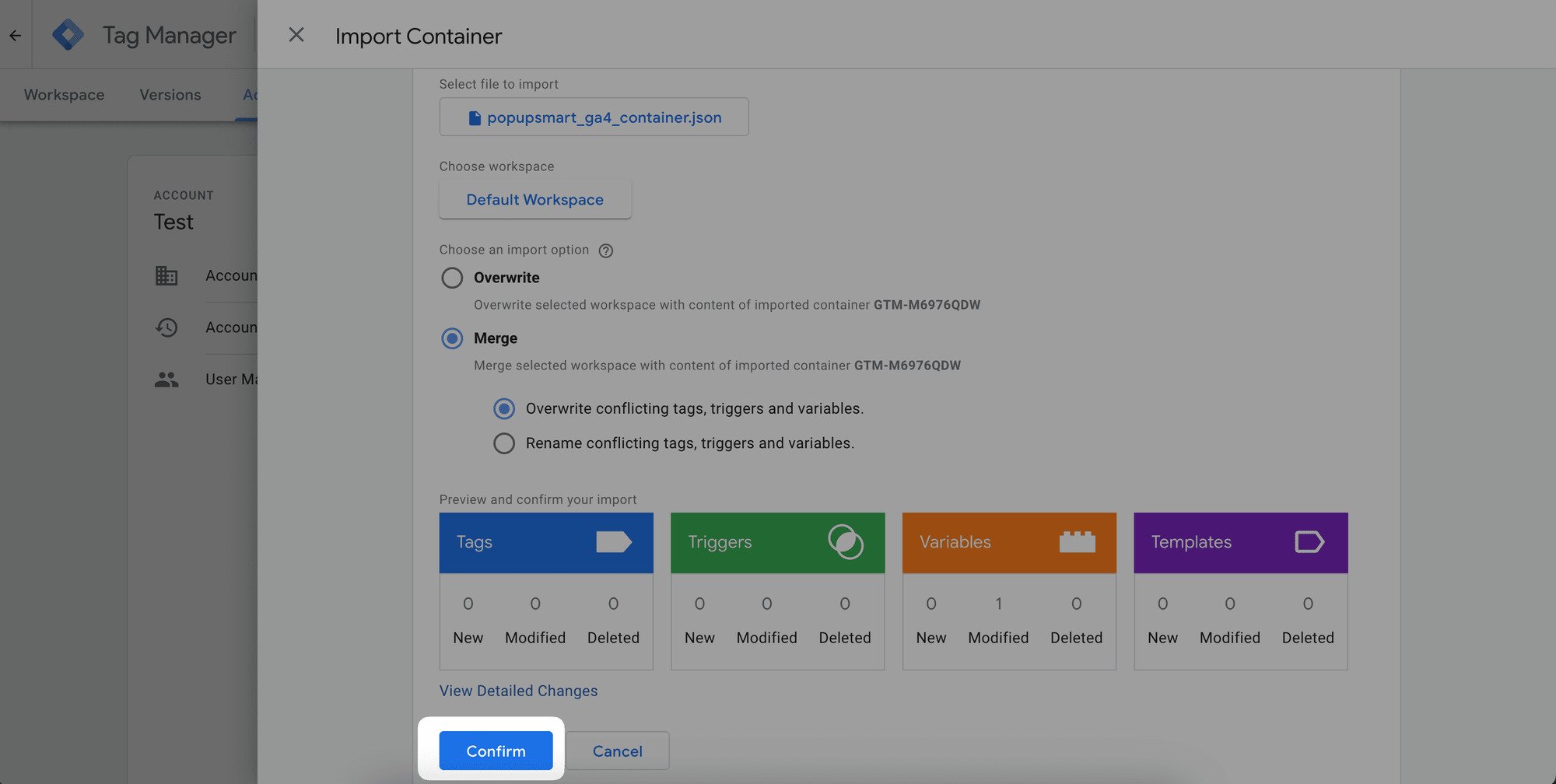
Select the "Existing" option and find the workspace. Choose the "Merge" option. Leave "Overwrite conflicting tags, triggers, and variables" selected.
Important Note
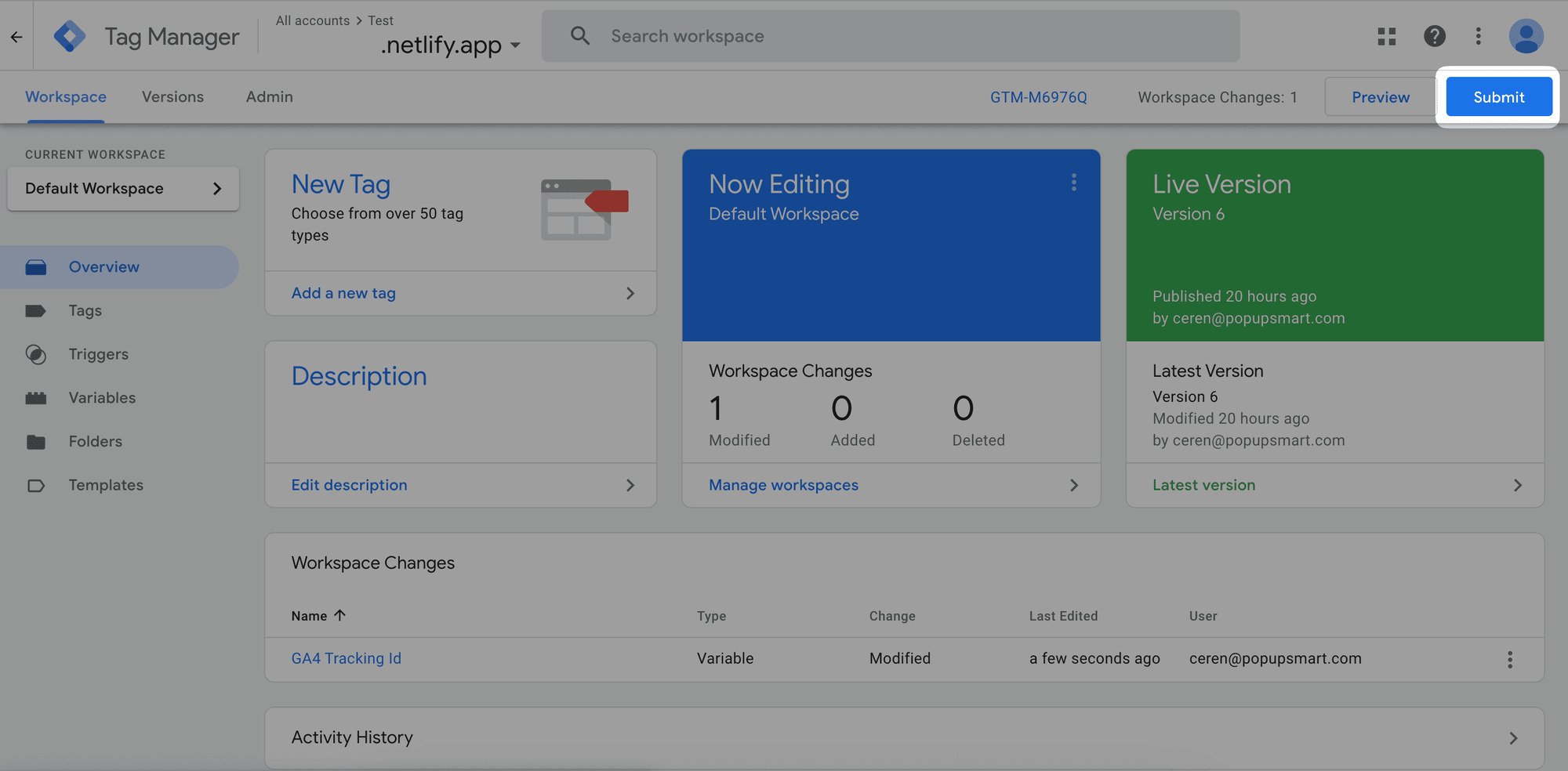
It's essential to maintain consistency between the measurement ID used in your Google Analytics Data Streams settings and the value assigned to the variable named GA4 Tracking ID in Google Tag Manager.
Viewing the Results
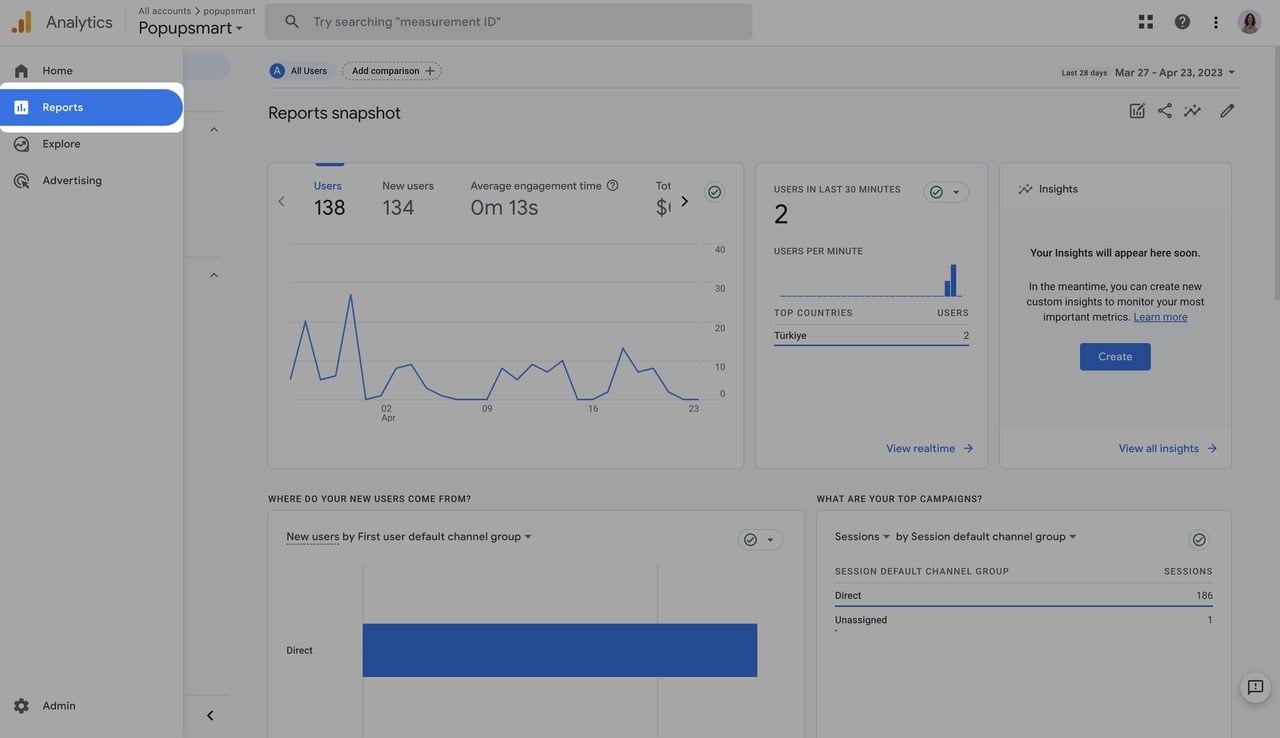
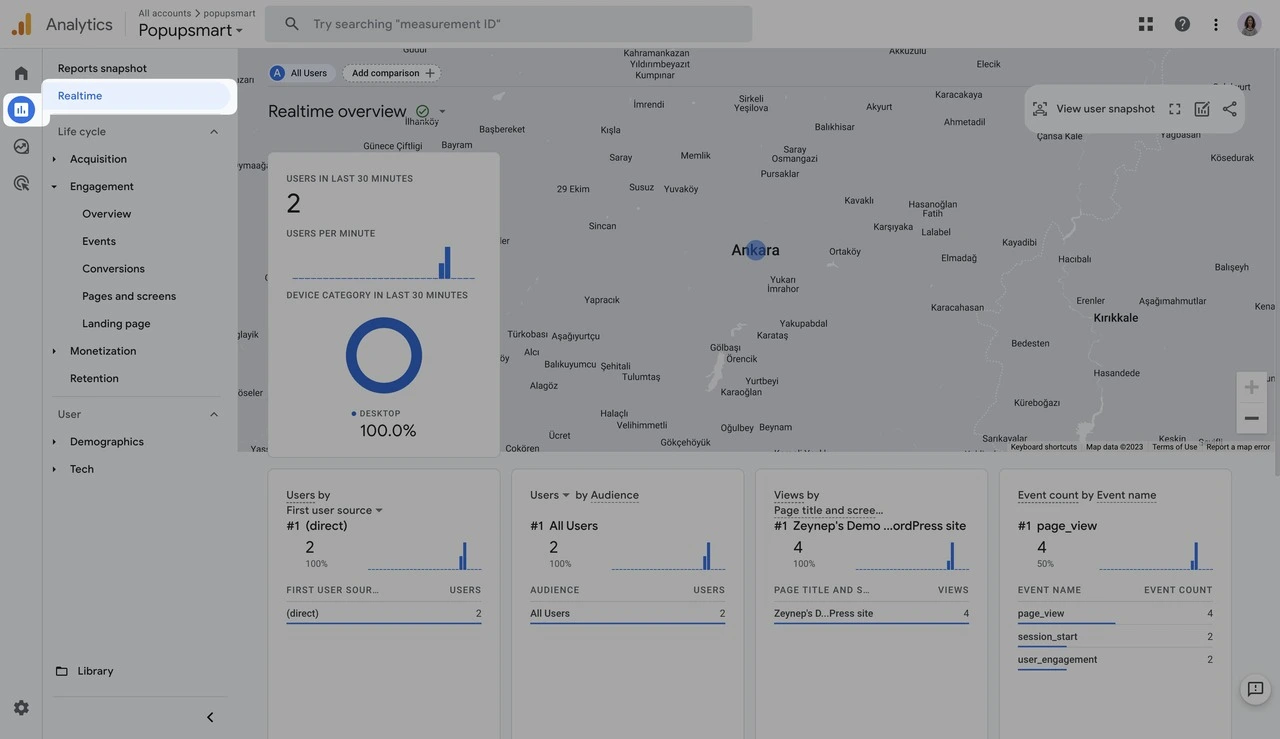
Long-Term Data Tracking
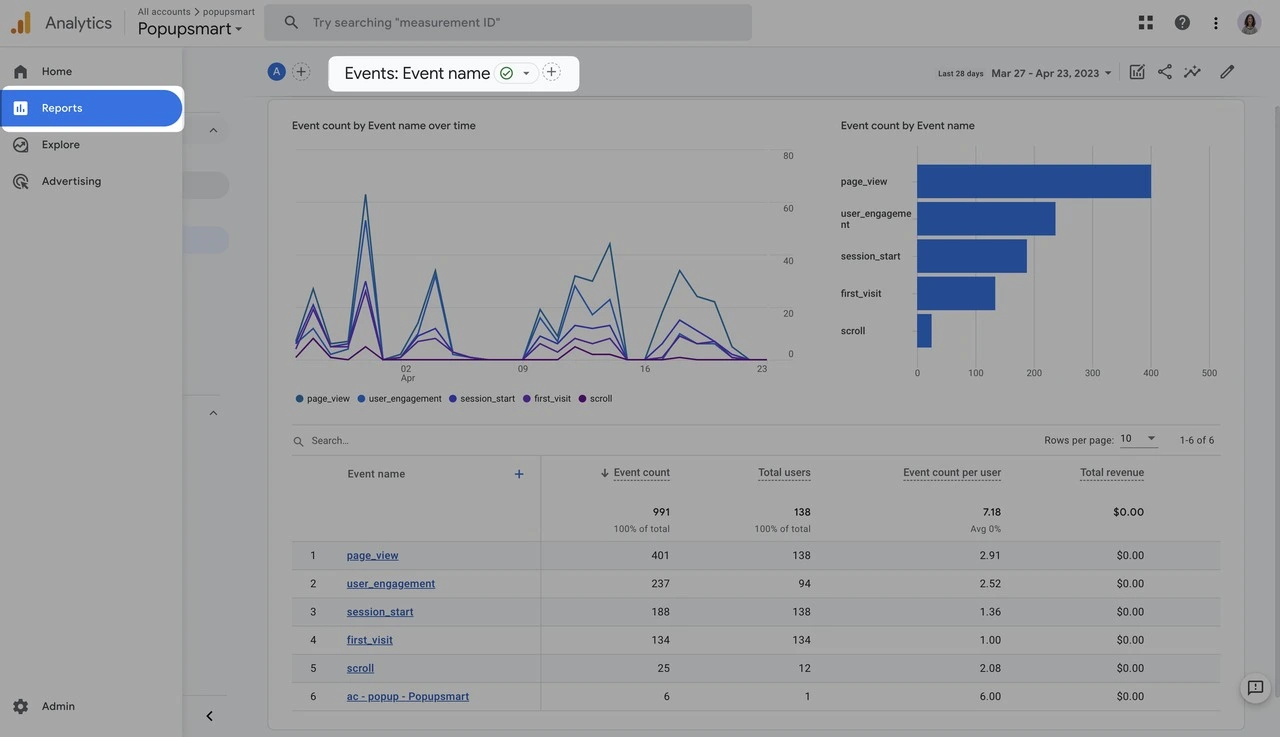
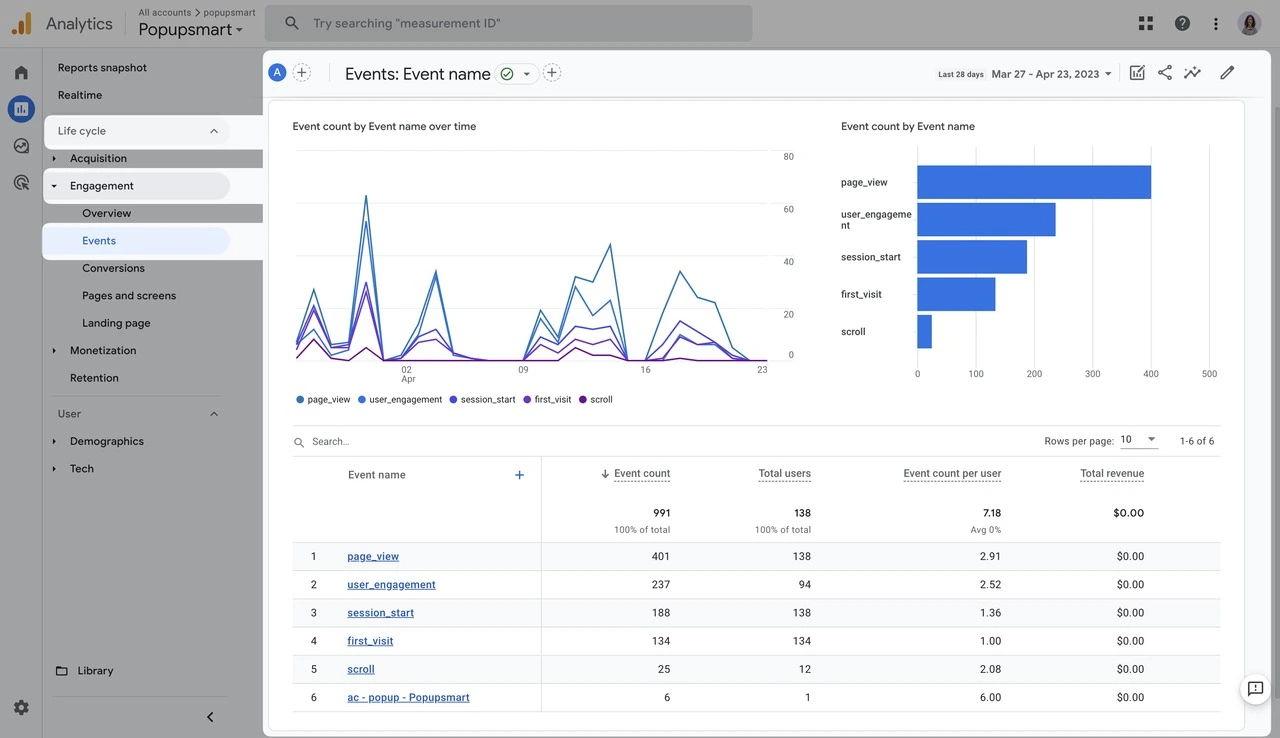
Filter by Time
For further customization, you can view your data based on a specific time range by adjusting the time on the date picker at the corner.

Event Parameters
Prerequisite
Google Analytics code should be already installed on your website for this integration to work.
Custom Dimensions
If you want to see the results of the parameters in the long term rather than the last 30 minutes, we recommend creating a custom dimension in Google Analytics 4.
If you have any other questions about managing this integration, feel free to mail us!
How is this guide?