
How to Embed the Code on your Site
Seamlessly integrate popups on your site. Follow our guide to effectively embed Popupsmart's code and engage your audience dynamically.
Installing Popupsmart on your website is a one-time requirement, and it only takes a few minutes.
You can quickly complete the setup with your unique embed code, and you'll never need to repeat the process again.
Plus, there's no coding knowledge required.
Additionally, Popupsmart works on your site with a single-line JavaScript code of only 97KB in total. So your website speed will remain unchanged.
Installation Options
There are 3 different ways to add the embed code to your site:
- Embed the code on your website manually
- Setup with popular CMS services
- Setup with Google Tag Manager
Important
Please, do not add your unique embed code to the same website more than once. Otherwise, it may not work.
How to Embed the Code on Your Website
Access Embed Code
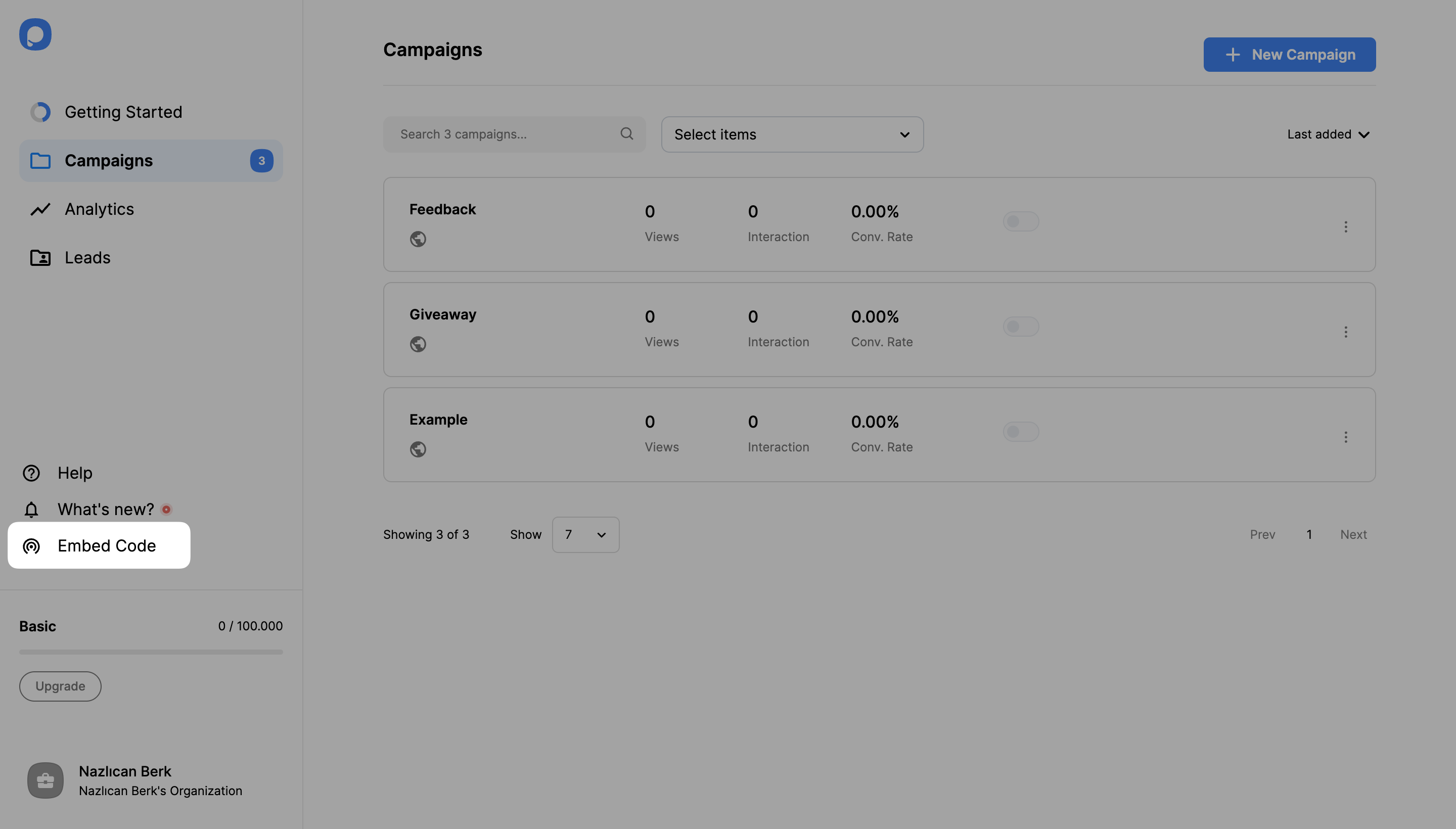
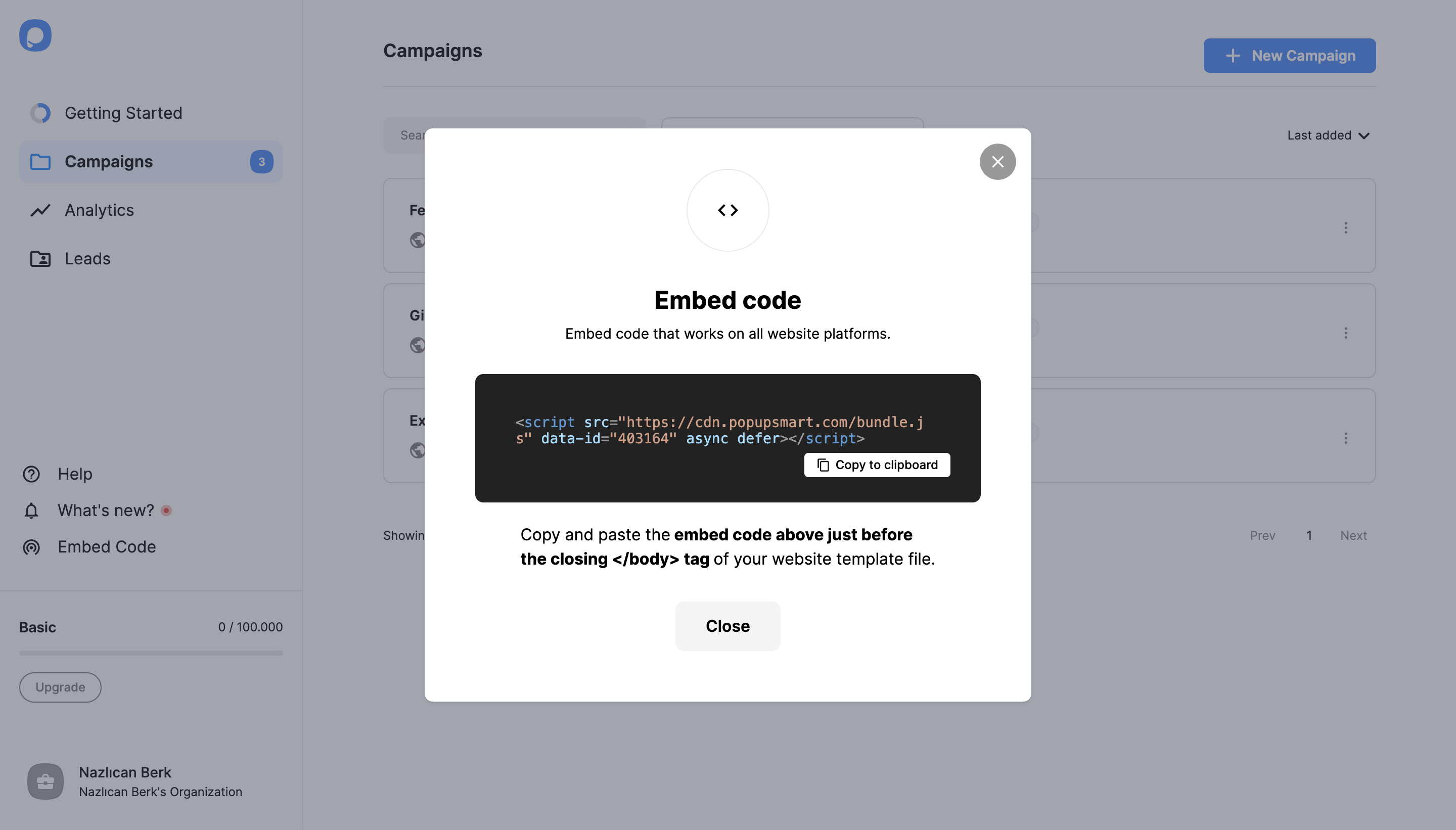
Log in to your Popupsmart account and navigate to the left bar. Then, click on "Embed Code".
Add Code to Your Website
Open your website's admin panel from a new tab on your browser.
- Navigate to your site's template file and find the opening of its
<body>tags. - Paste the Popupsmart embed code just before the closing of the
<body>tags.
Save the changes. Congrats, you've successfully installed Popupsmart on your website.
Add Your Website Domain
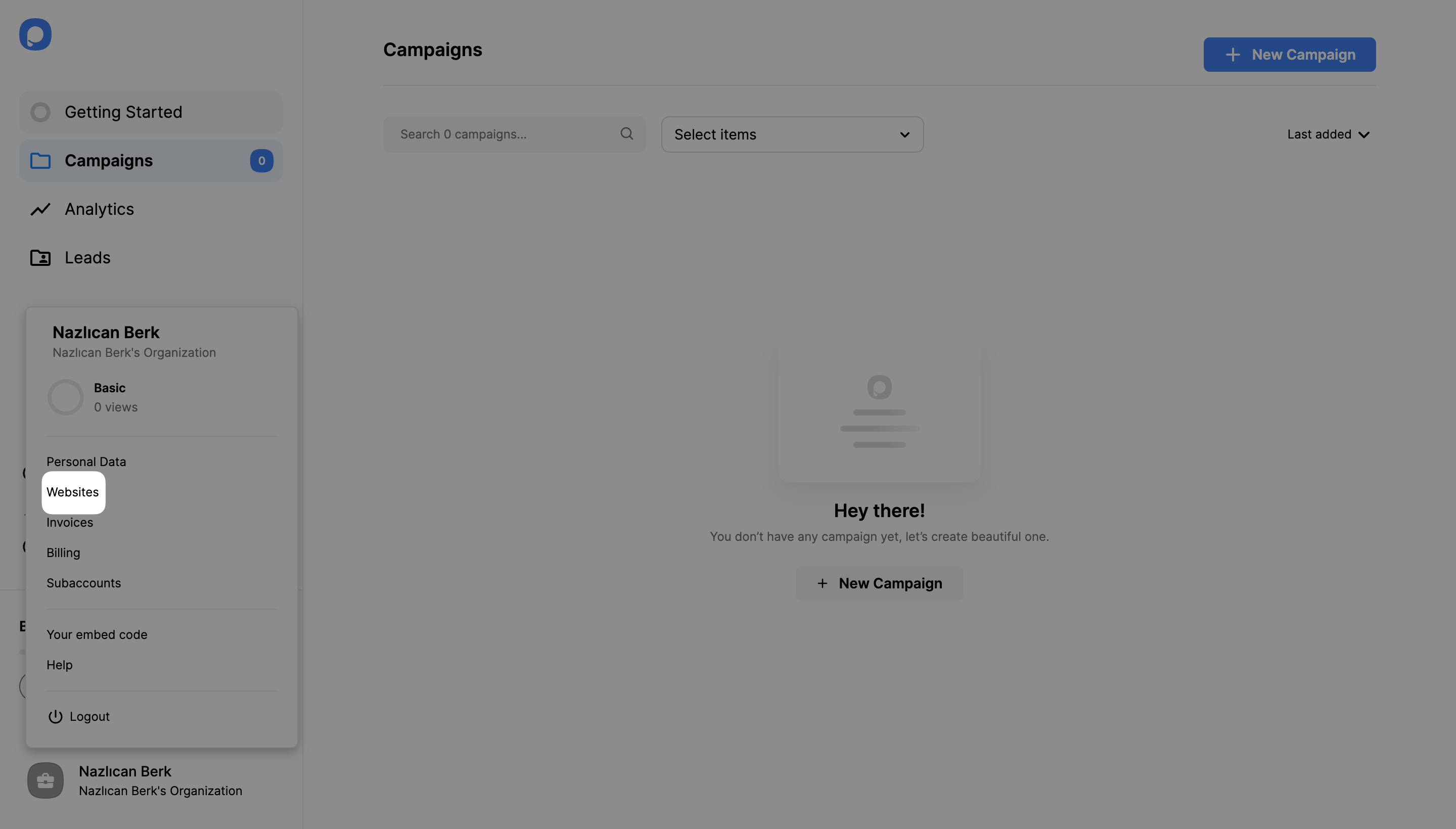
Return to your Popupsmart Dashboard for a couple of additional settings. Click your account in the bottom-left corner and click "Websites."
If you haven't added a domain that you'll create campaigns for, click on the "New Website" button on the top of the page and enter your website URL (for example, example.com). Then, click the Save button.
Verify Your Domain
In order to display your campaigns on your website, you need to verify the domain/s you added to your Popupsmart account. See the documentation on how to verify your domain.
Plan Limitation
The Free Plan covers only 1 website, so you need to upgrade your plan to add more domains. You can create separate campaigns for different domains or use the same popup for multiple domains.
Still stuck? Contact us via live chat or email us at hello@popupsmart.com
How is this guide?