
Traffic Source Targeting
Do you want to show your popup to visitors coming from a specific source? We got you.
Do you want to show your popup to visitors coming from a specific source?
We got you.
Use Case Example
Let's say you need to show your popup to visitors who come from Facebook. You can set the traffic source of your popup to Facebook so that only visitors who come from Facebook will see your popup.
How to Set Up Traffic Source Targeting
Navigate to Segment
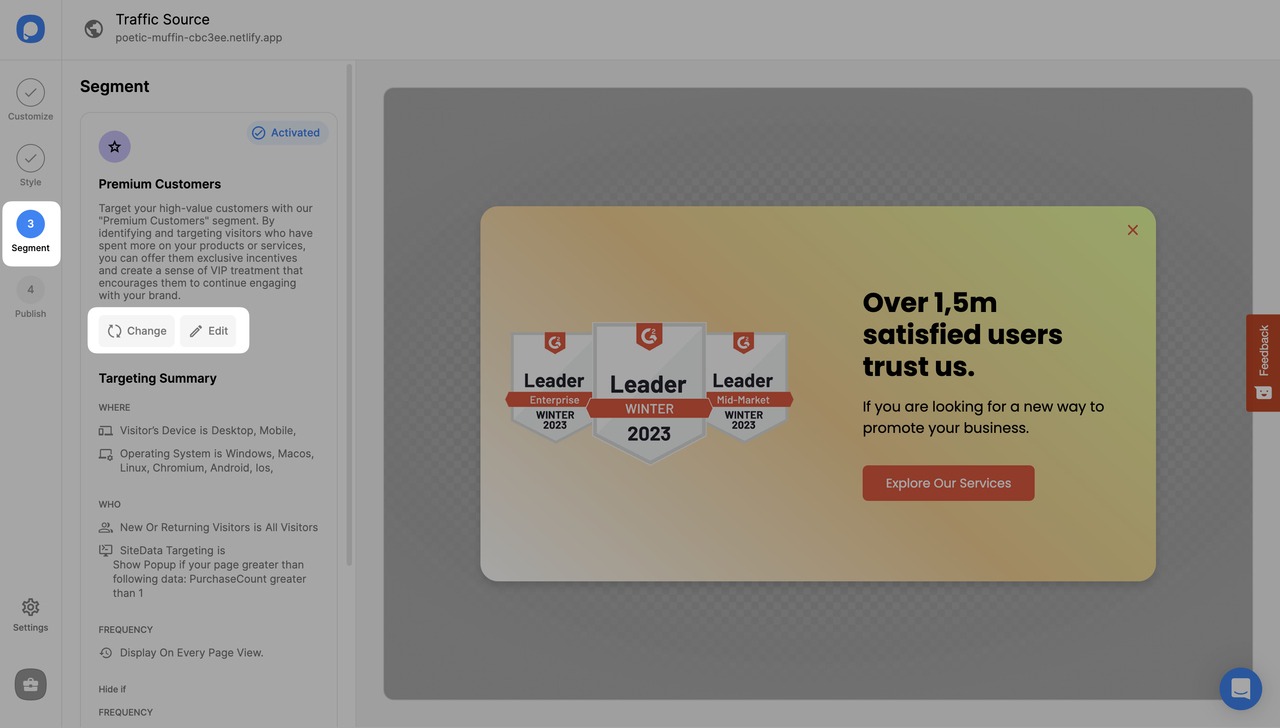
After logging into your Popupsmart account, create/edit a popup campaign. On the popup builder screen, navigate to the "Segment" section and click "Edit Segment." (If it's a new campaign, click the two circular arrows to choose a predefined segment or create one from scratch in "My Segment.")
Add Traffic Source Targeting
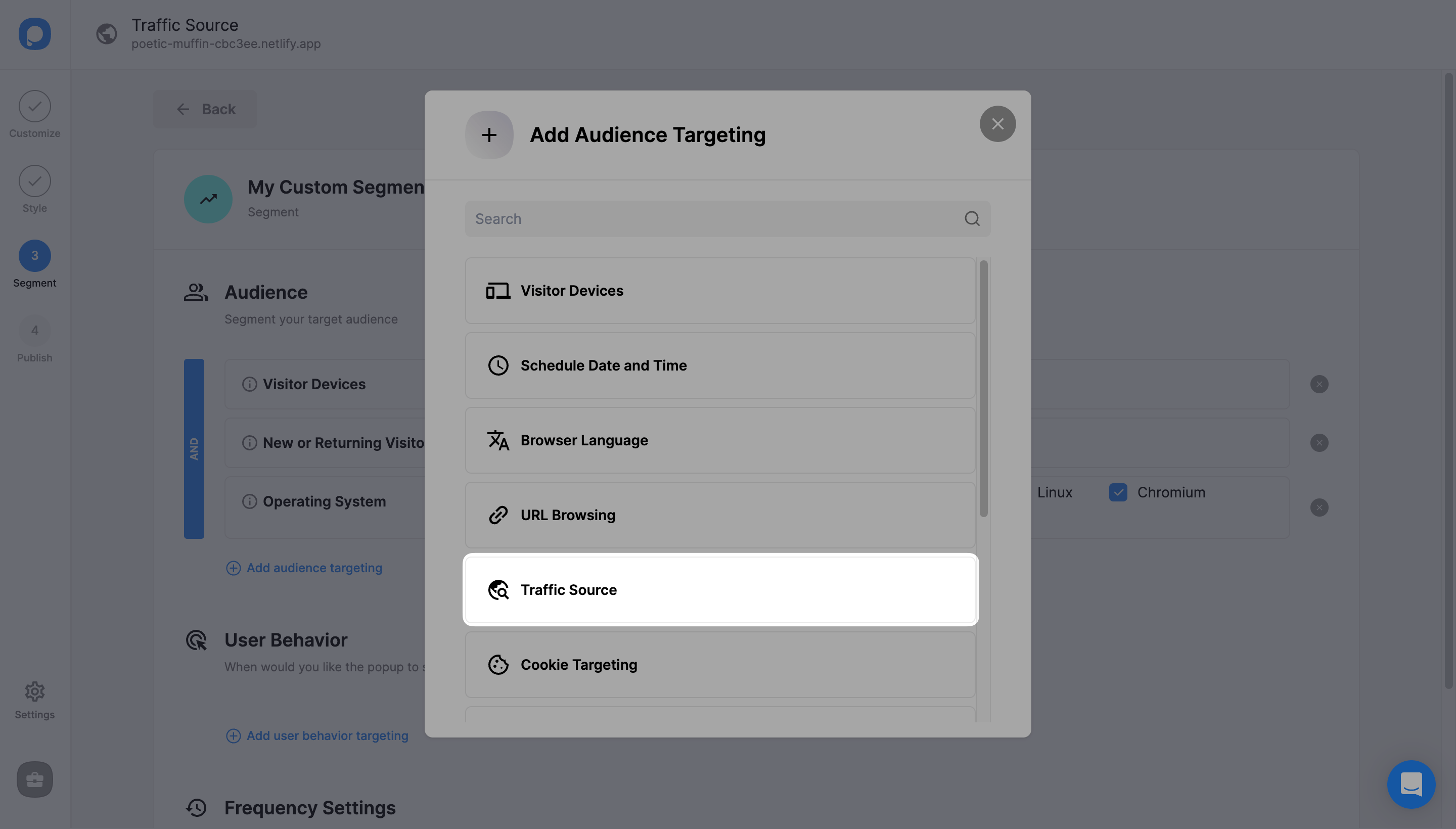
Click "Add audience targeting" under Audience. Then, click on "Add" next to "Traffic Source".
Configure URL Rules
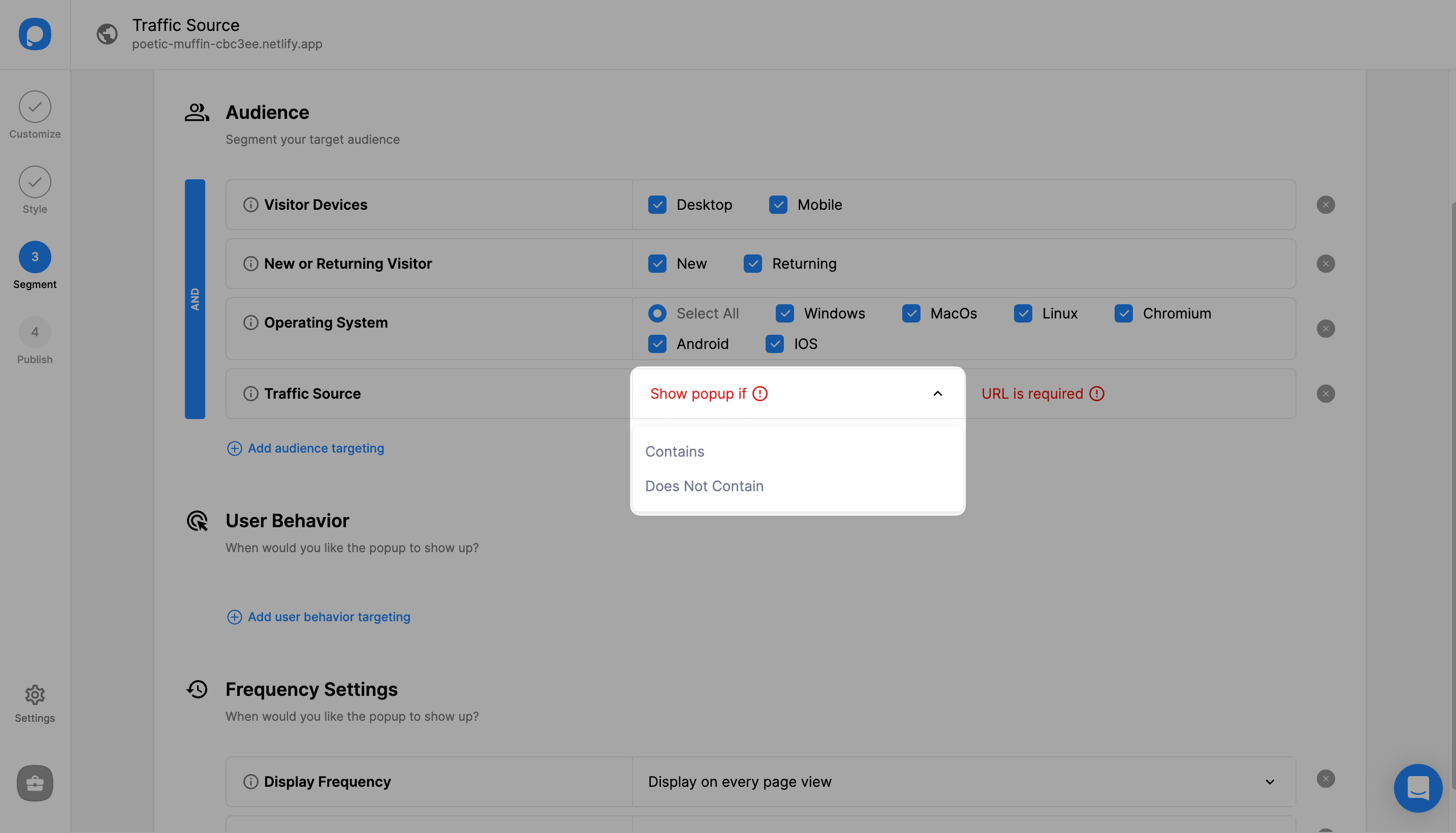
From the drop-down, choose to include or exclude the URLs that you want to target. For example, if you choose "Contains" followed by Facebook URL, the popup will be displayed to visitors who come from the Facebook URL only.
Publish Your Campaign
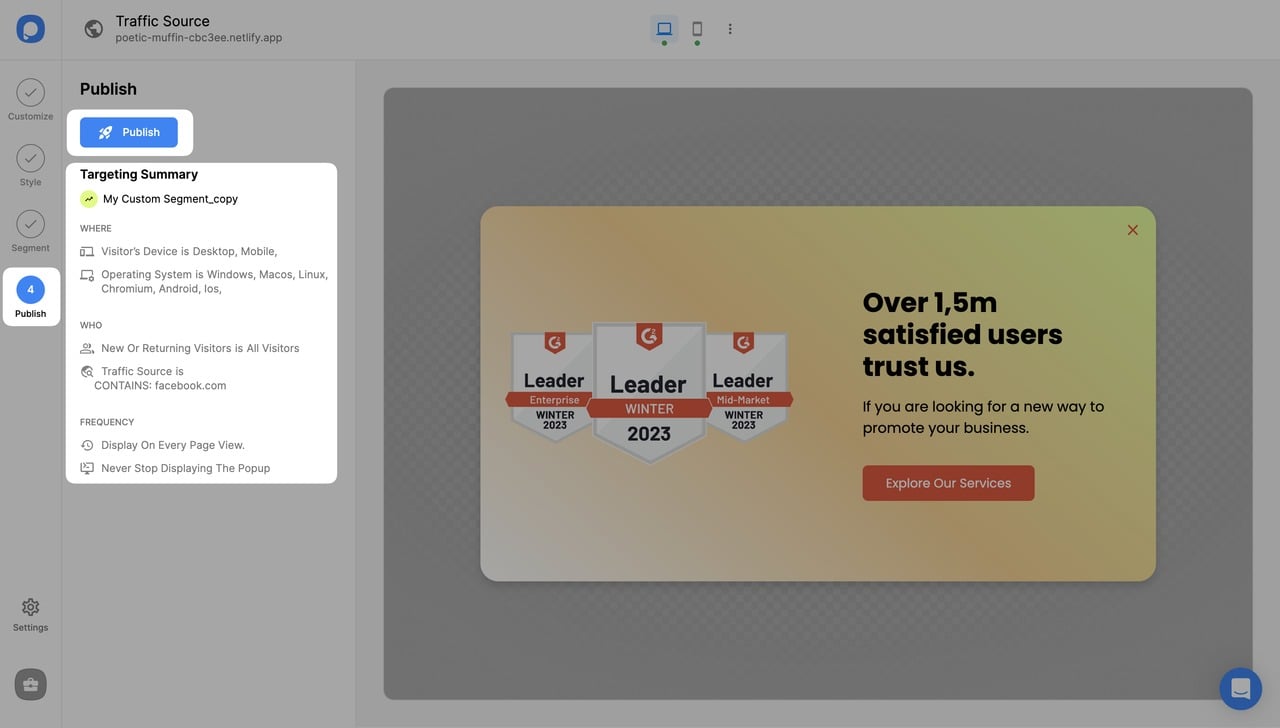
Once you finish the settings, continue with the "Publish" step to see your Targeting Summary.
Multiple Traffic Sources
You can target multiple traffic sources by repeating Step 2 and Step 3.
Need a hand? Contact Popupsmart!
How is this guide?