
How to Set Up Autoresponder Email Notifications
Learn how to set up the Autoresponder Email Notification feature and how it enables timely, personalized notifications for enhanced user interactions.
Popupsmart has an advanced email autoresponder tool to let you send an instant email to every visitor who successfully fills in the data input on your popup and subscribes to your mailing list.
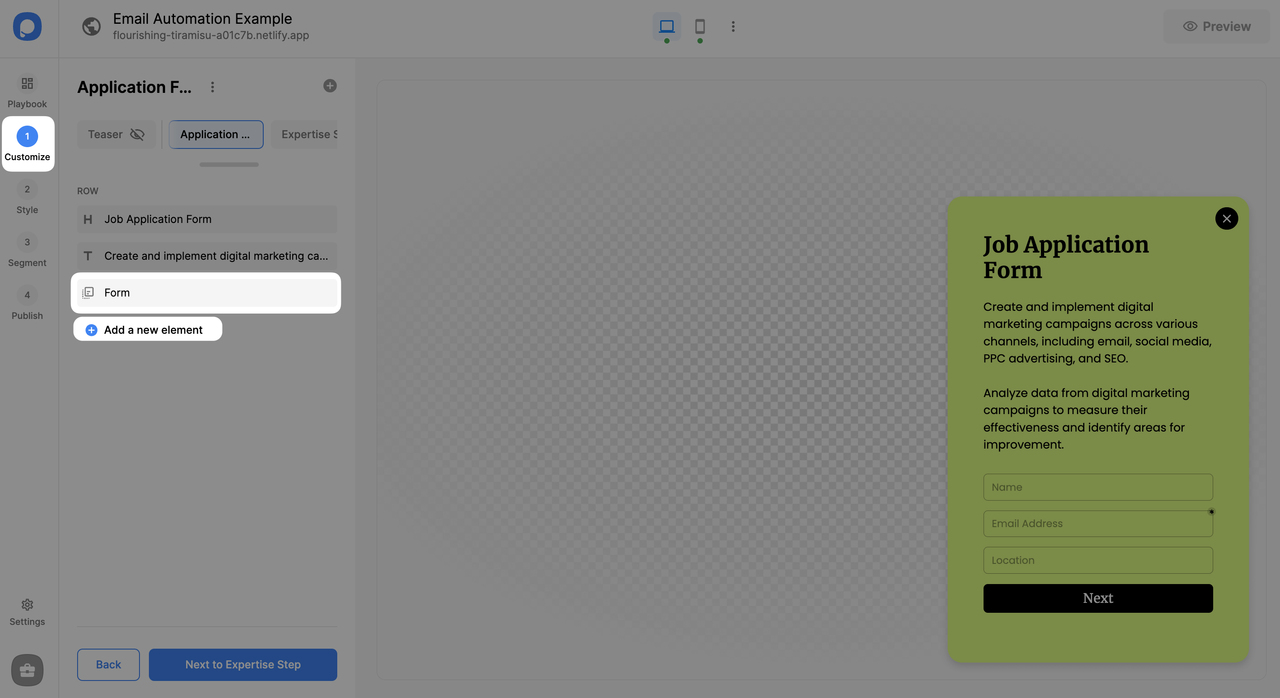
If there is a form element in your popup campaign, the email autoresponder option will be seen, as we explained in step 4 below. If you set the popup campaign and the email autoresponder, they work in conjunction smoothly.
Also, you can duplicate the email autoresponder you customized to use in different campaigns. Indeed, you are free to change the popup campaign in which the duplicated email autoresponder campaign is defined later.
How to Set Up Email Autoresponder
Create or Select Campaign
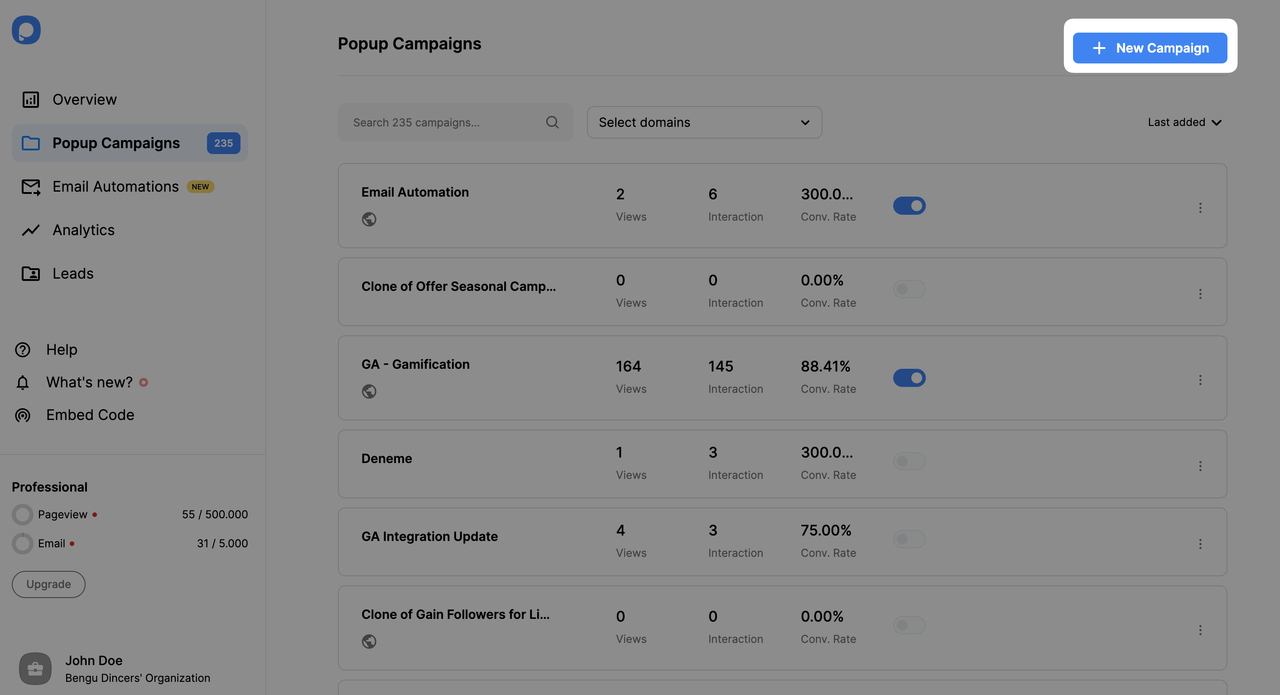
Create a new popup by clicking "New Campaign" or select an existing popup campaign on the "Campaigns" screen on the dashboard.
Create Email Autoresponder
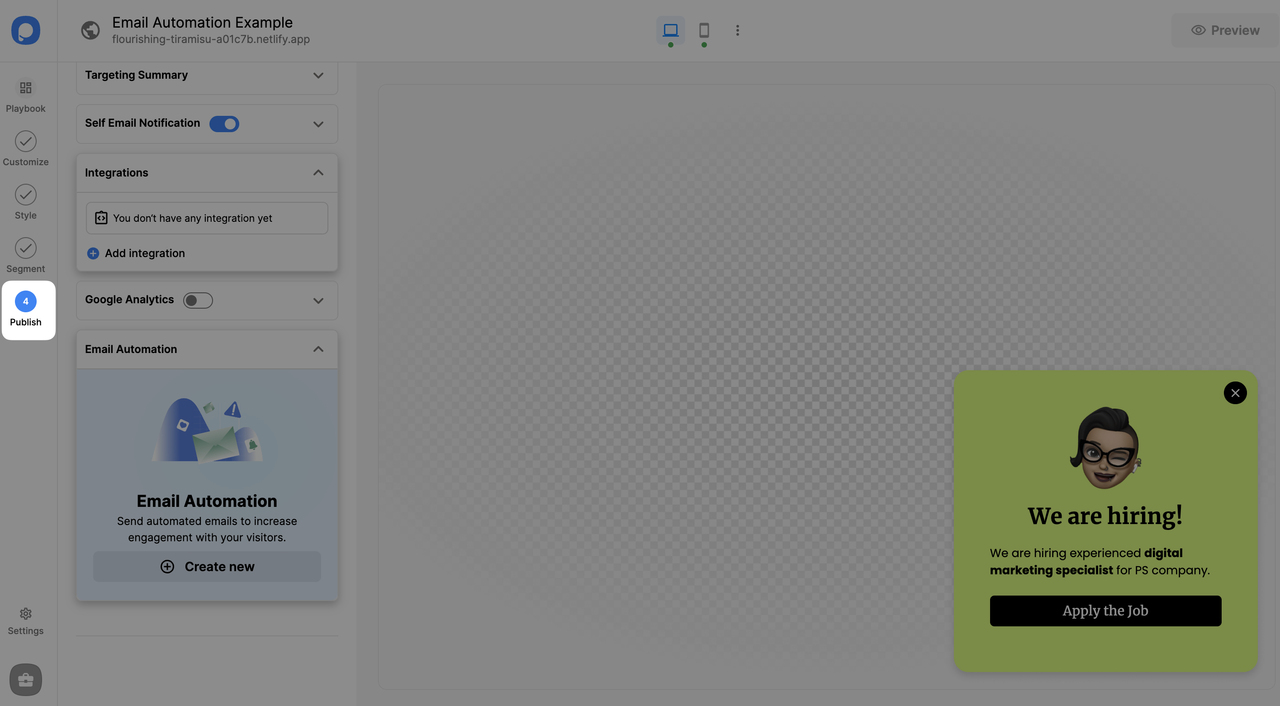
After customizing your popup, making all the necessary style changes, and arranging segment settings as you wish, go to the "Publish" step to create email autoresponder. Then, click "Create new" on the Email Autoresponder banner on the left sidebar if you don't have any to set up your autoresponder.
Configure Email Details
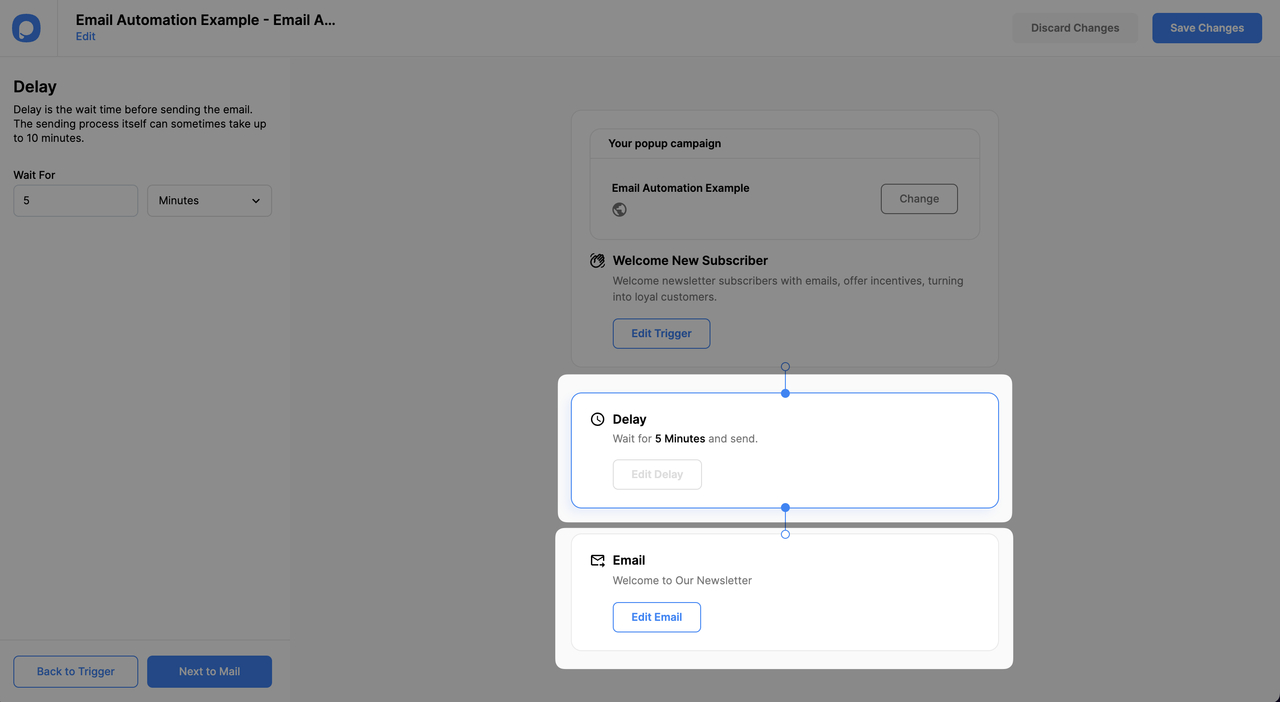
Add your company's email address (it can be a no-reply address) into the "Reply-To" field. Enter the Subject Line. This will be your autoresponder email's subject line.
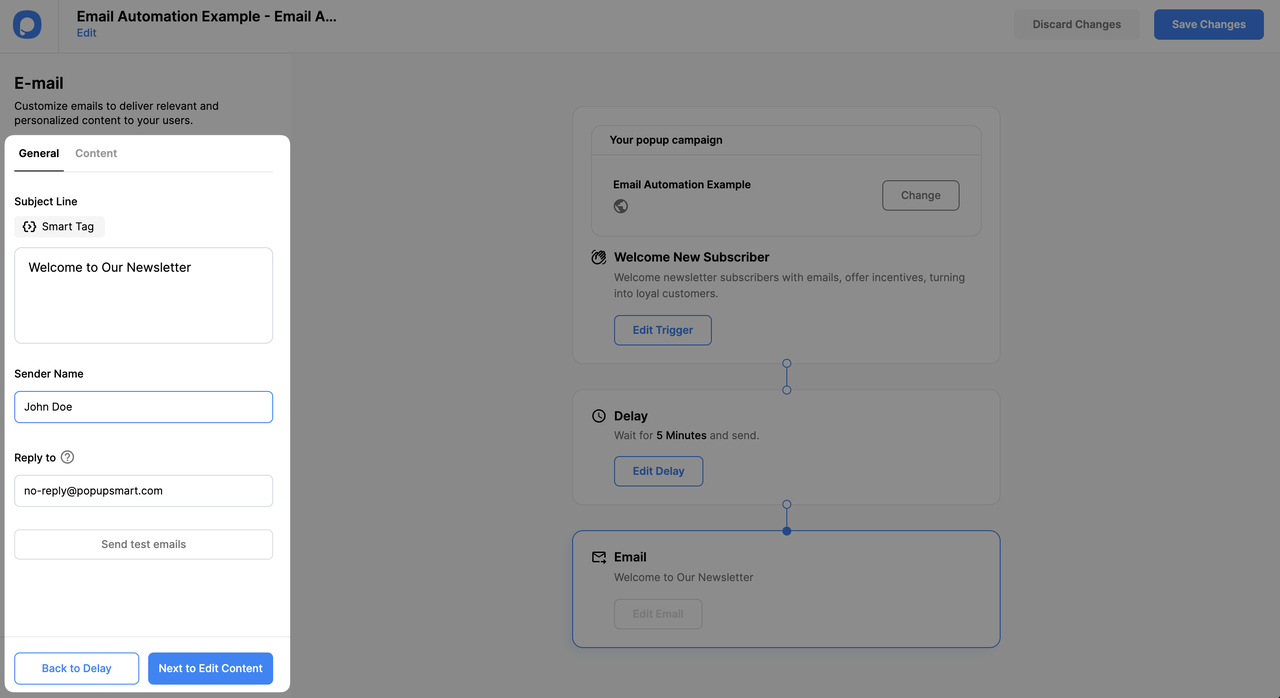
Smart Tags
The "Smart Tags" option consists of the system field tags. You can add smart tags to your email from the "Smart Tags" modal. Popupsmart pulls the data for the tags from popup system fields. For example, the name tag dynamically changes into the entered email on the popup when sent. Tags do not replace dynamically on the builder.
Edit Email Content
On the content window, you can edit email content. Choose one of the pre-made email templates and customize it according to your needs.
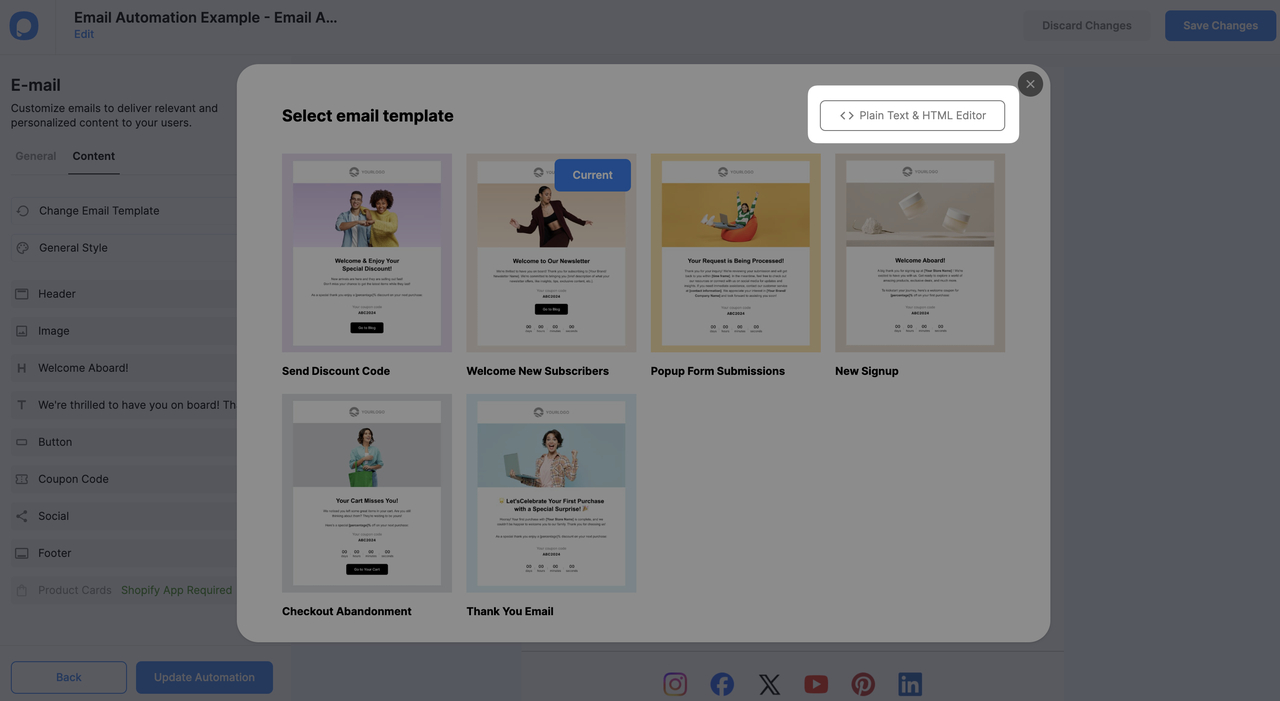
Content Options
Apart from the pre-made templates, you have options to send emails as a plain text or go to HTML editor to use your custom HTML code.
Now, your popup and email autoresponder campaigns are ready to go!
Shopify Users
There are more email autoresponder options for Shopify users. Shopify-based automations can also work without relying on popup campaigns. You can find detailed information here: How to Create Shopify-Based Email Autoresponder
If you have any questions about setting up autoresponder email notifications, Contact us via live chat or email us at hello@popupsmart.com.
How is this guide?