
How to Create a Multi-step Popup?
Learn how to create multi-step popup campaigns on Popupsmart for enhanced user interaction and conversion.
Popupsmart allows you to create multi-step popups for your various business needs. With this popup campaign type, you can show additional popups to your main one and grab your visitors' attention.
There are two ways to use multi-step popup campaigns:
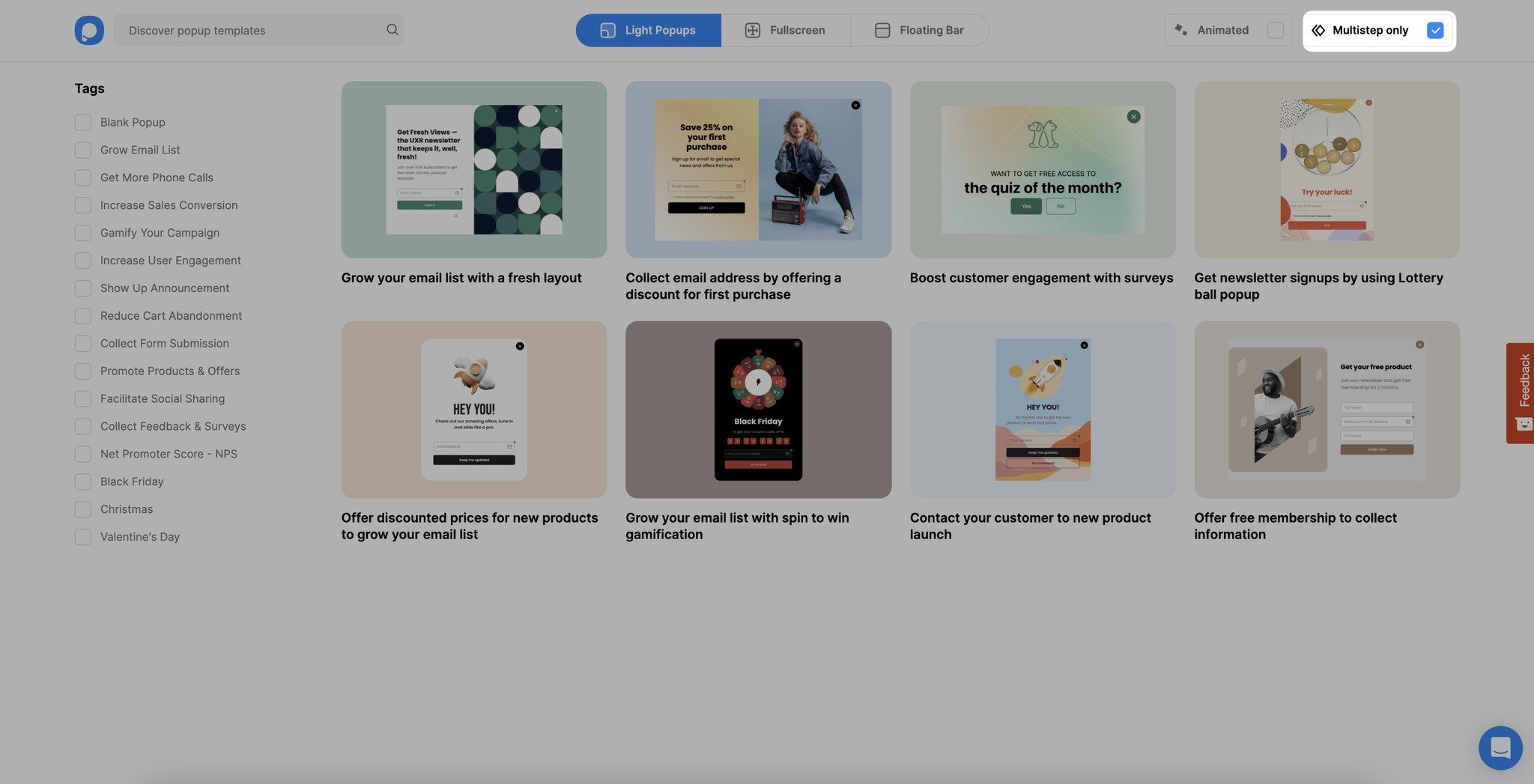
Method 1: Selecting Multi-step Popups from Templates
Use the template selection page to choose pre-built multi-step popup templates.
Method 2: Adding New Steps to Popups
Here are a few steps you can take to create a multi-step popup with ease by adding new steps to your popup:
Add New Step
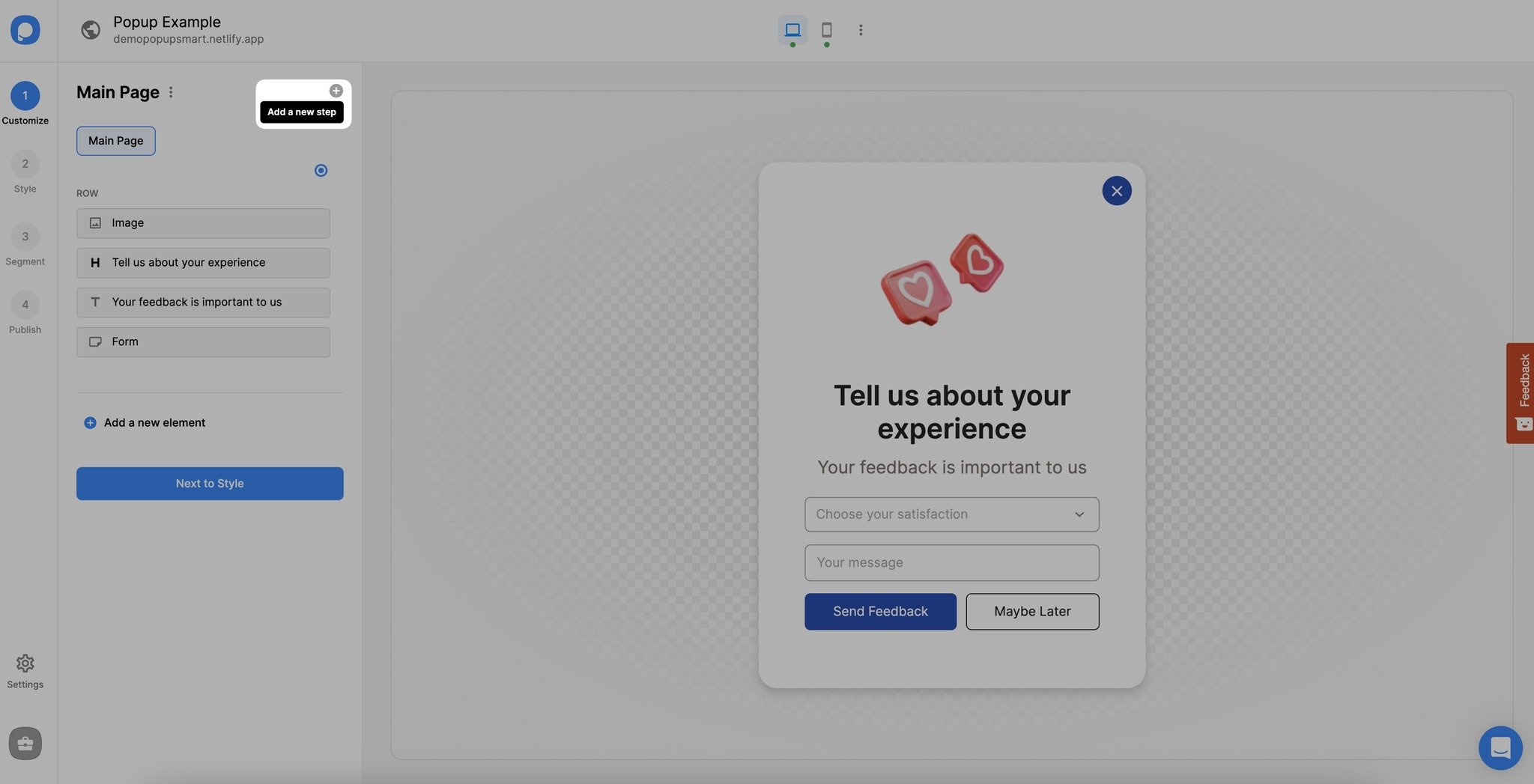
Create your main popup, and add another step by clicking on the "Add a new step" as shown below.
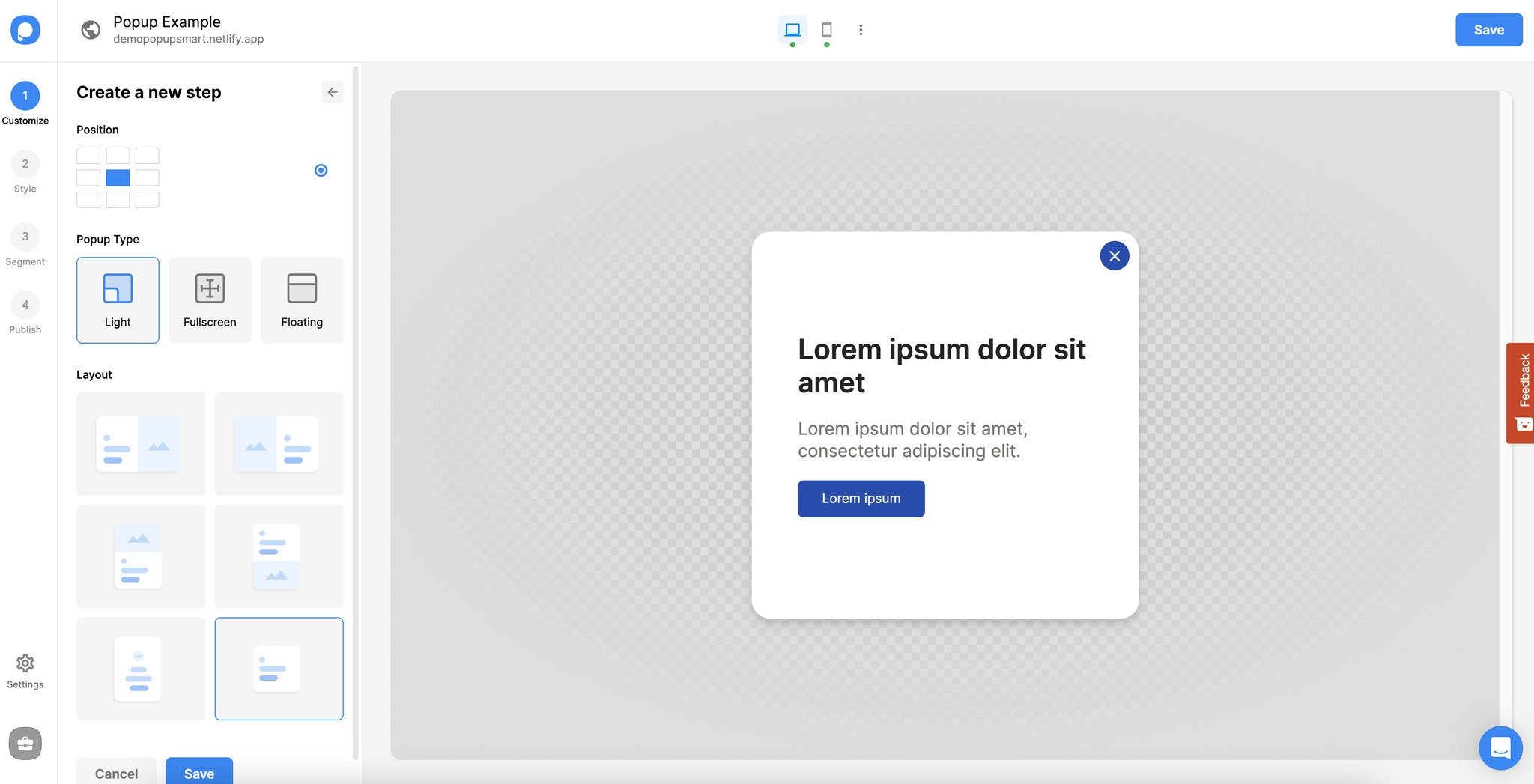
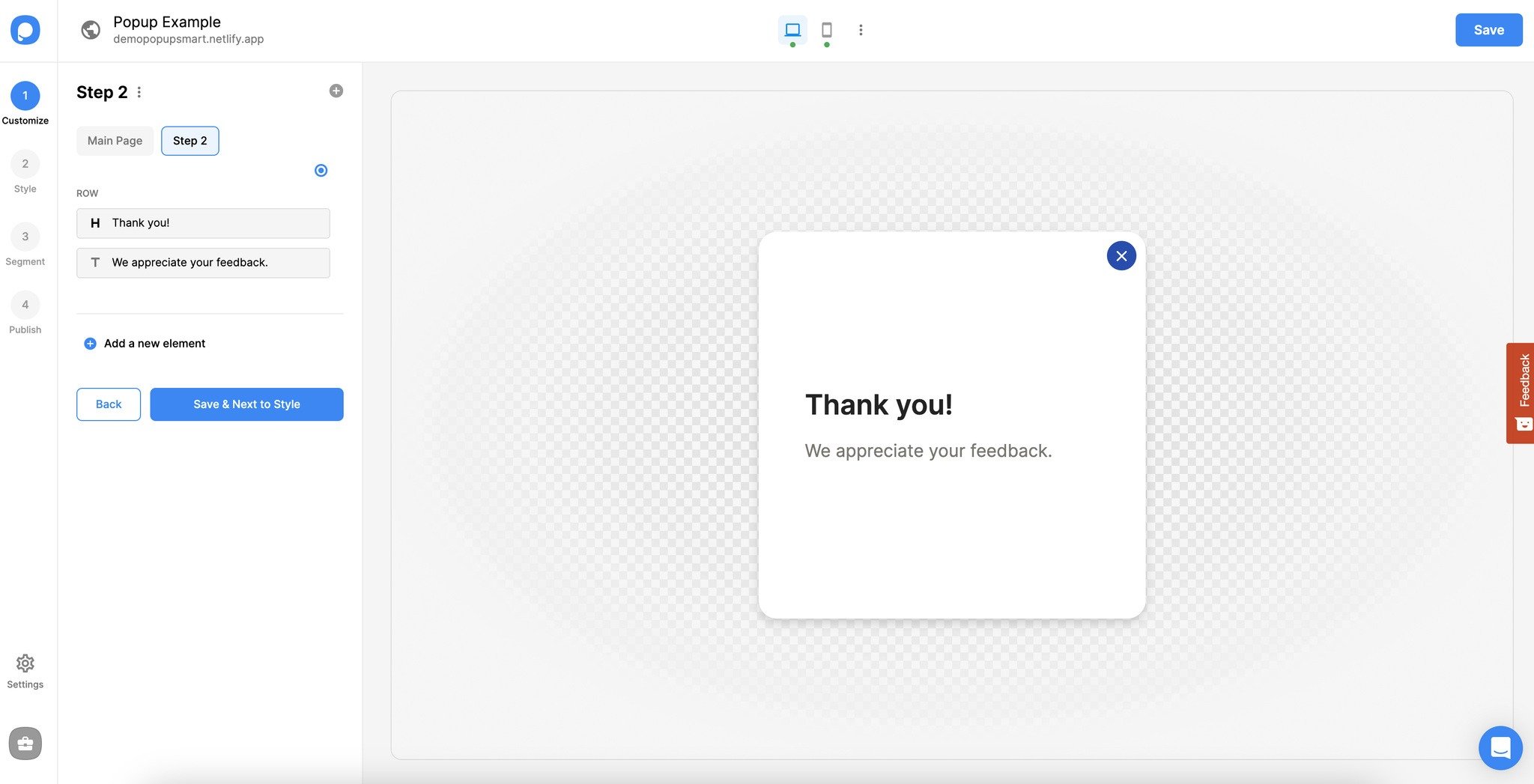
Customize Step
You can edit the look of your multi-step popup's steps on the customization step just like you did in your main popup.
Select Element for Trigger
You can customize your multi-step popup's display settings and set triggers to your popup's elements in the main popup's "Customize" part. Select the elements you want to attach a trigger to.
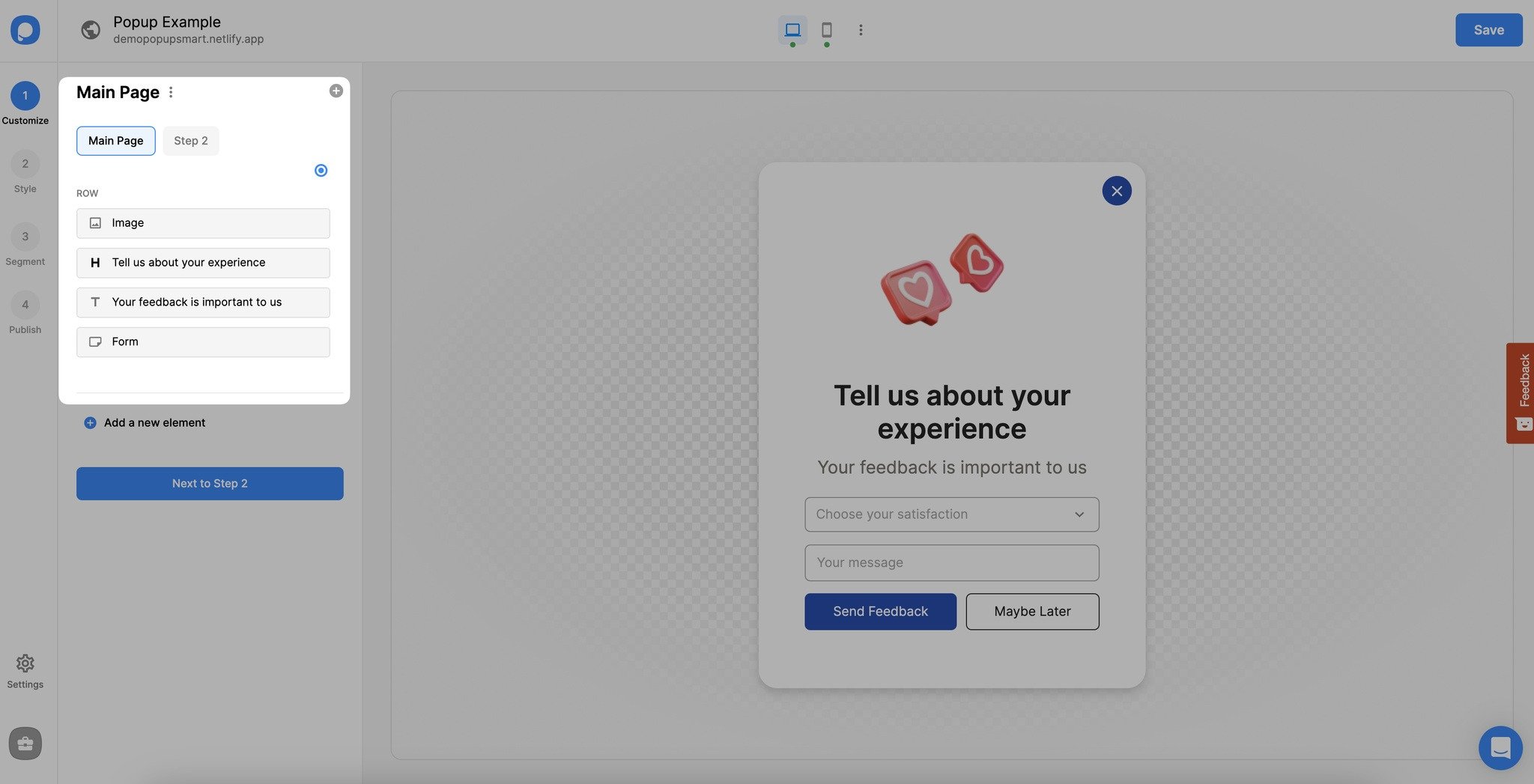
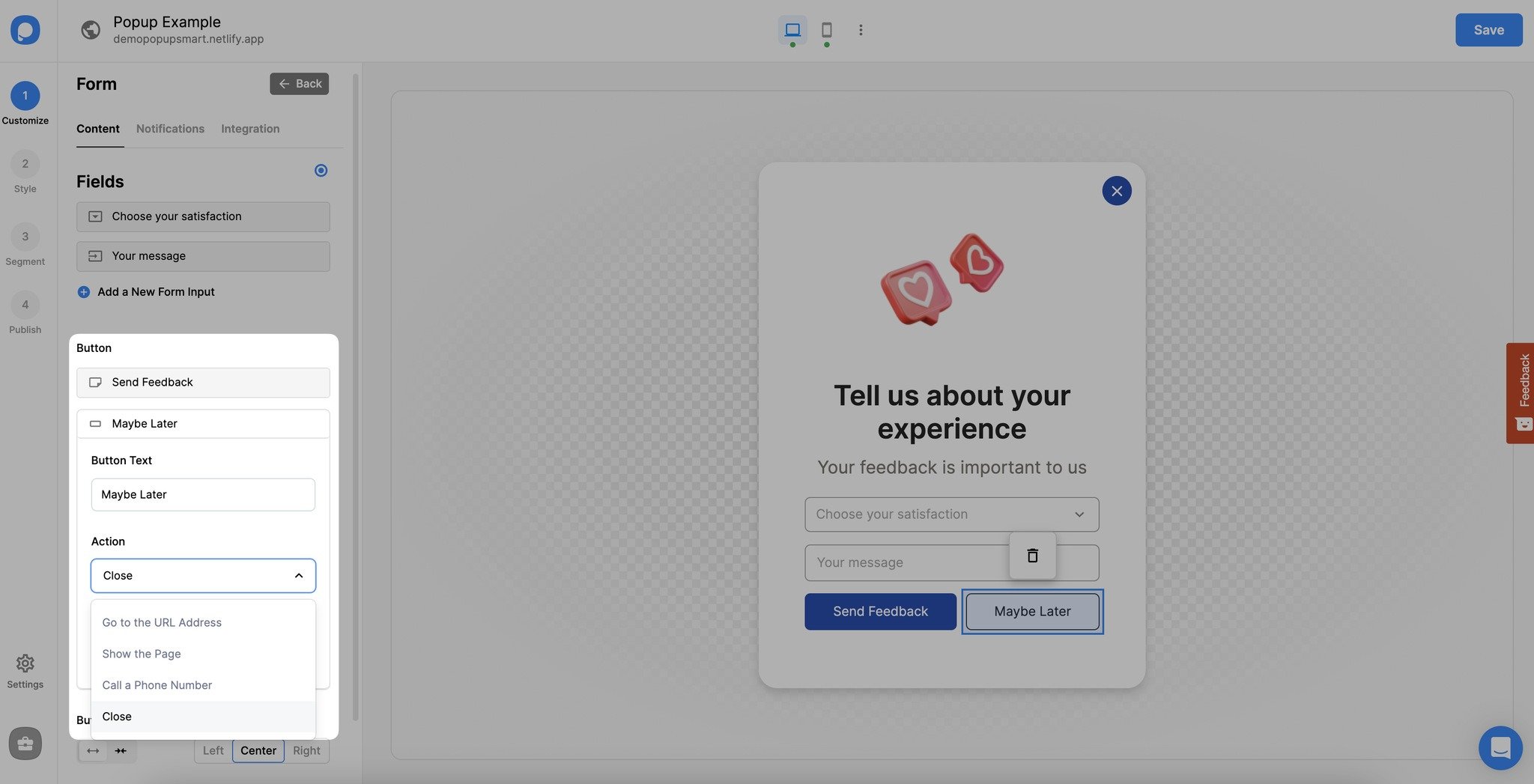
Select Target Page
Then, select the multi-step popup page you want to display when your visitors click on your button.
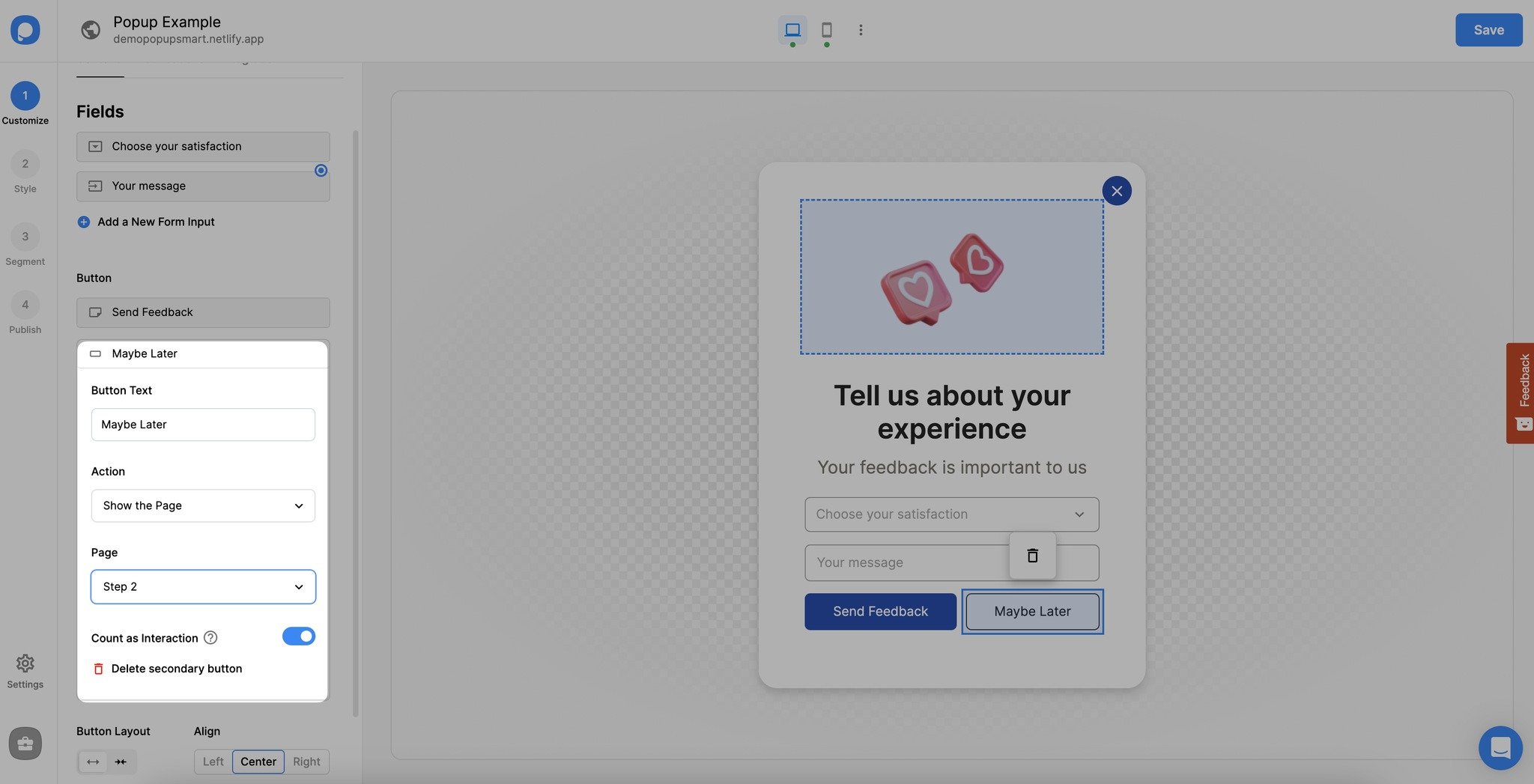
Additional Options
Also, you can customize your multi-step popup's steps by clicking on it as shown below.
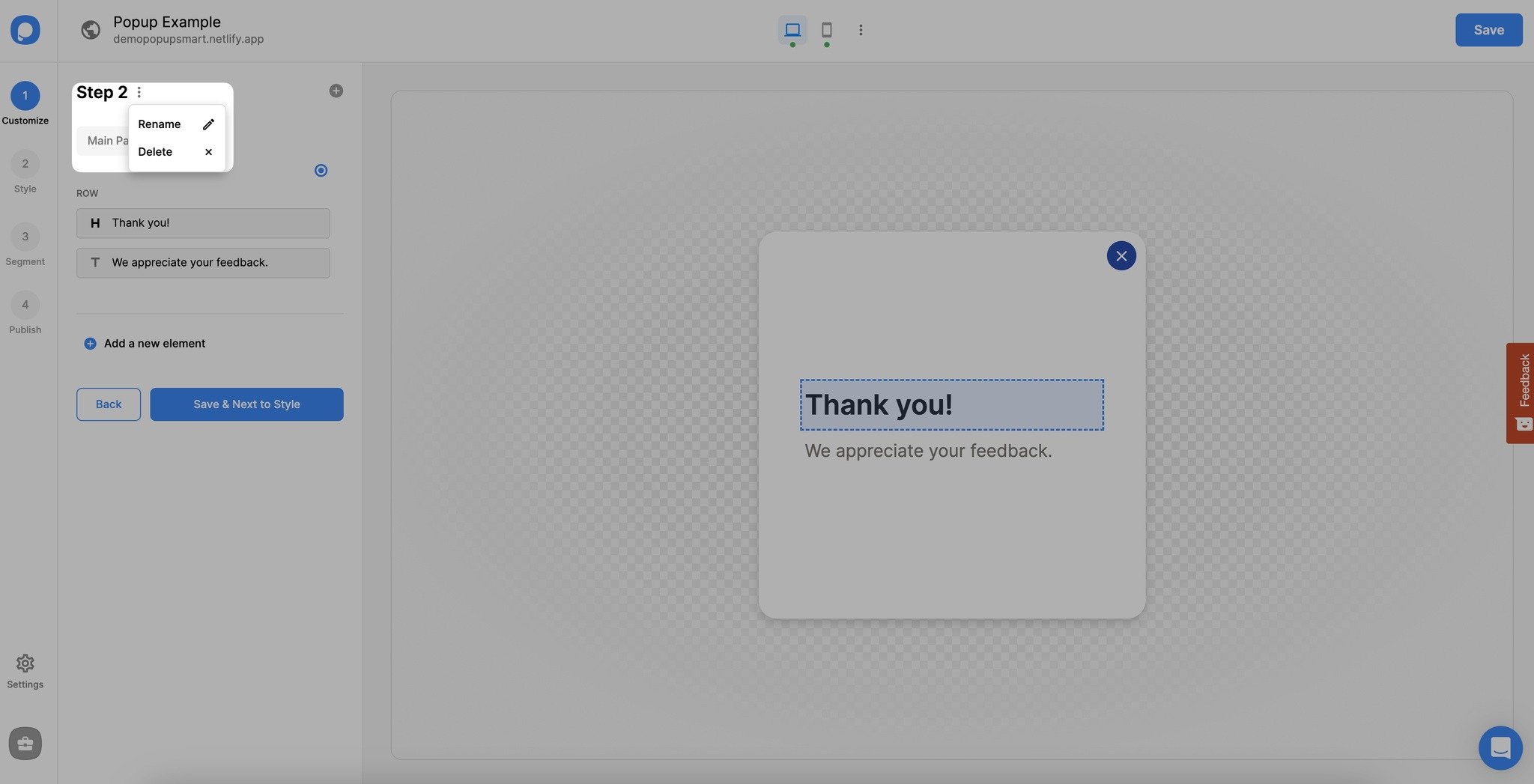
You can rename or delete a popup step from this section quickly.
Click on the "Save" and "Publish" buttons when you set your popup triggers and finish creating your multi-step popup.
Multiple Steps
You can add more than one step to your multi-step popup. Depending on your business needs and campaign type, you can play with creating multi-step popups!
Have further questions related to multi-step popups?
Contact us & we'll be happy to help you!
How is this guide?