
How to Create an ActiveCampaign Popup For Free
Learn to create free popups with a seamless ActiveCampaign-Popupsmart integration to boost engagement and conversions.
ActiveCampaign offers limited form-building options for its users who want to collect customer emails from their websites.
To elevate the process, you can use Popupsmart to create an ActiveCampaign popup for free and use various design and targeting options with a simple integration process.
Follow the steps below to learn how to create an ActiveCampaign popup for free.
Prerequisites
- You need to have an ActiveCampaign account.
- There is a default 'Master Contact List' on ActiveCampaign to collect your contact. Yet, if you want to have a specific contact list, you can create one by clicking Contacts, then Lists, to add a list.
- You need to verify your website on your Popupsmart account.
How to Set Up ActiveCampaign Integration
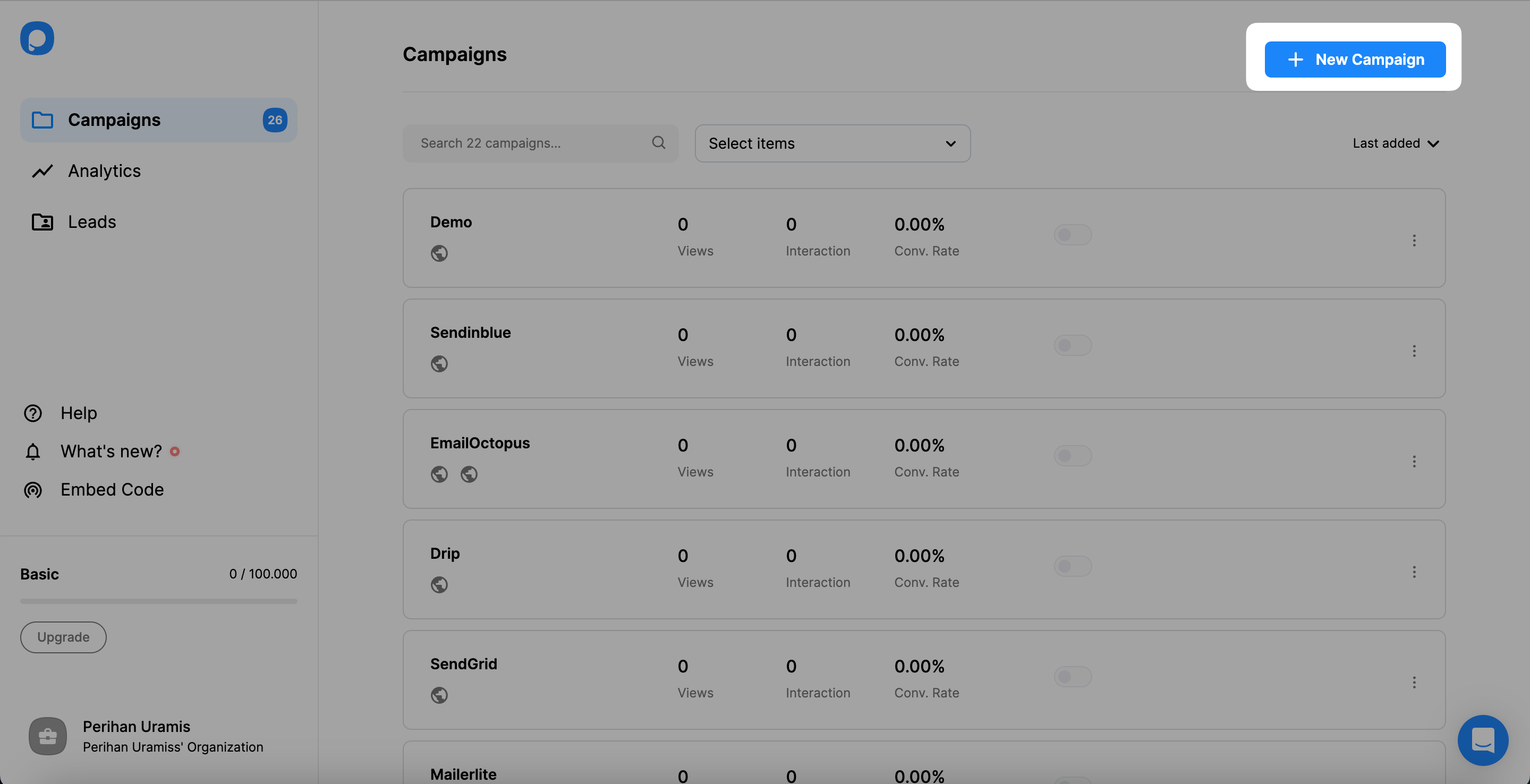
Create Campaign
After signing in to your Popupsmart account, click the "Create a new campaign" button. Then, you can choose a ready-to-convert popup template or a blank popup for an effective popup campaign.
Select Form Element
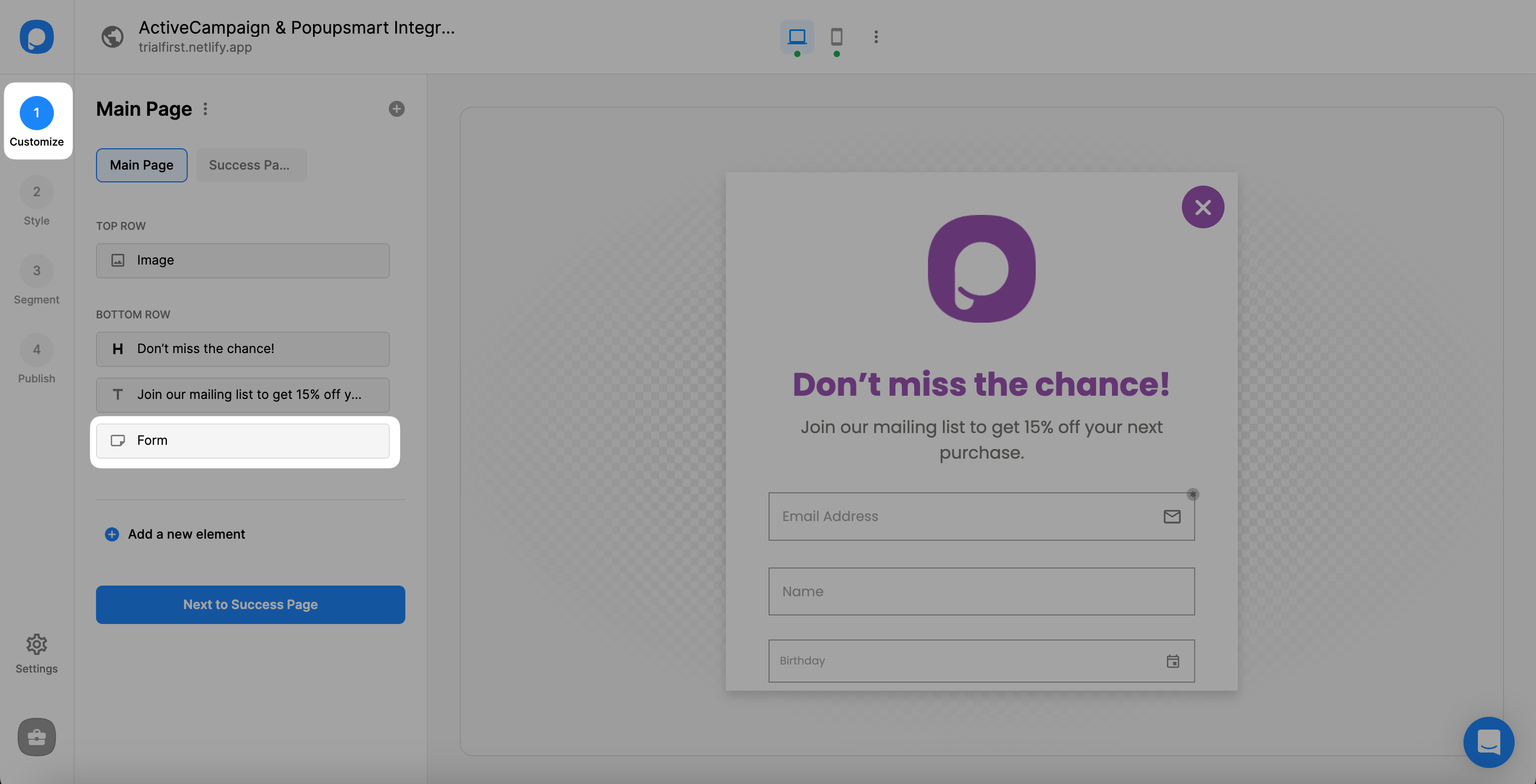
To start the integration process, you need one of the Form Input elements. So, you can either choose a popup with a form input element or add one. Then, on the Customize step, click on the related element.
A form input element helps you only collect the data that your visitors or customers share with you on your popup. So, the integration hosts the carrying of data to the related CRM.
Add Integration
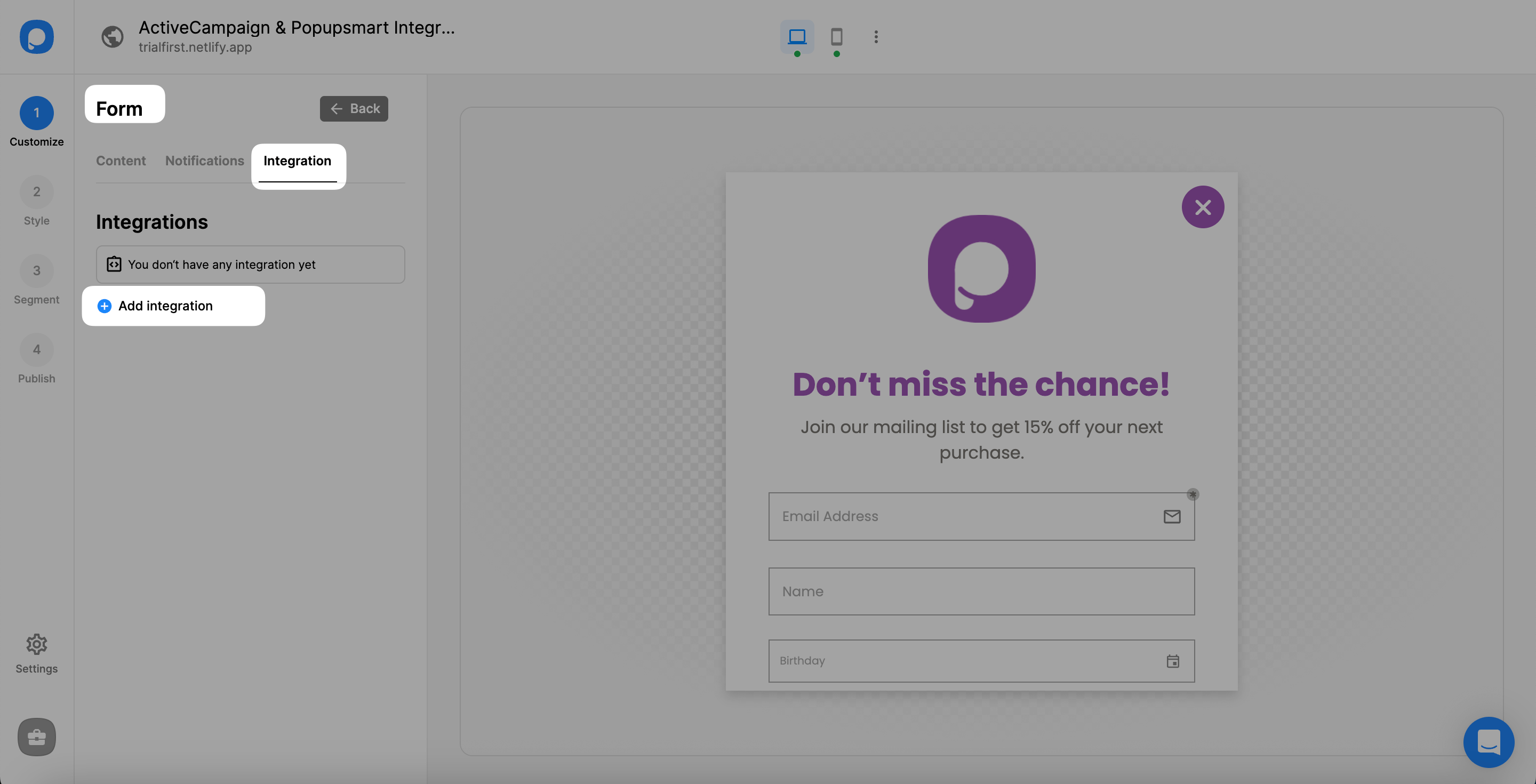
After clicking the form input element, you need to click "Integration" and then "+ Add integration."
Connect ActiveCampaign
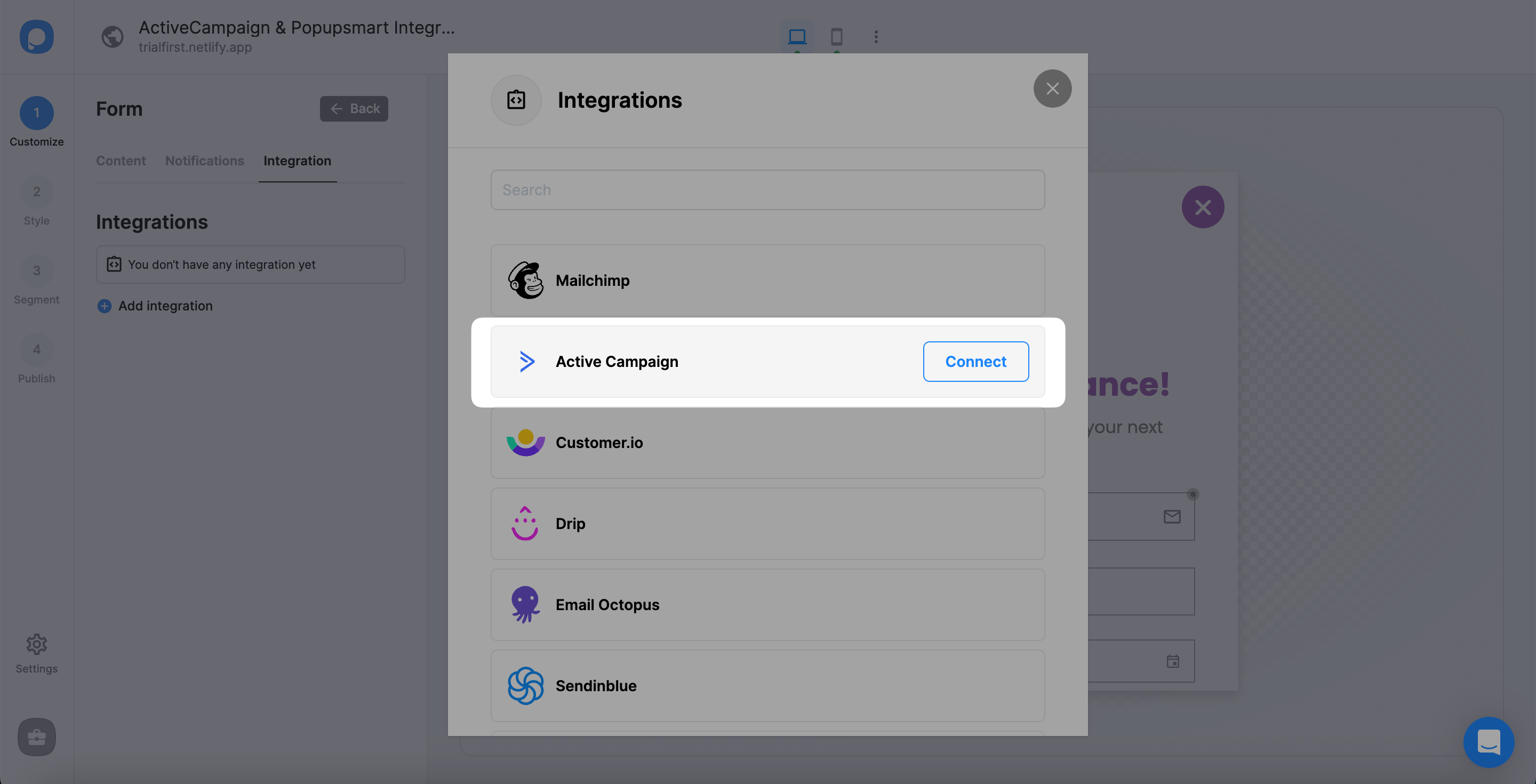
Next, "Connect" ActiveCampaign by clicking the connect button on the Integration options.
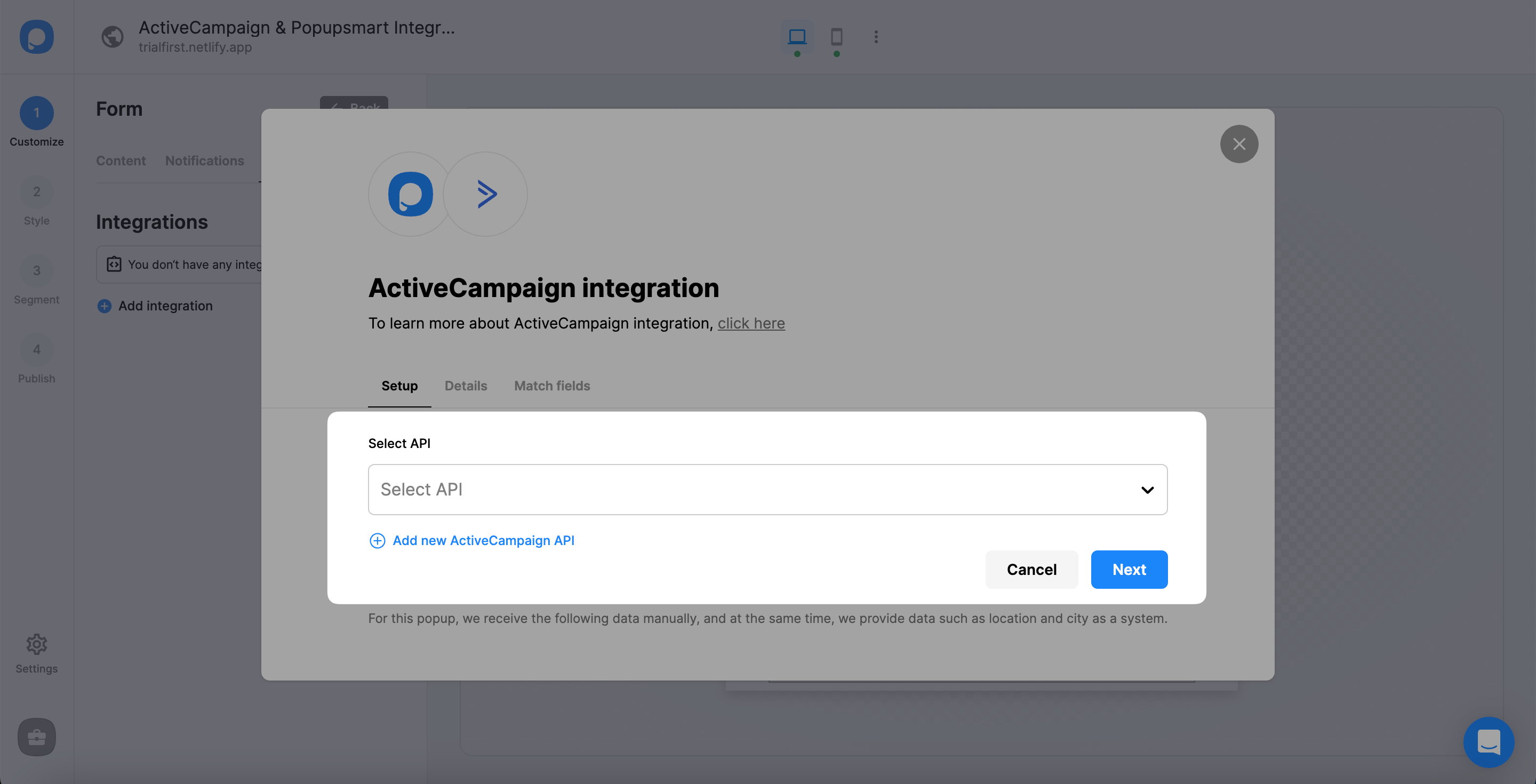
Add API
For Setup, if you don't have any API you have added before, you need to click "Add new ActiveCampaign API." If you have added an API, just select the one you want to.
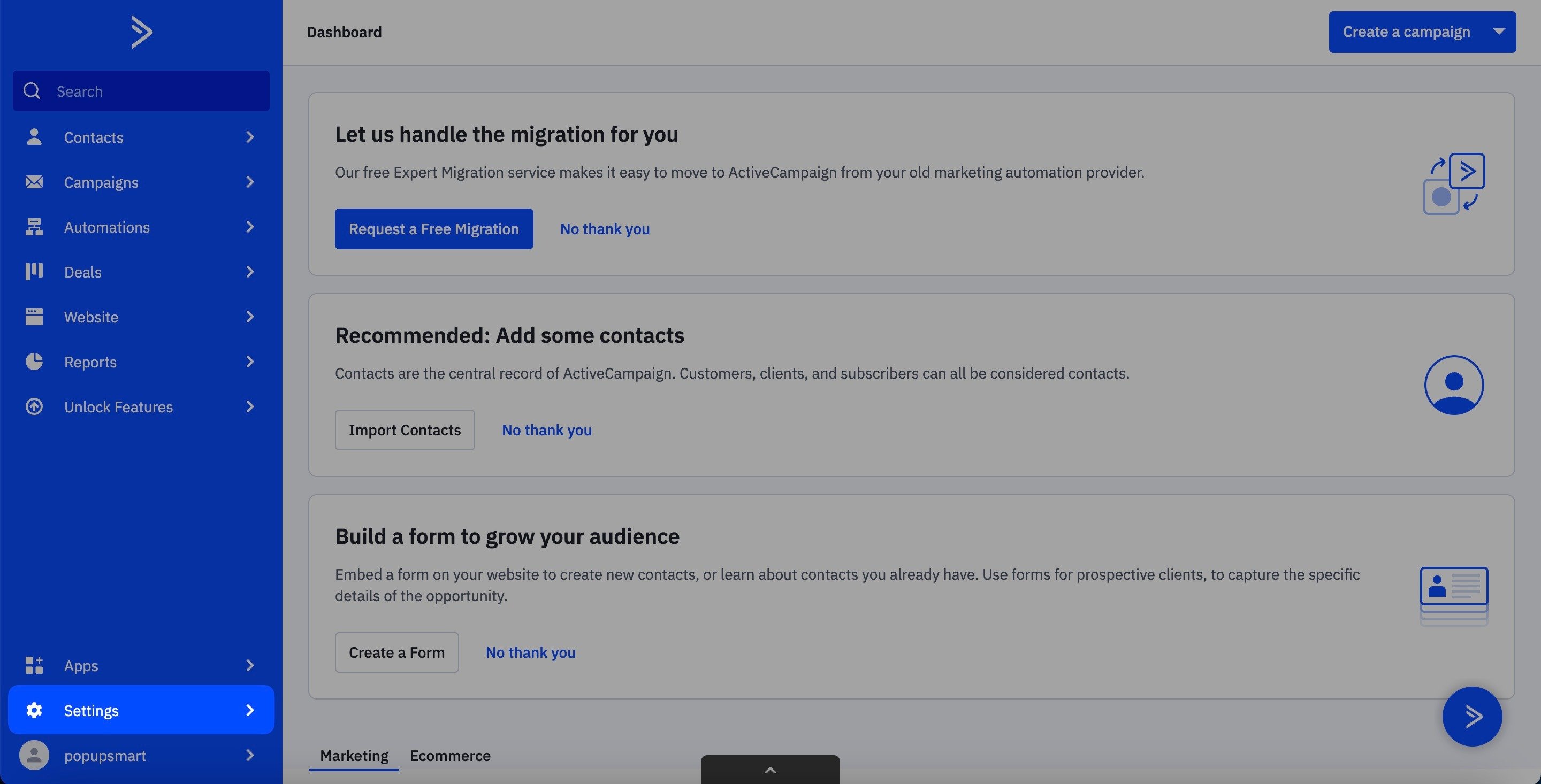
Access ActiveCampaign Settings
Before moving forward, you need to log in to your ActiveCampaign account with your account name and password. Then, click on the "Settings" section.
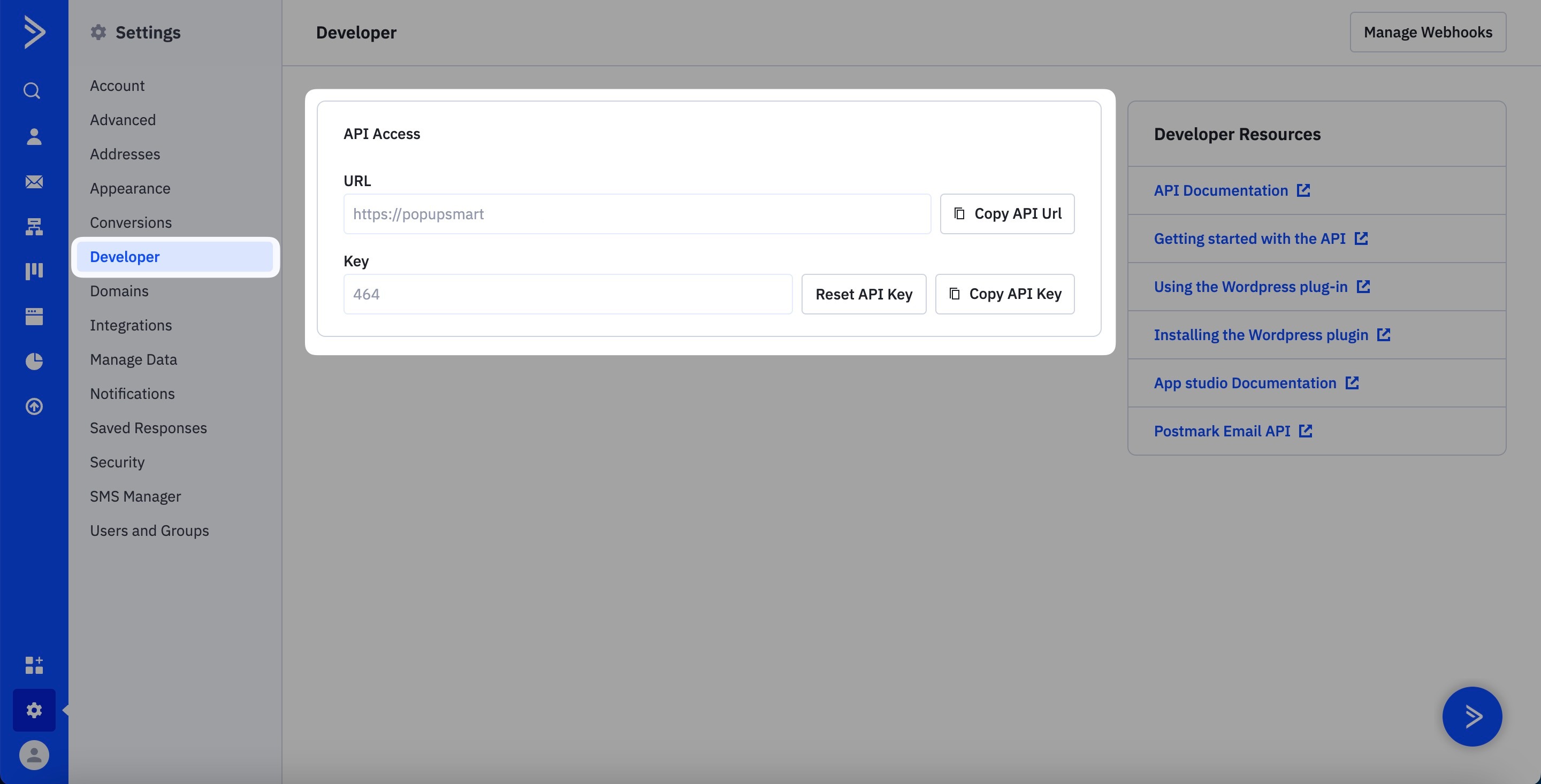
Copy API Key
Then, click the "Developer" option and take the URL and "Copy API Key" button on the API Access part to fill in the needed blanks.
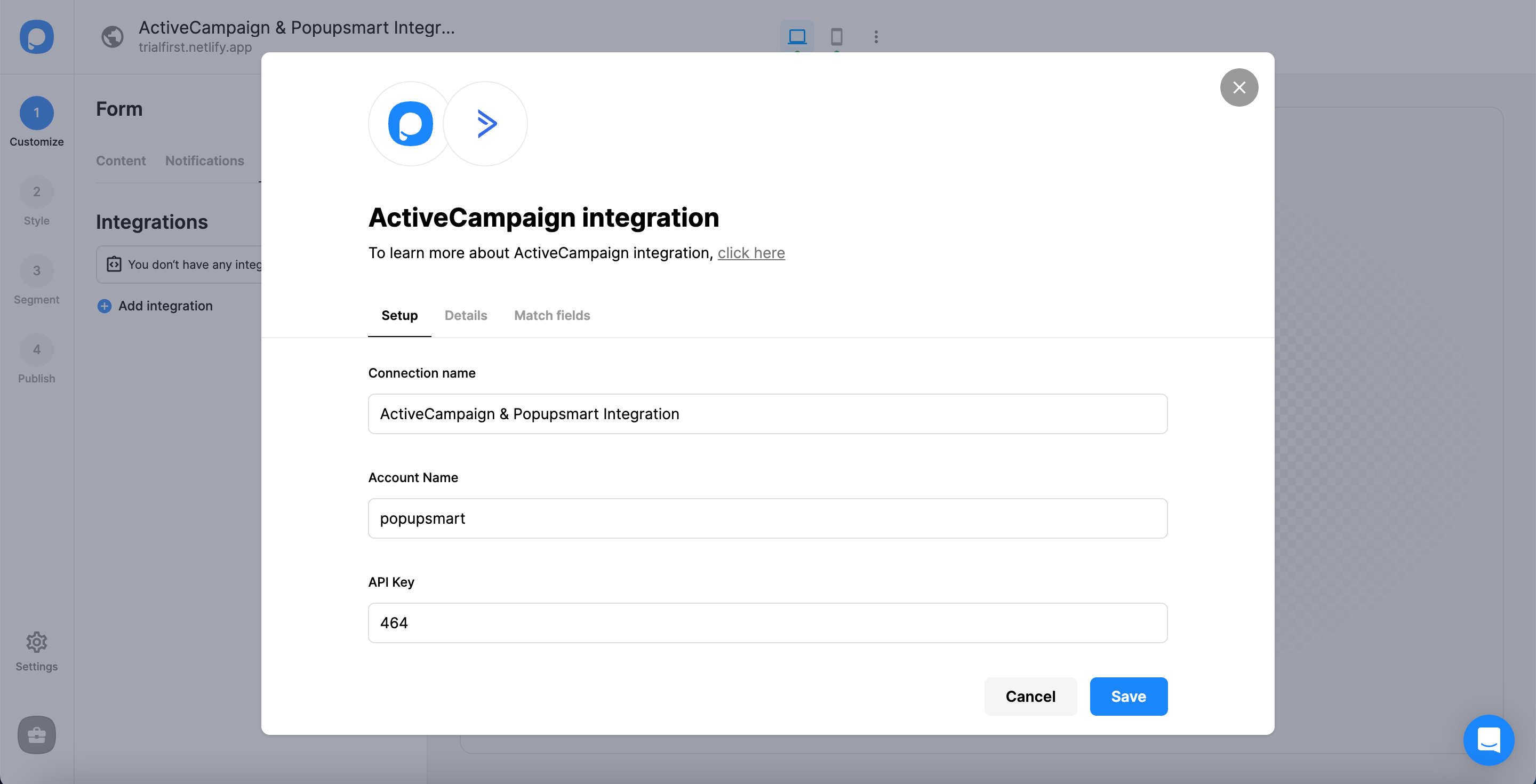
Complete Setup
Turn to the Popupsmart dashboard and fill in the blanks:
- Firstly, name your connection.
- Secondly, write your account name. You can reach your account name on the URL, but you need to exclude ".activehosted.com".
- Thirdly, paste your API Key.
Then, click "Save."
Select List
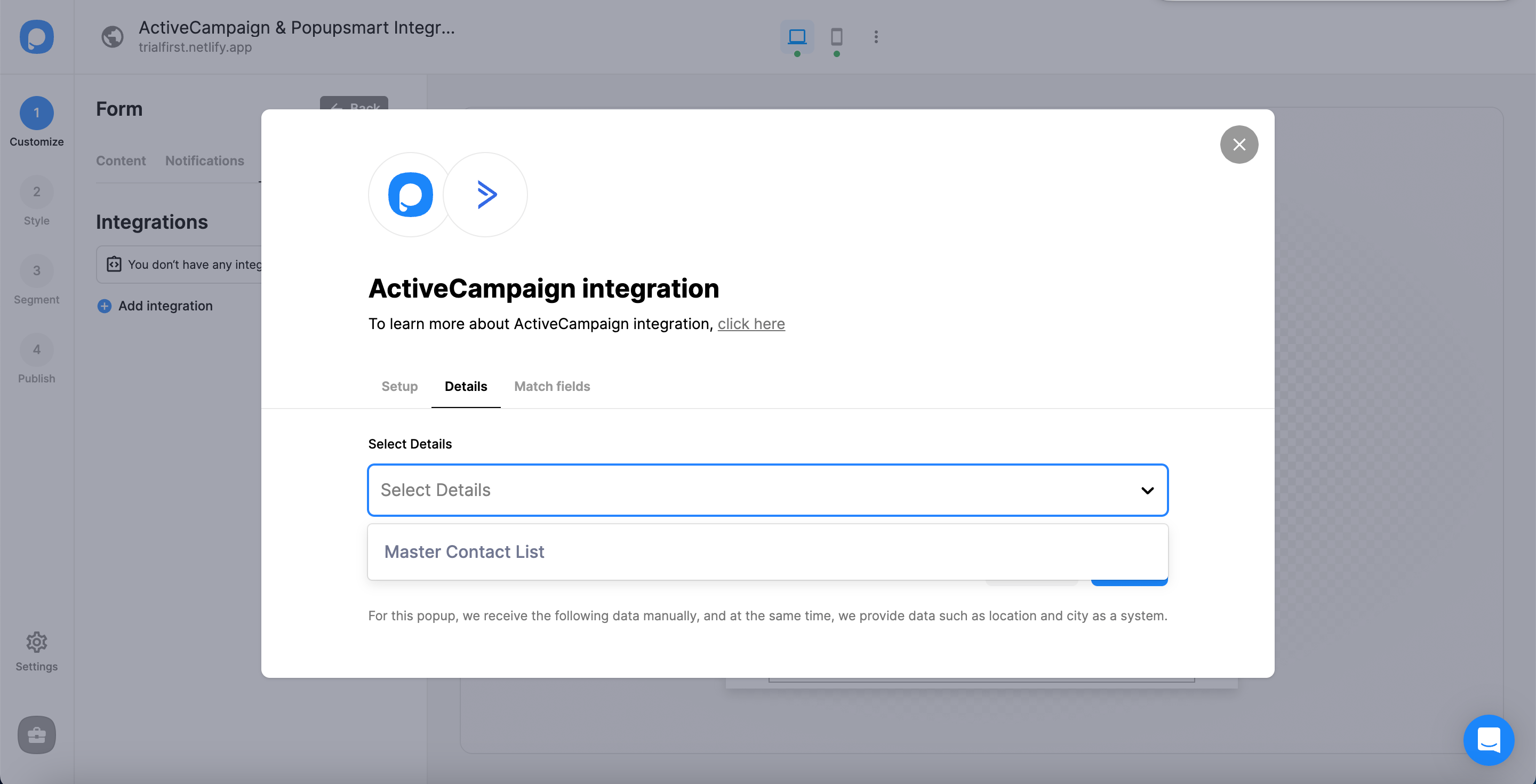
For the next step, Details, you can select the list on the dropdown. You can choose your customized list or the default list. Then, click on "Next."
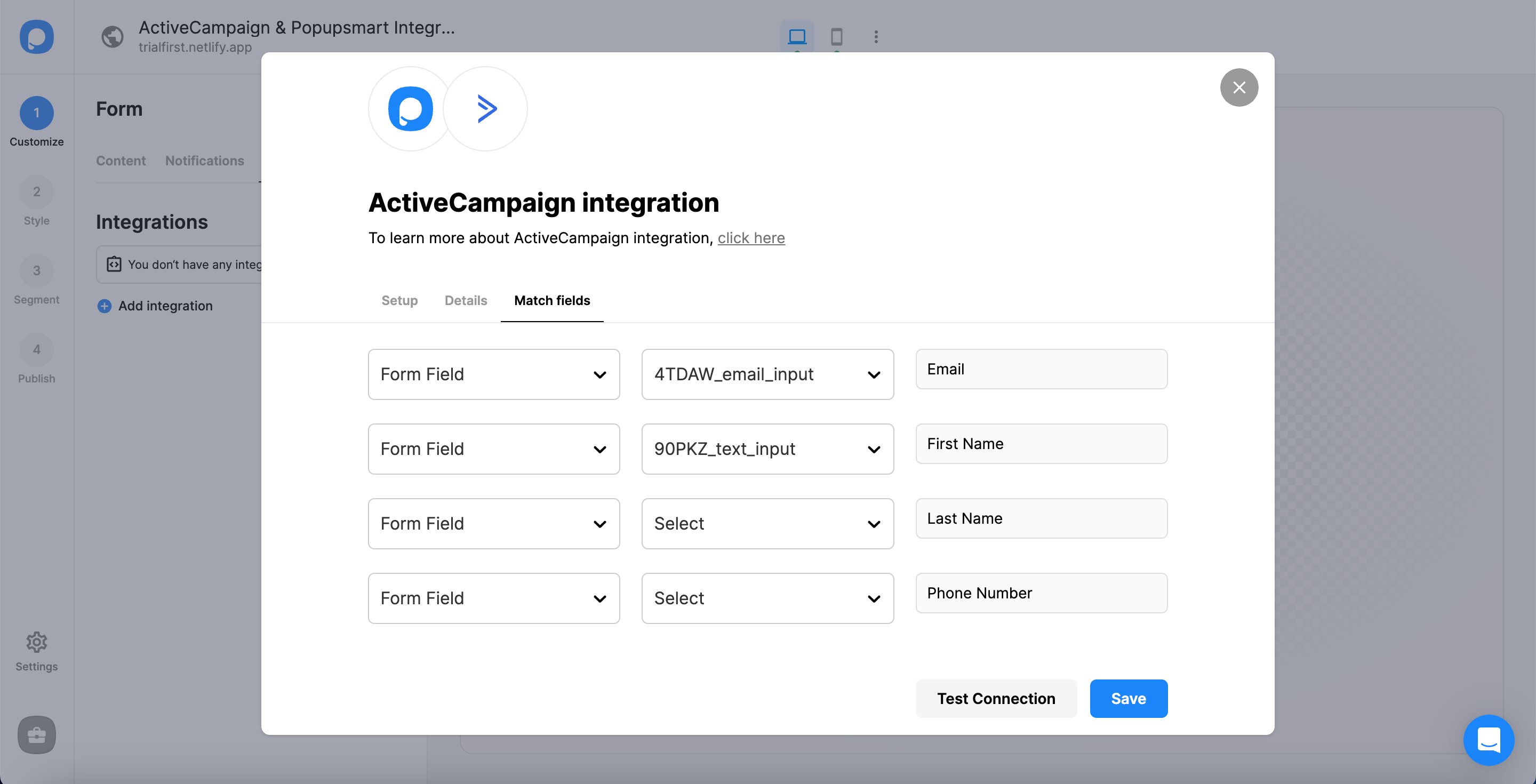
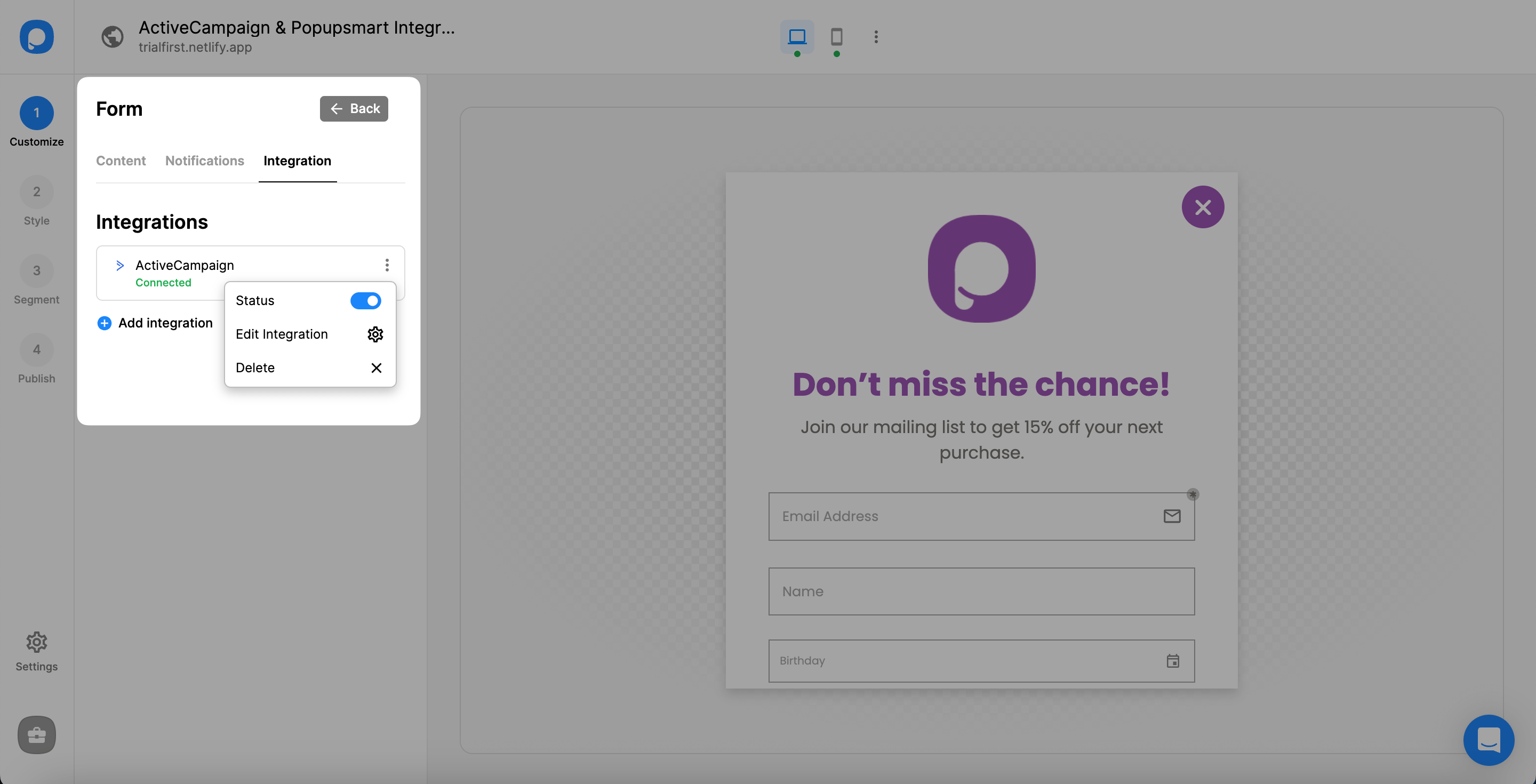
Yes! You have completed your ActiveCampaign integration!
The status of your integration will be on by default. You can change its status on the three-dot of the integration.
Note
It is possible to integrate ActiveCampaign and Popupsmart on the "Settings" of the Popupsmart dashboard, where you can configure all the settings if you like. Both processes work the same.
If you have any other questions about ActiveCampaign integration, feel free to mail us!
How is this guide?