
IntroductionEmail Autoresponder
How to Manage Email Subscribers and Unsubscribers
It is the right time to manage your email subscribers and unsubscribers to get the most out of an email marketing campaign & maintain a subscriber list.
Popupsmart offers a comprehensive solution for managing your subscribers and unsubscribers. Navigate to the "Lead" section to access this information.
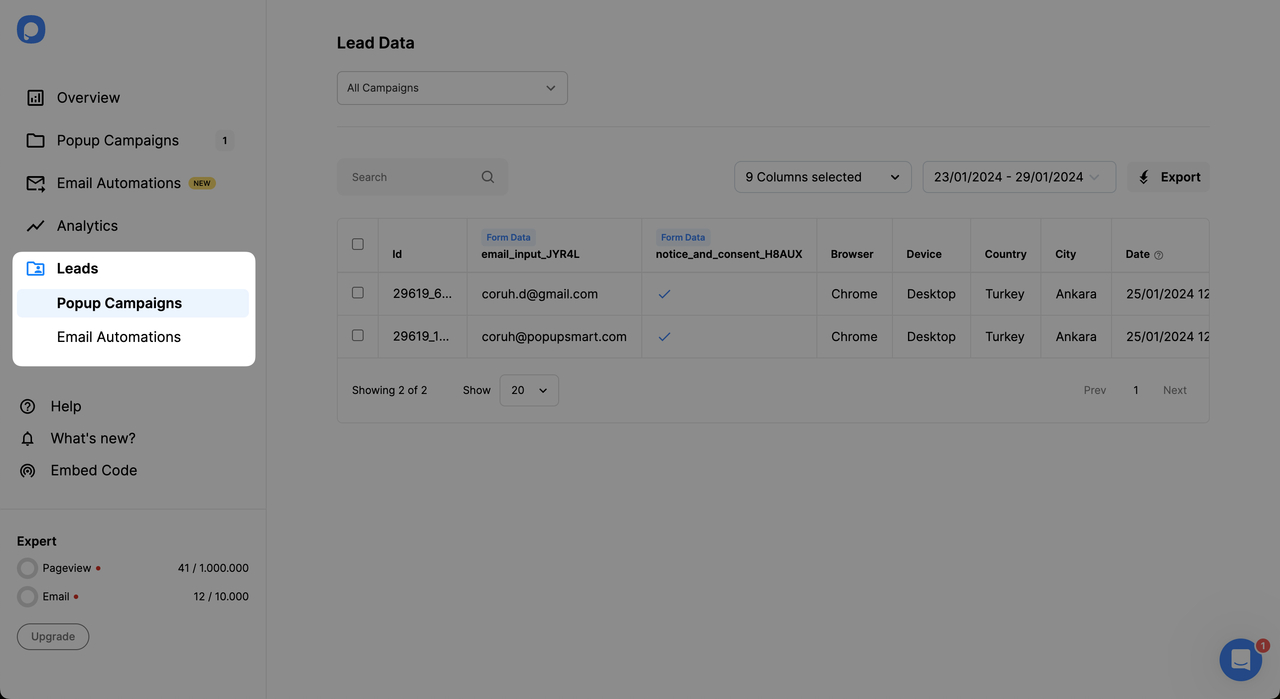
Understanding Lead Data
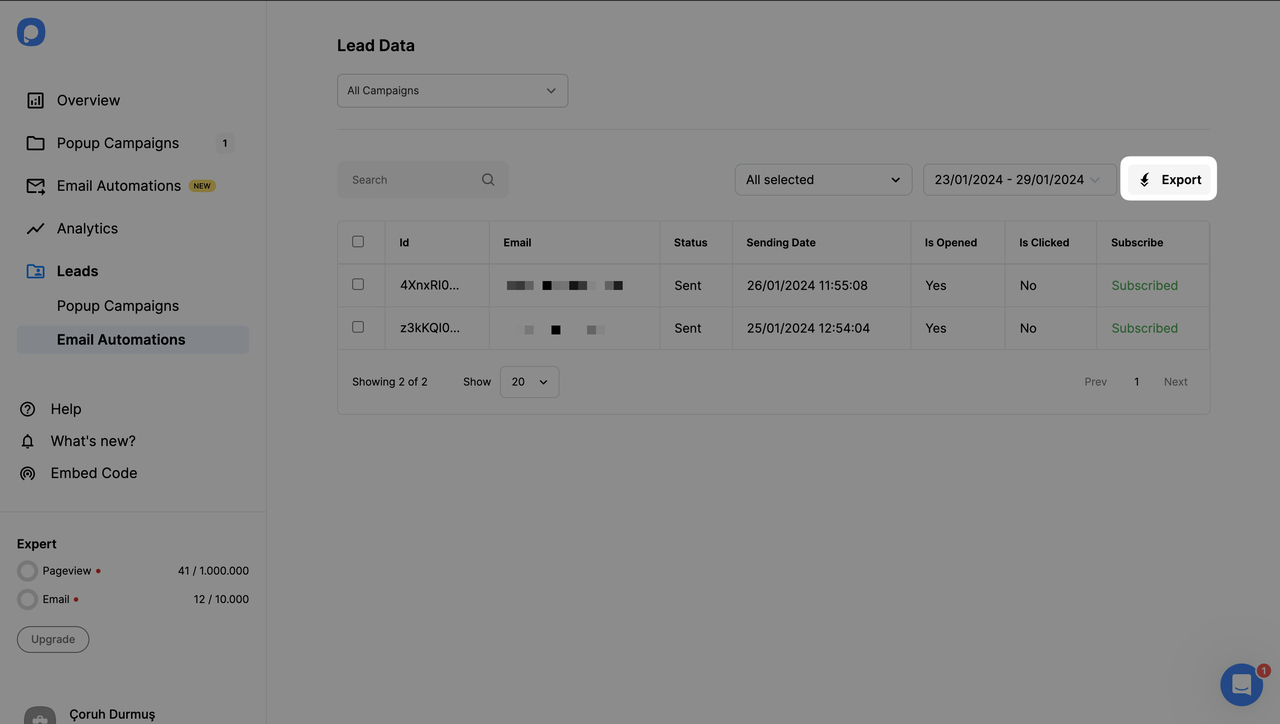
Downloading Leads
To obtain collected emails, click the export button under Popup Campaigns or Email Autoresponders Leads.
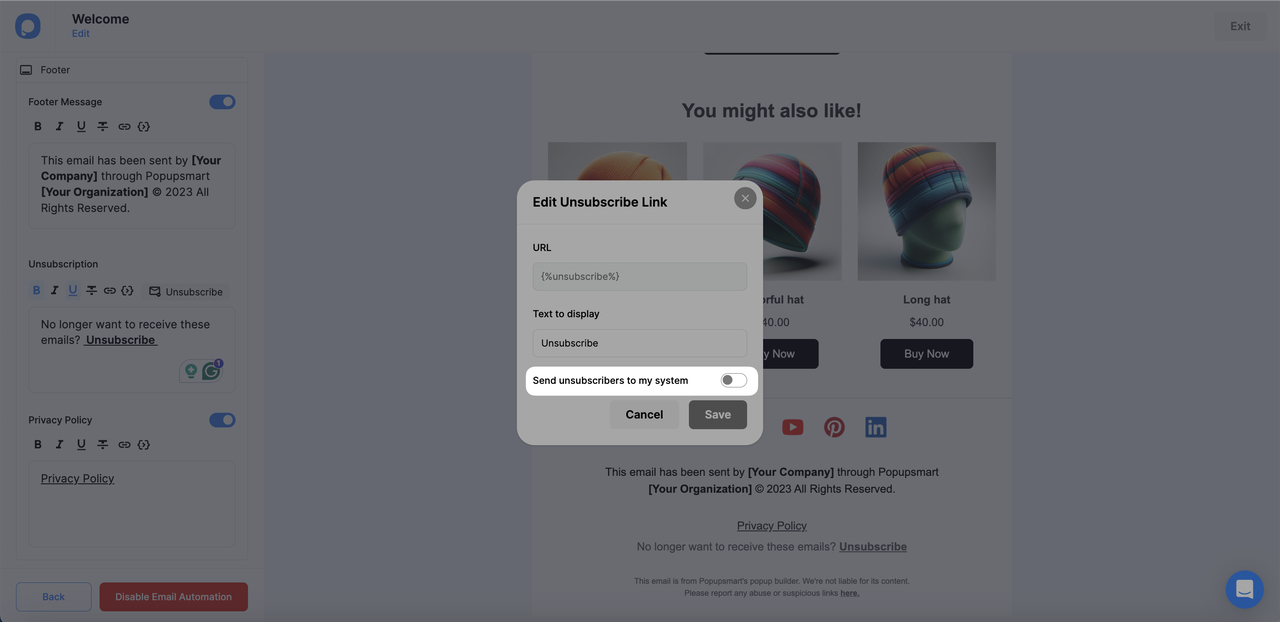
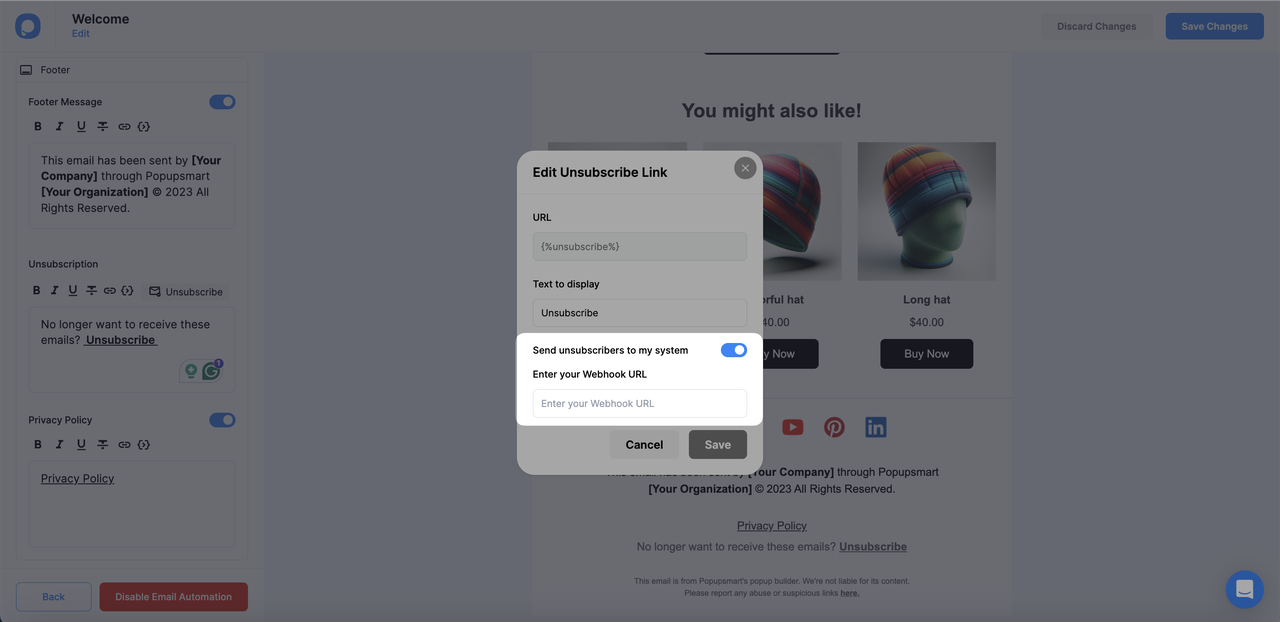
Sending Unsubscribers to Your System via Webhook
You can send email unsubscribers directly to a 3rd party system via webhook.
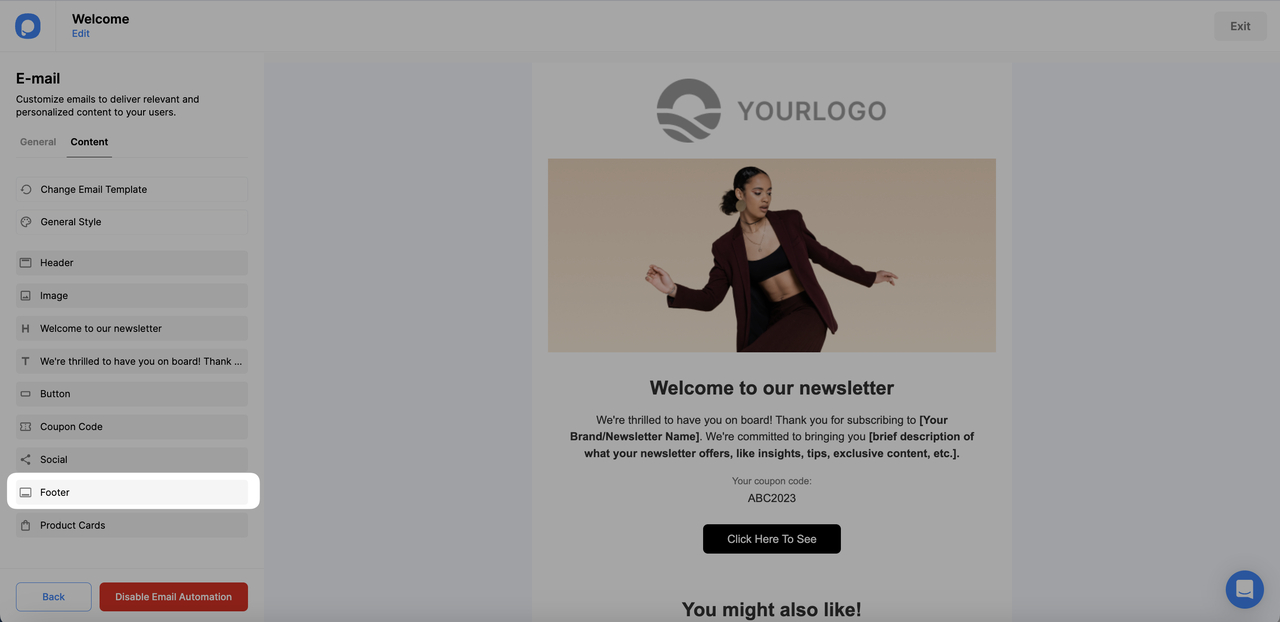
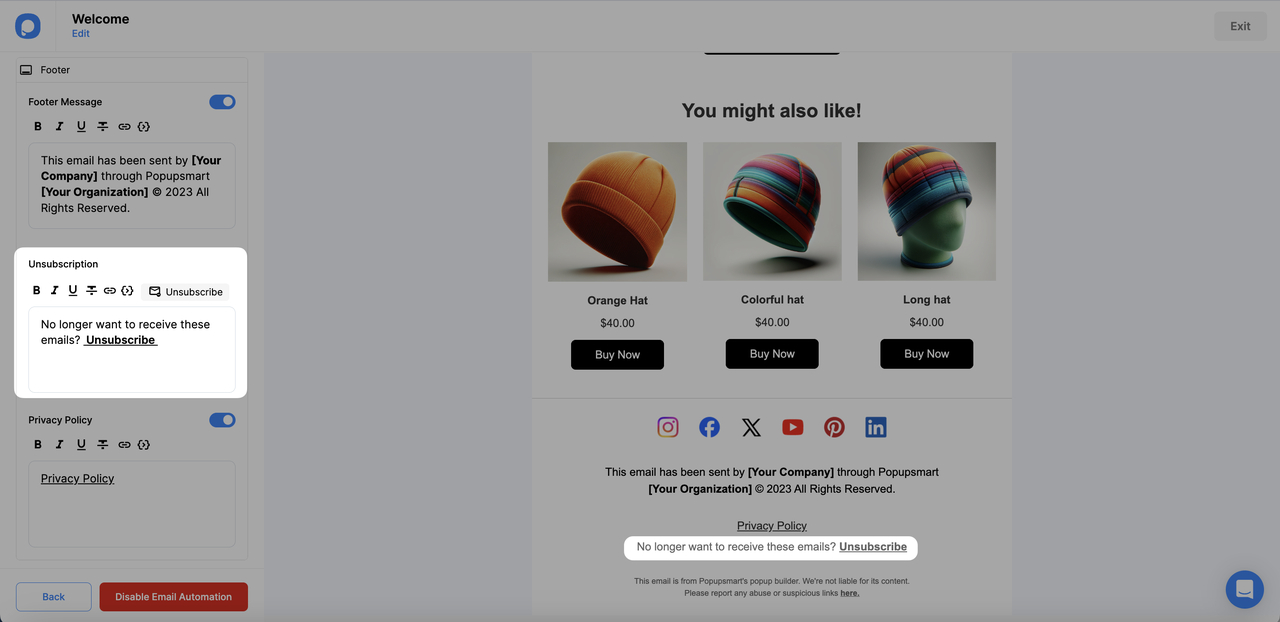
Find Unsubscription Settings
Under Unsubscription, locate the unsubscribe button for opt-out settings.
How is this guide?