
How to Get an Invoice for Your Popupsmart Subscription
Accessing subscription invoices made simple. Follow our guide to obtain invoices for your Popupsmart subscription and manage records easily.
Do you need an invoice for your subscription?
Popupsmart provides downloadable invoices that you can get quickly and easily. Here, we will show you where you can find your Popupsmart invoices.
Log into your Popupsmart account and click your account from the bottom left corner to view your invoices.
How to Get Your Invoice
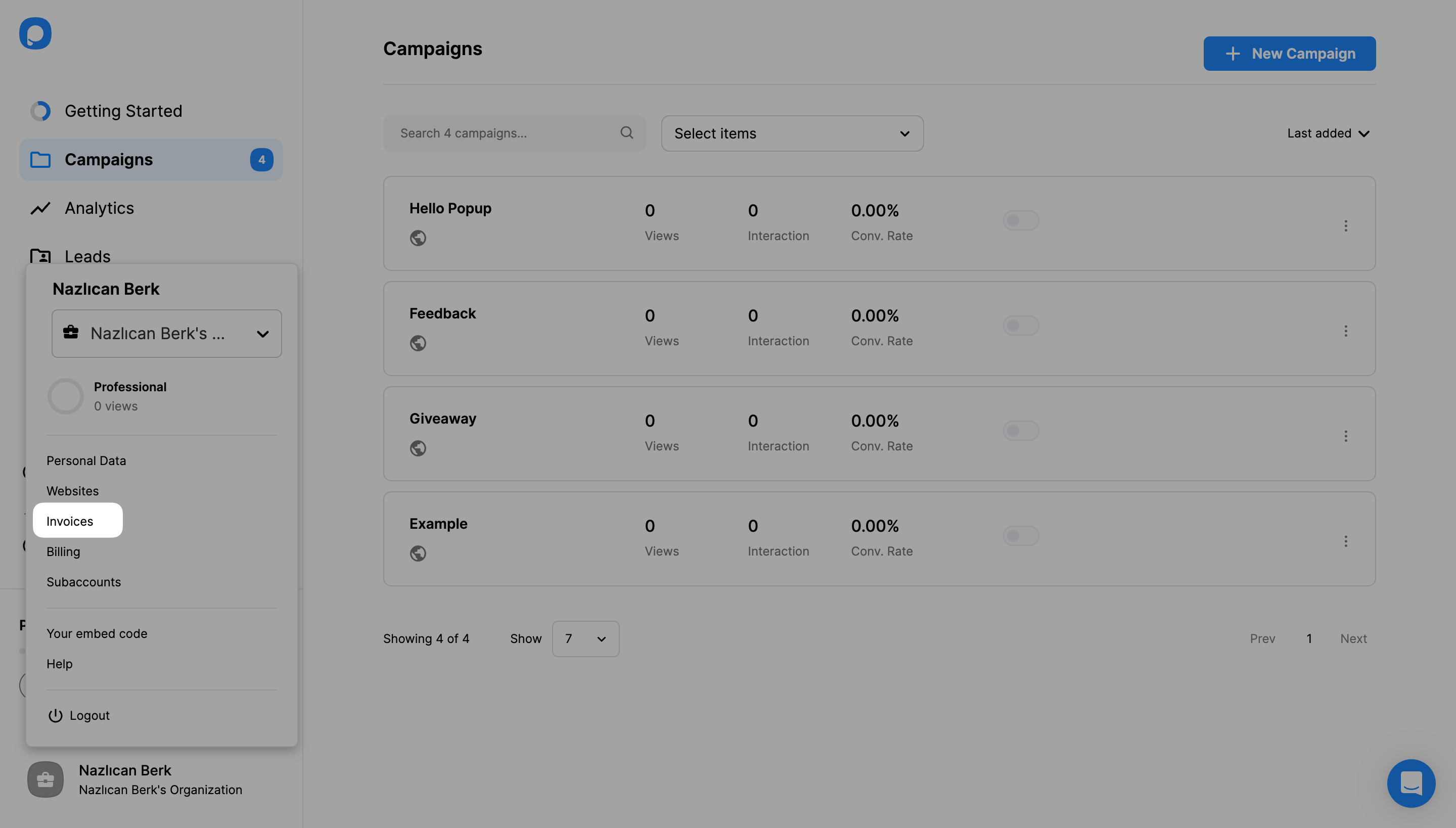
View Invoice History
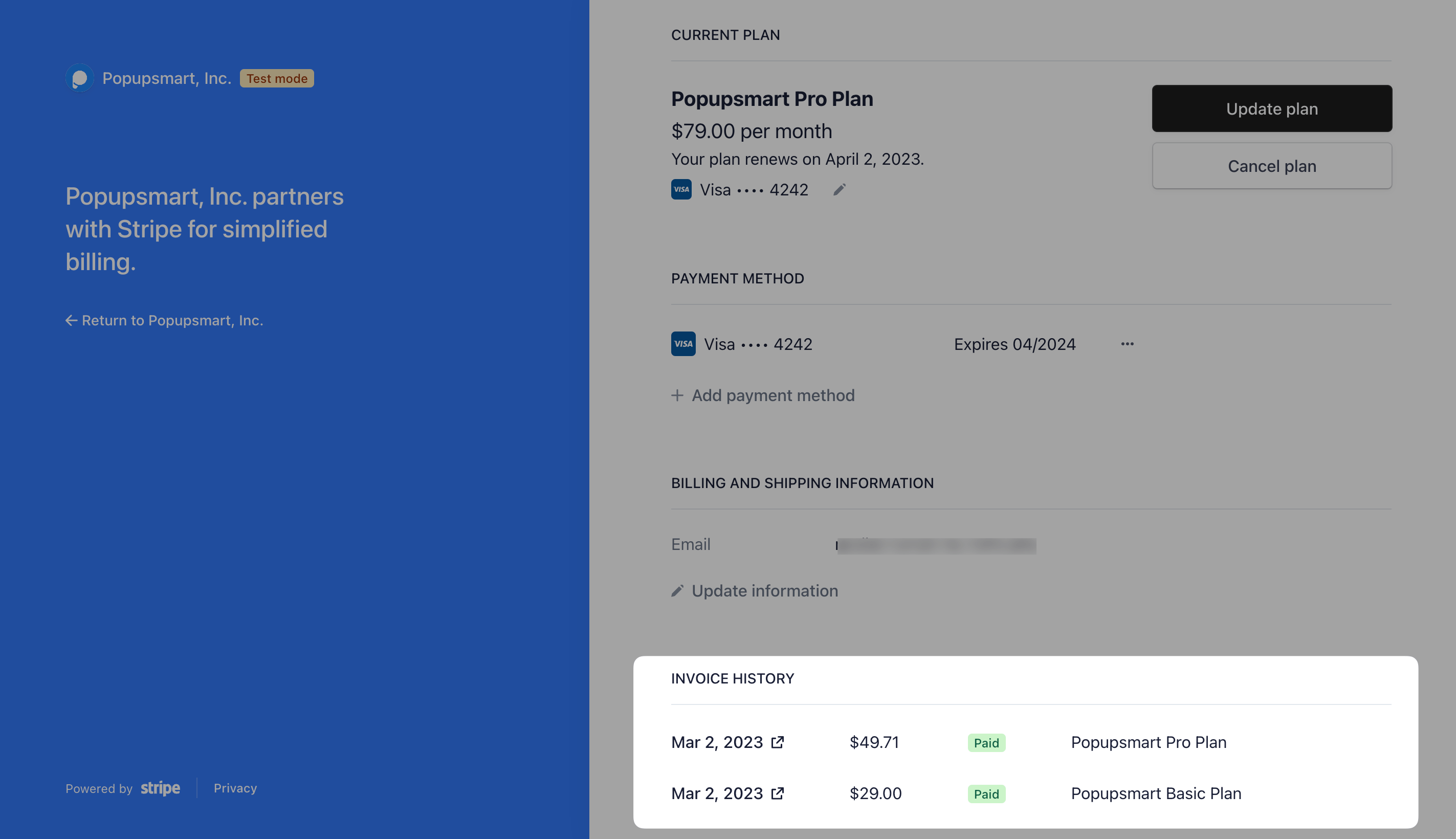
You will be directed to Stripe's page, where you can see your current plan, payment method, billing and shipping information, and invoice history.
All your invoices are listed in your Invoice History section with the billed amounts and dates, as seen in the example below. You can download each as you like.
Download Invoice
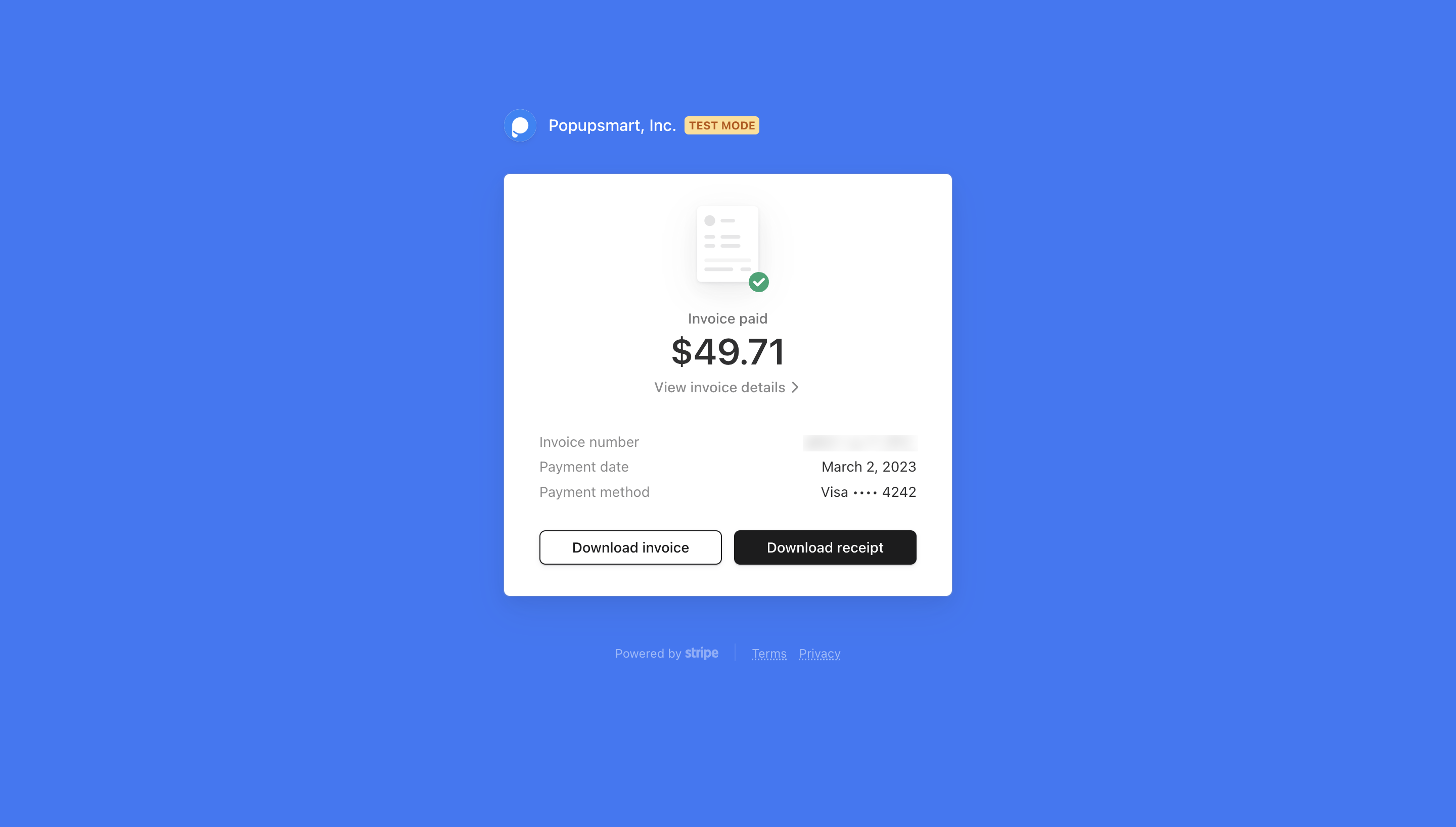
Click "Download Invoice" or "Download Receipt". After downloading your invoice/receipt, you can print or email it as needed.
Billing Information
Invoices are generated based on the information you provided on the billing page.
That's it! Do you still have additional questions about getting your Popupsmart subscription invoice? Contact us.
How is this guide?