
How to Join and Get Started as an Affiliate
Learn how to join the Popupsmart Affiliate Program, create your affiliate account, access your referral link, and start earning commissions as an affiliate partner.
This article explains how to join the Popupsmart Affiliate Program and start earning commissions, even if you don't have a Popupsmart account yet.
Getting Started
Create Account
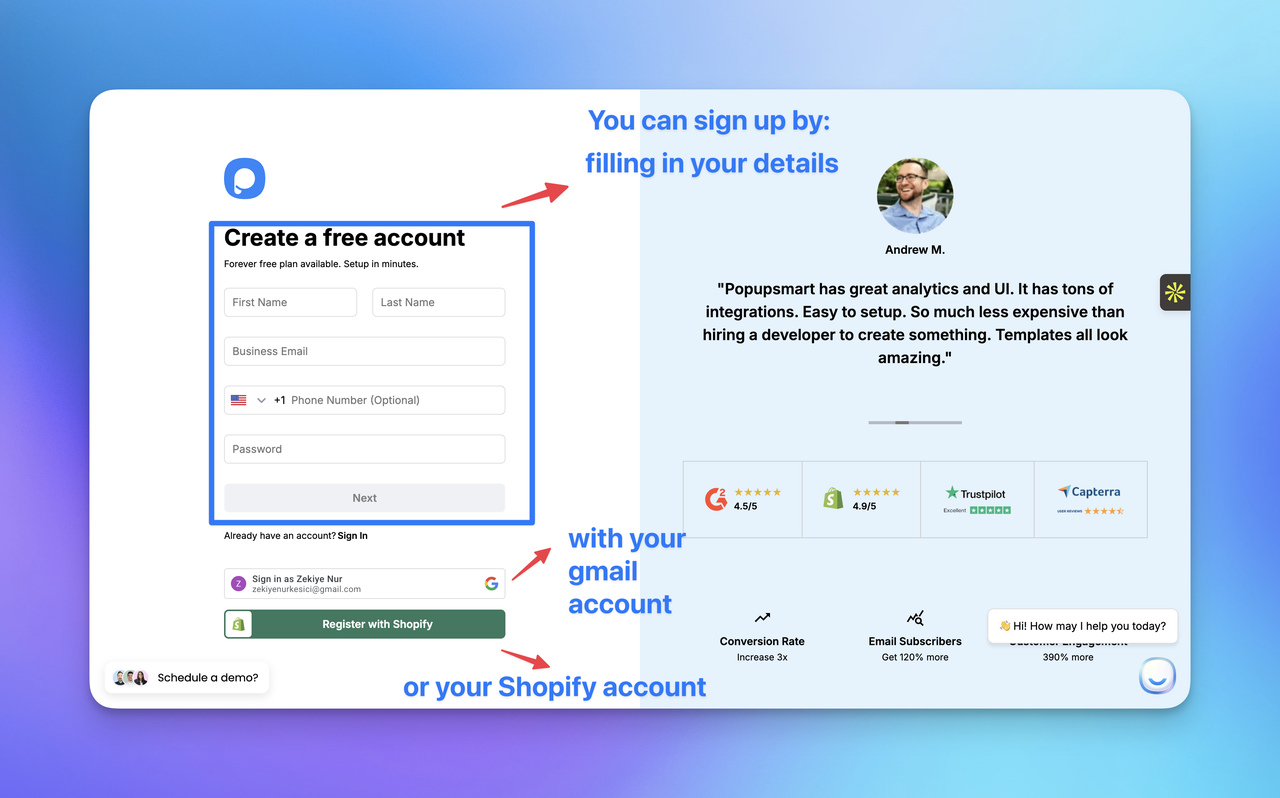
If you don't have a Popupsmart account, sign up at app.popupsmart.com/register:
- Enter your first name, last name, and email
- Click Next and connect your website domain
- Complete onboarding to access your dashboard
Find Affiliate Program
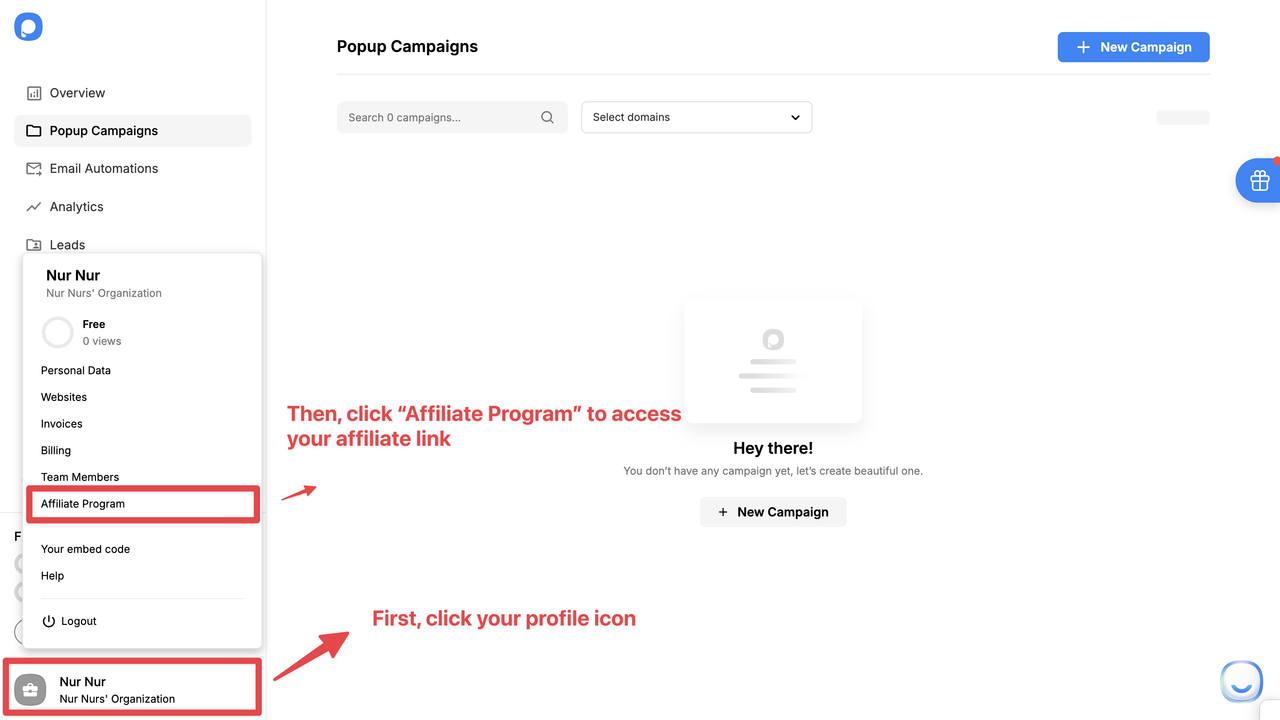
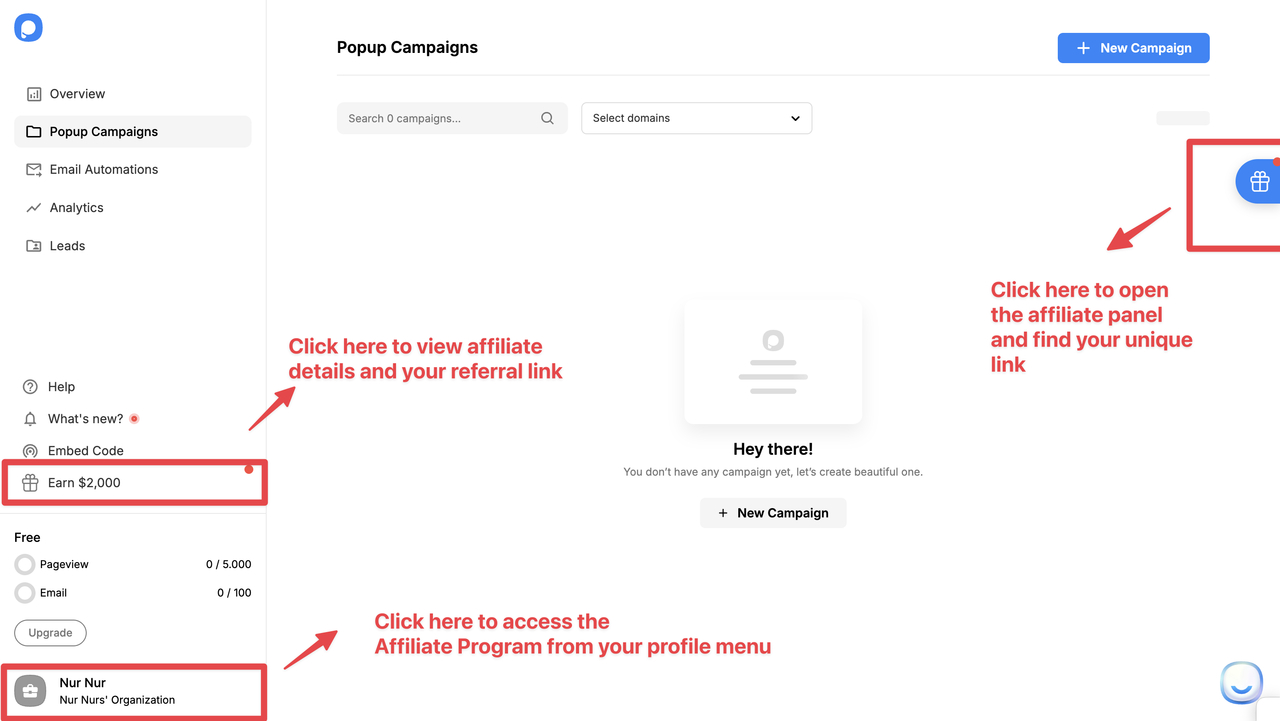
Access the affiliate program in three ways:
Click on your profile and select Affiliate Program.
Click the gift box icon on the right side of the dashboard.
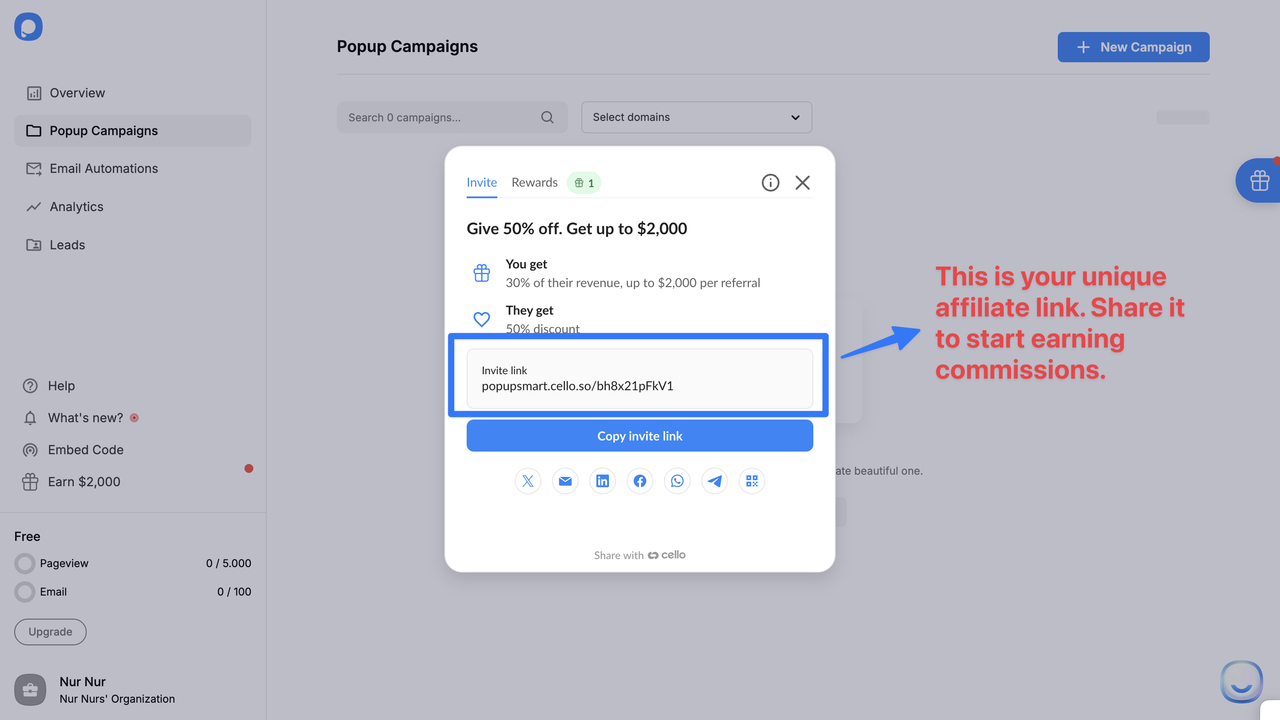
Get Your Affiliate Link
Inside the affiliate section, find your unique affiliate referral link. Use this link whenever you promote Popupsmart.
Promote & Earn
When someone signs up using your link and becomes a paid customer:
- You earn 30% lifetime recurring commission
- Your referral receives 50% off for their first 3 months
- There is no limit to how much you can earn
Track Performance
From the affiliate section, track clicks, new signups, paying customers, and earned commissions.
Tips for New Affiliates
Best Practices
- Always use your unique affiliate link
- Highlight the 50% discount for the first 3 months
- Focus on real use cases and problems Popupsmart solves
- Recommend Popupsmart only where it genuinely fits your audience
How is this guide?