
How the Affiliate Program Works (From Referral to Commission)
Learn how the Popupsmart Affiliate Program works step-by-step, from generating referrals to earning commissions, tracking performance, and receiving payouts.
This article explains how the Popupsmart Affiliate Program works from the moment you share your affiliate link to the moment you earn a commission.
How It Works
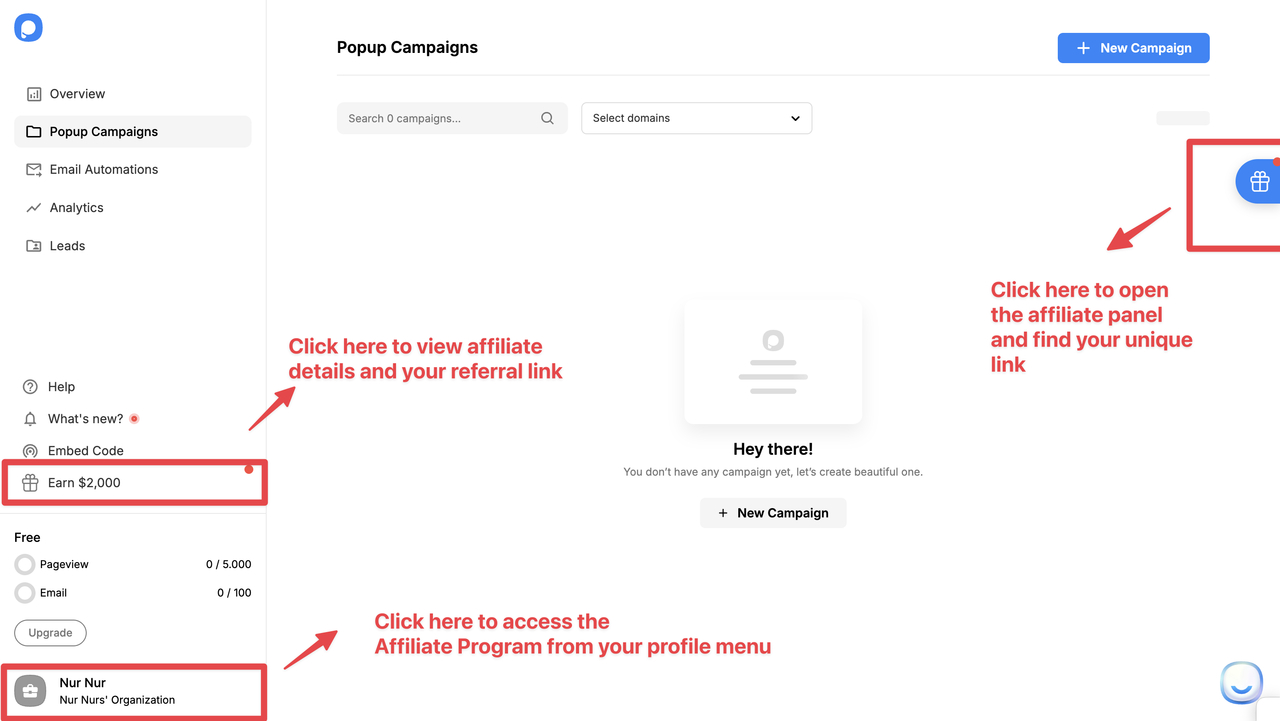
Get Your Unique Link
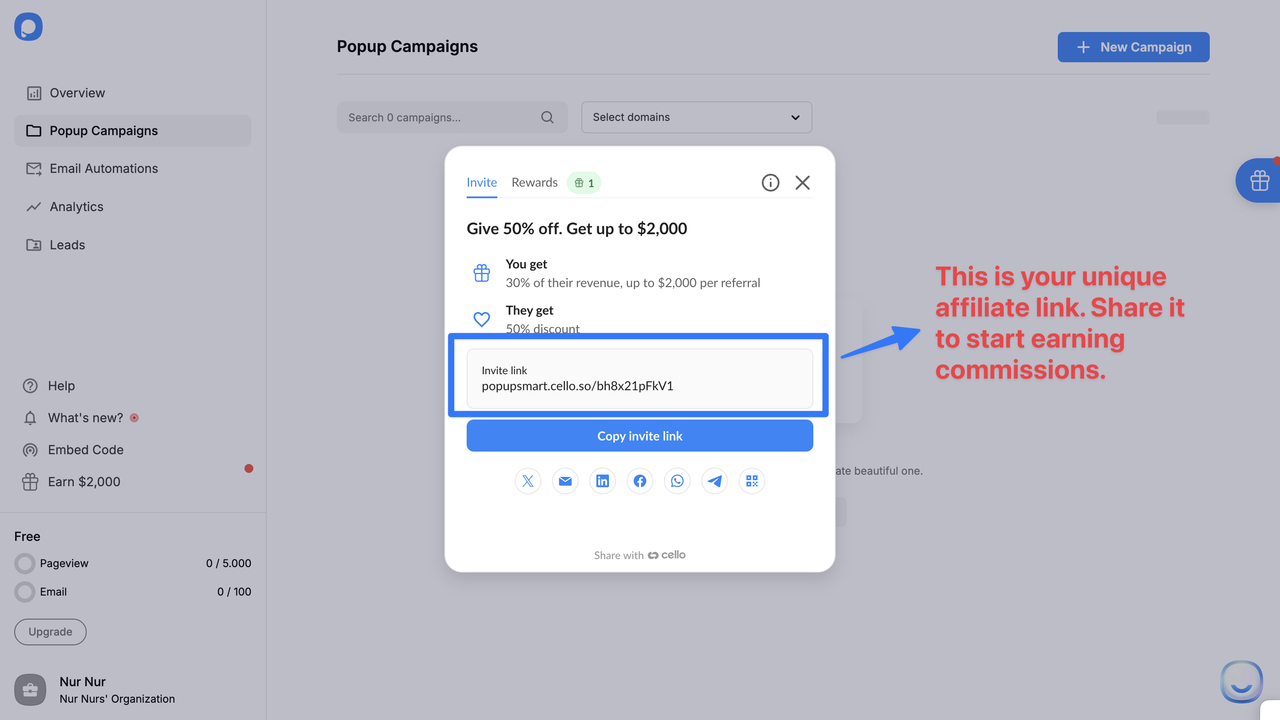
After joining the program, you receive a unique affiliate referral link used to track visits, attribute signups, and calculate commissions automatically.
Share Your Link
Share your affiliate link through:
- Blog posts and tutorials
- Product reviews and comparison pages
- YouTube videos and descriptions
- Email newsletters
- Social media posts
- Client recommendations
When someone clicks, they're tagged as your referral.
Cookie Tracking
Popupsmart uses cookie-based tracking:
- A 30-day tracking cookie is placed when users click your link
- If they sign up within 30 days, the referral is attributed to you
- Only new Popupsmart customers are eligible
Referral Gets Discount
When users sign up through your link, they receive a 50% discount for their first 3 months, increasing signup and conversion rates.
Referral Upgrades
Commissions are earned when a referred user:
- Signs up through your affiliate link
- Upgrades to a paid Popupsmart plan
- Completes a successful payment
Commission Recorded
Once your referral becomes a paying customer:
- You earn 30% lifetime recurring commission
- The commission appears in your affiliate dashboard
- Commissions update automatically with plan changes
Ongoing Earnings
Earn commission every billing cycle with no limit on how long you earn from a referral. Multiple referrals compound into predictable monthly revenue.
Important Things to Know
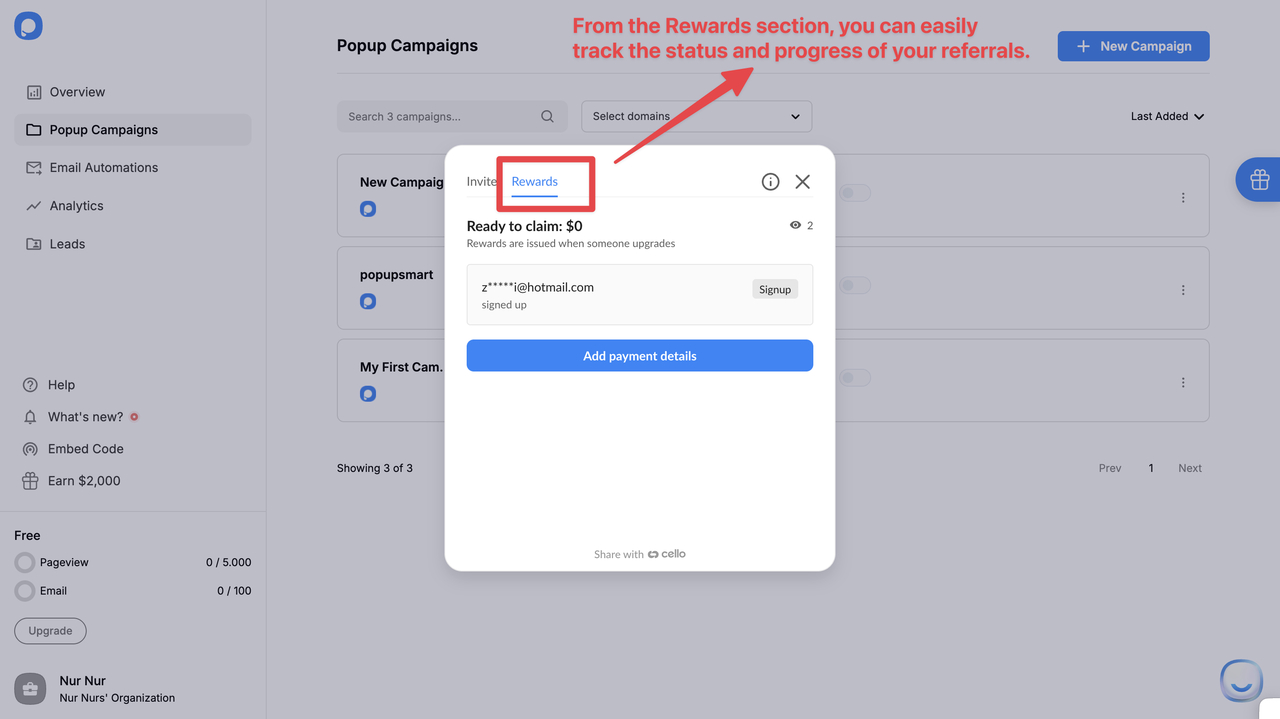
Track Your Performance
View all referral activity in your affiliate dashboard: clicks, signups, active subscriptions, and pending/approved commissions.
How is this guide?