
How to Change General Advanced Settings of Your Popup
Master the art of modifying advanced settings of your popup. Step-by-step guide to customize and enhance your popup's performance. Learn now!
In this guide, we'll explain what you can do with General Advanced Settings to further customize your popup according to your needs.
How to Access General Advanced Settings
Select Campaign
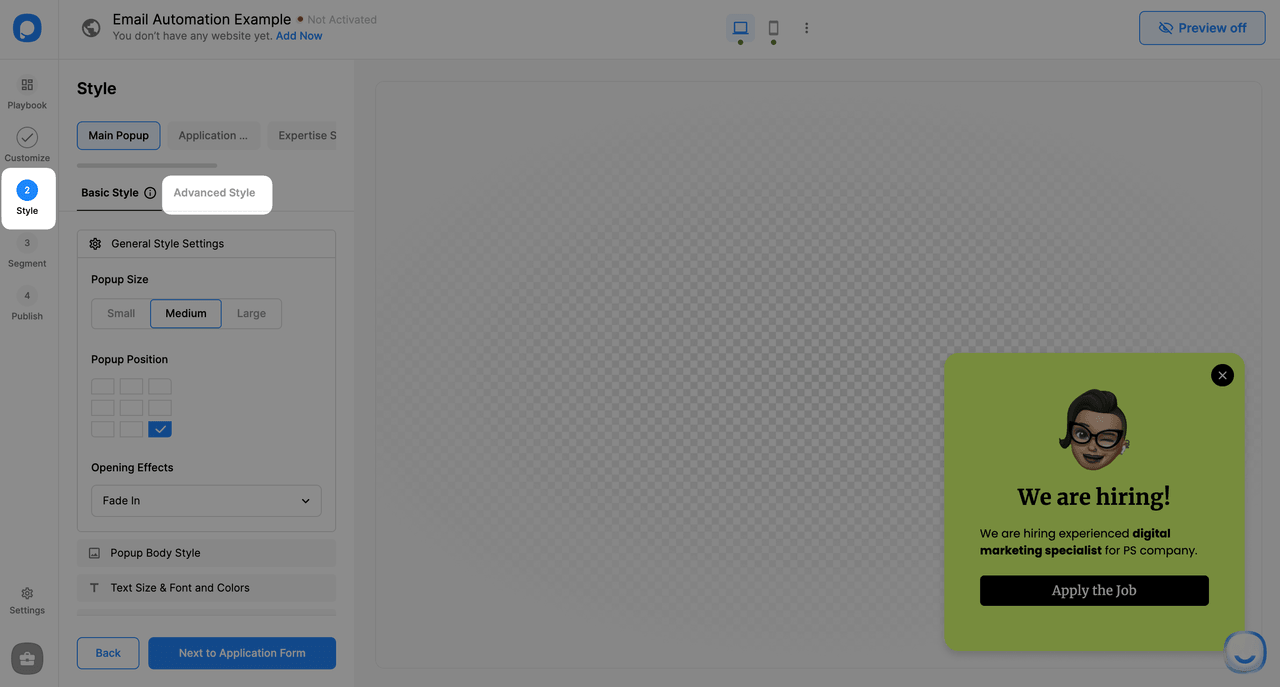
Select an existing popup campaign or create a new one. Go to the "Style" step.
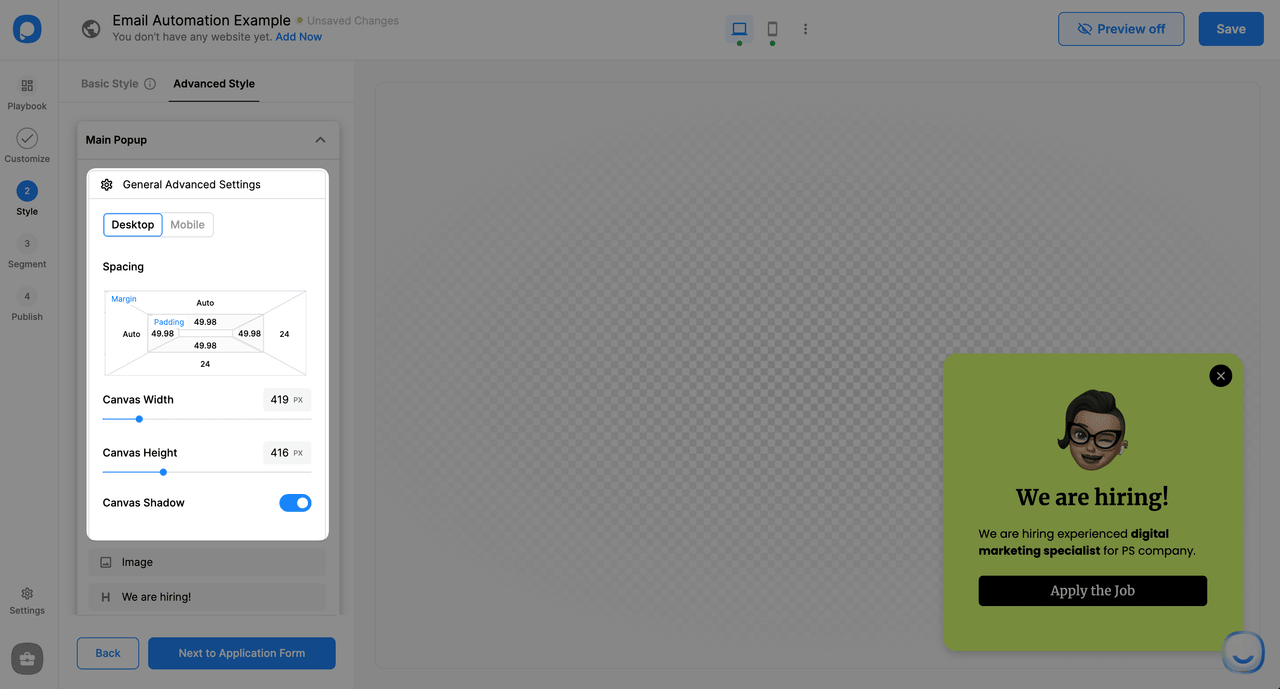
Available Customizations
Device-Specific Settings
You can make all changes for desktop and mobile designs individually.
Still have questions? Contact us!
How is this guide?